1
 →
→
macOS menubar app for fast local DeepSeek V4.1, with 1M context.
notatestuser/ds4-control is an open-source project on GitHub, mainly written in Swift. macOS menubar app for fast local DeepSeek V4.1, with 1M context. It currently holds 913 stars and 36 forks with 0 open issues, and was last pushed on an unknown date (repository created unknown).
AI Homed tracks it on the Local & On-Device AI board.

A macOS menu bar pane for DeepSeek V4 and V4.1 via dwarfstar.
It launches, supervises, and monitors a local ds4 server, lets you pick V4.1 Flash, V4 Pro (0813), or V4 Flash (0731) with up to 1M context, and shows resource use.
Launch Pi, Claude Code or BYOC (Bring Your Own CLI) for local agentic coding.
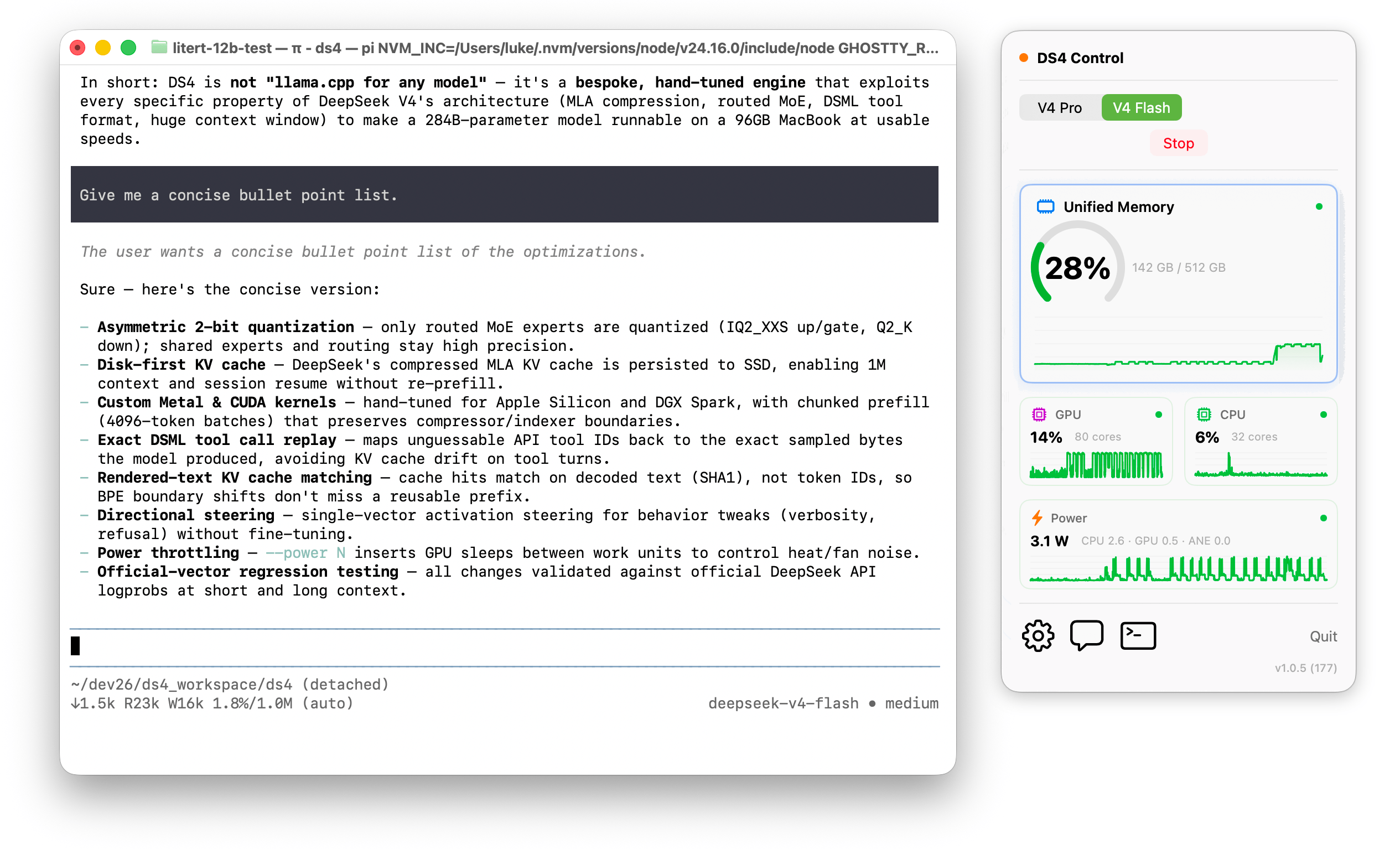
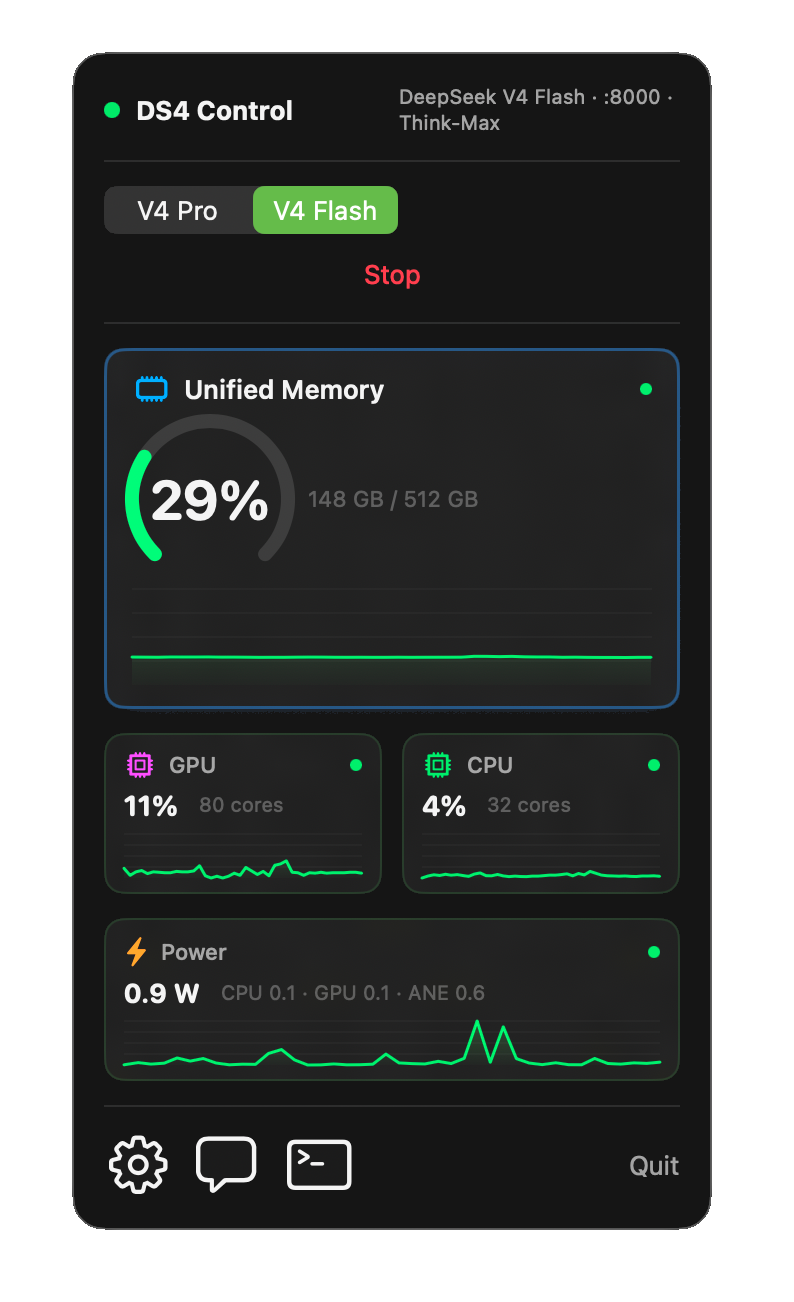
Signed with a live Apple Developer ID & notarized by Apple
brew install --cask ds4-control
ds4-server child process — spawn, stderr readiness detection, health polling, graceful stop, and crash detection.ds4-server.antirez/ds4 is vendored as a git submodule at external/ds4:
git submodule update --init --recursive    # fetch ds4 into external/ds4
bash scripts/apply-ds4-patches.sh           # THINK_MAX prefix (antirez/ds4#635)
make -C external/ds4 -j ds4-server          # build the ds4-server binary
DS4_DIR="$PWD/external/ds4" swift run        # build + run the dev app against the submodule
DeepSeek V4 is memory-hungry so DS4 Control gates feasibility before launching.
| Variant | Quant | RAM | Notes | | --- | --- | --- | --- | | V4 Pro (0813) | pro-imatrix | ≥ 512 GiB required | Anything below is blocked. | | V4.1 Flash | 41-q2 | ≥ 96 GiB | 341 GiB on disk, ~152 GiB resident main weights + ~189 GiB disk-only Engram. SSD streaming engages automatically on 96–255 GiB (slow: nearly every routed expert streams from disk); full residency on ≥ 256 GiB. | | V4.1 Flash | 41-q4 | ≥ 256 GiB | 483 GiB on disk, ~294 GiB resident main weights. SSD streaming on 256–511 GiB; full residency on ≥ 512 GiB. | | V4 Flash (0731) | q4-imatrix | ≥ 256 GiB | Standard. | | V4 Flash (0731) | q2-imatrix | 96 GiB minimum | 96–127 GiB requires raising the Metal wired limit (see in-app help). |
Measured single-stream generation throughput on a Mac Studio M3 Ultra (512 GiB):
| Model | Throughput | |---|---| | V4 Pro (0813) | ~14 tok/s | | V4 Flash (0731) | ~35 tok/s |
Varies with context length, prompt, and the Metal wired limit.
It’s suggested to follow the ds4 coding agent setup guide to configure your OpenCode/Claude/Codex/Pi as you prefer.
For development:
swift run
To produce a distributable bundle:
bash build.sh
This builds a release binary and assembles DS4 Control.app.
First run: open Settings (the gear in the popup) and set the ds4 directory — the folder that contains ds4-server.
build.sh auto-detects your Apple Development identity via security find-identity and signs the bundle with it. If no Apple Development identity is installed, it falls back to ad-hoc signing (the app runs locally but is not distributable).
To sign with your own key:
DS4_SIGN_IDENTITY="Apple Development: …" before running build.sh.DS4 Control is a single Swift binary — no embedded inference and no second process language. Three @MainActor objects do the work, and the SwiftUI layer just observes them:
SupervisorService owns the ds4-server lifecycle through Foundation.Process: it builds the launch arguments, watches stderr for the listening on http:// readiness line, polls GET /v1/models for health, and stops gracefully with SIGTERM (SIGKILL fallback). Model weights are fetched by a built-in native parallel downloader (resumable across restarts).MetricsManager samples CPU, memory, GPU, and power/ANE via Mach, IOKit, and the private IOReport interface every 2 s, publishing a SystemSnapshot to the widgets.Feasibility turns installed RAM into a variant choice and a budget-derived default context (pure, fully unit-tested).MIT — see LICENSE.
→ →
→ →
→ →
→ →
→ →
→ →
→ →
→