1
 →
→
The automatic work journal/time tracker. Privately turns your screen into a timeline of what you actually accomplished. Open-source and local-first.
JerryZLiu/Dayflow is an open-source project on GitHub, mainly written in Swift. The automatic work journal/time tracker. Privately turns your screen into a timeline of what you actually accomplished. Open-source and local-first. It currently holds 7,153 stars and 438 forks with 0 open issues, and was last pushed on an unknown date (repository created unknown).
AI Homed tracks it on the Local & On-Device AI board.

A private, automatic work journal for Mac.
Dayflow understands the work you do on your Mac and turns it into a clear timeline of your day. Built from the ground up for privacy, it’s open source, local-first, and can run entirely with local AI.

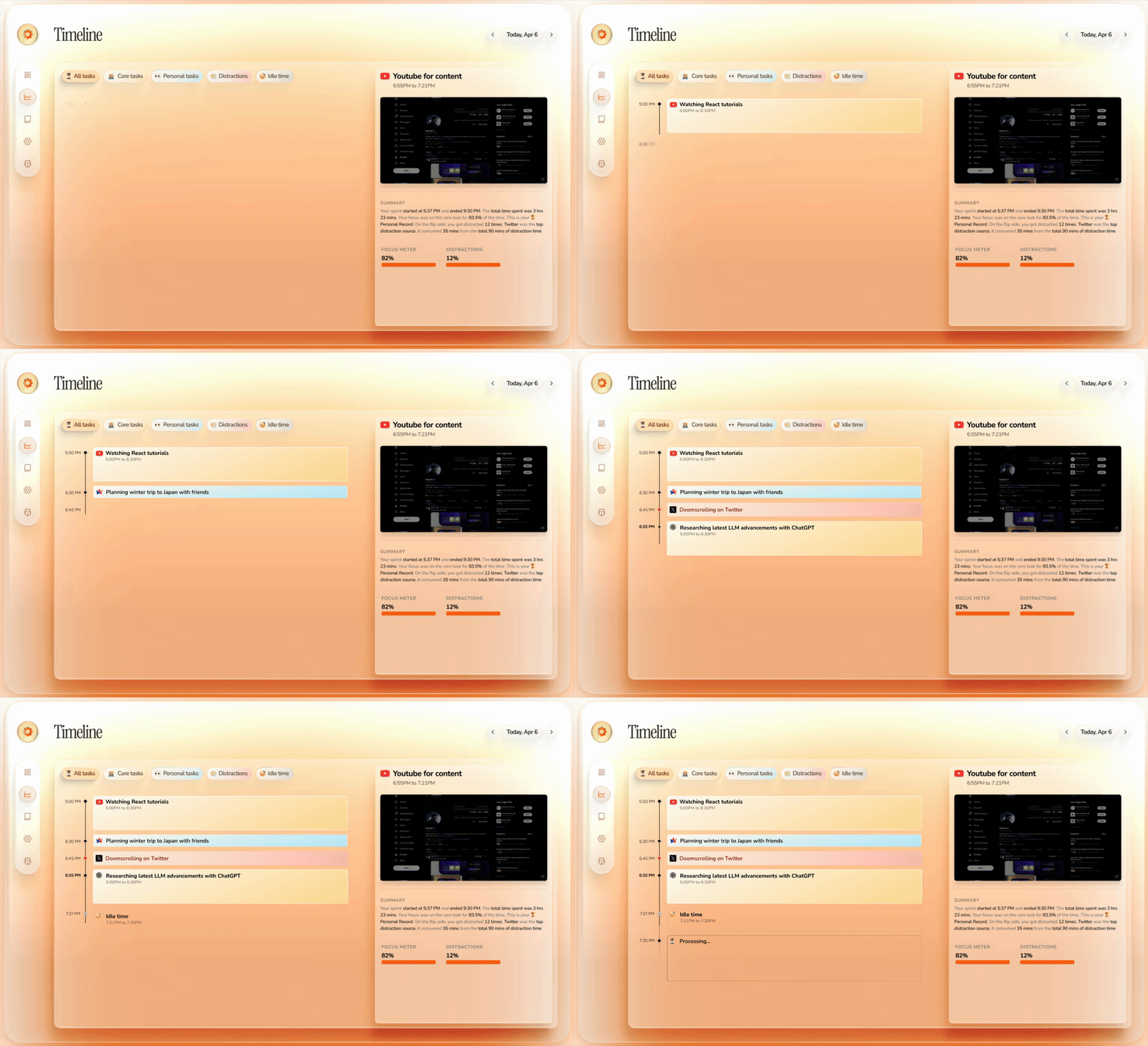
Dayflow turns raw screen activity into a chronological timeline of what you actually did, so you can reconstruct the day without timers or manual notes.
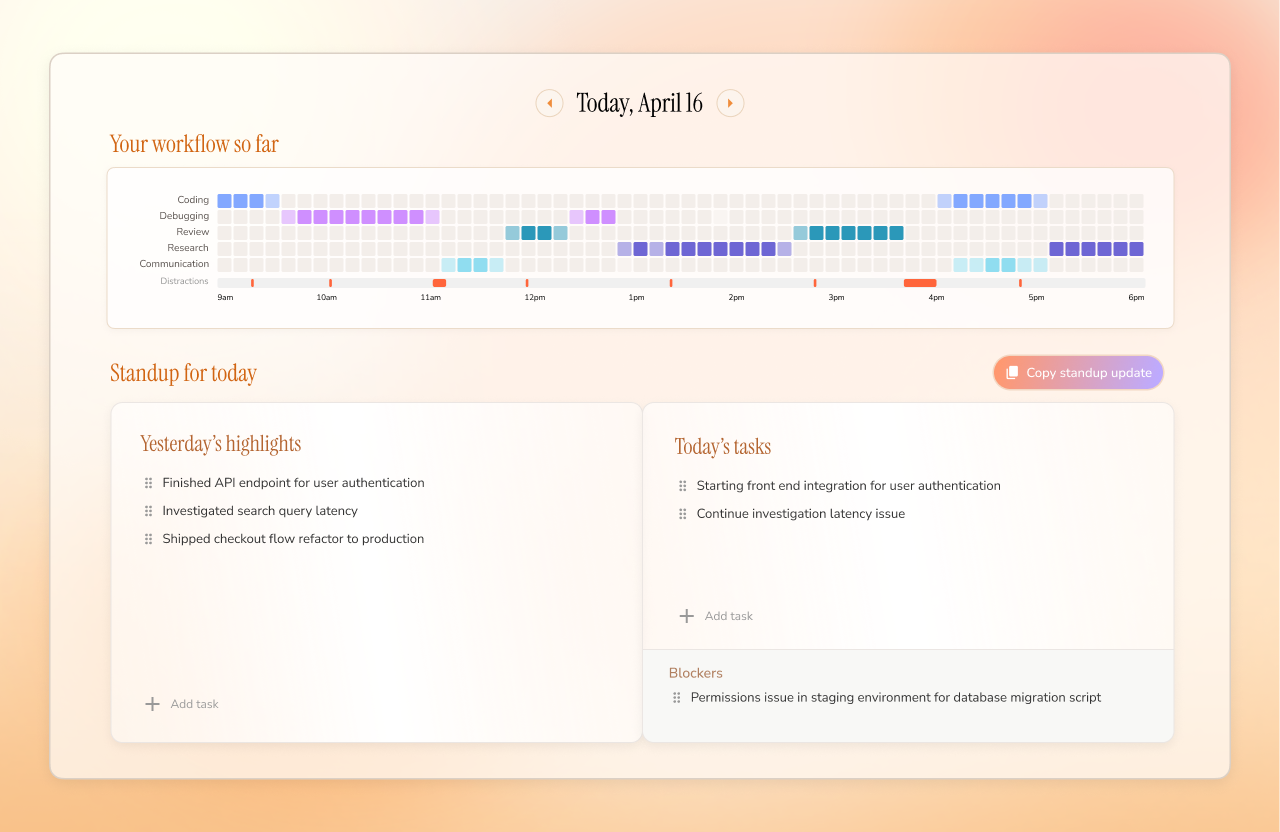
See a GitHub-style activity grid of your day, plus yesterday's highlights, today's priorities, and blockers, so you can walk into standup with the update already written.
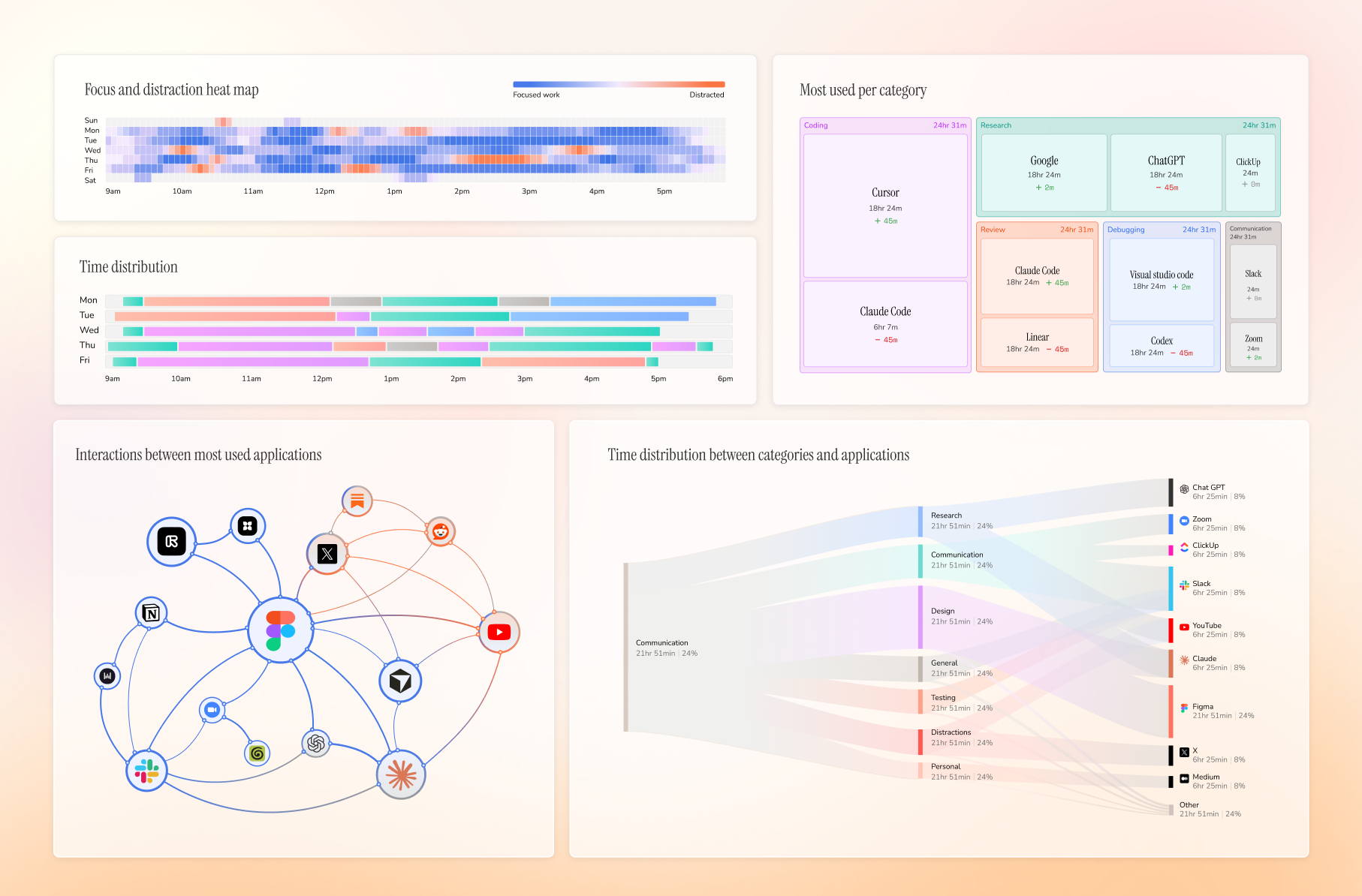
See your week at a glance: when you were focused, where time went, which apps dominated, and what pulled you off track.
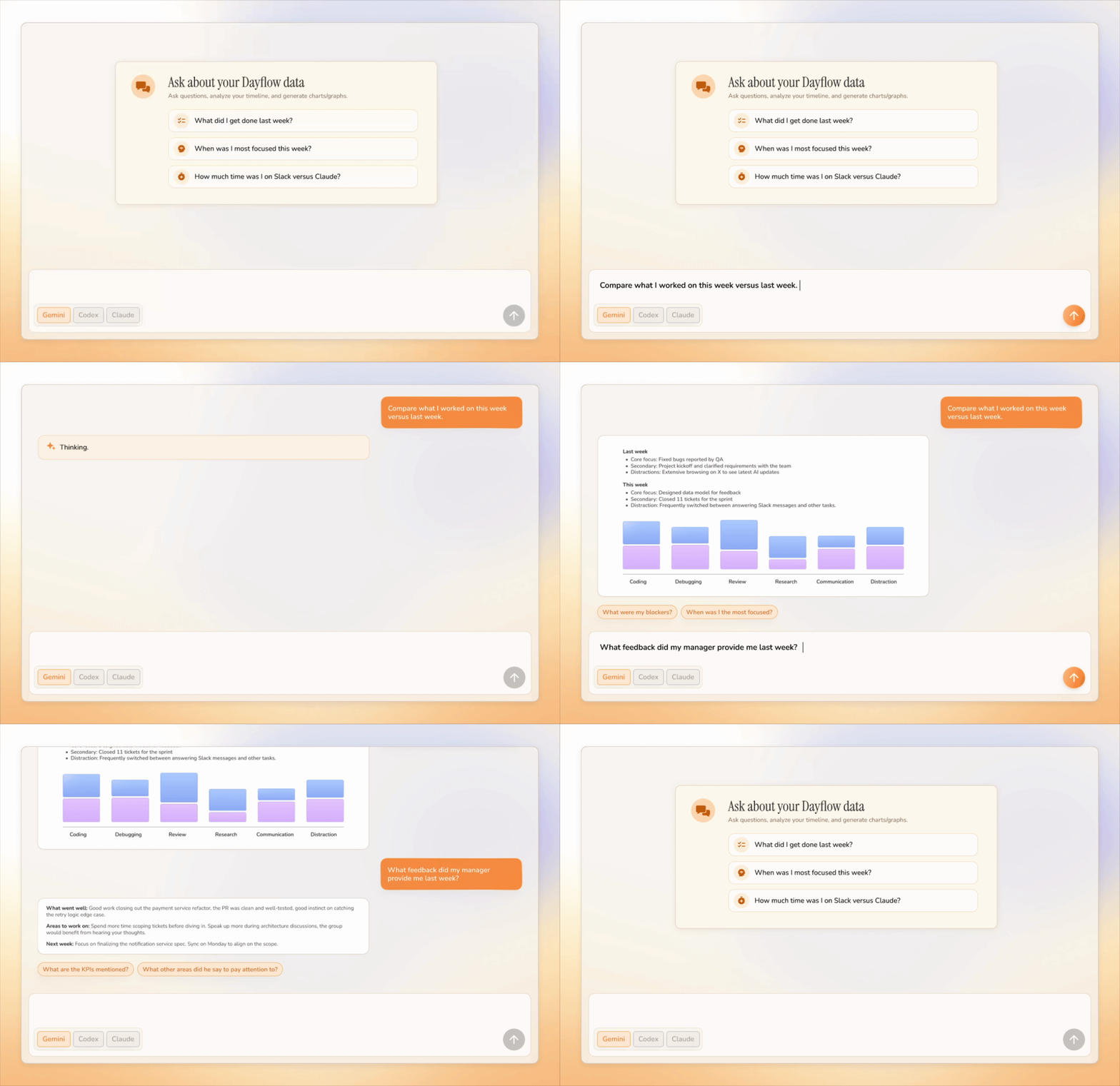
Ask questions about your day/week/year and get answers grounded in your timeline instead of digging through notes, screenshots, or memory.
Dayflow runs quietly on your Mac and builds a useful record of your day from your screen activity.
| Feature | How it works | Why it's useful | | --- | --- | --- | | Automatic timeline | Dayflow captures lightweight screen chunks, analyzes them with your chosen AI provider, and turns the day into activity cards. | You get an accurate work journal without starting timers or writing notes. | | Context-aware summaries | It looks at what you were actually doing on screen, not just which app was active. | Cursor, Chrome, YouTube, or Slack become meaningful work context instead of vague app usage. | | Daily standup | Dayflow pulls yesterday's highlights, today's tasks, and blockers from your timeline. | You can write updates in minutes and stop relying on memory. | | Chat with your work journal | Ask natural-language questions about your timeline and recent activity. | You can recover details, explain where time went, and turn raw activity into useful answers. | | Weekly review | It aggregates your timeline into focus patterns, categories, app usage, and interaction graphs. | You can see where the week actually went and spot the habits that helped or hurt. | | Distraction tracking | Dayflow identifies distracting sessions and shows them alongside focused work. | You can catch drift early without manually labeling every break. | | Timeline export | Export your timeline as Markdown for any date range. | Useful for status updates, client notes, personal reviews, or saving a searchable record. | | Local-first storage | Recordings, timeline data, and the app database stay on your Mac by default. | You stay in control of sensitive screen history and can delete it whenever you want. | | AI provider choice | Use local models, Gemini, ChatGPT, or Claude depending on your privacy and quality needs. | You can trade off privacy, cost, speed, and summary quality instead of being locked into one backend. | | Automatic cleanup | Configure storage limits and let Dayflow purge old recordings automatically. | You get the value of a work journal without filling your disk forever. |
Most time trackers tell you which app was open. Dayflow tries to understand what you were doing.
Cursor for two hours could mean shipping a feature, debugging auth, reviewing a PR, or getting lost in setup. Dayflow gives you the context, not just the window title.
Dayflow is local-first and open source.
Your recordings, timeline, and database live on your Mac at:
~/Library/Application Support/Dayflow/
You choose how AI analysis runs:
Download the latest Dayflow.dmg from GitHub Releases:
Open the DMG, drag Dayflow into Applications, then grant macOS Screen & System Audio Recording permission when prompted.
brew install --cask dayflow
git clone https://github.com/JerryZLiu/Dayflow.git
cd Dayflow
open Dayflow/Dayflow.xcodeproj
Select the Dayflow scheme in Xcode and run it.
Issues and pull requests are welcome. If you are planning a larger change, open an issue first so the scope is clear.
Dayflow is licensed under the MIT License.
dayflow.so · Pricing · Privacy · Guides
→ →
→ →
→ →
→ →
→ →
→ →
→ →
→