1
 →
→
☄🌌️ The minimal, blazing-fast, and infinitely customizable prompt for any shell!
starship/starship is an open-source project on GitHub, mainly written in Rust. ☄🌌️ The minimal, blazing-fast, and infinitely customizable prompt for any shell! It currently holds 60,329 stars and 2,711 forks with 0 open issues, and was last pushed on an unknown date (repository created unknown).
AI Homed tracks it on the Today's Trending board, currently at rank #54 with 25 new stars today.


Website · Installation · Configuration


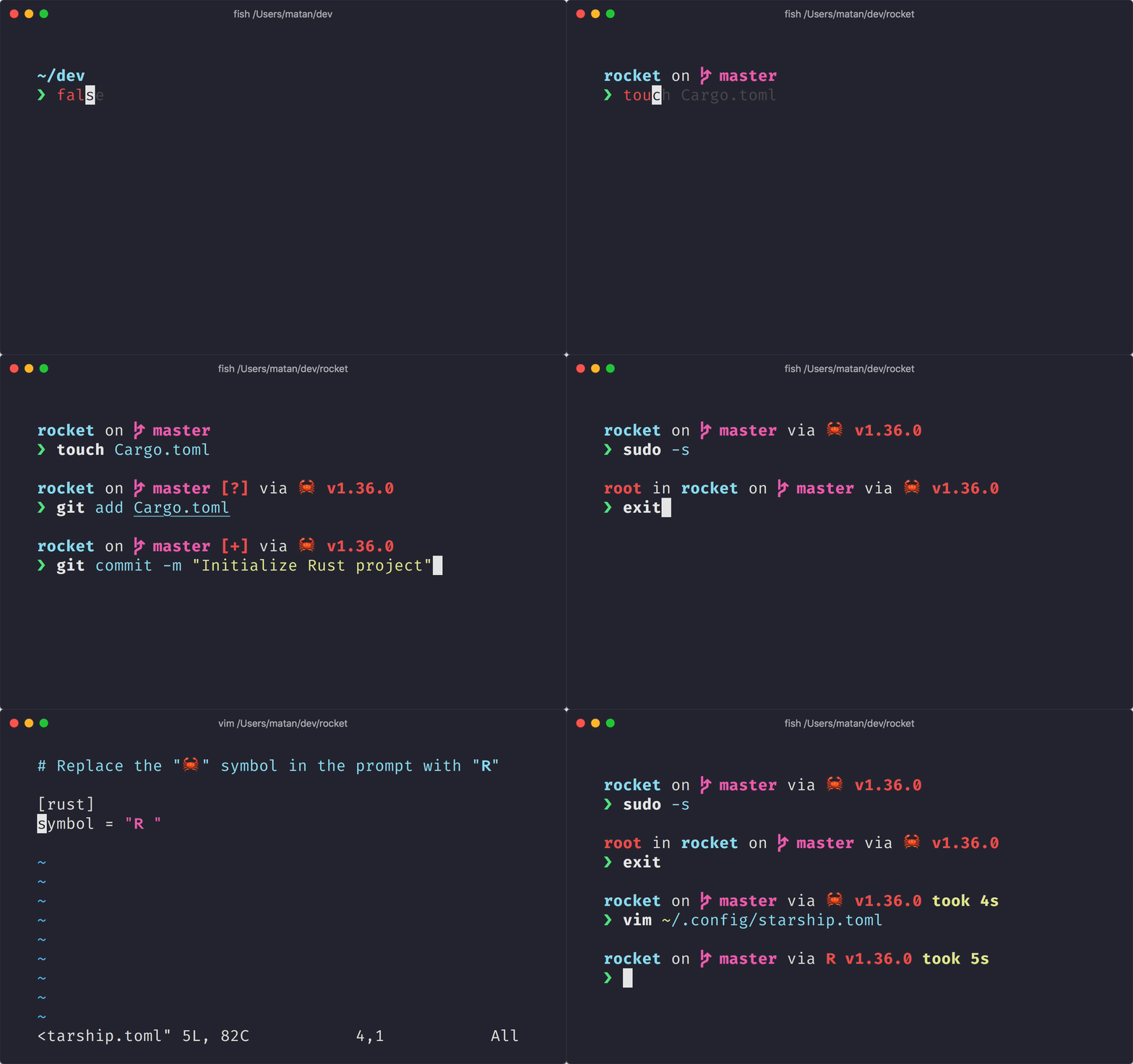
The minimal, blazing-fast, and infinitely customizable prompt for any shell!
Select your operating system from the list below to view installation instructions:
Install Starship using any of the following package managers:
| Repository | Instructions |
| ---------- | ---------------------- |
| [Termux] | pkg install starship |
Install Starship using any of the following package managers:
| Distribution | Repository | Instructions |
| ------------ | --------------- | --------------------------------- |
| _Any_ | [crates.io] | cargo install starship --locked |
| FreeBSD | [FreshPorts] | pkg install starship |
| NetBSD | [pkgsrc] | pkgin install starship |
Install the latest version for your system:
curl -sS https://starship.rs/install.sh | sh
Alternatively, install Starship using any of the following package managers:
| Distribution | Repository | Instructions |
| ------------------ | ----------------------- | ------------------------------------------------------------- |
| _Any_ | [crates.io] | cargo install starship --locked |
| _Any_ | [conda-forge] | conda install -c conda-forge starship |
| _Any_ | [Linuxbrew] | brew install starship |
| Alpine Linux 3.13+ | [Alpine Linux Packages] | apk add starship |
| Arch Linux | [Arch Linux Extra] | pacman -S starship |
| CentOS 7+ | [Copr] | dnf copr enable atim/starship
dnf install starship |
| Debian 13+ | [Debian Main] | apt install starship |
| Fedora 40+ | [Copr] | dnf copr enable atim/starship
dnf install starship |
| Gentoo | [Gentoo Packages] | emerge app-shells/starship |
| Manjaro | | pacman -S starship |
| NixOS | [nixpkgs] | nix-env -iA nixpkgs.starship |
| openSUSE | [OSS] | zypper in starship |
| Ubuntu 25.04+ | [Ubuntu Universe] | apt install starship |
| Void Linux | [Void Linux Packages] | xbps-install -S starship |
Install the latest version for your system:
curl -sS https://starship.rs/install.sh | sh
Alternatively, install Starship using any of the following package managers:
| Repository | Instructions |
| --------------- | --------------------------------------- |
| [crates.io] | cargo install starship --locked |
| [conda-forge] | conda install -c conda-forge starship |
| [Homebrew] | brew install starship |
| [MacPorts] | port install starship |
Install the latest version for your system with the MSI-installers from the releases section.
Install Starship using any of the following package managers:
| Repository | Instructions |
| --------------- | --------------------------------------- |
| [crates.io] | cargo install starship --locked |
| [Chocolatey] | choco install starship |
| [conda-forge] | conda install -c conda-forge starship |
| [Scoop] | scoop install starship |
| [winget] | winget install --id Starship.Starship |
Configure your shell to initialize starship. Select yours from the list below:
Add the following to the end of ~/.bashrc:
eval "$(starship init bash)"
You need to use Clink (v1.2.30+) with Cmd.
Create a file at this path %LocalAppData%\clink\starship.lua with the following contents:
load(io.popen('starship init cmd'):read("*a"))()
Add the following to the end of ~/.config/elvish/rc.elv (%AppData%\elvish\rc.elv on Windows):
eval (starship init elvish)
Note: Only Elvish v0.18+ is supported. For elvish versions prior to v0.21.0 the config file might instead be ~/.elvish/rc.elv
Add the following to the end of ~/.config/fish/config.fish:
starship init fish | source
Add the following to the end of ~/.config/ion/initrc:
eval $(starship init ion)
Add the following to the end of your Nushell configuration (find it by running $nu.config-path in Nushell):
mkdir ($nu.data-dir | path join "vendor/autoload")
starship init nu | save -f ($nu.data-dir | path join "vendor/autoload/starship.nu")
Note: Only Nushell v0.96+ is supported
Add the following to the end of your PowerShell configuration (find it by running $PROFILE):
Invoke-Expression (&starship init powershell)
Add the following to the end of ~/.tcshrc:
eval starship init tcsh
Add the following to the end of ~/.xonshrc:
execx($(starship init xonsh))
Add the following to the end of ~/.zshrc:
eval "$(starship init zsh)"
Start a new shell instance, and you should see your beautiful new shell prompt. If you're happy with the defaults, enjoy!
If you're looking to further customize Starship:
We are always looking for contributors of all skill levels! If you're looking to ease your way into the project, try out a good first issue.
If you are fluent in a non-English language, we greatly appreciate any help keeping our docs translated and up-to-date in other languages. If you would like to help, translations can be contributed on the Starship Crowdin.
If you are interested in helping contribute to starship, please take a look at our Contributing Guide. Also, feel free to drop into our Discord server and say hi. 👋
Please check out these previous works that helped inspire the creation of starship. 🙏
Support this project by becoming a sponsor. Your name or logo will show up here with a link to your website.
Free code signing provided by [SignPath.io], certificate by [SignPath Foundation].
Code Signing Roles:

Copyright © 2019-present, Starship Contributors.
This project is ISC licensed.
[alpine linux packages]: https://pkgs.alpinelinux.org/packages?name=starship [arch linux extra]: https://archlinux.org/packages/extra/x86_64/starship [chocolatey]: https://community.chocolatey.org/packages/starship [conda-forge]: https://anaconda.org/conda-forge/starship [copr]: https://copr.fedorainfracloud.org/coprs/atim/starship [crates.io]: https://crates.io/crates/starship [debian main]: https://sources.debian.org/src/starship/1.22.1-1/ [freshports]: https://www.freshports.org/shells/starship [gentoo packages]: https://packages.gentoo.org/packages/app-shells/starship [linuxbrew]: https://formulae.brew.sh/formula/starship [homebrew]: https://formulae.brew.sh/formula/starship [macports]: https://ports.macports.org/port/starship [nixpkgs]: https://github.com/NixOS/nixpkgs/blob/master/pkgs/by-name/st/starship/package.nix [OSS]: https://software.opensuse.org/package/starship [pkgsrc]: https://pkgsrc.se/shells/starship [scoop]: https://github.com/ScoopInstaller/Main/blob/master/bucket/starship.json [SignPath Foundation]: https://signpath.org [SignPath.io]: https://signpath.io [termux]: https://github.com/termux/termux-packages/tree/master/packages/starship [ubuntu universe]: https://packages.ubuntu.com/source/plucky/starship [void linux packages]: https://github.com/void-linux/void-packages/tree/master/srcpkgs/starship [winget]: https://github.com/microsoft/winget-pkgs/tree/master/manifests/s/Starship/Starship
→ →
→ →
→ →
→ →
→ →
→ →
→ →
→