1
 →
→
OpenBitFun combines a high-performance agent runtime written in Rust with a polished desktop application.
GCWing/OpenBitFun is an open-source project on GitHub, mainly written in Rust. OpenBitFun combines a high-performance agent runtime written in Rust with a polished desktop application. It currently holds 2,304 stars and 238 forks with 0 open issues, and was last pushed on an unknown date (repository created unknown).
AI Homed tracks it on the AI Coding Agents board.
English · 中文
OpenBitFun is a highly customizable, open-source agent workspace that keeps work moving your way.
Four powerful Agent Harness modes · Cross-device remote control · Customization from Mini Apps to source
If this is the kind of agent workspace you want, ⭐ Star OpenBitFun and help more people discover it.
Download · Mini App Marketplace · Contribute
---
OpenBitFun 1.0.0 brings a redesigned interface, four Agent Harness modes for different kinds of work, and major upgrades to cross-device collaboration and remote control, so tasks move smoothly across desktop, mobile, and browser.
Migration note: OpenBitFun 1.0.0 is not data-compatible with legacy 0.2.x releases. To migrate legacy data, use the OpenBitFun Data Migrator, currently available for stable releases 0.2.17–0.2.19.
---
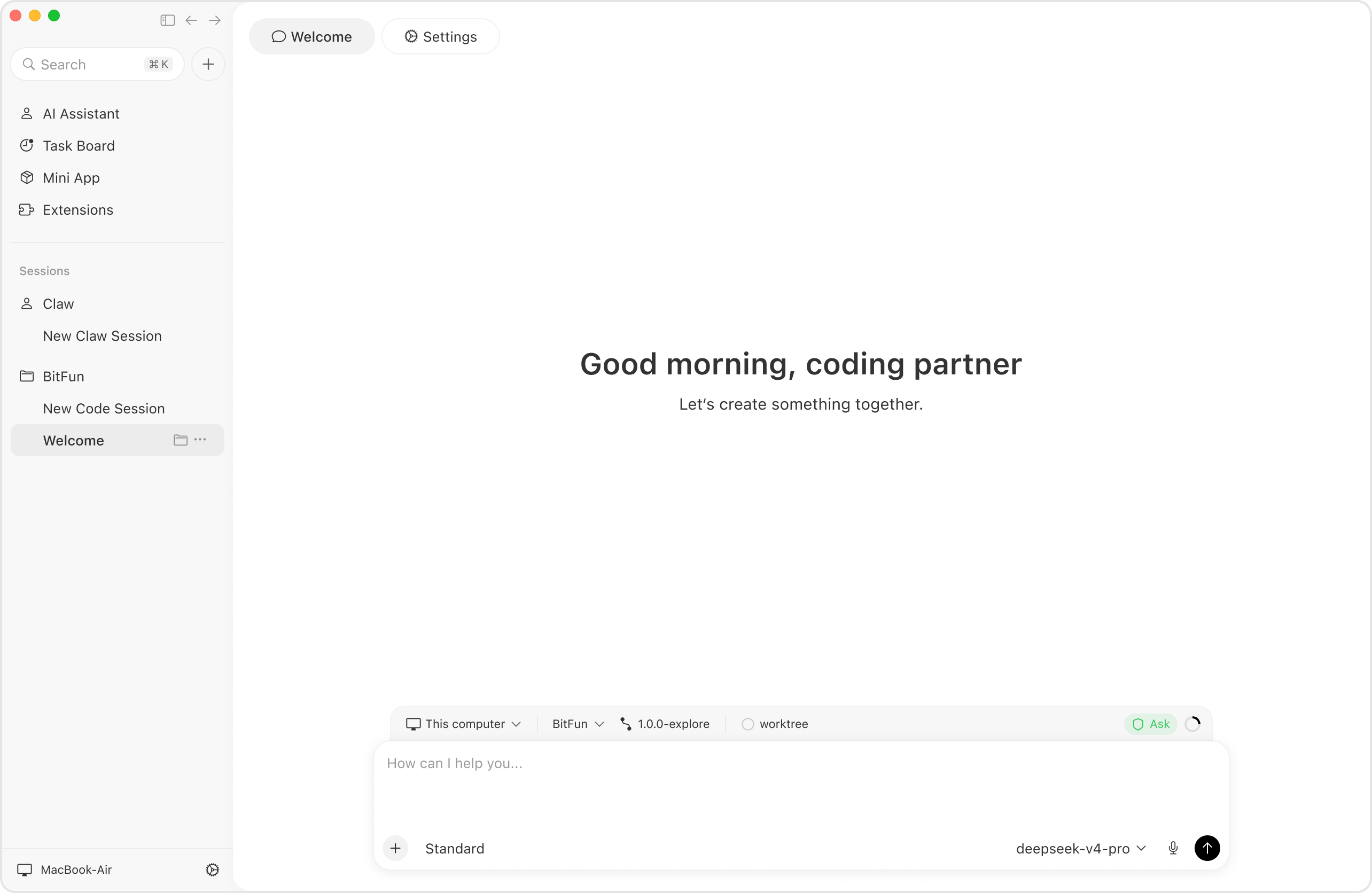
The Agent Harness shapes how a task gets done. It plans steps, manages context, calls tools, coordinates agents, and brings their results together. Choose the mode that fits the task:
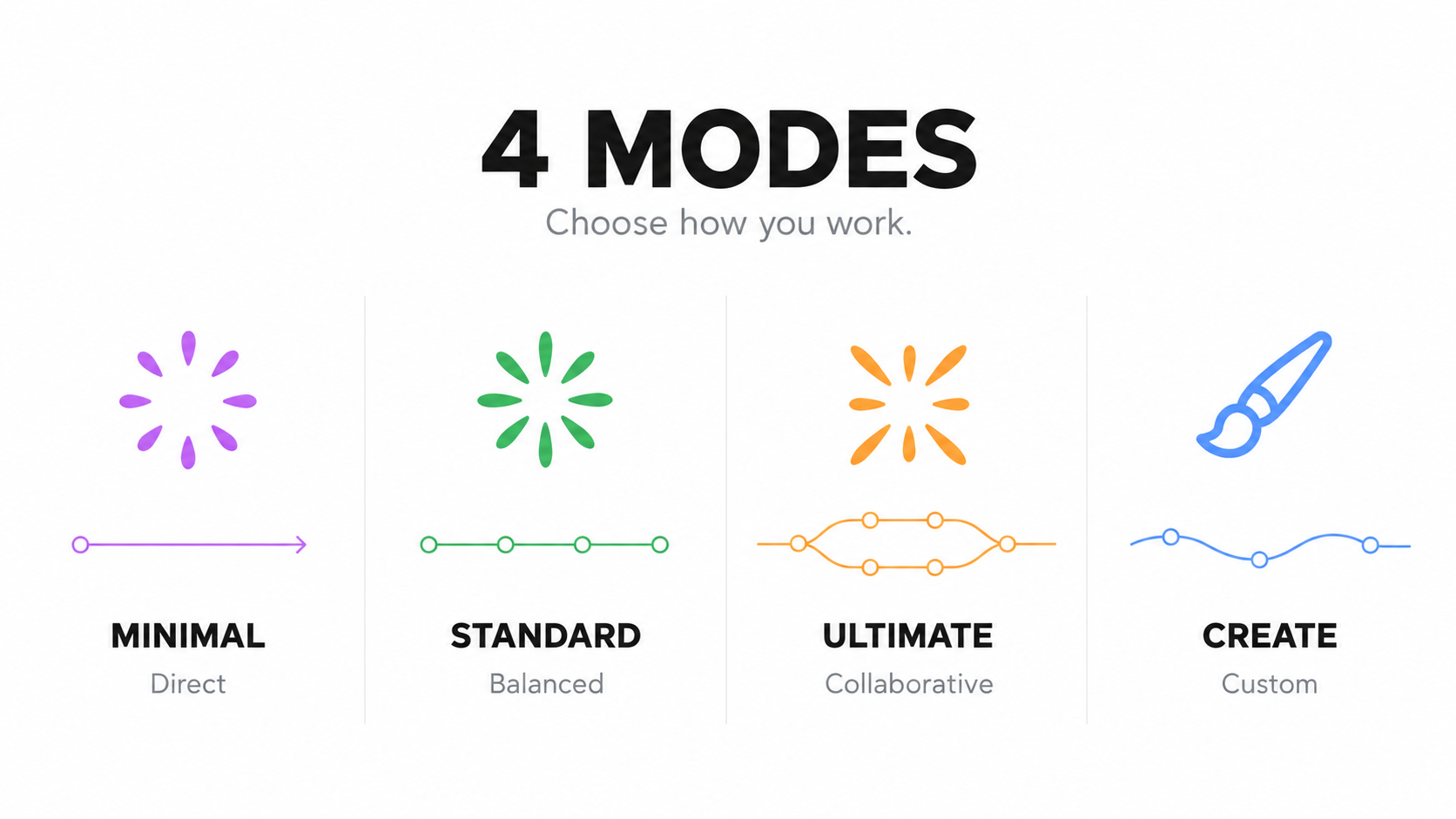
| Mode | When to use it | | --- | --- | | Minimal | Quick collaboration. Start with a clear goal. The agent acts directly, you give feedback, and you refine the work together. | | Standard | Everyday tasks. For work with several steps: plan the approach, work through it, and check the results. | | Ultimate | Complex tasks. Dig into demanding problems, divide the work among agents, and bring their results together. | | Creative | Creation and customization. Build Mini Apps or extend OpenBitFun's interface and capabilities to make the workspace your own. |
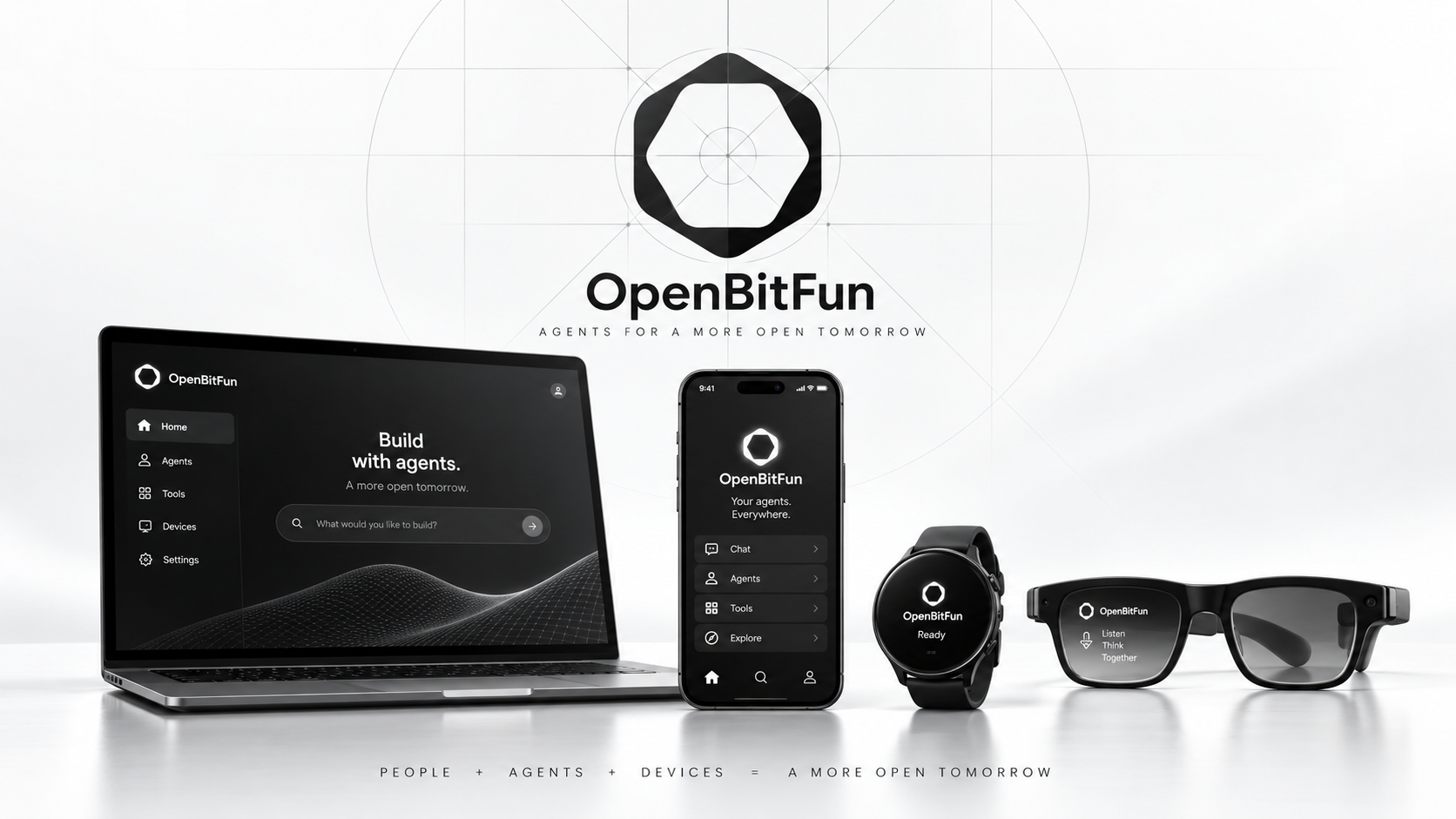
Switch devices. Keep the task moving. Start at your desktop, pick up the conversation on your phone, or use a browser to check progress, add instructions, and respond to approval requests. Work continues on the device running the task, wherever you connect from.
On mobile, switch between layouts for one, two, or three screens. Focus on the conversation with a single screen, then unfold your phone to view conversations and files side by side. The interface adapts as the screen layout changes.
We're also building ways to connect from watches and glasses. The device extension protocol lets us bring task updates and simple interactions to more wearables, extending collaboration from your desk to your wrist and beyond.
Use SSH to work on a remote host, through a jump host, or inside a container, with files, commands, and agent execution in the target environment. The desktop app and CLI share core execution capabilities; mobile clients and messaging bots offer more ways to control tasks.
Account login, synchronization, and control between devices on the same account run through a Relay server you deploy. See Remote Connect and remote workspaces for connection options.
Build a Git insights panel for a repository, a workspace for presentations, or a form that brings routine actions together. Mini Apps turn specific needs into tools you can use.
Describe what you need and let the agent build it. Each Mini App pairs a dedicated interface with an agent conversation, so you can use the app for everyday work and keep improving it through chat.
Install and reuse the apps you build, or explore the Mini App Marketplace for tools that fit your work.
Customize the roles, tools, interface, and source code. Start with an agent that fits your work, then extend the workspace around it:
Learn more about agent management, Hooks and compatibility, and the product architecture.
The Rust Agent Runtime manages session state, context, and tool execution. Persistent sessions, interruption recovery, long-term memory, and support for extended tasks help keep work moving. Context compression and cache reuse help control resource consumption over longer runs.
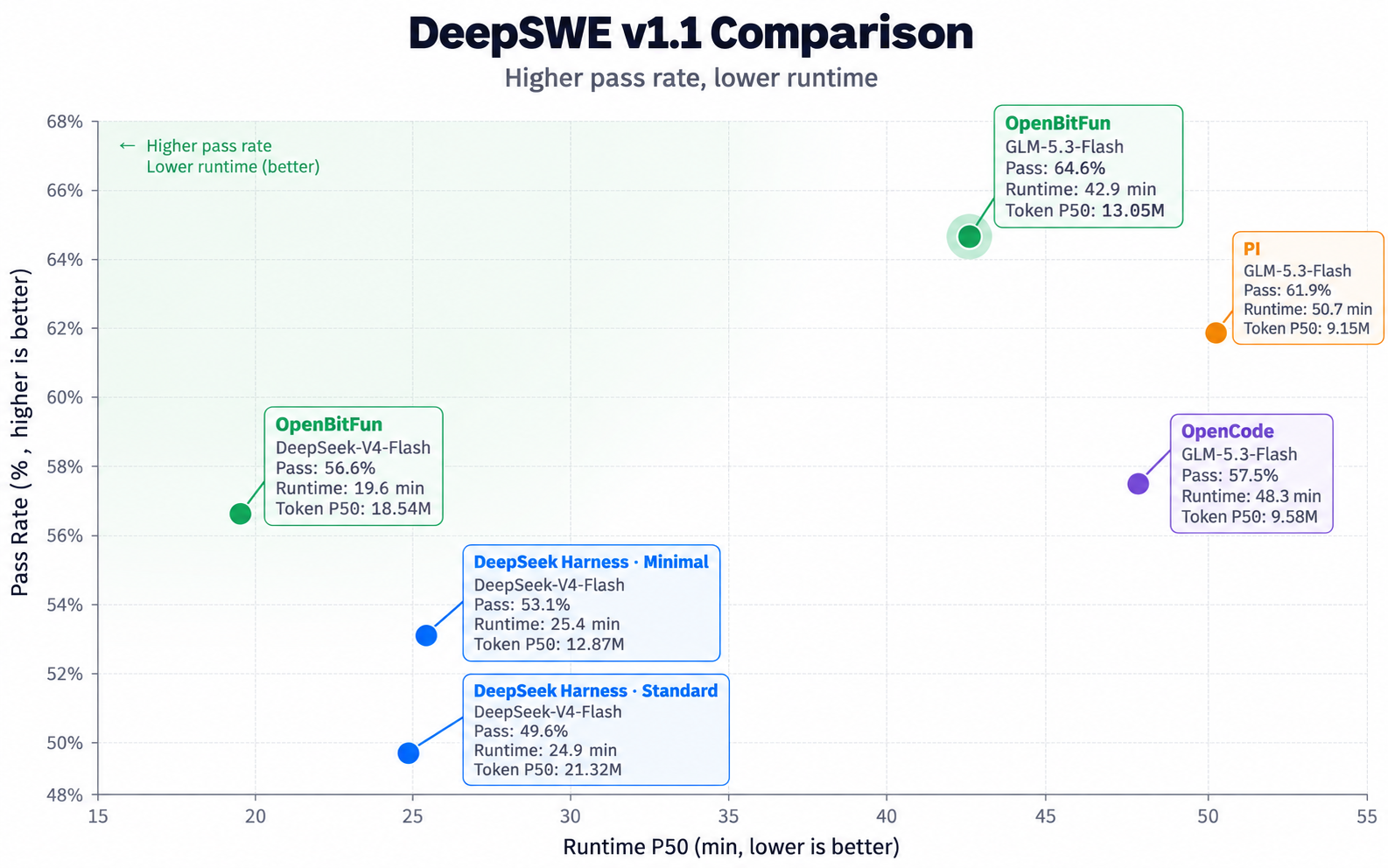
In this DeepSWE v1.1 evaluation, OpenBitFun achieved:
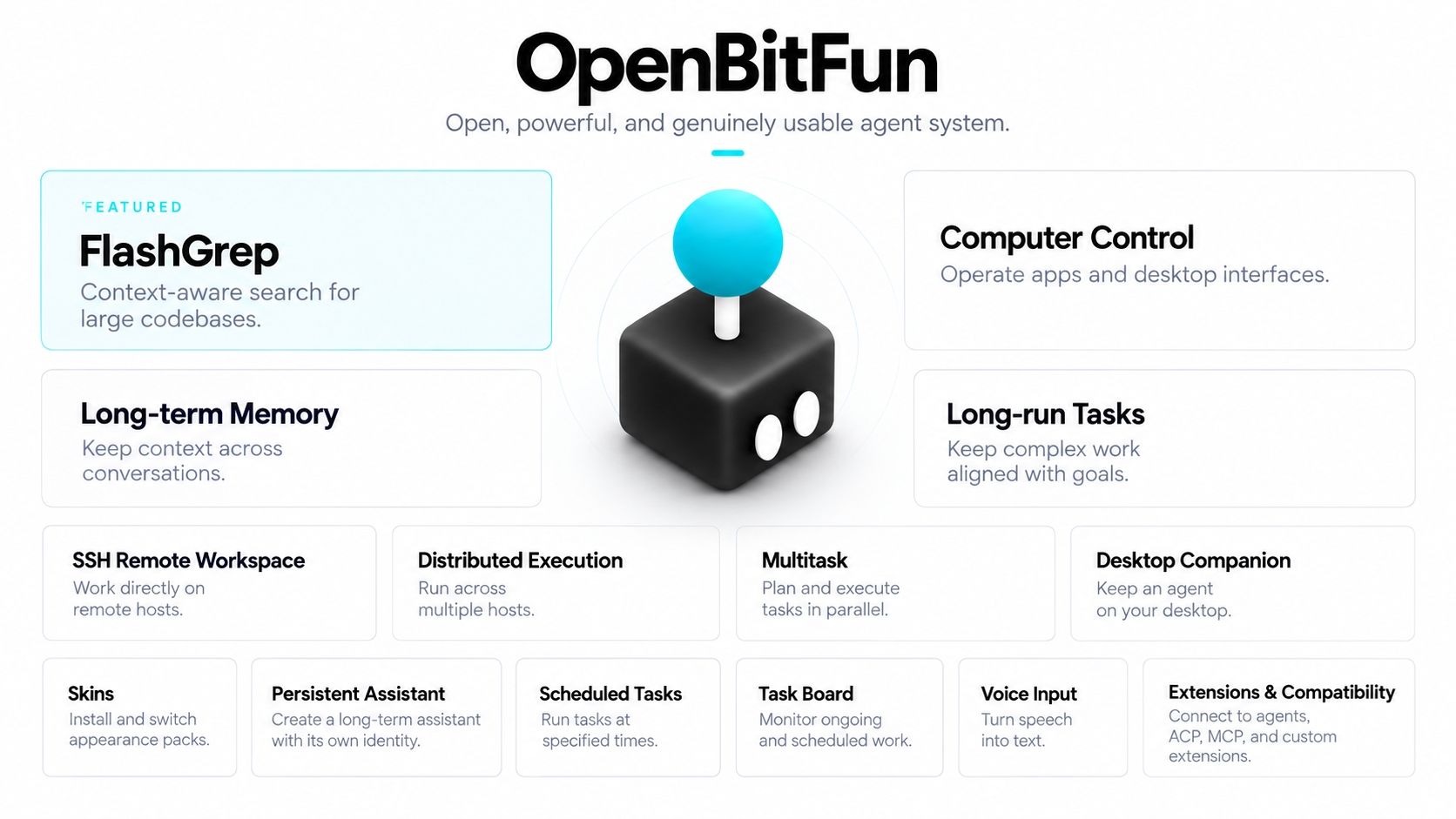
These are just some of OpenBitFun's features. Explore more tools, workflows, and extensions as you put it to work on your own tasks.
OpenBitFun is still evolving. Here are three directions we want to explore:
Share what you build, offer feedback, or contribute code to help shape OpenBitFun.
Share your use cases and experience, contribute agents, Skills, Mini Apps, or skins, or help improve the docs, interface, and runtime. Ideas and questions are welcome in this repository's Issues and Discussions. See the contribution guide for the development workflow.
Get the Windows, macOS, or Linux package from the official download page. Install it, configure a model, and open a workspace to get started. See the user guide for usage instructions and download verification for package signature checks.
To run from source, install Node.js 22.12+, pnpm 10.15.0, the Rust toolchain, and the Tauri prerequisites. Clone the repository, then run:
pnpm install
pnpm run desktop:dev
Desktop development supports frontend hot reload and automatic Rust rebuilds. See the CLI guide for the command-line workflow.
Core code is licensed under the MIT License. Third-party dependencies and assets retain their own licenses. Thanks to the open-source authors and contributors who make this work possible. To report a vulnerability, see the security policy.
→ →
→ →
→ →
→ →
→ →
→ →
→ →
→