1
 →
→
A visual playground for agentic workflows: Iterate over your agents 10x faster
PySpur-Dev/pyspur is an open-source project on GitHub, mainly written in TypeScript. A visual playground for agentic workflows: Iterate over your agents 10x faster It currently holds 5,785 stars and 428 forks with 0 open issues, and was last pushed on an unknown date (repository created unknown).
AI Homed tracks it on the Local & On-Device AI board.
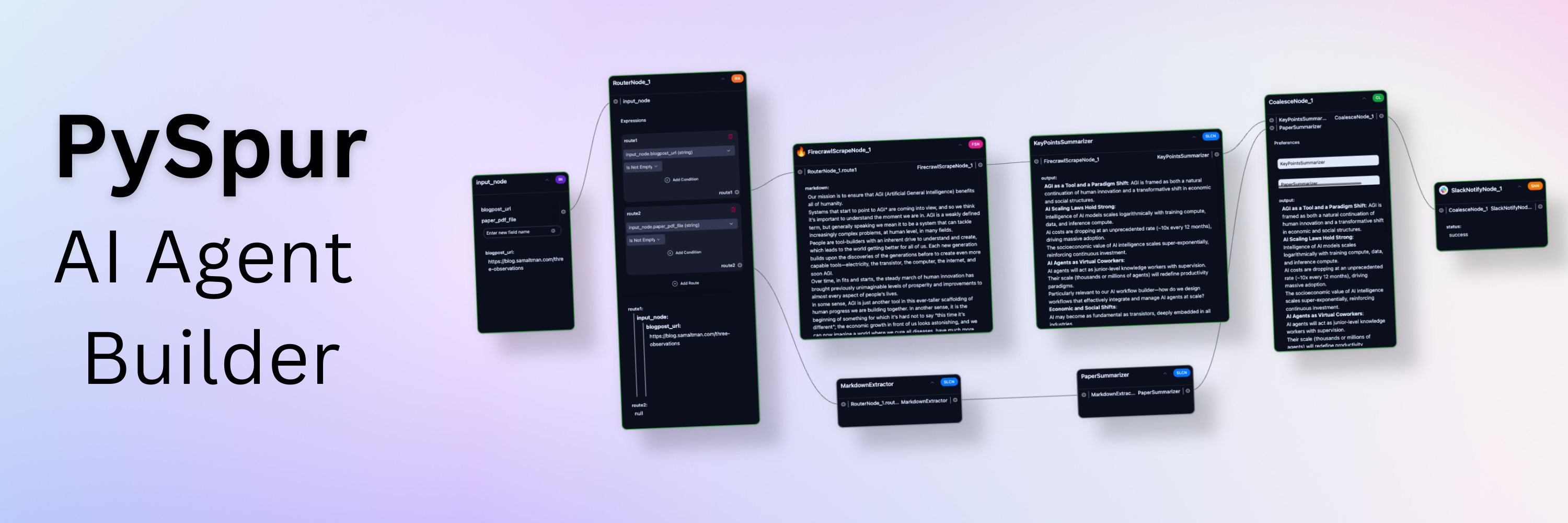
Iterate over your agents 10x faster. AI engineers use PySpur to iterate over AI agents visually without reinventing the wheel.


https://github.com/user-attachments/assets/54d0619f-22fd-476c-bf19-9be083d7e710
AI engineers today face three problems of building agents:
https://github.com/user-attachments/assets/ed9ca45f-7346-463f-b8a4-205bf2c4588f
https://github.com/user-attachments/assets/7043aae4-fad1-42bd-953a-80c94fce8253
https://github.com/user-attachments/assets/72c9901d-a39c-4f80-85a5-f6f76e55f473
https://github.com/user-attachments/assets/b14f34b2-9f16-4bd0-8a0f-1c26e690af93
This is the quickest way to get started. Python 3.11 or higher is required.
1. Install PySpur:
pip install pyspur
2. Initialize a new project:
    pyspur init my-project
    cd my-project
.env file.
3. Start the server:
pyspur serve --sqlite
http://localhost:6080 using a sqlite database.
We recommend you configure a postgres instance URL in the .env file to get a more stable experience.
4. [Optional] Configure Your Environment and Add API Keys:
.env file (recommended: configure postgres) and restart with pyspur serveThese breakpoints pause the workflow when reached and resume whenever a human approves it. They enable human oversight for workflows that require quality assurance: verify critical outputs before the workflow proceeds.
https://github.com/user-attachments/assets/98cb2b4e-207c-4d97-965b-4fee47c94ce8
https://github.com/user-attachments/assets/6e82ad25-2a46-4c50-b030-415ea9994690
PDFs, Videos, Audio, Images, ...
https://github.com/user-attachments/assets/83ed9a22-1ec1-4d86-9dd6-5d945588fd0b
https://github.com/user-attachments/assets/c77723b1-c076-4a64-a01d-6d6677e9c60e
https://github.com/user-attachments/assets/50e5c711-dd01-4d92-bb23-181a1c5bba25
https://github.com/user-attachments/assets/6442f0ad-86d8-43d9-aa70-e5c01e55e876
https://github.com/user-attachments/assets/4dc2abc3-c6e6-4d6d-a5c3-787d518de7ae
https://github.com/user-attachments/assets/5bef7a16-ef9f-4650-b385-4ea70fa54c8a
We recommend using Cursor/VS Code with our dev container (.devcontainer/devcontainer.json) for:
Option 2: Manual Setup 1. Clone the repository:
    git clone https://github.com/PySpur-com/pyspur.git
    cd pyspur
2. Launch using docker-compose.dev.yml:
docker compose -f docker-compose.dev.yml up --build -d
3. Customize your setup:
Edit .env to configure your environment (e.g., PostgreSQL settings).
Note: Manual setup requires additional configuration and may not include all dev container features.
You can support us in our work by leaving a star! Thank you!
Your feedback will be massively appreciated. Please tell us which features on that list you like to see next or request entirely new ones.
→ →
→ →
→ →
→ →
→ →
→ →
→ →
→