1
 →
→
Use your locally running AI models to assist you in your web browsing
n4ze3m/page-assist is an open-source project on GitHub, mainly written in TypeScript. Use your locally running AI models to assist you in your web browsing It currently holds 8,220 stars and 785 forks with 0 open issues, and was last pushed on an unknown date (repository created unknown).
AI Homed tracks it on the Local & On-Device AI board.

Page Assist is an open-source browser extension that provides a sidebar and web UI for your local AI model. It allows you to interact with your model from any webpage.
Page Assist supports Chromium-based browsers like Chrome, Brave, and Edge, as well as Firefox.



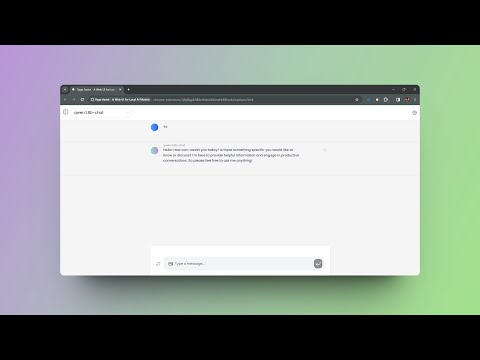
Checkout the Demo (v1.0.0):

|
Atlas Cloud is a full-modal AI inference platform that gives developers a single AI API to access video generation, image generation, and LLM APIs. Instead of managing multiple vendor integrations, you connect once and get unified access to 300+ curated models across all modalities.
Check out Atlas Cloud's coding plan for more budget-friendly API access. |
Interested in sponsoring Page Assist? Reach out at me@n4ze3m.com.
git clone https://github.com/n4ze3m/page-assist.git
cd page-assist
2. Install the dependencies
bun install
3. Build the extension (by default it will build for Chrome, Edge and Firefox)
bun run build
_Note: If you face any issues with Bun, use npm instead of bun._
4. Load the extension (chrome)
chrome://extensions.Load unpacked button and select the build directory.about:addons.Extensions tab.Manage Your Extensions button.Load Temporary Add-on button and select the manifest.json file from the build directory.Once the extension is installed, you can open the sidebar via context menu or keyboard shortcut.
Default Keyboard Shortcut: Ctrl+Shift+Y
You can open the Web UI by clicking on the extension icon which will open a new tab with the Web UI.
Default Keyboard Shortcut: Ctrl+Shift+L
Note: You can change the keyboard shortcuts from the extension settings on the Chrome Extension Management page.
Page Assist supports various keyboard shortcuts to enhance your productivity:
| Action | Shortcut | Description |
|--------|----------|-------------|
| Open Sidebar | Ctrl+Shift+Y | Opens the sidebar on any webpage |
| Open Web UI | Ctrl+Shift+L | Opens the Web UI in a new tab |
Note: You can customize extension shortcuts from your browser's extension management page .
| Action | Shortcut | Description |
|--------|----------|-------------|
| New Chat | Ctrl+Shift+O | Starts a new chat conversation |
| Toggle Sidebar | Ctrl+B | Opens/closes the chat history sidebar |
| Focus Textarea | Shift+Esc | Focuses the message input field |
| Toggle Chat Mode | Ctrl+E | Toggles between normal chat and chat with current page |
You can run the extension in development mode to make changes and test them.
bun dev
This will start a development server and watch for changes in the source files. You can load the extension in your browser and test the changes.
| Browser | Sidebar | Chat With Webpage | Web UI | | ----------- | ------- | ----------------- | ------ | | Chrome | ✅ | ✅ | ✅ | | Brave | ✅ | ✅ | ✅ | | Firefox | ✅ | ✅ | ✅ | | Vivaldi | ✅ | ✅ | ✅ | | Edge | ✅ | ✅ | ✅ | | LibreWolf | ✅ | ✅ | ✅ | | Zen Browser | ✅ | ✅ | ✅ | | Opera | ❌ | ❌ | ✅ | | Arc | ❌ | ❌ | ✅ |
Page Assist does not collect any personal data. The only time the extension communicates with the server is when you are using the share feature, which can be disabled from the settings.
All the data is stored locally in the browser storage. You can view the source code and verify it yourself.
You learn more about the privacy policy here.
Contributions are welcome. If you have any feature requests, bug reports, or questions, feel free to create an issue.
If you like the project and want to support it, you can buy me a coffee. It will help me to keep working on the project.
or you can sponsor me on GitHub.
A huge thank you to everyone who has supported Page Assist through Ko-fi and GitHub Sponsors — your generosity keeps this project going. 💛
This are some of the blogs and videos about Page Assist. If you have written a blog or made a video about Page Assist, feel free to create a PR and add it here.
MIT
Made in Alappuzha with ❤️
→ →
→ →
→ →
→ →
→ →
→ →
→ →
→