
1
 →
→itayinbarr/little-coder is an open-source project on GitHub, mainly written in TypeScript. A harness optimized to smaller LLMs It currently holds 2,606 stars and 179 forks with 0 open issues, and was last pushed on an unknown date (repository created unknown).
AI Homed tracks it on the Local & On-Device AI board.
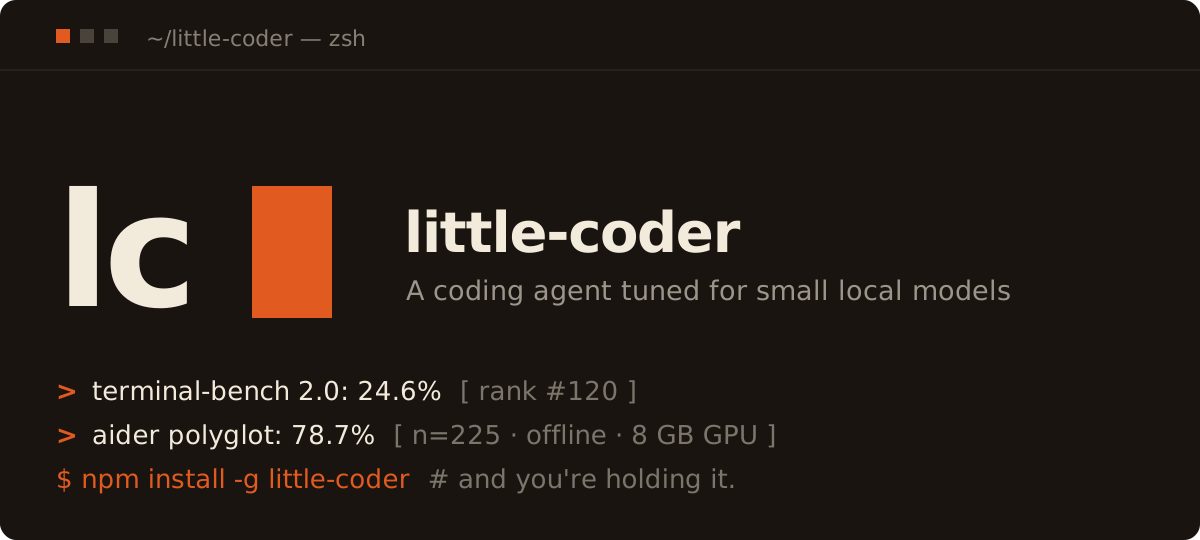
A coding agent tuned for small local models, built on top of pi.
The research story behind all this — why scaffold–model fit matters, how a 9.7 B Qwen beat frontier entries on Aider Polyglot, and what the load-bearing mechanisms actually do — is written up on Substack: **Honey, I Shrunk the Coding Agent. Start there if you want the "why"; stay here for the "how".
pi is the minimal substrate — agent loop, multi-provider API, TUI, session tree, compaction, extension model. Four built-in tools (read / write / edit / bash) and a ~1000-token system prompt.
little-coder is pi + 30-odd extensions + 30 skill markdown files + a Python benchmark harness. It doesn't fork pi or shadow its CLI — pi is a plain dependency in package.json, and everything little-coder-specific lives under .pi/extensions/, skills/, and benchmarks/. It ships no npm install scripts; the launcher does everything at launch time.
The launcher runs pi with --no-extensions and wires in exactly the bundled set. That's what keeps the cold-start context around 7k tokens and makes behavior predictable — the set that loads is the set that ships, and nothing in your working directory changes it mid-task. The consequence is that a globally pi install'd package won't load inside little-coder by default, because pi install registers into pi's settings and --no-extensions skips those.
You have three opt-in ways around that, none of which change the default: drop your own extensions in ~/.config/little-coder/extensions/, point LITTLE_CODER_EXTRA_EXTENSIONS at files anywhere, or relaunch with --with-pi-extensions to let pi discover its own. Run /extensions to see what's loaded. Full guide: Extending little-coder. (Themes are unaffected — pi themes have always loaded.)
If you've never used pi, it's useful to skim pi.dev first — the rest of this doc assumes pi's model of --agent-import-path, --mode rpc, and .pi/extensions/ auto-discovery.
One-line install (Node.js 22.19+ required):
curl -fsSL https://raw.githubusercontent.com/itayinbarr/little-coder/main/install.sh | bash
Or with npm directly:
npm install -g little-coder
Or with bun:
bun add -g little-coder
That's the whole install. No clone, no npm install in a workspace, no PATH fiddling. little-coder is now on your PATH and works from any directory.
Note forbun add -gusers. The launcher (bin/little-coder.mjs) is a Node.js script with#!/usr/bin/env nodeat the top, so Node ≥ 22.19 still has to be on your PATH for the binary to start — bun is fine for installing/updating the package, but the runtime is Node. If you want a fully node-less setup, replace the shebang in$(bun pm bin -g)/little-coderwith#!/usr/bin/env bun.
cd ~/your-project
little-coder                                    # launches the default model (see below)
little-coder --model llamacpp/qwen3.6-35b-a3b   # or name one explicitly
This is the canonical setup little-coder is tuned for: a local llama.cpp server hosting Qwen3.6-35B-A3B. See Local model setup (optional) below for how to serve it.
Bare little-coder (no --model) launches the default model declared in models.json ("default": "llamacpp/qwen3.6-35b-a3b" out of the box), printing its friendly name at startup. This only kicks in on a first run — once you pick a model in-session, that choice sticks and the default never overrides it. Change the default with a default key in your user override file. See Configuring models.
Cloud models work the same way:
little-coder --model anthropic/claude-haiku-4-5
little-coder --model openai/gpt-4o-mini "What does this codebase do?"
little-coder --model ollama/qwen3.5             # local Ollama
little-coder --model lmstudio/local-model       # local LM Studio (whatever model you have loaded)
little-coder --list-models                      # see everything pi knows about
The agent uses the directory you launched it from as its working directory — Read / Write / Edit / Bash operate on your project, not on little-coder's install path.
◆ PLAN MODE indicator shows below the input), or launch with --plan-mode (LITTLE_CODER_PLAN_MODE=1) to start there. Submit a request and little-coder researches it with sub-coders, asks you 1-3 clarifying questions (each with suggested answers and a free-text option), then writes a plan in the chat instead of editing anything. Approving it saves the plan to .pi/approved-plan.md and stops there; /implement is what switches to the action model, opens a fresh session seeded with the plan, and starts the work, so the research and Q&A that produced the plan do not eat the context the implementation needs (#98). Esc cancels a plan mid-run. (shift+tab stays pi's thinking-level cycle.)/deep-research ) to scope a topic into a research brief, fan out read-only research sub-coders, and get back one cited markdown report, saved next to your working directory. The research children run in an ephemeral scratch directory, not your project, so f2 is for external and online research, not for exploring the code you are sitting in (#100); use a normal session or dispatch for that. Esc cancels mid-run./hotkeys is the full reference. ctrl+o expands tool output ("more"), ctrl+t toggles thinking blocks, ctrl+p cycles models./skills lists what is loaded and what each costs, /skills pins one when the selector keeps picking a different card, and /skills off returns to automatic selection (#118).dispatch) — little-coder can spawn isolated child sessions to research a question (read the repo + browse online, read-only) and report back concisely, without cluttering the main conversation. A live panel above the input tracks them. Sub-coders run serially by default (two of them contend for the same local model server and finish slower than one); opt into parallelism with LITTLE_CODER_SUBCODER_CONCURRENCY=2 or more. They are read-only by design, which is what makes fanning them out safe, since their answers come back as text and two of them cannot race on the same file, but LITTLE_CODER_SUBCODER_ACCESS=write gives them edit/write when you want the work done rather than reported (#93). Neither level ever grants dispatch: a child that can spawn children is a fan-out bomb.ShellStart)** — long commands (training, builds, servers, watchers) run in the background instead of blocking a turn, and little-coder wakes the model on events in the job rather than on a timer. A footer line shows what's running. See Background jobs below./plan-model and /action-model. See Per-phase model selection below./name) and shown in the terminal tab title. Use /resume to list and reopen past sessions for the current directory.~/.config/little-coder/extensions/ and they load on the next launch. Run /extensions to see what's loaded and where it came from. See Extending little-coder.The footer at the bottom of the screen looks like this:
↑26k ↓5.4k R447k CH99.8% 9.3%/262k (auto) qwen3.6-35b-a3b • medium
| Field | Meaning |
|---|---|
| ↑26k | Cumulative input tokens billed as fresh across the whole session — not your current context size |
| ↓5.4k | Cumulative output tokens generated |
| R447k | Cumulative tokens read from cache (the prefix your server didn't have to reprocess) |
| W… | Cumulative cache-write tokens; only shown when non-zero |
| CH99.8% | Cache-hit rate of the latest response alone — cacheRead / (input + cacheRead + cacheWrite). Not a session average, so it moves turn to turn |
| 9.3%/262k | Current context usage against the window size. Amber above 70%, red above 90% |
| (auto) | Automatic compaction is enabled |
| right side | Active model, and its thinking level if it's a reasoning model |
A low CH on a long conversation means your server is reprocessing history it should have been able to reuse — worth investigating.
For local providers (llama.cpp, Ollama, LM Studio) pi expects some value in the API-key env even though local servers ignore it:
export LLAMACPP_API_KEY=noop
export OLLAMA_API_KEY=noop
export LMSTUDIO_API_KEY=noop
LLAMACPP_BASE_URL, OLLAMA_BASE_URL, and LMSTUDIO_BASE_URL override the defaults (http://127.0.0.1:8888/v1, http://127.0.0.1:11434/v1, http://127.0.0.1:1234/v1).
For cloud providers, set the standard env (ANTHROPIC_API_KEY, OPENAI_API_KEY, etc.) and pi will discover it.
Skip this section if you're using a cloud model.
Option A — llama.cpp (fastest for local; supports Qwen3.6-35B-A3B MoE):
# One-time: build llama.cpp with CUDA (sm_XXX = your GPU arch; Blackwell = 120)
git clone https://github.com/ggml-org/llama.cpp && cd llama.cpp
cmake -B build -DGGML_CUDA=ON -DCMAKE_CUDA_ARCHITECTURES=120 -DLLAMA_CURL=ON
cmake --build build --config Release -j
Fetch the model GGUF and the matching vision projector.
The mmproj (~900 MB) is what lets the model see attached screenshots.
pip install -U "huggingface_hub[cli]"
hf download unsloth/Qwen3.6-35B-A3B-GGUF Qwen3.6-35B-A3B-UD-Q4_K_M.gguf --local-dir ~/models
hf download unsloth/Qwen3.6-35B-A3B-GGUF mmproj-F16.gguf            --local-dir ~/models
Serve it (MoE trick: experts in RAM, attention on GPU → 22 GB model on 8 GB VRAM)
build/bin/llama-server -m ~/models/Qwen3.6-35B-A3B-UD-Q4_K_M.gguf \
   --mmproj ~/models/mmproj-F16.gguf \
   --host 127.0.0.1 --port 8888 --jinja \
   -c 16384 -ngl 99 --n-cpu-moe 999 --flash-attn on
If you only need text and want to skip the projector download, drop the second hf download line and the --mmproj flag — little-coder still works text-only, but the TUI's image attachment will be rejected by the server with a 4xx.
Context window. -c sets the server's context (-c 16384 = 16K above — a conservative default for 8 GB VRAM). little-coder auto-detects the live n_ctx from llama.cpp's /props at startup and registers the model with it, so whatever you pass to -c is what the TUI shows and budgets against — no models.json edit needed. To run larger, relaunch the server with e.g. -c 131072 (128K) or -c 262144 (256K); the KV cache grows with it, so size it to your RAM/VRAM. (--list-models reflects the detected window.)
Option B — Ollama (simpler, but slower on MoE):
curl -fsSL https://ollama.com/install.sh | sh
ollama pull qwen3.5        # 9.7B — the paper's model
or: ollama pull qwen3.6:35b-a3b
Option C — LM Studio (GUI; OpenAI-compatible server on port 1234):
1. Install LM Studio and download a model (e.g. Qwen3.6 35B A3B GGUF).
2. Open the Developer / Local Server tab, load the model, and click Start Server (default http://127.0.0.1:1234).
3. Run little-coder:
   export LMSTUDIO_API_KEY=noop
   little-coder --model lmstudio/local-model
lmstudio/local-model id routes to whatever model LM Studio currently has loaded — no extra config needed for the single-model case. If you serve on a non-default port, set LMSTUDIO_BASE_URL=http://127.0.0.1:/v1. To target a specific model when you have several loaded, add an entry to ~/.config/little-coder/models.json (see Configuring models below).
Serving from another machine on your LAN. Each provider's *_BASE_URL env var accepts any host, not just 127.0.0.1, so you can run inference on a beefier box and connect from a laptop or another device on the same WiFi.
On the server (the box with the GPU):
llama-server with --host 0.0.0.0 (or your specific LAN interface) instead of 127.0.0.1. Everything else from Option A unchanged.0.0.0.0:1234 instead of 127.0.0.1:1234.OLLAMA_HOST=0.0.0.0:11434 ollama serve (or set OLLAMA_HOST=0.0.0.0 in the user systemd unit).ufw / firewalld is active, allow your LAN subnet to the relevant port (e.g. sudo ufw allow from 192.168.0.0/16 to any port 8888 proto tcp).hostname -I (Linux) or ipconfig getifaddr en0 (macOS).# Pick the env vars matching whichever provider is running on the server
export LLAMACPP_API_KEY=noop
export LLAMACPP_BASE_URL=http://:8888/v1
Sanity check reachability before launching the agent
curl -s http://:8888/v1/models | head
little-coder --model llamacpp/qwen3.6-35b-a3b
The streaming chat-completions adapter works over a local network the same way it does over loopback — no client code change, no proxy needed. The per-model profile in .pi/settings.json (context/thinking-budget/temperature) still applies because it's keyed by /, which the client picks regardless of where the server lives.
All small-model-specific extensions auto-disable for large/cloud models so they don't interfere.
---
The shipped model list lives in models.json at the package root. The llama-cpp-provider extension reads it at startup and registers each provider via pi's registerProvider(). Editing this file in your global install does take effect — but it's overwritten on npm install -g little-coder@latest, so for anything you want to keep, use a user override file instead.
User override resolution (first match wins):
1. $LITTLE_CODER_MODELS_FILE — explicit path, useful for ad-hoc tests.
2. $XDG_CONFIG_HOME/little-coder/models.json
3. ~/.config/little-coder/models.json
Merge semantics: each top-level provider key in your override file fully replaces the same key in the shipped models.json. Providers only in your file are added; providers only in the shipped file are kept. (We don't deep-merge per-model fields — you redeclare the whole provider entry, which avoids "your override silently inherited new fields from a future package release" surprises.)
Default model. A top-level "default": "provider/id" key names the model bare little-coder launches when you don't pass --model and pi has no saved selection yet (shipped default: llamacpp/qwen3.6-35b-a3b). Your override file's default wins over the shipped one, so {"default": "llamacpp/qwen3.6-27b"} in ~/.config/little-coder/models.json makes the dense 27B your first-run default. It's first-run-only: once you switch models in-session, pi remembers that and the default stops applying.
Per-phase models. /plan-model and /action-model let planning and implementation run on different models — see Per-phase model selection below.
Qwen3.8-27B (dense + MTP). Added to the shipped registry in v1.17.0. It's the quality option on a small card, not the fast one — measured on an RTX 5070 Laptop (8GB) with UD-Q4_K_XL:
| context | -ngl | tok/s | VRAM |
|---|---|---|---|
| 16k | 20 | 6.72 | 7200 MB |
| 32k | 18 | 6.42 | 7042 MB |
| 32k | 20 | — | loads, then generates nothing |
Compare ~44 tok/s for Qwen3.6-35B-A3B (MoE) on the same box: the MoE is roughly 7× faster because its experts live in RAM (--n-cpu-moe), a trick a dense model has no equivalent for. Its NextN head is in the GGUF (qwen35.nextn_predict_layers=1, blk.64), so MTP speculative decoding works — measured draft acceptance ~0.87. The one caution worth repeating: at 32k, -ngl 20 passes /health and then produces zero tokens. It fits in VRAM but has no room left to compute, so "the server started" is not evidence the config works. Raise the context and you must lower -ngl.
Community-recommended models. The shipped models.json stays intentionally small and stable — it doesn't track the fast-moving world of community fine-tunes (which get re-uploaded and disappear from Hugging Face constantly). If you want to try one that's doing well in the community — e.g. Qwen3.6-35B-A3B-REAM-192, which topped both a community tournament and a little-coder pilot (#63) — add it to your own override file rather than waiting for it to ship. Load the GGUF on your llama.cpp server, then drop an entry in ~/.config/little-coder/models.json:
{
  "providers": {
    "llamacpp": {
      "api": "openai-completions",
      "baseUrl": "http://127.0.0.1:8888/v1",
      "apiKey": "LLAMACPP_API_KEY",
      "models": [
        { "id": "ream-192", "name": "Qwen3.6-35B-A3B REAM-192 (community)", "reasoning": true, "input": ["text"] }
      ]
    }
  }
}
Then pick it with little-coder --model llamacpp/ream-192. (llama.cpp serves whichever GGUF you loaded regardless of the id, so the id is just your handle for it.)
Example — switch the llama.cpp port and bump qwen3.6-35b-a3b to a 150K context, leave ollama untouched:
{
  "providers": {
    "llamacpp": {
      "api": "openai-completions",
      "baseUrl": "http://127.0.0.1:1234/v1",
      "apiKey": "LLAMACPP_API_KEY",
      "models": [
        {
          "id": "qwen3.6-35b-a3b",
          "name": "Qwen3.6-35B-A3B (local llama.cpp, 150K)",
          "reasoning": true,
          "input": ["text"],
          "contextWindow": 150000,
          "maxTokens": 4096,
          "cost": { "input": 0, "output": 0, "cacheRead": 0, "cacheWrite": 0 }
        }
      ]
    }
  }
}
Then verify with little-coder --list-models — you should see your overridden entry.
LLAMACPP_BASE_URL, OLLAMA_BASE_URL, and LMSTUDIO_BASE_URL env vars still beat both files for those three providers.
little-coder registers providers from models.json — it doesn't pick up pi's standalone "picker" extensions. So a server isn't added by installing its pi picker; you add it by declaring a provider. Any OpenAI-compatible endpoint works this way, including Apple's MLX server (mlx_lm.server, often surfaced as omlx). Drop this into ~/.config/little-coder/models.json and pick it with little-coder --model omlx/:
{
  "providers": {
    "omlx": {
      "api": "openai-completions",
      "baseUrl": "http://127.0.0.1:8000/v1",
      "apiKey": "IGNORED",
      "models": [
        {
          "id": "Qwen3-32B-4bit",
          "name": "Qwen3.6-35B-A3B (local omlx, 150K)",
          "reasoning": true,
          "input": ["text"],
          "contextWindow": 150000,
          "maxTokens": 4096,
          "cost": { "input": 0, "output": 0, "cacheRead": 0, "cacheWrite": 0 }
        }
      ]
    }
  }
}
Set id to whatever model your server reports, and baseUrl to its /v1 endpoint. Verify with little-coder --list-models.
.pi/settings.json is a separate concern: it controls per-model profiles (context_limit, thinking_budget, temperature, benchmark_overrides) referenced by the / key. Profiles don't register or describe models — they only tune how little-coder runs against models that are already registered.
---
bash blocks the turn until the command exits, which makes it the wrong tool for anything long. The usual workaround is worse: background the job and then poll it, spending a turn, a slice of a small context window, and seconds of local inference to learn that training is still on epoch 3. A six-hour job checked every five minutes is 71 wasted turns.
So ShellStart inverts it. The model says up front what is worth being interrupted for, and the harness stays quiet until one of those things happens:
{"name": "ShellStart", "input": {
  "command": "python train.py --epochs 50", "label": "finetune",
  "wake_on": {"match": ["Traceback", "CUDA out of memory", "val_loss="],
              "every_n_matches": 10, "silence": "15m"}}}
| wake_on | fires when |
|---|---|
| exit | the job exits (default on) |
| match | a line matches — regex, falling back to literal text |
| silence | it produced output, then went quiet this long (e.g. "10m") |
| every_n_matches | only every Nth match, to throttle a chatty pattern |
Urgency decides how the news arrives: a crash or an error-ish match interrupts the current turn; a clean exit or a milestone waits for the tool calls already in flight; routine output rides along with the next turn. Six hours of progress bars cost nothing; a traceback at minute 40 costs one turn, immediately. What the model receives is a bounded excerpt plus the exit code — never the whole log — with ShellLog to page deeper on demand. ShellList, ShellSend (stdin, for a REPL or a prompting installer) and ShellStop round it out.
Lifetime. A job outlives a turn but never the session. Jobs run in their own process group and are signalled as a group, so python train.py under a shell dies with the shell rather than being orphaned holding your VRAM. Session shutdown and every catchable signal reap them — and because SIGKILL is catchable by nobody, each job also carries a watchdog that kills its own group the moment little-coder's pid disappears.
Permissions. ShellStart goes through the same whitelist as bash, so build and test commands usually need LITTLE_CODER_BASH_ALLOW (see Permissions).
little-coder launches pi with --no-context-files, so its AGENTS.md is the system prompt rather than whatever happens to sit in the current directory. That is why the small-model adaptations hold in any repo, and until v1.20.0 it also meant your project's own AGENTS.md was ignored outright, so the model globbed the whole tree at the start of every run to work out where it was (#104).
Now the nearest AGENTS.md (or CLAUDE.md, if there is no AGENTS.md) is found by walking up from the launch directory, and injected as project instructions. Three things keep it from undoing the reason --no-context-files is there:
→ →
→ →
→ →
→ →
→ →
→ →
→ →
→