
1
 →
→
🌐 The open-source Agentic browser; alternative to ChatGPT Atlas, Perplexity Comet, Dia.
browseros-ai/BrowserOS is an open-source project on GitHub, mainly written in TypeScript. 🌐 The open-source Agentic browser; alternative to ChatGPT Atlas, Perplexity Comet, Dia. It currently holds 13,720 stars and 1,460 forks with 0 open issues, and was last pushed on an unknown date (repository created unknown).
AI Homed tracks it on the Local & On-Device AI board.
A second browser, just for your AI agents. Import your logins from Chrome in one click, connect Claude Code, Codex, or any MCP agent, and hand off your web tasks. Agents run in parallel in their own tabs. You watch live, or replay any session like a video.
BrowserOS neo is not a Chrome replacement. It is a secondary browser that sits next to Chrome, made friendly to agents.
brew tap browseros-ai/tap
brew install --cask browseros-neo
Prefer a direct download? Grab it for macOS or Windows.
One click brings over your logins, bookmarks and extensions. Your agents work with your real accounts from the first task.
BrowserOS neo finds Claude Code, Codex, Cursor, VS Code, OpenClaw and Hermes on your machine. Connect any of them with one click.
From your agent, not from the browser:
Book me the cheapest flight to London.
Watch it happen live in your new tab, or replay it later.
Anything that needs a logged-in browser:
Live dashboardYour new tab shows every agent working right now: which site it's on, what it's doing, how far along. Docs |
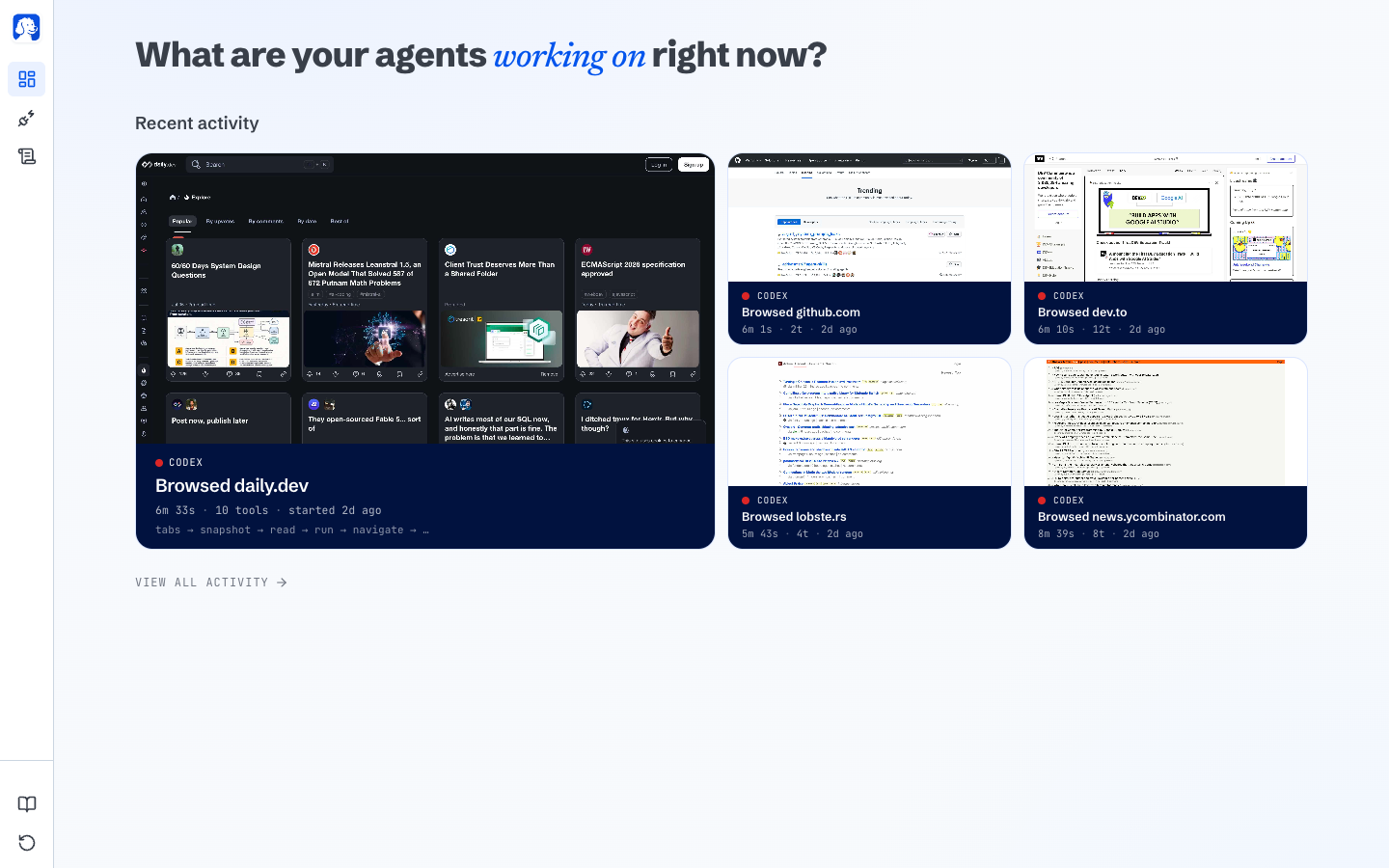
|
One-click connectAutomatically connects to every harness. We built tools optimized for web use! Docs |
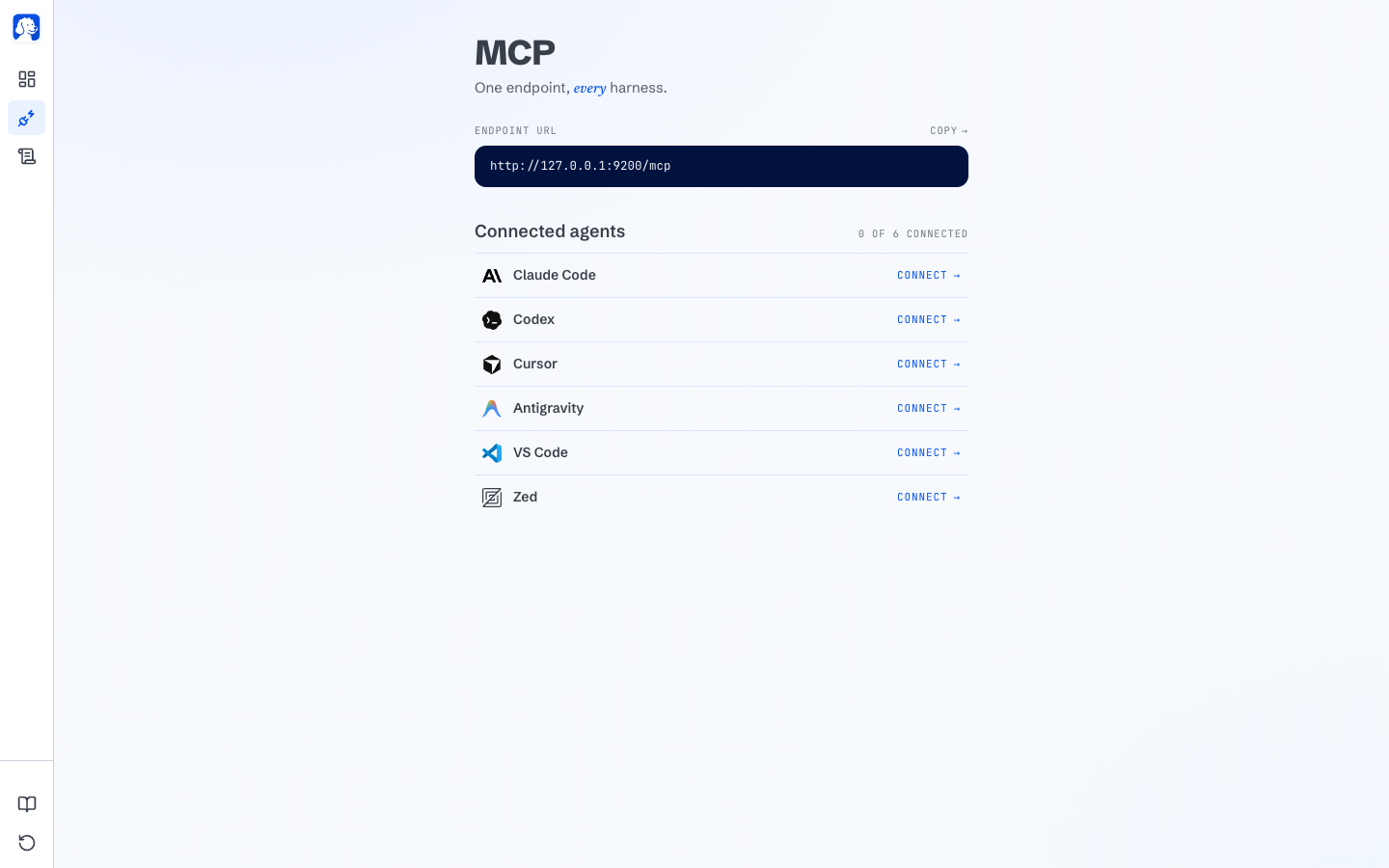
|
Replay every sessionEvery session is saved as a scrubbable video on your disk with a step-by-step action timeline. Rewind and see exactly what happened. Docs |
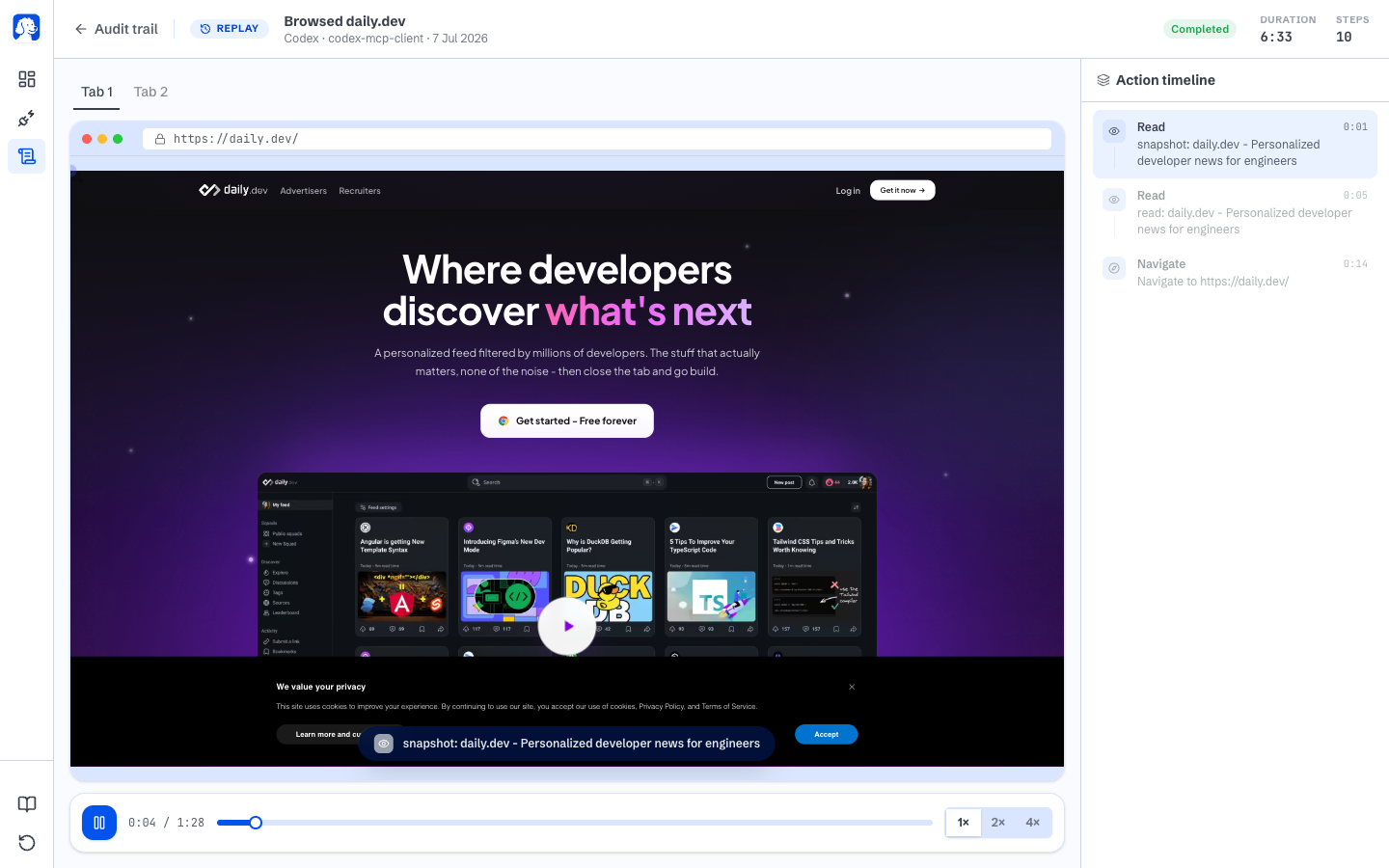
|
~/.browserclaw/ and never leave your machine. Privacy127.0.0.1.

|
BrowserOS, the AI browser for humansA Chromium fork with an AI agent built into every new tab, for when you are the one browsing. Bring your own AI keys or run everything locally with Ollama.Read about BrowserOS · Website · Docs |
What's the difference between BrowserOS neo and BrowserOS? BrowserOS neo is a browser your AI drives. BrowserOS is a browser you drive, with an AI agent built in. Both ship from this repo and run side by side. Keep your daily browser, and let agents work in neo.
Which AI tools work with BrowserOS neo? Any AI that speaks MCP. Claude Code, Codex, Cursor, VS Code, Zed, OpenCode, Hermes, OpenClaw and Antigravity connect with one click.
Does anything leave my machine?
Your sessions, screenshots, history, and settings live under ~/.browserclaw/ and never upload. BrowserOS neo sends anonymous product-usage events (agent connect/disconnect, version, OS) to help us improve the app; it never sends URLs, page content, prompts, tool results, or screenshots. Off with one toggle in Settings. Full policy.
Do my Chrome extensions and bookmarks work? Yes. Both browsers are Chromium forks, so Chrome extensions work and your bookmarks, passwords, and settings import in one click.
What platforms are supported? BrowserOS neo runs on macOS and Windows. BrowserOS runs on macOS, Windows, and Linux. System requirements match Google Chrome.
Both browsers ship from this monorepo. Two main subsystems: the browser (Chromium fork, C++ and Python) and the agent platform (TypeScript, Rust and Go).
BrowserOS/
├── packages/browseros/              # Chromium fork + build system (Python)
│   ├── chromium_patches/            # Patches applied to Chromium source
│   ├── build/                       # Build CLI and modules
│   └── resources/                   # Icons, entitlements, signing
│
└── packages/browseros-agent/        # Agent platform (TypeScript / Rust / Go)
    ├── apps/
    │   ├── claw-server-rust/        # BrowserOS neo backend: MCP endpoint + JSON API (Rust)
    │   ├── claw-app/                # BrowserOS neo dashboard extension (WXT + React)
    │   ├── claw-onboard/            # BrowserOS neo onboarding flow (Vite)
    │   ├── server/                  # BrowserOS MCP server + AI agent loop (Bun)
    │   ├── app/                     # BrowserOS extension UI (WXT + React)
    │   ├── app-onboard/             # BrowserOS onboarding flow (Vite)
    │   └── cli/                     # CLI tool (Go)
    │
    ├── packages/                    # Shared TypeScript packages
    │   ├── acpx-ai-provider/        # AI SDK provider over the acpx ACP runtime
    │   ├── agent-mcp-manager/       # Add, link and unlink MCP servers across coding agents
    │   ├── browser-core/            # Core browser control primitives
    │   ├── browser-mcp/             # Browser MCP tool surface
    │   ├── build-server-tools/      # Shared build tooling for server binaries and assets
    │   ├── cdp-protocol/            # CDP type bindings
    │   ├── claw-api/                # Generated BrowserOS neo wire types
    │   ├── claw-api-client/         # Contract-typed BrowserOS neo HTTP client
    │   ├── onboarding-video/        # Remotion compositions for the first-run demo
    │   └── shared/                  # Shared constants
    │
    └── crates/                      # Shared Rust crates
        ├── browseros-cdp/           # CDP bindings
        ├── browseros-core/          # Core primitives
        ├── browseros-mcp/           # MCP server implementation
        ├── claw-api/                # Wire types, shared with the TypeScript package
        └── harness-integrations/    # Managed integrations for AI coding harnesses
| Package | What it does |
|---------|-------------|
| packages/browseros | Chromium fork: patches, build system, signing |
| apps/claw-server-rust | BrowserOS neo backend: MCP endpoint agents connect to, plus the API behind the dashboard |
| apps/claw-app | BrowserOS neo new-tab dashboard: watch, replay, and manage agent sessions |
| apps/claw-onboard | BrowserOS neo first-run onboarding |
| apps/server | Bun server exposing the browser MCP tools and running the BrowserOS AI agent loop |
| apps/app | BrowserOS extension: new tab, side panel chat, onboarding, settings |
| apps/app-onboard | BrowserOS first-run onboarding |
| apps/cli | Go CLI: control BrowserOS from the terminal or AI coding agents |
We'd love your help making BrowserOS neo and BrowserOS better. Start with the Contributing Guide, which routes you to the right path.
If you use BrowserOS or BrowserOS neo in your research or project, please cite:
@software{browseros2025,
  author = {Nithin Sonti and Nikhil Sonti and {BrowserOS-team}},
  title = {BrowserOS: The open-source Agentic browser},
  url = {https://github.com/browseros-ai/BrowserOS},
  year = {2025},
  publisher = {GitHub},
  license = {AGPL-3.0},
}
BrowserOS neo and BrowserOS are open source under the AGPL-3.0 license.
Copyright © 2026 Felafax, Inc.
Thank you to all our supporters.
| Nikhil | Nithin | Dani |
Built with ❤️ from San Francisco
→ →
→ →
→ →
→ →
→ →
→ →
→ →
→