1
 →

Open-source, self-hosted alternative to Grok Bot, Claude Duet, OpenAI Dots, Meta Muse, Instinct, Manus Cue: AI coworkers (named agents) with instructions, memory, routines
Anil-matcha/open-duet is an open-source project on GitHub, mainly written in Python. Open-source, self-hosted alternative to Grok Bot, Claude Duet, OpenAI Dots, Meta Muse, Instinct, Manus Cue: AI coworkers (named agents) with instructions It currently holds 6,762 stars and 865 forks with 8 open issues, and was last pushed on 2026-11-04 (repository created 2023-05-25).
AI Homed tracks it on the Today's Trending board, currently at rank #26 with 105 new stars today.
Build a team of AI coworkers and choose where they run.
Open Duet is an open-source workspace for creating named AI agents, giving them jobs and workspaces, and bringing them together to complete tasks. Keep useful context between conversations, run routines, and review actions before they make changes. Use the desktop app, run your own server, or visit the separate hosted service.
Open Duet does not include an AI model or model subscription. You choose the engine and provider account used for your work.
Status: Open Duet is in active development. Desktop releases, self-hosting,
agent computers, and newer team features are still evolving. Review
known limitations before relying on them for important work.
| | Desktop app | Self-hosted server | Hosted web app | Development checkout | |---|---|---|---|---| | Best for | A personal workspace on your computer | Keeping your agents and routines available on a server you control | Using the separately operated Suparagent service | Contributing or changing Open Duet | | Where workspace data lives | Your computer | Your server | An account-specific hosted workspace | Your development machine or configured database | | Start here | Quick start | Self-hosting guide | suparagent.ai | Development setup | | Main requirements | Node.js 22+, uv, and an engine | Linux server, HTTPS, Docker or Node.js and uv, and an engine | An account and an AI provider account | Node.js, uv, and Docker if you use PostgreSQL | | Status | Experimental | Experimental; single owner | Separate hosted product | — |
The hosted service is separate from the open-source desktop and self-hosted core. Hosted account, workspace, and billing data are handled by Suparagent; see the hosted service's Privacy Policy and Terms.
The hosted preview lets you use your own Boat key for sandbox compute. Paid plans use compute operated by Suparagent, so you do not need to supply a Boat key. In both cases, you bring your AI provider account and pay that provider for model usage.
| Plan | Monthly Suparagent price | Included running compute | Machine disk capacity | |---|---:|---:|---:| | Free preview | $0 | Billed to your Boat account | Small profile | | Starter | $15 | 100 hours per billing period | 51 GB | | Standard | $49 | 300 hours per billing period | 51 GB | | Pro | $99 | 720 hours per billing period | 111 GB |
Paid-plan compute hours count while the sandbox is running, including idle time. At the limit, it stops until the next billing period or a plan change; compute overages are not charged. The disk value is the selected machine's capacity, not a separate storage quota. A stopped sandbox's disk is subject to the provider's retention period, so export important files before a paid plan ends. Paid checkout is enabled for hosted accounts; see the Suparagent pricing page for current plans.
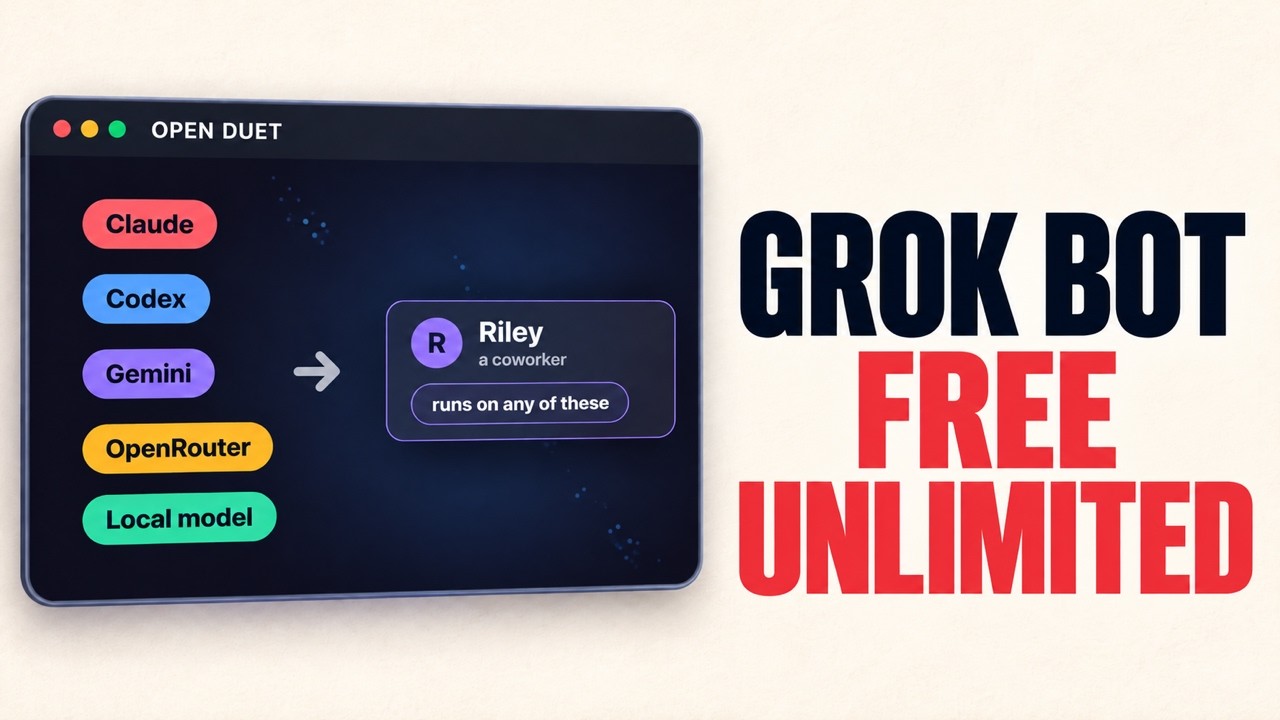
Connect an engine you already use: Claude Code or Codex CLI, Gemini CLI, Google Gemini through Antigravity, Cursor, another command-line agent using the Agent Client Protocol (ACP), OpenRouter, or an OpenAI-compatible API such as Ollama or LM Studio. Available tools vary by engine; image input and agent computers, for example, are not supported by every engine. See engine setup and capabilities.
For desktop and self-hosted use, conversations, agent notes, routines, and settings are stored in that instance's local data folder or server database. Workspace files stay in the folders you assign to agents. API keys saved through Open Duet are encrypted there; command-line sign-ins remain with the engine installed on that machine.
When an agent answers, the selected engine receives the prompt and the context needed for that turn. This can include text you attach, relevant notes, and workspace content the engine reads. If the engine is a hosted service, that information is handled under that provider's terms. You bring the provider account, CLI sign-in, or API key; model usage may cost money.
The desktop app runs from a source checkout. It needs Node.js 22 or newer, uv, and at least one engine available on the same computer. For a CLI engine, install it and sign in before opening Open Duet. You can also configure an API-based engine in Settings → Engines. Docker is only needed for the optional isolated agent computers.
git clone https://github.com/Anil-matcha/open-duet.git
cd open-duet/desktop
npm run app
On first launch, choose an engine, workspace, and approval mode. Then:
1. Open Settings → Engines and confirm an engine is ready. 2. Create an agent with a name, a clear job, and a workspace. 3. Start a chat. Choose Ask first to pause for approval before actions that need it. 4. Add teammates or create a routine when you want to split up or repeat work.
See the Releases page for current desktop installers and the changelog for changes. Installers are experimental and unsigned. The assisted update flow offers a SHA-256-verified installer for you to open; it does not install updates automatically. The release-to-release update path has not been verified end to end.
Create a lead agent and specialists, such as a researcher and an editor. Give them the same project workspace, and set the lead's engine to Claude or Codex. Ask the lead to prepare a briefing from the notes and reports in that folder.
The lead can split the request into smaller tasks and hand them to the specialists. Their work runs in separate conversations, then returns to the lead to assemble. Follow along in chat and approve actions when the settings require it. Once the process works well, make it a weekly routine and review each run in the app.
Routines run prompts on local agents on a schedule, by webhook, or on demand. They run in the backend, so the backend must stay running. The original Telegram bot and Boat sandbox task flow are optional and separate from the agent workspace. See backend scheduling details and environment settings.
Getting started
Agents and workIssues and pull requests are welcome. Start with the contributing guide.
To propose a third-party app for the in-app MCP Marketplace, add a Community
manifest under marketplace/plugins/community/, regenerate
marketplace/catalog.json, and submit both in a pull request. See the
MCP Marketplace submission guide for the
manifest requirements and validation steps.
Open Duet is licensed under the Apache License 2.0.
→ →
 →
 →
 →
 →
 →
 →