1
 →
→
Small self-contained pure-Go web server with Lua, Teal, Markdown, HTTP/2, QUIC, Redis, TypeScript, npm-less React 19, SQLite, and PostgreSQL support ++
xyproto/algernon is an open-source project on GitHub, mainly written in JavaScript. Small self-contained pure-Go web server with Lua, Teal, Markdown, HTTP/2, QUIC, Redis, TypeScript, npm-less React 19, SQLite, and PostgreSQL support ++ It currently holds 3,027 stars and 149 forks with 0 open issues, and was last pushed on an unknown date (repository created unknown).
AI Homed tracks it on the Local & On-Device AI board.





Web server with built-in support for HTTP/2, HTTP/3 (QUIC), Lua, Teal, Markdown, Pongo2, HyperApp, Amber, Sass(SCSS), GCSS, JSX, TypeScript, Ollama (LLMs), BoltDB (built-in, stores the database in a file, like SQLite), Redis, Valkey, PostgreSQL, SQLite, MariaDB, MySQL, MSSQL, IPv6, npm-less React 19, rate limiting, graceful shutdown, plugins, users and permissions.
All in one small self-contained executable.
Distro Packages ---------------

Quick installation ------------------
Requires Go 1.26 or later.
go install github.com/xyproto/algernon@latest
Or manually (development version):
git clone https://github.com/xyproto/algernon
cd algernon
go build -mod=vendor
./welcome.sh
Releases and pre-built images -----------------------------
See the release page for releases for a variety of platforms and architectures.
Getting Started ---------------
See TUTORIAL.md.
Docker ------
The Docker image is less than 17MB and can be tried out (on x86_64) with:
mkdir localhost
echo 'hi!' > localhost/index.md
docker run -it -p4000:4000 -v .:/srv/algernon xyproto/algernon
And then visiting http://localhost:4000 in a browser.
Technologies ------------
Written in Go. Uses Bolt (built-in), MySQL, PostgreSQL, SQLite or Valkey/Redis (recommended) for the database backend, permissions2 for handling users and permissions, gopher-lua for interpreting and running Lua, optional Teal for type-safe Lua scripting, http2 for serving HTTP/2, quic-go for serving QUIC, gomarkdown/markdown for Markdown rendering, amber for Amber templates, Pongo2 for Pongo2 templates, Sass(SCSS) and GCSS for CSS preprocessing. logrus is used for logging, esbuild for bundling and converting JSX/TSX to JavaScript, tollbooth for rate limiting and pie for plugins.
Design decisions ----------------
.zip or .alg) and be loaded at start.title: Title goes here. This is a subset of MultiMarkdown.-autorefresh is enabled, the browser will automatically refresh pages when the source files are changed. Works for Markdown, Lua error pages and Amber (including Sass, GCSS and data.lua). This only works on Linux and macOS, for now. If listening for changes on too many files, the OS limit for the number of open files may be reached.README.md files locally. Use -m to display it in a browser and only serve it once.help command is available at the Lua REPL, for a quick overview of the available Lua functions.Lua.Code and Lua.Help functions and talk JSON-RPC over stderr+stdin. See pie for more information. Sample plugins for Go and Python are in the plugins directory.gccgo that supports Go 1.26.package.loadlib.Q:
What is the benefit of using this? In what scenario would this excel? Thanks. -- mtw@HN.
A:
Good question. I'm not sure if it excels in any scenario. There are specialized web servers that excel at caching or at raw performance. There are dedicated backends for popular front-end toolkits like Vue or React. There are dedicated editors that excel at editing and previewing Markdown, or HTML.
> I guess the main benefit is that Algernon covers a lot of ground, with a minimum of configuration, while being powerful enough to have a plugin system and support for programming in Lua. There is an auto-refresh feature that uses Server Sent Events, when editing Markdown or web pages. There is also support for the latest in Web technologies, like HTTP/2, QUIC and TLS 1.3. The caching system is decent. And the use of Go ensures that also smaller platforms like NetBSD and systems like Raspberry Pi are covered. There are no external dependencies, so Algernon can run on any system that Go can support.
> The main benefit is that is is versatile, fresh, and covers many platforms and use cases.
> For a more specific description of a potential benefit, a more specific use case would be needed.
Installation ------------------
brew install algernonpacman -S algernonThis method is using the latest commit from the main branch:
go install github.com/xyproto/algernon@main
If neeed, add ~/go/bin to the path. For example: export PATH=$PATH:$HOME/go/bin.
Utilities ---------
alg2docker utility (in containers/alg2docker), for creating Docker images from Algernon web applications (.alg files).Running Algernon:
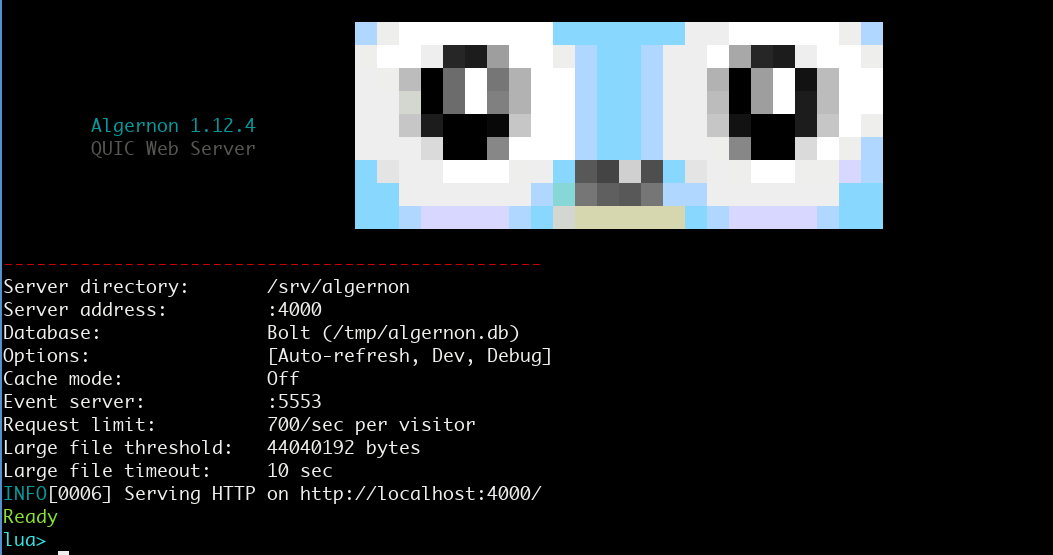
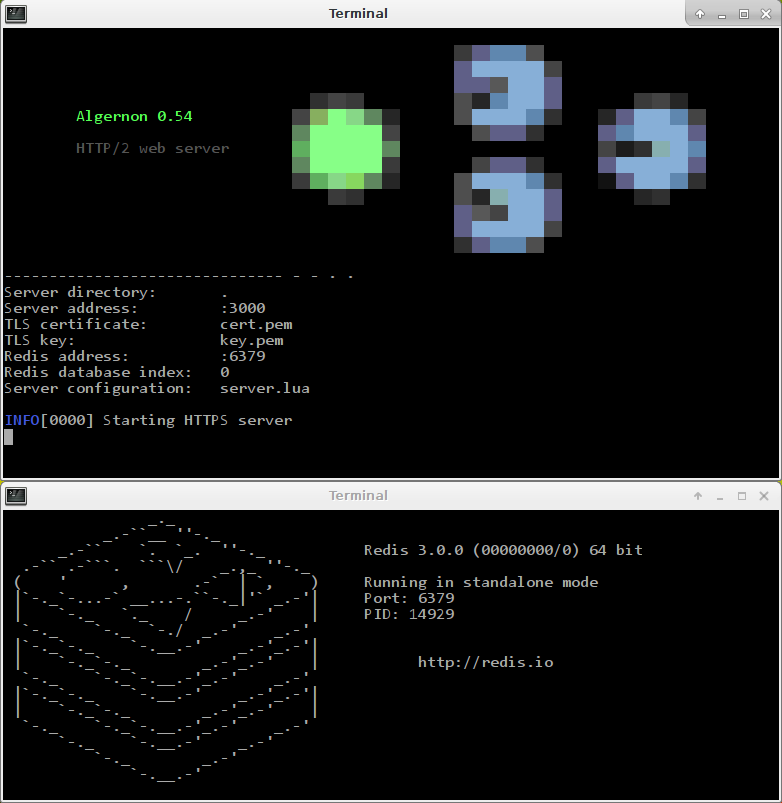
Screenshot of an earlier version:
---
The idea is that web pages can be written in Markdown, Pongo2, Amber, HTML or JSX (+React or HyperApp), depending on the need, and styled with CSS, Sass(SCSS) or GCSS, while data can be provided by a Lua or Teal script that talks to Redis, BoltDB, PostgreSQL, MSQL or MariaDB/MySQL.
Amber and GCSS is a good combination for static pages, that allows for more clarity and less repetition than HTML and CSS. It˙s also easy to use Lua for providing data for the Amber templates, which helps separate model, controller and view.
Pongo2, Sass and Lua or Teal also combines well. Pongo2 is more flexible than Amber.
The auto-refresh feature is supported when using Markdown, Pongo2 or Amber, and is useful to get an instant preview when developing.
The JSX to JavaScript (ECMAscript) transpiler is built-in.
Redis is fast, scalable and offers good data persistence. This should be the preferred backend.
Bolt is a pure key/value store, written in Go. It makes it easy to run Algernon without having to set up a database host first. MariaDB/MySQL support is included because of its widespread availability.
PostgreSQL is a solid and fast database that is also supported.
Screenshots -----------
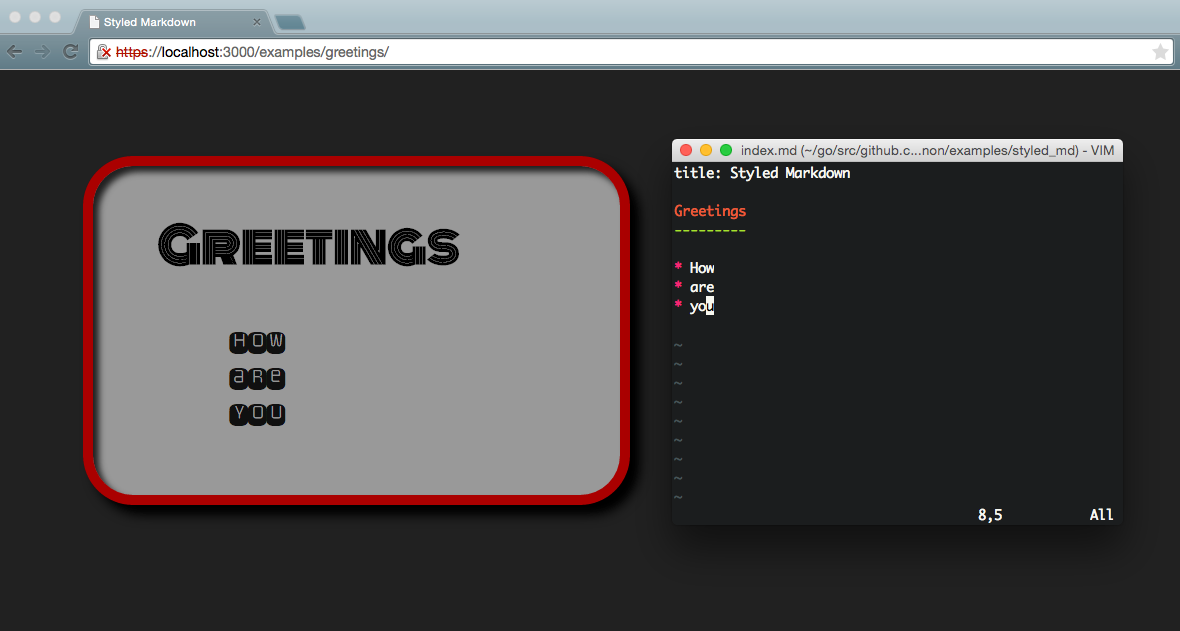
Markdown can easily be styled with Sass or GCSS.
---
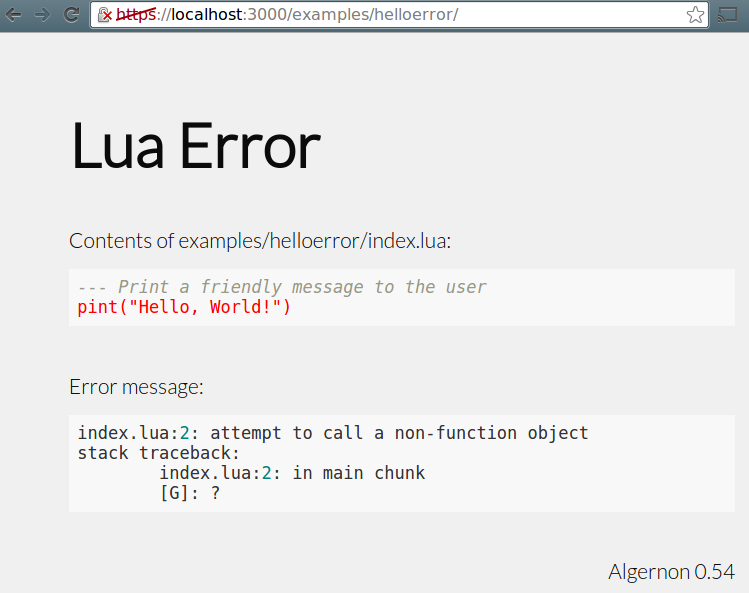
This is how errors in Lua scripts are handled, when Debug mode is enabled.
---
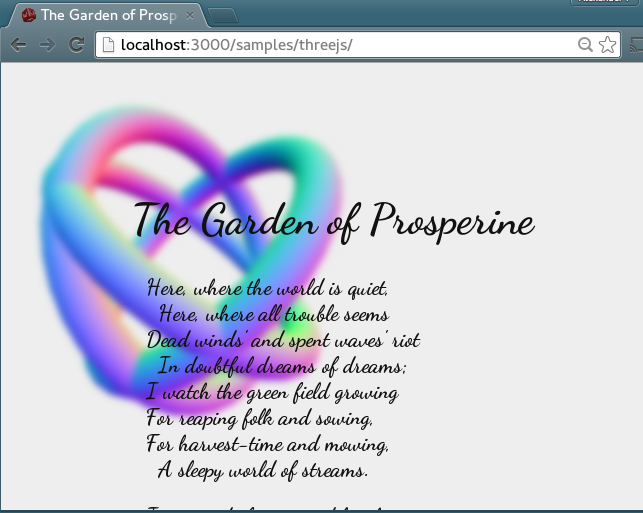
One of the poems of Algernon Charles Swinburne, with three rotating tori in the background. Uses CSS3 for the Gaussian blur and three.js for the 3D graphics.
---
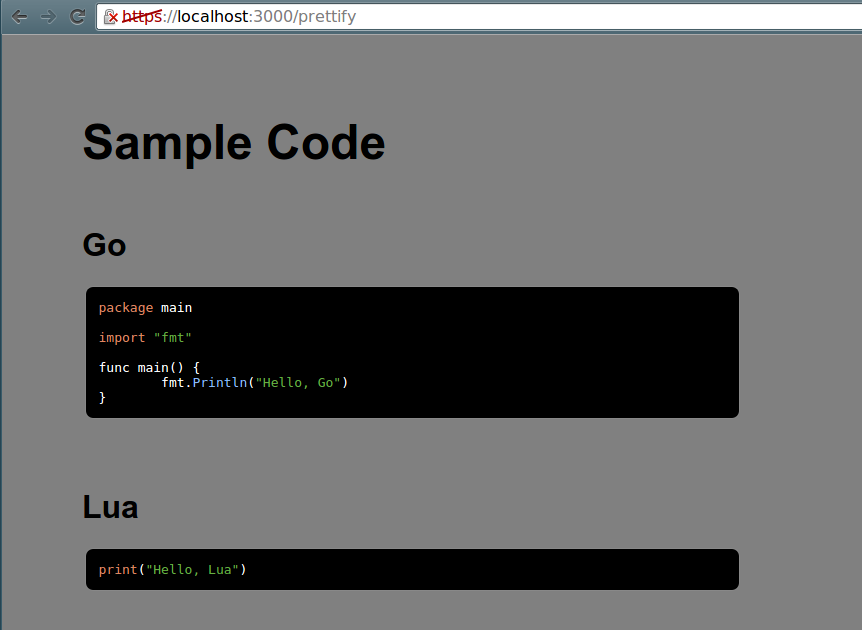
Screenshot of the prettify sample. Served from a single Lua script.
---
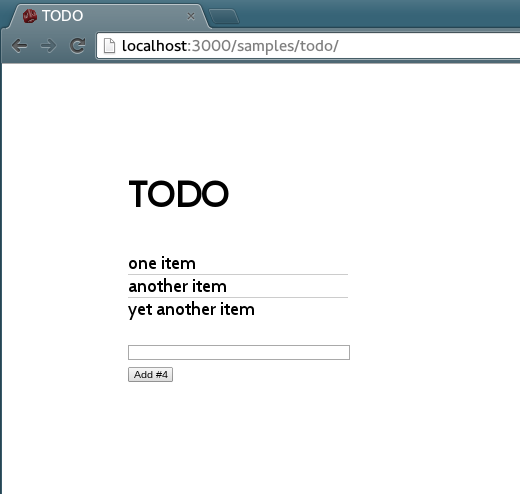
JSX transforms are built-in. Using React together with Algernon is easy.
Samples -------
The sample collection can be downloaded from the samples directory in this repository, or here: samplepack.zip.
Getting started ---------------
This enables debug mode, uses the internal Bolt database, uses regular HTTP instead of HTTPS+HTTP/2 and enables caching for all files except: Pongo2, Amber, Lua, Teal, Sass, GCSS, Markdown and JSX.
algernon -eindex.lua file with print("Hello, World!") and visit the served web page in a browser.
git clone https://github.com/xyproto/algernon cd algernon make
./welcome.sh to start serving the "welcome" sample.http://localhost:3000/mkdir mypagecd mypageindex.lua, with the following contents:print("Hello, Algernon")
algernon --httponly --autorefresh.http://localhost:3000/.index.lua and refresh the browser to see the new result.index.lua is changed.-autorefresh is used.mkdir mypagecd mypageindex.lua, with the following contents:print("Hello, Algernon")
openssl req -x509 -newkey rsa:4096 -keyout key.pem -out cert.pem -days 3000 -nodeslocalhost at Common Name.--cert and --key flags.algernon.https://localhost:3000/.index.lua and refresh the browser to see the result (or a Lua error message, if the script had a problem).Using AI / LLMs / Ollama ------------------------
ollama server must be running locally, or a host:port must be set in the OLLAMA_HOST environment variable.qwen2.5-coder:1.5b model (will be downloaded at first use, the size is 637 MiB and it should run anywhere).
lua> ollama()
Autumn leaves, crisp air, poetry flowing - this is what comes to mind when I think of Algernon.
lua> ollama("Write a haiku about software developers")
The software developer,
In silence, tapping at keys,
Creating digital worlds.
Using OllamaClient and the mixtral model (will be downloaded at first use, the size is 26 GiB and it might require quite a bit of RAM and also a fast CPU and/or GPU).
lua> oc = OllamaClient("mixtral")
lua> oc:ask("Write a quicksort function in OCaml")
Sure! Here's an implementation of the quicksort algorithm in OCaml:
let rec qsort = function
| [] -> []
| pivot :: rest ->
let smaller, greater = List.partition (fun x -> x < pivot) rest in
qsort smaller @ [pivot] @ qsort greater
This function takes a list as input and returns a new list with the same elements but sorted in ascending order using the quicksort algorithm. The qsort funct.
Here are some examples of using the qsort function:
qsort [5; 2; 9; 1; 3];;
- : int list = [1; 2; 3; 5; 9]
qsort ["apple"; "banana"; "cherry"];;
- : string list = ["apple"; "banana"; "cherry"]
qsort [3.14; 2.718; 1.618];;
- : float list = [1.618; 2.718; 3.14]
I hope this helps! Let me know if you have any questions or need further clarification.
Example use of finding the distance between how the LLM models interpret the prompts:
lua> oc = OllamaClient("llama3")
lua> oc:distance("cat", "dog")
0.3629187146002938
lua> oc:distance("cat", "kitten")
0.3584441305547792
lua> oc:distance("dog", "puppy")
0.2825554473355113
lua> oc:distance("dog", "kraken", "manhattan")
7945.885516248905
lua> oc:distance("dog", "kraken", "cosine")
0.5277307399621305
As you can tell, according to Llama3, "dog" is closer to "puppy" (0.28) than "cat" is to "kitten" (0.36) and "dog" is very different from "kraken" (0.53).
The available distance measurement algorithms are: cosine, euclidean, manhattan, chebyshev and hamming. The default metric is cosine.
Available Ollama models are available here: Ollama Library.
There is also support for .prompt files that can generate contents, such as HTML pages, in a reproducible way. The results will be cached for as long as Algernon is running.
Example index.prompt file:
text/html
gemma
Generate a fun and over the top web page that demonstrates the use of CSS animations and JavaScript.
Everything should be inline in one HTML document. Only output the full and complete HTML document.
The experimental prompt format is very simple:
content-type.qwen2.5-coder:1.5b:latest or just qwen2.5-coder:1.5b.qwen2.5-coder:1.5b should be fast enough with a good GPU or on an M1/M2/M3 processor.
For more fine-grained control, try using the Ollama-related Lua functions instead, and please create a PR or issue if something central is missing.
The ClearCache() function can be used at the Algernon Lua prompt to also clear the AI cache.
Basic Lua functions -------------------
~~~c // Return the version string for the server. version() -> string
// Sleep the given number of seconds (can be a float). sleep(number)
// Log the given strings as information. Takes a variable number of strings. log(...)
// Log the given strings as a warning. Takes a variable number of strings. warn(...)
// Log the given strings as an error. Takes a variable number of strings. err(...)
// Return the number of nanoseconds from 1970 ("Unix time") unixnano() -> number
// Convert Markdown to HTML markdown(string) -> string
// Sanitize HTML sanhtml(string) -> string
// Return the directory where the REPL or script is running. If a filename (optional) is given, then the path to where the script is running, joined with a path separator and the given filename, is returned. scriptdir([string]) -> string
// Read a glob, ie. "*.md" in the current script directory, or the given directory (optional). The contents of all found files are returned as a table. readglob(string[, string]) -> table
// Return the directory where the server is running. If a filename (optional) is given, then the path to where the server is running, joined with a path separator and the given filename, is returned. serverdir([string]) -> string ~~~
Lua functions for handling requests -----------------------------------
~~~c // Set the Content-Type for a page. content(string)
// Return the requested HTTP method (GET, POST etc). method() -> string
// Output text to the browser/client. Takes a variable number of strings. print(...)
// Same as print, but does not add a newline at the end. print_nonl(...)
// Return the requested URL path. urlpath() -> string
// Return the remote address ("host:port") of the connected client. remoteaddr() -> string
// Return the HTTP header in the request, for a given key, or an empty string. header(string) -> string
// Set an HTTP header given a key and a value. setheader(string, string)
// Return the HTTP headers, as a table. headers() -> table
// Return the HTTP body in the request (will only read the body once, since it's streamed). body() -> string
// Set a HTTP status code (like 200 or 404). Must be used before other functions that writes to the client! status(number)
// Set a HTTP status code and output a message (optional). error(number[, string])
// Serve a file that exists in the same directory as the script. Takes a filename. serve(string)
// Serve a Pongo2 template file, with an optional table with template key/values. serve2(string[, table)
// Return the rendered contents of a file that exists in the same directory as the script. Takes a filename. render(string) -> string
// Return a table with keys and values as given in a posted form, or as given in the URL. formdata()
→ →
→ →
→ →
→ →
→ →
→ →
→ →
→