


1
 →
→
118+ plug-and-play JSON style packs for Nano Banana Pro, GPT Image & Midjourney. Copy one JSON, get a style. Updated daily.
VigoZhao/AI-Visual-Prompt-Cookbook is an open-source project on GitHub, mainly written in Python. 118+ plug-and-play JSON style packs for Nano Banana Pro, GPT Image & Midjourney. Copy one JSON, get a style. Updated daily. It currently holds 606 stars and 60 forks with 0 open issues, and was last pushed on an unknown date (repository created unknown).
AI Homed tracks it on the AI Image Projects board and on the AI AI Image Projects list.
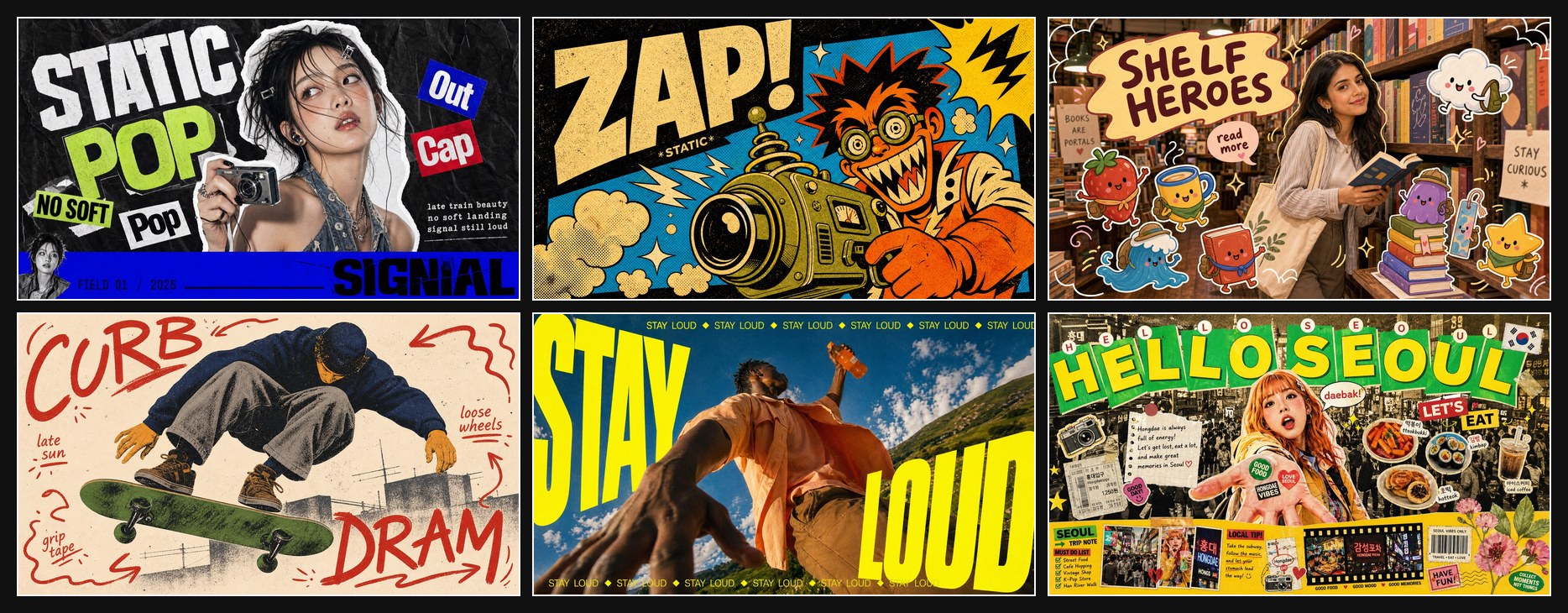
English | 简体中文 | 繁體中文 | 日本語 | 한국어 | Bahasa Indonesia
Copy a JSON, get a style. Drop one style.json into ChatGPT, Claude, Nano Banana Pro, or any LLM image workflow. Replace the variables, keep the visual system.
A curated library of plug-and-play visual prompt styles for AI image generation, distilled from visual design references and structured for more consistent, reusable output.
Curated by @VigoCreativeAI, structured with assistance from OpenAI Codex. Star this repo to follow new style drops.
🖼️ Browse the online gallery · or jump to the All Styles gallery / full catalog below.
| Category | Good for | Start with | | --- | --- | --- | | Photo + Doodle | Social snapshots, lifestyle scenes, playful overlays | Playful Mascot Doodle Snapshot, Cozy Bedroom Doodle Companion | | Zine + Collage | Fashion posters, music visuals, maximalist editorial layouts | K-pop Apocalypse Ransom Zine, Y2K Grunge Hip-hop Cutout Poster | | Type Posters | Big headline systems, loud campaign graphics, visual punch | Impact Burst Halftone Comic Poster, Neon Kinetic Typographic Poster | | Travel + City | Destination posters, street scenes, urban diaries | Clean Triptych Travel Vlog Thumbnail, Tokyo Kawaii Travel Collage Poster | | Editorial + Minimal | Cleaner compositions, structured layouts, quieter art direction | Tri Color Hardcut Portrait Poster, Soft Analog Future Editorial Poster | | Product + Campaign | Launch ads, product heroes, retail graphics | Sunlit Coastal Product Blitz, Electric Blue Silhouette Product Launch |
Most AI image prompts are one-off text blobs: hard to reuse, hard to compare, and hard to iterate on. This repo takes a different approach: each visual style is distilled into a structured style.json you can drop into any LLM-based image generation workflow. Same JSON, more consistent style direction across generations.
1. Browse the Featured Styles, Quick Links, or All Styles.
2. Open a style folder and copy the style.json.
3. Paste the full JSON into ChatGPT, Claude, Nano Banana Pro, or any LLM-based image workflow.
4. Provide your own values for the variables declared in environment_variables, or edit a case in examples[*].values.
5. Generate the final image prompt and send it to your image model.
See the Complete Example below for a full input-to-output walkthrough.
This workflow works best with end-to-end multimodal image models that can read long structured JSON prompts and generate the final image in one step.
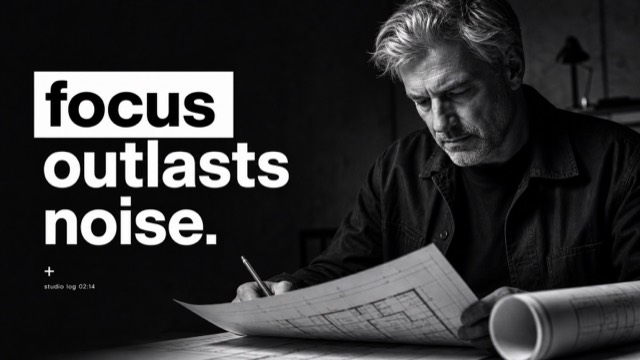
This example uses Mono Noir Type Portrait Poster Style.
Create a {ASPECT_RATIO} monochrome editorial poster in the Mono Noir Type Portrait Poster Style. Style fidelity lock: {STYLE_FIDELITY_ANCHORS}. Source content to avoid: {SOURCE_CONTENT_TO_AVOID}. Scene: {SUBJECT} {SUBJECT_ACTION} with {PRODUCT_OR_PROP} in {LOCATION}. Background elements: {BACKGROUND_ELEMENTS}. Wardrobe and styling: {WARDROBE_STYLE}. Composition: one large high-contrast black-and-white photographic subject, close crop, deep charcoal background, sparse negative space, shallow depth of field, serious noir editorial mood. If the aspect ratio is 16:9, make a landscape poster with the subject weighted to the right side and the headline block on the left. If the aspect ratio is 9:16, make a vertical poster with the headline stacked in the upper-left or middle-left field and the subject cropped large on the right or lower-right. Typography: render the exact readable lowercase headline text "{MAIN_TEXT}" as three short left-aligned lines...
SUBJECT = a tired architect with silver hair
SUBJECT_ACTION = studying a folded blueprint in a late-night pause
PRODUCT_OR_PROP = a rolled plan tube and a pencil held low
LOCATION = a dim concrete studio after midnight
BACKGROUND_ELEMENTS = soft charcoal wall gradient, blurred drafting table edge, deep empty space
MAIN_TEXT = focus / outlasts / noise.
SECONDARY_TEXT = studio log 02:14
ACCENT_SYMBOL = a tiny white plus
WARDROBE_STYLE = dark work jacket over a plain black shirt
ASPECT_RATIO = 16:9
Create a 16:9 monochrome editorial poster in the Mono Noir Type Portrait Poster Style. Style fidelity lock: black-and-white photographic portrait, deep charcoal background, giant lowercase left-aligned headline, first word in a white label, remaining words in white, high contrast, sparse negative space, close crop. Source content to avoid: no young woman with blunt bangs, no freckles close-up, no discipline beats procrastination text, no copied face or exact source crop. Scene: a tired architect with silver hair studying a folded blueprint in a late-night pause with a rolled plan tube and a pencil held low in a dim concrete studio after midnight. Background elements: soft charcoal wall gradient, blurred drafting table edge, deep empty space. Wardrobe and styling: dark work jacket over a plain black shirt. Composition: one large high-contrast black-and-white photographic subject, close crop, deep charcoal background, sparse negative space, shallow depth of field, serious noir editorial mood. If the aspect ratio is 16:9, make a landscape poster with the subject weighted to the right side and the headline block on the left. If the aspect ratio is 9:16, make a vertical poster with the headline stacked in the upper-left or middle-left field and the subject cropped large on the right or lower-right. Typography: render the exact readable lowercase headline text "focus
outlasts
noise." as three short left-aligned lines with tight leading; put the first headline word as black type inside a crisp white rectangular label, then set the remaining lines in heavy white type directly on the dark background. Add "studio log 02:14" only as tiny unobtrusive white microcopy if it fits. Use a tiny white plus only as a minimal typographic mark. Keep type sharp, flat, square-cornered, and massive. Photo treatment: realistic black-and-white studio photography, strong shadow falloff, visible facial or fabric texture, subtle grain, no color, no illustration, no collage, no extra panels, no logos, no watermark.
Prefer the short path? Browse the generated Copy Prompt Library for a copy-ready prompt per style. The full reusable style systems still live in each style.json.
Six visual systems to start with. Every style ships as one JSON plus two preview images. Browse the complete set of 141 in the All Styles gallery below.
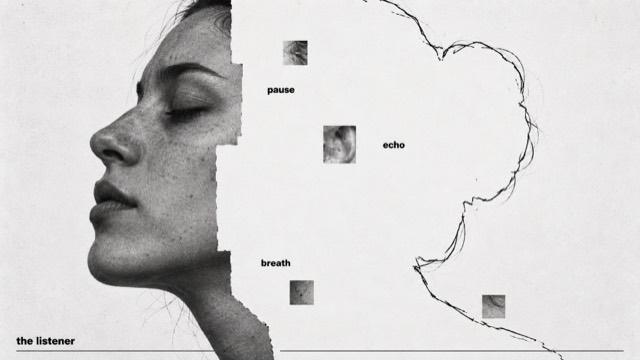
Annotated AbsenceA photographic subject yields to white paper, retained as hand-traced contour, intimate word labels and sparse gray image fragments. |
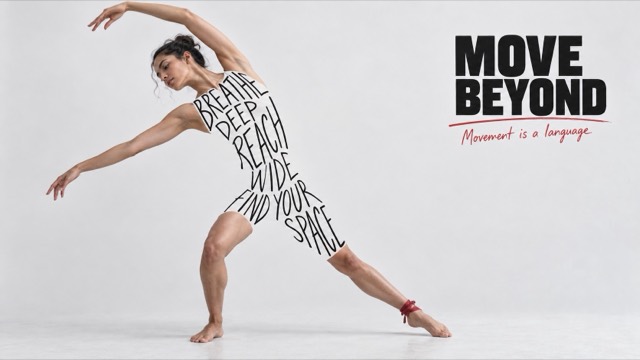
Ink Body ManifestoRealistic figures on pale gray-white ground, their torsos constructed from irregular black handwriting, with a compact heavy black headline and sparse red handwritten marks. |
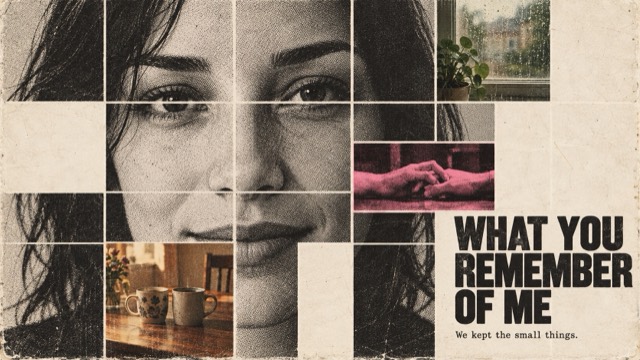
Memory Fragment PortraitA coarse-halftone black-and-white portrait tiled by a regular white grid; selected cells become faded life photographs, blank paper, and one fluorescent-pink key memory. From afar it is a face; up close it is a relationship. |
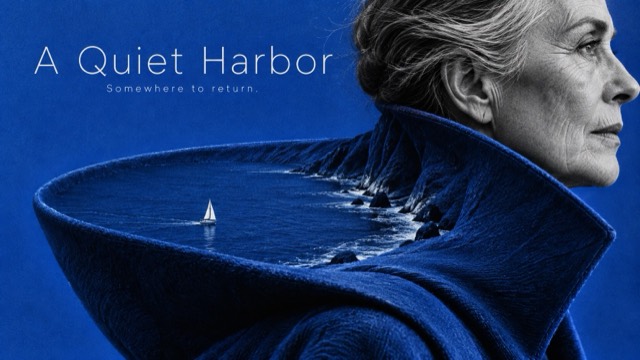
Portrait as TerrainMonochrome human fragments become monumental single-color landscapes inhabited by tiny figures. |
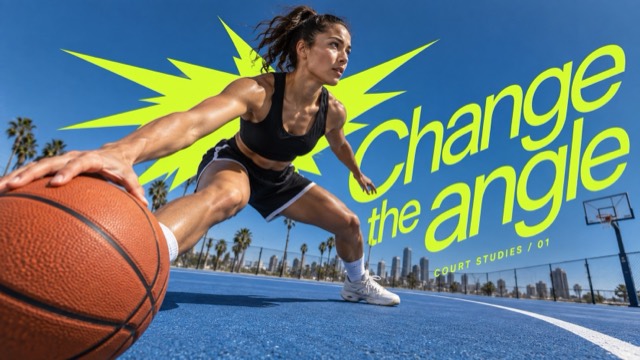
Acid Burst Motion TypeExtreme wide-angle action photography with an enlarged near-lens object, saturated blue environmental depth, one acid-colored angular burst behind the subject and oversized lean typography sweeping diagonally through the foreground. |
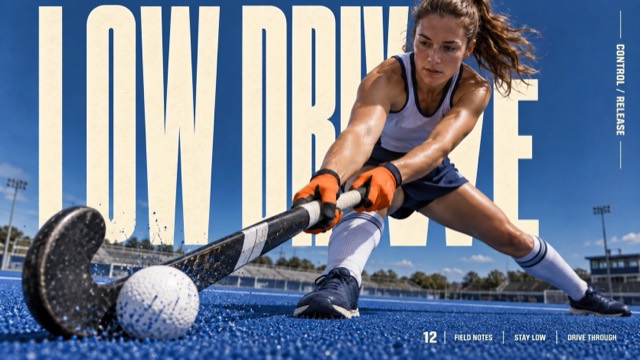
Cream Megatype Impact EditorialClose wide-angle action photographs interlocked with enormous warm-cream condensed background type, cobalt environmental depth, tactile ground or water, and a compact rule-divided editorial information rail. |
styles//
  style.json          # Machine-readable prompt template
  preview-16x9.jpg    # Landscape preview
  preview-9x16.jpg    # Portrait preview
Every style.json is self-contained: copy the whole file into your LLM, then provide values for the variables declared in environment_variables or edit one of the examples[*].values cases.
prompt_template is the reusable style prompt with {VARIABLE} placeholders.environment_variables declares every placeholder the template can use.examples contains ready-to-edit cases; each case stores only case_name and values.style_fidelity_anchors and source_content_to_avoid tell the model what to preserve and what not to copy.negative_prompt keeps watermarks, logos, direct source recreations, and off-style outputs away.prompt_9x16, prompt_16x9, or full_prompt are intentionally not stored. They are derived at generation time from prompt_template plus chosen values, so the JSON stays compact and does not drift.
Validate the library with:
python3 scripts/validate-style-json.py .
Browse all 141 styles below.
The complete library, including the featured styles above. For full descriptions and all file links per style, see docs/CATALOG.md.
|
Annotated Absence |
Ink Body Manifesto |
Memory Fragment Portrait |
|
Portrait as Terrain |
Acid Burst Motion Type |
Cream Megatype Impact Editorial |
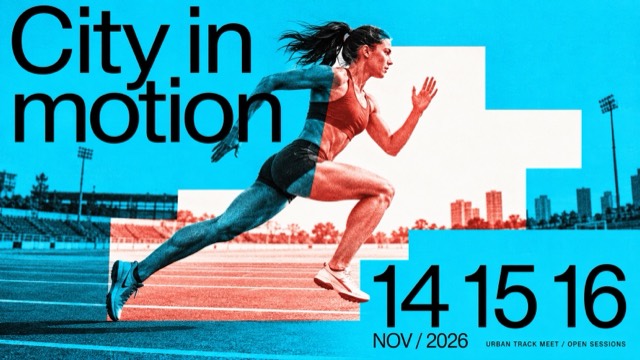
Duotone Step Window Editorial |
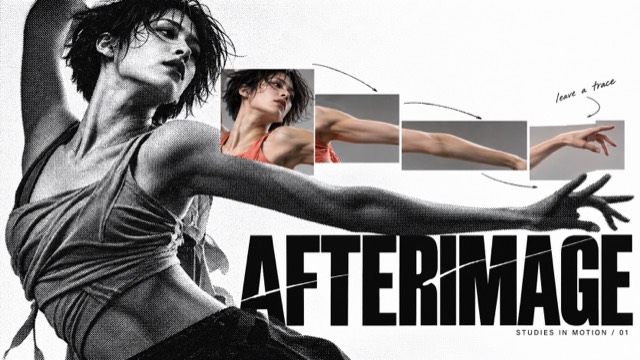
Halftone Chroma Fragment Editorial |
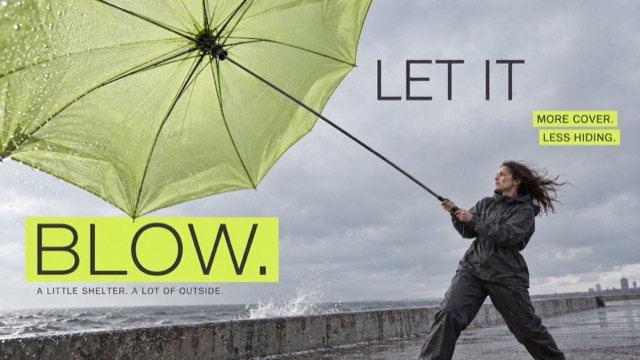
Neon Strip Low Angle Campaign |
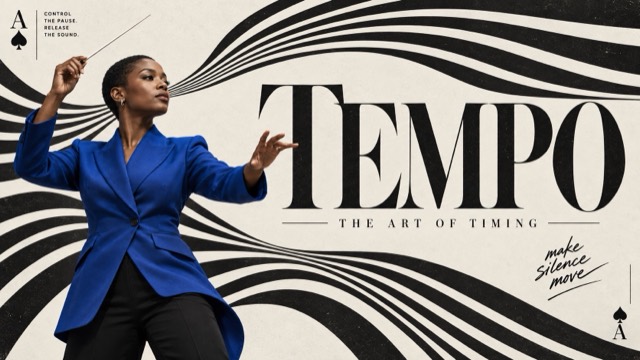
Op Stripe Card Editorial |
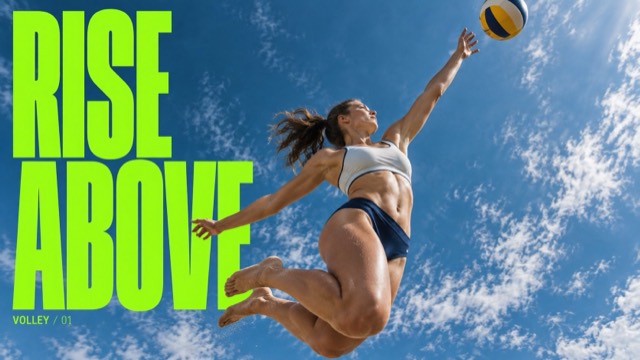
Skyward Condensed Action |
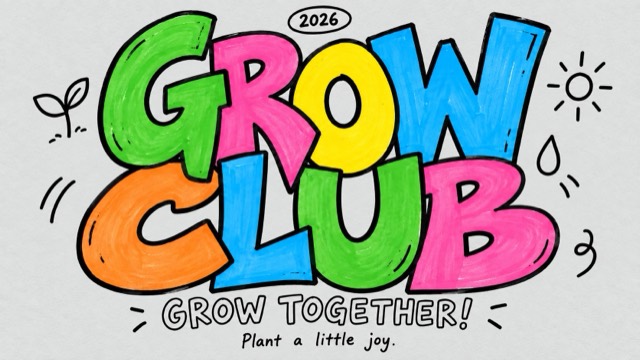
Color Pop Interlocked Marker Type |
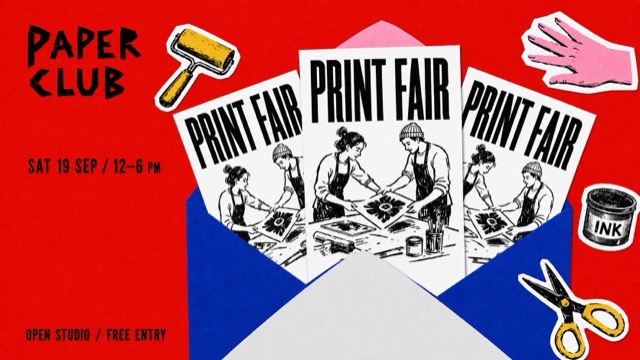
Grainy Envelope Flyer Collage |
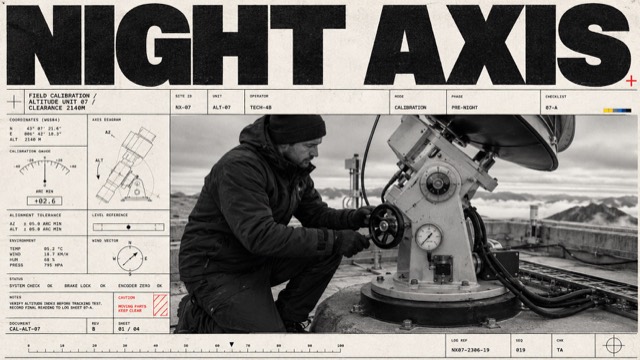
Monochrome Tech-Grid Editorial |
GitHub Stars & Activity606Stars 60Forks 0Open issues PythonLanguage GitHub PopularityGitHub stars606 Forks60 Open issues0 Primary languagePython License- Stars gained today0 Created- Last pushed- Trending HistoryTrending statusnot on today's boards Related AI Projects1 →2 →3  → →4  → →5  → →6  → →7  → →8  → →More AI Rankings |