1
 →
→
Personalization for Stable Diffusion via Aesthetic Gradients 🎨
vicgalle/stable-diffusion-aesthetic-gradients is an open-source project on GitHub, mainly written in Jupyter Notebook. Personalization for Stable Diffusion via Aesthetic Gradients 🎨 It currently holds 742 stars and 63 forks with 0 open issues, and was last pushed on an unknown date (repository created unknown).
AI Homed tracks it on the AI Image Projects board and on the AI AI Image Projects list.
This is the codebase for the article Personalizing Text-to-Image Generation via Aesthetic Gradients:
This work proposes aesthetic gradients, a method to personalize a CLIP-conditioned diffusion model by guiding the generative process towards custom aesthetics defined by the user from a set of images. The approach is validated with qualitative and quantitative experiments, using the recent stable diffusion model and several aesthetically-filtered datasets.
In particular, this reposiory allows the user to use the aesthetic gradients technique described in the previous paper to personalize stable diffusion.
With this, you don't have to learn a lot of spells/modifiers to improve the quality of the generated image.
This is a fork of the original stable-diffusion repository, so the prerequisites are the same as the original repository. In particular, when cloning this repo, install the library as:
pip install -e .
You can use the same arguments as with the original stable diffusion repository. The script scripts/txt2img.py has the additional arguments:
--aesthetic_steps: number of optimization steps when doing the personalization. For a given prompt, it is recommended to start with few steps (2 or 3), and then gradually increase it (trying 5, 10, 15, 20, etc). The greater the value, the more the resulting image will be biased towards the aesthetic embedding.--aesthetic_lr: learning rate for the aesthetic gradient optimization. The default value is 0.0001. This value almost usually works well enough, so you can just only tune the previous argument.--aesthetic_embedding: path to the stored pytorch tensor (.pt format) containing the aesthetic embedding. It must be of shape 1x768 (CLIP-L/14 size). See below for computing your own aesthetic embeddings.aesthetic_embeddings:
sac_8plus.ptlaion_7plus.ptaivazovsky.ptcloudcore.ptgloomcore.ptglowwave.ptIn addition, new aesthetic embeddings have been incorporated:
fantasy.pt: created from https://huggingface.co/datasets/ChristophSchuhmann/improved_aesthetics_6.5plus by filtering only the images with word "fantasy" in the caption. The top 2000 images by score are selected for the embedding.flower_plant.pt: created from https://huggingface.co/datasets/ChristophSchuhmann/improved_aesthetics_6.5plus by filtering only the images with word "plant", "flower", "floral", "vegetation" or "garden" in the caption. The top 2000 images by score are selected for the embedding.Let's see some examples now. This would be with the un-personalized, original SD model:
python scripts/txt2img.py --prompt "Roman city on top of a ridge, sci-fi illustration by Greg Rutkowski #sci-fi detailed vivid colors gothic concept illustration by James Gurney and Zdzislaw Beksiński vivid vivid colorsg concept illustration colorful interior" --seed 332 --plms --aesthetic_steps 0 --W 768 --aesthetic_embedding aesthetic_embeddings/laion_7plus.pt
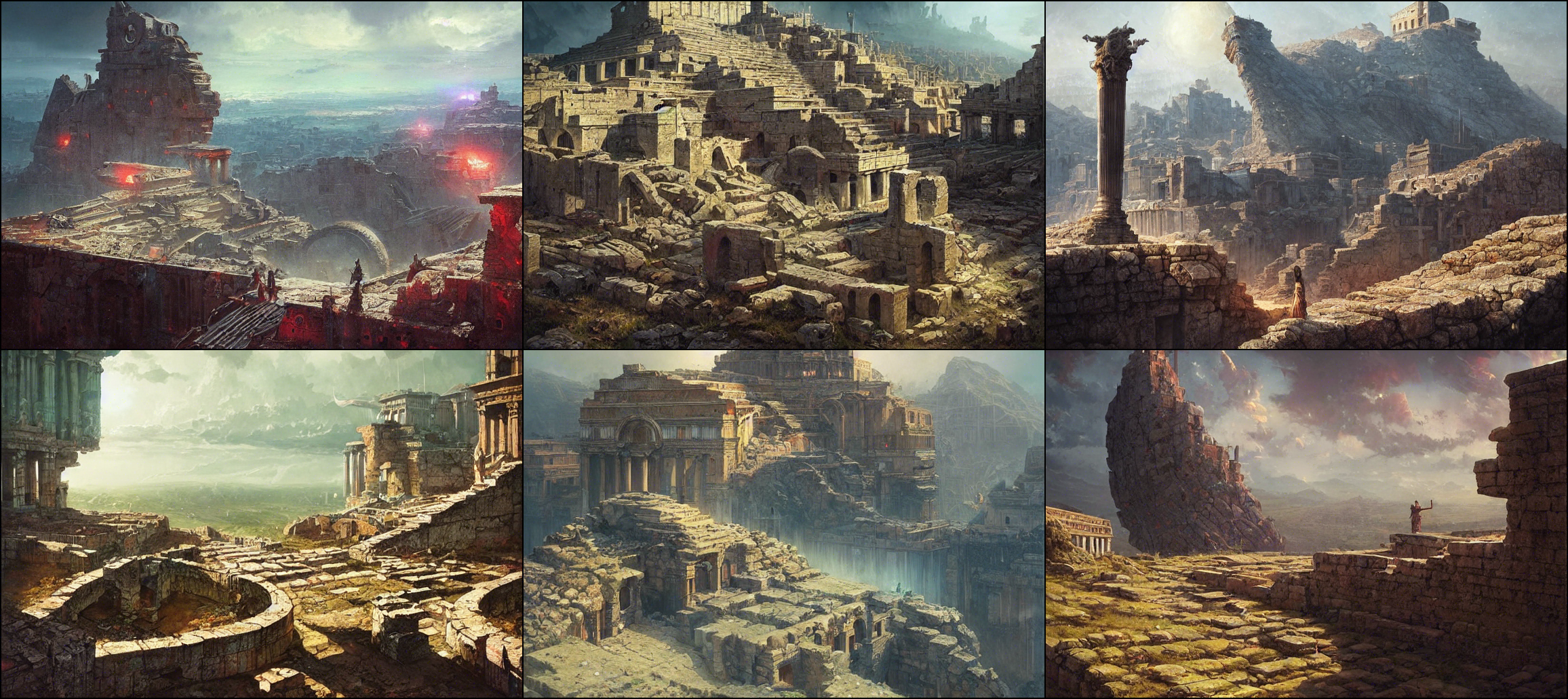
If we now personalize it with the LAION embedding, note how the images get more floral patterns, as this is one common pattern of the LAION aesthetics dataset:
python scripts/txt2img.py --prompt "Roman city on top of a ridge, sci-fi illustration by Greg Rutkowski #sci-fi detailed vivid colors gothic concept illustration by James Gurney and Zdzislaw Beksiński vivid vivid colorsg concept illustration colorful interior" --seed 332 --plms --aesthetic_steps 5 --W 768 --aesthetic_embedding aesthetic_embeddings/laion_7plus.pt
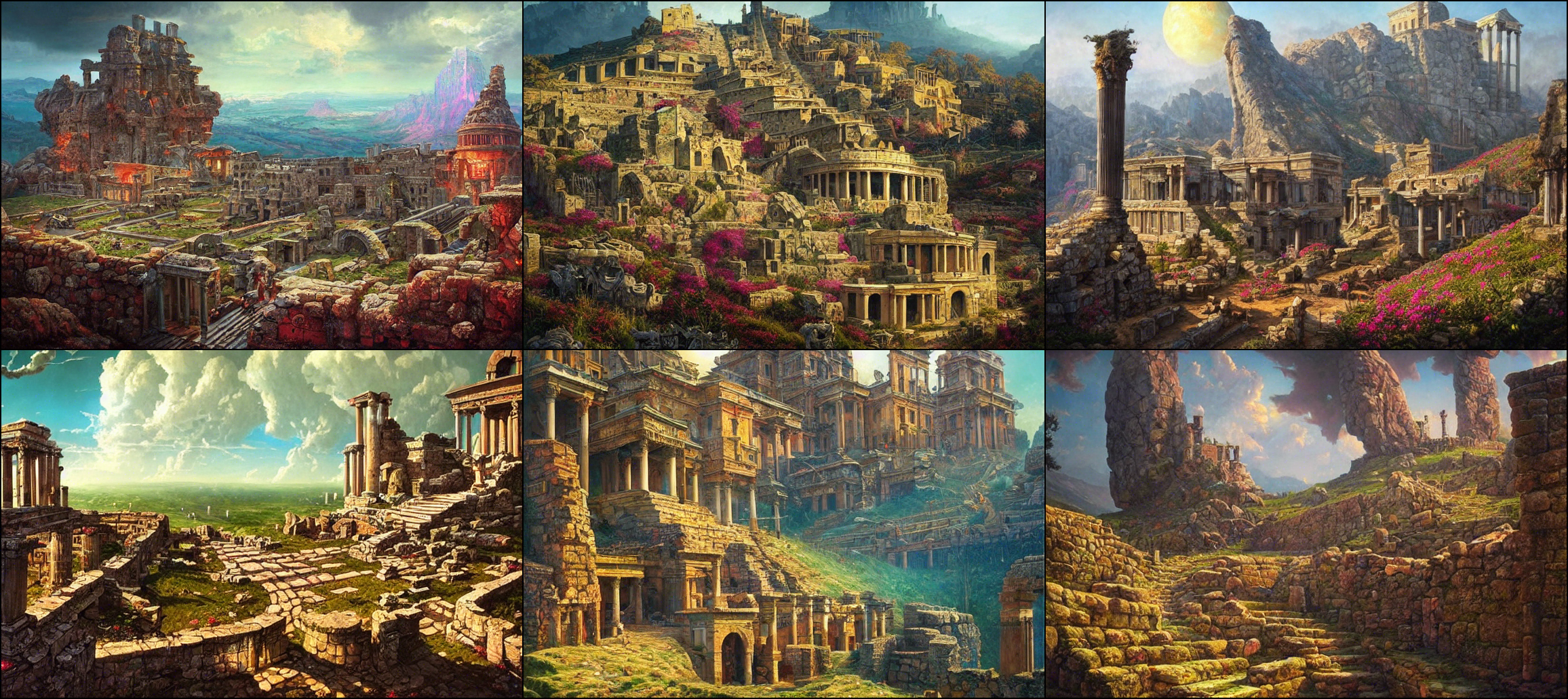
Increasing the number of steps more...
python scripts/txt2img.py --prompt "Roman city on top of a ridge, sci-fi illustration by Greg Rutkowski #sci-fi detailed vivid colors gothic concept illustration by James Gurney and Zdzislaw Beksiński vivid vivid colorsg concept illustration colorful interior" --seed 332 --plms --aesthetic_steps 8 --W 768 --aesthetic_embedding aesthetic_embeddings/laion_7plus.pt
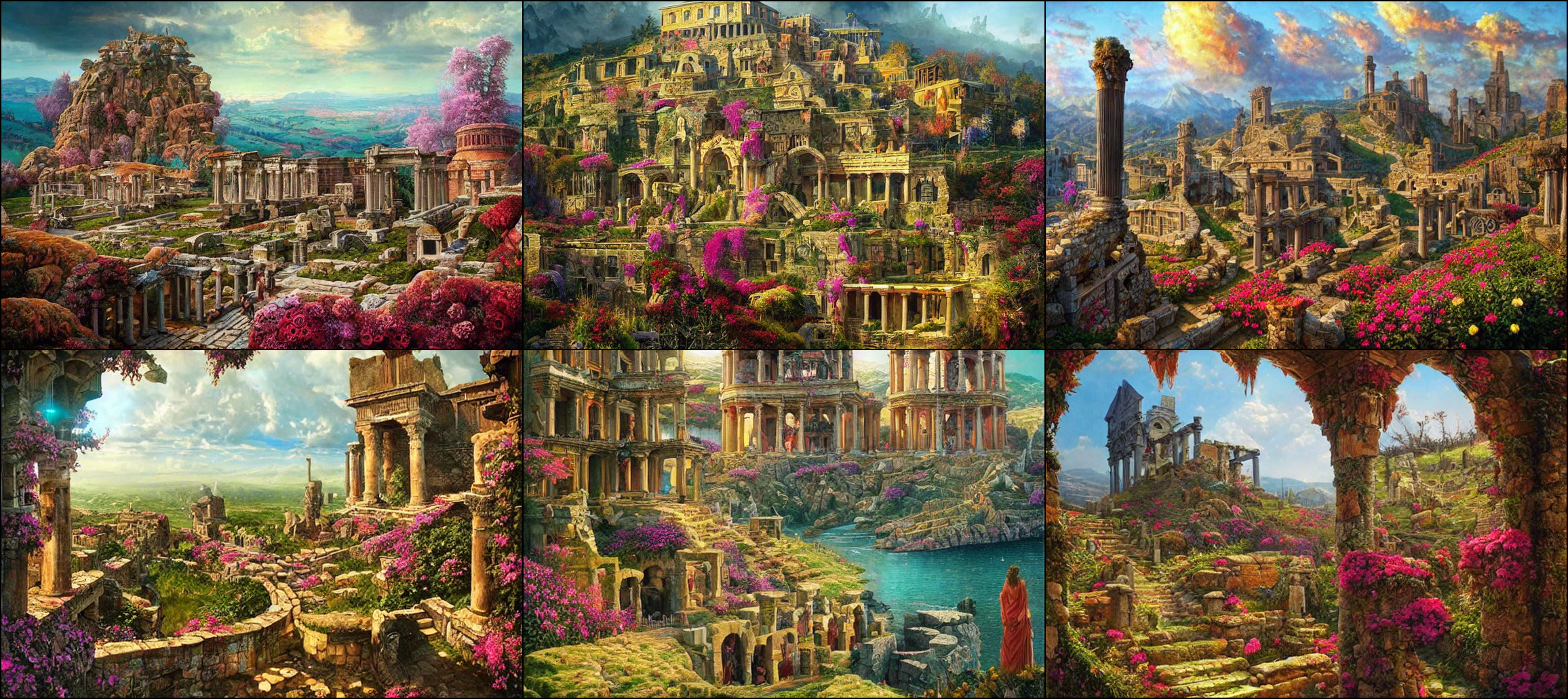
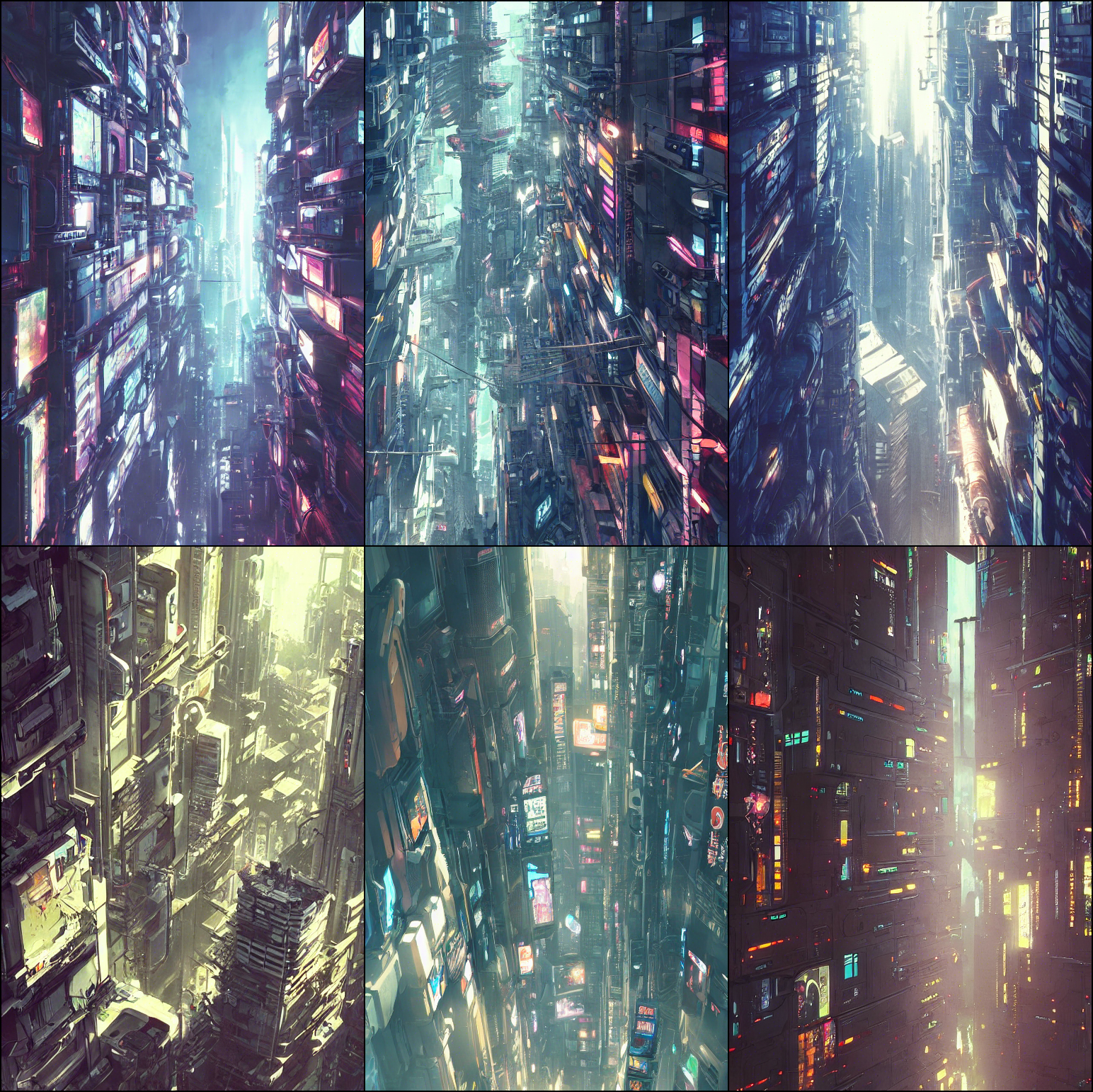
Another example, this we will be using another embedding that further exacerabates the floral patterns. This is the original SD output:
python scripts/txt2img.py --prompt "Cyberpunk ikea, close up shot from the top, anime art, greg rutkowski, studio ghibli, dramatic lighting" --seed 332 --plms --ckpt ../stable-diffusion/sd-v1-4.ckpt --H 768 --aesthetic_steps 0 --aesthetic_embedding aesthetic_embeddings/flower_plant.pt
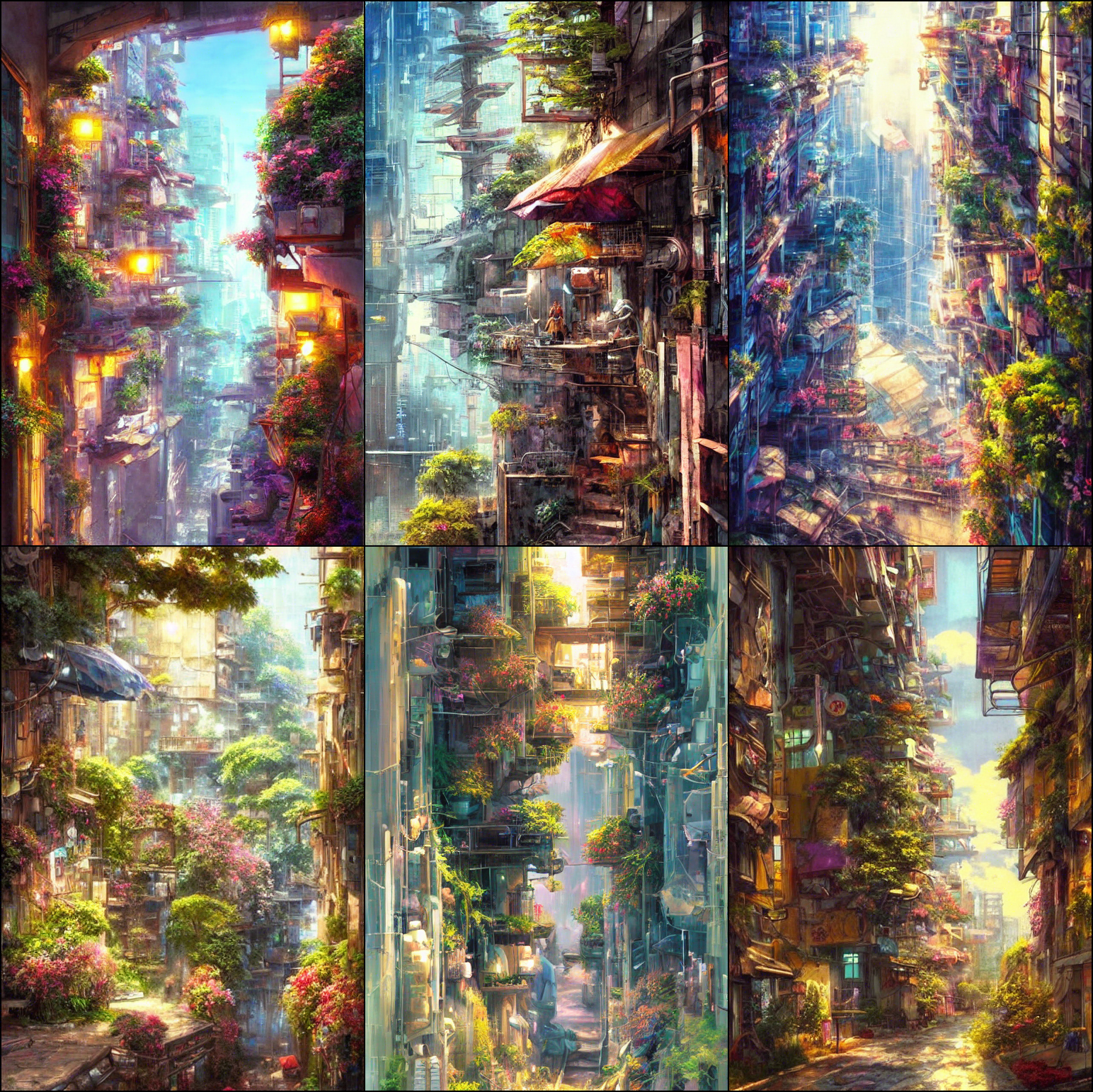
And this is with 20 steps with the flower_plant.pt embedding:
python scripts/txt2img.py --prompt "Cyberpunk ikea, close up shot from the top, anime art, greg rutkowski, studio ghibli, dramatic lighting" --seed 332 --plms --ckpt ../stable-diffusion/sd-v1-4.ckpt --H 768 --aesthetic_steps 20 --aesthetic_embedding aesthetic_embeddings/flower_plant.pt
Let's see another example:
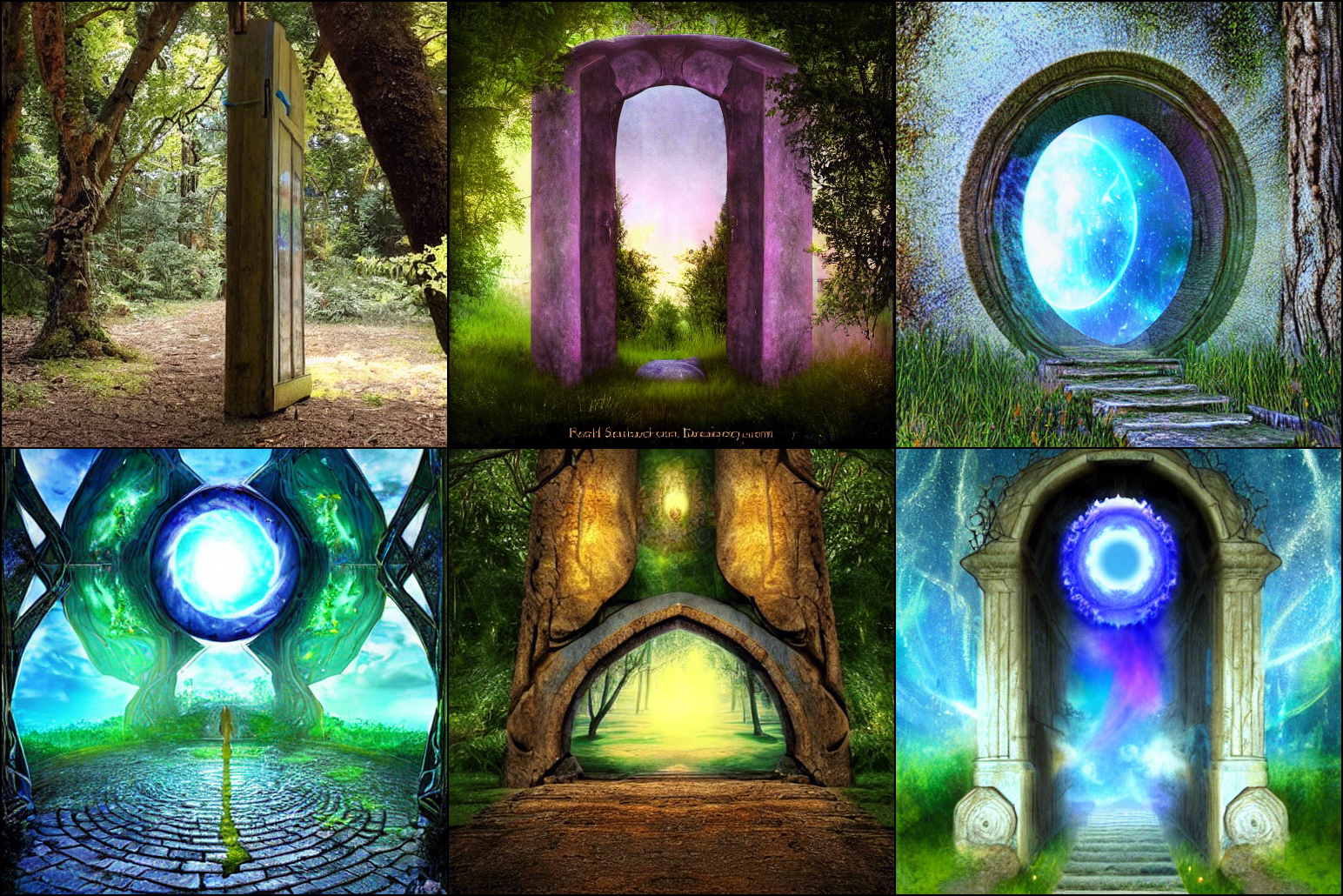
python scripts/txt2img.py --prompt "A portal towards other dimension" --plms --seed 332 --aesthetic_steps 15 --aesthetic_embedding aesthetic_embeddings/sac_8plus.pt
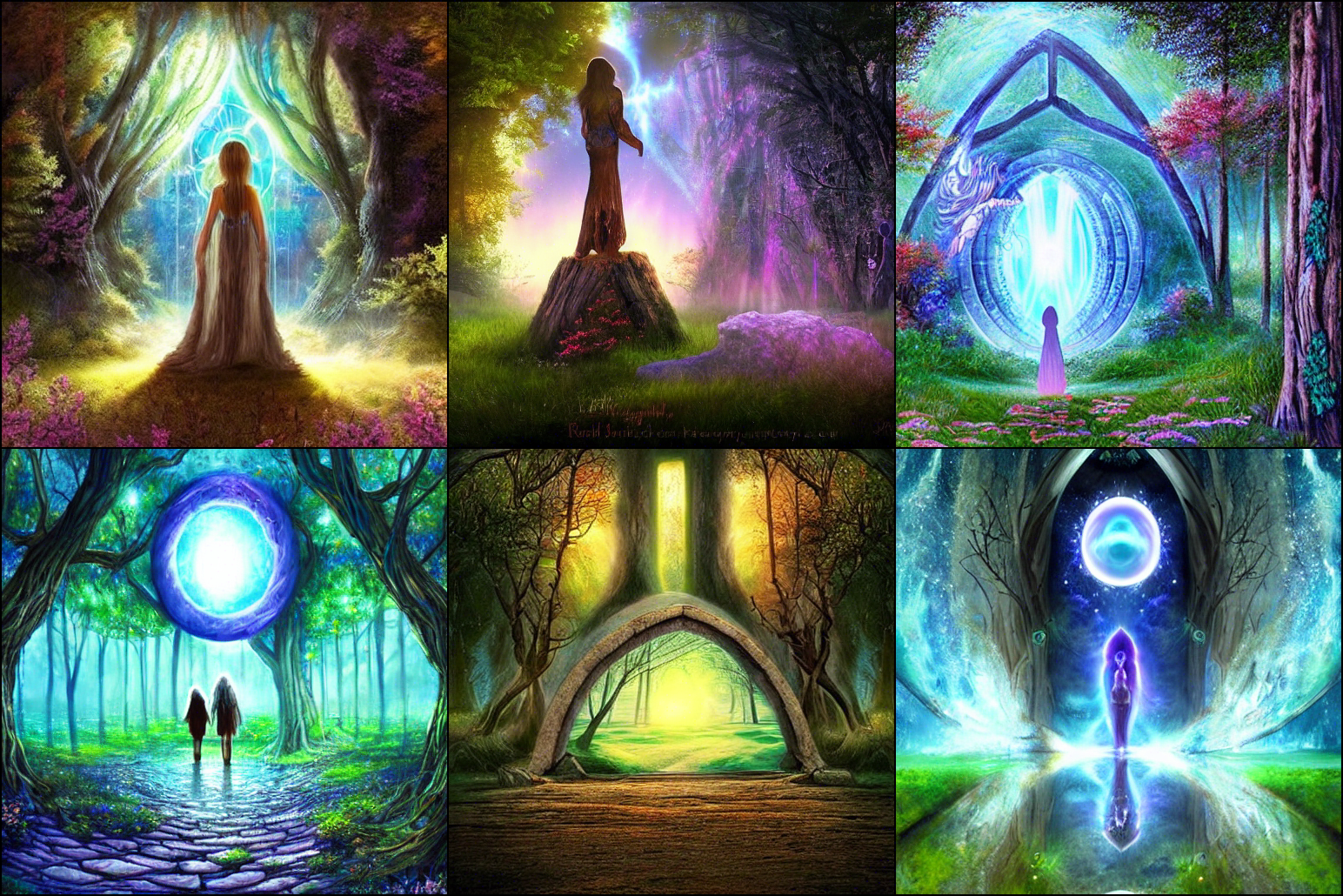
If we increase it to 20 steps, we get a more pronounced effect:
python scripts/txt2img.py --prompt "A portal towards other dimension" --plms --seed 332 --aesthetic_steps 20 --aesthetic_embedding aesthetic_embeddings/sac_8plus.pt
We can set the steps to 0 to get the outputs for the original stable diffusion model:
python scripts/txt2img.py --prompt "A portal towards other dimension" --plms --seed 332 --aesthetic_steps 0 --aesthetic_embedding aesthetic_embeddings/sac_8plus.pt
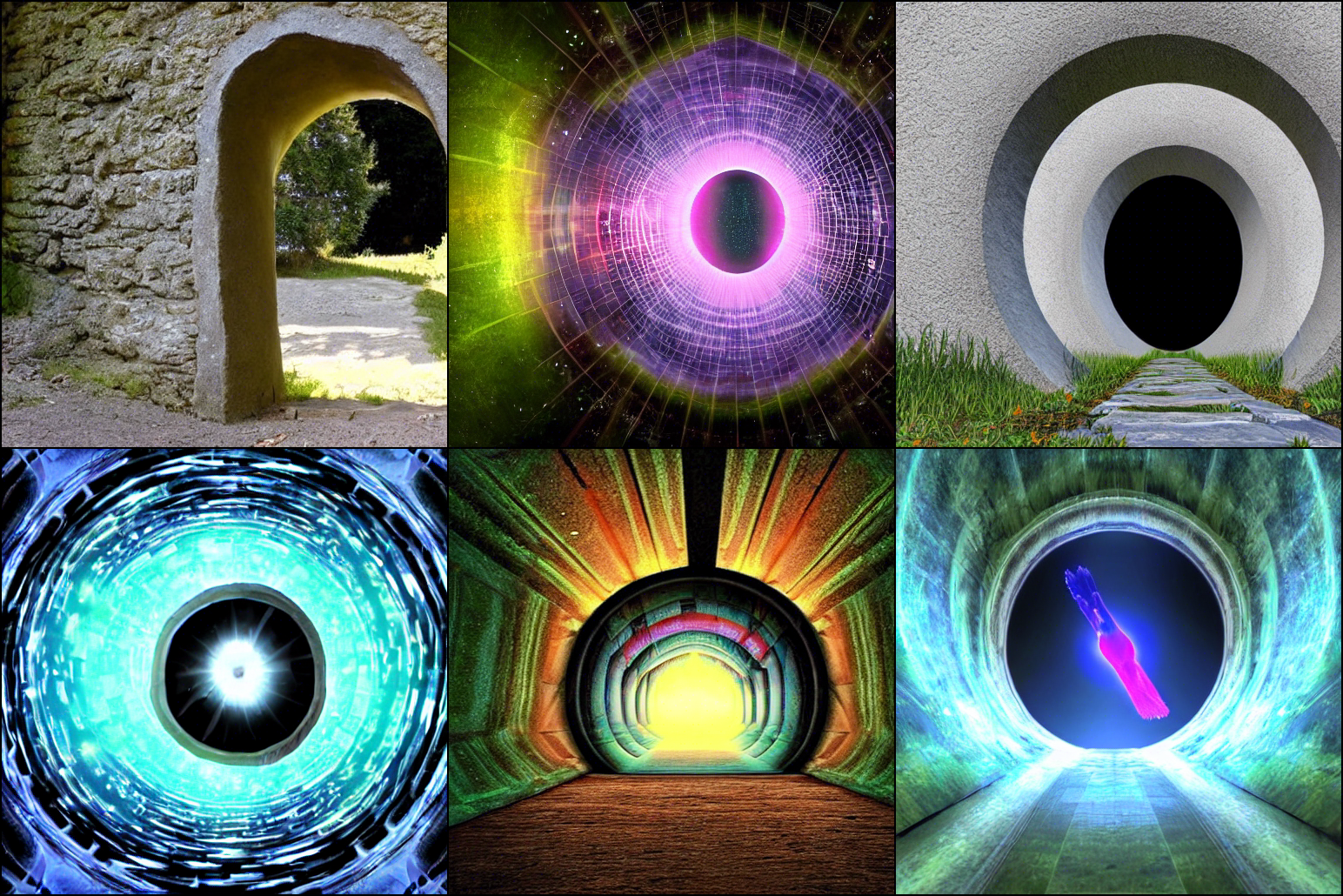
Note that since we have used the SAC dataset for the personalization, the optimized results are more biased towards fantasy aesthetics.
To see more examples, look at the Further resources section below, or have a look at https://arxiv.org/abs/2209.12330
If you want to use your own aesthetic embeddings from a set of images, you can use the script scripts/gen_aesthetic_embedding.py. This script takes as input a directory containing images, and outputs a pytorch tensor containing the aesthetic embedding, so you can use it as in the previous commands.
Some examples with three works from the painter Aivazovsky: reference_images/aivazovsky
python scripts/txt2img.py --prompt "a painting of a tree, oil on canvas" --plms --seed 332 --aesthetic_steps 50 --aesthetic_embedding aesthetic_embeddings/aivazovsky.pt
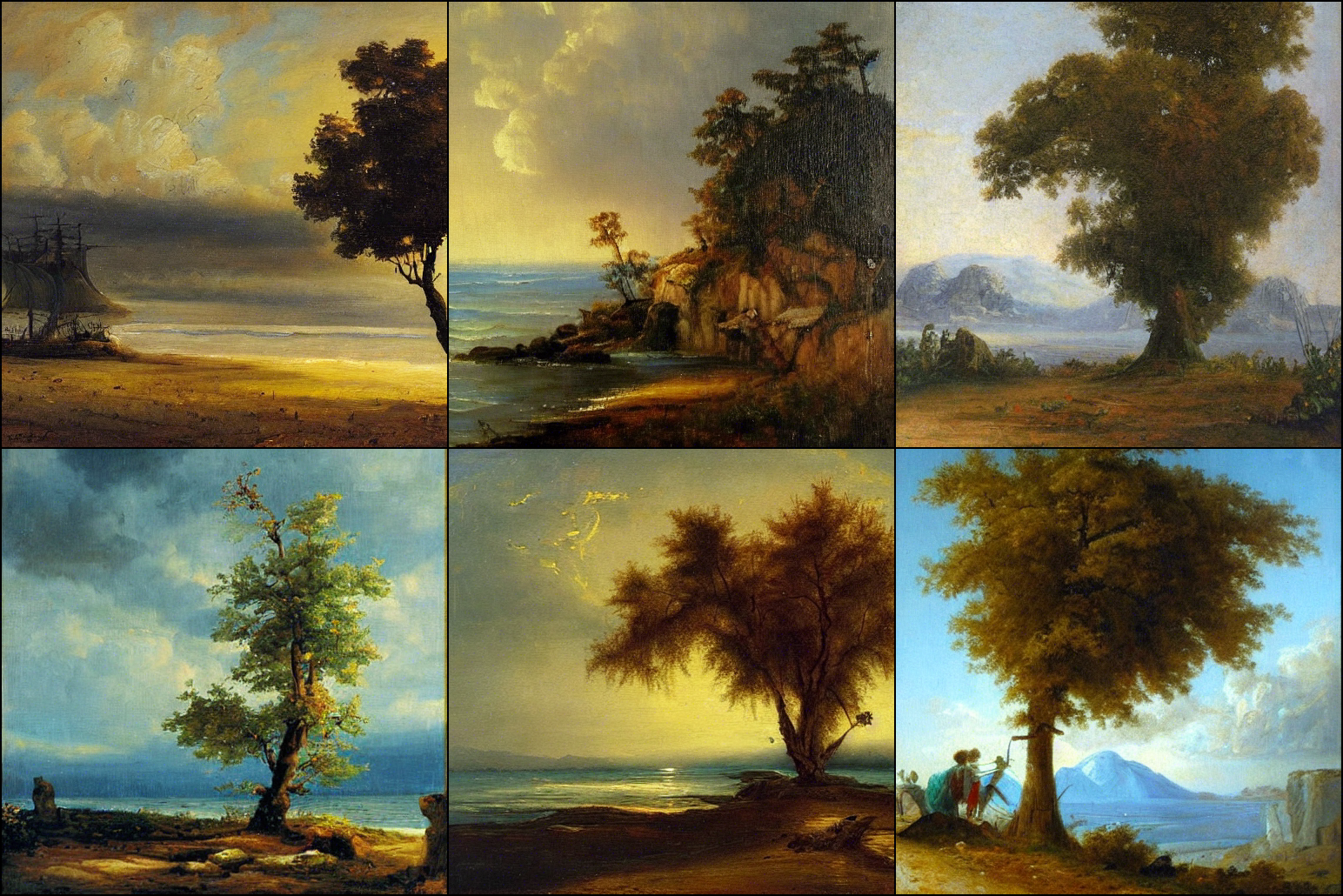
Note that just adding the modifier "by Aivazoysky" to the prompt does not work so well:
python scripts/txt2img.py --prompt "a painting of a tree, oil on canvas by Aivazovsky" --plms --seed 332 --aesthetic_steps 0 --aesthetic_embedding aesthetic_embeddings/aivazovsky.pt
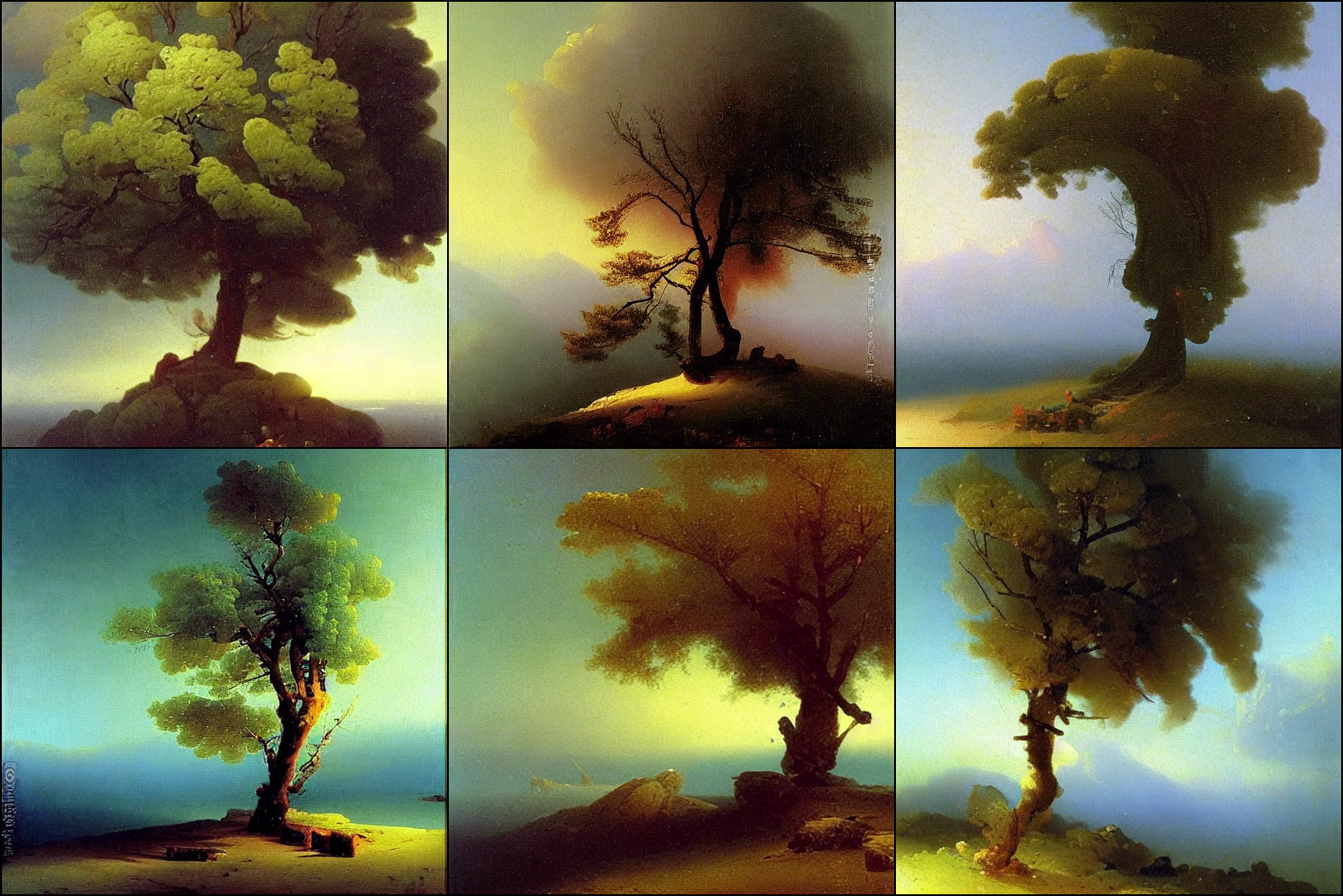
Another example, mixing the styles of two painters (one in the prompt, the other as the aesthetic embedding):
96 python scripts/txt2img.py --prompt "a gothic cathedral in a stunning landscape by Jean-Honoré Fragonard" --plms --seed 139782398 --aesthetic_steps 12 --aesthetic_embedding aesthetic_embeddings/aivazovsky.pt
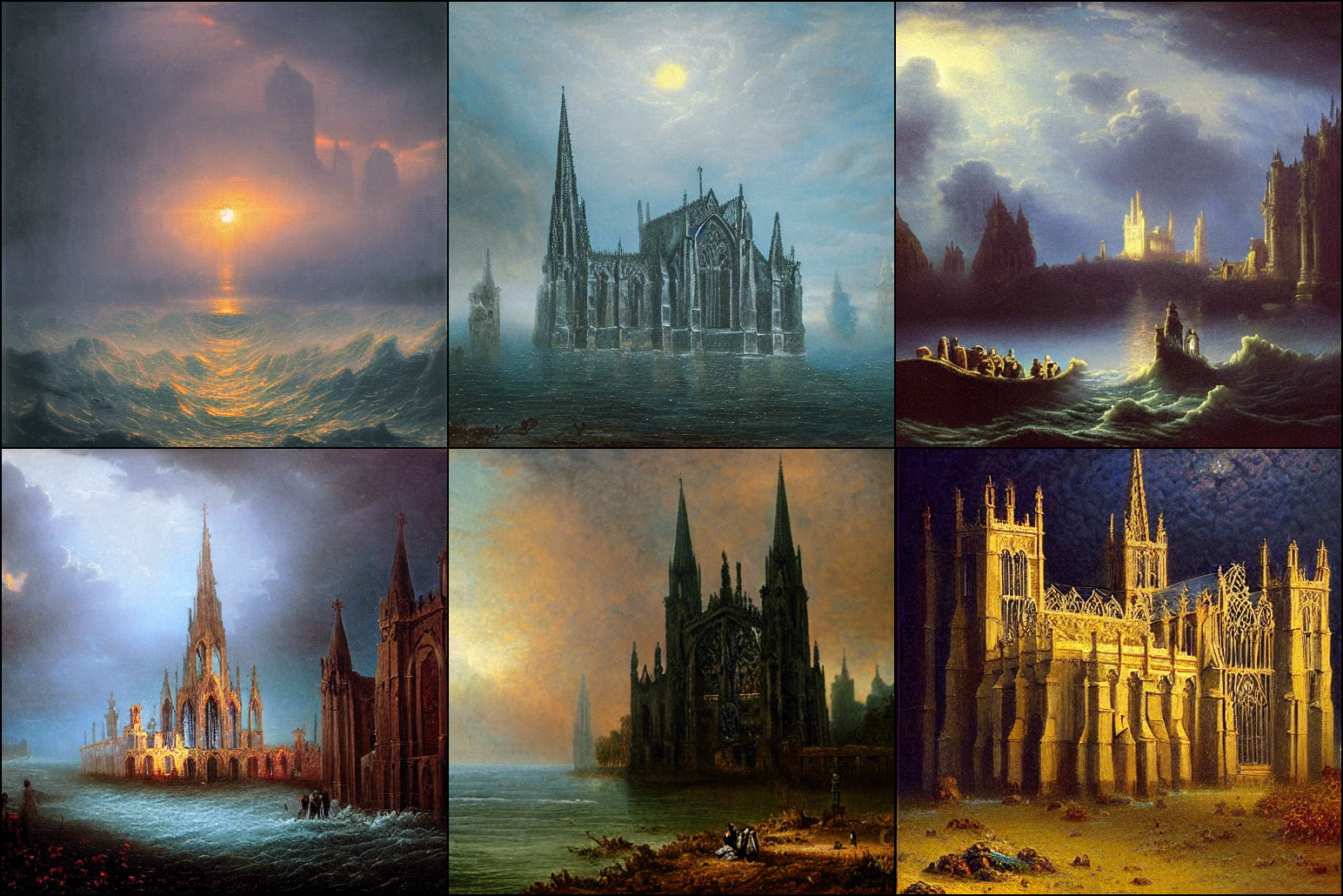
Whereas the original SD would output this:
python scripts/txt2img.py --prompt "a gothic cathedral in a stunning landscape by Jean-Honoré Fragonard" --plms --seed 139782398 --aesthetic_steps 0 --aesthetic_embedding aesthetic_embeddings/aivazovsky.pt
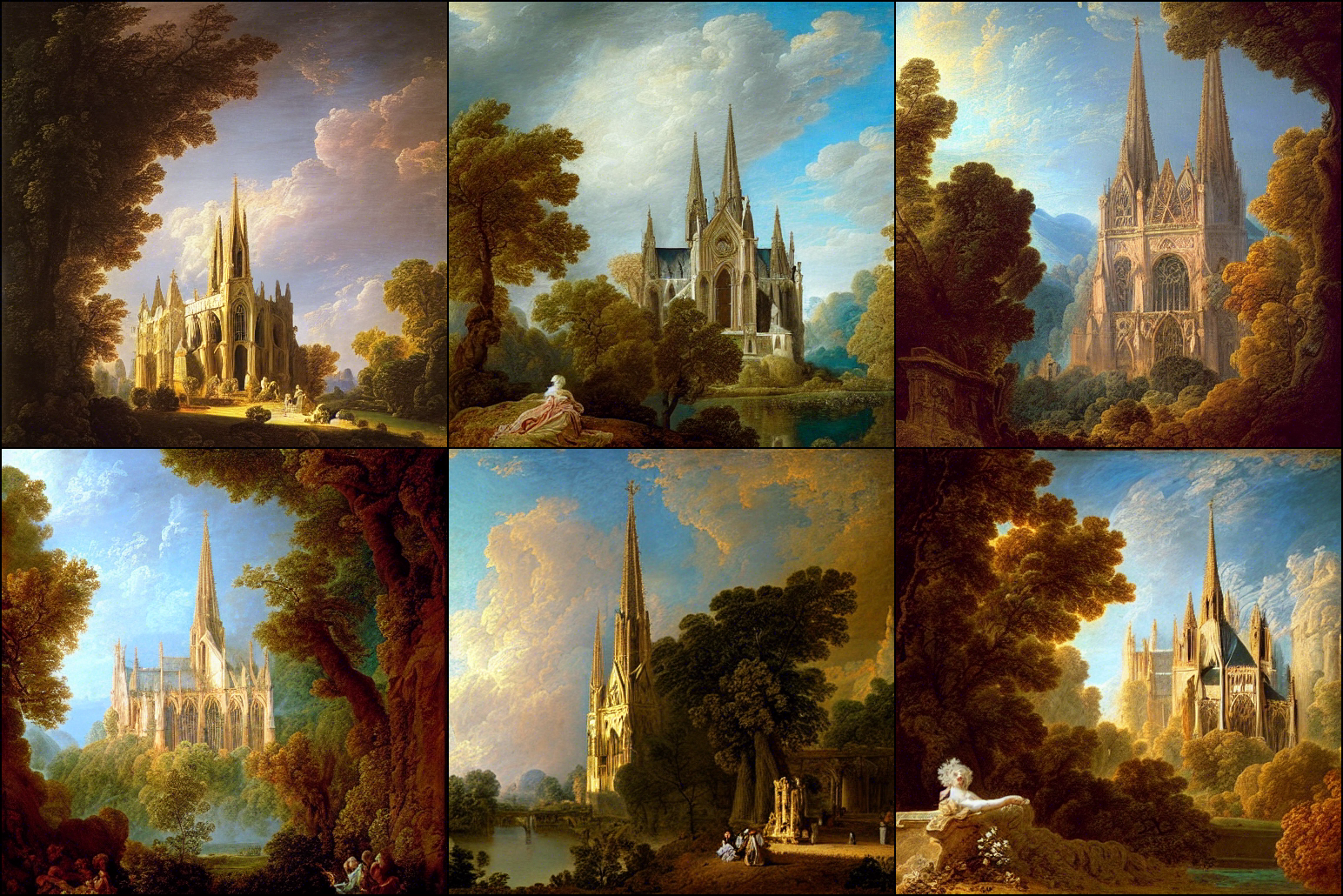
The aesthetic gradients technique can be used with any fine-tuned SD model.
python scripts/txt2img.py --prompt "robotic cat with wings" --plms --seed 7 --ckpt ../stable-diffusion/ema-only-epoch\=000142.ckpt --aesthetic_steps 15 --aesthetic_embedding aesthetic_embeddings/laion_7plus.pt
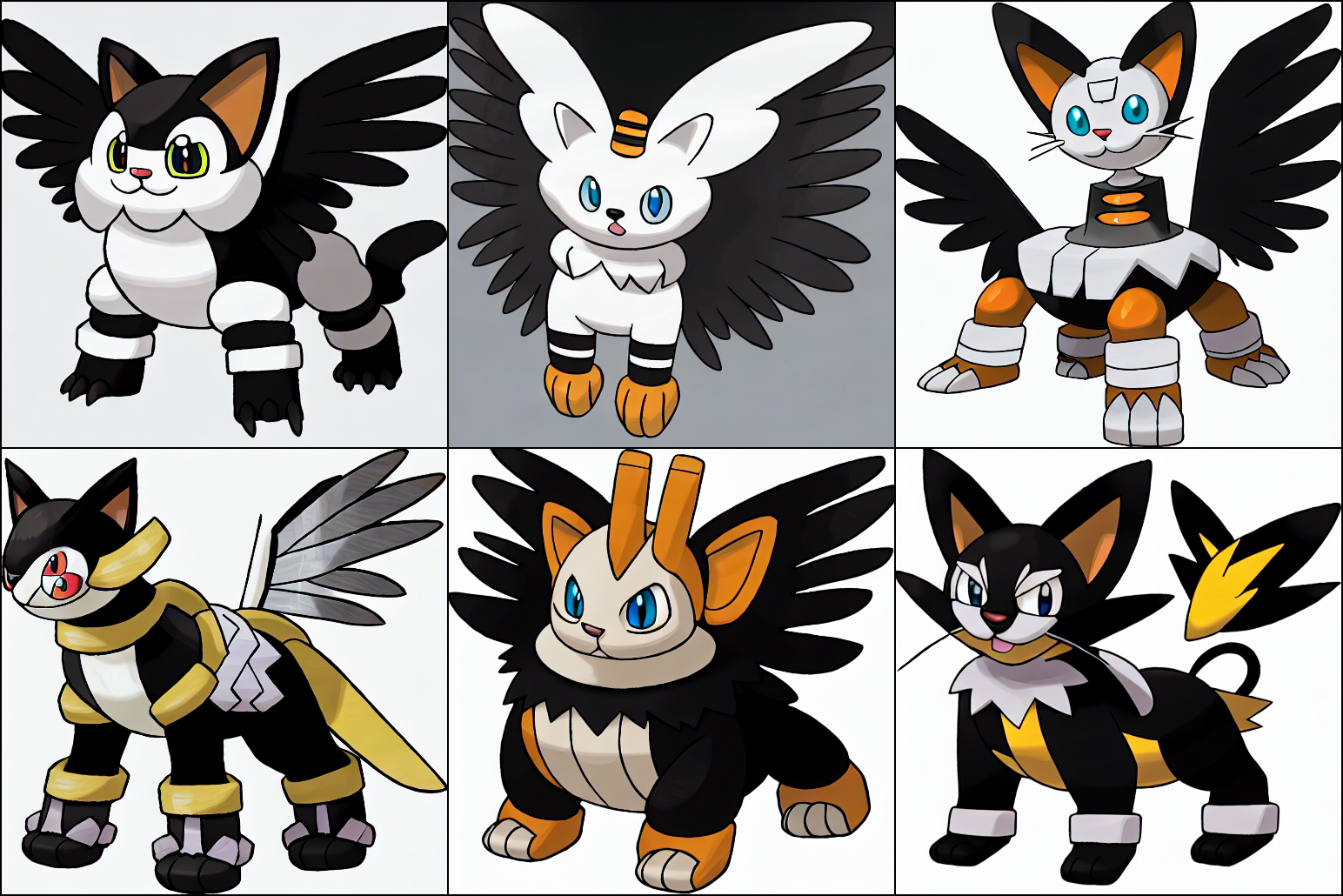
The previous prompt was personalized with the LAION aesthetics embedding, so it has more childish-like than using just the original model:
python scripts/txt2img.py --prompt "robotic cat with wings" --plms --seed 7 --ckpt ../stable-diffusion/ema-only-epoch\=000142.ckpt --aesthetic_steps 0 --aesthetic_embedding aesthetic_embeddings/laion_7plus.pt
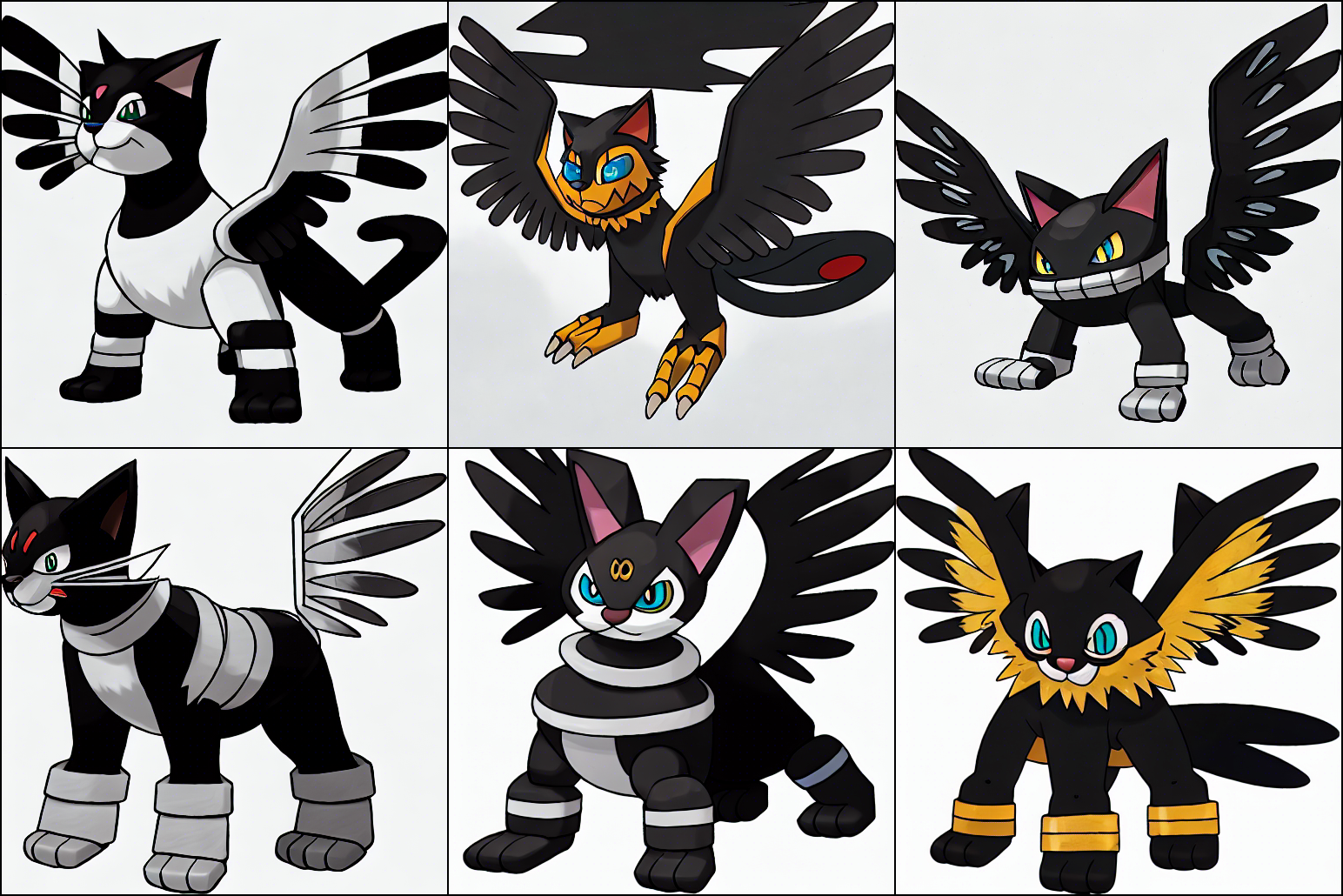
There is a PR here: https://github.com/AUTOMATIC1111/stable-diffusion-webui/pull/2585. It will be merged soon, but it is already functional if you install it from the PR branch.
If you find this is useful for your research, please cite our paper:
@article{gallego2022personalizing,
  title={Personalizing Text-to-Image Generation via Aesthetic Gradients},
  author={Gallego, Victor},
  journal={arXiv preprint arXiv:2209.12330},
  year={2022}
}
 →
→ →
→ →
→ →
→ →
→ →
→ →
→