1
 →
→
Agent skill for beautiful, verifiable architecture, workflow, sequence, data-flow, and lifecycle diagrams—self-contained HTML with motion and crisp export.
tt-a1i/archify is an open-source project on GitHub, mainly written in JavaScript. Agent skill for beautiful, verifiable architecture, workflow, sequence, data-flow, and lifecycle diagrams—self-contained HTML with motion and crisp export. It currently holds 63,945 stars and 4,240 forks with 176 open issues, and was last pushed on 2026-09-16 (repository created 2026-04-15).
AI Homed tracks it on the AI Models & LLM Tools board, currently at rank #42 with 0 new stars today.
Official channels: archify.si · GitHub
Archify is free and open source. Third-party online services and paid plans are operated by their respective providers and do not represent Archify. Service details →
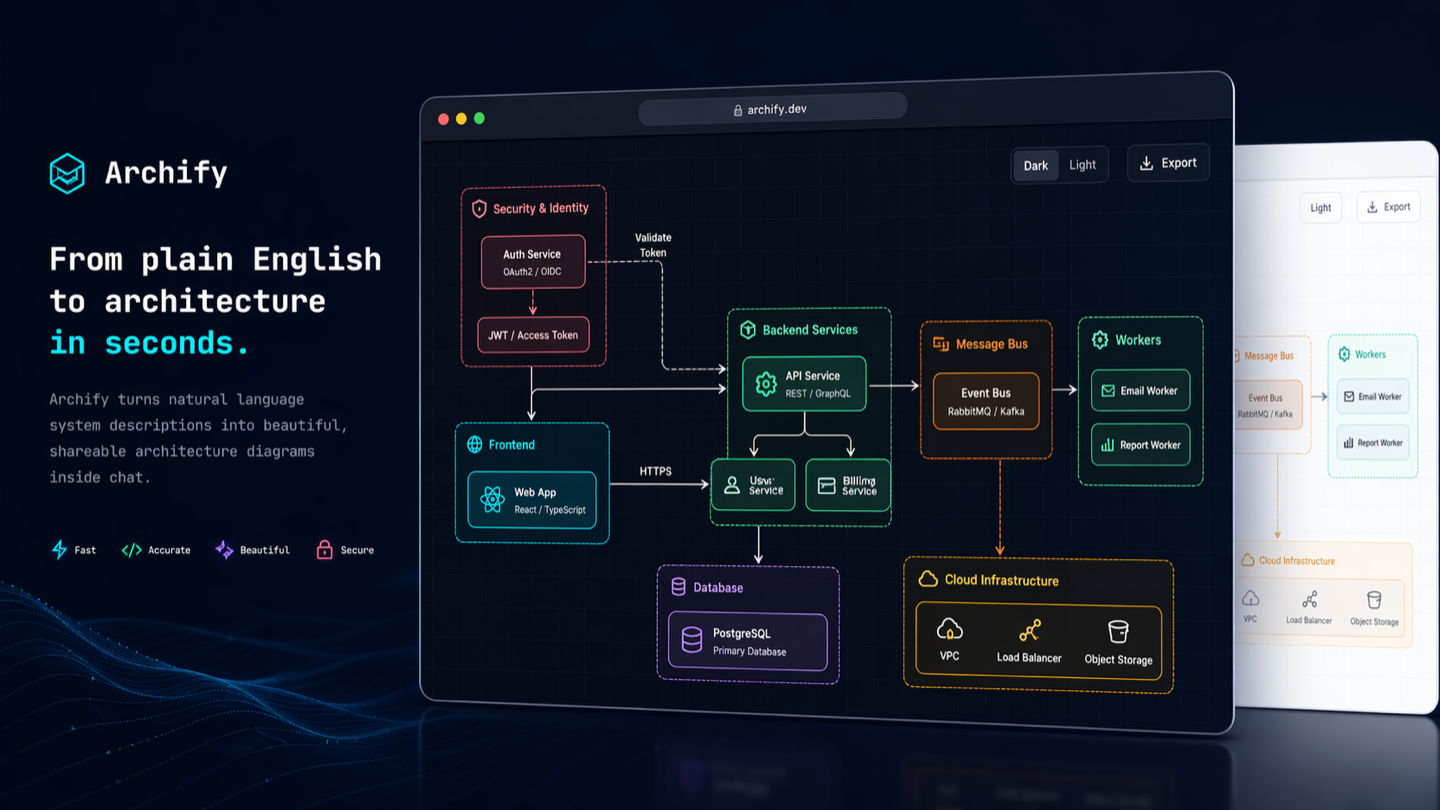
Start with an idea, a question, or a plan. Describe it to your AI agent, and Archify turns it into an interactive HTML you can explore, customize, and share. From travel itineraries and learning maps to complex systems—make it your own.
See what the community is creating—and imagine what you could make next.
Live demos · Get started · Scenario guide · Community · 简体中文 · 日本語 · 한국어
❤️ Partners & sponsors: Kimi Work · Supercode · OpenLux
https://github.com/user-attachments/assets/78570807-ba1d-4737-953f-55504a378a87
One sentence. Your repo, mapped. Watch the 35-second demo: explore the diagram, follow source links, and trace a path. Try the interactive examples ↗
Works with Cursor, Claude Code, Codex CLI, and OpenCode. See installation options below for additional integrations.
npx skills add tt-a1i/archify -g
Send this to your agent:
Use Archify to diagram a web request: Browser calls the API,
the API checks Redis, and a cache miss queries PostgreSQL and fills the cache.
Then continue: “Add authentication”, “Highlight the cache-miss path”, or “Switch to the light theme”.
No repository is required: start with a description, or ask your agent to read a repository for a source-backed architecture diagram.
Choose your agent · Installation details and update checks · Create and check diagrams with your agent
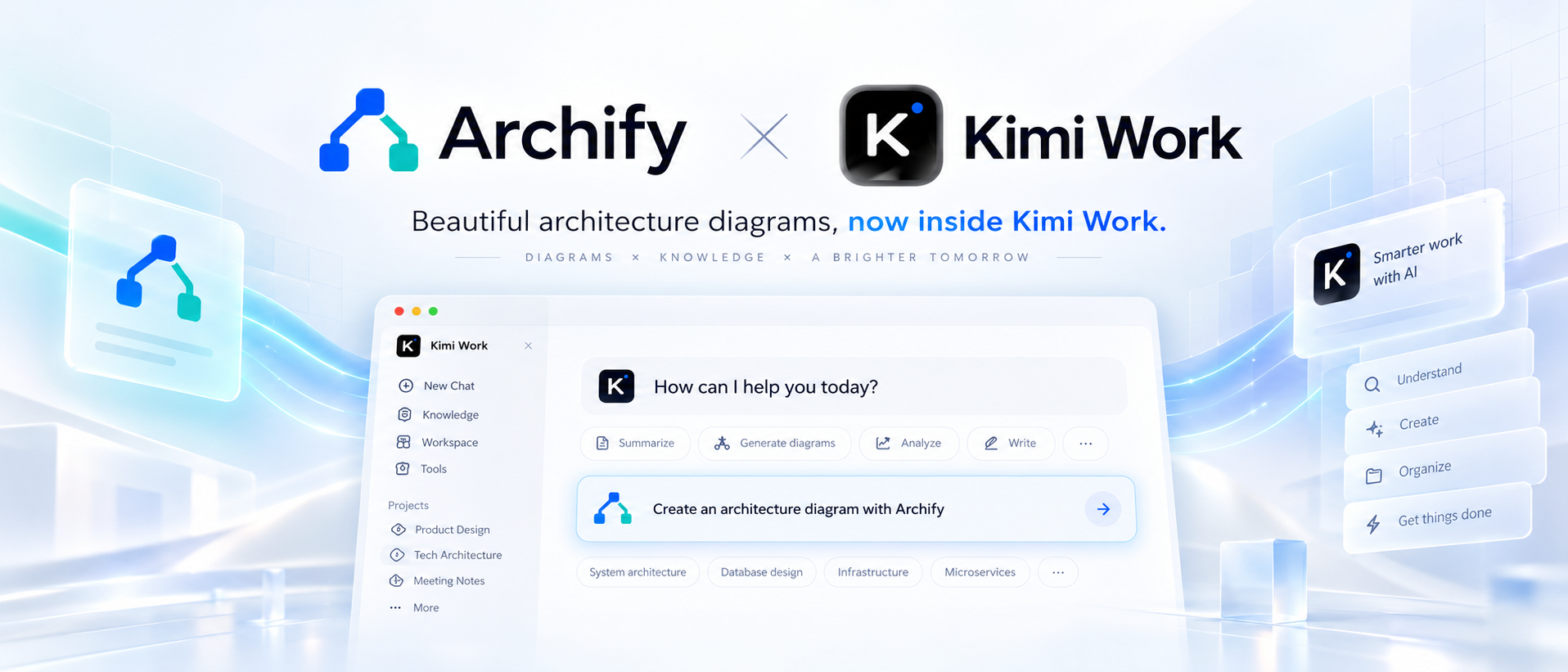
Archify × Kimi Work. Find Archify in the Kimi Work plugin store as Interactive Architecture Diagram. Describe your system in one sentence to create an interactive diagram. Try it in Kimi Work →
 supercode.sh |
Supercode sponsors Archify and enhances Codex and Cursor with token optimization, curated Skills, and spec-driven development. Archify is featured as a Supercode Editor’s Choice skill. |
 OpenLux |
Thank you to OpenLux for sponsoring this project! OpenLux is an all-in-one AI platform for businesses, bringing together leading AI models from major providers worldwide. With fast, reliable service and responsive technical support, OpenLux offers base pricing for Claude, OpenAI, and Gemini models as low as 8.82%, 4%, and 8% of official rates, respectively. Exclusive offer for Archify users: Sign up through our referral link and enjoy up to 7.5% off credit top-ups! Get started with OpenLux → |
 PackyCode |
Access leading AI models through PackyCode with one API endpoint and one API key. Enjoy automatic failover and dedicated high-speed routes for Codex and Claude Code. Get started with $1 in free credits, a discount on your first top-up, and savings of up to 80% on eligible routes. Pay in RMB with no currency conversion markups or extra top-up fees. Get started with PackyCode → |
 AICodeMirror |
Thank you to AICodeMirror for sponsoring Archify! AICodeMirror provides API relay services for Claude, Codex, and Gemini, with enterprise-grade concurrency, invoice issuance, and 24/7 technical support. Codex pricing starts at 7% of standard rates, with additional top-up discounts. Exclusive offer for Archify users: Register through our referral link to receive 20% off your first top-up. Try AICodeMirror → |
 Infistar.cc |
Thank you to Infistar.cc for sponsoring Archify! One API key covers text, image, and video creation with GPT, Claude, Gemini, DeepSeek, Qwen, Kling, and other models, without switching groups. Model API pricing starts at 1% of official rates, and AI images start at ¥0.06 each. Exclusive offer for Archify users: Sign up through our referral link for $5 in trial credits and a special offer on your first top-up. Try Infistar → |
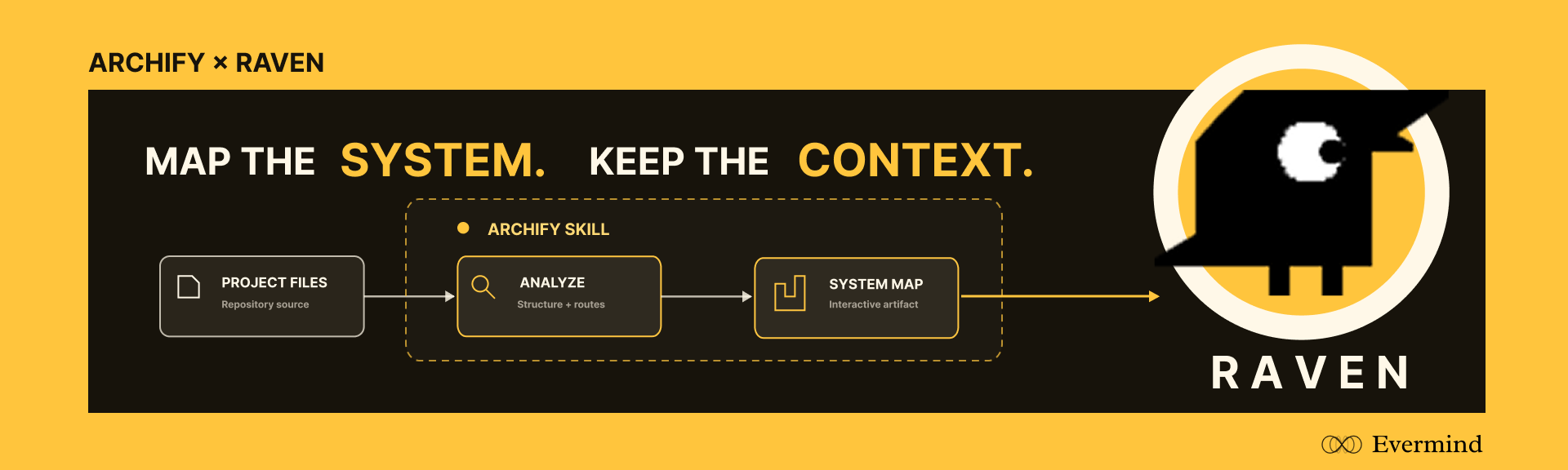 EverMind · Raven | EverMind sponsors Archify and builds memory infrastructure for agents. Its Raven harness supports Archify as a Skill for verified, interactive system maps. |
Want to sponsor Archify? Contact us by email.
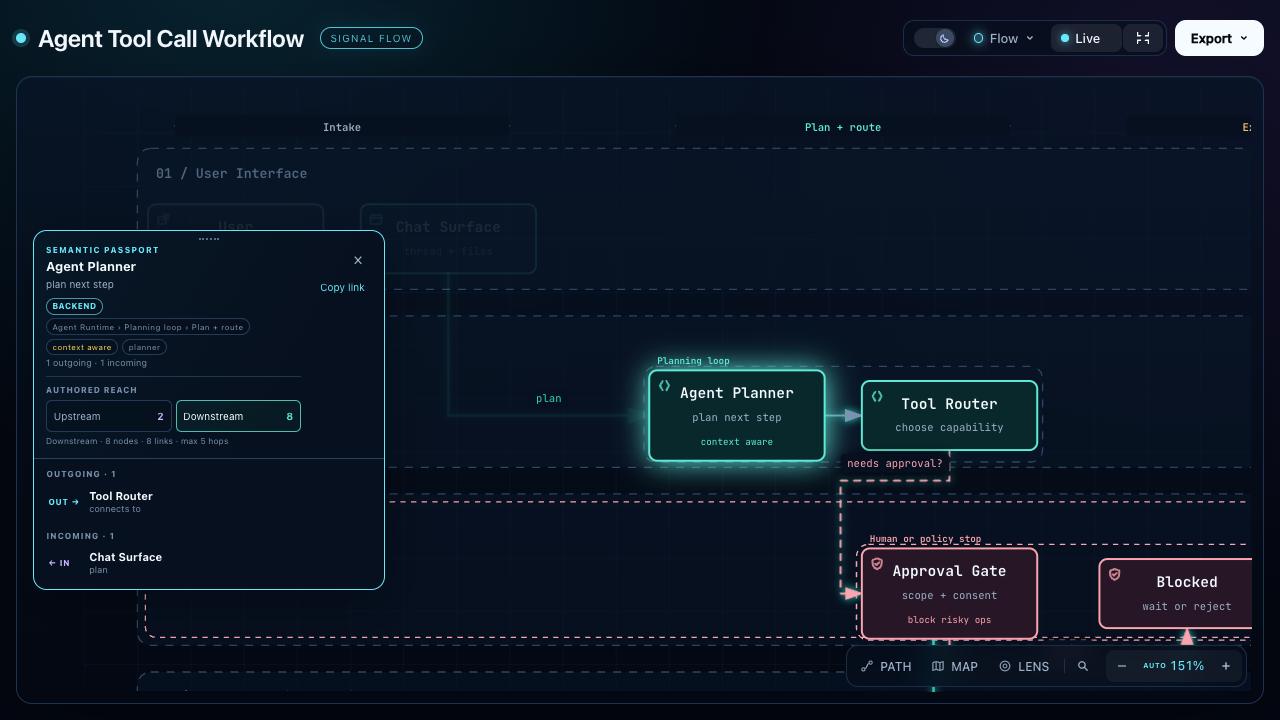
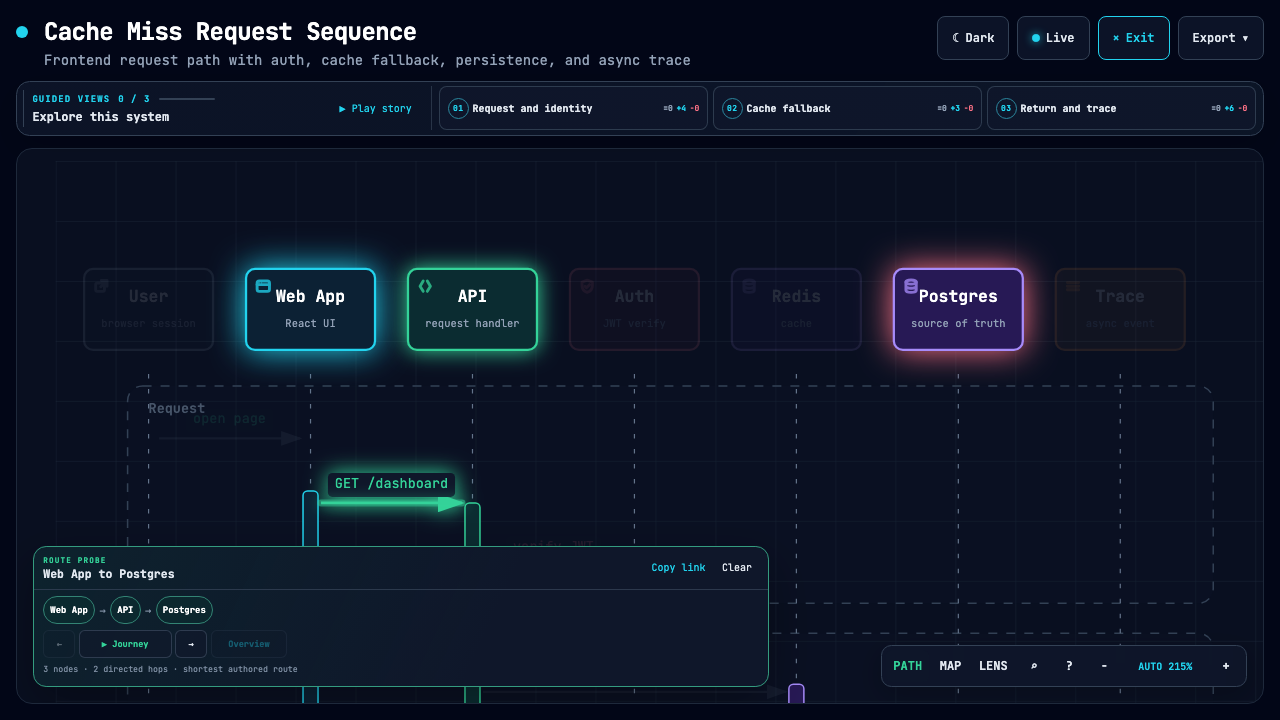
| Explain an agent workflow | Follow a cache miss | Explore service relationships |
|---|---|---|
|  |
|  |
| 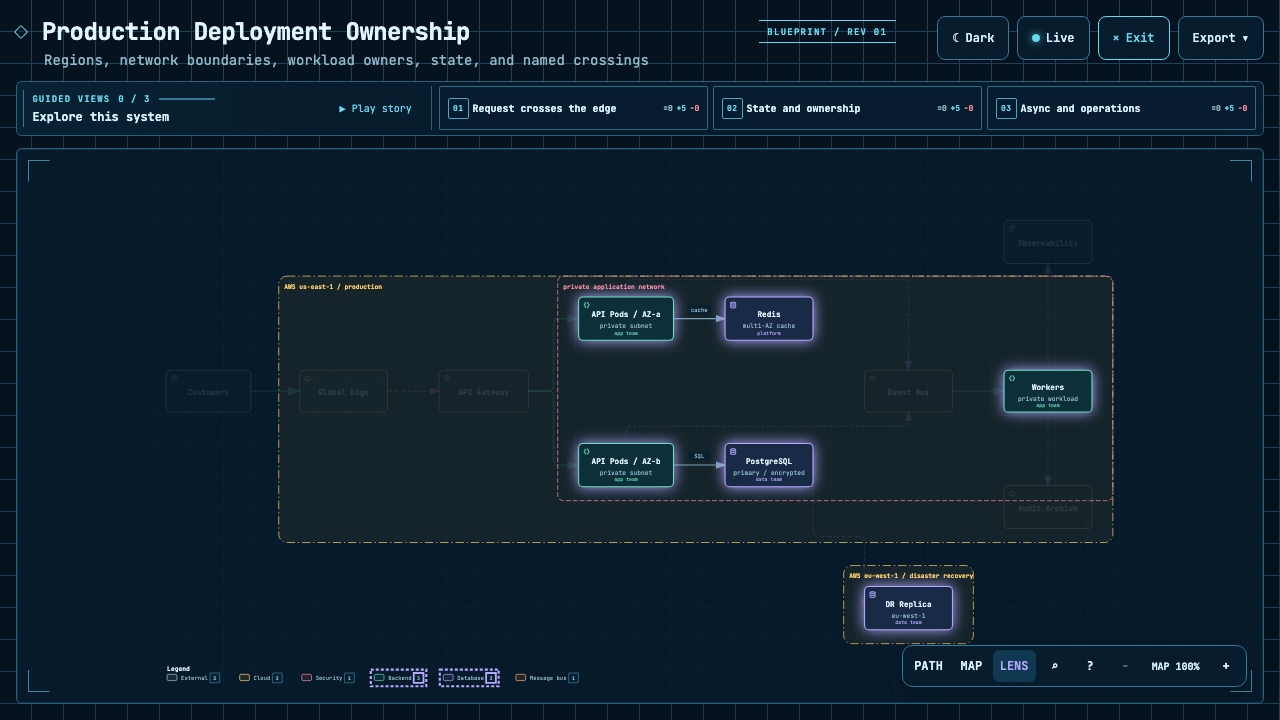 |
| Trace everything downstream of one step. | Highlight the path from web app to database. | Focus on authored backend and database connections. |
|
| Trace everything downstream of one step. | Highlight the path from web app to database. | Focus on authored backend and database connections. |
The Proof Lab contains all 11 checked-in scenarios, their JSON sources, and validation receipts.
CODE → DIAGRAM · A source-backed system map
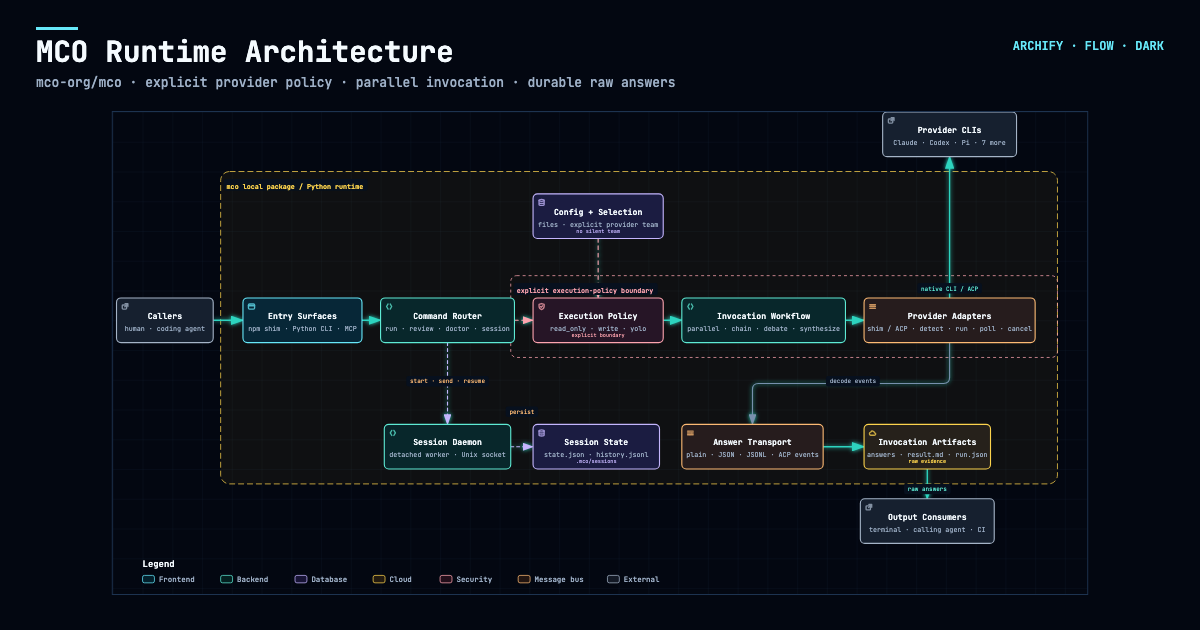
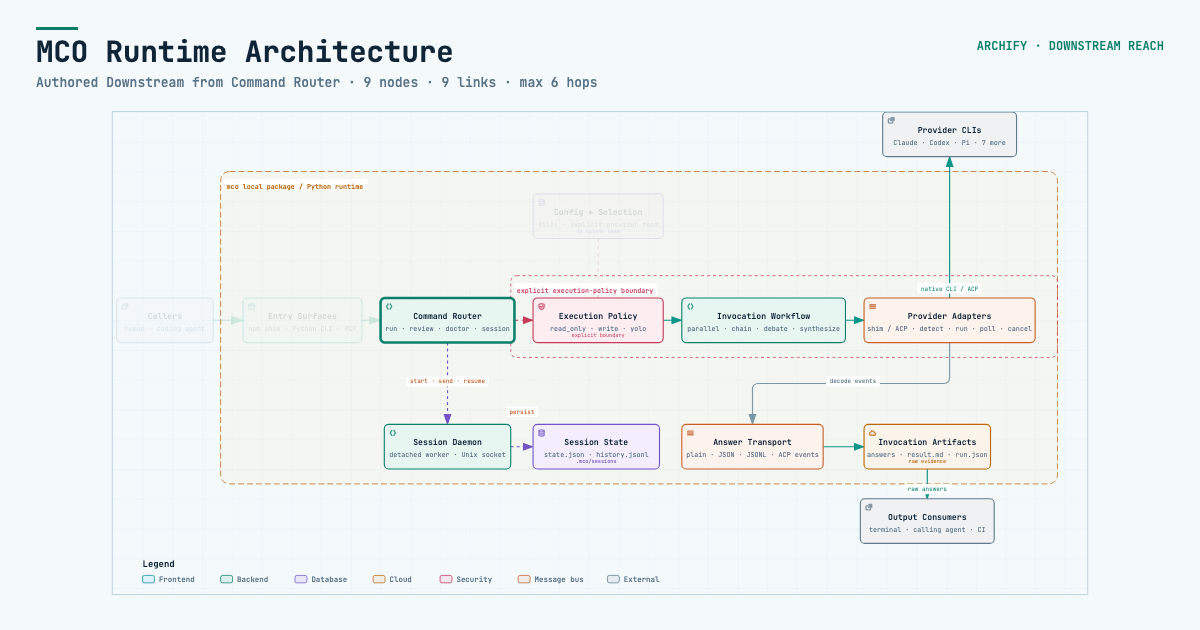
Archify traced mco-org/mco at 9f1a1cf and produced this checked map. Open it ↗ · trace reach ↗ · typed source
COMMUNITY STORIES · Selected examples shared by users
Keep building after the diagram is generated. Archify is open source and its output is standalone HTML. Ask your agent to adapt it, connect useful links, or add interactions for your own workflow. Community creations already span team collaboration, travel planning, legal citation checks, contract review, and incident retrospectives. These are just a few examples.
One user started with a hand-drawn multi-agent architecture, turned it into an interactive diagram, then added a Kimi execution pool through conversation. Others asked their agent to read a project and brought the resulting architecture into Feishu or DingTalk for team discussion.
Another user turned a Shanghai CityWalk guide into a four-day itinerary: switch between days, inspect a stop, and jump to Amap, Xiaohongshu, or Dianping. The author also added arrival check-ins and stop notes, turning the itinerary into a small tool to use during the trip. These extensions were added by the community author for this particular artifact.
▶ Explore the interactive Shanghai CityWalk
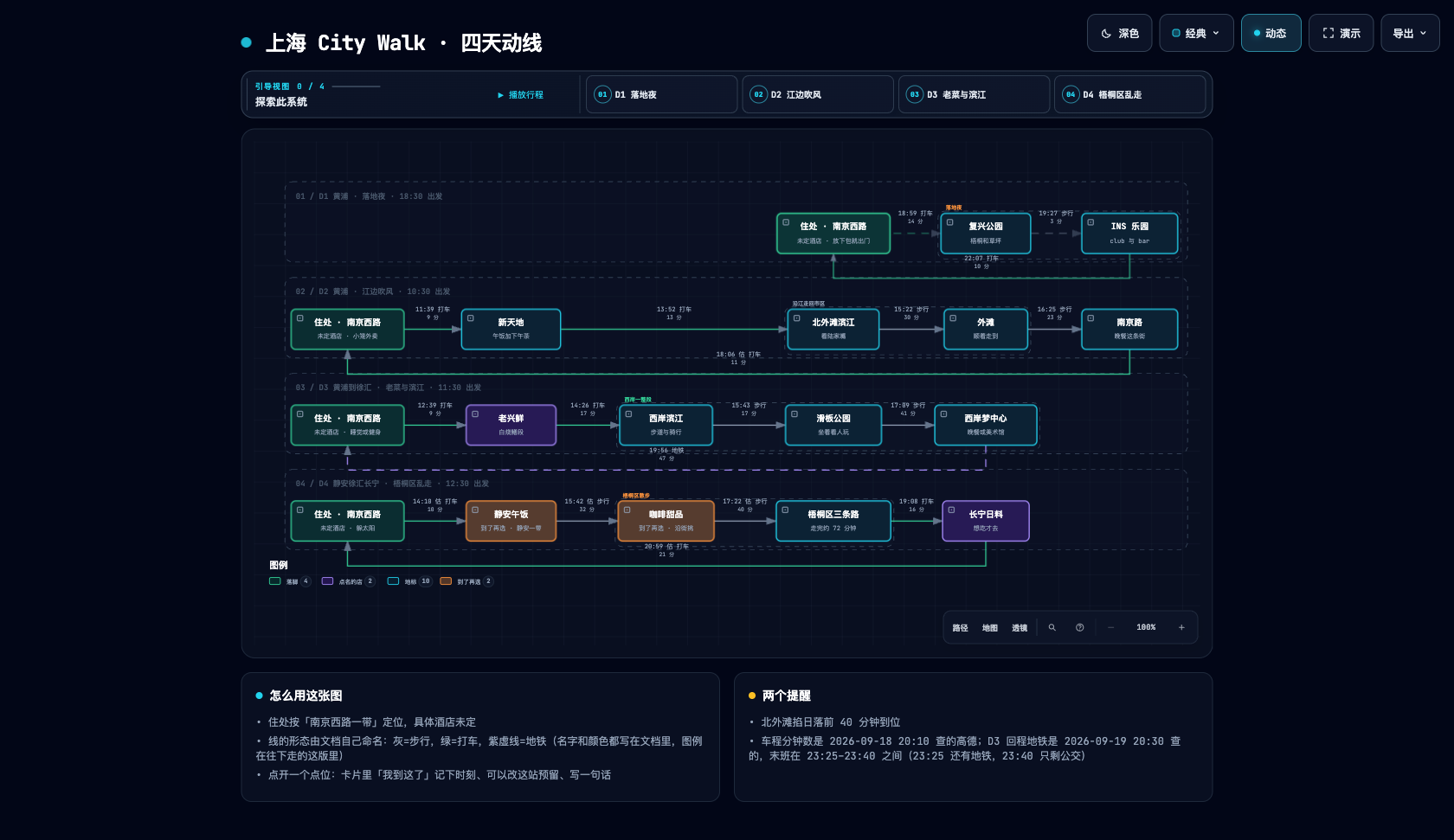
▶ Try the interactive version · Switch between D1–D4 and click a place to explore.
Community artifact · Shanghai CityWalk · Four days of routes and place links
The output is a self-contained HTML file. Download it and open it in your browser to use the node details and path exploration included in that artifact. No Archify installation is needed to view it. Send the HTML to someone else and the interactions go with it; external websites and map links need a network connection.
Explore the Shanghai CityWalk ↗ · Download HTML ↓
Try switching between D1–D4, opening a place card, or following a map link. Times and place information reflect the author's original itinerary.
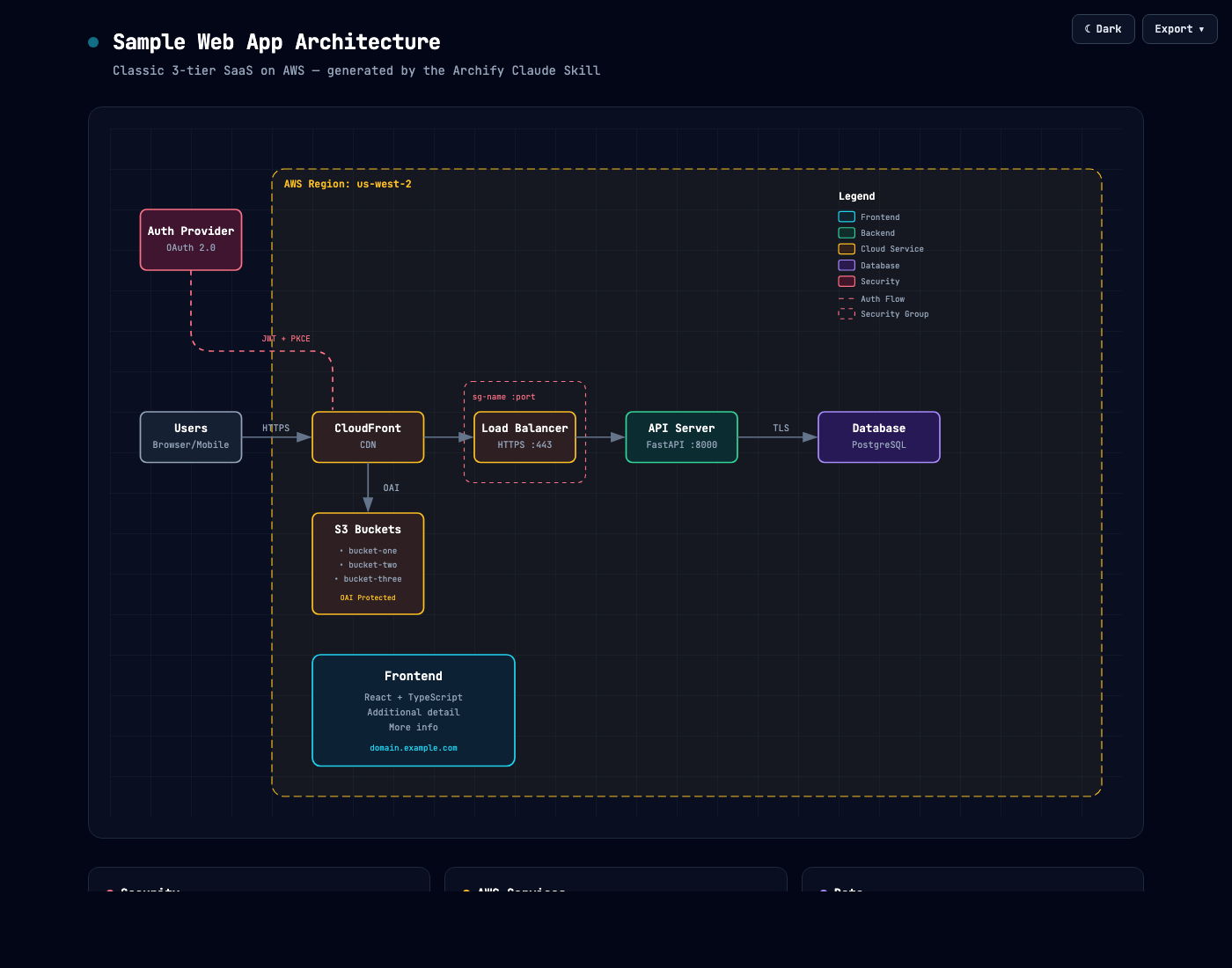
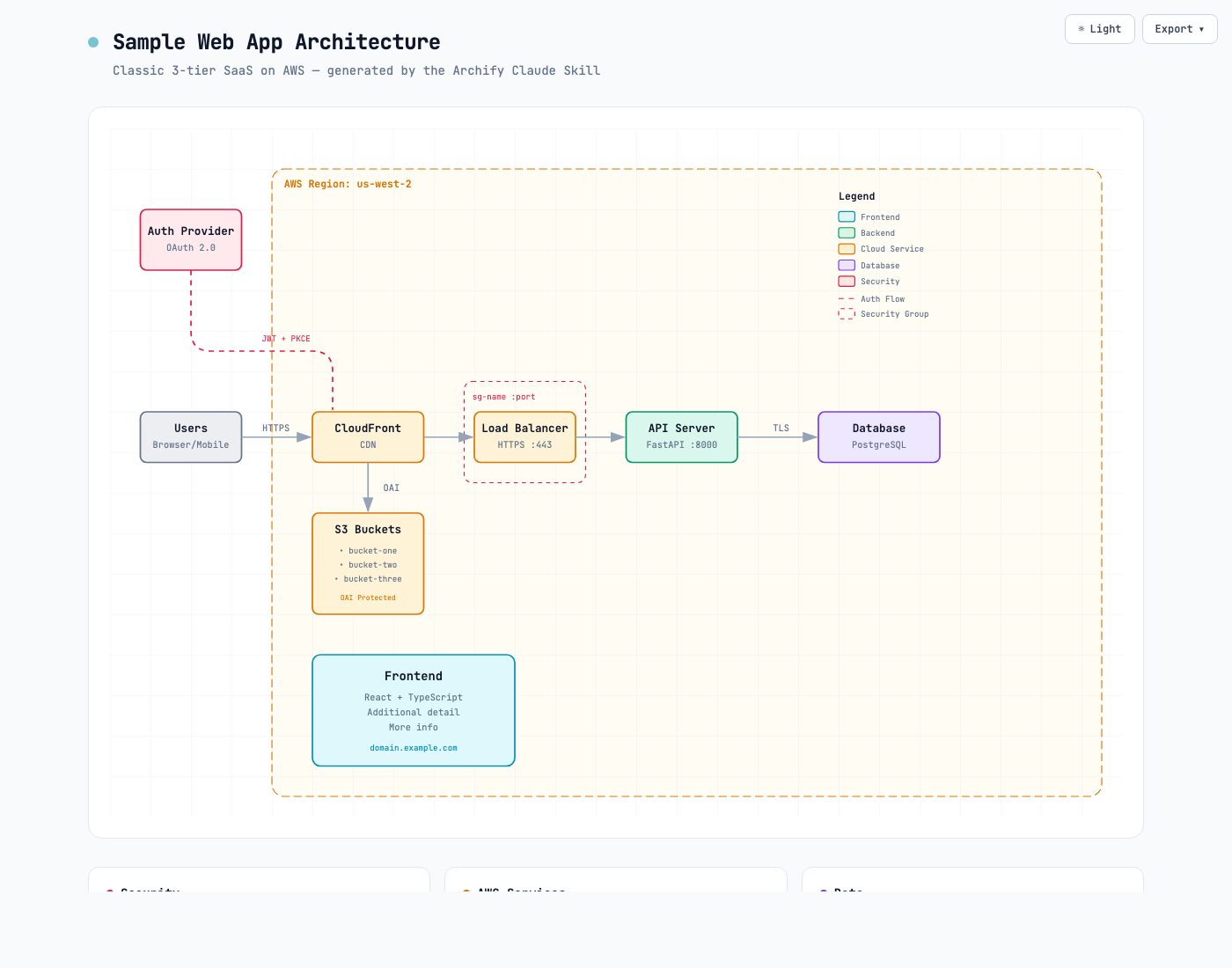
Same diagram, two themes, one click to switch:
| Dark | Light |
|---|---|
|  |
|  |
|
The Export menu copies PNG to the clipboard and downloads static or motion formats:
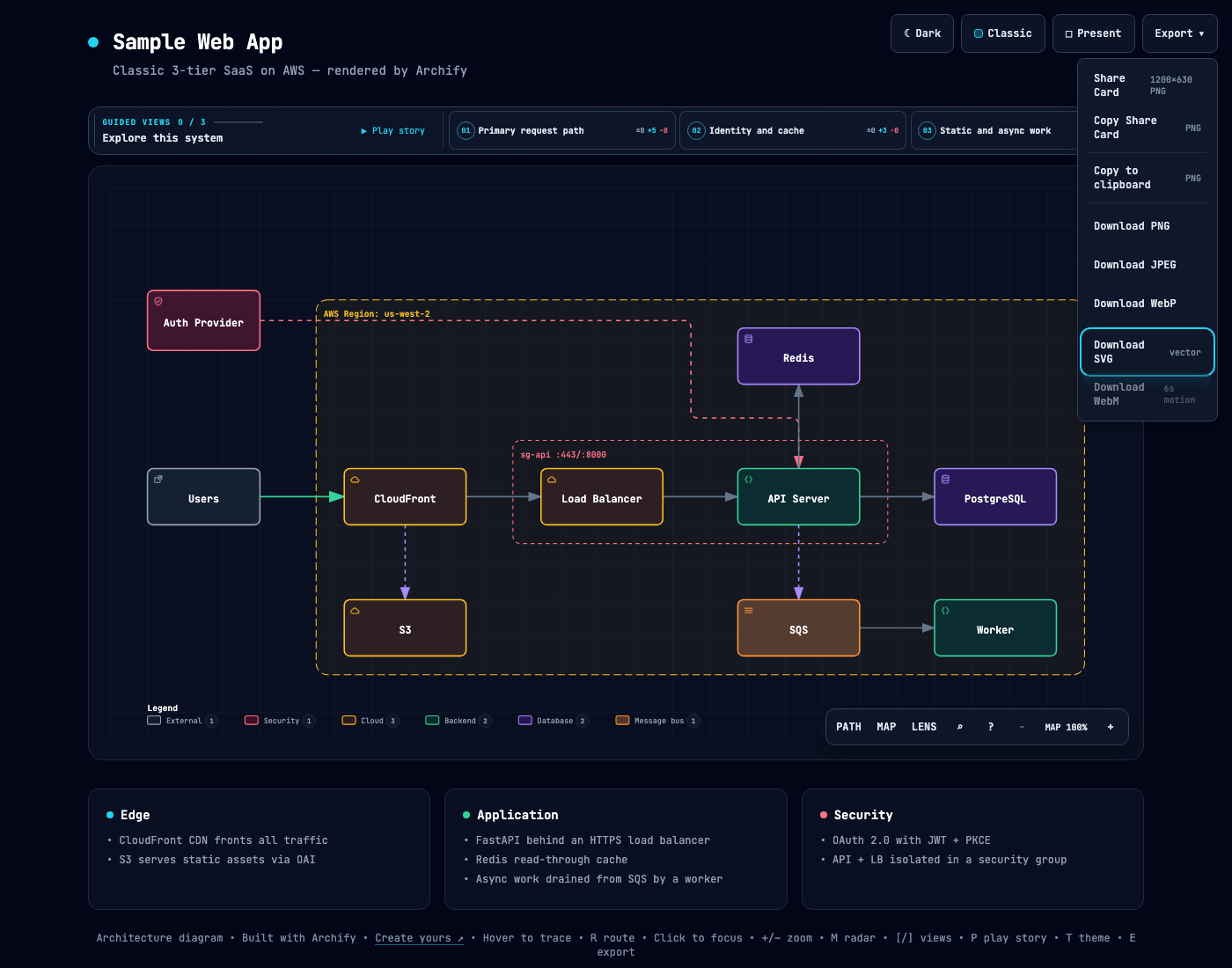
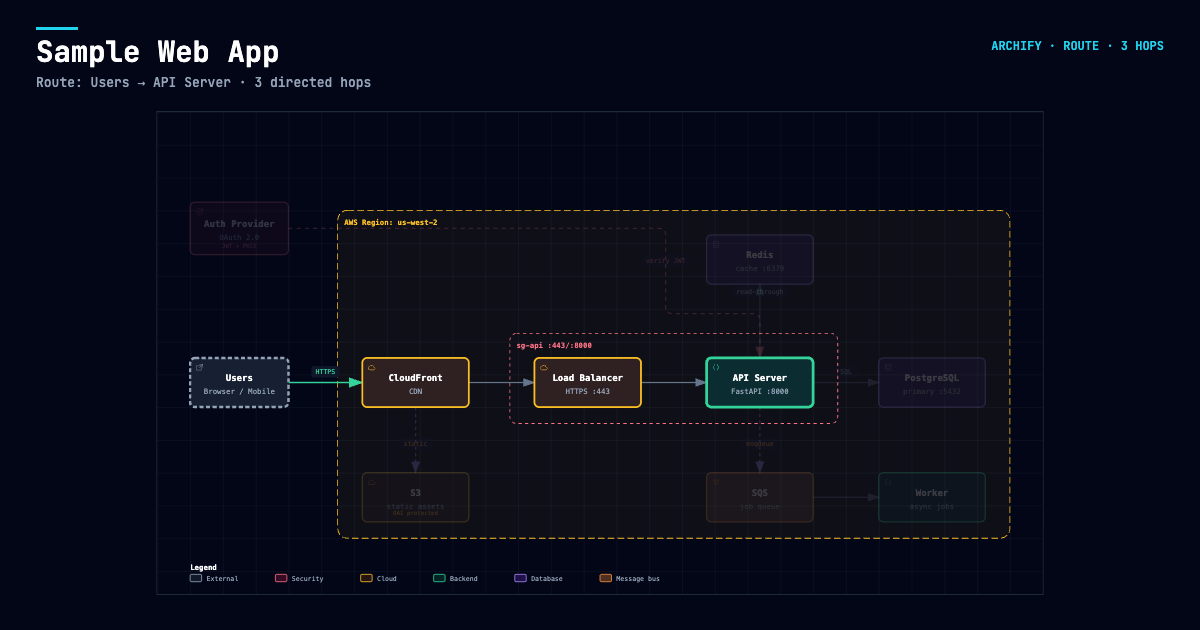
After tracing a route, Export → Route Share Card downloads that authored path as a 1200×630 PNG with the full diagram retained for context.
After tracing authored Upstream or Downstream reach, Export → Reach Share Card captures that exact reading without claiming runtime impact.
Open examples/web-app.html locally to try the complete viewer.
Current stable version: v3.1.0. See Changelog.
npx skills add tt-a1i/archify -g
For an explicit, non-interactive Cursor install:
npx -y skills add tt-a1i/archify --skill archify --agent cursor --global --copy --yes
To try without installing:
npx skills use tt-a1i/archify@archify --agent codex
DSH community opt-in: dsh plugin --profile web add @tt-a1i/archify-dsh@1.0.0
The agent switcher covers cursor, codex, claude-code, and opencode.
Archify may GET the fixed stable manifest solely to show an optional reminder; it never downloads or installs updates. Successful checks wait about 24 hours (±20%); active use retries failures after 6, then 24 hours. The server sees normal HTTP metadata (IP and time), but receives no version, Agent, project data, prompts, account/device ID, or ETag. You decide whether and when to update. Set ARCHIFY_UPDATE_CHECK_DISABLED=1 to disable networking and reminder-state writes.
Use Archify to draw: Browser -> API -> Redis cache -> PostgreSQL fallback.
For source evidence, open a repository and ask:
Analyze this repository, then use archify to create a high-level runtime architecture diagram.
Show 8–12 core components, one primary path, external dependencies, and trust boundaries.
Put supporting detail in cards instead of adding more edges.
Continue with focused requests such as add Redis, move auth to the left, or highlight the rollback path. Archify keeps the typed source available for targeted iteration.
| Type | Best for | Include in your prompt | |---|---|---| | Architecture | Components, services, storage, boundaries | Scope, core components, primary path | | Workflow | CI/CD, approvals, tool calls, runbooks | Participants, order, branches, exceptions | | Sequence | API calls, cache fallback, auth, async traces | Callers, callees, returns, timing | | Data Flow | Pipelines, lineage, PII, consumers | Sources, transforms, stores, boundaries | | Lifecycle | States, retries, waits, terminal outcomes | States, events, retry and cancellation paths | | ERD | Database schemas: tables, columns, keys, cardinality | Tables, every column with its type, primary/foreign/unique keys, relationship cardinality | | Class | Classes, interfaces, selected members, type relationships | Types, key members, inheritance and implementations, composition, dependencies | | Tree | Single-parent hierarchies: repositories, modules, capability breakdowns | Root, levels, what each branch contains | | Timeline | When things happened: incident reviews, release histories | Timestamps with time zone, events, source lanes, whether times are observed or illustrative | | Waterfall | Where the time went in one request or agent run | Spans, start times and durations, nesting, whether timings are measured or illustrative |
Architecture's optional deployment-ownership profile fails closed when authored owners, region placement, private database scope, or named crossings are missing; it is never implicit and does not inspect live infrastructure. See the checked deployment proof.
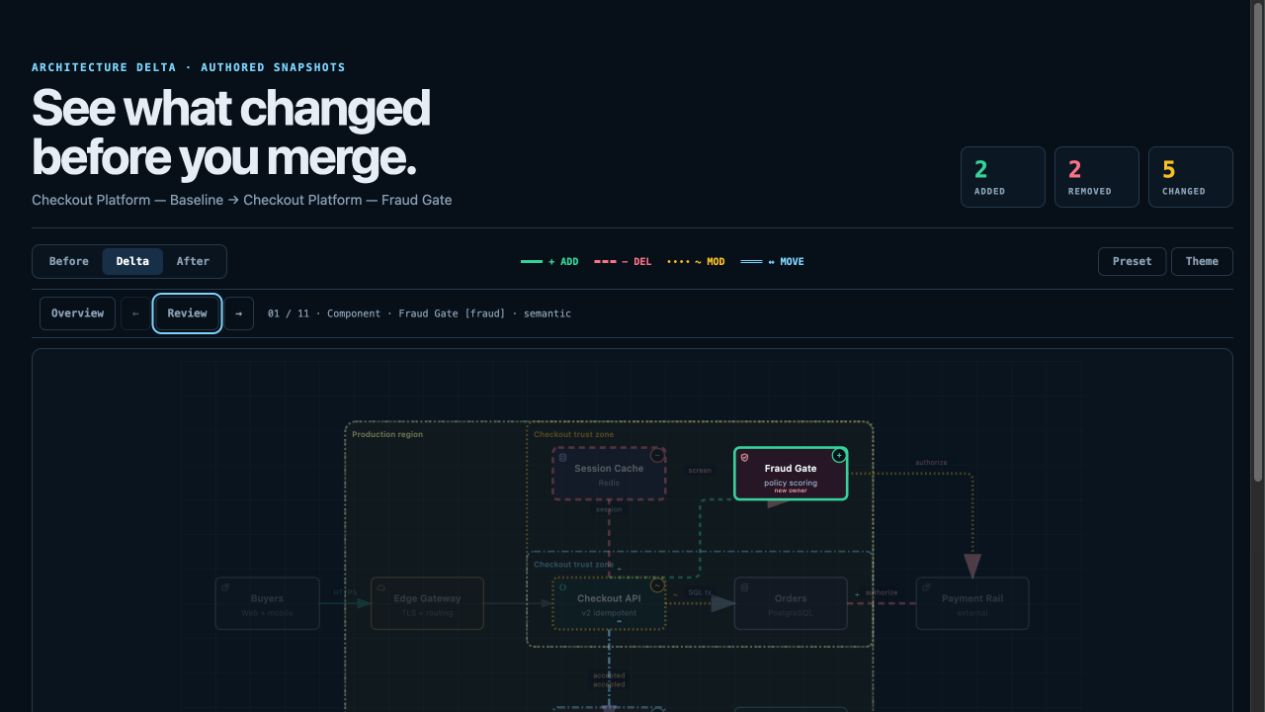
For design or PR review, Architecture Delta compares validated Before / Delta / After snapshots with a machine receipt. Select an authored change or play one finite, viewer-only Review; it infers no impact, risk, or merge safety.
node archify/bin/archify.mjs compare architecture base.json head.json architecture-delta.html --json
Not sure which one fits? Use the interactive scenario guide, or ask the zero-dependency CLI:
node archify/bin/archify.mjs guide "Show an API request with Redis cache miss"
node archify/bin/archify.mjs guide "Map Kafka topics, consumer groups, replay, and DLQ" --json
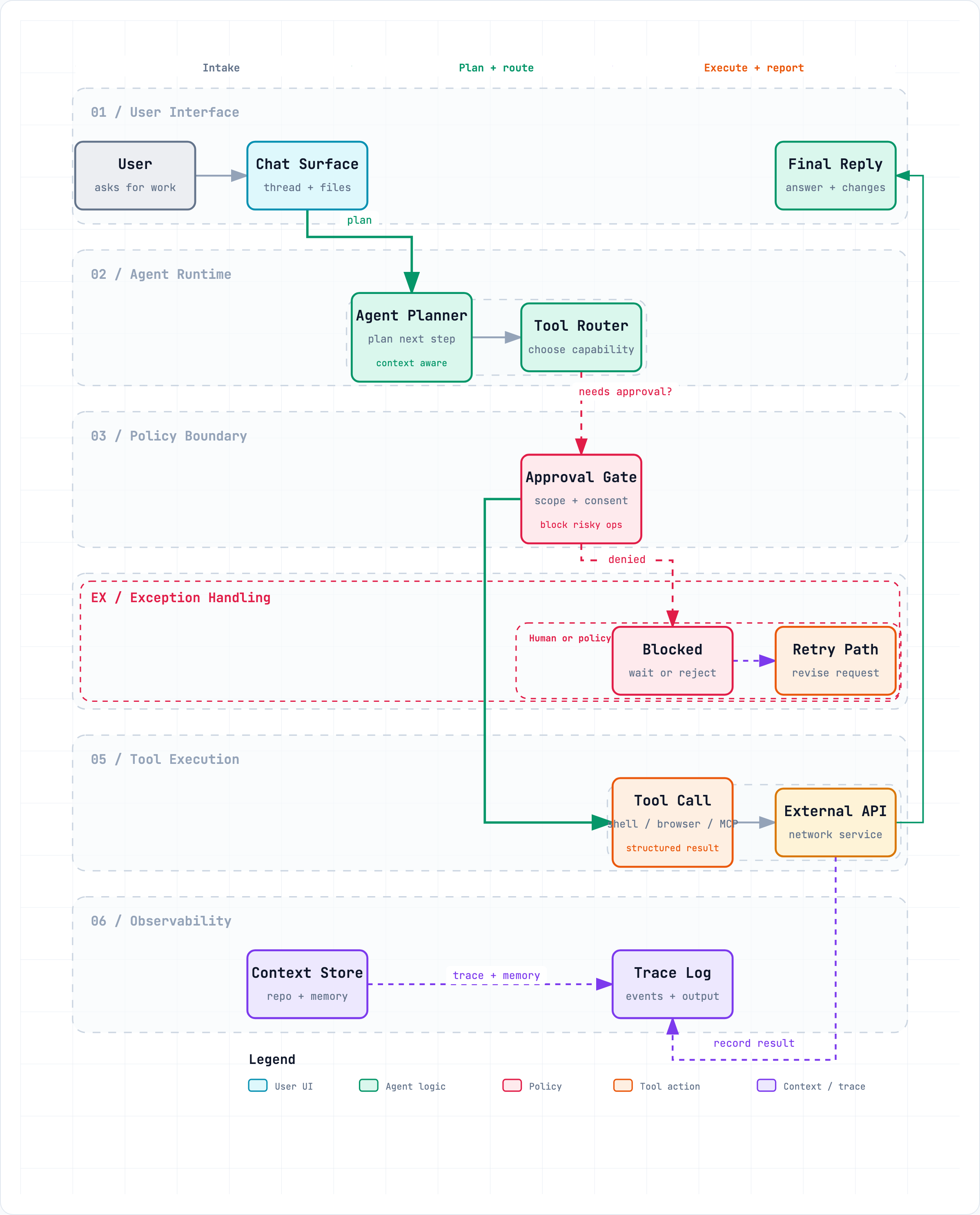
Workflow keeps the happy path clear across lanes:
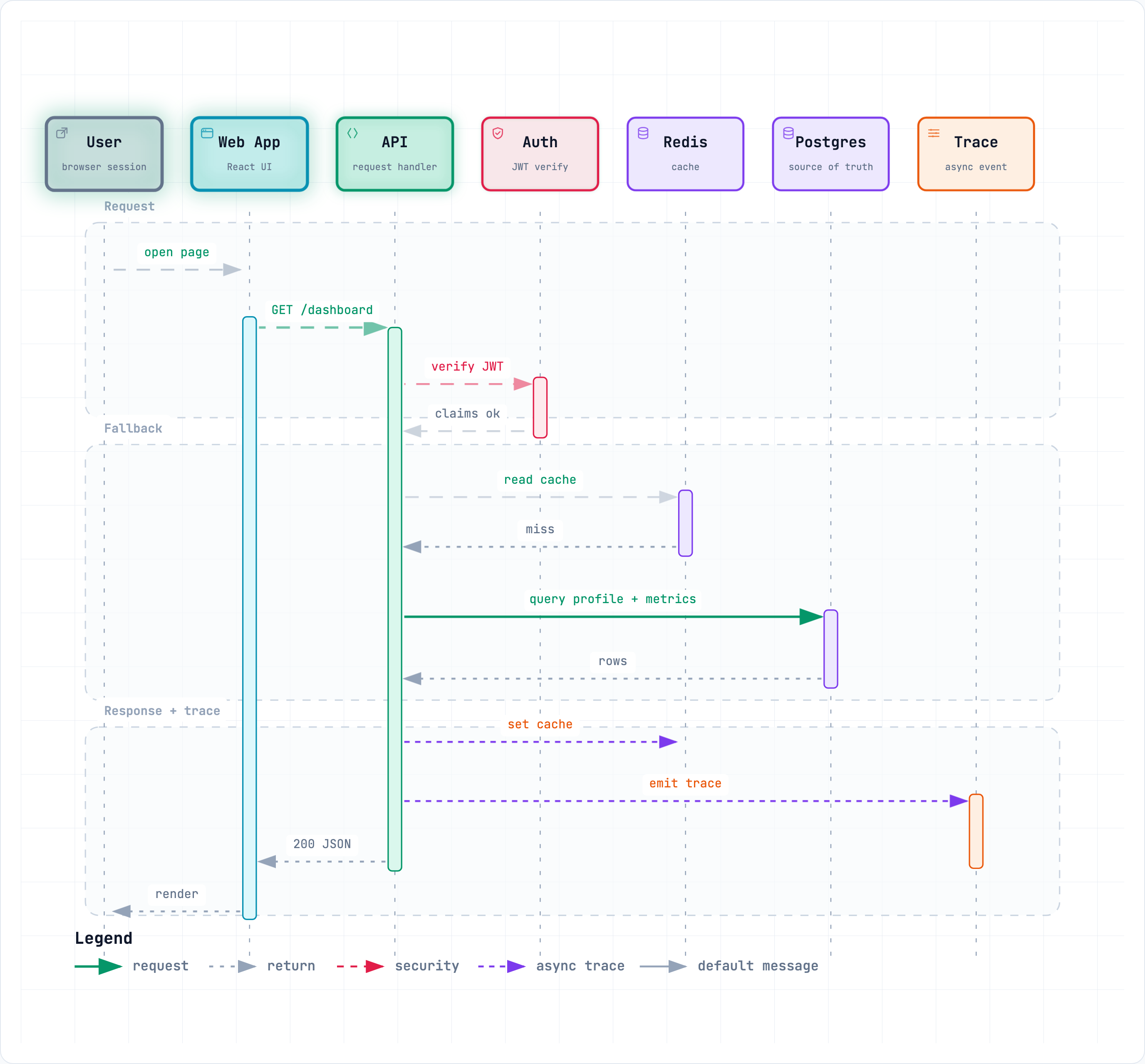
Sequence explains one interaction over time:
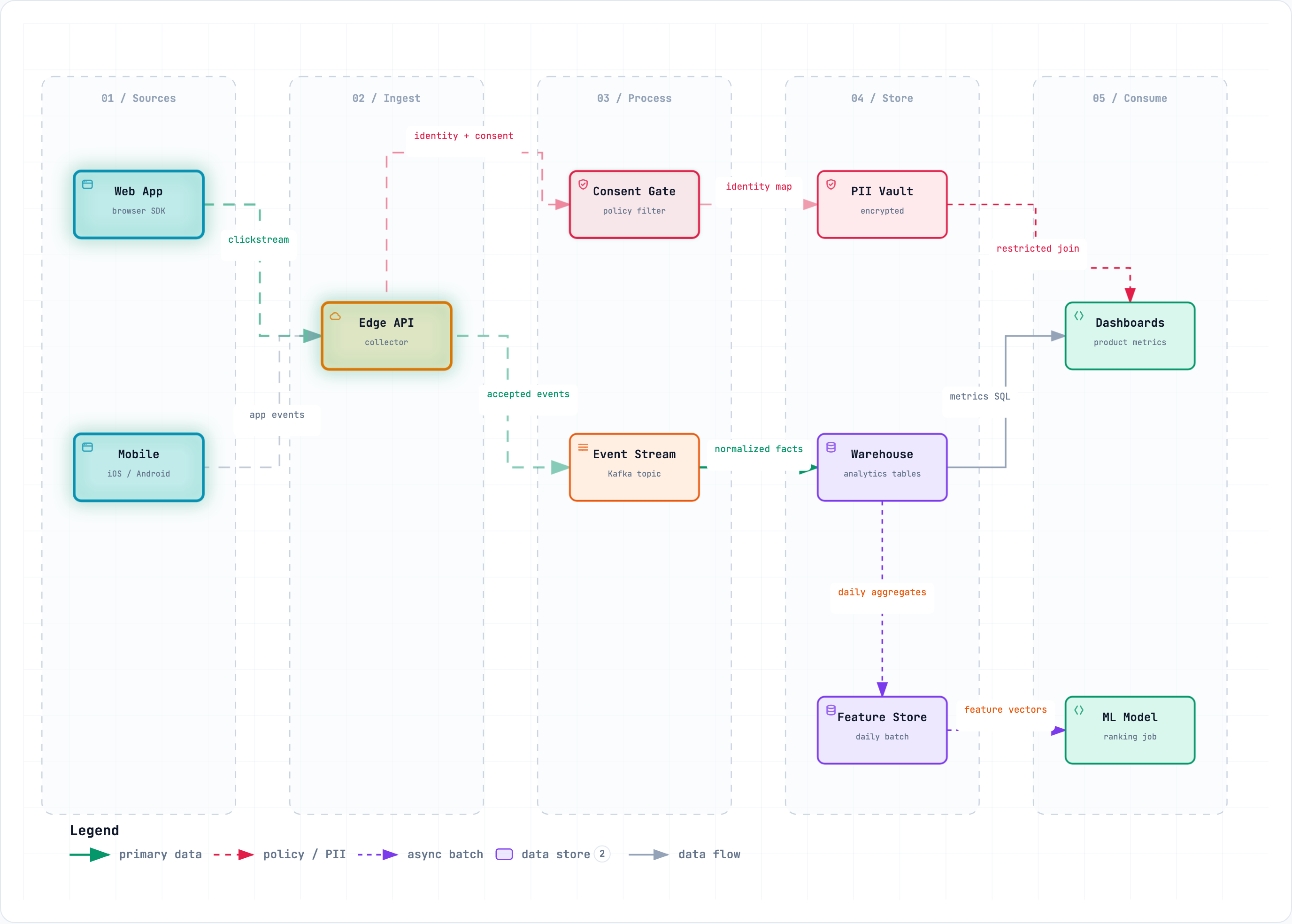
Data Flow makes movement and sensitivity boundaries explicit:
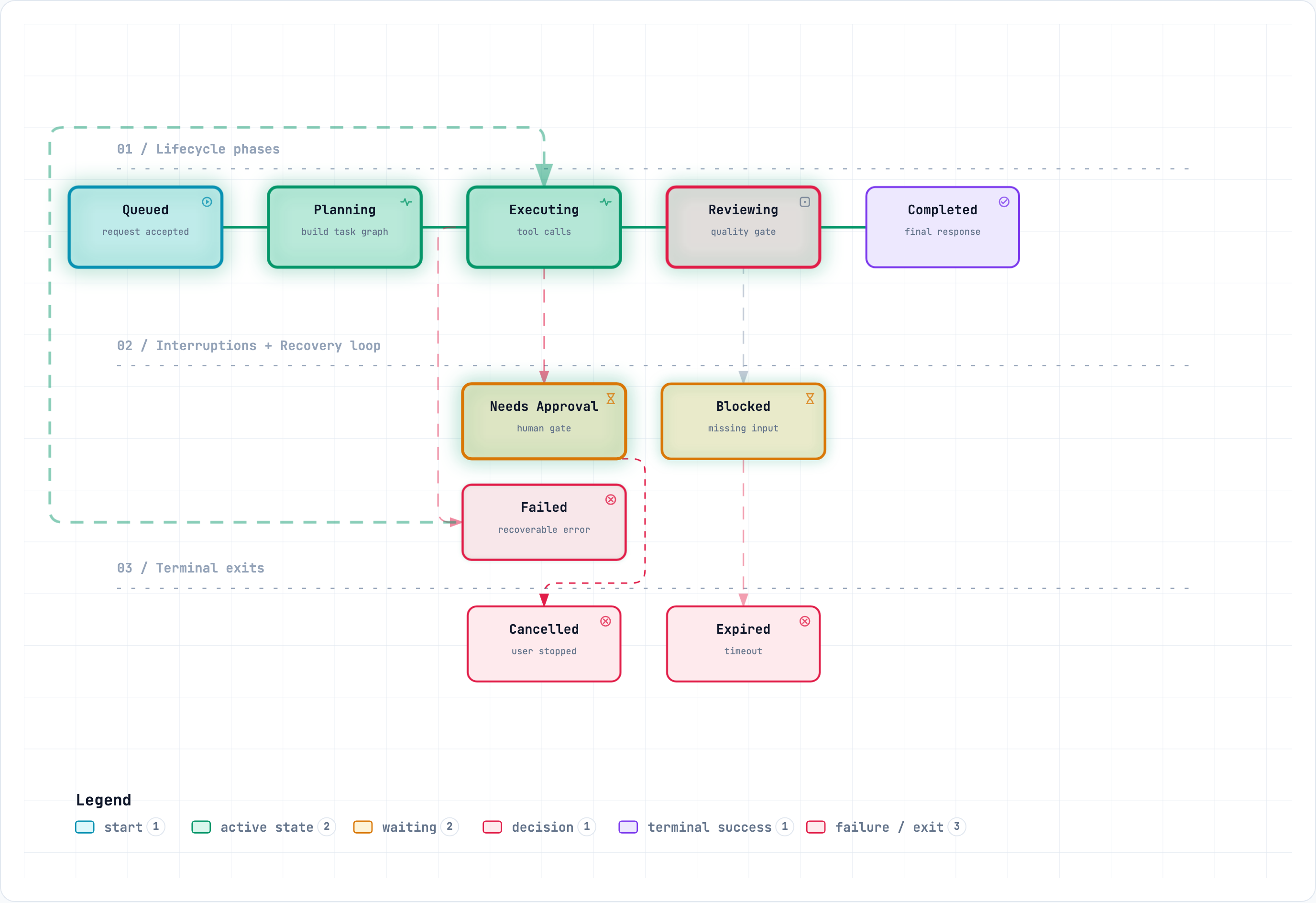
Lifecycle separates progress, waits, retries, and terminal outcomes:
New in 3.1: ERD, Class, Tree, Timeline and Waterfall.
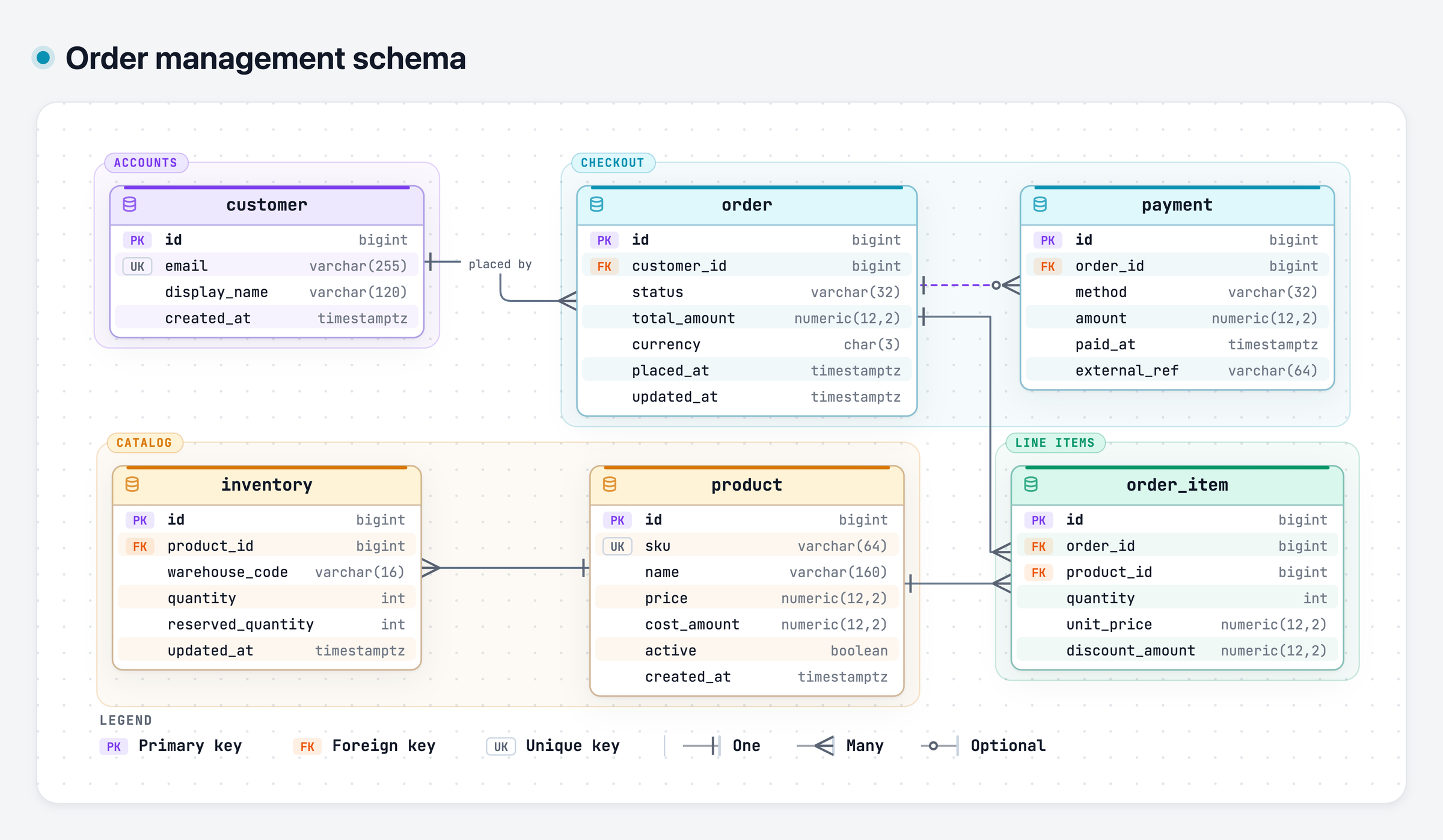
ERD keeps tables, every column and key, and relationship cardinality together:
Class shows contracts, selected members, and which types depend on or implement them:
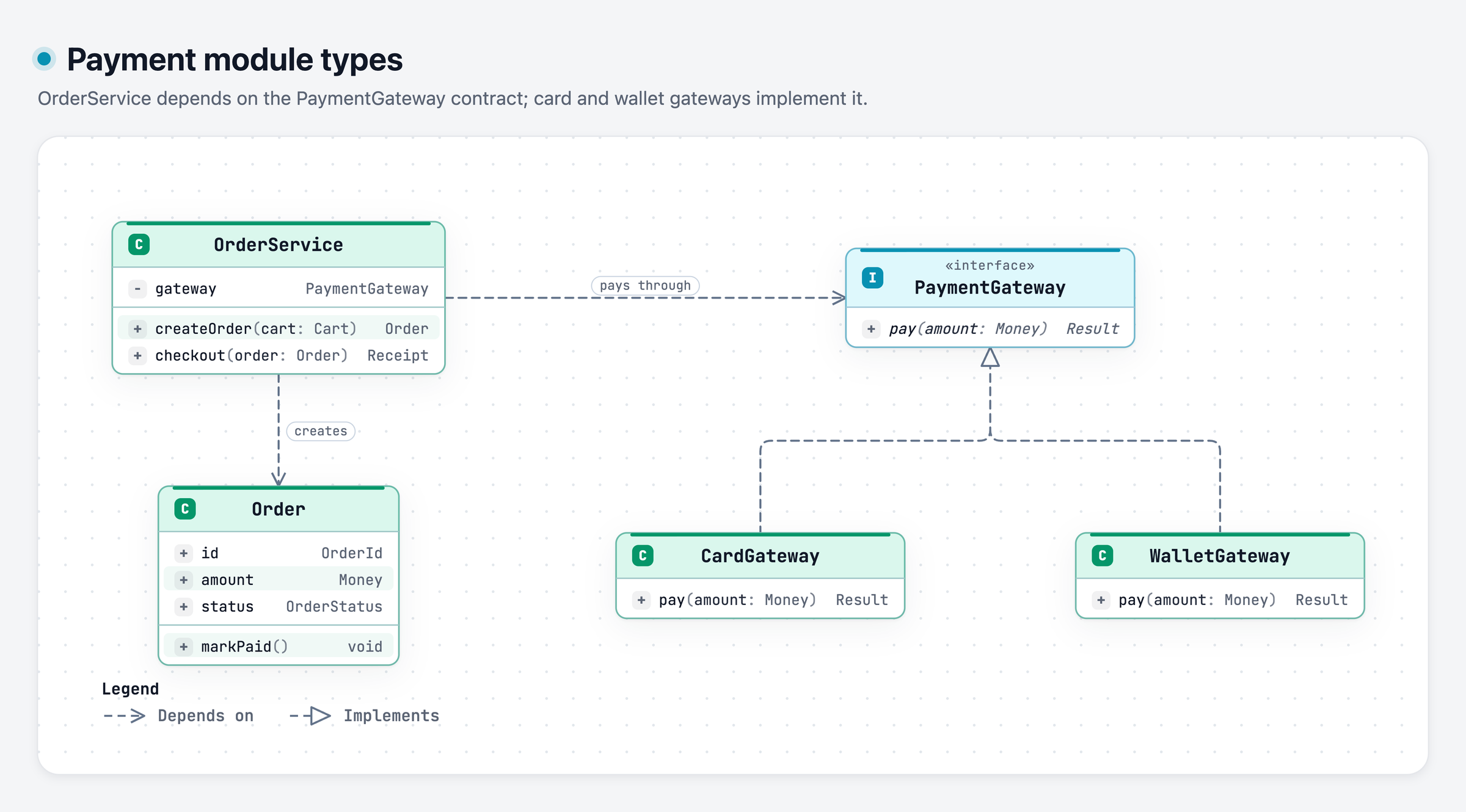
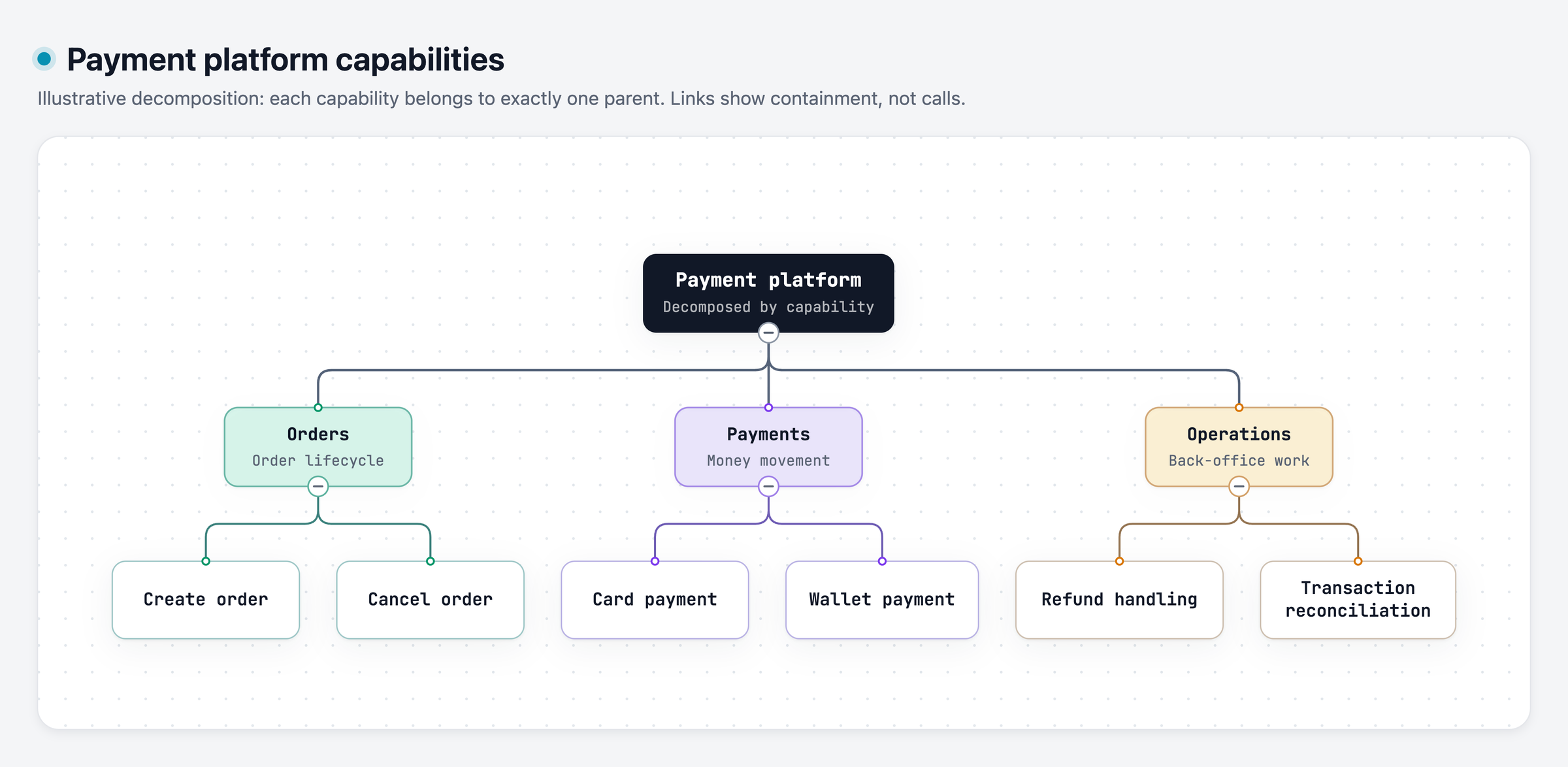
Tree shows single-parent containment, such as a capability breakdown:
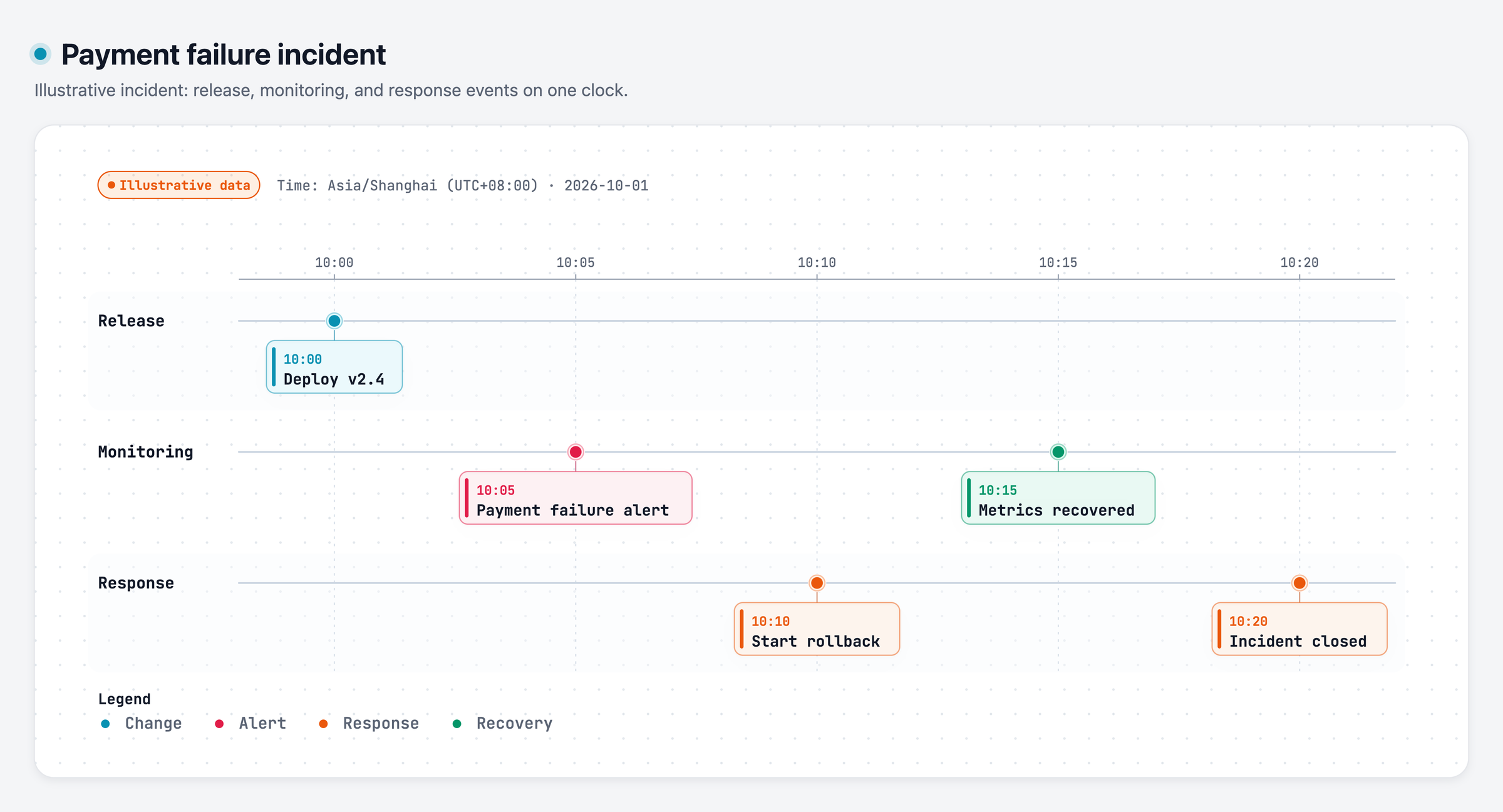
Timeline places events on one proportional clock, with a lane per source:
Waterfall shows where the time went across nested and overlapping spans:
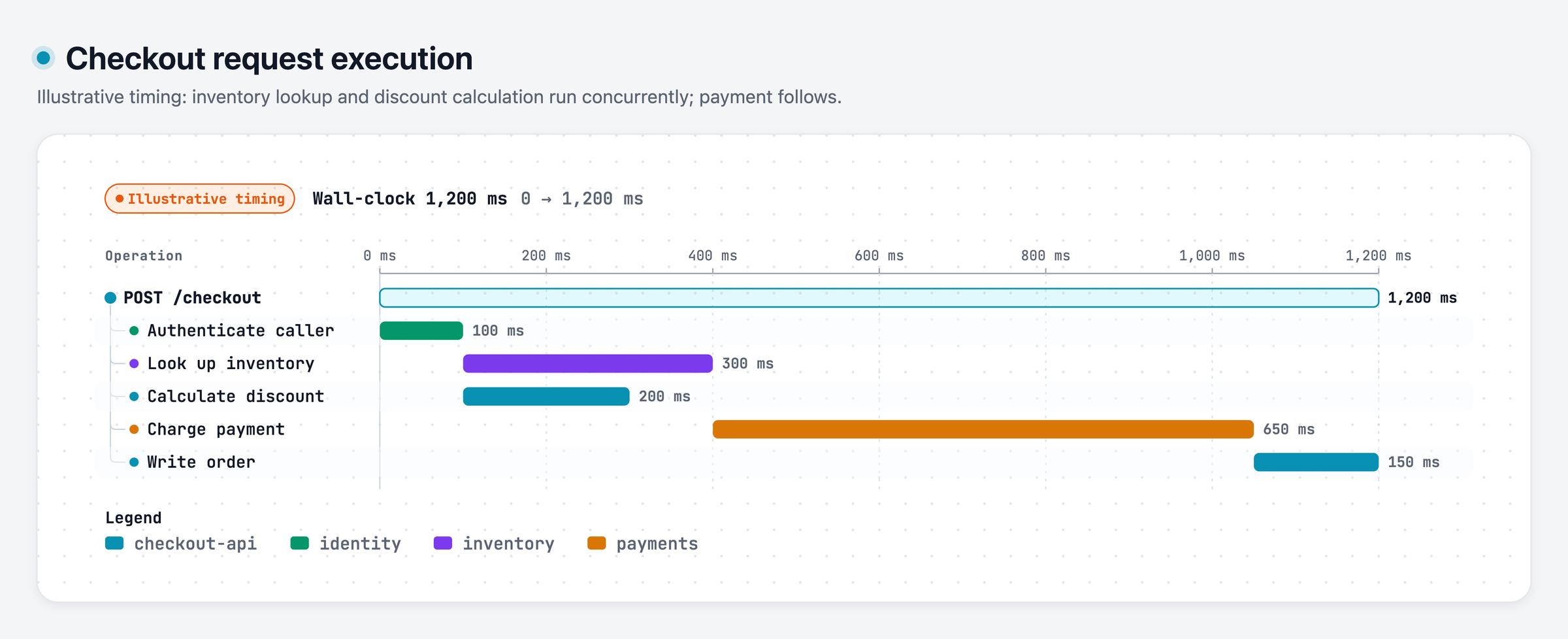
Explore these examples: ERD · Class · Tree · Timeline · Waterfall. The Timeline and Waterfall examples use illustrative data; treat timestamps or durations as real only when they come from logs or traces.
Architecture examples: web-app · Archify pipeline · grid placement · desktop agent
| Understand the structure | Walk through the story | |---|---| | Map components, workflows, and relationships from code or a description. | Explore nodes, follow paths, and share any view as a link. | | Extend it your way | Share the result | | Keep an editable source and build on the open-s
→ →
→ →
→ →
→ →
→ →
→ →
→ →
→