1
 →
→
Claude Code on Android: AI-powered mobile coding IDE for Android — chat with a coding agent, run Linux commands, edit files, review diffs, and preview web apps directly from your phone.
techjarves/Mobile-Harness is an open-source project on GitHub, mainly written in Kotlin. Claude Code on Android: AI-powered mobile coding IDE for Android — chat with a coding agent, run Linux commands, edit files, review diffs It currently holds 775 stars and 217 forks with 13 open issues, and was last pushed on 2026-11-01 (repository created 2026-08-20).
AI Homed tracks it on the Today's Trending board, currently at rank #56 with 26 new stars today.

# Mobile Harness
### The complete autonomous AI development workspace for Android.
Chat with coding agents, edit projects, execute real Linux commands, and preview live web servers — all directly on your phone.
Download Online APK • Download Offline APK • Watch Walkthrough (3 min) • Quickstart Guide • Architecture • Build from Source
---
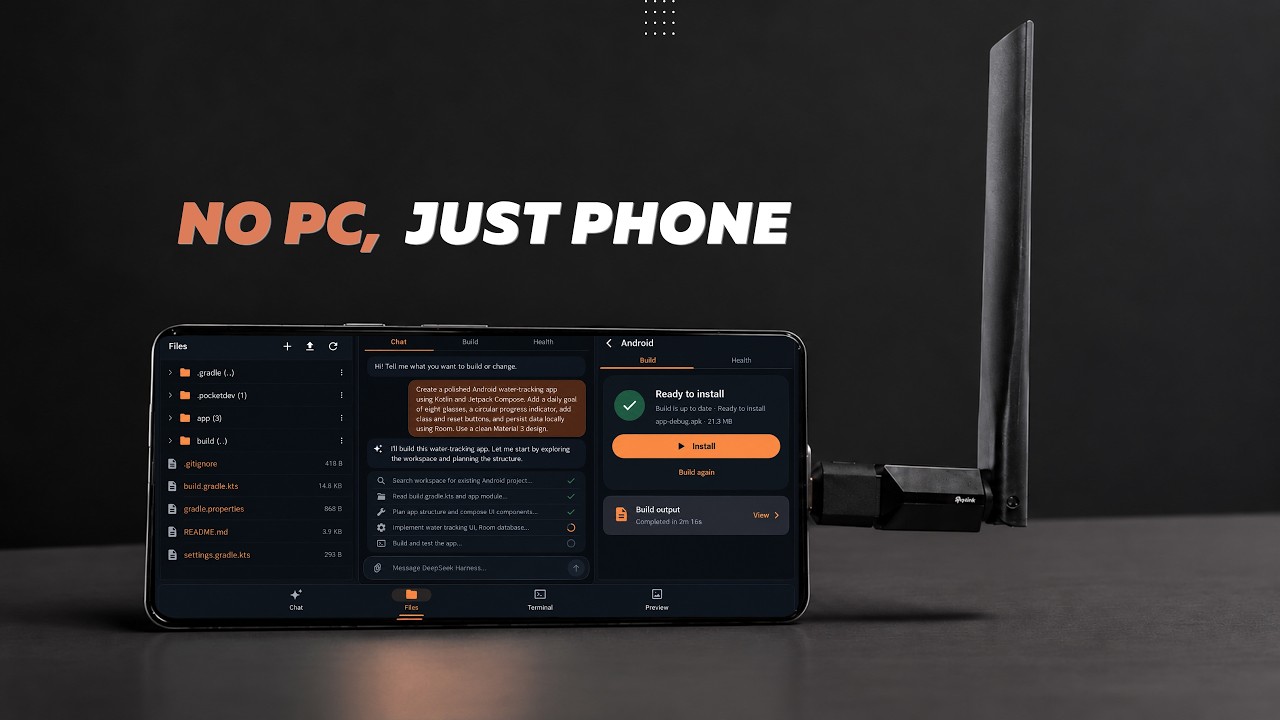
Watch the product walkthrough and demo | Setting up Ubuntu, connecting Claude Code, and building an app on Android
---
[!IMPORTANT]
Environment Security Notice
Mobile Harness runs on ARM64 Android devices using a private userspace PRoot layer. While isolated from other apps via standard Android sandbox permissions, PRoot is not a virtualization boundary or hardened security jail. Only execute projects and dependencies you own or trust.
Both editions contain the complete Mobile Harness app and support secure in-app updates beginning with v1.0.3.
Online Edition89.1 MB · Recommended Start with the smaller APK. Core, Python, and Android runtime bundles are downloaded only when needed. |
Offline Edition889.4 MB · Everything included Includes the Core, Python, and Android runtime bundles for setup with limited or unavailable internet. |
ARM64 Android 9+
Direct APK installation · No root required · No USB or wireless ADB pairing
Mobile Harness unites modern Jetpack Compose UI with a self-contained Ubuntu 20.04 LTS subsystem. It gives you a desktop-class software development environment in your pocket without requiring root access, unlocked bootloaders, or external applications like Termux.
Autonomous Agent CodingNative integrations with Claude Code, DeepSeek Harness, and Antigravity CLI. Each agent has an isolated driver, settings, and resumable project conversations. |
Isolated Linux SubsystemA full Ubuntu 20.04 ARM64 userspace running inside PRoot. Includes Node.js, npm, Git, OpenSSL, and essential shell tooling out of the box. |
Instant Web PreviewSpun up a Vite, Next.js, or Express server? Test web interfaces in real-time within a restricted, sandboxed mobile WebView with console telemetry. |
Keystore-Grade EncryptionYour API keys and credentials are encrypted using Android Keystore-backed AES-256 GCM. No telemetry, no remote proxies, and zero plain-text leaks. |
Persistent Project SessionsKeep projects, chat history, files, and task context together so work can continue across app sessions. |
Native File WorkflowBrowse, edit, search, and attach files directly from the app interface. Interoperate with system storage via Android Storage Access Framework (SAF). |
On-device Android BuildsBuild, install, and launch Android APKs directly on the phone without USB or wireless ADB pairing. |
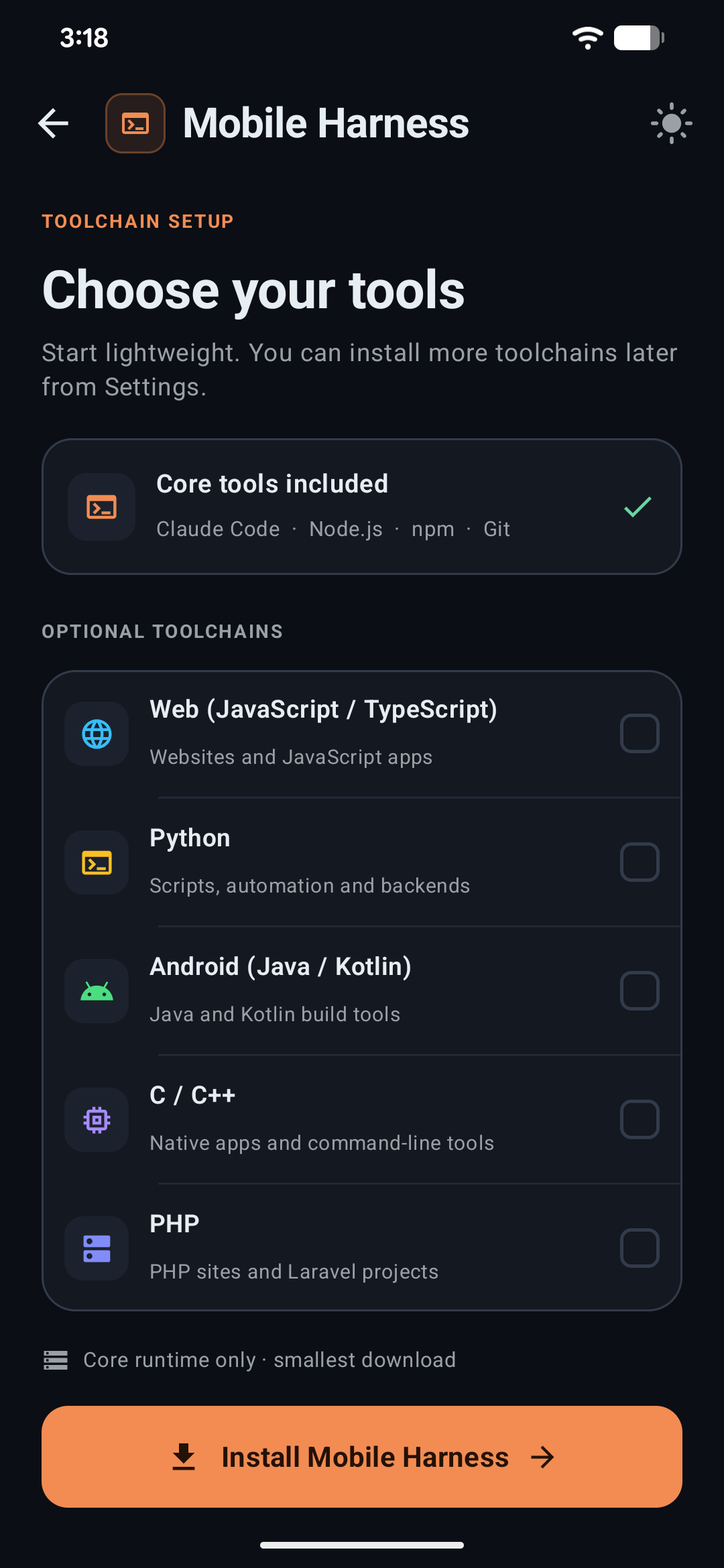
Optional ToolchainsAdd Python, Android, C/C++, and PHP tooling only when a project needs it. |
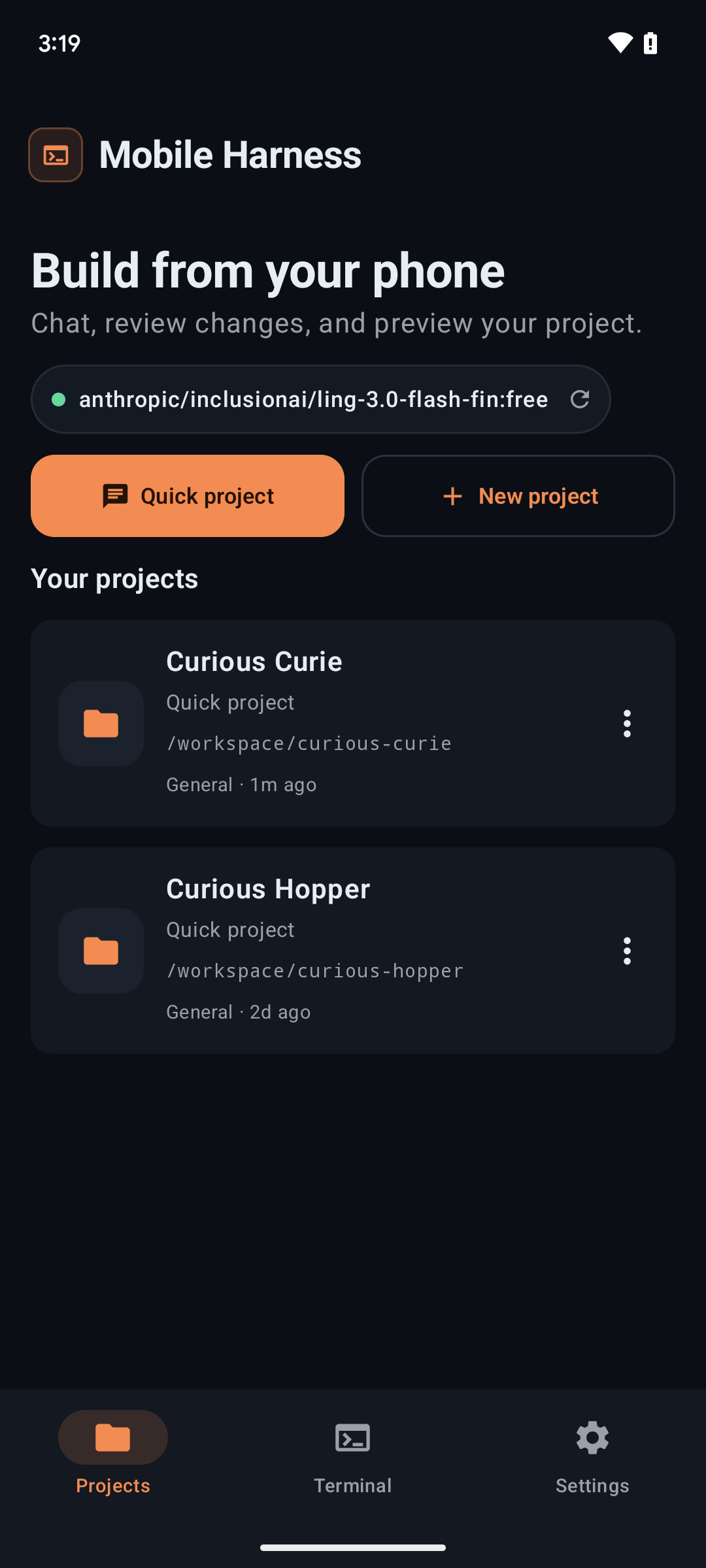
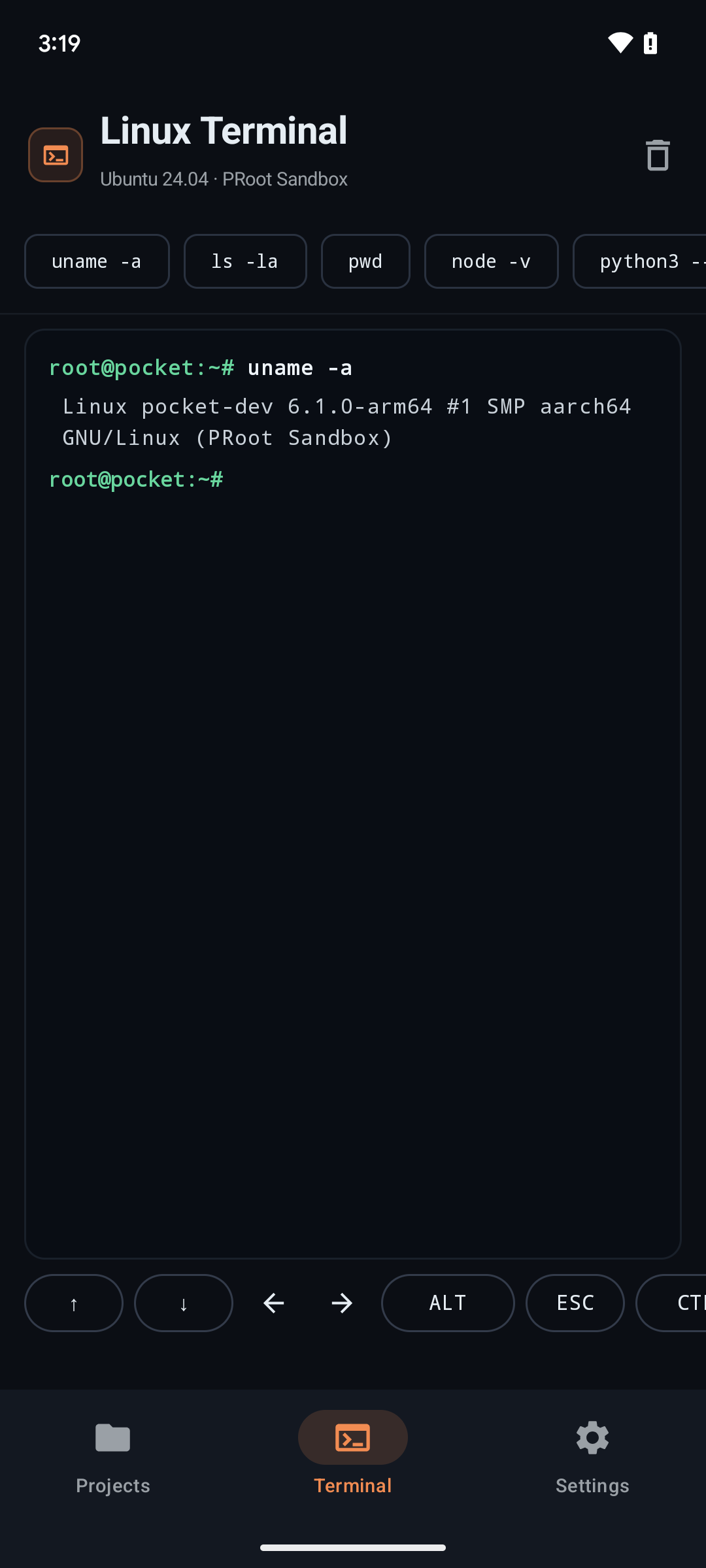
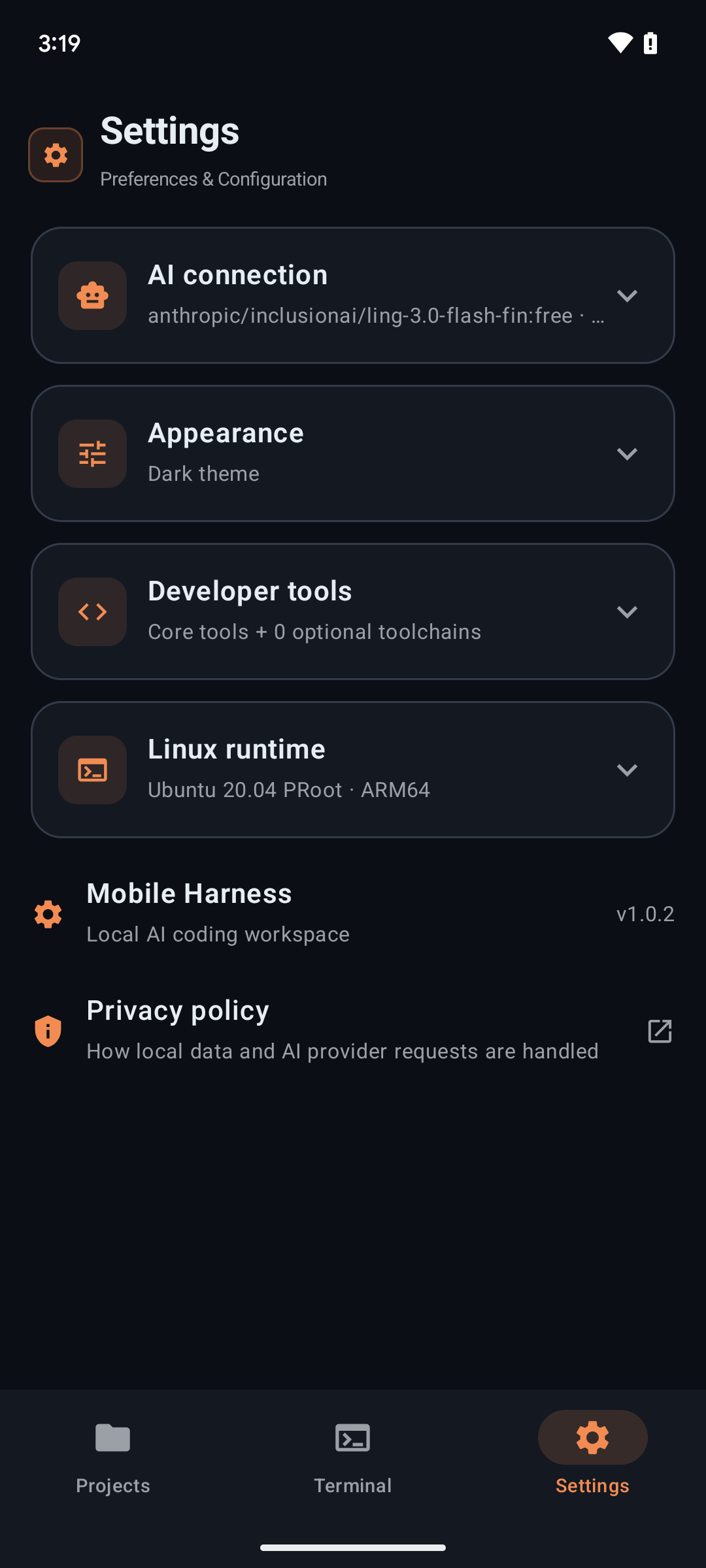
| Projects | Terminal | Settings |
|---|---|---|
|
|
|
| Create, organize, and resume isolated workspace sessions. | Execute real Linux commands and scripts with instant output. | Manage AI providers, installed toolchains, themes, and runtime health. |
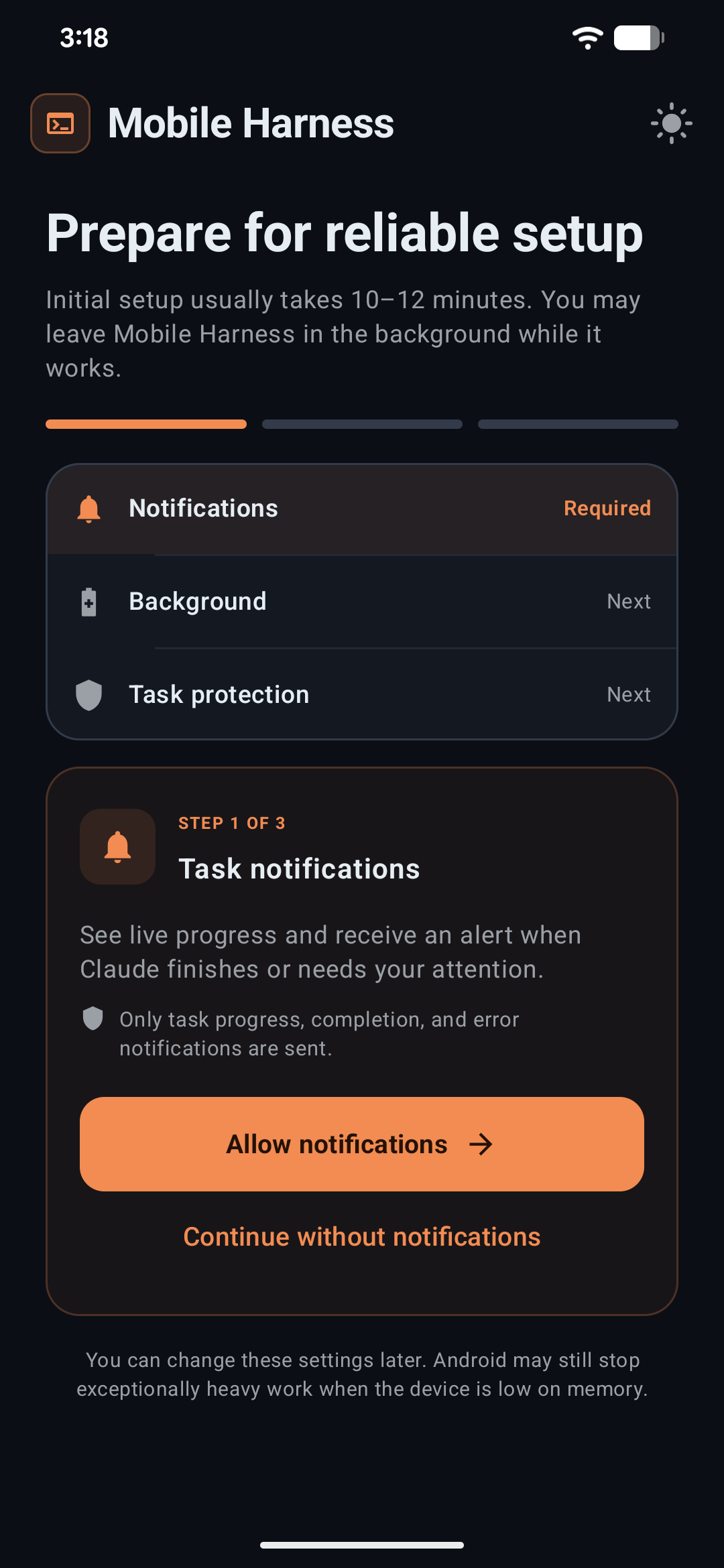
Get up and running in 3 guided steps:
Target Architecture : ARM64 (arm64-v8a)
Package Version     : latest release
Minimum OS Level    : Android 9.0 (API 28)
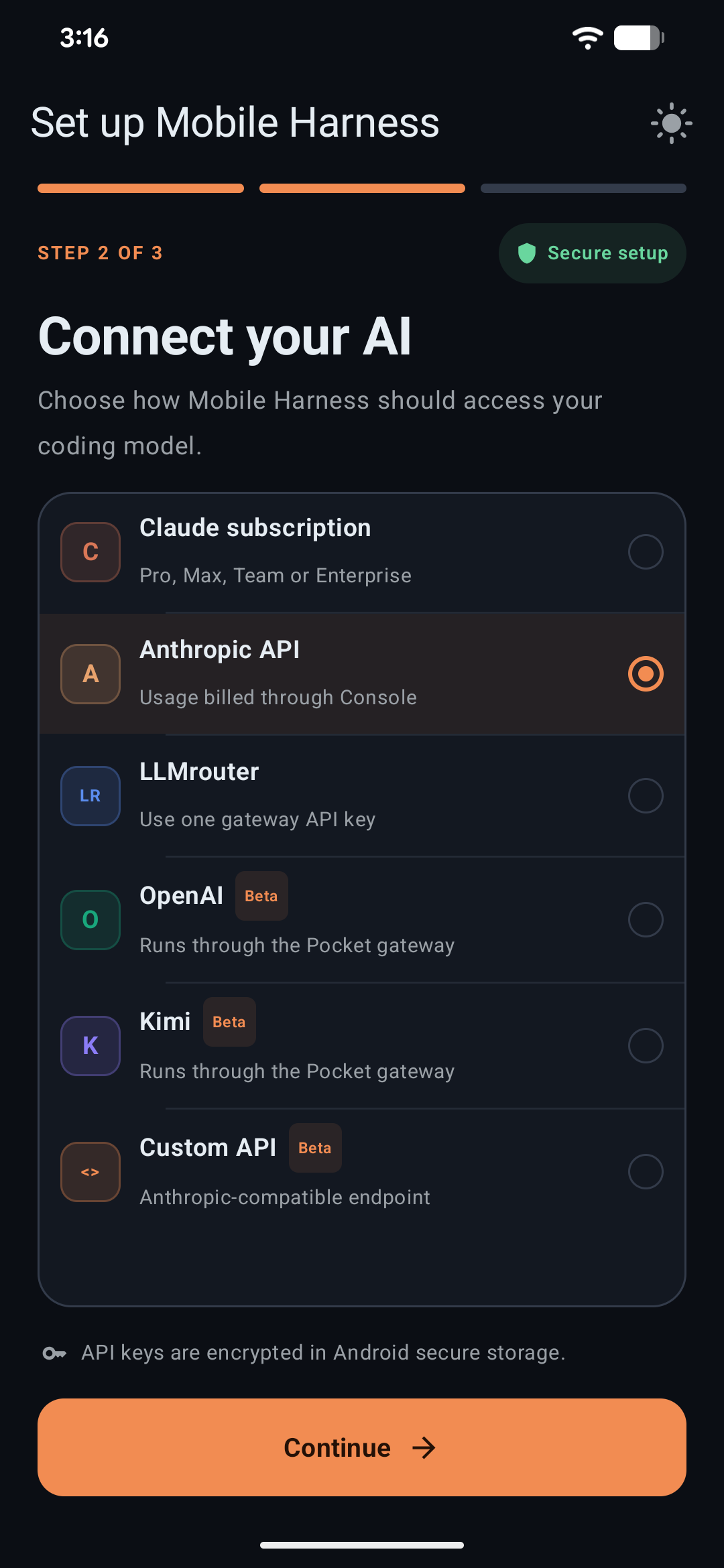
| 1 · System Readiness | 2 · Toolchains | 3 · AI Provider |
|---|---|---|
|
|
|
| Verifies device storage, CPU architecture, and background service permissions. | Select core Ubuntu runtime and optional development stacks. | Securely store your API keys in Android Keystore. |
Mobile Harness uses Claude Code's Anthropic-compatible API protocol. You can connect official endpoints or route requests through compatible translation proxies:
| Provider | Integration Type | Streaming | Tool Calling | Status | Notes |
| :--- | :---: | :---: | :---: | :---: | :--- |
| Anthropic API | Direct Key | Supported | Supported | Recommended | Primary supported backend |
| OpenRouter | Gateway | Supported | Supported | Supported | Routes compatible models through one API key |
| DeepSeek | Direct Key | Supported | Supported | Supported | Anthropic-compatible endpoint |
| Kimi | Direct Key | Supported | Supported | Supported | Anthropic-compatible Moonshot endpoint |
| Custom API | Endpoint Override | Compatible | Compatible | Experimental | User-configured gateway |
[!NOTE]
API keys are stored with hardware-backed Android Keystore AES-256-GCM encryption. Antigravity Google OAuth credentials are created and retained only by the official agy CLI in its persistent Linux home; Mobile Harness never reads or copies its tokens.
| Agent | Authentication | Installation | Isolation |
| :--- | :--- | :--- | :--- |
| Claude Code | Claude account or API-key providers | Included in Core | Existing Claude bridge and settings |
| DeepSeek Harness | API-key providers | On demand | Existing DSH bridge and settings |
| Antigravity CLI | Official Google OAuth flow | Version-pinned online download | Dedicated agy bridge, model, effort, and conversation IDs |
For Antigravity, select Antigravity CLI, install it, and tap Sign in with Google. Mobile Harness starts the official CLI login, opens the freshly generated Google URL in the system browser, and sends the returned one-time code back to that waiting process. The app does not embed Google login in a WebView and does not construct its own OAuth request.
[!WARNING]
Antigravity tasks currently launch with --dangerously-skip-permissions. This gives the official agent permission to run tools without individual PocketDev approval prompts. Use it only with projects and prompts you trust. Account quotas and service limits still apply; signing in does not provide unlimited usage.
When Android is selected during onboarding, Mobile Harness installs that complete toolchain into its private Ubuntu environment. Android projects can then be built with the workspace play button. The resulting debug APK is passed directly to Android's system package installer and launched after installation; USB debugging, wireless debugging, an ADB port, and a pairing code are not required. Android still requires the user to allow installs from Mobile Harness and confirm each installation.
Mobile Harness bridges native Android Jetpack Compose to an isolated PRoot Linux execution layer via an optimized C++ JNI bridge:
flowchart TB
    subgraph Host[" Android Native Host (Kotlin + Jetpack Compose) "]
        UI["Modern UI Layer
Projects • Chat • Terminal • Web Preview"]
        Service["Foreground Runtime Service
Process Lifecycle & WakeLocks"]
        Keystore["Android Keystore
AES-256 GCM Credentials"]
        Bridge["C++ JNI Process Bridge
Native Launcher & Pipe Multiplexer"]
    end
subgraph Subsystem[" Private Linux Subsystem (PRoot ARM64) "]
        Ubuntu["Ubuntu 20.04 LTS Subsystem
Rootless Userspace Environment"]
        Agent["Agent Registry
Claude • DeepSeek • Antigravity"]
        Tools["Development Toolchains
Node.js • Git • Python • C++"]
        Workspace["Local Project Workspace
Files • Git History • Checkpoints"]
    end
subgraph Cloud[" Model Providers "]
        Anthropic["Anthropic / API Gateways"]
        Gateways["Google Antigravity Service"]
    end
UI <--> Service
    Service <--> Bridge
    Bridge <--> Subsystem
    Keystore -.-> UI
    Agent <--> Cloud
    Agent --> Tools
    Tools <--> Workspace
    UI -.-> Workspace
classDef hostStyle fill:#0f172a,stroke:#38bdf8,stroke-width:1.5px,color:#f8fafc;
    classDef subStyle fill:#1e1b4b,stroke:#818cf8,stroke-width:1.5px,color:#f8fafc;
    classDef cloudStyle fill:#18181b,stroke:#f59e0b,stroke-width:1.5px,color:#f8fafc;
class UI,Service,Keystore,Bridge hostStyle;
    class Ubuntu,Agent,Tools,Workspace subStyle;
    class Anthropic,Gateways cloudStyle;
| Metric | Minimum Specification | Recommended Specification |
| :--- | :--- | :--- |
| Operating System | Android 9.0 (API level 28) | Android 13.0+ (API level 33+) |
| CPU Architecture | 64-bit ARM (arm64-v8a) | High-performance 8-Core ARM64 (Snapdragon 8 Gen 1+ / Dimensity) |
| RAM | 4 GB | 8 GB or more |
| Free Storage | 2.5 GB (Base Runtime) | 8.0 GB+ (For multi-language toolchains and build caches) |
| Network | Stable connection for setup & API | High-speed Wi-Fi during initial rootfs provisioning |
---
compileSdk 36)26.1.109091253.22.1# Clone the repository
git clone https://github.com/techjarves/Mobile-Harness.git
cd Mobile-Harness
Build the standard ARM64 debug binary
./gradlew assembleDebug
Deploy directly to a connected test device
adb install -r app/build/outputs/apk/debug/app-debug.apk
# Run unit tests
./gradlew testDebugUnitTest
Run static analysis linter
./gradlew lintDebug
./gradlew -PplayBuild=true assembleDebug
Mobile Harness allows downloading optional developer packs on demand to conserve space:
Note: Kernel-level virtualization technologies such as Docker, KVM, systemd services, and nested hardware emulators are not supported under PRoot.
Mobile-Harness/
├── app/src/main/
│   ├── java/com/jarves/mh/
│   │   ├── data/       # Preferences, Keystore AES encryption, SQLite persistence
│   │   ├── model/      # Data entities: Projects, Chats, Files, Tool calls
│   │   ├── runtime/    # PRoot installer, C++ agent bridge, foreground services
│   │   └── ui/         # Jetpack Compose screens, Material 3 theme, ViewModels
│   ├── cpp/            # Native C++ launcher, pseudo-terminal pipe handler
│   ├── assets/         # Verified rootfs checksums, licenses, base configuration
│   └── res/            # Android icons, XML drawables, vector assets
├── fastlane/           # Play Store metadata, graphics, and release automation
└── docs/               # In-depth architectural notes & Play Store review guides
Mobile Harness is currently intended for signed direct APK distribution and private testing. Its Android-project workflow requests permission to submit user-built APKs to Android's package installer, which requires a dedicated Google Play policy declaration and approval if distributed through Play.
arm64-v8a) hardware.app/src/main/assets/licenses.This project is licensed under the MIT License. Third-party runtime binaries and packages remain governed by their respective upstream licenses.
---
→ →
→ →
→ →
→ →
→ →
→ →
→ →
→