1
 →

OpenRouter for agent tools. Join community here: https://discord.gg/6mQYYfFMAn
superdesigndev/treg is an open-source project on GitHub, mainly written in Python. OpenRouter for agent tools. Join community here: https://discord.gg/6mQYYfFMAn It currently holds 8,802 stars and 872 forks with 373 open issues, and was last pushed on 2026-11-23 (repository created 2026-07-15).
AI Homed tracks it on the Today's Trending board, currently at rank #36 with 59 new stars today.
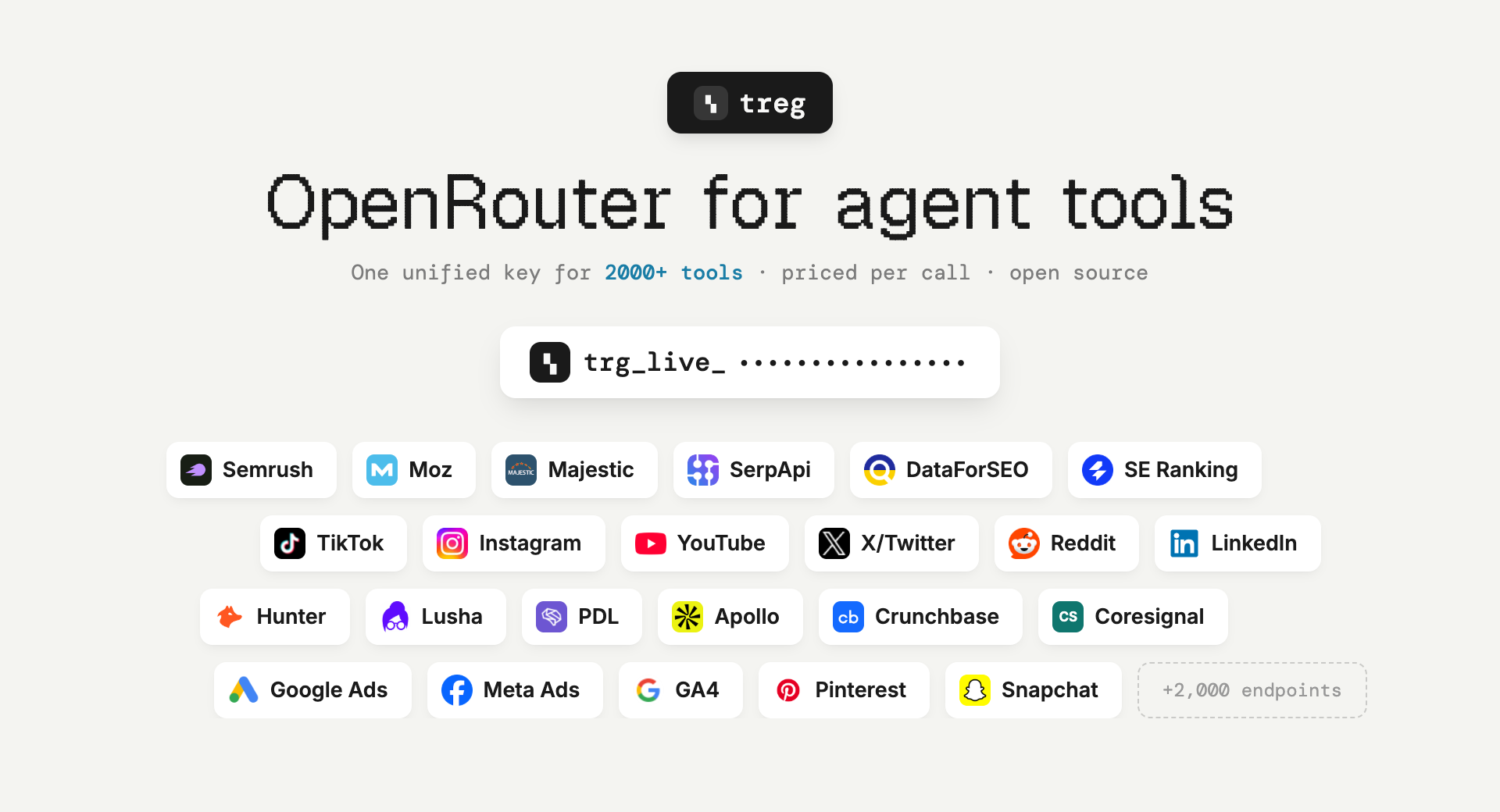
OpenRouter, but for agent tools instead of models. Point an agent at one base URL with one token and it can do the job: a curated catalog of thousands of endpoints across many providers — SEO and backlinks, social and trends, people and company enrichment, ads, scraping, image and video generation — priced per call, from a cent, with no provider signup. Plus your own team's keys, skills and CLIs, callable by every teammate's agent without the credential ever leaving the server.
Ask for the task, not the tool. You do not need to know which vendor sells backlink data, or to hold an account with them. Search for what you want to do, read the price, call it.
Built for the Superdesign team, live at treg.to — anyone can self-host.
The tools an agent needs for real work sit behind subscriptions nobody buys for a single run — Semrush $139/mo, Moz $99/mo, Crunchbase $99/mo, Apollo $59/seat — behind signup walls, or behind no public API at all (invite-only, partner-only, app-review-only). treg carries those accounts and bills fractions of a cent per call.
SKILL.md. Your own key always wins over treg's, and those calls are never
metered.
The vocabulary for the second half:
base_url + credential bindings (each binding injects onedeveloper-token header).
stripe, gh, vercel, ...) run with the credential injected.SKILL.md) + its secrets + its tool(s), registered together.---
Visit treg.to (hosted on Render) — the dashboard, sign-in, and every URL below live there.
Same flow as the dashboard's Getting started guide:
# 1. install the CLI — also points it at the registry
curl -fsSL https://treg.to/install.sh | sh
2. sign in (GitHub default · --email for a one-time code · --token for agents/CI)
treg login
3. do something useful immediately — no key, nothing registered
treg catalog search "backlinks for a domain"     # find a tool by what it DOES
treg call tikhub.tiktok.user.profile --query uniqueId=tiktok
treg balance                                     # exactly what that cost
(or treg onboard for the guided walkthrough)
Fish Audio provides S2.1 Pro speech, public-voice discovery, and private voice cloning.
Speech is binary stdout, so redirect it to a file. A discovered voice's _id or a team voice id is
the TTS reference_id; voices created on treg's Fish account are durable team resources:
treg call fishaudio.tts.s2-1-pro --method POST --header model=s2.1-pro \
  --data '{"text":"Hello from treg","format":"mp3"}' > speech.mp3
treg call fishaudio.voices.discover --query self=false --query licensed=false --query language=en
treg resources list --provider fishaudio --kind voice
With your own Fish key, requests are an unmetered upstream relay and Fish owns the account boundary.
A client written for a provider's own API can switch by its base URL alone: https://treg.to/call/ in place of the provider's base URL (https://api.dataforseo.com/v3 → https://treg.to/call/dataforseo) runs the catalog tool on that method and path exactly as /call/ would; a path the catalog does not list is a 404, never relayed.
Catalog tool inputs are described by treg catalog get . Tools marked strict_query reject undeclared or repeated query parameters, unsupported values and request bodies. Send each declared parameter within its declared type, allowed values and range, each single-valued one once, and a row count such as limit as a whole number within its stated maximum: a tool that enforces this answers a 400 catalog_parameter_invalid naming the parameter, and nothing is charged. Undeclared fields are forwarded as sent.
Your token identifies you on every call (X-Treg-Token header) and is the same for all tools.
Discover what your team has shared: treg tool ls · check credential health: treg health.
/plugin marketplace add superdesigndev/treg
/plugin install treg@treg
Installs the treg skill and treg's tools with no token and no configuration. Run /mcp, pick
treg and sign in; the tools appear after it. Other agents: npx skills add superdesigndev/treg -s treg
(or see Workflow skills for the rest).
See docs/CLAUDE-PLUGIN.md. MiniMax Code / MiniMax Agent users: the same
skill ships via the MiniMax Plugin Marketplace (docs/MINIMAX-PLUGIN.md).
Ready-made recipes your agent runs end to end, every call through treg:
| Skill | What your agent can do |
|---|---|
| treg | Find and call any tool in the catalog, plus your own tools |
| web-access | When your agent's own web tools fall short, read the live web without local scrapers: free search and page reads first, then the right platform job for social, stores, reviews, maps and papers, with treg falling back to the next vendor when one fails |
| lead-signals | Find in-market buyers from public signals (complaints, job changes, hiring, funding, tool adoption) and monitor a topic, competitor or account list for them (treg.to/leads-signals) |
| recruit | Turn a LinkedIn job post into a ranked shortlist: criteria from the post, people search, filters with reasons, one line on why each fits, cited evidence (posts, GitHub, talks, tenure, job change) under a per-candidate spend cap, then a checked personal email and phone, with a run file of counts, evidence and the vendor trail per candidate |
| doomscroll | Catch up on any topic over the last hours: the best posts, clips and reactions from X, TikTok, YouTube, Reddit, Hacker News and Product Hunt, grouped into stories with links, only what is new since the last scroll |
| make-ugc | Make AI UGC videos: trending hooks, a presenter, talking-head clips, captions (treg.to/ugc) |
| jev-memory | Give Claude Code a memory: a Claude Code mod where Jev judges each prompt after the turn and keeps your lasting preferences, installed ready-made or built from one prompt (the mod) |
install.sh installs only treg and names the others in one line; your agent offers them after
sign-in and the first call. Name the ones you want with
sh -s -- --skills lead-signals,recruit (or --skills all; the opt-in jev-memory and rea-growth are never in that set). In Claude Code each one is
also its own plugin in treg's marketplace: /plugin install recruit@treg, or pick them from /plugin. To add
them to an existing agent instead (skills.sh CLI):
npx skills add superdesigndev/treg                        # every public skill
npx skills add superdesigndev/treg --skill lead-signals   # just one
treg skill bootstrap --skills all                         # the installer's set, with the treg CLI you already have
The workflow skills run on treg, so set it up first (the Quickstart above, or point your agent at treg.to/llms.txt).
The Claude Connectors Directory surface is https://treg.to/mcp/v2/. It exposes only curated
catalog endpoints, without image, video or audio generation, and separates read calls from write
calls so Claude receives accurate safety signals. The existing /mcp/ surface remains available for catalog endpoints, team-owned tools,
and imported skills. See the MCP and OAuth architecture
for the boundary and implementation, and the
submission runbook for release gates.
The catalog is grouped by what endpoints do: keyword and rank tracking, backlinks and authority, AI visibility, trending and discovery, publishing to socials, people and company enrichment, ads management and creative, measurement.
treg catalog                                    # every platform, busiest first
treg catalog search "find a work email"         # by the job, not the vendor
treg catalog search --new                       # tools added in the last 30 days, newest first
treg catalog get hunter.people.email.find       # params, PRICE, example response
treg call hunter.people.email.find --query domain=reddit.com --query full_name="Alexis Ohanian"
How a catalogued call is served — the credential ladder, in order:
1. your team registered its own tool for that provider → that tool, that key; 2. your team stored a secret for the provider → injected through a virtual tool (never for a keyless public API, which has nothing to connect); 3. neither, and the endpoint has a verified public route → no provider key, free; 4. otherwise → treg's own key, billed to the team's prepaid balance.
The anonymous price assumes the caller does not send a provider credential header. The faithful
relay preserves caller headers, so a caller-supplied provider key can use that key's credits.
Your own credential always beats treg's, so connecting a key you already pay for makes those calls
free of the balance rather than duplicating them. An endpoint treg has no published price for is
refused, not served free — you are told to connect your own key instead. Where several providers
serve one capability, treg catalog search shows them side by side with prices; choosing is
yours — treg does not silently pick or fail over between providers for you. (When treg's own
account for a provider is out it may serve the same endpoint through a treg-owned relay account,
disclosed on the response; a team can opt out.) The exception you opt into: treg. routed endpoints, where treg picks the provider for you and names it. For common jobs (scraping a page, web search, Google results, finding an email) start with the routed endpoint, such as treg.web.extract or treg.web.search, rather than a provider you remember by name. On treg.people.email.find and treg.people.phone.find, X-Treg-Route-Verify: true also checks the found address or number in the same call, as its own charge, and says what the check found.
treg balance          # credit left, calls in flight, recent spend
treg topup            # add funds, or set up automatic top-ups
Out of balance is an HTTP 402 error: insufficient_balance carrying balance_micro, estimated_cost_micro and a topup_url,
so an agent can act on it without reading prose.
No account at all? When the operator switches agent payments on, an agent with a stablecoin
wallet can pay for catalog calls one at a time over HTTP, with MPP (Tempo) or x402 (Base): a
/call/ without a treg token answers 402 with the payment challenge, and a client such as pympp
or the mppx library pays it and sends the call again. What the call does not use stays as that
wallet's credit for its next calls; it is never paid back as money. The agent-facing rules are in
the skill's "Pay with a wallet" section, the design in
agent payments.
Enrich Arena lives at /enrich-arena, outside the dashboard. Compare enrichment answers with each vendor’s cost and speed,
vote for the best answer in one click, or watch a sequential waterfall. Capability-compatible
async providers participate too; Arena handles submit and polling internally. Browsing is
public; submitting requires login, and billable attempts use your team's credits. See the
Arena guide.
Web Arena compares Web Search, Web Fetch, and Sitemap providers at /web-arena.
Battle calls selected providers for the same input; Waterfall tries them in order. The
live leaderboard combines direct provider-call hit rates and response times with checked
Web Arena quality results over a rolling 30-day window. The pages open when the feature
is enabled. See the
Web Arena guide.
The zero-thought path — point treg at a project and it figures out what's shareable:
treg scan     # read-only preview: the keys, skills & CLIs upload would register
treg upload   # register them (encrypted server-side); idempotent, --replace to update
treg upload scans the .env (matching keys against ~80 known providers), every skill
subdirectory, and installed catalog CLIs. Three kinds of things go into the registry — here's how
to share and use each:
Share — one upstream URL callable with a stored key, or bulk from a .env:
treg secret add STRIPE_KEY --value sk_live_123
treg add stripe --base-url https://api.stripe.com --secret STRIPE_KEY
treg upload env --select openai,stripe,resend     # or straight from the .env
Use — the agent-native way: build the real upstream request and prefix it with the proxy.
treg resolves the tool by host, injects the credential, and relays everything else faithfully
(your X-Treg-Token is stripped before the upstream sees it):
Real request:   GET https://api.intercom.io/conversations?per_page=5
Through treg:   GET https://treg.to/call/https://api.intercom.io/conversations?per_page=5
                    header:  X-Treg-Token:
Or the CLI shorthand — and treg calls for the audit log:
treg call intercom conversations --query per_page=5
treg call stripe v1/balance
Share — automatic: treg upload detects installed catalog CLIs (stripe, gh, vercel, …)
and registers them; a recipe-only catalog CLI skill (e.g. stripe-cli) auto-becomes runnable too.
Use — treg run executes the vendor CLI with the org's credential injected, so you never
hold the key or log in:
treg run stripe -- get /v1/balance
treg run gh -- pr list
--local (default) runs on your machine. Server-side CLI execution (--server) is disabled globally.
treg runs is the audit log.
Share — a skill is a whole capability (SKILL.md recipe + its secrets + its tool(s)),
registered together so the whole team runs the same skill, maintained in one place:
treg upload skills --dir ~/.claude/skills --all # register a folder of skills in one pass
Use — pull any shared skill into your agent; its API calls go through treg with your token, so the key stays on the server, never in the skill:
treg skill install seo-blog-writer # writes into ./.claude/skills/ (--all for the library)
# multi-credential tool (e.g. google-ads: OAuth bearer + a developer-token header)
treg tool add google-ads --base-url https://googleads.googleapis.com \
  --bind "secret=,injector=oauth" \
  --bind "secret=,name=developer-token,format={secret}"
one skill, step by step
treg skill init --dir ./my-skill          # drafts treg.json (guesses base_url, finds secrets)
treg skill add  --dir ./my-skill          # registers recipe + secrets + tool, atomically
OAuth via the browser (mints the first token, treg holds it and auto-refreshes)
treg oauth connect gsc --client-secret client_secret.json \
  --scopes https://www.googleapis.com/auth/webmasters.readonly
Full options for every command: USAGE.md.
The CLI and its installer send anonymous usage to PostHog when using treg.to (which command ran and
how it ended, never request content or credentials).
Disable with TREG_TELEMETRY=0 or DO_NOT_TRACK=1.
See analytics details.
An account can own up to 10 teams. Joining other teams as a member does not count toward this limit.
Everything is scoped to an org: a token = a (user, org) membership, and every secret, tool,
and skill belongs to the active org. Roles: owner / admin / member / viewer.
treg org create "Acme"                        # make a team, become owner
treg org invite teammate@acme.com             # invite by email (pick role + tool access)
treg org join                           # accept an invite (sign in as the invited email first)
treg org ls | use  | members            # switch orgs, see the roster
treg org access  --tools a,b          # per-member tool access (admin+)
Team owners can enable enterprise SSO from the dashboard's Team → SSO tab. WorkOS connects the company's identity provider; owners can invite their IT admin to finish setup. Employees can enter their work email in any sign-in dialog or use the team's direct sign-in link. treg keeps its team roles and API keys. The Directory Sync plan removes a deactivated employee's team access. See enterprise SSO setup.
treg feedback submit friction "The pagination example is unclear."treg review CALL_ID usefulnot_sure is fine. Omit private data and continue the task.
format: what treg is, setup for each kind of agent, the search-read-call loop and the rules, with
links to /skill.md, the operating guide, for everything else.
/docs./call/{...}; all endpoints take the X-Treg-Token header.
---
One command (needs tmux + uv; it syncs the venv itself):
scripts/dev-local.sh up # server on http://localhost:18790, dev-safe settings
That runs the server in tmux with hot-reload, its own sqlite DB (treg-dev.db), and email OTP dev
mode (sign-in codes shown on the page — no mail sender needed). Day-to-day:
scripts/dev-local.sh cli login   # sandboxed CLI: never touches your real ~/.treg/config.json
scripts/dev-local.sh logs        # server output          · status / restart / down
scripts/dev-local.sh reset       # wipe the dev DB + CLI sandbox for a fresh start
Or run the server directly, without tmux:
bash scripts/build-dashboard.sh # Node 22.12+ and npm; build the Dashboard
uv sync                        # create the venv from uv.lock (pulls the server deps for dev)
uv run python -m treg upgrade  # prepare schema + run idempotent release tasks without serving
uv run python -m treg          # serve on 0.0.0.0:18790 (add --reload for dev)
uv run python -m treg keygen   # print a fresh Fernet key for TREG_SECRET_KEY
Installing to run a server (not from source): the base package is the CLI only. To run a
registry, install the server extra — pip install "tools-registry[server]" — which adds FastAPI, the
database drivers, and encryption.pip install tools-registryalone gives just thetregcommand for
talking to an existing registry.
The official hosted service is available at treg.to. Its production topology and live settings are
maintained in the private operator runbook.
Environment variables (prefix TREG_, read from .env):
| Var | Default | Purpose |
| ----------------------------------------- | ------------------------------- | -------------------------------------------------------------------------------------------------------------------------------------------------------------------------- |
| TREG_DATABASE_URL | sqlite+aiosqlite:///./treg.db | DB URL (SQLite for dev, Postgres in prod) |
| TREG_READ_DATABASE_URL | (empty) | Optional SQLite / PostgreSQL read datasource; empty reuses the primary. Requires callers to opt in; existing queries are unchanged. See read datasource setup. |
| TREG_SECRET_KEY | (empty) | Fernet key for secrets-at-rest; empty → an ephemeral key is minted (secrets won't survive a restart). During a rotation, a comma-separated list: the first key encrypts, every key decrypts |
| TREG_AWS_SECRET_ID | (empty) | ARN of an AWS Secrets Manager secret holding a JSON object of TREG_* settings, read once at startup and winning over the environment; AWS credentials come from the standard AWS_* variables |
| TREG_KMS_KEY_ID | (empty) | KMS key or alias ARN for stored credentials: this process can open KMS-sealed values (AWS credentials from the standard AWS_* variables) |
| TREG_KMS_ENCRYPT_NEW | false | also seal new credential writes with that key; set only once every process that reads credentials has TREG_KMS_KEY_ID |
| TREG_PUBLIC_URL | https://treg.to | treg's public base, used to build the OAuth callback URI |
| TREG_SESSION_SECRET | (empty) | signs the dashboard session cookie; falls back to TREG_SECRET_KEY. Set a real value in prod |
| TREG_GITHUB_CLIENT_ID / _SECRET | (empty) | GitHub OAuth sign-in (callback <public_url>/auth/github/callback); empty hides the button |
| TREG_GOOGLE_CLIENT_ID / _SECRET | (empty) | Google OAuth sign-in (redirec
→ →
 →
 →
 →
 →
 →
 →