1
 →
→
An open-source, privacy-first, self-hosted knowledge workspace where humans and AI agents work together 开源、隐私优先、自托管的知识工作空间,让人与智能体在此协作
siyuan-note/siyuan is an open-source project on GitHub, mainly written in TypeScript. An open-source, privacy-first, self-hosted knowledge workspace where humans and AI agents work together 开源、隐私优先、自托管的知识工作空间,让人与智能体在此协作 It currently holds 47,016 stars and 3,093 forks with 8 open issues, and was last pushed on 2026-10-30 (repository created 2020-08-30).
AI Homed tracks it on the AI Agent Skills board and on the AI AI Agent Skills list.

From thought to insight, with agents







English | 中文 | 日本語 | Türkçe | Português
---
SiYuan is a privacy-first personal knowledge management system, supporting fine-grained block-level reference and Markdown WYSIWYG.
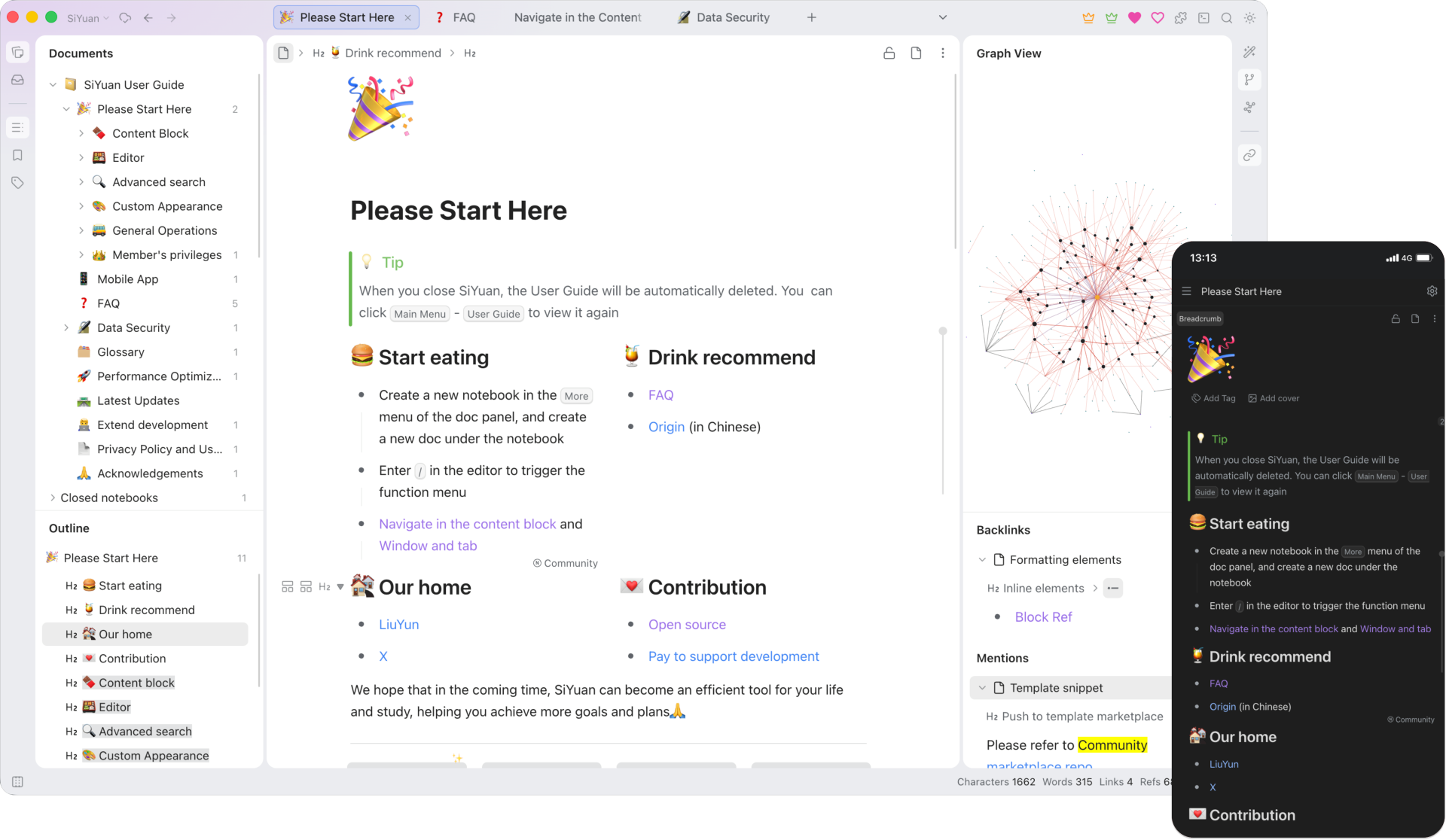
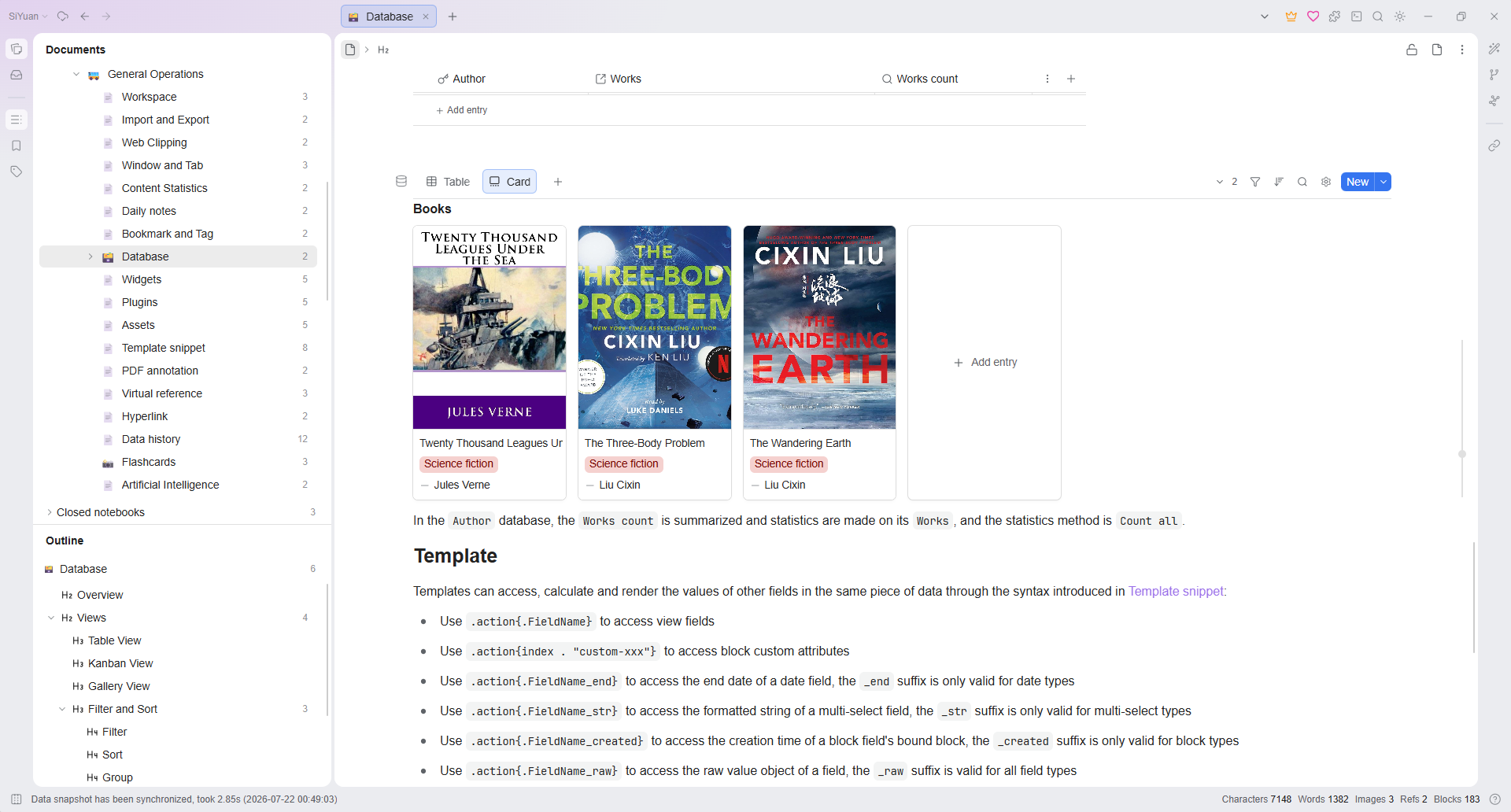
To learn more, read the online user guide or join the SiYuan English Discussion Forum.
Most features are free, even for commercial use.
siyuan://
| Project | Description | Forks | Stars |
|----------------------------------------------------------|-----------------------|---------------------------------------------------------------------------------|--------------------------------------------------------------------------------------|
| lute | Editor engine | |
|
| chrome | Chrome/Edge extension |
|
|
| bazaar | Community marketplace |
|
|
| dejavu | Data repo |
|
|
| petal | Plugin API |
|
|
| android | Android App |
|
|
| ios | iOS App |
|
|
| harmony | HarmonyOS App |
|
|
| riff | Spaced repetition |
|
|
It is recommended to give priority to installing through the application market on desktop and mobile, so that you can upgrade the version with one click in the future.
Mobile:
Desktop:siyuan
siyuan-note
The easiest way to serve SiYuan on a server is to deploy it through Docker.
b3log/siyuanThe overall program is located under /opt/siyuan/, which is basically the structure under the resources folder of the Electron installation package:
The entry point is set when building the Docker image: ENTRYPOINT ["/opt/siyuan/entrypoint.sh"]. This script allows changing the PUID and PGID of the user that will run inside the container. This is especially relevant to solve permission issues when mounting directories from the host. The PUID (User ID) and PGID (Group ID) can be passed as environment variables, making it easier to ensure correct permissions when accessing host-mounted directories.
Use the following parameters when running the container with docker run b3log/siyuan:
Note: Since v3.7.0, theservesubcommand must be passed explicitly (e.g.docker run b3log/siyuan serve --workspace=...). Rundocker run --rm b3log/siyuan serve --helpto see all serving options.
--workspace: Specifies the workspace folder path, mounted to the container via -v on the host--accessAuthCode: Specifies the lock screen password--help. Here’s an example of a startup command with the new environment variables:
First set AuthCode to your own strong password (use export AuthCode='your-strong-password' in Bash; Compose can also read a .env file in the same directory). The example stops with an error if the value is unset or empty.
docker run -d \
  -v workspace_dir_host:workspace_dir_container \
  -p 6806:6806 \
  -e PUID=1001 -e PGID=1002 \
  b3log/siyuan \
  serve \
  --workspace=workspace_dir_container \
  --accessAuthCode="${AuthCode:?Set AuthCode}"
PUID: Custom user ID (optional, defaults to 1000 if not provided)PGID: Custom group ID (optional, defaults to 1000 if not provided)workspace_dir_host: The workspace folder path on the hostworkspace_dir_container: The path of the workspace folder in the container, as specified in --workspaceSIYUAN_WORKSPACE_PATH env variable. The commandline will always have the priority, if both are setaccessAuthCode: Lock screen password (please be sure to modify, otherwise anyone can access your data)SIYUAN_ACCESS_AUTH_CODE env variable. The commandline will always have the priority, if both are setSIYUAN_ACCESS_AUTH_CODE_BYPASS=trueSIYUAN_OIDC_ENABLED=true, SIYUAN_OIDC_PROVIDER (custom, google, microsoft, or github), SIYUAN_OIDC_CLIENT_ID, and the provider-specific values below. GitHub uses its OAuth 2.0 user API adapter; the other providers use OpenID Connect discovery and ID Token validation. An invalid enabled configuration stops Docker startup when no lock screen password is availableSIYUAN_OIDC_ISSUER_URL: Issuer URL required by the custom and microsoft providers; Microsoft must use a tenant-specific issuer such as https://login.microsoftonline.com//v2.0SIYUAN_OIDC_CLIENT_SECRET: Optional client secret for OpenID Connect providers; required by the GitHub OAuth adapter. Every authorization-code flow also uses PKCESIYUAN_OIDC_SCOPES: Comma- or space-separated scopes; openid is always includedSIYUAN_OIDC_REDIRECT_URL: Public HTTPS callback URL ending in /api/system/oidc/callback, required for remote browser accessSIYUAN_OIDC_ALLOW_ALL: Explicitly grant SiYuan administrator access to every identity authenticated by the providerSIYUAN_OIDC_CLAIM_RULES: JSON array of claim rules used when allow-all is disabled, for example [{"claim":"email","operator":"equals","values":["user@example.com"]},{"claim":"email_verified","operator":"equals","values":["true"]}]; values within a rule use OR, while rules use ANDsiyuan:/oidc-callback; register it exactly as written. Mobile configuration verification uses this callback before saving. Custom providers, Microsoft, and GitHub can be used only when their application registration accepts this callback URI. Google does not accept this private-use URI for its Android client type, so Google login is limited to browser and desktop flowsSIYUAN_LANG: Interface language (optional, defaults to en if unset in Docker). Accepts BCP 47 tags like zh-CN/zh-TW/en/ja/pt-BR; legacy underscore values like zh_CN/en_US are also accepted for backward compatibility. Omit it if you want the language chosen in Settings to persist across restarts; if set, it is applied on every startup and overrides the saved setting--lang command-line parameter. If both are set, the command-line takes priorityworkspace_dir_host and workspace_dir_container configured as /siyuan/workspace. The corresponding startup command would be:
First set AuthCode to your own strong password (use export AuthCode='your-strong-password' in Bash; Compose can also read a .env file in the same directory). The example stops with an error if the value is unset or empty.
docker run -d \
  -v /siyuan/workspace:/siyuan/workspace \
  -p 6806:6806 \
  -e PUID=1001 -e PGID=1002 \
  b3log/siyuan \
  serve \
  --workspace=/siyuan/workspace/ \
  --accessAuthCode="${AuthCode:?Set AuthCode}"
For users running SiYuan with Docker Compose, the environment variables PUID and PGID can be passed to customize the user and group IDs. Here's an example of a Docker Compose configuration:
First set AuthCode to your own strong password (use export AuthCode='your-strong-password' in Bash; Compose can also read a .env file in the same directory). The example stops with an error if the value is unset or empty.
version: "3.9"
services:
main:
image: b3log/siyuan
command: ['serve', '--workspace=/siyuan/workspace/', '--accessAuthCode=${AuthCode:?Set AuthCode}']
ports:
- 6806:6806
volumes:
- /siyuan/workspace:/siyuan/workspace
restart: unless-stopped
environment:
- TZ=${YOUR_TIME_ZONE} # A list of time zone identifiers can be found at https://en.wikipedia.org/wiki/List_of_tz_database_time_zones
- PUID=${YOUR_USER_PUID} # Customize user ID
- PGID=${YOUR_USER_PGID} # Customize group ID
In this setup:
PUID and PGID are set dynamically and passed to the container1000 will be usedPUID and PGID in the environment, you avoid the need to explicitly set the user directive (user: '1000:1000') in the compose file. The container will dynamically adjust the user and group based on these environment variables at startup.
In the image, the entrypoint.sh script ensures the creation of the siyuan user and group with the specified PUID and PGID. Therefore, when the host creates a workspace folder, pay attention to setting the user and group ownership of the folder to match the PUID and PGID you plan to use. For example:
chown -R 1001:1002 /siyuan/workspace
If you use custom PUID and PGID values, the entrypoint script will ensure that the correct user and group are created inside the container, and ownership of mounted volumes will be adjusted accordingly. There’s no need to manually pass -u in docker run or docker-compose as the environment variables will handle the customization.
Use an NGINX reverse proxy to hide port 6806. Please note:
/wsHost header, including the port, for both regular requests and /ws. In NGINX, configure proxy_set_header Host $http_host; in both proxy locations. Using $host drops non-standard ports (such as 8443), which can cause Origin validation to fail, leaving the page stuck on the logo with repeated reloads, API responses of 401, or failed WebSocket connectionsPUID and PGID environment variables match the ownership of the mounted directories on your host systemThe HelmForge SiYuan chart is community-maintained by HelmForge, uses the official b3log/siyuan image, and is not an official SiYuan chart. Please report chart issues to HelmForge.
Prepare Helm, kubectl, and a Kubernetes cluster with a default StorageClass that can provision a 10Gi ReadWriteOnce volume, then run the following commands:
helm repo add helmforge https://repo.helmforge.dev
helm repo update
helm install siyuan helmforge/siyuan --namespace siyuan --create-namespace --wait
kubectl -n siyuan get secret siyuan-siyuan-auth -o go-template='{{index .data "access-code" | base64decode}}{{"\n"}}'
kubectl -n siyuan port-forward service/siyuan-siyuan 6806:6806
Open and enter the generated lock screen password. Keep this password secure; it is distinct from the API token. The names above assume the default chart values and release name siyuan.
For remote access, use a dedicated HTTPS hostname and an Ingress controller that proxies WebSockets on /ws, without URL rewriting. Configure ingress and allow the controller's namespace through networkPolicy.ingressFrom; the default policy allows same-namespace ingress and DNS egress only. Add explicit egress rules for cloud sync or other external services. See the chart guide and production example for TLS, existing Secrets, and storage configuration.
Recreate, so upgrades stop the old writer before starting the new one and cause downtime./siyuan/workspace. The chart retains its generated PVC on uninstall by default; deleting the namespace or PVC can still destroy data. Reuse a retained or restored claim with persistence.existingClaim.Note: First run chown -R 1000:1000 /mnt/user/appdata/siyuan in the terminal
Template reference:
Web UI: 6806
Container Port: 6806
Container Path: /siyuan/workspace
Host path: /mnt/user/appdata/siyuan
PUID: 1000
PGID: 1000
Publish parameters: serve --accessAuthCode=******(Lock screen password)
Note: First, run the commands below in the TrueNAS Shell. Please update Pool_1/Apps_Data/siyuan to match your dataset path.
zfs create Pool_1/Apps_Data/siyuan
chown -R 1001:1002 /mnt/Pool_1/Apps_Data/siyuan
chmod 755 /mnt/Pool_1/Apps_Data/siyuan
Navigate to Apps - DiscoverApps - More Options (on top right, besides Custom App) - Install via YAML
Template reference:
Before deploying, fill in your own strong password after SIYUAN_ACCESS_AUTH_CODE= below; do not leave it empty.
services:
siyuan:
image: b3log/siyuan
container_name: siyuan
command: ['serve', '--workspace=/siyuan/workspace/']
ports:
- 6806:6806
volumes:
- /mnt/Pool_1/Apps_Data/siyuan:/siyuan/workspace # Adjust to your dataset path
restart: unless-stopped
environment:
- SIYUAN_ACCESS_AUTH_CODE=
- TZ=America/New_York # Replace with your timezone if needed
- PUID=1001
- PGID=1002
Select Beta or Alpha in Settings - About - Update channel to receive prereleases. Beta includes stable, RC, and Beta releases; Alpha includes all releases. Test channels require access to GitHub.
The built-in CLI provides direct access to workspace data — no running server required.
The CLI does not support operations on encrypted notebooks. Unlock and access them through the dedicated in-app workflow.
```bash
→ →
→ →
→ →
→ →
→ →
→ →
→ →
→