1
 →
→
Turn one illustration into an animated 2D mesh avatar with a coding agent and a local editor
shinshin86/mesh-avatar-studio is an open-source project on GitHub, mainly written in TypeScript. Turn one illustration into an animated 2D mesh avatar with a coding agent and a local editor It currently holds 120 stars and 11 forks with 0 open issues, and was last pushed on an unknown date (repository created unknown).
AI Homed tracks it on the Today's Trending board, currently at rank #73 with 0 new stars today.
Turn a single illustration into an animated 2D mesh avatar: it blinks, talks, turns its head, breathes and sways its hair. A coding agent prepares the avatar from your image; you fine-tune it in a local editor with a live preview.
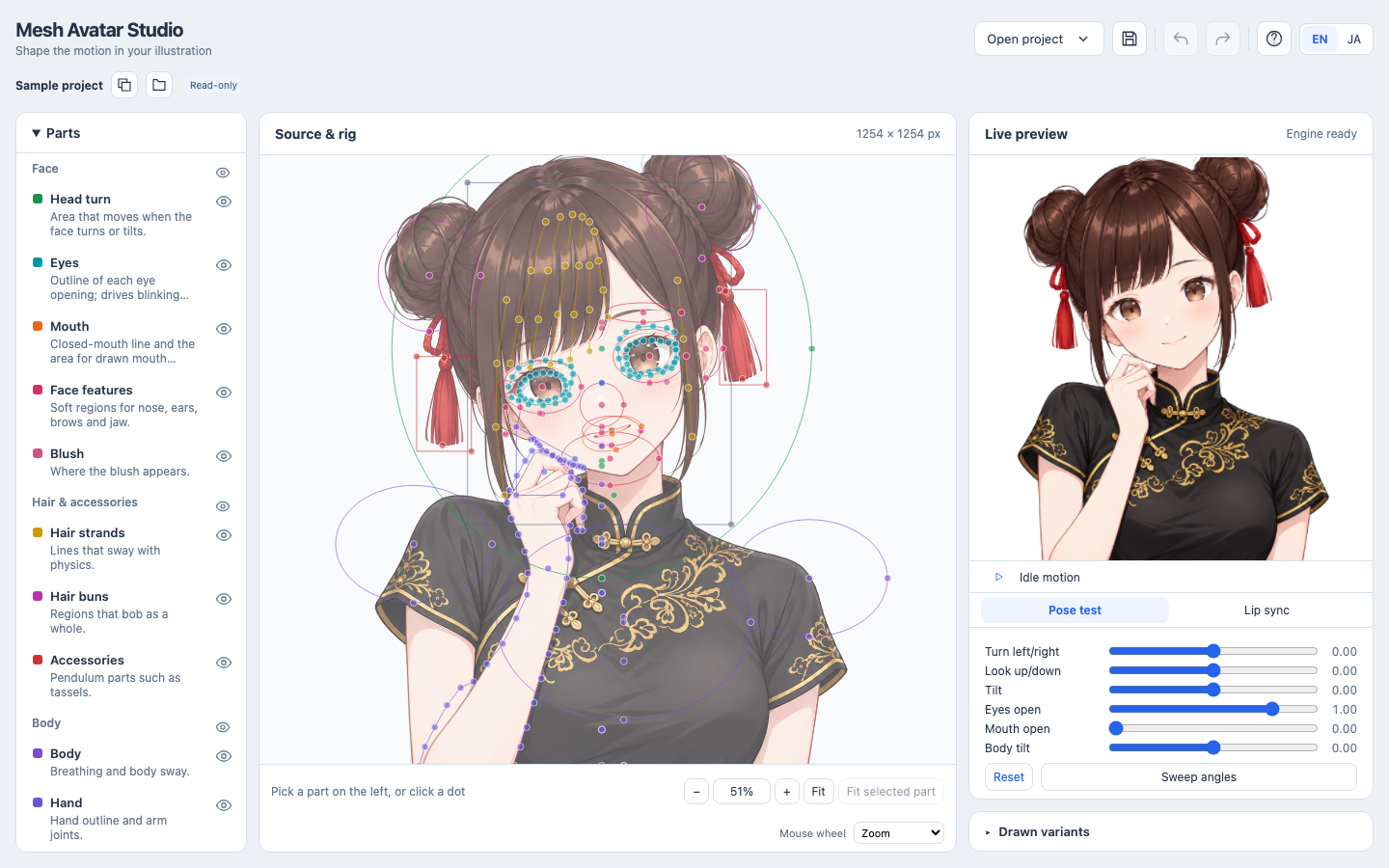
Requires Node.js 22.17+.
npm install
npm run dev
Open the URL printed in the terminal (for example http://127.0.0.1:5173/). The editor opens
the bundled sample, Miko in a qipao. Pick a part on the left, drag its dots on the image and
watch the preview on the right. The sample is read-only; when you change it, choose
Copy and keep editing to continue in your own copy.
Making an avatar from your own illustration takes four steps. Steps 1 and 4 are done by a coding agent (Claude Code or Codex) working in this repository; steps 2 and 3 happen in the editor.
Open Claude Code or Codex in this repository folder and give it your illustration:
Create an avatar from this image following docs/agent-guide.md: /path/to/your-image.png
The agent follows the agent guide: it checks how accurately it reads
coordinates, places the rig on zoomed grids, cuts the image into layers and reviews the
avatar in fixed poses. The project is saved in projects//, which is never committed.
Best results come from a front-facing, head-and-shoulders PNG with a transparent background.
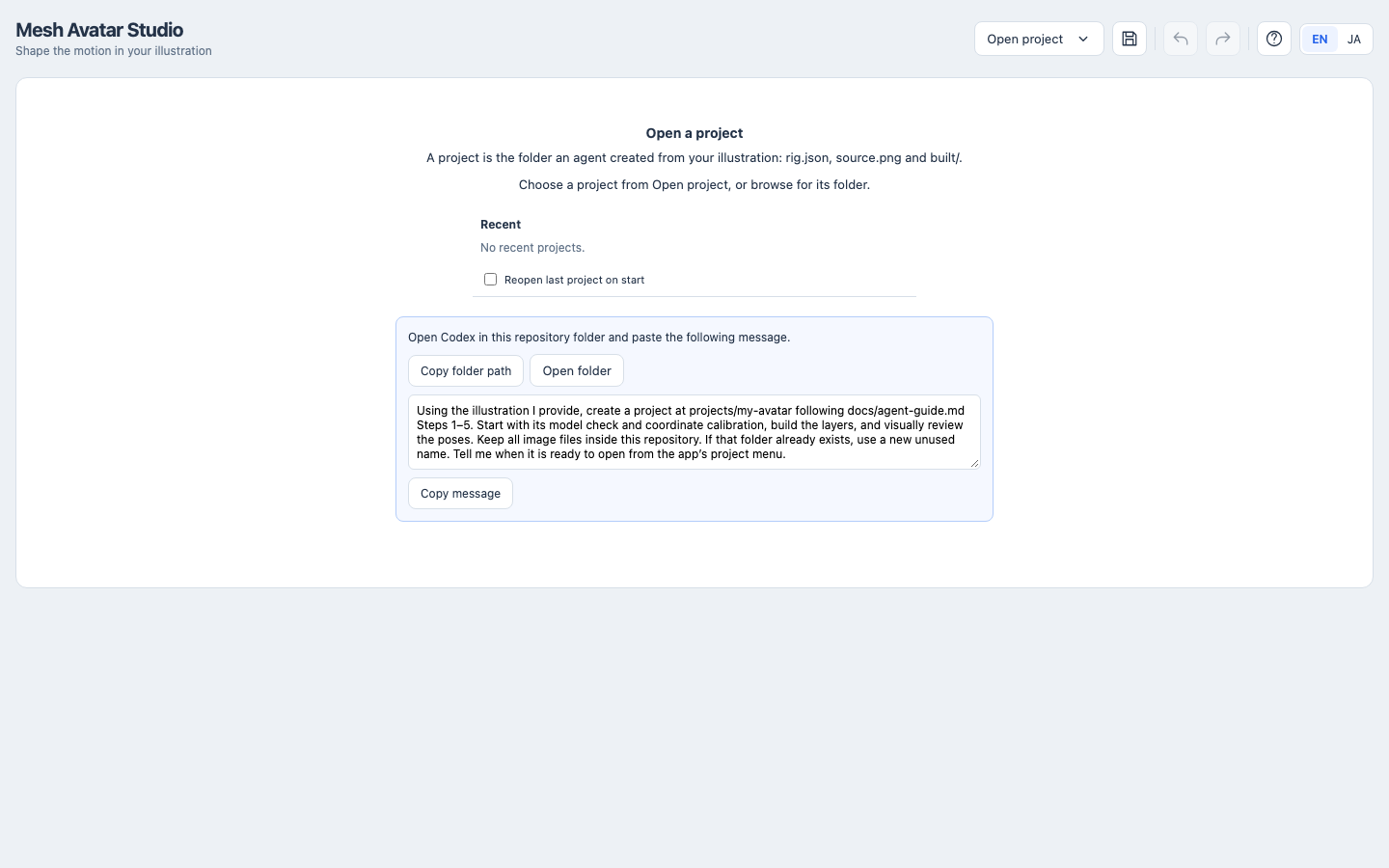
When no project is open, the editor shows this request ready to copy.
Recommended setups:
| Agent | Model | |---|---| | Claude Code | Claude Opus 5.5 | | Codex | GPT-6.1 Sol |
Start the editor (npm run dev), choose Open project and pick your project from the list.
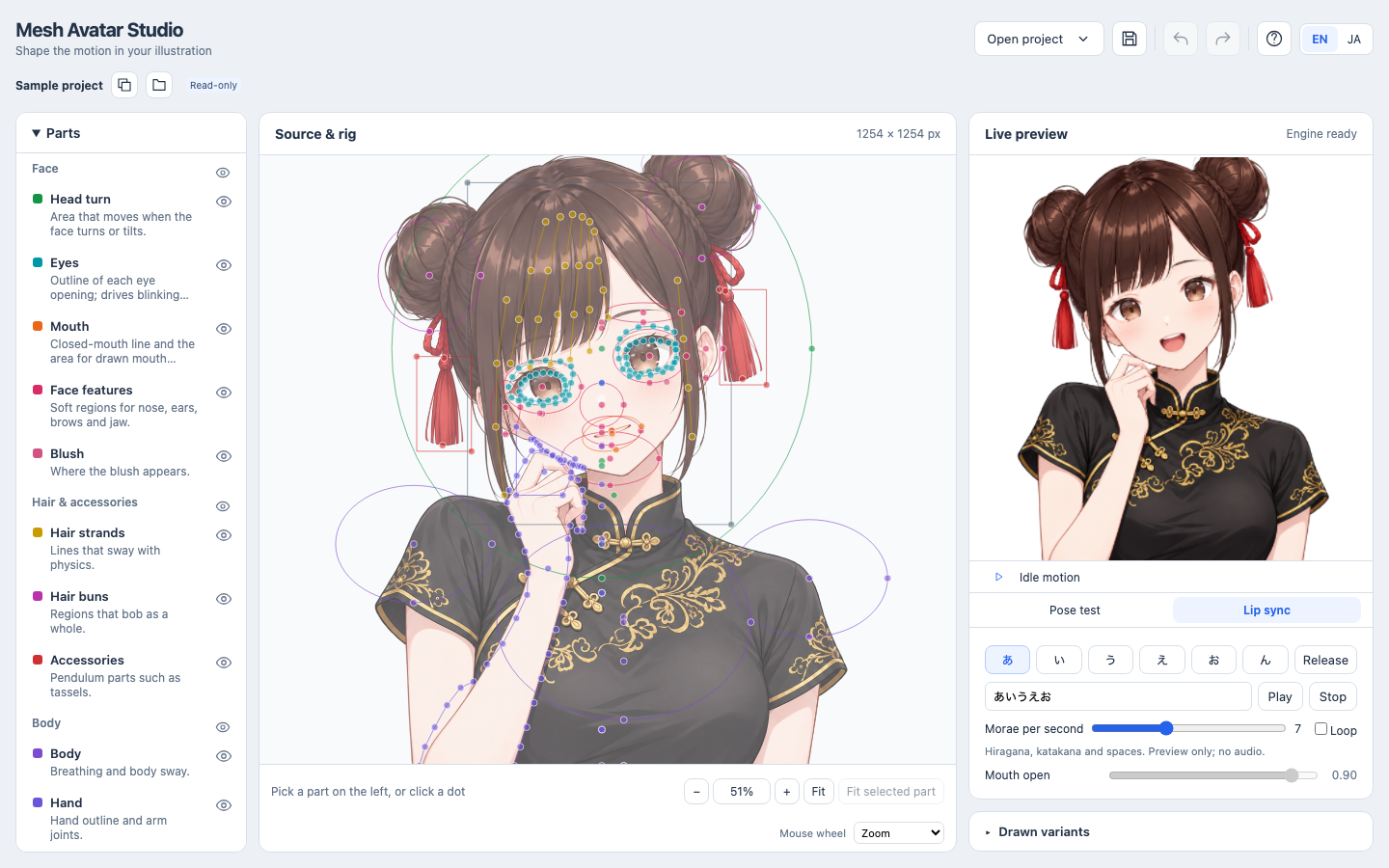
In the preview, use Pose test to turn and tilt the head and close the eyes, and
Lip sync to check the vowel mouth shapes.
Select a part on the left. Its dots are highlighted on the image; drag them to fix the placement. The preview follows your changes immediately. Some values also decide how the image is cut into layers: eye and hand outlines, and the head, hair and bun areas used for the hair mask. After changing those, a banner appears; choose Save and rebuild layers there. It takes a few seconds.
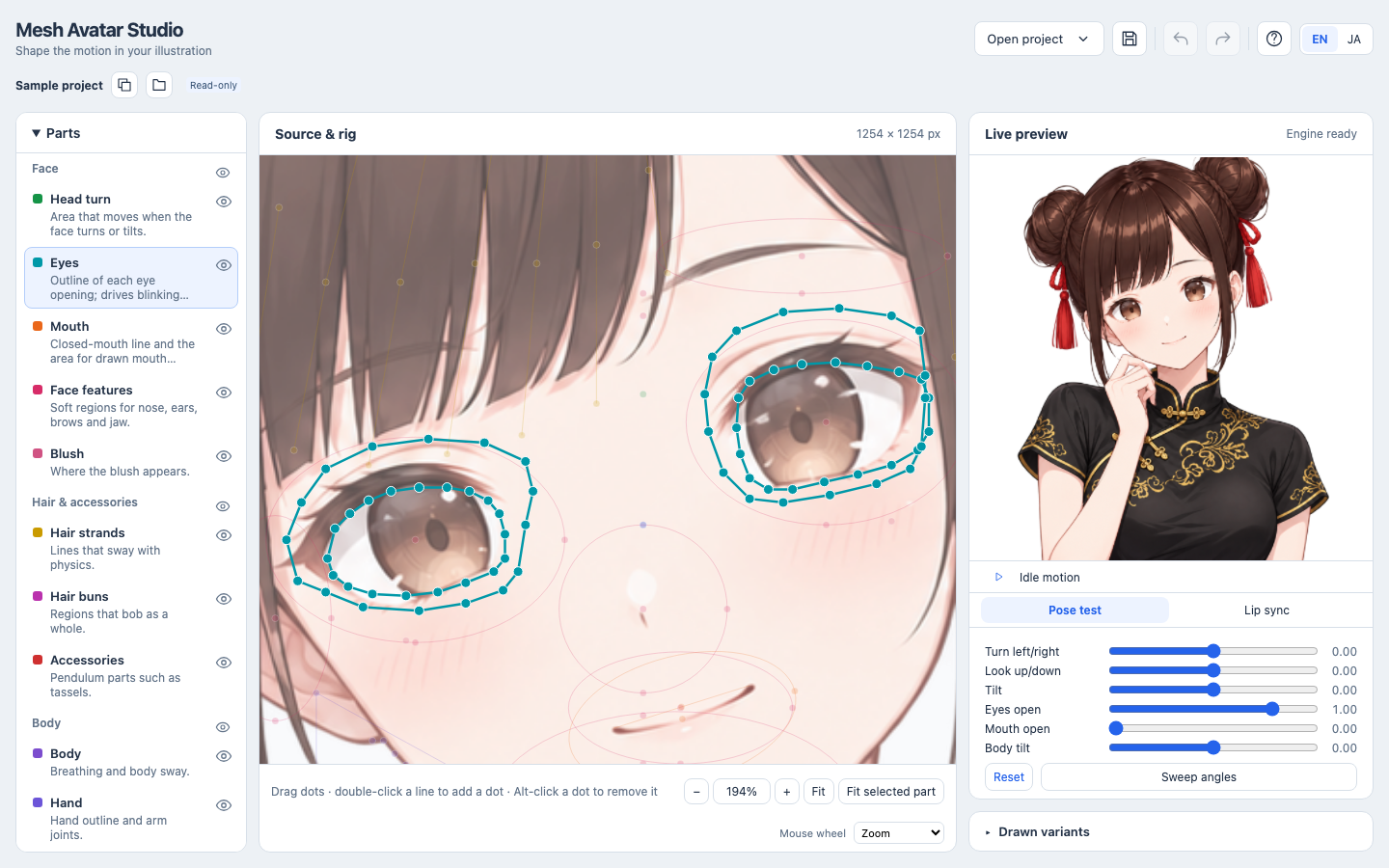
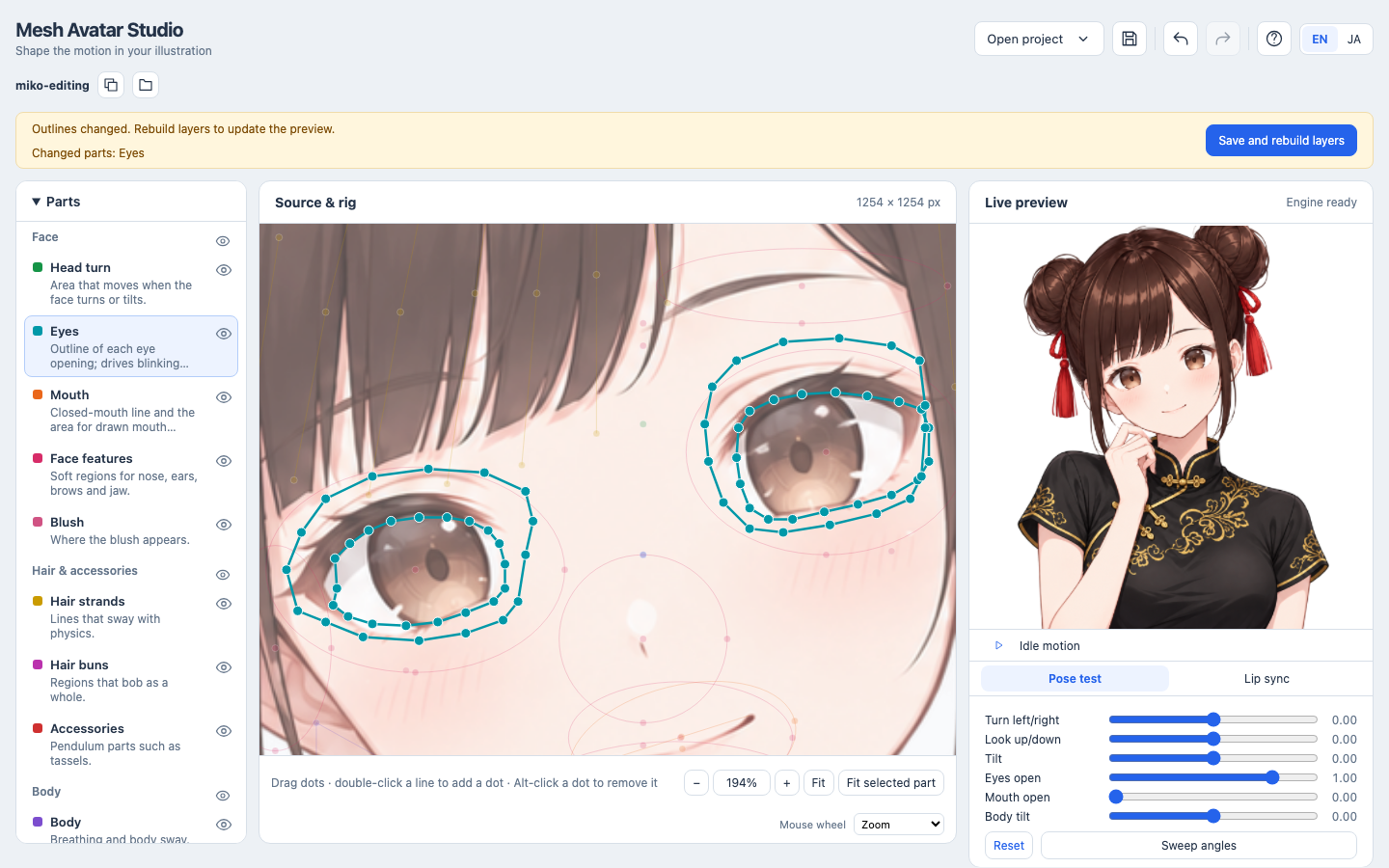
Zoom with a pinch or Ctrl/Cmd+scroll, pan with two fingers or by dragging empty space, and use Fit selected part to jump to the current part.
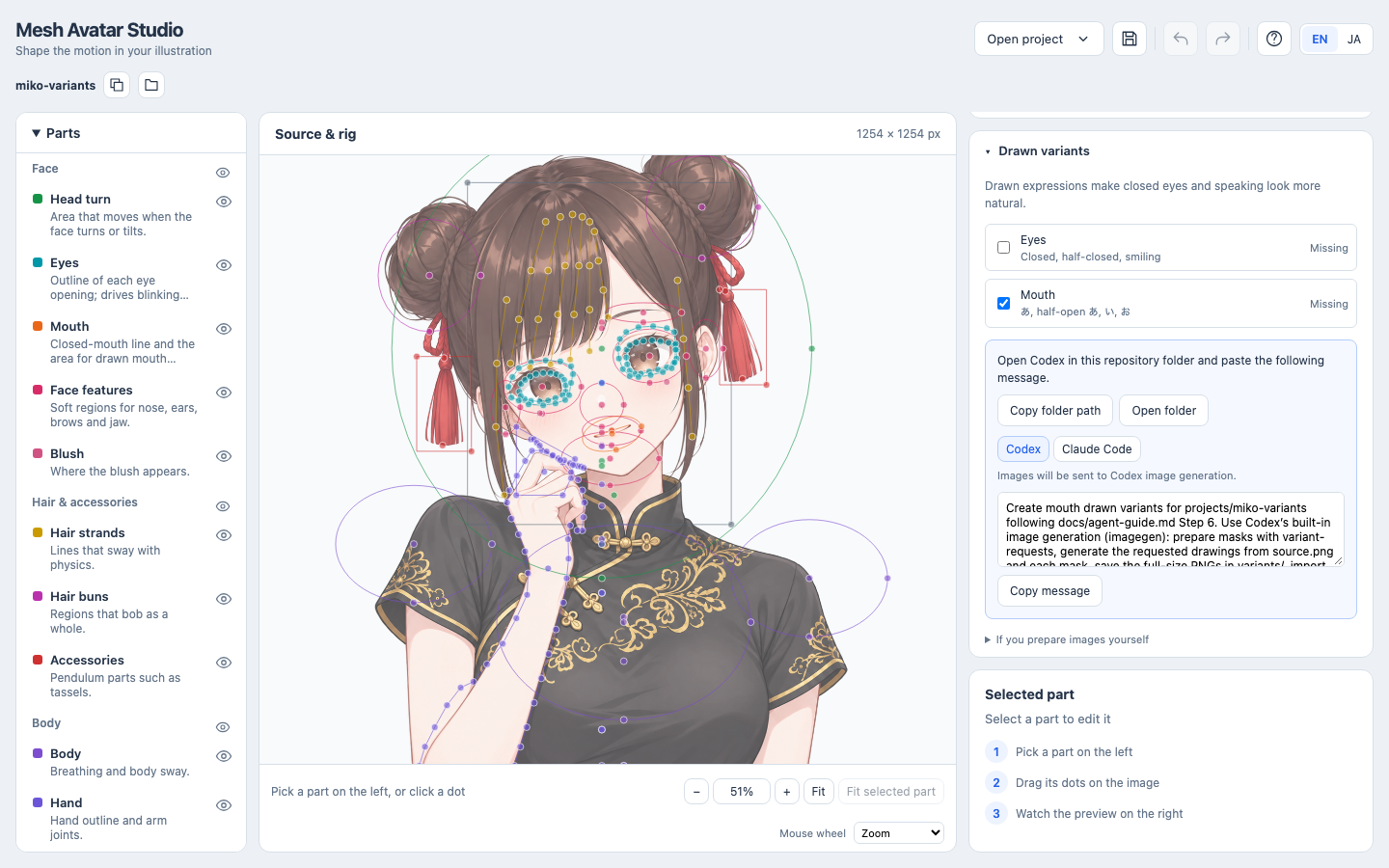
Without drawings, the eyes and mouth move by mesh deformation alone. Drawn closed eyes and vowel mouths make blinking and talking look much more natural. In Drawn variants, check Eyes, Mouth or both, copy the message and paste it into Codex opened in this repository folder. Codex draws them with its built-in image generation and imports them; the editor reloads them automatically. (Claude Code cannot generate images; its message prepares the masks and prompts for you to hand to an image generator.)
rig.json meansThe code is released under the MIT License.
The sample character Miko (samples/miko-qipao/) is not covered by the MIT License. Miko is the
character of AITuber OnAir, © Yuki Shindo (AITuber OnAir), and her images are provided under the
Miko Character Usage Guidelines; see
samples/miko-qipao/MIKO_ASSET_TERMS.md. They may be used
and modified as part of your own works, but not redistributed on their own or as an asset
collection. This project is not an official AITuber OnAir product.
→ →
→ →
→ →
→ →
→ →
→ →
→ →
→