1
 →
→
A cross-platform video structuring (video analysis) framework based on CV models & mLLM.
sherlockchou86/VideoPipe is an open-source project on GitHub, mainly written in C++. A cross-platform video structuring (video analysis) framework based on CV models & mLLM. It currently holds 2,955 stars and 466 forks with 0 open issues, and was last pushed on an unknown date (repository created unknown).
AI Homed tracks it on the Local & On-Device AI board.

中文README | VideoPipe Website | VideoPipe tutorials(视频教程)
🚀one-yolo, make all in one for Yolo integration. All Tasks, All Versions, All Runtimes. 🚀
---
VideoPipe is a framework for video analysis and structuring, written in C++. It has minimal dependencies and is easy to use. It operates like a pipeline, where each node is independent and can be combined in various ways. VideoPipe can be used to build different types of video analysis applications, suitable for scenarios such as video structuring, image search, face recognition, and behavior analysis in traffic/security fields (such as traffic incident detection).
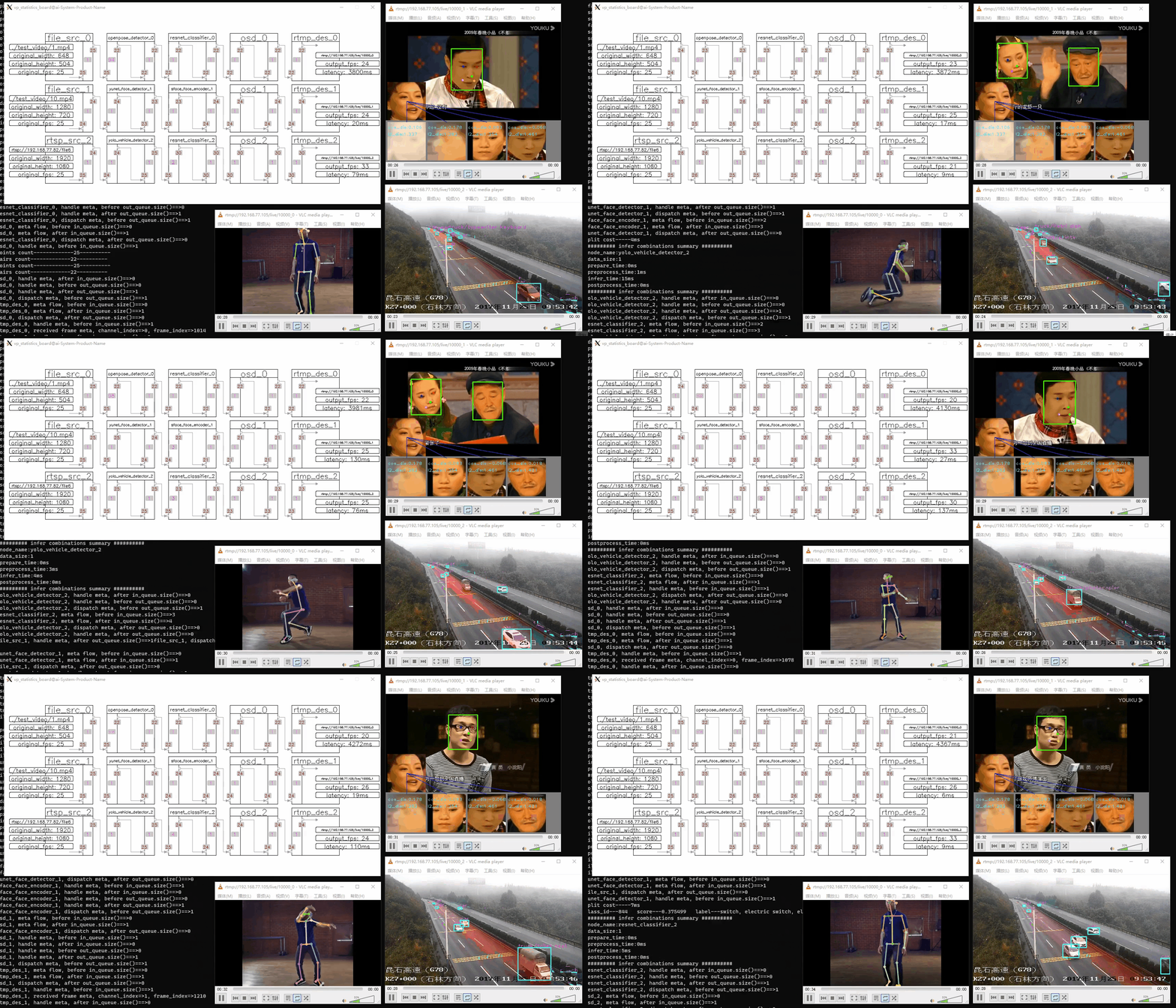
VideoPipe is similar to NVIDIA's DeepStream and Huawei's mxVision frameworks, but it is easier to use and more portable.
Here is a comparison table:
| Name | Open Source | Learning Curve | Supported Platforms | Performance | Third-Party Dependencies | |---------------|-----------------|---------------------|--------------------------|-----------------|-------------------------------| | DeepStream | No | High | NVIDIA only | High | Many | | mxVision | No | High | Huawei only | High | Many | | VideoPipe | Yes | Low | Any platform | Medium | Few |
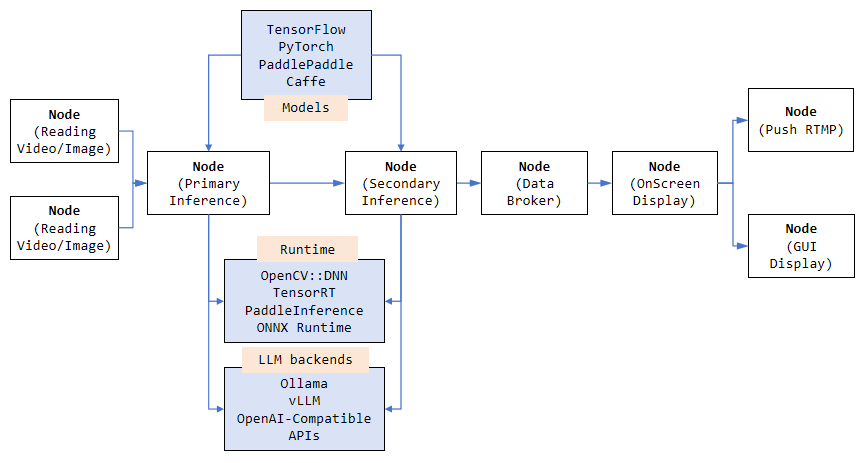
VideoPipe uses a plugin-oriented coding style that allows for flexible configuration based on different needs. We can use independent plugins (referred to as Node types within the framework) to build various types of video analysis applications. You only need to prepare the model and understand how to parse its output. Inference can be implemented using different backends, such as OpenCV::DNN (default), TensorRT, PaddleInference, ONNXRuntime, or any other backend you prefer.
https://github.com/sherlockchou86/video_pipe_c/assets/13251045/b1289faa-e2c7-4d38-871e-879ae36f6d50
To watch in fullscreen, use the button in the bottom right corner of the player,more video demos
VideoPipe is a framework that simplifies the integration of computer vision algorithm models. It is important to note that it is not a deep learning framework like TensorFlow or TensorRT. The main features of VideoPipe are as follows:
Platforms
opencv::dnn.
how to install Paddle_Inference
1. run git clone https://github.com/sherlockchou86/VideoPipe.git
2. run cd VideoPipe
3. run mkdir build && cd build
4. run cmake ..
5. run make -j8
After compilation, all library files are stored in build/libs, and all sample executables are located in build/bin. During Step 4, you can add some compilation options:
-DVP_WITH_CUDA=ON (Compile CUDA-related features; default is OFF)-DVP_WITH_TRT=ON (Compile TensorRT-related features and samples; default is OFF)-DVP_WITH_PADDLE=ON (Compile PaddlePaddle-related features and samples; default is OFF)-DVP_WITH_KAFKA=ON (Compile Kafka-related features and samples; default is OFF)-DVP_WITH_LLM=ON (Compile LLM-related features and samples; default is OFF)-DVP_BUILD_COMPLEX_SAMPLES=ON (Compile advanced samples; default is OFF)cmake -DVP_WITH_CUDA=ON -DVP_WITH_TRT=ON ..
cmake ..
To run the compiled samples, first download the model files and test data:
1. Google Drive - Download test files and models 2. Baidu Drive - Download test files and models
Place the downloaded directory (named vp_data) in any location (e.g., /root/abc). Then, run the sample in the same directory where vp_data is located. For example, execute the command:
[path to VideoPipe]/build/bin/1-1-1_sample
/root/abc.
Note**: The ./third_party/ directory contains independent projects. Some are header-only libraries directly referenced by VideoPipe, while others include CPP files that can be compiled or run independently. VideoPipe depends on these libraries, and they will be automatically compiled during the VideoPipe build process. These libraries also contain their own samples; for specific usage instructions, refer to the README files in the corresponding subdirectories.
Here’s a guide on how to build and run a sample pipeline with VideoPipe. You can either compile VideoPipe as a library and link it, or directly include the source code and compile the entire application.
Below is a sample code demonstrating how to construct a pipeline and run it. Please make sure to update the file paths in the code accordingly:
#include "../nodes/vp_file_src_node.h"
include "../nodes/infers/vp_yunet_face_detector_node.h"
include "../nodes/infers/vp_sface_feature_encoder_node.h"
include "../nodes/osd/vp_face_osd_node_v2.h"
include "../nodes/vp_screen_des_node.h"
include "../nodes/vp_rtmp_des_node.h"
include "../utils/analysis_board/vp_analysis_board.h"
/*
- Name: 1-1-N Sample
- Complete code located at: samples/1-1-N_sample.cpp
- Functionality: 1 video input, 1 video analysis task (face detection and recognition), 2 outputs (screen display/RTMP stream)
*/
int main() {
VP_SET_LOG_INCLUDE_CODE_LOCATION(false);
VP_SET_LOG_INCLUDE_THREAD_ID(false);
VP_LOGGER_INIT();
// 1. Create nodes
// Video Source Node
auto file_src_0 = std::make_shared<vp_nodes::vp_file_src_node>("file_src_0", 0, "./test_video/10.mp4", 0.6);
// 2. Model Inference Nodes
// First-level inference: Face detection
auto yunet_face_detector_0 = std::make_shared<vp_nodes::vp_yunet_face_detector_node>("yunet_face_detector_0", "./models/face/face_detection_yunet_2022mar.onnx");
// Second-level inference: Face recognition
auto sface_face_encoder_0 = std::make_shared<vp_nodes::vp_sface_feature_encoder_node>("sface_face_encoder_0", "./models/face/face_recognition_sface_2021dec.onnx");
// 3. OSD Node
// Draw results on frames
auto osd_0 = std::make_shared<vp_nodes::vp_face_osd_node_v2>("osd_0");
// Screen Display Node
auto screen_des_0 = std::make_shared<vp_nodes::vp_screen_des_node>("screen_des_0", 0);
// RTMP Stream Node
auto rtmp_des_0 = std::make_shared<vp_nodes::vp_rtmp_des_node>("rtmp_des_0", 0, "rtmp://192.168.77.60/live/10000");
// Build the pipeline by linking the nodes
yunet_face_detector_0->attach_to({file_src_0});
sface_face_encoder_0->attach_to({yunet_face_detector_0});
osd_0->attach_to({sface_face_encoder_0});
// Split the pipeline automatically to display results on screen and stream via RTMP
screen_des_0->attach_to({osd_0});
rtmp_des_0->attach_to({osd_0});
// Start the pipeline
file_src_0->start();
// Visualize the pipeline
vp_utils::vp_analysis_board board({file_src_0});
board.display();
}
Note: Running this code will show three displays: 1. Pipeline Status: A live update of the pipeline’s status. 2. Screen Output: The GUI display showing results. 3. RTMP Output: The streaming output available at the specified RTMP URL.
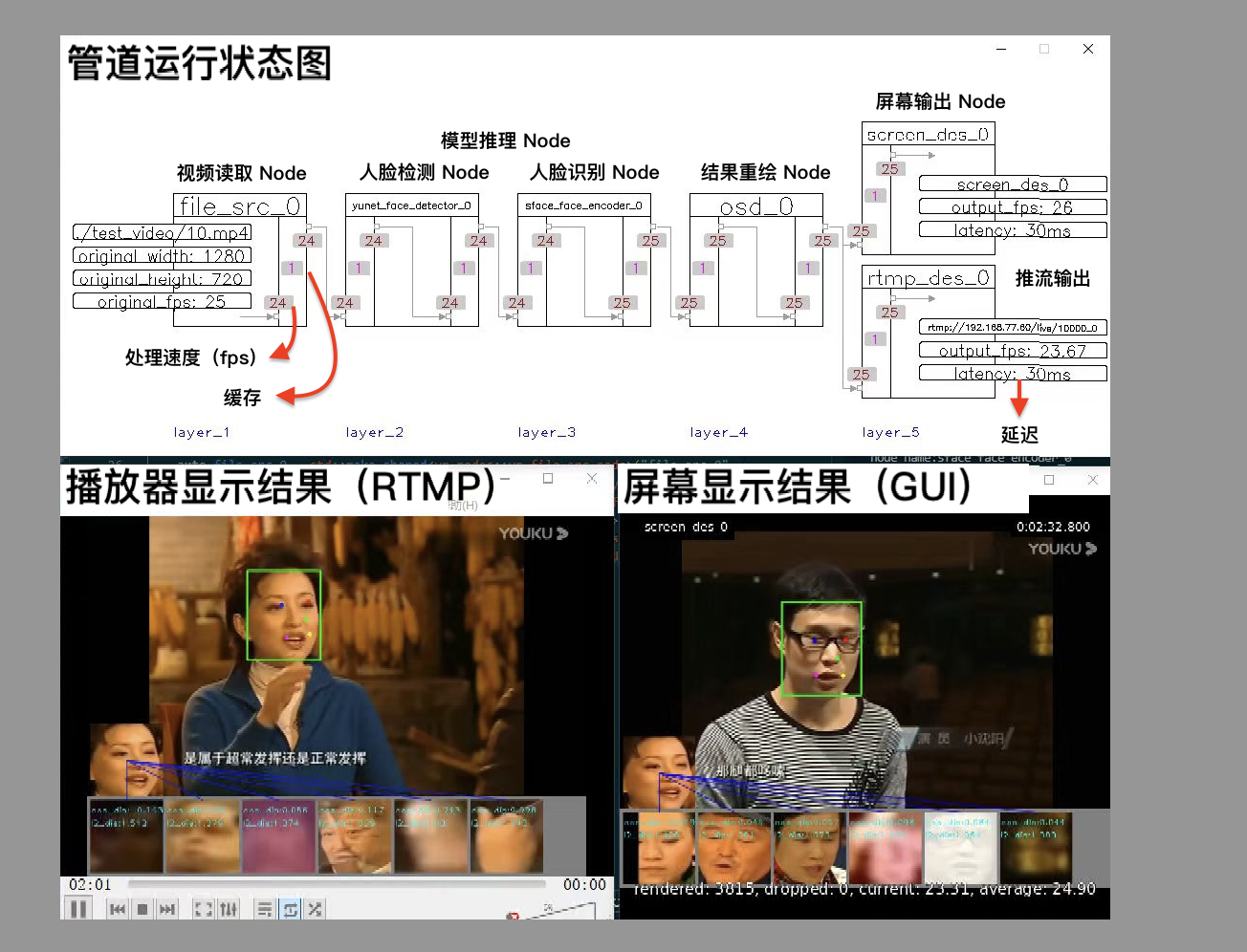
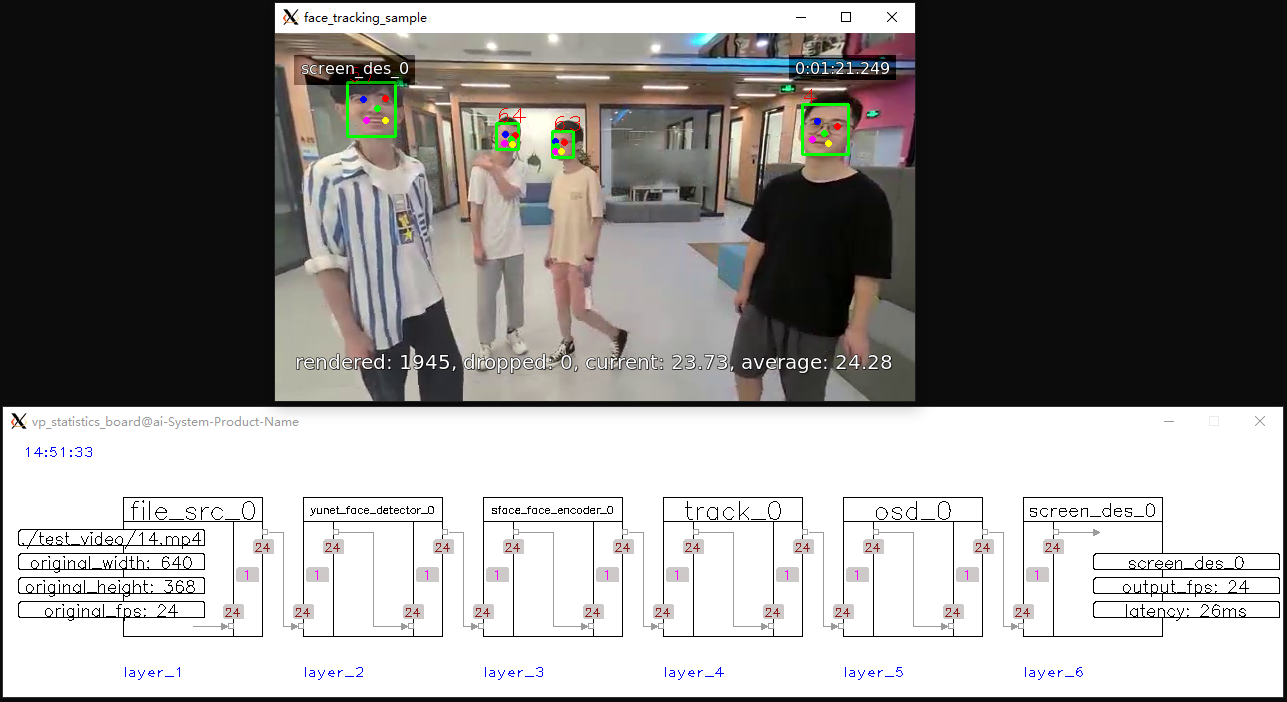 |
|2|vehicle_tracking_sample|
|
|2|vehicle_tracking_sample|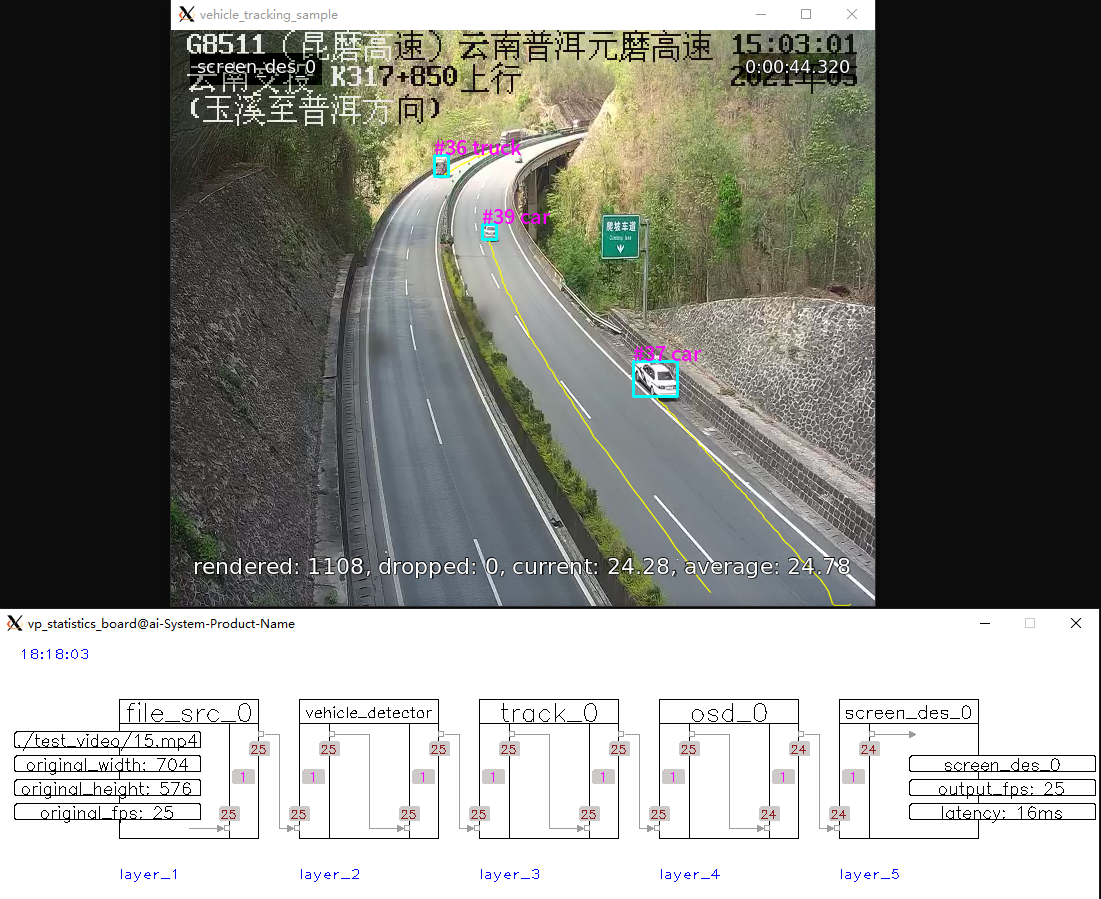 |
|3|mask_rcnn_sample|
|
|3|mask_rcnn_sample|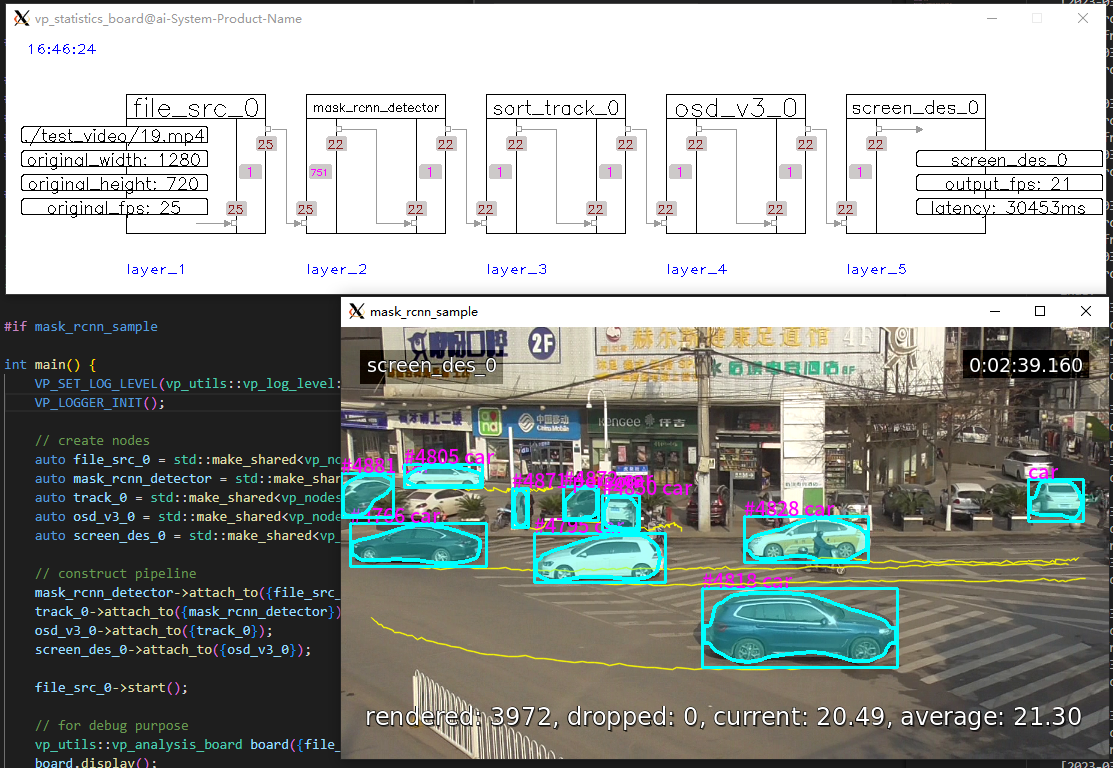 |
|4|openpose_sample|
|
|4|openpose_sample|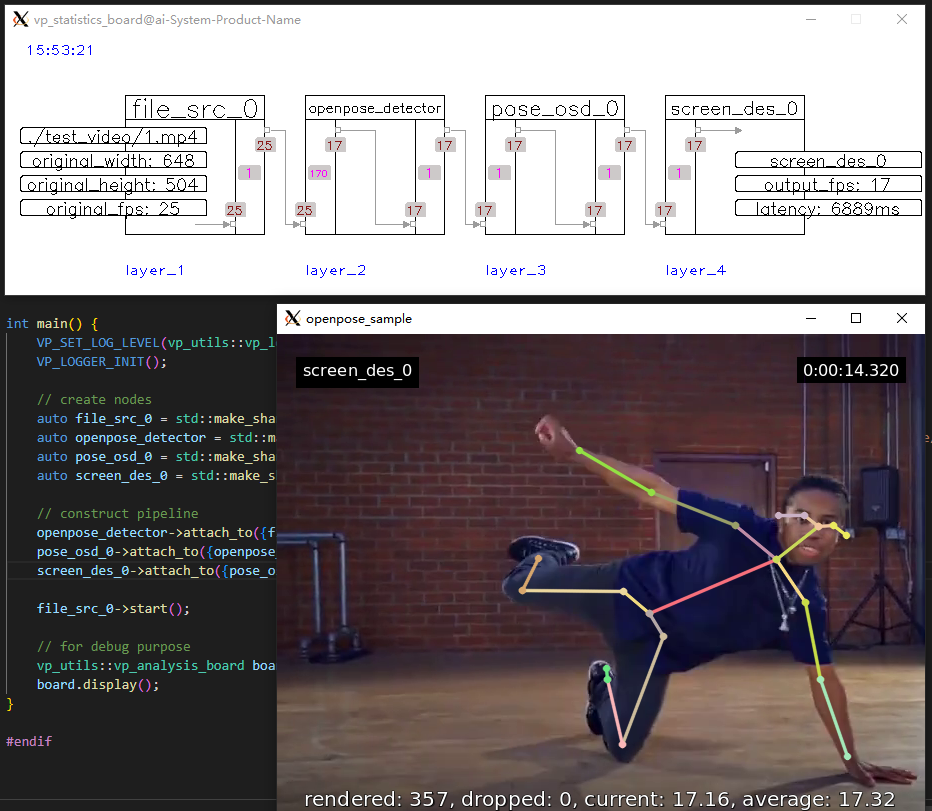 |
|5|face_swap_sample|
|
|5|face_swap_sample|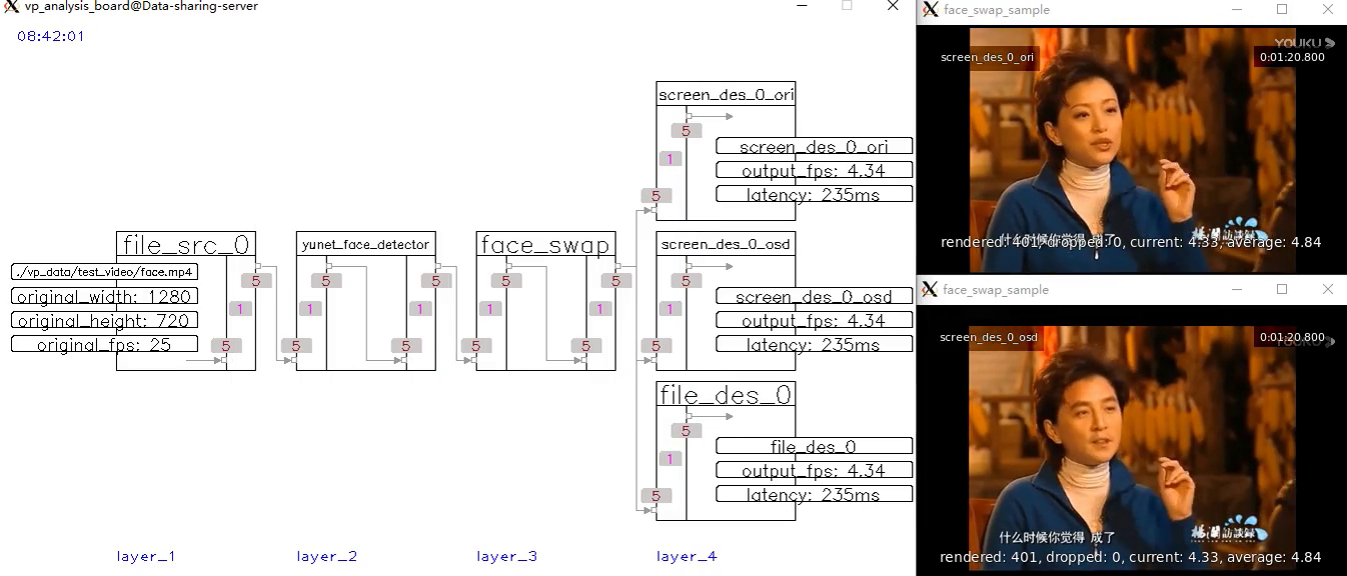 |
|6|mllm_analyse_sample|
|
|6|mllm_analyse_sample|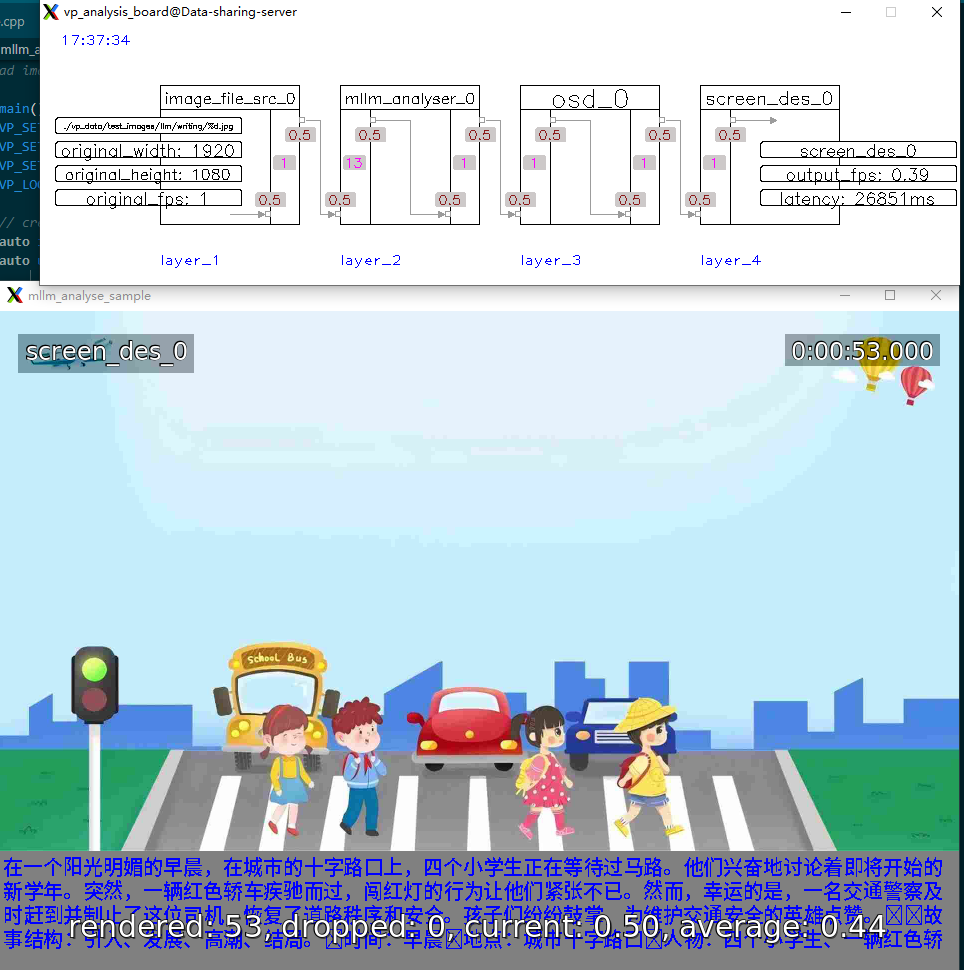 |
|
A total of over 40 prototype examples are available. Click here to view more.


→ →
→ →
→ →
→ →
→ →
→ →
→ →
→