1
 →
→
RAG Web UI is an intelligent dialogue system based on RAG (Retrieval-Augmented Generation) technology.
rag-web-ui/rag-web-ui is an open-source project on GitHub, mainly written in TypeScript. RAG Web UI is an intelligent dialogue system based on RAG (Retrieval-Augmented Generation) technology. It currently holds 3,292 stars and 370 forks with 0 open issues, and was last pushed on an unknown date (repository created unknown).
AI Homed tracks it on the Today's Trending board.

Knowledge Base Management Based on RAG (Retrieval-Augmented Generation)


Features • Quick Start • Deployment • Architecture • Development • Contributing • DeepWiki
The system supports multiple LLM deployment options, including cloud services like OpenAI, DeepSeek, and MiniMax, as well as local model deployment through Ollama, meeting privacy and cost requirements in different scenarios.
It also provides OpenAPI interfaces for convenient knowledge base access via API calls.
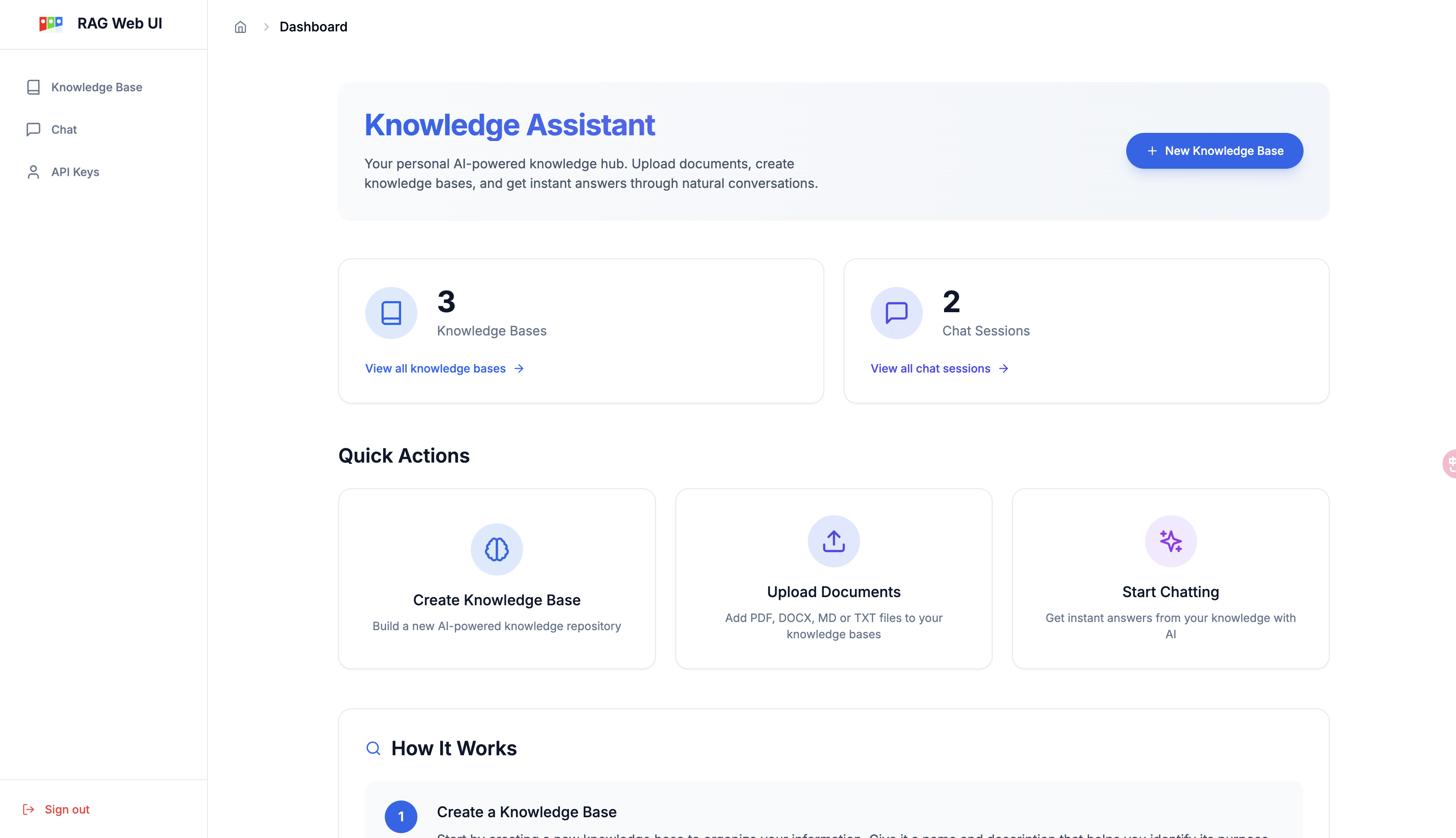
Knowledge Base Management Dashboard
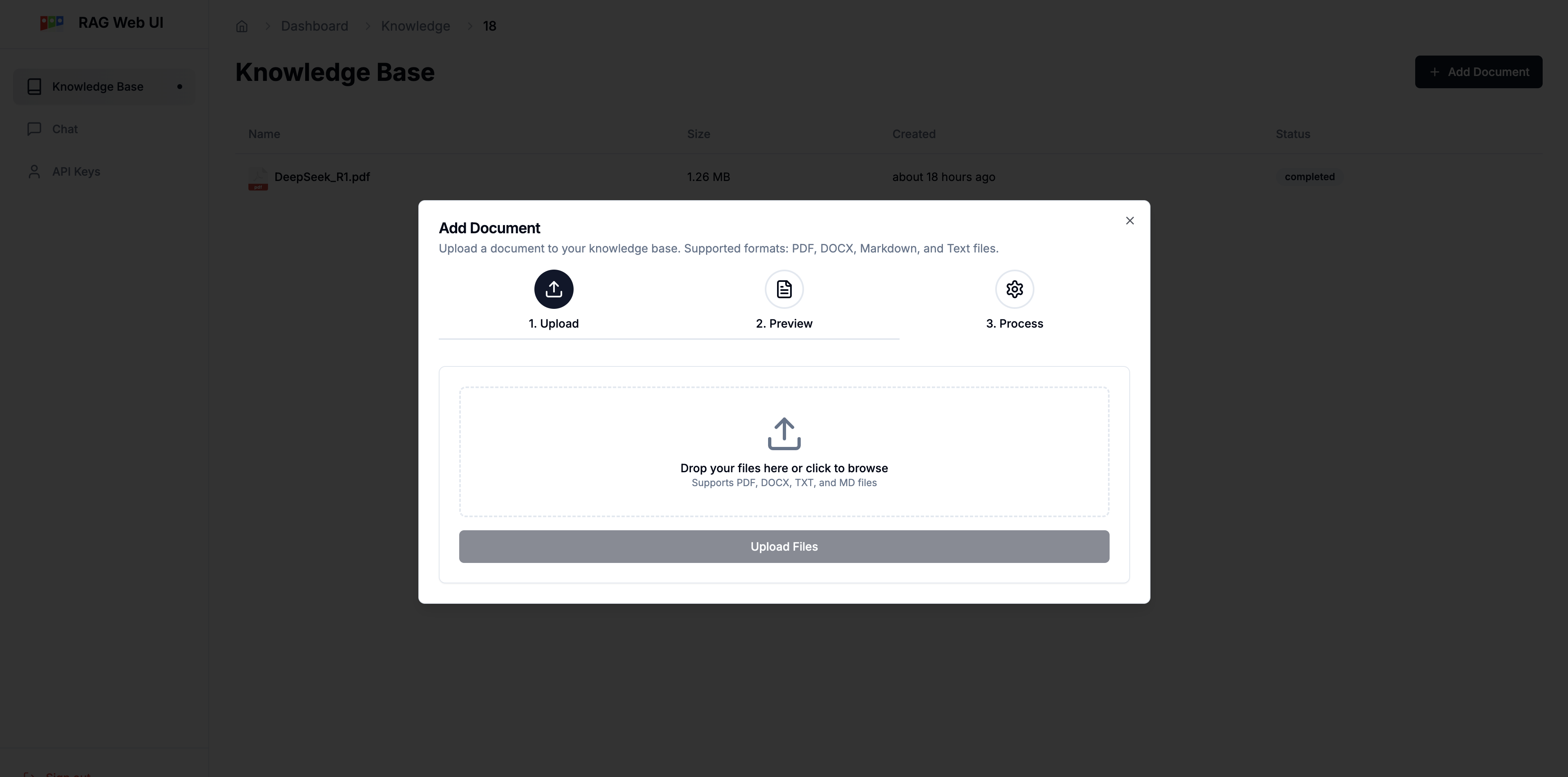
Document Processing Dashboard
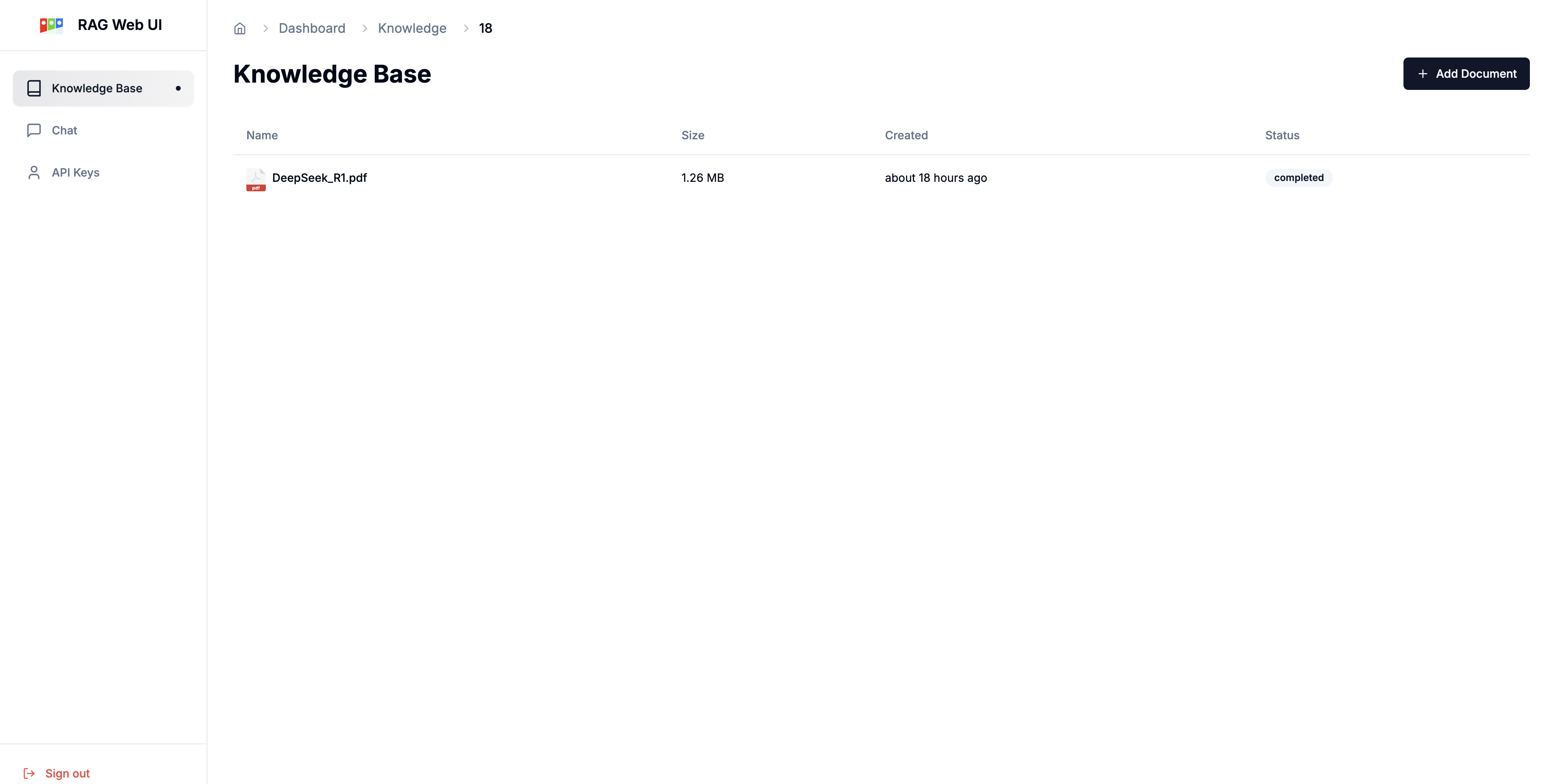
Document List
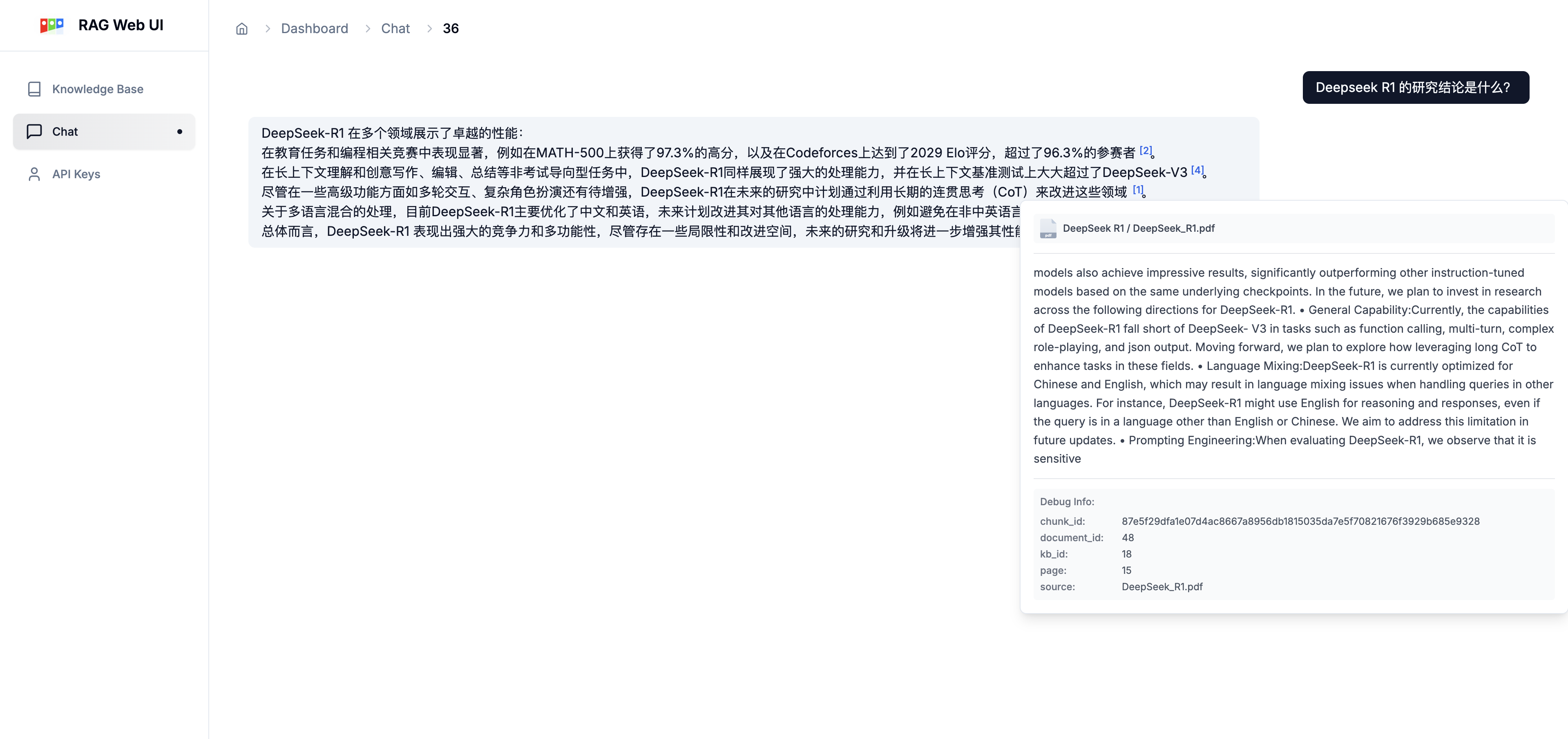
Intelligent Chat Interface with References
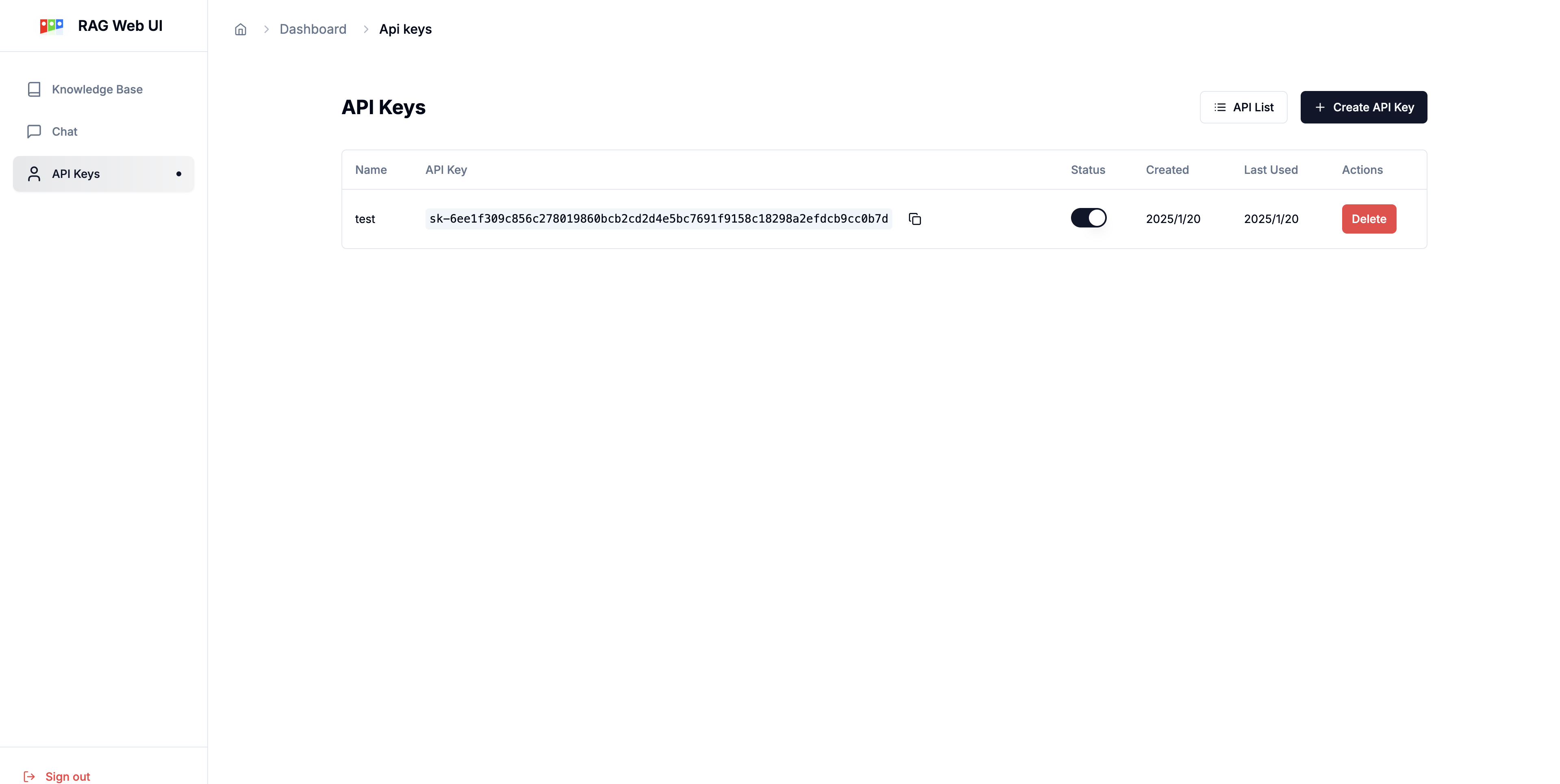
API Key Management
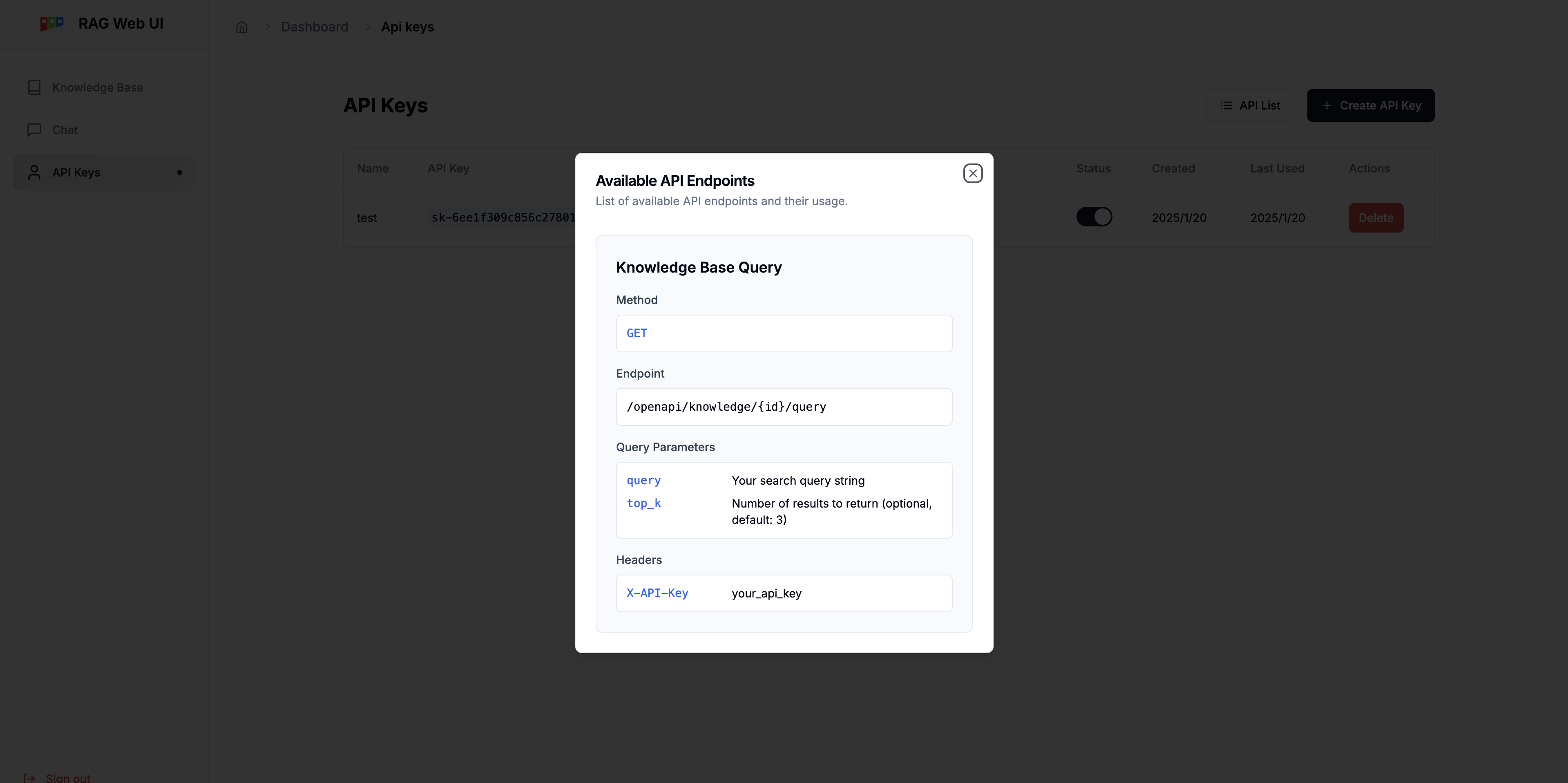
API Reference
## Project Flowchart
graph TB
    %% Role Definitions
    client["Caller/User"]
    open_api["Open API"]

    subgraph import_process["Document Ingestion Process"]
        direction TB
        %% File Storage and Document Processing Flow
        docs["Document Input
(PDF/MD/TXT/DOCX)"]
        job_id["Return Job ID"]

        nfs["NFS"]
subgraph async_process["Asynchronous Document Processing"]
            direction TB
            preprocess["Document Preprocessing
(Text Extraction/Cleaning)"]
            split["Text Splitting
(Segmentation/Overlap)"]

            subgraph embedding_process["Embedding Service"]
                direction LR
                embedding_api["Embedding API"] --> embedding_server["Embedding Server"]
            end

            store[(Vector Database)]

            %% Internal Flow of Asynchronous Processing
            preprocess --> split
            split --> embedding_api
            embedding_server --> store
        end

        subgraph job_query["Job Status Query"]
            direction TB
            job_status["Job Status
(Processing/Completed/Failed)"]
        end
    end

    %% Query Service Flow
    subgraph query_process["Query Service"]
        direction LR
        user_history["User History"] --> query["User Query
(Based on User History)"]
        query --> query_embed["Query Embedding"]
        query_embed --> retrieve["Vector Retrieval"]
        retrieve --> rerank["Re-ranking
(Cross-Encoder)"]
        rerank --> context["Context Assembly"]
        context --> llm["LLM Generation"]
        llm --> response["Final Response"]
        query -.-> rerank
    end

    %% Main Flow Connections
    client --> |"1.Upload Document"| docs
    docs --> |"2.Generate"| job_id
    docs --> |"3a.Trigger"| async_process
    job_id --> |"3b.Return"| client
    docs --> nfs
    nfs --> preprocess
%% Open API Retrieval Flow
    open_api --> |"Retrieve Context"| retrieval_service["Retrieval Service"]
    retrieval_service --> |"Access"| store
    retrieval_service --> |"Return Context"| open_api
%% Status Query Flow
    client --> |"4.Poll"| job_status
    job_status --> |"5.Return Progress"| client

    %% Database connects to Query Service
    store --> retrieve
%% Style Definitions (Adjusted to match GitHub theme colors)
    classDef process fill:#d1ecf1,stroke:#0077b6,stroke-width:1px
    classDef database fill:#e2eafc,stroke:#003566,stroke-width:1px
    classDef input fill:#caf0f8,stroke:#0077b6,stroke-width:1px
    classDef output fill:#ffc8dd,stroke:#d00000,stroke-width:1px
    classDef rerank fill:#cdb4db,stroke:#5a189a,stroke-width:1px
    classDef async fill:#f8edeb,stroke:#7f5539,stroke-width:1px,stroke-dasharray: 5 5
    classDef actor fill:#fefae0,stroke:#606c38,stroke-width:1px
    classDef jobQuery fill:#ffedd8,stroke:#ca6702,stroke-width:1px
    classDef queryProcess fill:#d8f3dc,stroke:#40916c,stroke-width:1px
    classDef embeddingService fill:#ffe5d9,stroke:#9d0208,stroke-width:1px
    classDef importProcess fill:#e5e5e5,stroke:#495057,stroke-width:1px
%% Applying classes to nodes
    class docs,query,retrieval_service input
    class preprocess,split,query_embed,retrieve,context,llm process
    class store,nfs database
    class response,job_id,job_status output
    class rerank rerank
    class async_process async
    class client,open_api actor
    class job_query jobQuery
    style query_process fill:#d8f3dc,stroke:#40916c,stroke-width:1px
    style embedding_process fill:#ffe5d9,stroke:#9d0208,stroke-width:1px
    style import_process fill:#e5e5e5,stroke:#495057,stroke-width:1px
    style job_query fill:#ffedd8,stroke:#ca6702,stroke-width:1px
1. Clone the repository
git clone https://github.com/rag-web-ui/rag-web-ui.git
cd rag-web-ui
2. Configure environment variables
You can check the details in the configuration table below.
cp .env.example .env
3. Start services(development server)
docker compose up -d --build
Access the following URLs after service startup:
The system is optimized in the following aspects:
docker compose -f docker-compose.dev.yml up -d --build
| Parameter | Description | Default | Required | | --------------------------- | -------------------------- | --------- | -------- | | MYSQL_SERVER | MySQL Server Address | localhost | ✅ | | MYSQL_USER | MySQL Username | postgres | ✅ | | MYSQL_PASSWORD | MySQL Password | postgres | ✅ | | MYSQL_DATABASE | MySQL Database Name | ragwebui | ✅ | | SECRET_KEY | JWT Secret Key | - | ✅ | | ACCESS_TOKEN_EXPIRE_MINUTES | JWT Token Expiry (minutes) | 30 | ✅ |
| Parameter | Description | Default | Applicable | | ----------------- | --------------------- | ------------------------- | --------------------- | | CHAT_PROVIDER | LLM Service Provider | openai | ✅ | | OPENAI_API_KEY | OpenAI API Key | - | Required for OpenAI | | OPENAI_API_BASE | OpenAI API Base URL | https://api.openai.com/v1 | Optional for OpenAI | | OPENAI_MODEL | OpenAI Model Name | gpt-4 | Required for OpenAI | | DEEPSEEK_API_KEY | DeepSeek API Key | - | Required for DeepSeek | | DEEPSEEK_API_BASE | DeepSeek API Base URL | - | Required for DeepSeek | | DEEPSEEK_MODEL | DeepSeek Model Name | - | Required for DeepSeek | | OLLAMA_API_BASE | Ollama API Base URL | http://localhost:11434 | Required for Ollama | | OLLAMA_MODEL | Ollama Model Name | llama2 | Required for Ollama | | MINIMAX_API_KEY | MiniMax API Key | - | Required for MiniMax | | MINIMAX_API_BASE | MiniMax API Base URL | https://api.minimax.io/v1 | Optional for MiniMax | | MINIMAX_MODEL | MiniMax Model Name | MiniMax-M2.7 | Required for MiniMax |
| Parameter | Description | Default | Applicable | | --------------------------- | -------------------------- | ---------------------- | ----------------------------- | | EMBEDDINGS_PROVIDER | Embedding Service Provider | openai | ✅ | | OPENAI_API_KEY | OpenAI API Key | - | Required for OpenAI Embedding | | OPENAI_EMBEDDINGS_MODEL | OpenAI Embedding Model | text-embedding-ada-002 | Required for OpenAI Embedding | | DASH_SCOPE_API_KEY | DashScope API Key | - | Required for DashScope | | DASH_SCOPE_EMBEDDINGS_MODEL | DashScope Embedding Model | - | Required for DashScope | | OLLAMA_EMBEDDINGS_MODEL | Ollama Embedding Model | deepseek-r1:7b | Required for Ollama Embedding |
| Parameter | Description | Default | Applicable | | ------------------ | --------------------------------- | --------------------- | --------------------- | | VECTOR_STORE_TYPE | Vector Store Type | chroma | ✅ | | CHROMA_DB_HOST | ChromaDB Server Address | localhost | Required for ChromaDB | | CHROMA_DB_PORT | ChromaDB Port | 8000 | Required for ChromaDB | | QDRANT_URL | Qdrant Vector Store URL | http://localhost:6333 | Required for Qdrant | | QDRANT_PREFER_GRPC | Prefer gRPC Connection for Qdrant | true | Optional for Qdrant |
| Parameter | Description | Default | Required | | ----------------- | -------------------- | -------------- | -------- | | MINIO_ENDPOINT | MinIO Server Address | localhost:9000 | ✅ | | MINIO_ACCESS_KEY | MinIO Access Key | minioadmin | ✅ | | MINIO_SECRET_KEY | MinIO Secret Key | minioadmin | ✅ | | MINIO_BUCKET_NAME | MinIO Bucket Name | documents | ✅ |
| Parameter | Description | Default | Required | | --------- | ---------------- | ------------- | -------- | | TZ | Timezone Setting | Asia/Shanghai | ❌ |
We welcome community contributions!
1. Fork the repository
2. Create a feature branch (git checkout -b feature/AmazingFeature)
3. Commit changes (git commit -m 'Add some AmazingFeature')
4. Push to branch (git push origin feature/AmazingFeature)
5. Create a Pull Request
For common issues and solutions, please refer to our Troubleshooting Guide.
This project is licensed under the Apache-2.0 License
This project is for learning and sharing RAG knowledge only. Please do not use it for commercial purposes. It is not ready for production use and is still under active development.
Thanks to these open source projects:
---
→ →
→ →
→ →
→ →
→ →
→ →
→ →
→