1
 →

A unified cross-platform AI client supporting seamless transitions between standard cloud APIs and on-device, offline execution of custom and uncensored language models.
orailnoor/cross-platform-llm-client is an open-source project on GitHub, mainly written in C++. A unified cross-platform AI client supporting seamless transitions between standard cloud APIs and on-device It currently holds 1,567 stars and 326 forks with 23 open issues, and was last pushed on 2026-11-04 (repository created 2026-04-25).
AI Homed tracks it on the Today's Trending board, currently at rank #16 with 137 new stars today.
A production-ready, cross-platform AI chat client built with Flutter. It unifies local on-device LLM inference (Android) with cloud API access, giving users full control over how their models run.
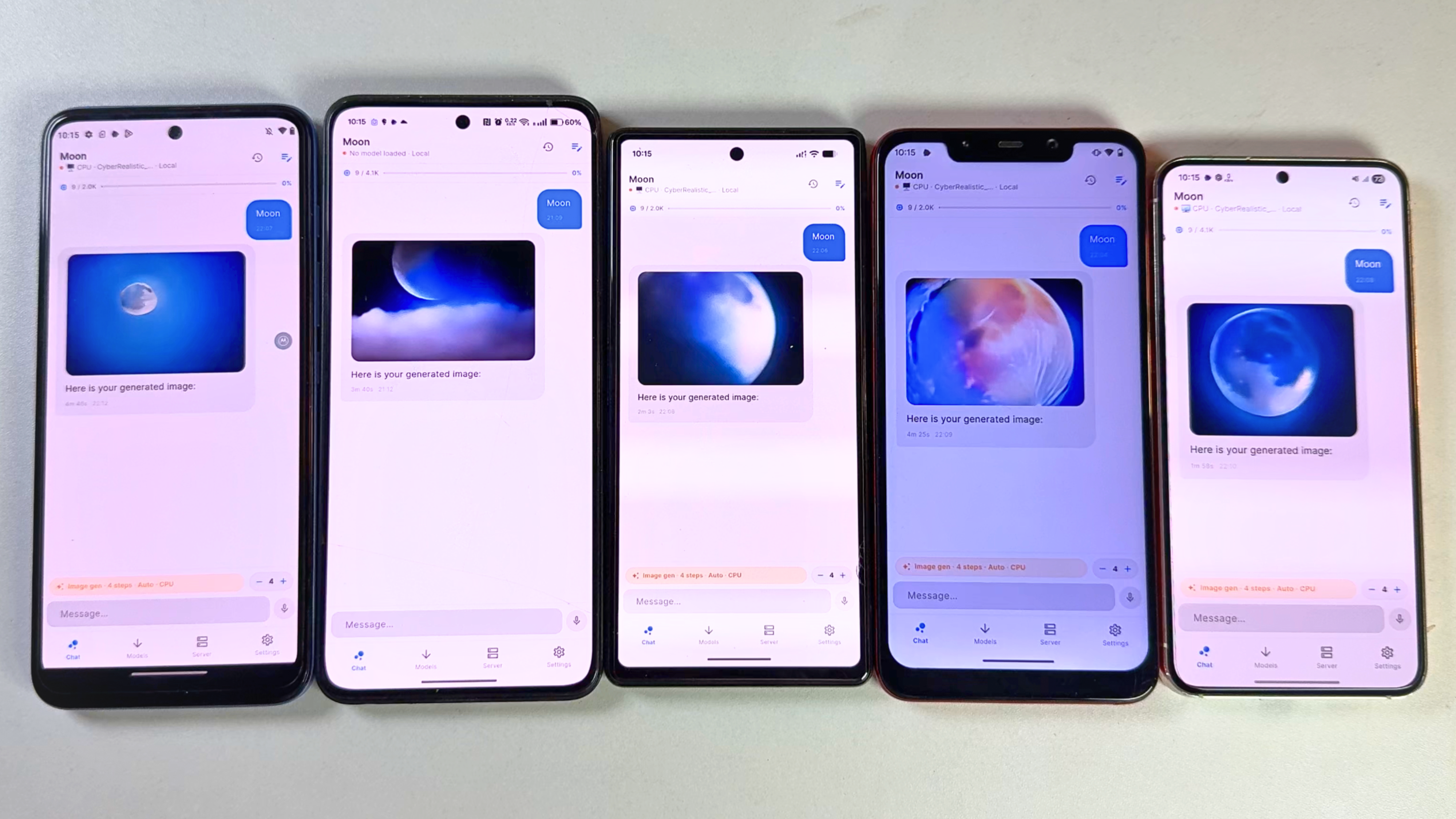 _Image generation tested on Moto G71 (Snapdragon), Oneplus 10r (Mediatek), Pixel 6A (Tensor), Poco F1 (Snapdragon), Samsung s23 (Snapdragon) 4 steps fast_
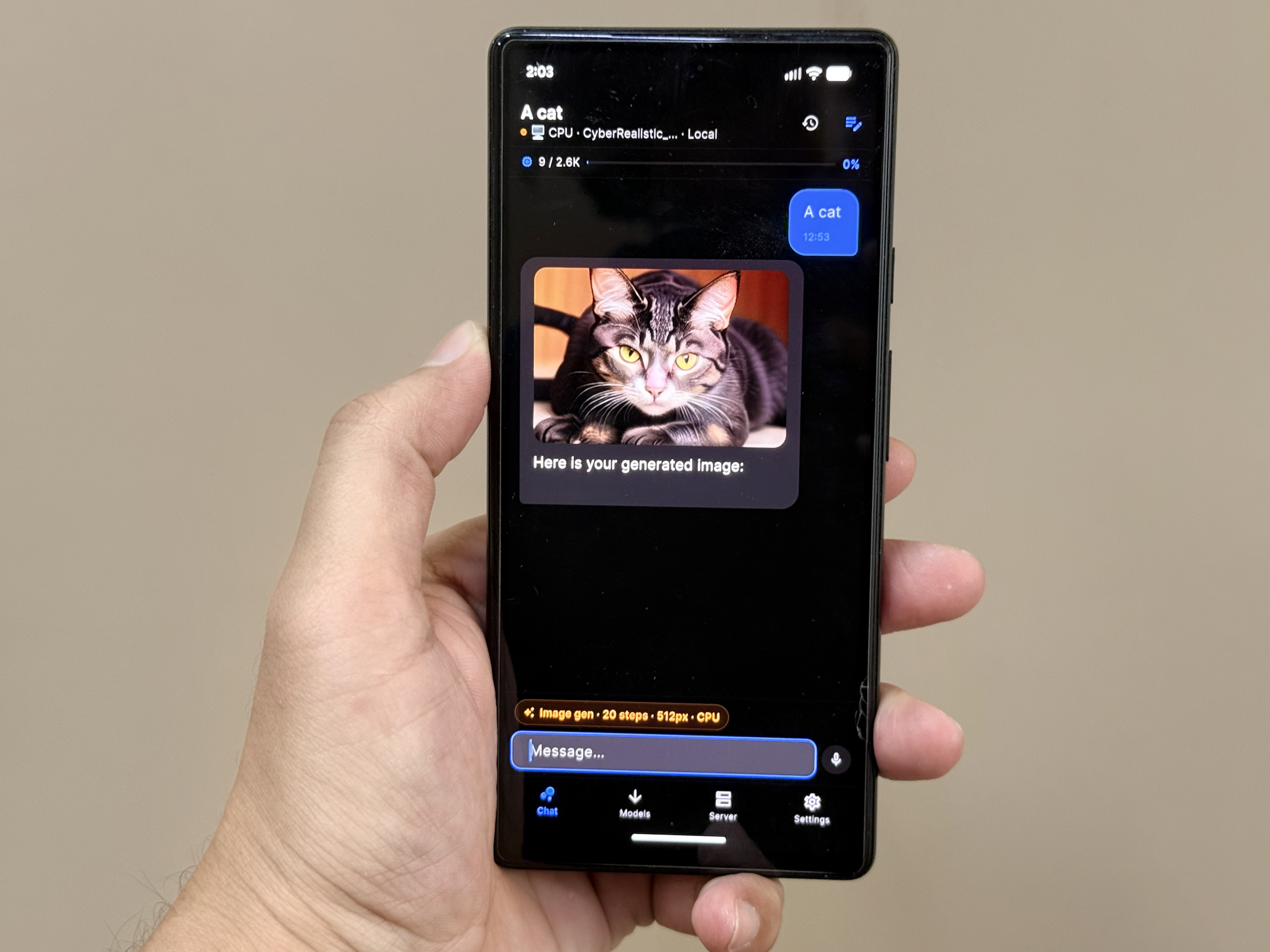 _Generated on pixel 6 with 20 step_
---
package:httpflutter_background_service + flutter_local_notifications┌─────────────────────────────────────────────────────────────┐
│ UI Layer │
│ ChatView / ModelView / ServerView / SettingsView │
└──────────────────────────┬──────────────────────────────────┘
│
┌──────────────────────────▼──────────────────────────────────┐
│ Controllers (GetX) │
│ ChatController · TaskController · ModelController │
│ SettingsController · HomeController │
└──────────────────────────┬──────────────────────────────────┘
│
┌──────────────────────────▼──────────────────────────────────┐
│ Services │
│ ┌─────────────────┐ ┌─────────────────┐ ┌─────────────┐ │
│ │ InferenceService│ │ CloudService │ │DownloadSvc │ │
│ │ (local GGUF) │ │ (OpenAI/Claude/ │ │ (model dl) │ │
│ │ │ │ Gemini/Kimi) │ │ │ │
│ └─────────────────┘ └─────────────────┘ └─────────────┘ │
│ ┌─────────────────┐ ┌─────────────────┐ ┌─────────────┐ │
│ │ HiveService │ │ DeviceInfoSvc │ │ExecutionSvc │ │
│ │ ( persistence) │ │ (RAM/GPU tier) │ │ (bg tasks) │ │
│ └─────────────────┘ └─────────────────┘ └─────────────┘ │
└─────────────────────────────────────────────────────────────┘
The app uses llama_flutter_android, a custom Flutter plugin wrapping llama.cpp for ARM64 devices. At runtime it:
1. Detects GPU capabilities via Vulkan to determine offload layers.
2. Selects thread count based on device tier (ultra / high / mid / low).
3. Loads the GGUF model with progress streaming.
4. Generates tokens via generateChat() with native chat-template support (ChatML, Llama-3, Gemma, Phi).
5. Falls back to manual prompt construction if native templates fail.
Idle detection (5s) and hard timeouts (180s) keep the UX responsive even on underpowered hardware.
CloudService normalizes four different API shapes into a single interface:
/v1/chat/completionsgenerateContent with inline image base64Local inference is conditionally compiled:
inference_android.dart (full llama.cpp engine)inference_stub.dart (cloud-only, local coming soon)inference_android.dart (full llama.cpp engine via Metal GPU)InferenceService exposes supportsLocalInference so the UI can hide local-model UI on unsupported platforms.
---
| Platform | Local Inference | Cloud APIs | Notes | | -------- | --------------- | ---------- | ------------------------------- | | Android | ✅ Yes | ✅ Yes | CPU offload via NEON; minSdk 28 | | iOS | ✅ Yes | ✅ Yes | Metal GPU acceleration | | Web | ❌ No | ✅ Yes | Cloud-only (local coming soon) |
Here is how you can install the app using AltStore and AltServer:
Prerequisites:
PrivateLM-iOS.zip package, extract it to get the .ipa file.
2. Open in AltStore:
.ipa file in your device's "Files" app.Settings > Privacy & Security > Developer Mode) to launch the sideloaded app.
5. Launch: Once installation is finished, PrivateLM will appear in the My Apps tab in AltStore and on your device's home screen!
Note: Sideloaded apps via AltStore expire after 7 days, but AltStore will attempt to automatically refresh them in the background when connected to the same Wi-Fi as your computer running AltServer.
---
flutter pub get
flutter build apk --debug
Release APKs require a stable signing key. Copy
android/key.properties.example to android/key.properties, fill in the
keystore values, and keep both the key and its backup. Android accepts an APK
upgrade only when it is signed with the same key as the installed APK.
cp android/key.properties.example android/key.properties
flutter build apk --release --split-per-abi
Never rotate the signing key between GitHub releases. The per-ABI APKs must
also keep increasing the build number in pubspec.yaml.
flutter pub get
cd ios
pod install
flutter build ios
flutter pub get
flutter build web --release
---
MIT — see LICENSE for details.
→ →
 →
 →
 →
 →
 →
 →