1
 →
→
A lightweight, extensible, fully offline development platform and agent/workflow toolkit for the AI era, with an intuitive TUI, easy deployment, and complete control over your data, agents
openJiuwen-ai/iCode is an open-source project on GitHub, mainly written in Python. A lightweight, extensible, fully offline development platform and agent/workflow toolkit for the AI era, with an intuitive TUI, easy deployment It currently holds 275 stars and 47 forks with 0 open issues, and was last pushed on an unknown date (repository created unknown).
AI Homed tracks it on the Today's Trending board, currently at rank #96 with 0 new stars today.
   ▄   ▄▄▄▄
   ▀██████▀          █▄
 ▀▀  ██              ██
 ██  ██     ▄███▄ ▄████ ▄█▀█▄
 ██  ██     ██ ██ ██ ██ ██▄█▀
▄██  ▀█████▄▀███▀▄█▀███▄▀█▄▄▄
English | 简体中文
Work in progress. Interfaces, file formats, and defaults still change between
releases.
Let the screenshots speak for themselves.
Use a modern terminal. iCode works best in one such as
Windows Terminal on Windows or
Ghostty on macOS and Linux.
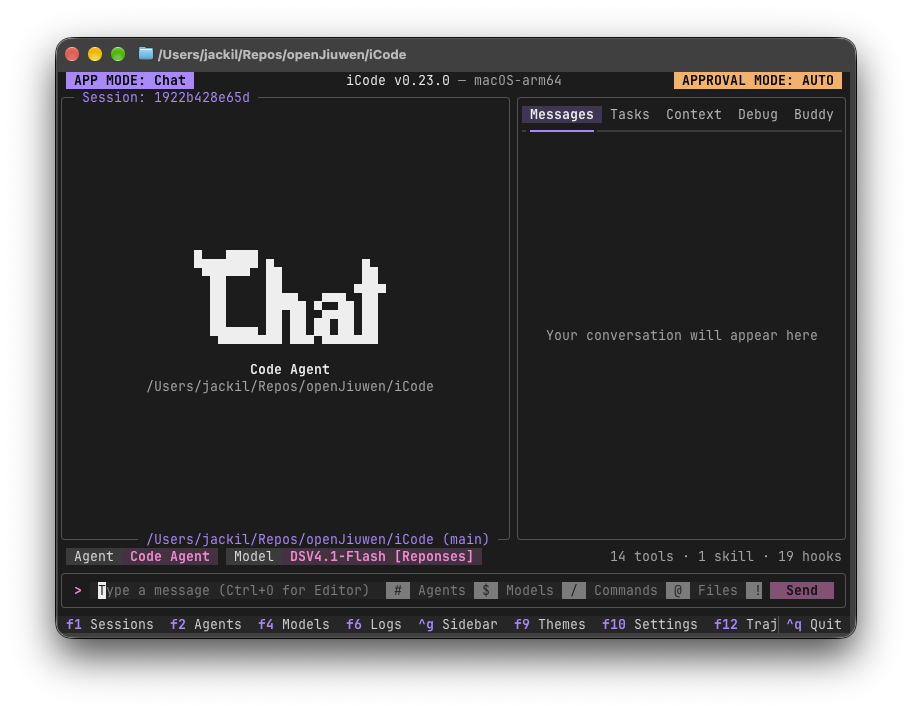
The agent, model, approval mode and session at a glance, with agents (#), models ($),
commands (/), files (@) and the shell (!) a keystroke away from the input bar.
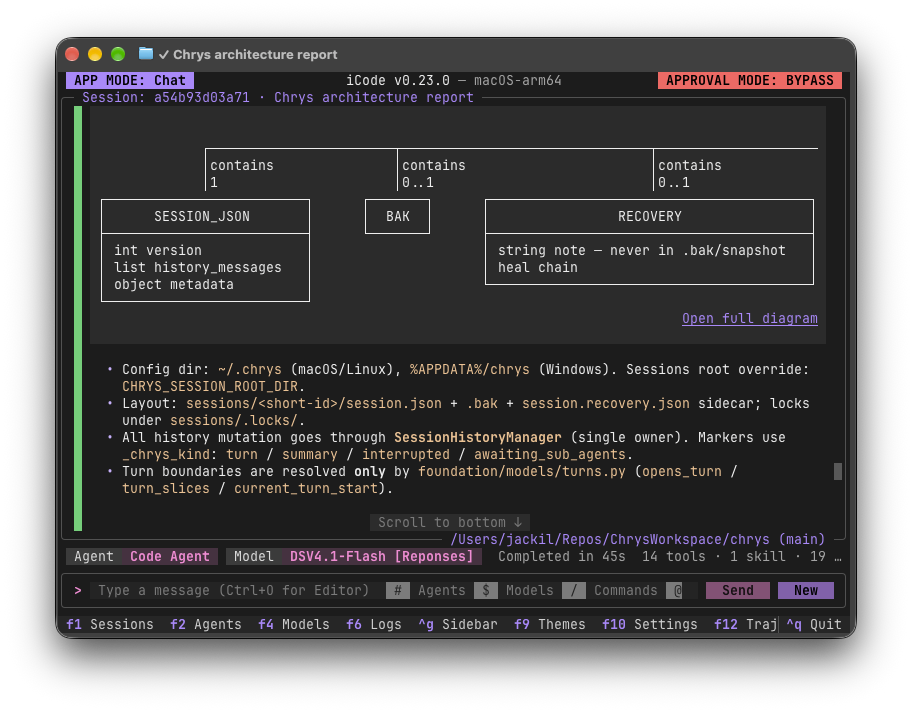
Answers render as rich Markdown in the terminal, diagrams included.
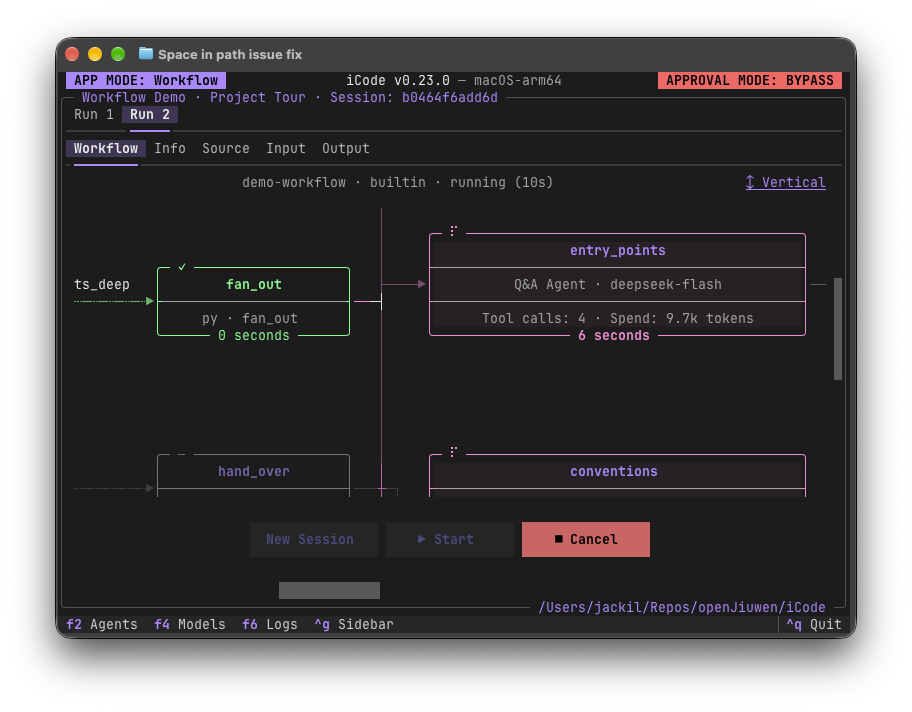
Watch a workflow run node by node, with each agent node's model, tool calls and token spend.
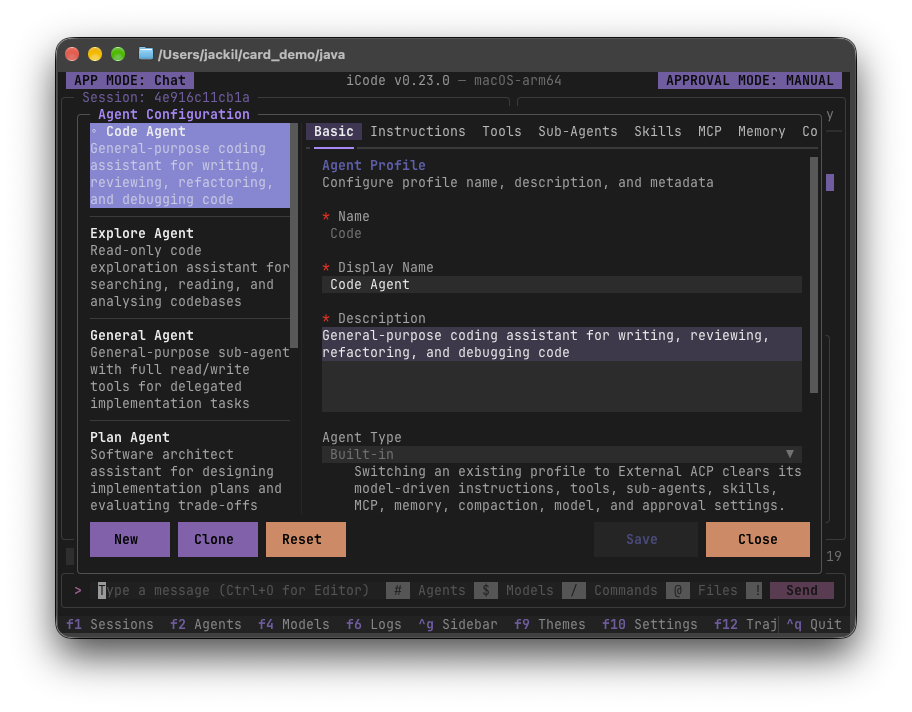
An agent is configuration, not code: instructions, tools, sub-agents, skills, MCP servers and memory, all edited in one place (F2).
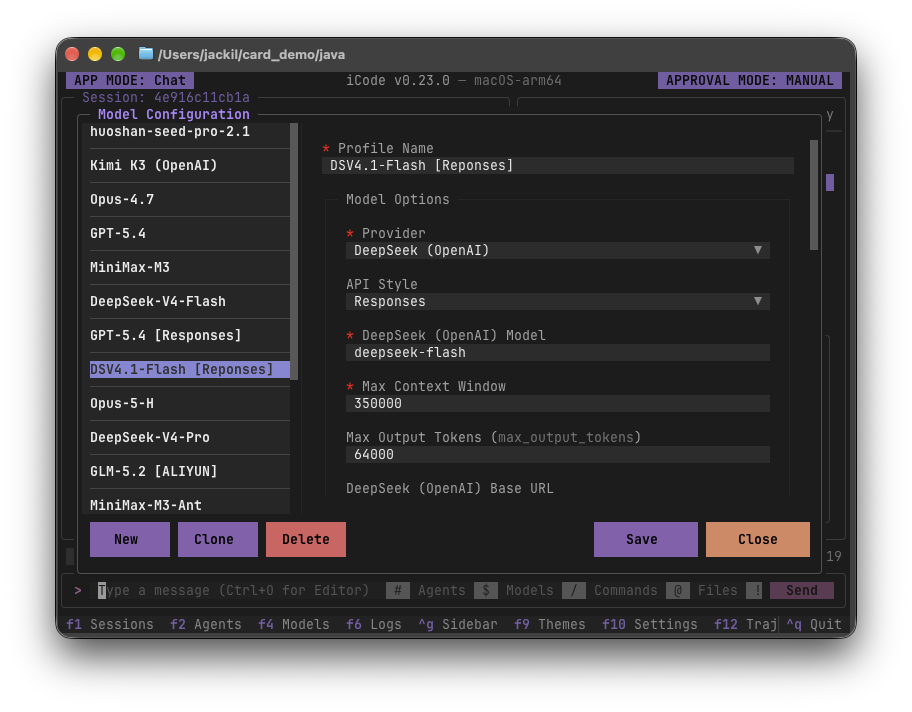
Model profiles from different providers side by side, switchable mid-conversation (F4).
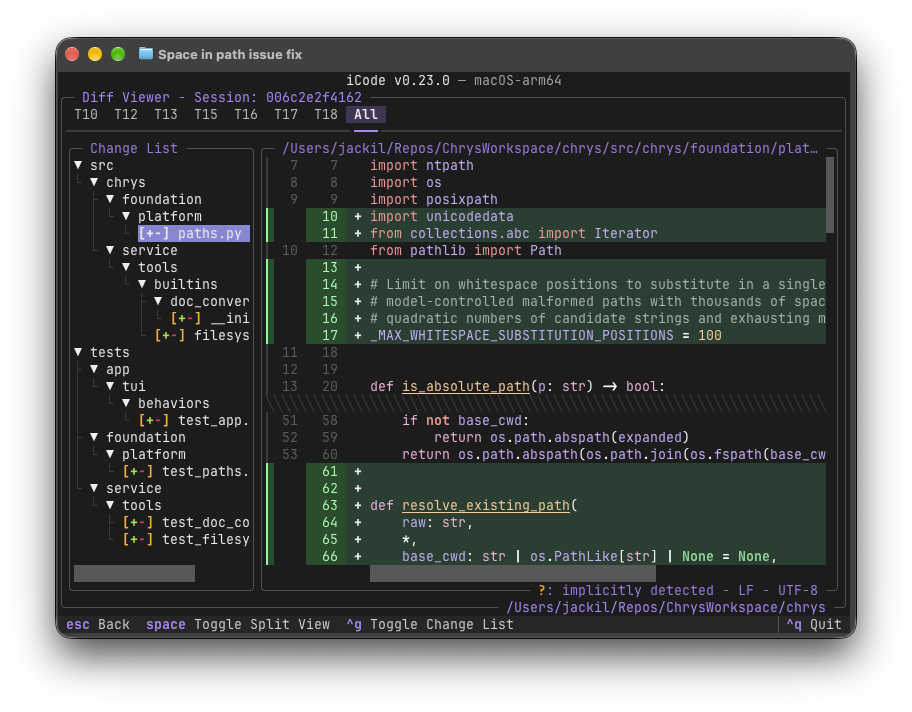
Every file the agent changed, turn by turn or all at once, in unified or split view.
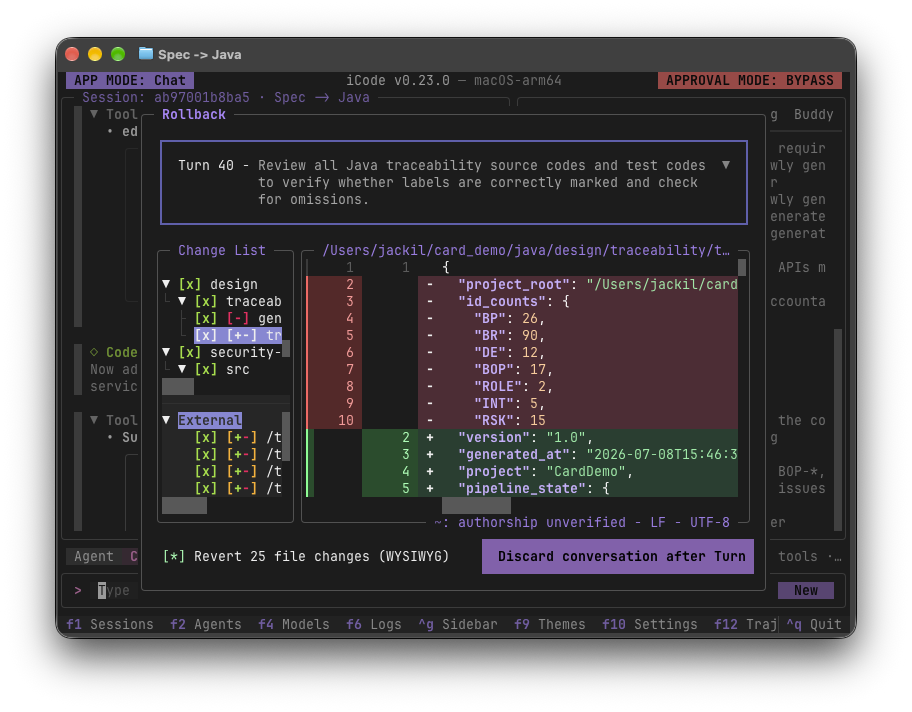
Pick a turn, review the file changes that would be reverted, then discard the conversation after it.
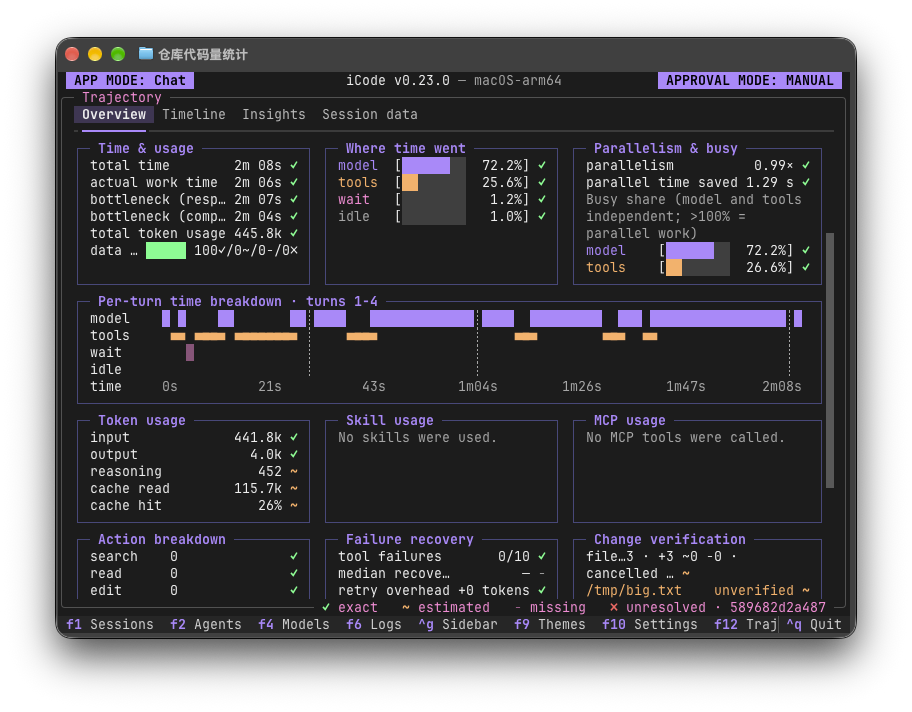
Where the time and tokens went (F12): model versus tools versus waiting, a per-turn breakdown, and token and cache usage.
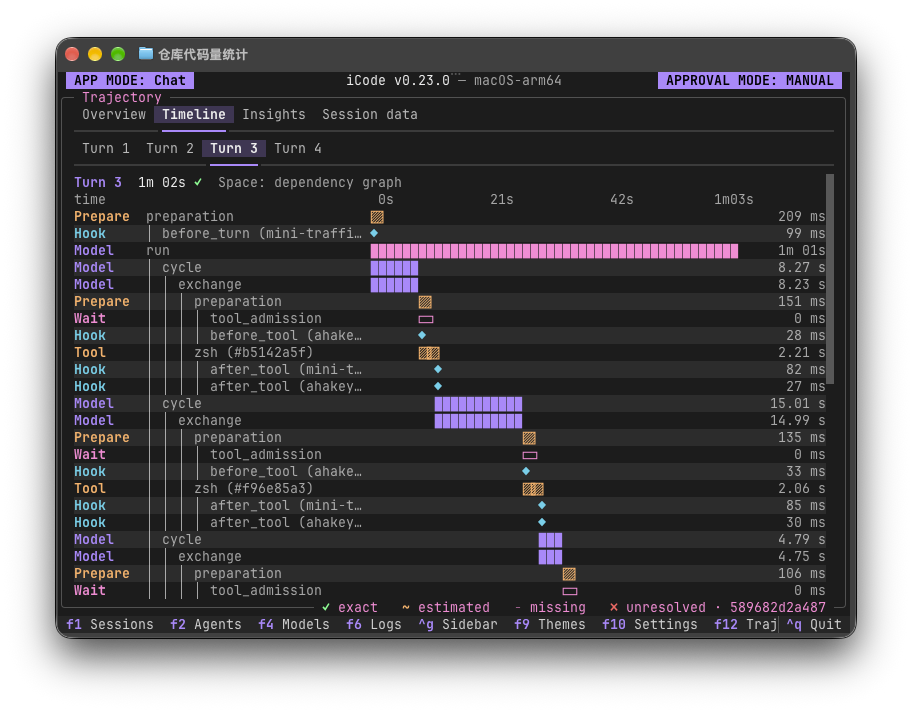
Every model call, hook and tool call in a turn, laid out on a timeline.
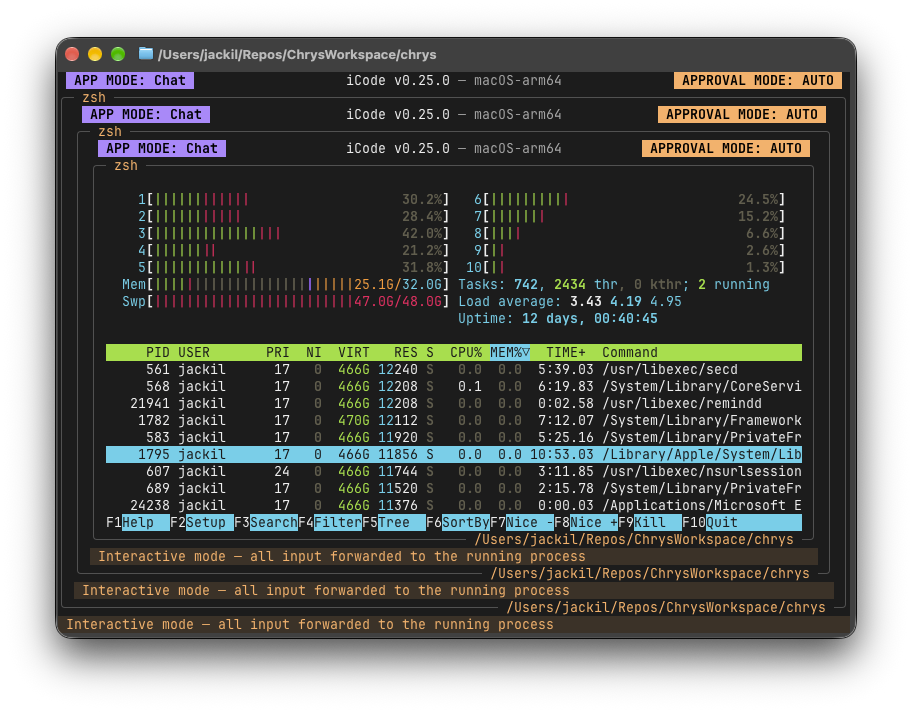
The shell (!) is a real terminal, so full-screen programs run in place with every keystroke
forwarded to them: here htop, inside iCode, inside iCode, inside iCode.
uv is the only prerequisite; it provisions Python 3.14 for you. From a checkout:
uv sync --extra all        # not bare uv sync, not --all-extras
./scripts/fetch_rg.sh      # downloads the vendored ripgrep; Windows: .\scripts\fetch_rg.ps1
uv run icode               # uv run chrys starts the same thing (Chrys is our code name)
iCode ships no model profiles, so press F4 on first launch to add one.
Press F8 inside iCode to open the built-in user guide, a complete walkthrough of using it.
The same pages live in docs/, in English and
简体中文.
iCode does not collect your data. It has no telemetry, analytics or crash reporting, and by
default it sends nothing, usage data included, to us or to any other third party. What iCode
itself sends goes only to destinations you configure: the model providers you add, the MCP
servers your agents use, and any hooks or OpenTelemetry export you set up. The web tools are
off by default. If you turn them on for an agent, its search queries go to the search provider
you configure, or to Exa's public search service (mcp.exa.ai) if you configure none, and the
pages it reads are requested directly from their websites. Shell commands, skill scripts and
workflows that you or your agents run are programs in their own right, with your network
access, so what they send is up to them. Your data is yours alone, and we respect your privacy.
iCode is solely a tool for orchestrating agents and workflows. It does not include or provide any AI model; every model it uses is one you connect to it. When you integrate AI models into iCode for a particular business or engineering use, you bear full responsibility for meeting the compliance obligations that use carries under the EU AI Act (Regulation (EU) 2024/1689) and any other applicable legal or regulatory framework.
iCode is open source under the Apache License 2.0. It also contains and bundles third-party software, each part under its own license; NOTICE lists them with their copyright notices and license terms.
→ →
→ →
→ →
→ →
→ →
→ →
→ →
→