1
 →
→
Bops: a team of AI bots that run your business ops, each with its own computer, email and phone number. bops.bot
nickvasilescu/bops is an open-source project on GitHub, mainly written in TypeScript. Bops: a team of AI bots that run your business ops, each with its own computer, email and phone number. bops.bot It currently holds 148 stars and 44 forks with 0 open issues, and was last pushed on an unknown date (repository created unknown).
AI Homed tracks it on the Today's Trending board, currently at rank #77 with 0 new stars today.
A team of AI bots that runs your business ops.
Each bot has its own computer, email and phone number, and remembers everything.
Download for Mac · bops.bot · Self-host · FSL-1.1-ALv2
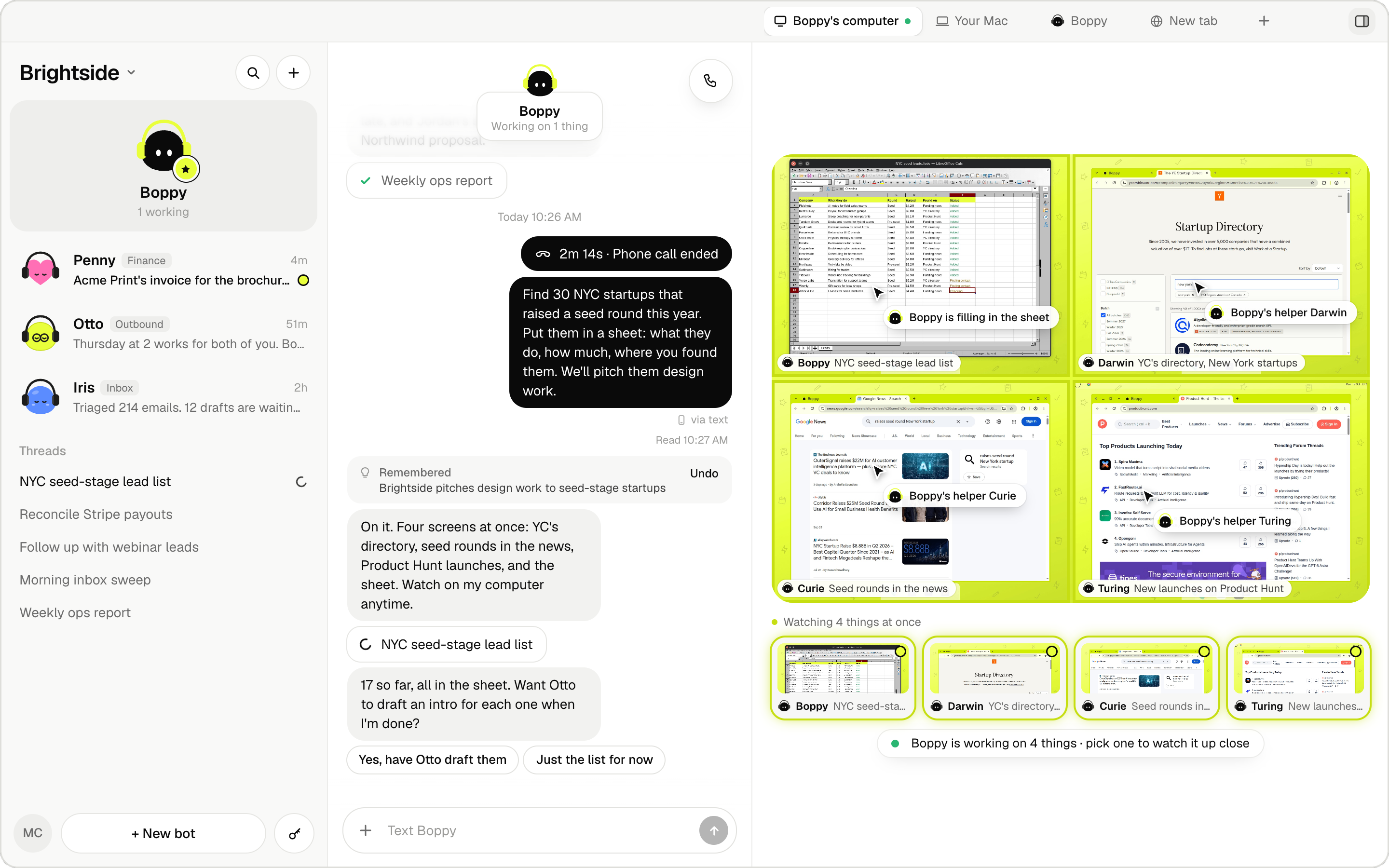
Bops is a Mac app. You chat with your bots like teammates, and they do the work on their own cloud computers: inbox, pipeline, invoices, reports. Text them from your phone, call them and talk live, email them a task, or add them to Slack, Telegram and Discord. Wherever you reach them, they know who you are and what they did yesterday.
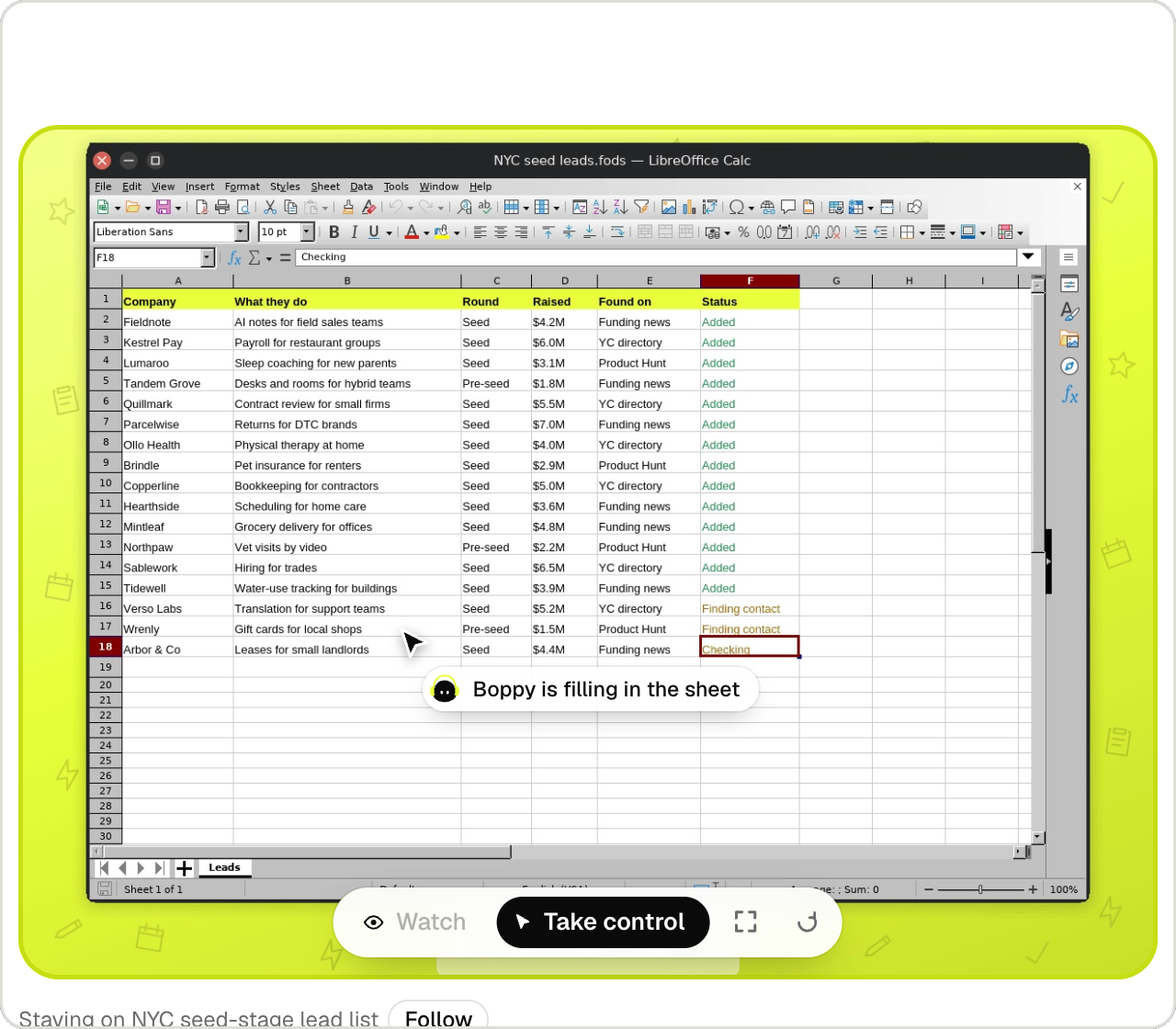
Its own computer, four screens. A bot works on up to four things at once. Watch any screen live, take control, then hand it back. |
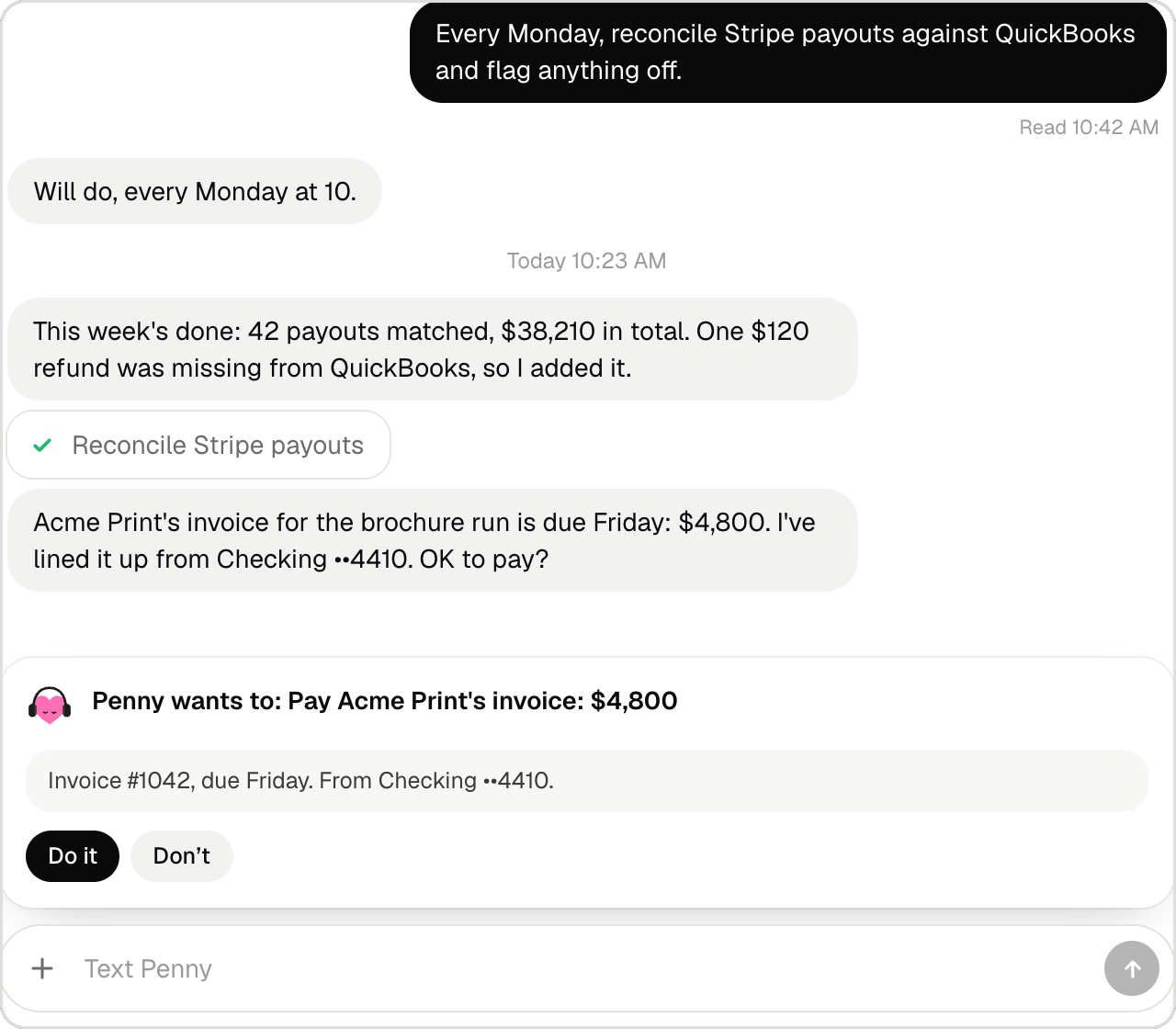
Asks before it acts. Reading runs at once. Sending, paying and deleting wait for your OK. |
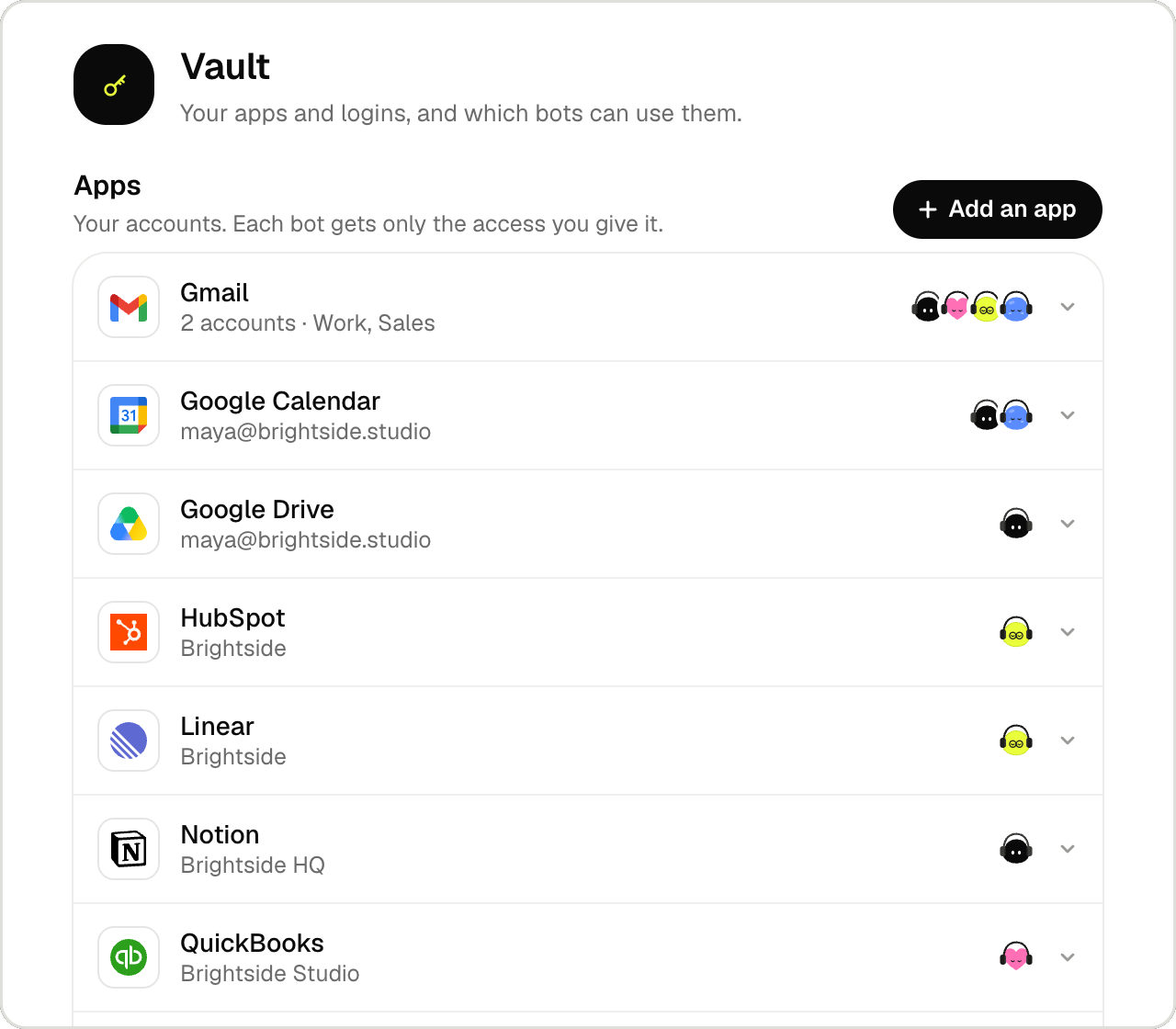
Your apps, your rules. About 1,000 apps through Composio, several accounts each. Every bot gets only the access you give it. |
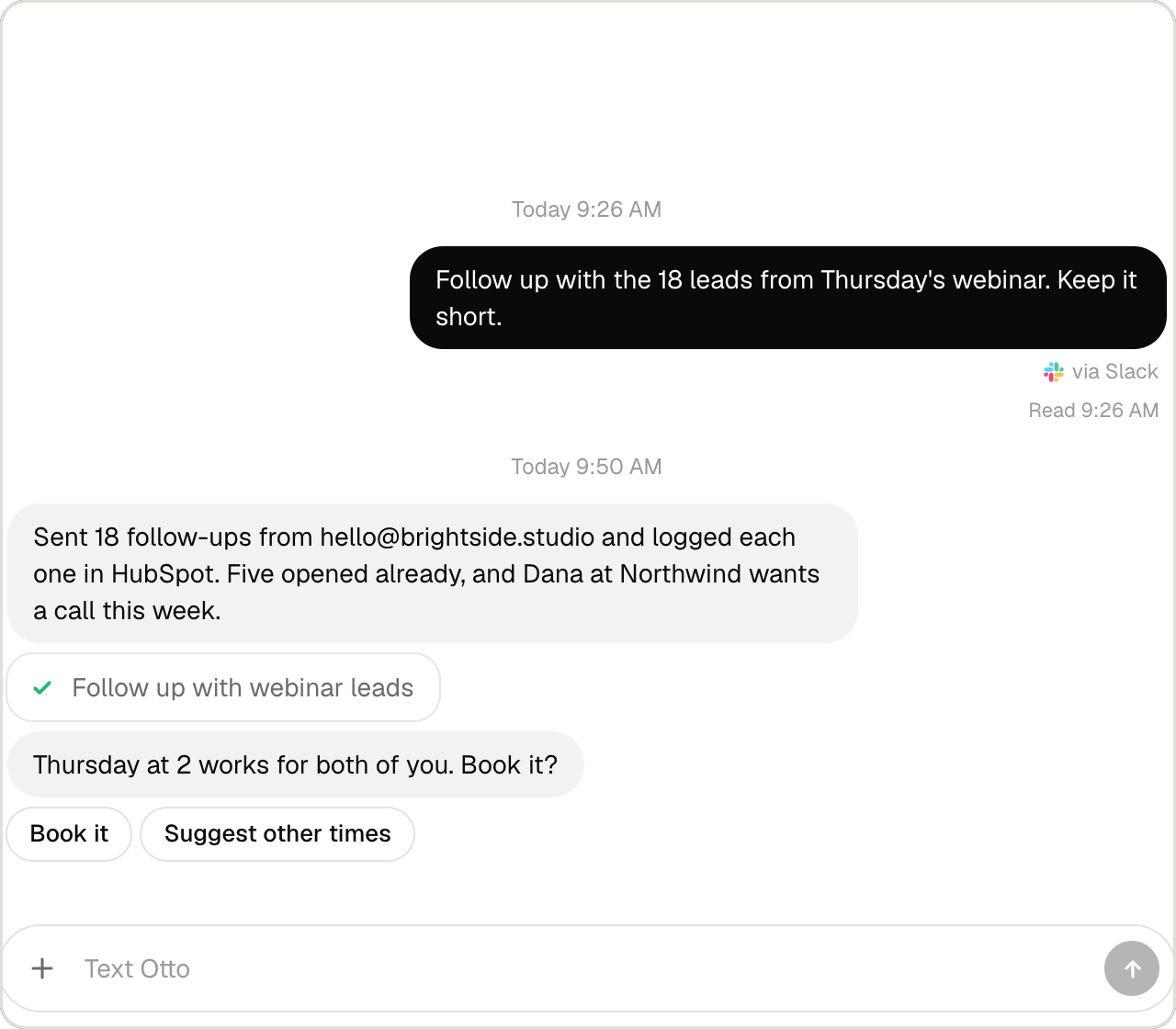
Wherever you work. Ask in Slack, by text, by email or on a call. The answer comes back the same way. |
Bops.app (Electron) ── loads ──► Bops server (Next.js, port 3210, on your Mac)
                                   ├─ chat, threads, routines, watches (state in .data/)
                                   ├─ OpenAI: chat, agent runs, GPT-Live calls
                                   ├─ Orgo: bots' computers (CDP and screens over Tailscale, or Orgo's API)
                                   ├─ Codex + cua-driver: work on your Mac
                                   ├─ Honcho (memory), Composio (apps), AgentMail (email), AgentPhone (texts, calls)
                                   └─ public webhooks ◄── edge/ (a small relay, e.g. on Fly) ◄── AgentPhone, OpenAI
Everything runs on your Mac except the bots' computers and the providers. edge/ is optional: it gives the webhooks for texts and calls a public HTTPS address and forwards them to your Mac over Tailscale.
edge/).cua-driver (default ~/.local/bin/cua-driver). macOS asks for Screen Recording and Accessibility.npm install
cp .env.example .env.local # fill in at least OPENAI_API_KEY (and ORGO_API_KEY to skip signing in)
npm run app # opens Bops.app, which starts the server on port 3210
Or run the server alone with npx next dev --port 3210 and open http://localhost:3210.
The app opens on Sign in with Orgo: approve the code on orgo.ai, and Bops runs on your Orgo account. Self-hosters with BOPS_SELF_HOSTED=1 and ORGO_API_KEY skip this.
Then open Settings → You and add your name and a line about yourself: every bot uses it.
The app is designed for hosted Bops, where every service is run for the user, so Settings shows only what's theirs to set. Signed in with Orgo, the app reaches every service through Bops Cloud (cloud/README.md) on the user's Orgo key, so no provider keys sit on the Mac. BOPS_SELF_HOSTED=1 (on in .env.example) calls each service directly with the keys in .env.local instead, and adds a Self-hosting section: network, email domain, phone service and computer ids.
Bot computers launch from an Orgo template built from this repo: node orgo/bops-base.mjs publish. Set BOPS_ORGO_TEMPLATE to your build's ref if the default isn't in your account. Bops keeps its computers in one Orgo workspace (the signed-in user's workspace named "bops", or BOPS_ORGO_WORKSPACE when self-hosting on ORGO_API_KEY) and never creates or deletes computers outside it.
1. Deploy edge/ (see edge/fly.toml): it needs a Tailscale login and BOPS_UPSTREAM (your Mac's tailnet address, port 3210).
2. Point AgentPhone's webhook and your OpenAI project's webhook (live.transport.incoming) at it: /hooks/agentphone and /hooks/openai.
3. Set the AGENTPHONE_*, BOPS_AGENTPHONE_HOOK_URL and OPENAI_WEBHOOK_SECRET settings, then add your mobile in Settings → How your bots reach you.
US texting needs an A2P 10DLC registration for your brand.
scripts/release.sh # or: npm run app:release
It fetches the orgo-relay agent (scripts/fetch-relay.sh, into vendor/orgo-relay/), builds the server (next build, output: "standalone"), and makes dist-desktop/Bops--arm64.dmg and .zip (Apple silicon). The app carries the server in Contents/Resources/server and runs it with its own Node (no Node or source folder needed on the user's Mac); its state lives in ~/Library/Application Support/Bops/server/.data and its log in ~/Library/Logs/Bops/server.log. The relay agent ships as Contents/Resources/bin/orgo-relay. No .env file goes into the app; settings for one Mac can go in ~/Library/Application Support/Bops/.env.local. Before finishing, the script starts the bundled server once as a fresh install would, with no keys and an empty home folder (port 3299), and checks that the page and the app's state answer. The bundled server listens on 127.0.0.1 only: bot computers' app calls and phone webhooks, which come over the tailnet, don't reach it unless that .env.local says BOPS_LISTEN_ALL=1 (then proxy.ts lets other addresses reach only those paths). While it's loopback only, Orgo threads get no app tools.
What a release needs:
CSC_LINK (path or base64 of the .p12) plus CSC_KEY_PASSWORD; CSC_NAME picks one when there are several. An "Apple Development" certificate is not enough: only Developer ID apps run on other Macs outside the App Store.APPLE_API_KEY (path to the .p8), APPLE_API_KEY_ID, APPLE_API_ISSUER; or an Apple ID: APPLE_ID, APPLE_APP_SPECIFIC_PASSWORD, APPLE_TEAM_ID.The app is signed with the hardened runtime and only two entitlements (build/entitlements.mac.plist): JIT, which Electron needs, and the microphone, for calls. Screen Recording and Accessibility have no entitlement: the user allows them in System Settings. Every binary inside, the relay included, is signed with the app.
Why not the Mac App Store: its sandbox would stop Bops from running its own server and the relay, starting Codex and Chrome for the bots, and driving other apps for computer use.
npm run app:build (and app:install) still make a development app that runs next dev from this folder, unsigned (-c.mac.identity=null, so electron-builder doesn't pick whatever Apple Development certificate is in the keychain). The release script pins signing to the Developer ID certificate and fails if anything else signed the app.
| Path | What's there |
|---|---|
| app/ | Next.js routes: the UI and app/api/* |
| components/app/ | The app's UI; components/message-ui/ is the iMessage-style chat kit |
| lib/server/ | Everything server-side: chat engine, sessions, providers, state (store.ts) |
| lib/types.ts | The app state's shape |
| desktop/ | The Electron shell |
| vm/ | What runs on the bots' computers (screen MCP, browser helpers) |
| orgo/ | The Orgo template builder |
| edge/ | The public webhook relay |
| docs/ | Notes on the Orgo API |
edge/, and they're signature-checked..env.local and the Mac's Keychain, never in the repo or in the app's state sent to the browser.FSL-1.1-ALv2 (Functional Source License, "fair source"): use, modify and self-host Bops freely, except to offer a competing commercial service. Each version becomes Apache-2.0 two years after release.
"Bops" and the Bops logo are trademarks of Organic Intelligence, Inc.; see TRADEMARK.md.
→ →
→ →
→ →
→ →
→ →
→ →
→ →
→