1
 →
→
Run Claude Code 100% on-device with local AI on Apple Silicon. MLX-native Anthropic-API server. 6 fighters incl.
nicedreamzapp/claude-code-local is an open-source project on GitHub, mainly written in Python. Run Claude Code 100% on-device with local AI on Apple Silicon. MLX-native Anthropic-API server. 6 fighters incl. It currently holds 3,323 stars and 629 forks with 0 open issues, and was last pushed on an unknown date (repository created unknown).
AI Homed tracks it on the Local & On-Device AI board.
Your Mac's chip runs the AI · Claude Code works exactly like it always does · nothing leaves your computer

A real session, unedited. Claude Code reads and edits the file, and the AI answering is running on the laptop.
---
Claude Code just said "you've reached your usage limit" and the reset is hours away? Keep working: same Claude Code, same project, but the AI answering runs on your own Mac.
curl -fsSL https://raw.githubusercontent.com/nicedreamzapp/claude-code-local/main/install.sh | bash
That's it. It even works on a 16 GB MacBook, and gets better the more memory your Mac has.
Once it's running, the local-first family takes it off the keyboard: your browser, your voice, your phone, all on the same machine.
---
Trinidad Head is the recommended terminal for running local models, on Mac and PC. It's built from scratch by the same person who made this project, and it makes long local-AI sessions nicer:
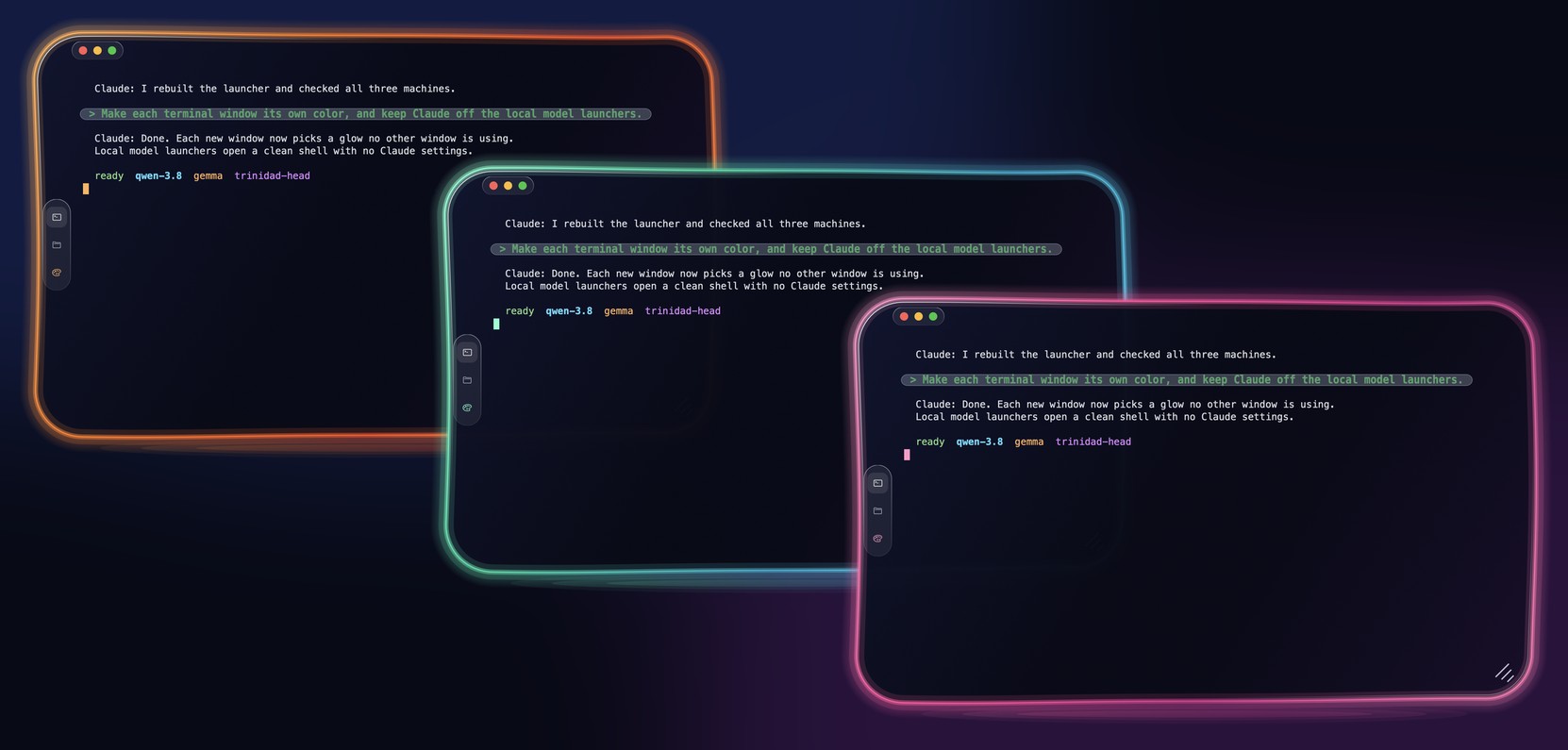
👉 Get Trinidad Head · project page
---
When Claude runs out, type exit in Claude Code, then keep going. You get a short menu,
and the same conversation carries on with whichever model you pick:
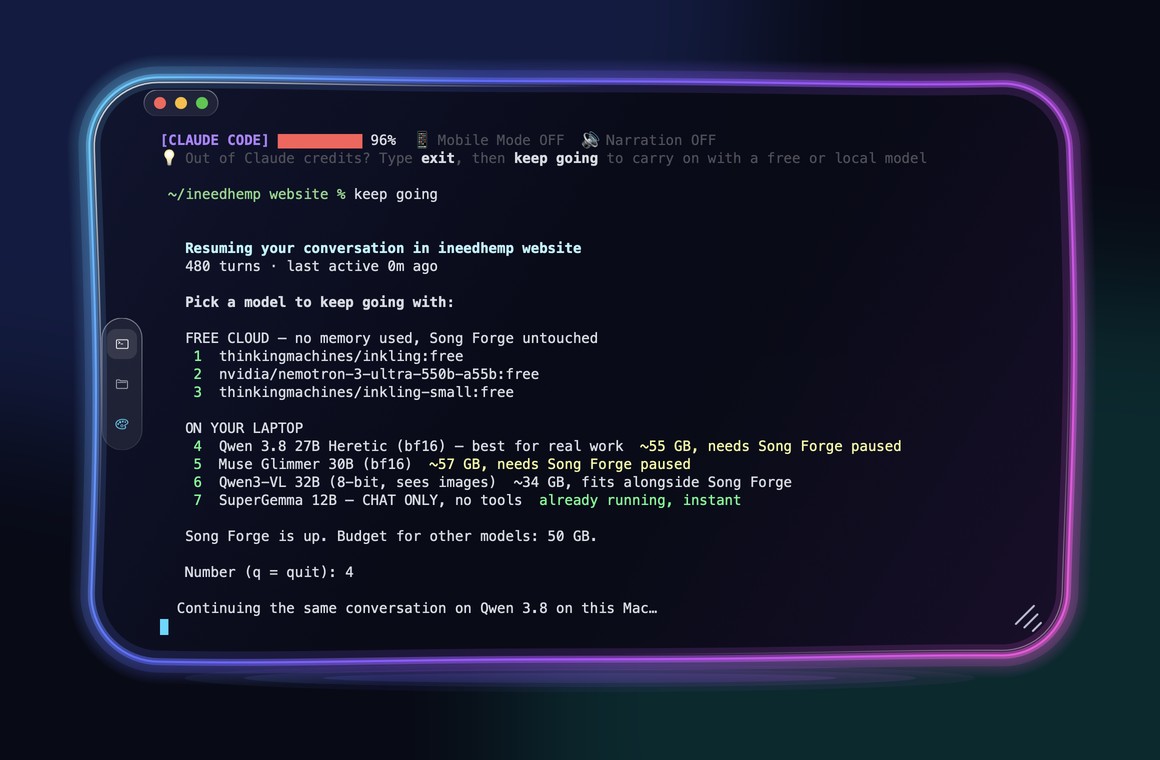
setup.sh installs it for you. To add it by hand, or to turn on the free cloud models:
echo 'source "$HOME/claude-code-local/scripts/keepgoing-shell.sh"' >> ~/.zshrc   # the "keep going" command
mkdir -p ~/.config/claude-code-local
echo 'OPENROUTER_API_KEY=your-free-key' >> ~/.config/claude-code-local/keepgoing.env   # optional
Want a reminder at the bottom of every Claude window? Point your status line at
scripts/statusline-keepgoing.sh. It says *"💡 Out of Claude credits? Type exit, then keep going to
carry on with a free or local model."*
💡 Free cloud models can get busy later in the day. The models on your Mac are always there.
---
Your Mac has a powerful graphics chip built in. This project uses it to run big AI models right on your computer and plugs them into Claude Code, so the whole coding experience works offline: editing files, managing projects, even driving your browser or talking out loud.
The trick: Claude Code speaks one language (Anthropic's), and local AI servers usually speak another (OpenAI's). Most setups put a slow translator in between. This project's server speaks Claude Code's language directly, so there's nothing in the middle, and that's what makes it fast.
📝 You ──▶ 🤖 Claude Code ──▶ ⚡ this server (on your Mac) ──▶ 🧠 local model ──▶ 🖥️ your Mac's chip
---
npm install -g @anthropic-ai/claude-code| Your Mac's memory | The model you get | |---|---| | 8 GB | Gemma 4 E4B. It loads and chats, but in our Claude Code test it claimed to run a file it never wrote, so expect tool trouble | | 16 GB (MacBook Air, base models) | 🟡 Hermes 4 14B, confirmed on a 16 GB Mac by a user (#54) | | 32–63 GB (Pro) | 🟢 Gemma 4 12B | | 64–95 GB (Max) | 🟢 Gemma 4 31B | | 96 GB and up (Max, Ultra) | 🟣 Qwen 3.8 27B, 8-bit. Passed our Claude Code test (write a file, run it, report) in 38 s |
---
One command:
curl -fsSL https://raw.githubusercontent.com/nicedreamzapp/claude-code-local/main/install.sh | bash
Or read the script first:
git clone https://github.com/nicedreamzapp/claude-code-local
cd claude-code-local
bash setup.sh
Setup picks your model, downloads it, installs the server, and puts Claude Local.command on
your Desktop. Double-click it and you're coding locally. 🎉
🐛 Asked to sign in to a Claude account? Your claude is too old. Update it:
npm install -g @anthropic-ai/claude-code# 1. Set up the MLX environment
python3.12 -m venv ~/.local/mlx-server
~/.local/mlx-server/bin/pip install mlx-lm
2. Pick a model and download it (one time)
bash scripts/download-and-import.sh gemma # or 'qwen', 'gemma12', 'hermes'
3. Start the server
MLX_MODEL=divinetribe/gemma-4-31b-it-abliterated-4bit-mlx \
bash scripts/start-mlx-server.sh
4. Launch Claude Code against it
ANTHROPIC_BASE_URL=http://localhost:4000 \
ANTHROPIC_API_KEY=sk-local \
claude --model claude-sonnet-4-6
setup.sh installs the server as a symlink back to proxy/server.py in this repo, so if you edit
it, just restart the server.
---
Same server, same Claude Code. Swap one setting and you swap the brain. Links to every build are just below the table.
Every number below was measured by us on an M5 Max (128 GB), except the rows marked vendor-reported.
| | Model | What we measured | Good for | |---|---|---|---| | 🟣 | Qwen 3.8 27B | Agent-12 with the DFlash 2 drafter (8-bit, Sep 19): 12/12 easy in 122 s, 7/8 hard in 401 s, 20-29 tok/s inside the harness (writeup). Browser test (Sep 16, bf16): 8/8 | Careful coding and pictures, 96 GB Macs | | 🟢 | Gemma 4 31B (4-bit) | Agent-12: 11/12, 8/8. Browser test (Sep 16): 8/8, about 30% faster than Qwen 3.8 | Daily coding and the browser agent | | 🟢 | Gemma 4 12B (4-bit) | Not on Agent-12 yet | 32 GB Macs | | 🟡 | Hermes 4 14B (4-bit) | Not on Agent-12 yet. Runs on a 16 GB Mac (#54) | 16 GB MacBooks | | ✨ | Muse Glimmer 30B, Nemotron 3 Nano Omni | Vendor-reported numbers only, until we run them ourselves | Pictures (and audio, for Nemotron) |
Which one should I run? We test them on real agent tasks in the open: the Agent-12 leaderboard. Honest note: those scores come from Agent-12's own lean test harness (Anvil), not from inside Claude Code. Claude Code sends the model a lot more per turn, so the same model can score and time differently here.
Sizes, speeds and memory needs for every model are in the full guide.
These are the original releases and the MLX builds we have run ourselves. Credit to the teams who made them.
setup.sh installs) · mlx-community 8-bit · mlx-community bf16 · incoai DFlash 2 drafter · Sharp chat template⚠️ "Abliterated" models have their built-in refusals turned down. That's not a general upgrade,
and each model's own license still applies. Please use them responsibly.
---
Each one is a double-click launcher in launchers/.
| | Mode | What it does |
|---|---|---|
| 🤖 | Code | Claude Code with a local model: Claude Local, Gemma 4 Code, Qwen 3.8 Code |
| ⚡ | Native Engine | Our own lightweight agent for the fastest replies: the (Native Engine) launchers |
| 🌐 | Browser | The local AI drives your real browser: Browser Agent (guide) |
| 🎤 | Hands-free voice | Talk to it and hear it answer in your own voice: Narrative Gemma (guide) |
| 📱 | Phone | Text your Mac from your iPhone and get answers back (guide) |
---
The modes above aren't bolted on. Each one is its own repo that works on its own, and they all run on your hardware. If Claude Code on your own Mac was the part you wanted, this is the rest of it.
| | Project | What it does | |---|---|---| | 🌊 | Trinidad Head | The terminal to run it all in, on Mac and PC | | 🎤 | NarrateClaude | Talk to Claude and hear it answer in your cloned voice | | 🌐 | browser-agent | Drives your real browser | | 🚦 | browser-broker | Gives each AI agent its own browser tab so nobody fights | | 📱 | claude-screen-to-phone | Control Claude Code from your iPhone | | 🛟 | claude-failover | Keep cloud Claude first, flip to local with one command | | 👁️ | nemotron-omni-mlx | NVIDIA's tri-modal Nemotron seeing and hearing on Apple Silicon. The only open MLX runtime for its vision and audio towers, 23/23 parity tests against NVIDIA's own reference | | 🏁 | Agent-12 | The open leaderboard the model table above is scored on. Filesystem-judged, no AI grader | | 🎬 | story-forge | A finished animated film on one Mac. Stills, motion, voices, music, sound, no cloud |
---
Your code never leaves your Mac. No cloud model, no tracking, no "anonymous analytics".
The launchers switch off Claude Code's own background internet traffic with Anthropic's documented settings (thanks @tadrianonet, PR #32):
CLAUDE_CODE_DISABLE_NONESSENTIAL_TRAFFIC=1
DISABLE_AUTOUPDATER=1
CLAUDE_CODE_DISABLE_OFFICIAL_MARKETPLACE_AUTOINSTALL=1
CLAUDE_CODE_DISABLE_BACKGROUND_TASKS=1
Check it yourself: during a session, lsof -p $(pgrep -f claude) shows only localhost:4000.
🧹 We removed LiteLLM after supply-chain concerns and re-checked every dependency. Anything
with unexplained network calls didn't ship. The full audit is in the full guide.
> ☁️ The one exception is your own choice: picking a free cloud model in keep going sends that
conversation to OpenRouter.
---
| | | |---|---| | 📖 Full technical guide | Every model table, benchmark, tuning setting and design note | | 📊 Benchmarks · 🔧 Tool-call reliability | The numbers and how they were measured | | 🎤 Voice mode · 🌐 Browser agent · 📱 Phone control · 🔌 MCP servers | Everything the launchers can do | | 📁 What's in this repo · 🙏 Credits | The tour and the thank-yous |
---
This isn't the only way to run Claude Code against models you choose, and some of these may fit you better:
---
Ideas, bug reports, a launcher for a model we don't run: open an issue or a PR, every one gets read. CONTRIBUTING.md has how to run it from the repo and the tests. We especially love hearing from people on older or smaller Macs about which models really fit.
Thank you, contributors: @0xshugo · @asdmoment · @kulveersingh · @tripathiprateek · @tadrianonet · @kevbarns · @KaoCSC · @zwolf25. What each of them fixed is in the full guide.
---
Built by Matt Macosko in Arcata, California: one person, no team, no investors. Open to work on local AI and Apple Silicon: matt@ineedhemp.com
Nice Dreamz software · YouTube demos · Discord
📜 MIT License, use it however you want. ⭐ Star the repo if it helped you!
→ →
→ →
→ →
→ →
→ →
→ →
→ →
→