1
 →
→
An AI skill that provides design intelligence for building professional UI/UX across multiple platforms.
nextlevelbuilder/ui-ux-pro-max-skill is an open-source project on GitHub, mainly written in Python. An AI skill that provides design intelligence for building professional UI/UX across multiple platforms. It currently holds 129,212 stars and 13,768 forks with 0 open issues, and was last pushed on an unknown date (repository created unknown).
AI Homed tracks it on the AI Coding Agents board.
🇮🇩 Bahasa Indonesia | 🇰🇷 한국어 | 🇻🇳 Tiếng Việt | 🇨🇳 简体中文 | 🇺🇸 English
An AI skill that provides design intelligence for building professional UI/UX across multiple platforms and frameworks.
If you find this useful, consider supporting the project:
Other projects
NextLevelBuilder.io | GoClaw.sh | AgentKit.best | TOSE.sh
---
Check Out Our New Skill:

Turn an idea into a 3D scene worth exploring.
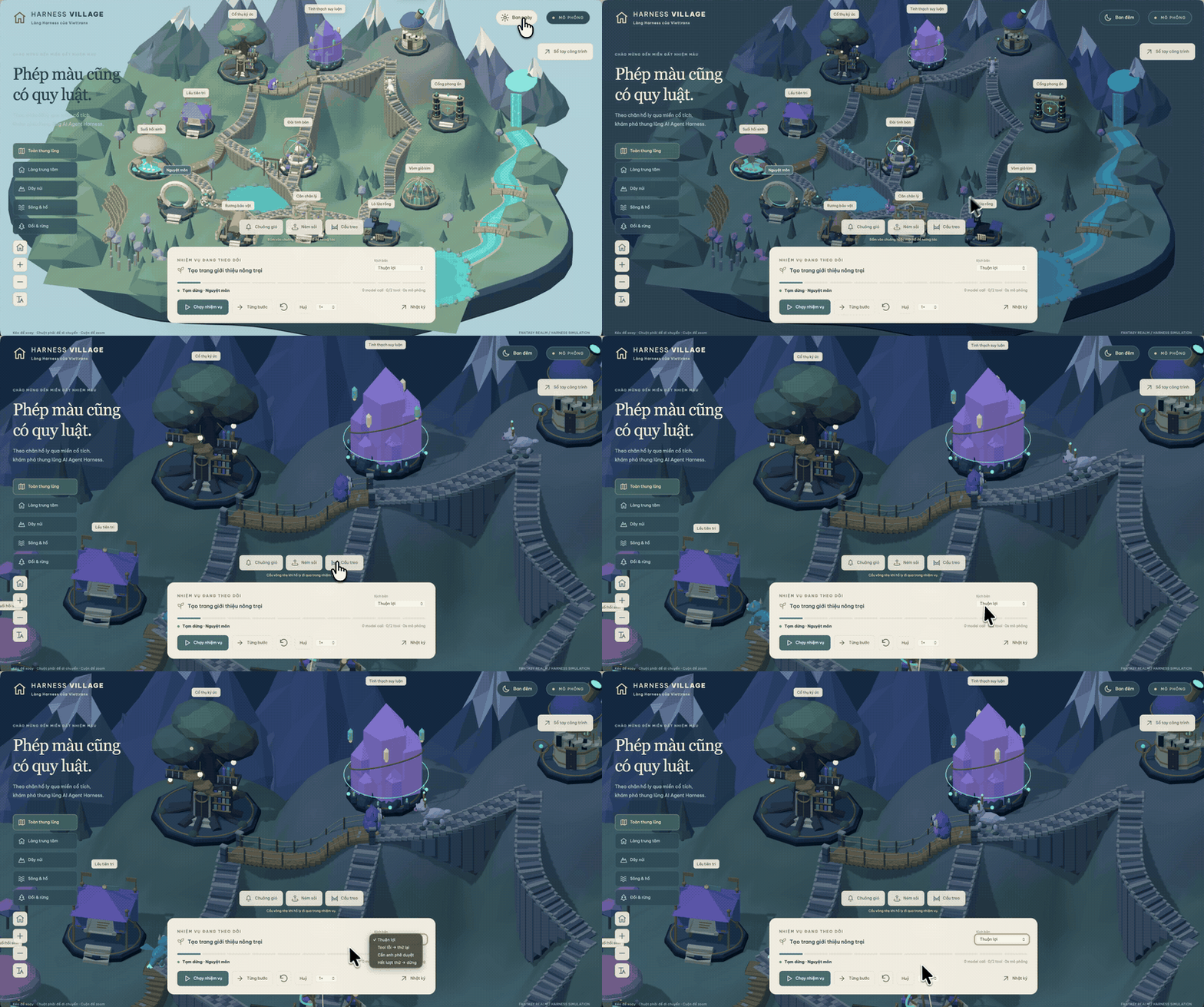
Visual inspiration, not a benchmark. An author-supplied project recorded before this skill existed; its UI contains Vietnamese. Historical footage, not an English demo or a runtime test of the skill — see media provenance.
🤌 Website: https://3dviz.dev/
---
The flagship feature of v2.0 is the Design System Generator - an AI-powered reasoning engine that analyzes your project requirements and generates a complete, tailored design system in seconds.
+----------------------------------------------------------------------------------------+
|  TARGET: Serenity Spa - RECOMMENDED DESIGN SYSTEM                                      |
+----------------------------------------------------------------------------------------+
|                                                                                        |
|  PATTERN: Hero-Centric + Social Proof                                                  |
|     Conversion: Emotion-driven with trust elements                                     |
|     CTA: Above fold, repeated after testimonials                                       |
|     Sections:                                                                          |
|       1. Hero                                                                          |
|       2. Services                                                                      |
|       3. Testimonials                                                                  |
|       4. Booking                                                                       |
|       5. Contact                                                                       |
|                                                                                        |
|  STYLE: Soft UI Evolution                                                              |
|     Keywords: Soft shadows, subtle depth, calming, premium feel, organic shapes        |
|     Best For: Wellness, beauty, lifestyle brands, premium services                     |
|     Performance: cost:low | Accessibility: risk:conditional; verify requirements       |
|                                                                                        |
|  COLORS:                                                                               |
|     Primary:    #E8B4B8 (Soft Pink)                                                    |
|     Secondary:  #A8D5BA (Sage Green)                                                   |
|     CTA:        #D4AF37 (Gold)                                                         |
|     Background: #FFF5F5 (Warm White)                                                   |
|     Text:       #2D3436 (Charcoal)                                                     |
|     Notes: Calming palette with gold accents for luxury feel                           |
|                                                                                        |
|  TYPOGRAPHY: Cormorant Garamond / Montserrat                                           |
|     Mood: Elegant, calming, sophisticated                                              |
|     Best For: Luxury brands, wellness, beauty, editorial                               |
|     Google Fonts: https://fonts.google.com/share?selection.family=...                  |
|                                                                                        |
|  KEY EFFECTS:                                                                          |
|     Soft shadows + Context-appropriate transitions + Gentle hover states               |
|                                                                                        |
|  AVOID (Anti-patterns):                                                                |
|     Bright neon colors + Harsh animations + Dark mode + AI purple/pink gradients       |
|                                                                                        |
|  PRE-DELIVERY CHECKLIST:                                                               |
|     [ ] No emojis as icons (use SVG: Heroicons/Lucide)                                 |
|     [ ] cursor-pointer on all clickable elements                                       |
|     [ ] Interaction timing follows the platform, component, and user preference        |
|     [ ] Light mode: text contrast 4.5:1 minimum                                        |
|     [ ] Focus states visible for keyboard nav                                          |
|     [ ] prefers-reduced-motion respected                                               |
|     [ ] Text, chips, and badges reflow without clipping or broken labels               |
|     [ ] Responsive: 375px, 768px, 1024px, 1440px                                       |
|                                                                                        |
+----------------------------------------------------------------------------------------+
┌─────────────────────────────────────────────────────────────────┐
│  1. USER REQUEST                                                │
│     "Build a landing page for my beauty spa"                    │
└─────────────────────────────────────────────────────────────────┘
                              │
                              ▼
┌─────────────────────────────────────────────────────────────────┐
│  2. MULTI-DOMAIN SEARCH (5 parallel searches)                   │
│     • Product type matching (192 categories)                    │
│     • Style recommendations (79 searchable; 50 active)          │
│     • Color palette selection (192 palettes)                    │
│     • Landing page patterns (34 patterns)                       │
│     • Typography pairing (74 font combinations)                 │
└─────────────────────────────────────────────────────────────────┘
                              │
                              ▼
┌─────────────────────────────────────────────────────────────────┐
│  3. REASONING ENGINE                                            │
│     • Match product → UI category rules                         │
│     • Apply style priorities (BM25 ranking)                     │
│     • Filter anti-patterns for industry                         │
│     • Process decision rules (JSON conditions)                  │
└─────────────────────────────────────────────────────────────────┘
                              │
                              ▼
┌─────────────────────────────────────────────────────────────────┐
│  4. COMPLETE DESIGN SYSTEM OUTPUT                               │
│     Pattern + Style + Colors + Typography + Effects             │
│     + Anti-patterns to avoid + Pre-delivery checklist           │
└─────────────────────────────────────────────────────────────────┘
The reasoning engine includes specialized rules for:
| Category | Examples | |----------|----------| | Tech & SaaS | SaaS, Micro SaaS, B2B Service, Developer Tool / IDE, AI/Chatbot Platform, Cybersecurity Platform | | Finance | Fintech/Crypto, Banking, Insurance, Personal Finance Tracker, Invoice & Billing Tool | | Healthcare | Medical Clinic, Pharmacy, Dental, Veterinary, Mental Health, Medication Reminder | | E-commerce | General, Luxury, Marketplace (P2P), Subscription Box, Food Delivery | | Services | Beauty/Spa, Restaurant, Hotel, Legal, Home Services, Booking & Appointment | | Creative | Portfolio, Agency, Photography, Gaming, Music Streaming, Photo/Video Editor | | Lifestyle | Habit Tracker, Recipe & Cooking, Meditation, Weather, Diary, Mood Tracker | | Emerging Tech | Web3/NFT, Spatial Computing, Quantum Computing, Autonomous Drone Fleet |
Each rule includes:
The guidance now covers common production failures around headings, long tokens, chips, badges, and interrupted micro-interactions:
+n disclosure. A compactThe catalog contains 79 searchable styles backed by stable IDs and aliases:
| Status | Count | Search behavior | |--------|------:|-----------------| | Active | 50 | Included in normal recommendations and shown by default in the gallery | | Supplemental | 29 | Returned for exact or explicit variant/system intent; available through the gallery status filter | | Deprecated | 9 | Excluded from normal ranking; legacy names redirect to a canonical style or landing pattern |
The active set covers 43 general visual families, 2 mobile-specific styles, 3 official platform/design systems, 1 platform material, and 1 core analytics style. Current official systems include Fluent 2, Shopify Polaris, and Adobe Spectrum; Liquid Glass is scoped as an Apple platform material, Material 3 Expressive remains a mobile Material variant, and Spectrum 2 is supplemental. Landing-page structures live in the separate 34-pattern landing dataset rather than competing with visual styles in BM25 ranking.
See styles.csv for the full taxonomy and provenance-aware metadata.
Many users ask about the differences between the open-source and premium versions. Here is a detailed breakdown to help you choose the right fit for your workflow.
Install directly in Claude Code with two commands:
/plugin marketplace add nextlevelbuilder/ui-ux-pro-max-skill
/plugin install ui-ux-pro-max@ui-ux-pro-max-skill
# Install CLI globally
npm install -g ui-ux-pro-max-cli
Go to your project
cd /path/to/your/project
Install for your AI assistant
uipro init --ai claude      # Claude Code
uipro init --ai cursor      # Cursor
uipro init --ai windsurf    # Windsurf
uipro init --ai antigravity # Antigravity
uipro init --ai copilot     # GitHub Copilot
uipro init --ai kiro        # Kiro
uipro init --ai codex       # Codex CLI
uipro init --ai qoder       # Qoder
uipro init --ai roocode     # Roo Code
uipro init --ai gemini      # Gemini CLI
uipro init --ai trae        # Trae
uipro init --ai opencode    # OpenCode
uipro init --ai continue    # Continue
uipro init --ai codebuddy   # CodeBuddy
uipro init --ai droid       # Droid (Factory)
uipro init --ai kilocode    # KiloCode
uipro init --ai warp        # Warp
uipro init --ai augment     # Augment
uipro init --ai codewhale   # CodeWhale
uipro init --ai universal   # Universal / Agent Standard (.agents/skills/)
uipro init --ai all         # All assistants
The npm package is ui-ux-pro-max-cli; it still installs the uipro command. Older uipro-cli releases are stale and should not be used for current assets.
uipro init --ai claude --global   # Install to ~/.claude/skills/
uipro init --ai cursor --global   # Install to ~/.cursor/skills/
uipro init --ai universal --global # Install to ~/.agents/skills/
uipro versions              # List available versions
uipro update                # Refresh skill files from installed CLI package
uipro update --global       # Refresh global skill files from installed CLI package
uipro init --offline        # Compatibility flag; installs bundled templates
uipro init --dry-run        # Preview install actions without writing files
uipro uninstall             # Remove skill (auto-detect platform)
uipro uninstall --ai claude # Remove specific platform
uipro uninstall --global    # Remove from global install
Python 3.x is required for the search script (standard library only — the scripts install nothing and make no network calls).
Check if Python is installed:
python3 --version
If it is missing, install it yourself from python.org or with your OS package manager (Homebrew, apt, winget). These install steps are for you, the human user — AI agents using this skill should never install software on your machine; they are instructed to ask you instead.
Supported: Claude Code, Cursor, Windsurf, Antigravity, Codex CLI, Continue, Gemini CLI, OpenCode, Qoder, CodeBuddy, Droid (Factory), KiloCode, Warp, Augment, CodeWhale
The skill activates automatically when you request UI/UX work. Just chat naturally:
Build a landing page for my SaaS product
Trae: Switch to SOLO mode first. The skill will activate for UI/UX requests.
Supported: Kiro, GitHub Copilot, Roo Code, KiloCode
Use the slash command to invoke the skill:
/ui-ux-pro-max Build a landing page for my SaaS product
Build a landing page for my SaaS product
Create a dashboard for healthcare analytics
Design a portfolio website with dark mode
Make a mobile app UI for e-commerce
Build a fintech banking app with dark theme
1. You ask - Request any UI/UX task (build, design, create, implement, review, fix, improve) 2. Design System Generated - The AI automatically generates a complete design system using the reasoning engine 3. Smart recommendations - Based on your product type and requirements, it finds the best matching styles, colors, and typography 4. Code generation - Implements the UI with proper colors, fonts, spacing, and best practices 5. Pre-delivery checks - Validates against common UI/UX anti-patterns
The skill provides stack-specific guidelines for:
| Category | Stacks | |----------|--------| | Web (HTML) | HTML + Tailwind (default) | | React Ecosystem | React, Next.js, shadcn/ui | | Vue Ecosystem | Vue, Nuxt.js, Nuxt UI | | Angular | Angular | | PHP | Laravel (Blade, Livewire, Inertia.js) | | Other Web | Svelte, Astro, Three.js | | Desktop | JavaFX, WPF, WinUI 3, Avalonia, Uno Platform, UWP | | iOS | SwiftUI | | Android | Jetpack Compose | | Cross-Platform | React Native, Flutter |
Just mention your preferred stack in the prompt, or let it default to HTML + Tailwind.
For direct access to the design system generator:
Note: If you installed via Continue, replace.claude/skills/with.continue/skills/in the commands below. For Droid (Factory), use.factory/skills/.
# Generate design system with ASCII output
python3 .claude/skills/ui-ux-pro-max/scripts/search.py "beauty spa wellness" --design-system -p "Serenity Spa"
Generate with Markdown output
python3 .claude/skills/ui-ux-pro-max/scripts/search.py "fintech banking" --design-system -f markdown
Domain-specific search
python3 .claude/skills/ui-ux-pro-max/scripts/search.py "glassmorphism" --domain style
python3 .claude/skills/ui-ux-pro-max/scripts/search.py "elegant serif" --domain typography
python3 .claude/skills/ui-ux-pro-max/scripts/search.py "dashboard" --domain chart
python3 .claude/skills/ui-ux-pro-max/scripts/search.py "error summary validation" --domain ux
python3 .claude/skills/ui-ux-pro-max/scripts/search.py "decorative icon aria hidden" --domain icons
python3 .claude/skills/ui-ux-pro-max/scripts/search.py "icon button accessible label" --domain icons
python3 .claude/skills/ui-ux-pro-max/scripts/search.py "orphan heading line balance" --domain ux
python3 .claude/skills/ui-ux-pro-max/scripts/search.py "badge chip label wraps to second line" --domain ux
python3 .claude/skills/ui-ux-pro-max/scripts/search.py "rapid chip animation interrupted" --domain ux
Stack-specific guidelines
python3 .claude/skills/ui-ux-pro-max/scripts/search.py "form validation" --stack react
python3 .claude/skills/ui-ux-pro-max/scripts/search.py "responsive layout" --stack html-tailwind
python3 .claude/skills/ui-ux-pro-max/scripts/search.py "chip badge overflow nowrap" --stack html-tailwind
python3 .claude/skills/ui-ux-pro-max/scripts/search.py "tableview binding" --stack javafx
python3 .claude/skills/ui-ux-pro-max/scripts/search.py "atlantafx primer enterprise theme" --stack javafx
python3 .claude/skills/ui-ux-pro-max/scripts/search.py "enterprise tableview density permission" --stack javafx
Web-stack search is version-aware. Queries without an older major return current,
active guidance. Explicit legacy terms or older majors (for example, Svelte 4
or Next.js 15) return only curated legacy rows, labeled by Status and
Applies To; when no matching legacy guidance is curated, search returns no
results instead of mixing framework generations.
→ →
→ →
→ →
→ →
→ →
→ →
→ →
→