
1
 →
→Nasiko-Labs/nasiko is an open-source project on GitHub, mainly written in Rust. The Open Runtime for AI Agents It currently holds 9,351 stars and 1,950 forks with 0 open issues, and was last pushed on an unknown date (repository created unknown).
AI Homed tracks it on the Today's Trending board.
Nasiko is the OpenRuntime for agents, coding harnesses, frameworks and tools.
Find the coding agents already running. See what each one costs, by harness and model. Route them to the models you choose while developers keep using their existing harness workflows.
📚 Documentation • 💬 Discord • 🐛 Report a bug









Your developers are already running coding agents. Claude Code, Codex, Cursor, OpenCode, often more than one at a time, each with its own dashboard and its own billing unit. At the end of the month there is a real bill, and nobody can say who spent it, on which model, or what it produced.
Nasiko finds those agents, puts their spend in one schema, and hands back the model choice the harness made for you. An OpenRuntime belongs to no vendor inside it: your cost history, your policy and your model choice stay with you rather than with whichever harness you happened to install.
Two properties hold the rest of this together, and they are not the same thing.
Non-invasive discovery is about your architecture. Nasiko can detect the harnesses you already run without changing their configuration. Reporting and routing are explicit opt-ins that add hooks or update harness settings, but they require no wrapper or SDK in your application code.
Non-intrusive operation is about your day. After one-time setup, developers keep using the same harness commands and interfaces. OpenCode must be restarted after its plugin is installed, and Codex asks you to trust the new Nasiko hooks.
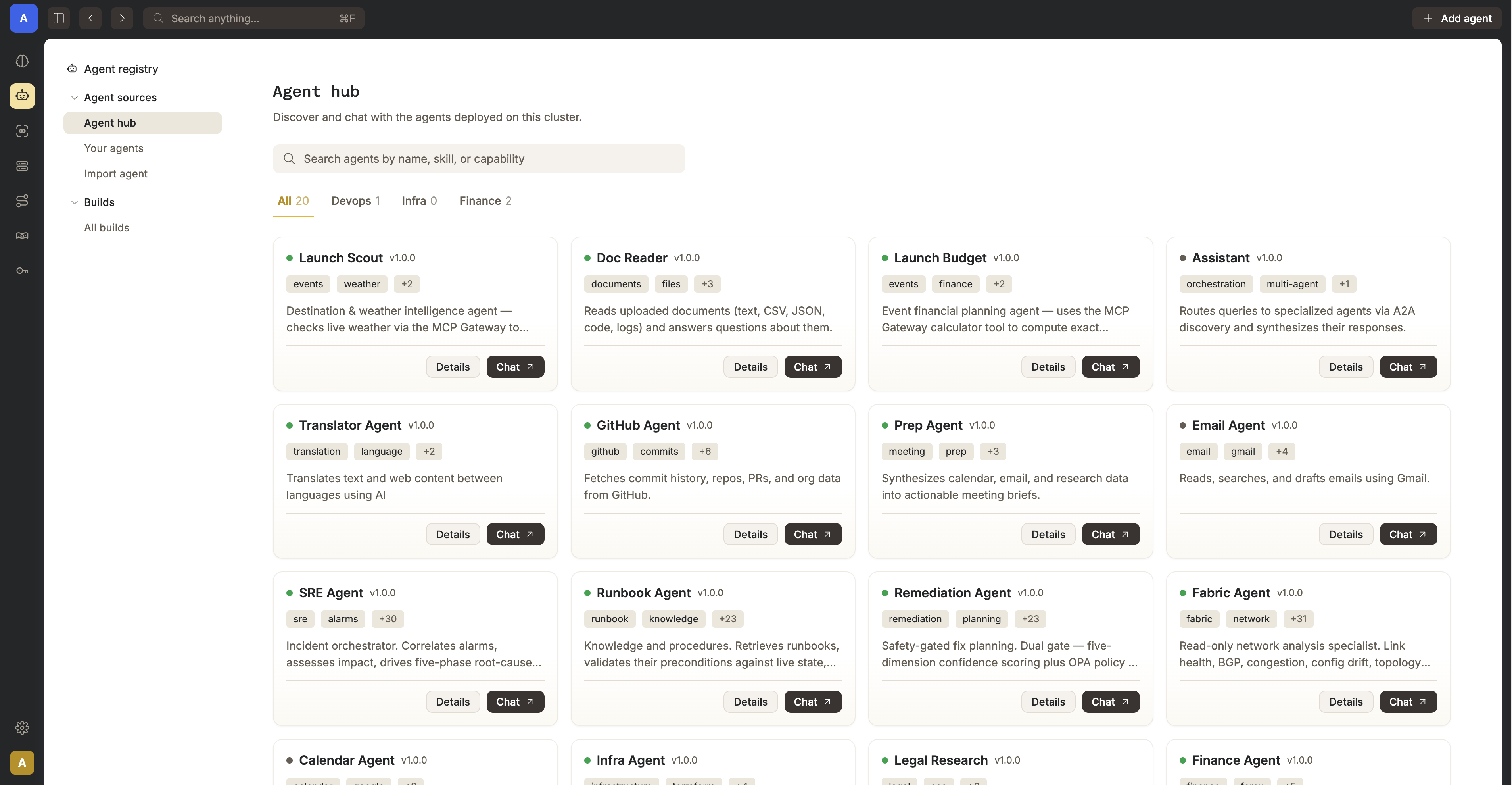
Install the current CLI from this checkout, then run its read-only discovery command:
git clone https://github.com/Nasiko-Labs/nasiko.git && cd nasiko
cargo install --path cli/ --force
nasiko agents discover
nasiko agents discover reads your machine, prints what it finds, and exits. You get a row per
supported harness: whether it is detected, whether it is reporting to Nasiko, its version, and
where its config lives. Discovery changes no harness settings, requires no account, and sends
nothing off the machine.
Ifnasiko agents discoveris not listed bynasiko agents --help, reinstall with the
--forcecommand above. Older builds use the same0.1.0version number, sonasiko --version
alone cannot tell you whether the command is present.
| Harness | Discovery and session reporting | LLM routing | | ----------- | ------------------------------- | ----------- | | Claude Code | yes | yes | | Codex | yes | yes | | OpenCode | yes | yes | | Cursor CLI | yes | not yet |
Those four are the supported set today and we will continue to add support for me. If you have a request please create an issue!
The CLI is a Rust crate, so this path needs Rust. Reporting and routing also
need an active control plane and valid login: see
Quick Start.
Nasiko manages the coding-agent CLIs already installed on your machine: it can record what they
do, route their LLM calls, or both. The two are independent opt-ins. agents uninstall removes
local reporting hooks but preserves the registered agent and its history; disconnect restores
routing settings, though a running harness may need to be stopped or disconnected with --force.
nasiko agents discover           # DETECTED / CONNECTED / VERSION / CONFIG per agent
nasiko agents install     # claude, codex, opencode, or cursor
nasiko agents install  --no-content  # omit prompt and response text
nasiko agents uninstall
nasiko agents sync               # flush queued session-turn events to the control plane
Auto-install also fires on nasiko connect , nasiko use, and
nasiko auth login, but only when authenticated and only for agents with no existing install
record. Routing commands such as nasiko connect claude do not trigger auto-install. Nasiko never
silently rebinds an already-installed agent to a new cluster; rebind explicitly with
nasiko agents install .
Nasiko installs each harness's supported event hooks: Claude uses Stop, OpenCode reports on
session.idle, and Codex and Cursor use their richer hook event sets. Completed turns are queued
locally under ~/.nasiko/integrations/queue/ and delivered to
POST /api/telemetry/coding-agent/events/batch, so a control plane that is briefly unreachable
costs you nothing. Permanently-failed deliveries (after a cluster is deleted or renamed, say) land
in ~/.nasiko/integrations/rejected/ and are safe to delete.
Ingested turns show up as chat sessions right away (nasiko sessions, nasiko history ).
Traces, token counts, and cost additionally require CODING_AGENT_OTLP_ENDPOINT, covered below.
Some harnesses arrive tied to a provider by default. Claude Code defaults to Anthropic; Codex defaults to OpenAI. That choice arrived with the tool rather than with you.
Register a provider and key with Nasiko once, then point a harness at Nasiko instead of at its vendor. Inbound wire protocol and outbound provider are decoupled, so an Anthropic-format request from Claude Code is served by your OpenAI key:
nasiko llm-config create --name my-openai --provider openai --model gpt-4o \
  --api-key-secret OPENAI_API_KEY --secret-value "$OPENAI_API_KEY"
nasiko connect claude --config my-openai
The full set of bindings:
nasiko connect claude --config
nasiko connect codex --config
nasiko connect opencode --config
nasiko disconnect         # reverse the settings/plugin changes
nasiko status             # show current binding
connect claude configures Claude Code's apiKeyHelper and ANTHROPIC_BASE_URL. connect codex
adds a model_providers.nasiko entry and command-based auth to Codex's config.toml. Their
credential helpers obtain a one-hour JWT from POST /api/agents/{id}/llm-token; Codex refreshes
its credential on a timer rather than minting one for every request. Claude Code sends the
credential in the x-api-key header rather than Authorization; the router accepts both.
connect opencode instead installs plugins/nasiko-llm-router.js under OpenCode's config
directory (respecting OPENCODE_CONFIG_DIR and XDG_CONFIG_HOME), registers a nasiko provider,
and makes nasiko/router the default model for new OpenCode sessions only. OpenCode fixes a
session's model at creation time in its own database, so resuming an existing session will not
route it. Start a new one, or pick "Nasiko Router" explicitly.
Inbound wire protocol and outbound provider are fully decoupled: nasiko connect claude --config my-openai-config routes Claude Code's Anthropic-format traffic to OpenAI.
~/.claude/settings.json and OpenCode's config are per-user, global files. Connecting an agentaffects every Claude Code / OpenCode process on the machine, not just the current project.
nasiko llm-config create --name  --provider  --model
nasiko llm-config list
nasiko llm-config update  [--provider ...] [--model ...]
nasiko llm-config set-default
nasiko llm-config attach  --agent      # attach to a deployed agent
nasiko llm-config detach --agent
nasiko llm-config get                        # resolved routing config for an agent
nasiko llm-config providers                         # valid provider/model values + pricing
Set a config's model for predictable routing. If it is unset, the router falls back through tier
models and then the platform default; list shows provider/? for the unset value.
| Variable | Purpose |
| ---------------------------- | -------------------------------------------------------------------------------------------------------------------------------------------------------------------------------------------------------------------------- |
| AGENT_JWT_SECRET | Signs the short-lived per-request router JWTs. Empty ⇒ every router request is rejected with 401 (fail-closed). |
| CODING_AGENT_OTLP_ENDPOINT | OTLP/HTTP JSON base endpoint for the telemetry outbox worker (the server appends /v1/traces and /v1/logs). Unset leaves ingested receipts pending and starts no worker, so coding-agent traces never reach Tempo/Loki. |
Three things break first when an agent estate grows: spend nobody can attribute, permissions nobody can enumerate, and a fleet nobody can run as one system. The feature set is grouped accordingly.
| Feature | What it does |
| ------------------------------ | ----------------------------------------------------------------------------------------------------------------------------------------------------------------------------------------------- |
| LLM Router | Agents get an OPENAI_BASE_URL and a short-lived identity token instead of a real key. The router resolves provider, model, and key server-side. No agent and no log ever sees a real API key. |
| Cost and token attribution | Usage and cost are collected from gen_ai.* span attributes and broken out per agent and per model, rather than arriving as a single provider invoice you have to reverse-engineer. |
| One trace per interaction | Every dispatch and proxy hop emits a real OTel span, so a request is one end-to-end trace across every agent hop, with cost attached. |
| Feature | What it does | | ------------------------------------------------ | ---------------------------------------------------------------------------------------------------------------------------------------------------------------------------------------------------------------- | | Single ingress, always proxied | Agents are never publicly reachable. Every agent-to-agent call is proxied through the server, so limits and tracing apply at every hop rather than only the first. | | Access control, for agents as well as people | User-to-agent ownership and grants, plus an agent-to-agent allowlist. The two gate every proxy call independently. | | MCP Gateway | One permanent URL gives every agent a merged, permission-filtered view of Composio toolkits and custom MCP servers, without the agent ever holding the credentials. An agent discovers only what it was granted. | | Flow guards | Redis-backed cascade limits (depth, fan-out, token budget, timeout, cycle detection) stop a loop between two agents from quietly consuming your budget. | | Encrypted secrets | Per-agent secrets are encrypted at rest with AES-256-GCM and injected only at deploy time, so they stay out of your repo. |
| Feature | What it does |
| ----------------------------------- | ---------------------------------------------------------------------------------------------------------------------------------------------------------------- |
| Deploy anything that speaks A2A | nasiko deploy builds, pushes to the embedded registry, and runs it. No external registry required, and no SDK to adopt. |
| Intelligent routing engine | A 3-stage pipeline: shortlist by embedding similarity, rerank on conversation context, then an LLM makes the final pick. Callers do not need to know your fleet. |
| Embedded OCI registry | Self-hosted, S3-backed, with layer dedup, so nasiko push and nasiko deploy need nothing external. |
| CLI-first, no lock-in | nasiko new, run, chat, deploy. Bring your own LLM provider, and change it later. |
There is no version of this that works from the outside, and saying so plainly is the shortest way to explain the architecture below.
Every coding-agent vendor meters in its own private unit, and none of them offers an ingest endpoint for another vendor's usage. There is no invoice reconciliation that produces one number, and no procurement policy that produces one either. To attribute spend across vendors you have to be in the path where the calls happen.
Enforcement has the same shape. A budget cap or a tool allowlist is only real if it sits where the request goes, rather than in a review meeting or in an environment variable a developer can unset.
That constraint is what the next section is a picture of.
Nasiko is a single process with no separate gateway. Every inter-agent call is proxied back through the server, the single chokepoint where flow limits, ACLs, and observability are enforced. Durable state lives in Postgres, Redis, and S3 (RustFS), with optional observability via Tempo / Loki / the OTel Collector.
flowchart LR
    subgraph Clients["Clients"]
        UI["Web Dashboard (embedded)"]
        CLI["nasiko CLI"]
    end
subgraph CP["nasiko-server (single control-plane process)"]
        direction TB
        API["REST API (agents, builds, uploads)"]
        AUTH["Auth (session JWT, TLS, rate-limit, ACLs)"]
        OIDC["OIDC client (SSO)"]
        ROUTE["Routing engine (shortlist, rerank, select)"]
        PROXY["A2A Proxy (generic agent reverse-proxy)"]
        MCP["MCP Gateway (tools/list, tools/call, OAuth)"]
        LLM["LLM Router (OpenAI-compatible egress)"]
        OCI["Embedded OCI registry (/v2/*)"]
        FLOW["Flow guards (depth, fan-out, token budget, cycles)"]
        SECRETS["Secrets engine (AES-256-GCM)"]
        GITHUB["GitHub App integration"]
    end
subgraph Infra["Backing services (Docker)"]
        PG[(Postgres)]
        RD[(Redis)]
        S3[(RustFS S3)]
        OTEL["OTel Collector"]
        TEMPO["Tempo"]
        LOKI["Loki"]
    end
subgraph Agents["Agent containers (Docker runtime)"]
        A1["Agent A"]
        A2["Agent B"]
        A3["Agent C"]
    end
UI --> API
    CLI --> API
    CLI -. "push / pull images" .-> OCI
API --> ROUTE
    API --> GITHUB
    ROUTE --> FLOW
    OIDC --> AUTH
    SECRETS --> API
AUTH -. gates .-> API
    AUTH -. gates .-> MCP
    AUTH -. gates .-> OCI
    AUTH -. gates .-> PROXY
ROUTE -- "selected agent, direct call" --> Agents
    PROXY -. "proxied A2A calls (bypasses routing)" .-> A1
    PROXY -. "proxied A2A calls (bypasses routing)" .-> A2
    PROXY -. "proxied A2A calls (bypasses routing)" .-> A3
    OCI -- "image pull at deploy" --> Agents
    Agents -- "OPENAI_BASE_URL" --> LLM
    Agents -- "tools/list, tools/call" --> MCP
OCI --> S3
    FLOW --> RD
    SECRETS --> PG
    AUTH --> PG
    CP --> OTEL --> TEMPO
    OTEL --> LOKI
Every request to an agent is either dispatched by the routing engine or proxied generically, and both
paths originate inside the server. Agents never receive a direct, public request, and both call
back out into the LLM Router and MCP Gateway rather than holding real API keys or tool credentials.
| Component | Minimum version | Why |
| ------------------------------ | ------------------------------------------------------------------------------------------------------ | -------------------------------------------------------------------------------------------------------------------------------------------------------------------------------------- |
| Docker Engine + Compose V2 | Compose V2 plugin (the docker compose command, not the legacy standalone docker-compose v1 binary) | docker-compose.yml uses the extended depends_on: condition: service_healthy syntax; the Docker-only path needs nothing else. |
| Rust | 1.85+ (stable) | The workspace targets edition = "2024" (see Cargo.toml), stabilized in Rust 1.85, and is only needed for the CLI / Path B developer setup, not the Docker-only path. |
The fastest way to run Nasiko requires only Docker (with Compose). The server builds itself from source inside Docker.
git clone https://github.com/Nasiko-Labs/nasiko.git
cd nasiko
cp .env.example .env
Edit .env and set at minimum:
OPENAI_API_KEY: your OpenAI key (used by the routing engine and injected into agents)ADMIN_PASSWORD: password for the bootstrap admin accountdocker compose up -d
This builds the server image and starts the full stack: Postgres · Redis · RustFS (S3) · OTel Collector · Tempo · Loki · nasiko-server.
ADMIN_USERNAME / ADMIN_PASSWORDadmin / changeme).
docker compose logs -f server   # follow server logs
docker compose down             # stop everything
docker compose up -d --build    # rebuild after pulling new changes
---
No Docker? Use the Developer / Rust setup below.
You have two supported paths:
| Path | Requires | Best for |
| -------------------- | ------------- | ----------------------------------------- |
| A. Docker-only | Docker only | Anyone who just wants to run the platform |
| B. Source / Rust | Rust + just | Contributors, developers, hot-reload |
Windows
1. Install Docker Desktop -> https://www.docker.com/products/docker-desktop/ 2. Open Docker Desktop and wait until the engine is running. 3. In a terminal (PowerShell or Git Bash):
   git clone https://github.com/Nasiko-Labs/nasiko.git
   cd nasiko
   Copy-Item .env.example .env
   # edit .env -> set OPENAI_API_KEY and ADMIN_PASSWORD
   docker compose up -d
Windows troubleshooting: see the Troubleshooting section (port conflicts,
line endings, encryption key, WSL, Docker Desktop).
macOS
1. Install Docker Desktop for Mac -> https://www.docker.com/products/docker-desktop/ 2. Open Docker Desktop until the engine is running. 3. In Terminal:
   git clone https://github.com/Nasiko-Labs/nasiko.git
   cd nasiko
   cp .env.example .env
   # edit .env -> set OPENAI_API_KEY and ADMIN_PASSWORD
   docker compose up -d
host.docker.internal resolves out of the box on Docker Desktop (macOS + Windows), so agents canreach the MCP gateway without extra setup.
Linux
1. Install Docker engine + Compose plugin -> [https://docs.docker.com/engine/install/](https://docs.docke
→ →
→ →
→ →
→ →
→ →
→ →
→ →
→