1
 →
→
AI-powered reverse engineering assistant that bridges IDA Pro with language models through MCP.
mrexodia/ida-pro-mcp is an open-source project on GitHub, mainly written in Python. AI-powered reverse engineering assistant that bridges IDA Pro with language models through MCP. It currently holds 12,917 stars and 1,564 forks with 0 open issues, and was last pushed on an unknown date (repository created unknown).
AI Homed tracks it on the Today's Trending board.
[!IMPORTANT]
I recommend using the Official Hex-Rays IDA MCP Server instead!
See the announcement blog post for more information.
Simple MCP Server to allow vibe reversing in IDA Pro.
https://github.com/user-attachments/assets/6ebeaa92-a9db-43fa-b756-eececce2aca0
The binaries and prompt for the video are available in the mcp-reversing-dataset repository.
idapyswitch to switch to the newest Python versionida-pro-mcp --config to get the JSON config for your client.# windows
uv run "C:\Program Files\IDA Professional 9.3\idalib\python\py-activate-idalib.py"
macos
uv run "/Applications/IDA Professional 9.3.app/Contents/MacOS/idalib/python/py-activate-idalib.py"
linux
uv run "/path/to/idapro-9.3/idalib/python/py-activate-idalib.py"
To install the latest IDA Pro MCP in Claude Code:
claude plugin marketplace add mrexodia/claude-marketplace
claude plugin uninstall ida-pro-mcp@mrexodia
claude plugin install ida-pro-mcp@mrexodia
To install the latest IDA Pro MCP in Codex:
codex plugin marketplace add mrexodia/codex-marketplace
codex plugin remove ida-pro-mcp@mrexodia
codex plugin add ida-pro-mcp@mrexodia
To install the latest IDA Pro MCP in Kimi Code, run this slash command in the chat:
/plugins install https://github.com/mrexodia/ida-pro-mcp/tree/main
/reload
This installs the idalib MCP server and the idapython skill. Plugins are copied to
$KIMI_CODE_HOME/plugins/managed/, so uv must be on your PATH. The first session after
installing is slower, because uv resolves the dependencies before the server responds.
Note: the MCP plugin is no longer recommended and will eventually be deprecated. Use idalib-mcp instead.
If you want to configure the MCP server manually from the IDA GUI:
pip uninstall ida-pro-mcp
pip install https://github.com/mrexodia/ida-pro-mcp/archive/refs/heads/main.zip
Configure the MCP servers and install the IDA Plugin:
ida-pro-mcp --install
Important: Make sure you completely restart IDA and your MCP client for the installation to take effect. Some clients (like Claude) run in the background and need to be quit from the tray icon.
LLMs are prone to hallucinations and you need to be specific with your prompting. For reverse engineering the conversion between integers and bytes are especially problematic. Below is a minimal example prompt, feel free to start a discussion or open an issue if you have good results with a different prompt:
Your task is to analyze a crackme in IDA Pro. You can use the MCP tools to retrieve information. In general use the following strategy:
- Inspect the decompilation and add comments with your findings
- Rename variables to more sensible names
- Change the variable and argument types if necessary (especially pointer and array types)
- Change function names to be more descriptive
- If more details are necessary, disassemble the function and add comments with your findings
- NEVER convert number bases yourself. Use the
int_convert MCP tool if needed!
- Do not attempt brute forcing, derive any solutions purely from the disassembly and simple python scripts
- Create a report.md with your findings and steps taken at the end
- When you find a solution, prompt to user for feedback with the password you found
This prompt was just the first experiment, please share if you found ways to improve the output!
Another prompt by @can1357:
Your task is to create a complete and comprehensive reverse engineering analysis. Reference AGENTS.md to understand the project goals and ensure the analysis serves our purposes.
Use the following systematic methodology:
1. Decompilation Analysis
- Thoroughly inspect the decompiler output
- Add detailed comments documenting your findings
- Focus on understanding the actual functionality and purpose of each component (do not rely on old, incorrect comments)
2. Improve Readability in the Database
- Rename variables to sensible, descriptive names
- Correct variable and argument types where necessary (especially pointers and array types)
- Update function names to be descriptive of their actual purpose
3. Deep Dive When Needed
- If more details are necessary, examine the disassembly and add comments with findings
- Document any low-level behaviors that aren't clear from the decompilation alone
- Use sub-agents to perform detailed analysis
4. Important Constraints
- NEVER convert number bases yourself - use the int_convert MCP tool if needed
- Use MCP tools to retrieve information as necessary
- Derive all conclusions from actual analysis, not assumptions
5. Documentation
- Produce comprehensive RE/*.md files with your findings
- Document the steps taken and methodology used
- When asked by the user, ensure accuracy over previous analysis file
- Organize findings in a way that serves the project goals outlined in AGENTS.md or CLAUDE.md
Live stream discussing prompting and showing some real-world malware analysis:
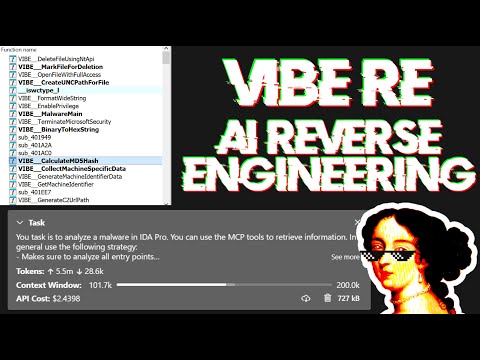
Large Language Models (LLMs) are powerful tools, but they can sometimes struggle with complex mathematical calculations or exhibit "hallucinations" (making up facts). Make sure to tell the LLM to use the int_convert MCP tool and you might also need math-mcp for certain operations.
Another thing to keep in mind is that LLMs will not perform well on obfuscated code. Before trying to use an LLM to solve the problem, take a look around the binary and spend some time (automatically) removing the following things:
You can run an SSE server to connect to the user interface like this:
uv run ida-pro-mcp --transport http://127.0.0.1:8744/sse
After installing idalib you can also run a headless MCP server. You can start with an initial binary:
uv run idalib-mcp --host 127.0.0.1 --port 8745 path/to/executable
Or start without a binary and open arbitrary files later with idb_open(...):
uv run idalib-mcp --host 127.0.0.1 --port 8745
For stdio-based clients, use:
uv run idalib-mcp --stdio
Database workers are persistent: each one runs as a detached process that
outlives the supervisor that spawned it. When a new supervisor (over stdio
or HTTP) calls idb_open for a binary that is already open under a worker
on this host, the supervisor adopts that worker transparently — there is
no separate "shared" mode to enable. Workers self-exit when no request has
hit them for an idle interval.
_Note_: The idalib feature was contributed by Willi Ballenthin.
idalib-mcp is a supervisor that keeps each open database in its own idalib worker process. Workers register themselves in a host-local discovery directory and outlive the supervisor that spawned them; any subsequent supervisor that wants the same path adopts the running worker. A worker self-exits when no request has hit it for its idle TTL (default 1 hour). Call idb_close to release a worker eagerly (freeing a slot toward --max-workers), adopted GUI/worker instances are detached rather than killed.
idb_open picks the backend via its mode parameter:
prefer_headless (default): spawn an idalib worker (or adopt one that already has the file open).force_headless: same, but never adopt a running GUI even if one has the file.prefer_gui: adopt a running GUI for the file; otherwise spawn an idalib worker.force_gui: adopt a running GUI for the file; otherwise launch a new IDA GUI process.database argument. There is no implicit "current database" — callers name the session they want to operate on.
uv run idalib-mcp --stdio --max-workers 4
Typical flow:
idb_open("/path/to/binary_a.exe", preferred_session_id="binary_a")
idb_open("/path/to/library.dll", preferred_session_id="library")
decompile("main", database="binary_a")
xrefs_to("ImportantExport", database="library")
database must be the session ID returned by idb_open (or shown in idb_list); filenames and paths are not accepted.
idb_open(input_path, mode="prefer_headless", run_auto_analysis=True, build_caches=True, init_hexrays=True, preferred_session_id=""): Open a binary, warm up subsystems (strings cache, Hex-Rays), and return its session ID. If a worker or GUI for this path is already running on the host, that instance is adopted and preferred_session_id is ignored.idb_list(): List open sessions and running GUI IDA instances. Each entry has adopted (True if this supervisor manages it, False for GUIs/workers discovered but not yet opened via idb_open), backend (worker or gui), is_active, and process IDs.idb_close(database, save=True): Save (optionally), unregister the session, and terminate its owned worker, freeing a slot toward --max-workers. Adopted GUI/worker instances are detached, not killed.idb_save(session_id, path=""): Save a session's IDB to disk. Forwarded as a regular worker tool (database= injected) — same signature in both backends.server_health(database=) (forwarded). idb_list() reports is_active from the supervisor's TCP/RPC probe.--max-workers N: maximum simultaneous database workers (0 = unlimited, default 4).IDA_MCP_MAX_WORKERS: environment default for --max-workers.IDA_MCP_* configuration variables from the Codex host environment:
IDA_MCP_MAX_WORKERS, IDA_MCP_OPEN_TIMEOUT, IDA_MCP_WEDGED_GRACE_SEC, IDA_MCP_WORKER_CALL_TIMEOUT.IDA_MCP_HEALTH_TCP_TIMEOUT, IDA_MCP_HEALTH_RPC_TIMEOUT, IDA_MCP_HEALTH_RETRIES, IDA_MCP_HEALTH_RETRY_BACKOFF.IDA_MCP_TOOL_TIMEOUT_SEC, IDA_MCP_ANALYSIS_PROMPT, IDA_MCP_URL.IDA_MCP_LOG_REQUESTS, IDA_MCP_LOG_SKIP_METHODS.Resources represent browsable state (read-only data) following MCP's philosophy.
Core IDB State:
ida://idb/metadata - IDB file info (path, arch, base, size, hashes)ida://idb/segments - Memory segments with permissionsida://idb/entrypoints - Entry points (main, TLS callbacks, etc.)ida://cursor - Current cursor position and functionida://selection - Current selection rangeida://types - All local typesida://structs - All structures/unionsida://struct/{name} - Structure definition with fieldsida://import/{name} - Import details by nameida://export/{name} - Export details by nameida://xrefs/from/{addr} - Cross-references from addresslookup_funcs(queries): Get function(s) by address or name (auto-detects, accepts list or comma-separated string).int_convert(inputs): Convert numbers to different formats (decimal, hex, bytes, ASCII, binary).list_funcs(queries): List functions (paginated, filtered).list_globals(queries): List global variables (paginated, filtered).imports(offset, count): List all imported symbols with module names (paginated).decompile(addr): Decompile function at the given address.disasm(addr): Disassemble function with full details (arguments, stack frame, etc).xrefs_to(addrs): Get all cross-references to address(es).xrefs_to_field(queries): Get cross-references to specific struct field(s).callees(addrs): Get functions called by function(s) at address(es).add_bookmark(addr, name, prefix): Add or replace the IDA bookmark at an address; set prefix="" for no prefix.set_comments(items): Set comments at address(es) in both disassembly and decompiler views.patch_asm(items): Patch assembly instructions at address(es).declare_type(decls): Declare C type(s) in the local type library.define_func(items): Define function(s) at address(es). Optionally specify end for explicit bounds.define_code(items): Convert bytes to code instruction(s) at address(es).undefine(items): Undefine item(s) at address(es), converting back to raw bytes. Optionally specify end or size.get_bytes(addrs): Read raw bytes at address(es).get_int(queries): Read integer values using ty (i8/u64/i16le/i16be/etc).get_string(addrs): Read null-terminated string(s).get_global_value(queries): Read global variable value(s) by address or name (auto-detects, compile-time values).stack_frame(addrs): Get stack frame variables for function(s).declare_stack(items): Create stack variable(s) at specified offset(s).delete_stack(items): Delete stack variable(s) by name.read_struct(queries): Read structure field values at specific address(es).search_structs(filter): Search structures by name pattern.Debugger tools are hidden by default. Enable with ?ext=dbg query parameter:
http://127.0.0.1:13337/mcp?ext=dbg
Control:
dbg_start(): Start debugger process.dbg_exit(): Exit debugger process.dbg_continue(): Continue execution.dbg_run_to(addr): Run to address.dbg_step_into(): Step into instruction.dbg_step_over(): Step over instruction.dbg_bps(): List all breakpoints.dbg_add_bp(addrs): Add breakpoint(s).dbg_delete_bp(addrs): Delete breakpoint(s).dbg_toggle_bp(items): Enable/disable breakpoint(s).dbg_regs(): All registers, current thread.dbg_regs_all(): All registers, all threads.dbg_regs_remote(tids): All registers, specific thread(s).dbg_gpregs(): GP registers, current thread.dbg_gpregs_remote(tids): GP registers, specific thread(s).dbg_regs_named(names): Named registers, current thread.dbg_regs_named_remote(tid, names): Named registers, specific thread.dbg_stacktrace(): Call stack with module/symbol info.dbg_read(regions): Read memory from debugged process.dbg_write(regions): Write memory to debugged process.py_eval(code): Execute arbitrary Python code in IDA context (returns dict with result/stdout/stderr, supports Jupyter-style evaluation).analyze_funcs(addrs): Comprehensive function analysis (decompilation, assembly, xrefs, callees, callers, strings, constants, basic blocks).find_regex(queries): Search strings with case-insensitive regex (paginated).find_bytes(patterns, limit=1000, offset=0): Find byte pattern(s) in binary (e.g., "48 8B ?? ??"). Max limit: 10000.find_insns(sequences, limit=1000, offset=0): Find instruction sequence(s) in code. Max limit: 10000.find(type, targets, limit=1000, offset=0): Advanced search (immediate values, strings, data/code references). Max limit: 10000.basic_blocks(addrs): Get basic blocks with successors and predecessors.set_type(edits): Apply type(s) to functions, globals, locals, or stack variables.infer_types(addrs): Infer types at address(es) using Hex-Rays or heuristics.export_funcs(addrs, format): Export function(s) in specified format (json, c_header, or prototypes).callgraph(roots, max_depth): Build call graph from root function(s) with configurable depth.rename(batch): Unified batch rename operation for functions, globals, locals, and stack variables (accepts dict with optional func, data, local, stack keys).patch(patches): Patch multiple byte sequences at once.put_int(items): Write integer values using ty (i8/u64/i16le/i16be/etc).[{..., error: null|string}, ...]cursor: {next: offset} or {done: true} (default limit: 1000, enforced max: 10000 to prevent token overflow)build_strlist calls in large projectsAdding new features is a super easy and streamlined process. All you have to do is add a new @tool function to the modular API files in src/ida_pro_mcp/ida_mcp/api_*.py and your function will be available in the MCP server without any additional boilerplate! Below is a video where I add the get_metadata function in less than 2 minutes (including testing):
https://github.com/user-attachments/assets/951de823-88ea-4235-adcb-9257e316ae64
To test the MCP server itself:
npx -y @modelcontextprotocol/inspector
This will open a web interface at http://localhost:5173 and allow you to interact with the MCP tools for testing.
For testing I create a symbolic link to the IDA plugin and then POST a JSON-RPC request directly to http://localhost:13337/mcp. After enabling symbolic links you can run the following command:
uv run ida-pro-mcp --install
Generate the changelog of direct commits to main:
git log --first-parent --no-merges 1.2.0..main "--pretty=- %s"
 →
→ →
→ →
→ →
→ →
→ →
→ →
→