
1
 →
→minghinmatthewlam/pi-gui is an open-source project on GitHub, mainly written in TypeScript. Electron GUI app for the pi coding agent runtime It currently holds 1,140 stars and 166 forks with 0 open issues, and was last pushed on an unknown date (repository created unknown).
AI Homed tracks it on the Today's Trending board, currently at rank #56 with 24 new stars today.
The desktop app for the pi coding agent.


Run agents in parallel threads, each in its own git worktree if you want one. Review every
change, run the tests in a real terminal, and ship without leaving the window. pi-gui is a
desktop shell around @earendil-works/pi-coding-agent,
not a separate agent: sessions, models, auth and tools all run through pi itself, so anything
you set up with the pi CLI carries over.
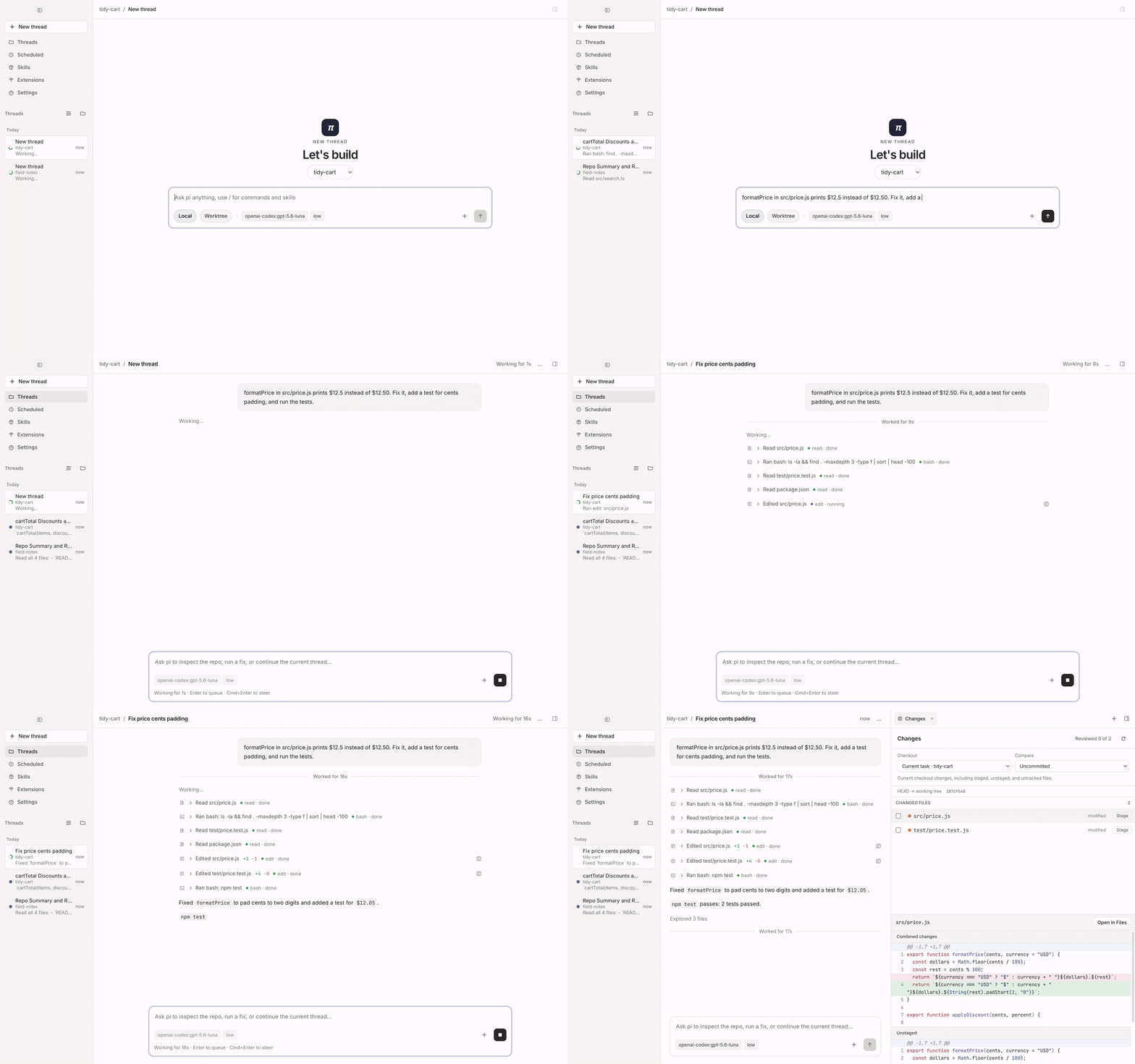
A real run: the agent fixes a bug, adds a test and runs it, then the change opens for review. (Watch in full quality)
Every task gets its own thread. Start it in your checkout or in a fresh git worktree, then start the next one while it works. The sidebar shows what is running, what finished and what needs you. Pin threads, group them by time or workspace, and archive the ones you are done with.
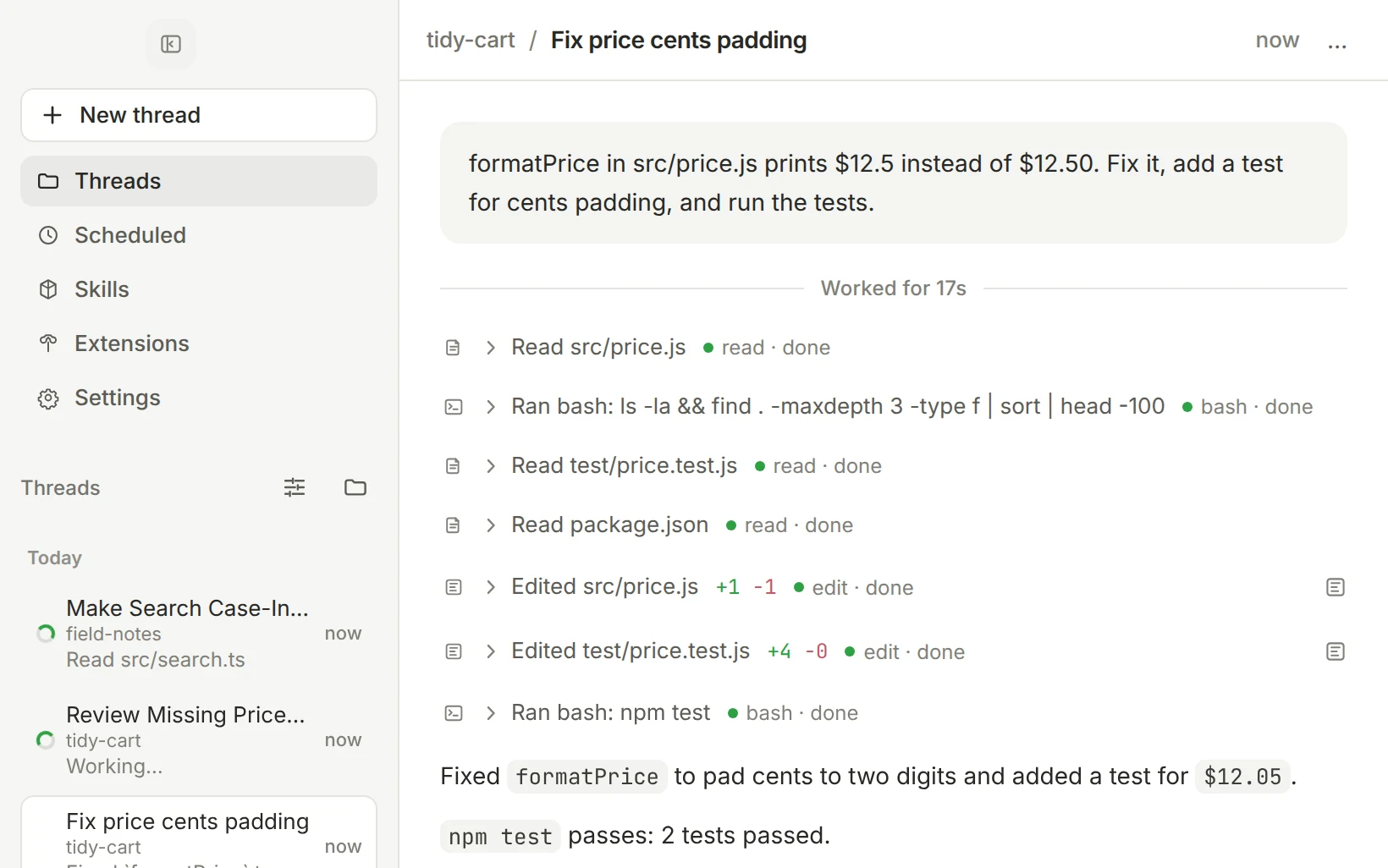
The Review tab shows exactly what the agent touched. Compare uncommitted work, a branch against its base, or a single turn, and stage or unstage it file by file.
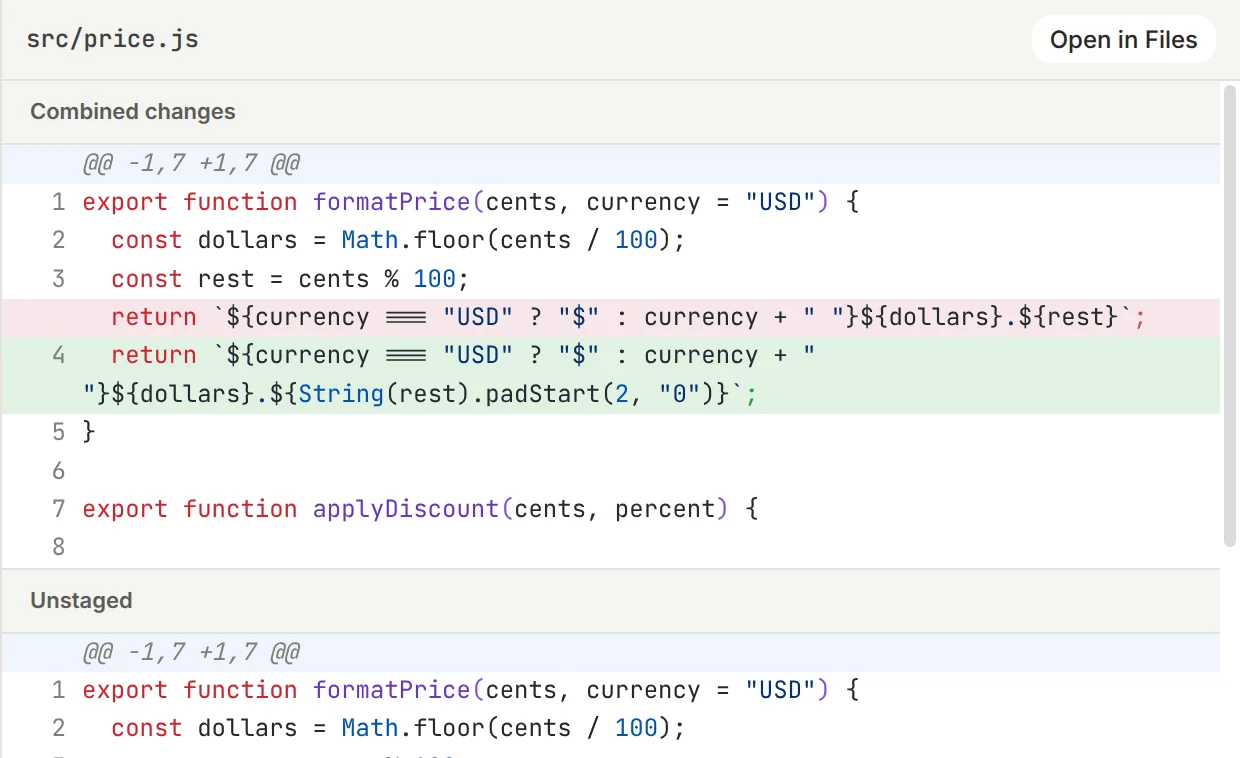
The workbench beside the conversation holds a real terminal, a file explorer and editor, the review tab, your worktrees, and tabs from desktop extensions. Each task keeps its own layout.
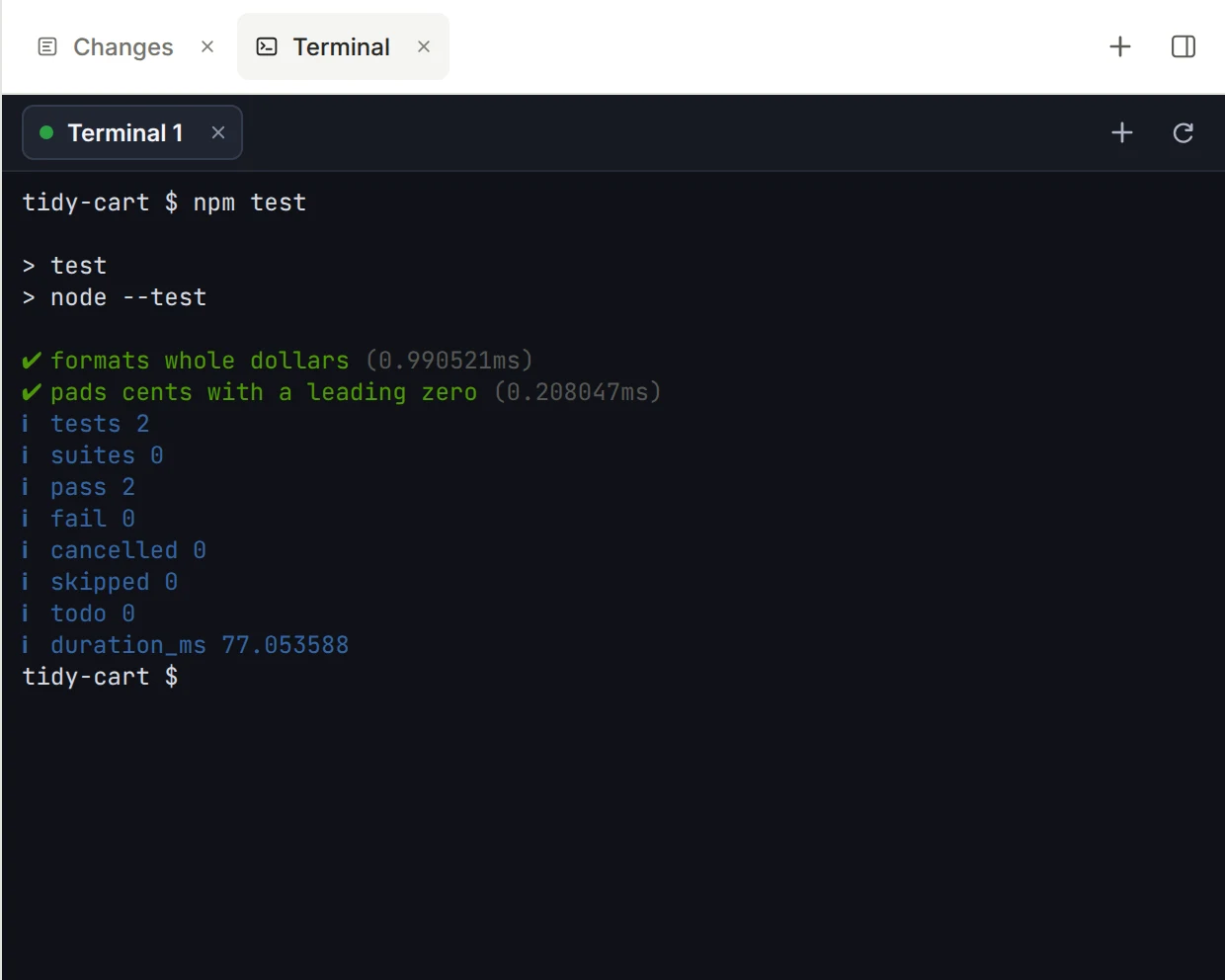
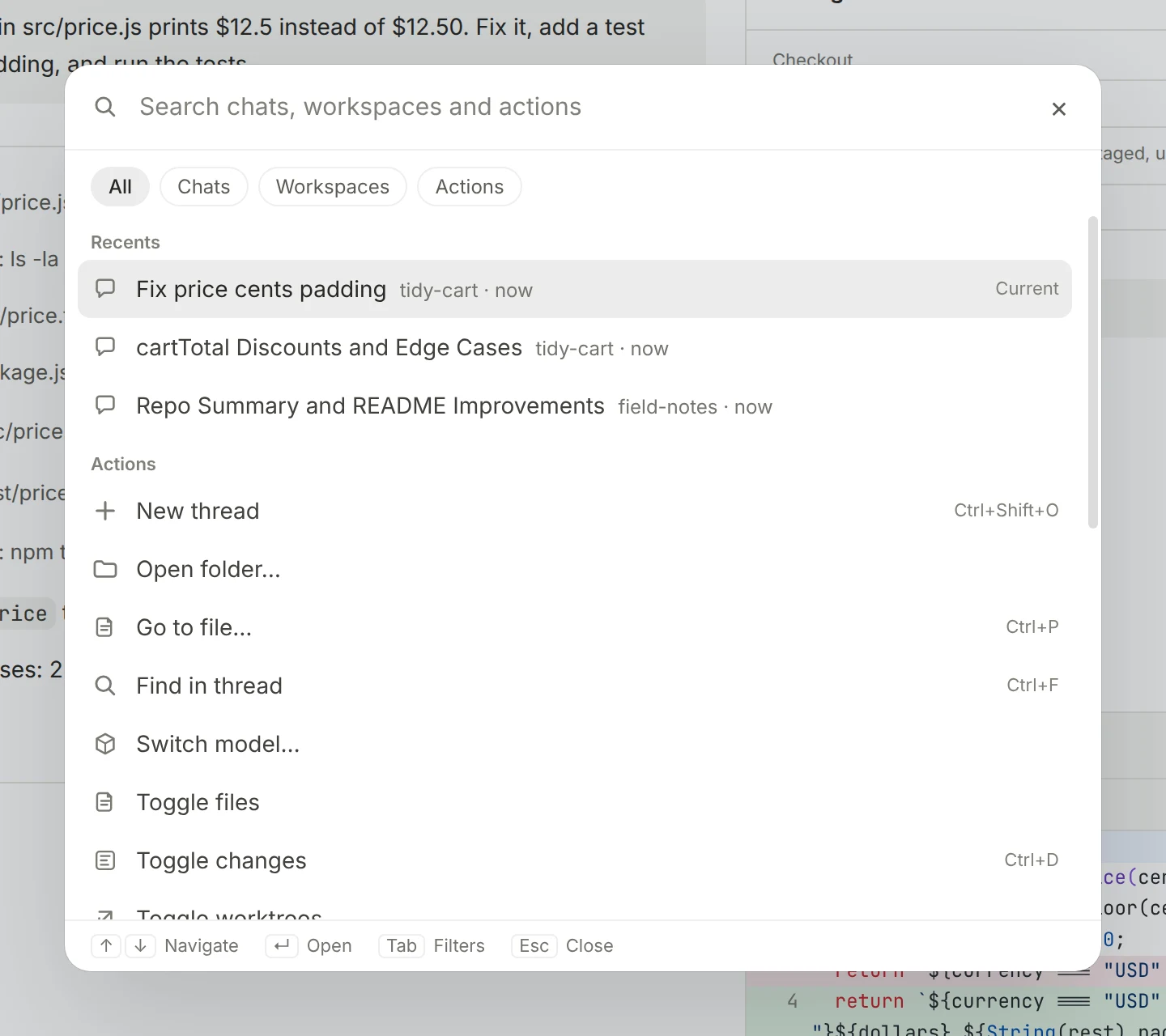
| Shortcut (macOS; use Ctrl on Linux and Windows) | Does | | -------------------------------------------------- | ------------------------------------- | | ⌘ K | Search chats, workspaces and actions | | ⌘ P | Open any file in the current checkout | | Ctrl Tab | Switch between recent threads | | ⌘ 1 to 9 | Jump to a thread in the sidebar | | ⌘ J | Toggle the terminal | | ⌘ R | Toggle the Review tab | | ⌘ ⌥ B | Show or hide the workbench | | Enter while a run is going | Queue a follow-up | | ⌘ Enter while a run is going | Steer the current run |
/tree.
@-mention files, and paste or drop images into the prompt.pi-gui runs on macOS (Apple Silicon), Linux (x64) and Windows (x64).
Download the latest .dmg (macOS), .AppImage or .deb (Linux), or .exe (Windows) from the
Releases page.
pi-gui.app into Applications. Releases are signed and notarized..deb..exe, or use the portable .exe. Builds are not code-signedOn macOS you can also use Homebrew:
brew tap minghinmatthewlam/tap
brew install --cask pi-gui
Update with brew upgrade --cask pi-gui. A Homebrew upgrade may ask you to
re-confirm macOS permissions or Dock placement. Other installs tell you when a new release is
out and update from the Releases page.
Building from source is for contributors; see Development.
1. Install pi-gui and open it. 2. Open Settings → Providers and connect a model provider (OAuth or API key). 3. Add a workspace: a local project folder. 4. Click New thread, choose Local or Worktree, and send your first prompt.
pi-gui reads and writes pi's own session files and settings, so threads, credentials and skills are shared with the pi CLI.
pi-gui is an Electron app with a tight main, preload and renderer boundary, on top of the pi runtime:
apps/desktop/src): the React UI, including the timeline, composer,apps/desktop/electron/preload.ts): the narrow bridge that exposes that IPCapps/desktop/electron): windows, session supervision, worktrees, terminal PTYs,packages/pi-sdk-driver: a thin adapter over @earendil-works/pi-coding-agent. It staysSee docs/architecture.md for ownership and boundaries.
Requires Node 22.19 or newer (CI runs Node 22) and pnpm through corepack.
pnpm-lock.yaml is the authoritative lockfile.
corepack enable
pnpm install
Common commands, from the repo root:
pnpm dev            # run the desktop app with hot reload
pnpm check          # CI baseline: format, lint, renderer boundaries, types, guard and driver tests
pnpm build          # build the desktop app and the website
pnpm typecheck      # type-check all workspaces
pnpm lint           # correctness rules plus typed promise and unsafe-any checks
pnpm format         # apply the shared formatter
pnpm test           # each workspace's tests (desktop runs the core E2E lane)
pnpm marketing:media  # re-record the README and website media from a real agent run
pnpm check is the shared local and CI baseline. It does not launch Electron or replace the
desktop, website-build and package CI jobs; see docs/ci-baseline.md.
Desktop end-to-end tests drive the real Electron app with Playwright, in lanes. pnpm test
runs the core lane; to run everything:
pnpm --filter @pi-gui/desktop run test:e2e:all # core + live + native
See apps/desktop/README.md for the lanes, packaging on each
platform, and how the product media is recorded.
apps/desktop: the Electron app (renderer, main and preload).apps/website: pi-gui.com.packages/pi-sdk-driver: the adapter over @earendil-works/pi-coding-agent.packages/session-driver: shared session driver types.packages/catalogs: workspace and session catalog state.packages/extension-ui: helpers for building desktop extension views.examples/desktop-extensions: example extensions with their own workbench tabs.video: the Remotion showcase video.docs: architecture, CI and design notes..agents/skills: checked-in agent skills, including desktop verification.Contributions are welcome. See CONTRIBUTING.md for setup, verification expectations and the desktop test lanes. Desktop changes should be verified on the real Electron app, not only by unit tests.
Native computer use is not built into pi-gui. Desktop and browser control is available
separately through the standalone
computer-use-mcp server, which any
MCP-capable agent can use.
Built on @earendil-works/pi-coding-agent
and the pi runtime and ecosystem.
MIT © Matthew Lam
→ →
→ →
→ →
→ →
→ →
→ →
→ →
→