1
 →
→
Synaplan AI integration into nextcloud for RAG powered discussions, translations and summaries. Run your own AI platform next to your nextcloud!
metadist/synaplan-nextcloud is an open-source project on GitHub, mainly written in PHP. Synaplan AI integration into nextcloud for RAG powered discussions, translations and summaries. Run your own AI platform next to your nextcloud! It currently holds 254 stars and 26 forks with 0 open issues, and was last pushed on an unknown date (repository created unknown).
AI Homed tracks it on the Today's Trending board.
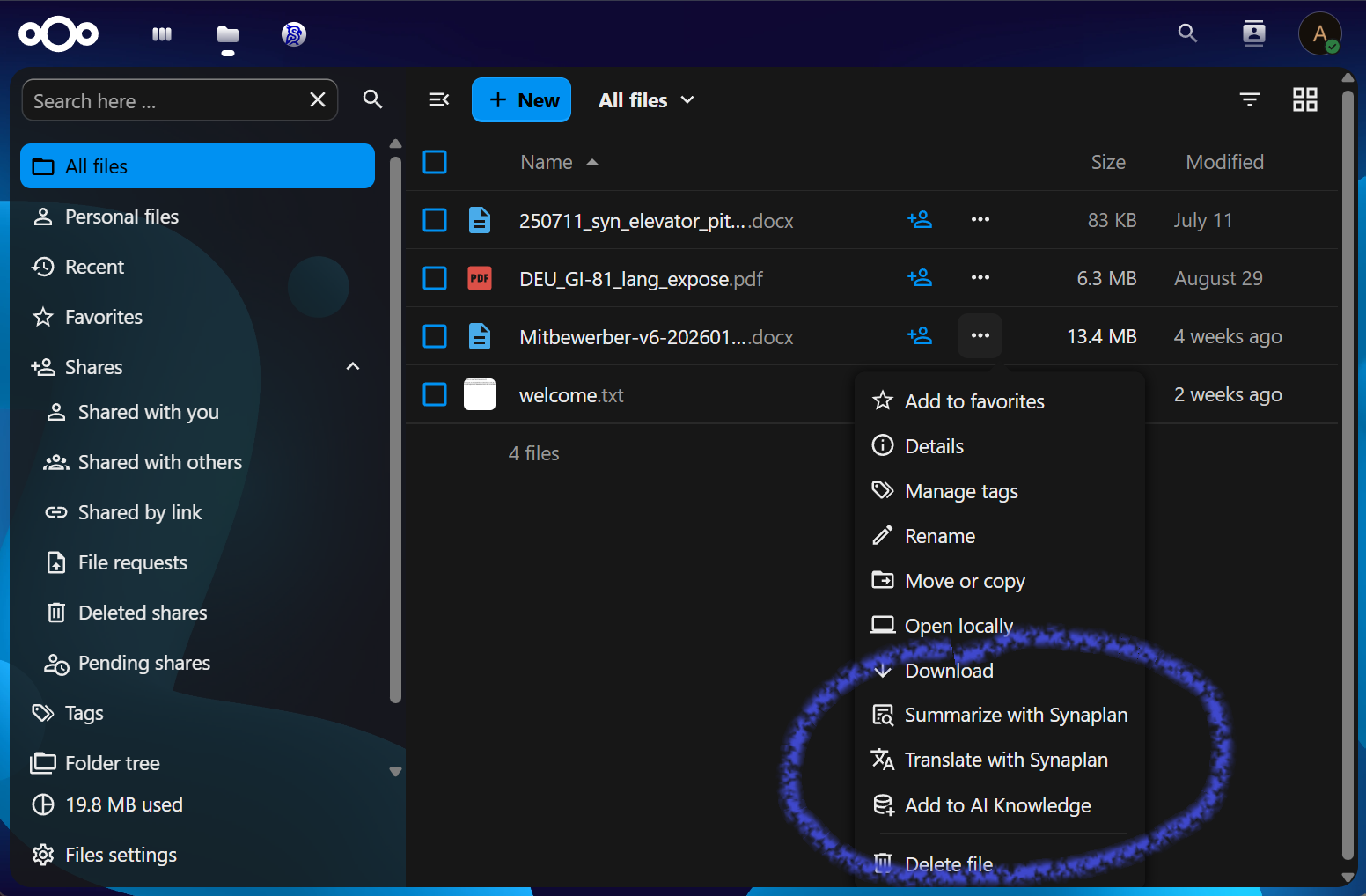
AI-powered document summarization, translation, knowledge base, and research chat — directly in Nextcloud.
/pic and /vid commands generate images and videos when the corresponding models are configured. Requests run through Synaplan's multi-task (DAG) routing on the connected instance, so a single complex prompt can be decomposed server-side into several steps (e.g. search knowledge → summarize → generate) instead of one flat answer.| Type | Formats | |------|---------| | Text | TXT, Markdown, CSV, HTML, XML, RTF, JSON | | Documents | PDF, DOCX, DOC, ODT | | Spreadsheets | XLSX, XLS, ODS | | Presentations | PPTX, PPT, ODP |
Binary formats (PDF, Office, OpenDocument) are processed via Synaplan's built-in Tika text extraction.
1. Go to your Nextcloud instance → Apps 2. Search for Synaplan Integration 3. Click Download and enable
# Download the latest release
wget https://github.com/metadist/synaplan-nextcloud/releases/latest/download/synaplan_integration.tar.gz
Extract into Nextcloud's custom_apps directory
tar -xzf synaplan_integration.tar.gz -C /path/to/nextcloud/custom_apps/
Enable the app
php /path/to/nextcloud/occ app:enable synaplan_integration
git clone https://github.com/metadist/synaplan-nextcloud.git
cd synaplan-nextcloud
composer install
npm install
npm run build
Symlink into Nextcloud
ln -s "$(pwd)" /path/to/nextcloud/custom_apps/synaplan_integration
php /path/to/nextcloud/occ app:enable synaplan_integration
1. Go to Admin Settings → Synaplan Integration
2. Enter your Synaplan instance URL (e.g., https://synaplan.example.com)
3. Enter your Synaplan API key
4. Click Test connection to verify
composer install          # PHP dependencies
npm install               # JS dependencies
make ci-local             # Every CI job except e2e — run before each push
make lint                 # php-cs-fixer, ESLint, Prettier
make stan                 # PHPStan
make test                 # PHPUnit
make test-contract        # Every call to Synaplan against the pinned Synaplan's OpenAPI spec (Docker)
make typecheck            # vue-tsc
make test-unit-js         # Vitest
make test-e2e             # Playwright journeys (see End-to-end journeys)
make build                # Production frontend build
make help                 # Show all available commands
npm run dev               # Watch mode (auto-rebuild on changes)
Start the Synaplan stack with Keycloak first (docker compose --profile oidc up -d
in ../synaplan), then:
make dev-up # copies docker-compose.dev.yml.example (gitignored) on the first run
The first run builds the frontend when js/ is missing (that directory is not in
git). A later make dev-up leaves an existing build alone.
admin / admin; the test people ada,bob and carol (password -dev-pass). Ada has the folders the
journeys use; Incoming-DE (edit) and Specs (read) are shared with Bob.
adaada-dev-pass) signs in as the local ada. NC_OIDC=0 make dev-reset dev-up
installs without it.
nextcloud:35-apache by default; NC_IMAGE=nextcloud:33-apache make dev-reset dev-upnextcloud-cron), mail tohttp://backend and sends browsers to http://localhost:5173.
PLATFORM_LINKS.ENABLED) for link.
../synaplan/_devextras/testing/cloud-apps/env-check.sh --cloud nextcloud --oidc.make dev-down stops the stack and keeps the volumes; make dev-reset deletes
them. make dev-occ CMD="user:list", make dev-logs and make dev-shell help
while it runs.
The journeys in tests/e2e click through a real Nextcloud next to the Synaplan
test stack: connect an account, Summarize, Translate, Chat about this file,
Make searchable by AI, save a generated image, disconnect on either side, and
accounts created by the administrator. CI runs them on Nextcloud 33 and 35.
npx playwright install chromium   # once
make e2e-up       # Synaplan test stack on :8001 (pinned image, files from ../synaplan), Nextcloud on :8091
make test-e2e     # the journeys, in order, with one browser
make e2e-down     # stop both stacks and delete their data
NC_IMAGE=nextcloud:33-apache make e2e-up starts the floor; E2E_NC_PORTSYNAPLAN_DIR points at another synaplan checkout.
make test-e2e runs again on the sametests/e2e/synaplan-test-stack.yml is a Compose overlay for the Synaplanapp_test), not for the Nextcloud plugin:
redis_test (REDIS_DSN) for the one-time link codes of "ConnectSTRIPE_SECRET_KEY: '' on app_test because Synaplan'sbackend/.env.test ships a fake Stripe test key (sk_test_fakeKey...) for
billing unit tests, which makes Synaplan's PremiumFeatureGate require a
paid plan before minting API keys (403 API_PLAN_REQUIRED). Clearing
STRIPE_SECRET_KEY switches the Synaplan test container into self-hosted /
open-source mode (billing off) so the provisioning journey (05-provision.spec.ts)
can create accounts and mint per-user API keys. The Nextcloud app itself has
no Stripe integration or keys.
CLOUD_FILES_ENABLED: 'true' on app_test so the cloud file statusE2E_SYNAPLAN_FILES.
Releases come from CI (.github/workflows/release.yml):
1. A pull request sets the version in appinfo/info.xml and package.json
and dates its CHANGELOG.md section (## 1.7.0 – 2026-10-20). The
workflow's dry run checks that the three agree, packages, and signs with a
throwaway key.
2. After the merge, and once All Checks Passed is green on main, tag the
merge commit: git tag v1.7.0 && git push origin v1.7.0.
3. The workflow refuses a tag that is not on main or whose CI run failed,
and an info.xml the App Store schema rejects (scripts/check-info-xml.sh).
It packages, signs, verifies the signature against the certificate the App
Store holds for the app, attaches the tarball and its signature to a GitHub
release and publishes the release to the App Store.
v1.7.0-rc.1 stops at a draft GitHub release, for a test install before the
release. Running the workflow again for a tag reuses the files its release
already holds, so the App Store's signature keeps matching. The workflow
needs two repository secrets: APP_STORE_SIGNING_KEY
(the app's private key) and APP_STORE_TOKEN (an App Store API token of an
owner or co-maintainer).
By hand, with the key in ~/.nextcloud/certificates/:
make package              # Build unsigned tarball
make sign                 # Build + sign (requires certificate)
make appstore             # Build, sign, and show upload instructions
Apache-2.0 — see LICENSE.
→ →
→ →
→ →
→ →
→ →
→ →
→ →
→