1
 →
→
Simple command line tool for text to image generation using OpenAI's CLIP and Siren (Implicit neural representation network). Technique was originally created by https://twitter.com/advadnoun
lucidrains/deep-daze is an open-source project on GitHub, mainly written in Python. Simple command line tool for text to image generation using OpenAI's CLIP and Siren (Implicit neural representation network). It currently holds 4,312 stars and 309 forks with 0 open issues, and was last pushed on an unknown date (repository created unknown).
AI Homed tracks it on the AI Image Projects board and on the AI AI Image Projects list.
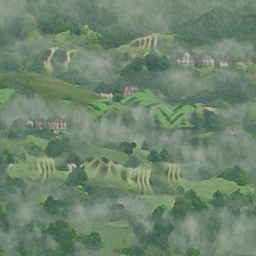
mist over green hills
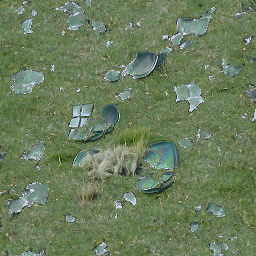
shattered plates on the grass
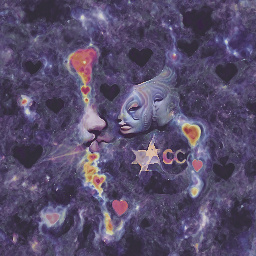
cosmic love and attention
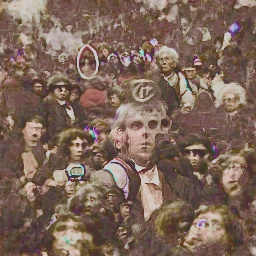
a time traveler in the crowd
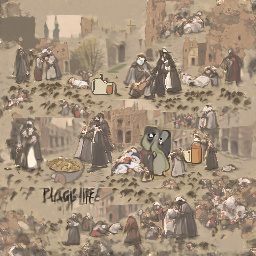
life during the plague
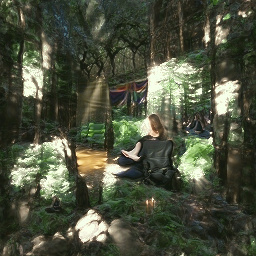
meditative peace in a sunlit forest
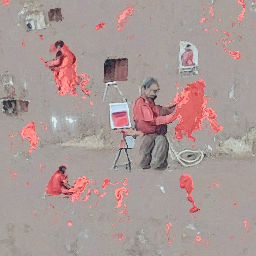
a man painting a completely red image
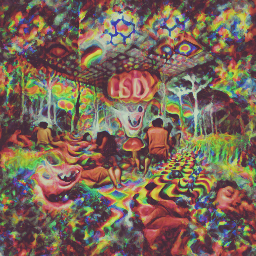
a psychedelic experience on LSD
Simple command line tool for text to image generation using OpenAI's CLIP and Siren. Credit goes to Ryan Murdock for the discovery of this technique (and for coming up with the great name)!
Original notebook [![Open In Colab][colab-badge]][colab-notebook]
New simplified notebook [![Open In Colab][colab-badge]][colab-notebook-2]
[colab-notebook]: [colab-notebook-2]: [colab-badge]:
This will require that you have an Nvidia GPU or AMD GPU
$ pip install deep-daze
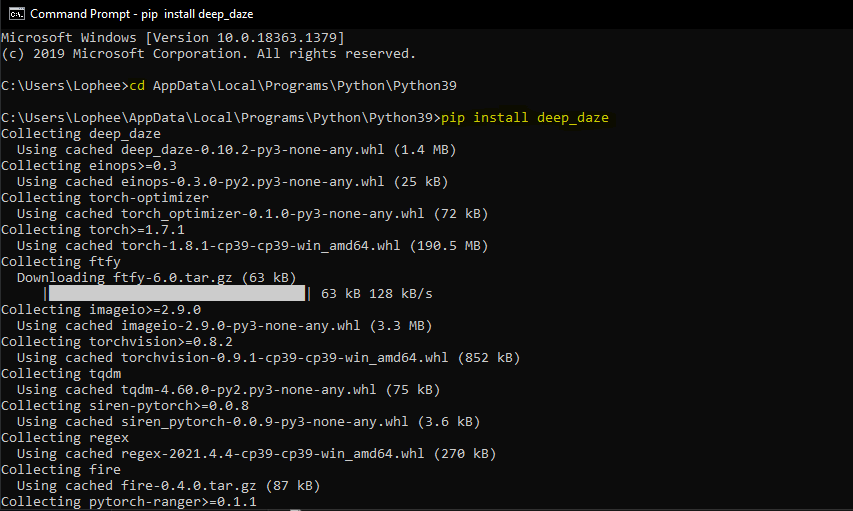
Presuming Python is installed:
pip install deep-daze
$ imagine "a house in the forest"
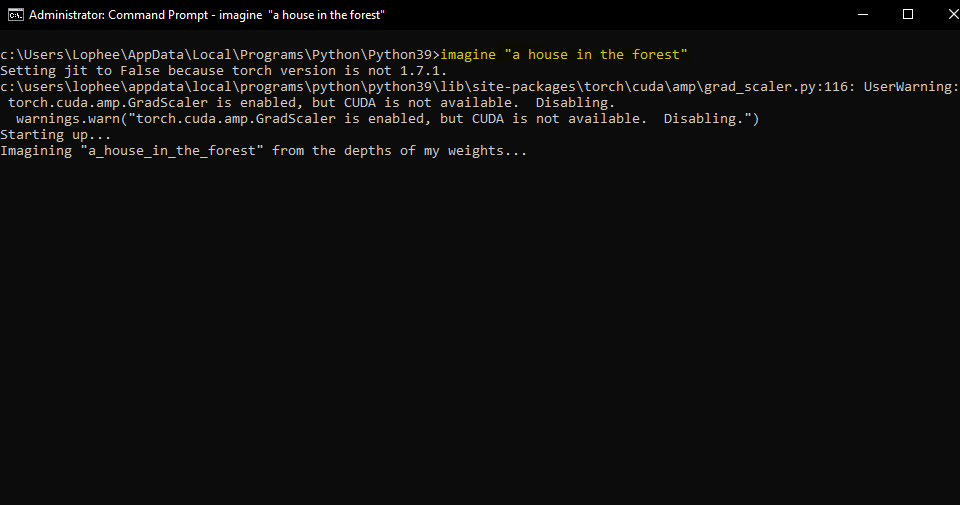
imagine "a house in the forest"
That's it.
If you have enough memory, you can get better quality by adding a --deeper flag
$ imagine "shattered plates on the ground" --deeper
In true deep learning fashion, more layers will yield better results. Default is at 16, but can be increased to 32 depending on your resources.
$ imagine "stranger in strange lands" --num-layers 32
NAME
    imagine
SYNOPSIS
    imagine TEXT
POSITIONAL ARGUMENTS
    TEXT
        (required) A phrase less than 77 tokens which you would like to visualize.
FLAGS
    --img=IMAGE_PATH
        Default: None
        Path to png/jpg image or PIL image to optimize on
    --encoding=ENCODING
        Default: None
        User-created custom CLIP encoding. If used, replaces any text or image that was used.
    --create_story=CREATE_STORY
        Default: False
        Creates a story by optimizing each epoch on a new sliding-window of the input words. If this is enabled, much longer texts than 77 tokens can be used. Requires save_progress to visualize the transitions of the story.
    --story_start_words=STORY_START_WORDS
        Default: 5
        Only used if create_story is True. How many words to optimize on for the first epoch.
    --story_words_per_epoch=STORY_WORDS_PER_EPOCH
        Default: 5
        Only used if create_story is True. How many words to add to the optimization goal per epoch after the first one.
    --story_separator:
        Default: None
        Only used if create_story is True. Defines a separator like '.' that splits the text into groups for each epoch. Separator needs to be in the text otherwise it will be ignored
    --lower_bound_cutout=LOWER_BOUND_CUTOUT
        Default: 0.1
        Lower bound of the sampling of the size of the random cut-out of the SIREN image per batch. Should be smaller than 0.8.
    --upper_bound_cutout=UPPER_BOUND_CUTOUT
        Default: 1.0
        Upper bound of the sampling of the size of the random cut-out of the SIREN image per batch. Should probably stay at 1.0.
    --saturate_bound=SATURATE_BOUND
        Default: False
        If True, the LOWER_BOUND_CUTOUT is linearly increased to 0.75 during training.
    --learning_rate=LEARNING_RATE
        Default: 1e-05
        The learning rate of the neural net.
    --num_layers=NUM_LAYERS
        Default: 16
        The number of hidden layers to use in the Siren neural net.
    --batch_size=BATCH_SIZE
        Default: 4
        The number of generated images to pass into Siren before calculating loss. Decreasing this can lower memory and accuracy.
    --gradient_accumulate_every=GRADIENT_ACCUMULATE_EVERY
        Default: 4
        Calculate a weighted loss of n samples for each iteration. Increasing this can help increase accuracy with lower batch sizes.
    --epochs=EPOCHS
        Default: 20
        The number of epochs to run.
    --iterations=ITERATIONS
        Default: 1050
        The number of times to calculate and backpropagate loss in a given epoch.
    --save_every=SAVE_EVERY
        Default: 100
        Generate an image every time iterations is a multiple of this number.
    --image_width=IMAGE_WIDTH
        Default: 512
        The desired resolution of the image.
    --deeper=DEEPER
        Default: False
        Uses a Siren neural net with 32 hidden layers.
    --overwrite=OVERWRITE
        Default: False
        Whether or not to overwrite existing generated images of the same name.
    --save_progress=SAVE_PROGRESS
        Default: False
        Whether or not to save images generated before training Siren is complete.
    --seed=SEED
        Type: Optional[]
        Default: None
        A seed to be used for deterministic runs.
    --open_folder=OPEN_FOLDER
        Default: True
        Whether or not to open a folder showing your generated images.
    --save_date_time=SAVE_DATE_TIME
        Default: False
        Save files with a timestamp prepended e.g. %y%m%d-%H%M%S-my_phrase_here
    --start_image_path=START_IMAGE_PATH
        Default: None
        The generator is trained first on a starting image before steered towards the textual input
    --start_image_train_iters=START_IMAGE_TRAIN_ITERS
        Default: 50
        The number of steps for the initial training on the starting image
    --theta_initial=THETA_INITIAL
        Default: 30.0
        Hyperparameter describing the frequency of the color space. Only applies to the first layer of the network.
    --theta_hidden=THETA_INITIAL
        Default: 30.0
        Hyperparameter describing the frequency of the color space. Only applies to the hidden layers of the network.
    --save_gif=SAVE_GIF
        Default: False
        Whether or not to save a GIF animation of the generation procedure. Only works if save_progress is set to True.
Technique first devised and shared by Mario Klingemann, it allows you to prime the generator network with a starting image, before being steered towards the text.
Simply specify the path to the image you wish to use, and optionally the number of initial training steps.
$ imagine 'a clear night sky filled with stars' --start_image_path ./cloudy-night-sky.jpg
Primed starting image
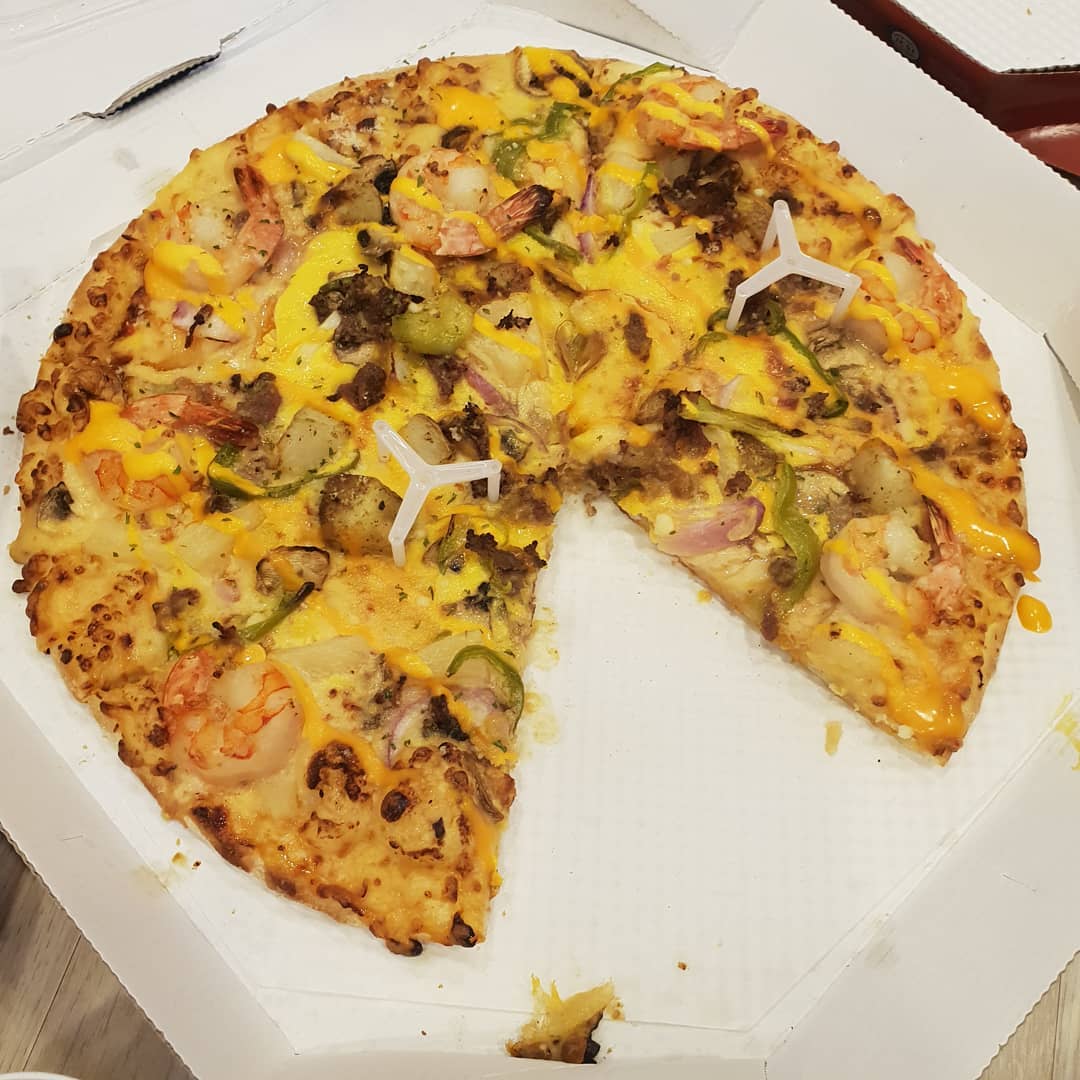
Then trained with the prompt A pizza with green pepper.
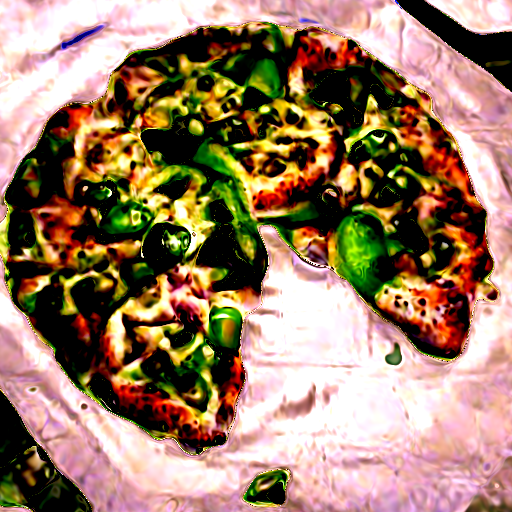
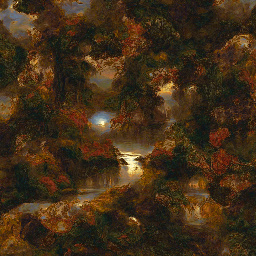
We can also feed in an image as an optimization goal, instead of only priming the generator network. Deepdaze will then render its own interpretation of that image:
$ imagine --img samples/Autumn_1875_Frederic_Edwin_Church.jpg
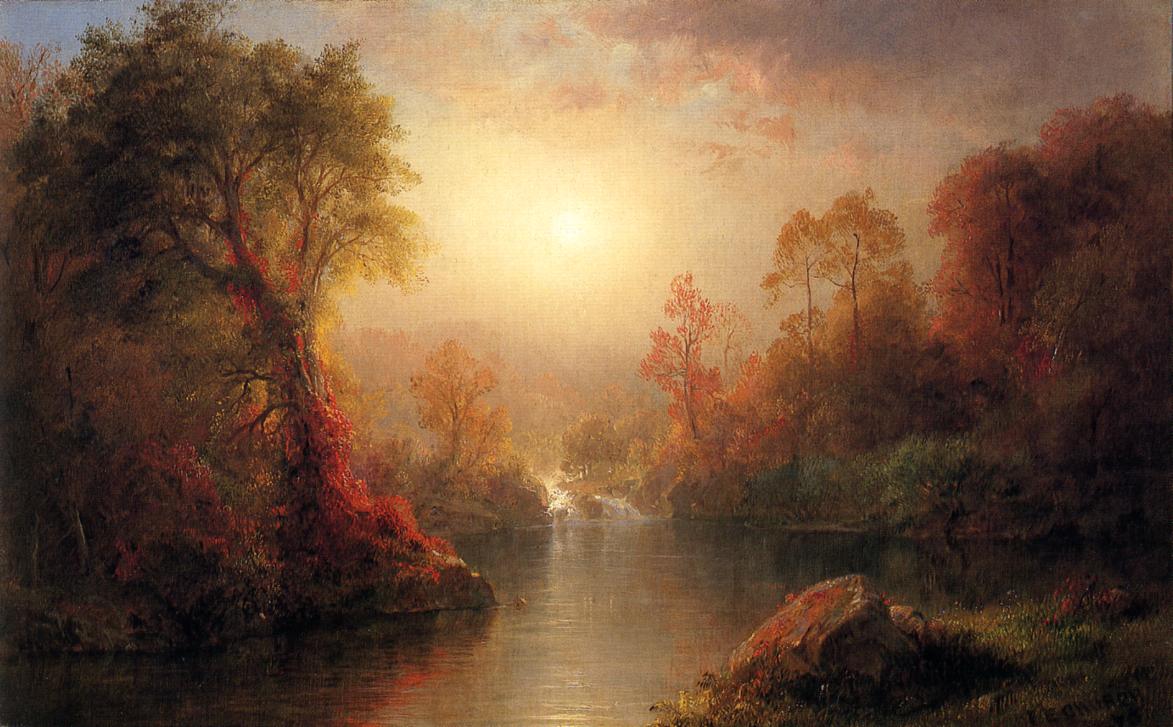
The network's interpretation:
Original image:
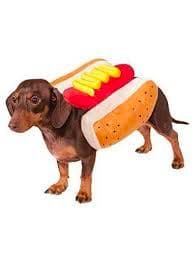
The network's interpretation:
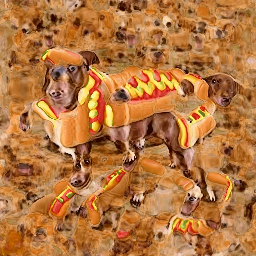
$ imagine "A psychedelic experience." --img samples/hot-dog.jpg
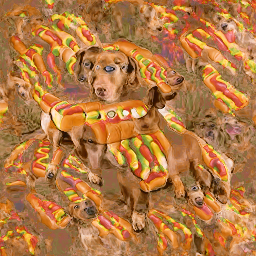
create_story to True.
Given the poem “Stopping by Woods On a Snowy Evening” by Robert Frost - "Whose woods these are I think I know. His house is in the village though; He will not see me stopping here To watch his woods fill up with snow. My little horse must think it queer To stop without a farmhouse near Between the woods and frozen lake The darkest evening of the year. He gives his harness bells a shake To ask if there is some mistake. The only other sound’s the sweep Of easy wind and downy flake. The woods are lovely, dark and deep, But I have promises to keep, And miles to go before I sleep, And miles to go before I sleep.".
We get:
https://user-images.githubusercontent.com/19983153/109539633-d671ef80-7ac1-11eb-8d8c-380332d7c868.mp4
deep_daze.Imagine in Pythonfrom deep_daze import Imagine
imagine = Imagine(
text = 'cosmic love and attention',
num_layers = 24,
)
imagine()
(total_iterations % save_every)
imagine = Imagine(
    text=text,
    save_every=4,
    save_progress=True
)
e.g. 210129-043928_328751_insert_text_here.00001.png, 210129-043928_512351_insert_text_here.00002.png, ...
imagine = Imagine(
    text=text,
    save_every=4,
    save_progress=True,
    save_date_time=True,
)
imagine = Imagine(
    text=text,
    num_layers=42,
    batch_size=64,
    gradient_accumulate_every=1,
)
imagine = Imagine(
    text=text,
    num_layers=24,
    batch_size=16,
    gradient_accumulate_every=2
)
imagine = Imagine(
    text=text,
    image_width=256,
    num_layers=16,
    batch_size=1,
    gradient_accumulate_every=16 # Increase gradient_accumulate_every to correct for loss in low batch sizes
)
For an image resolution of 512:
This is just a teaser. We will be able to generate images, sound, anything at will, with natural language. The holodeck is about to become real in our lifetimes.
Please join replication efforts for DALL-E for Pytorch or Mesh Tensorflow if you are interested in furthering this technology.
Big Sleep - CLIP and the generator from Big GAN
@misc{unpublished2021clip,
    title  = {CLIP: Connecting Text and Images},
    author = {Alec Radford, Ilya Sutskever, Jong Wook Kim, Gretchen Krueger, Sandhini Agarwal},
    year   = {2021}
}
@misc{sitzmann2020implicit,
    title   = {Implicit Neural Representations with Periodic Activation Functions},
    author  = {Vincent Sitzmann and Julien N. P. Martel and Alexander W. Bergman and David B. Lindell and Gordon Wetzstein},
    year    = {2020},
    eprint  = {2006.09661},
    archivePrefix = {arXiv},
    primaryClass = {cs.CV}
}
[colab-notebook]:
→→ →→
→→ →
→ →
→ →
→ →
→