1
 →
→
Win顺:免费开源的 Windows 快速搜索启动器。双击 Ctrl,拼音秒搜文件、全文搜索 Word/Excel/PDF、剪贴板历史(代替 Win+V)、对话框搜索、任务栏搜索、插件、AI 助手 MCP。Free Windows search launcher: pinyin file search, full-text search, clipboard history
LingCore/WinShun is an open-source project on GitHub, mainly written in C++. Win顺:免费开源的 Windows 快速搜索启动器。双击 Ctrl,拼音秒搜文件、全文搜索 Word/Excel/PDF、剪贴板历史(代替 Win+V)、对话框搜索、任务栏搜索、插件、AI 助手 MCP。Free Windows search launcher: pinyin file search It currently holds 184 stars and 18 forks with 0 open issues, and was last pushed on an unknown date (repository created unknown).
AI Homed tracks it on the Today's Trending board, currently at rank #82 with 0 new stars today.

双击 Ctrl,搜遍整台电脑 —— 免费开源的 Windows 文件搜索、快速启动器
Press Ctrl twice, search your whole PC — a free, open-source file search and launcher for Windows
中文 · English · 截图 Screenshots

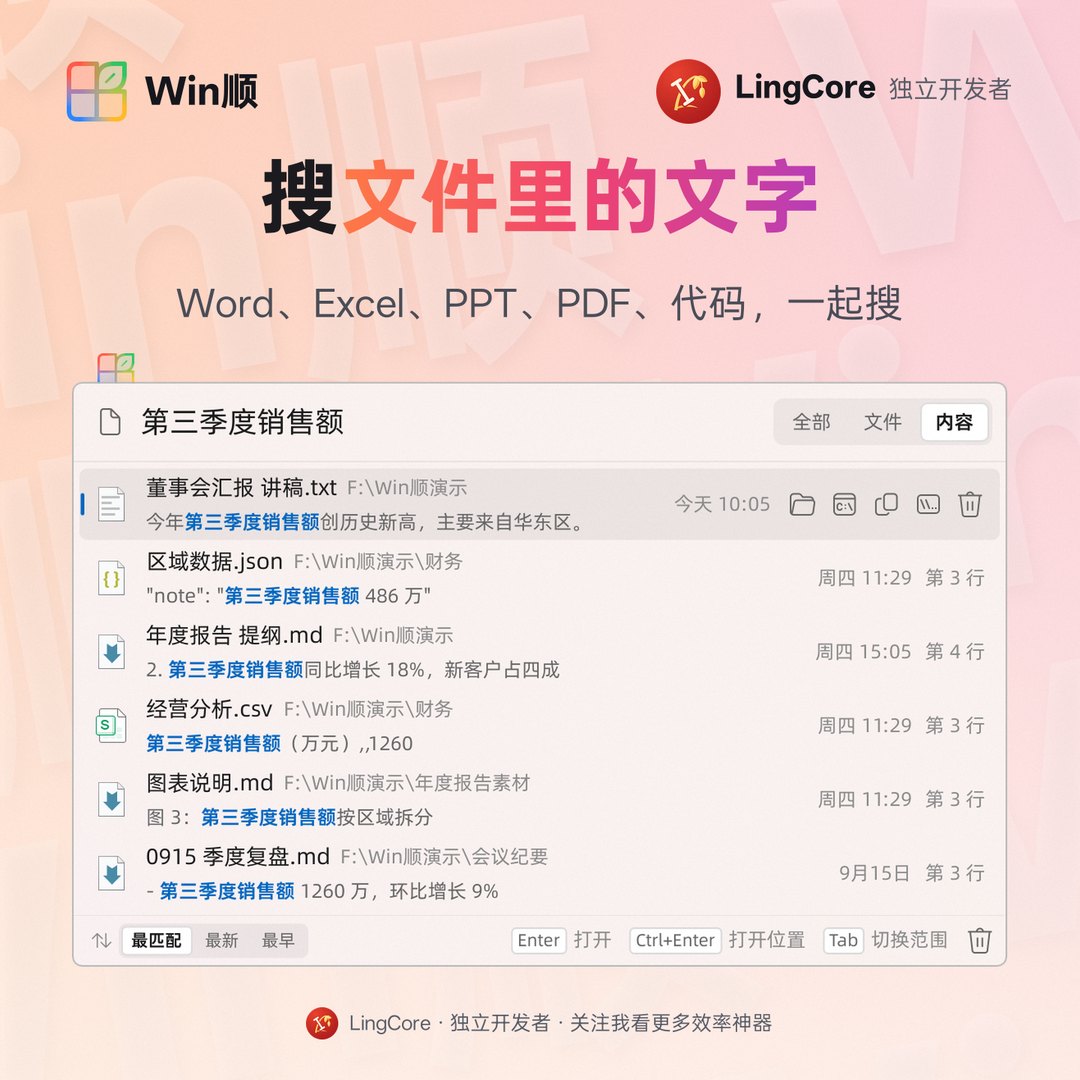
拼音秒搜文件 · 文件内容全文搜索(Word / Excel / PPT / PDF) · 应用和系统设置 · 网页搜索 · 收藏夹 · 插件
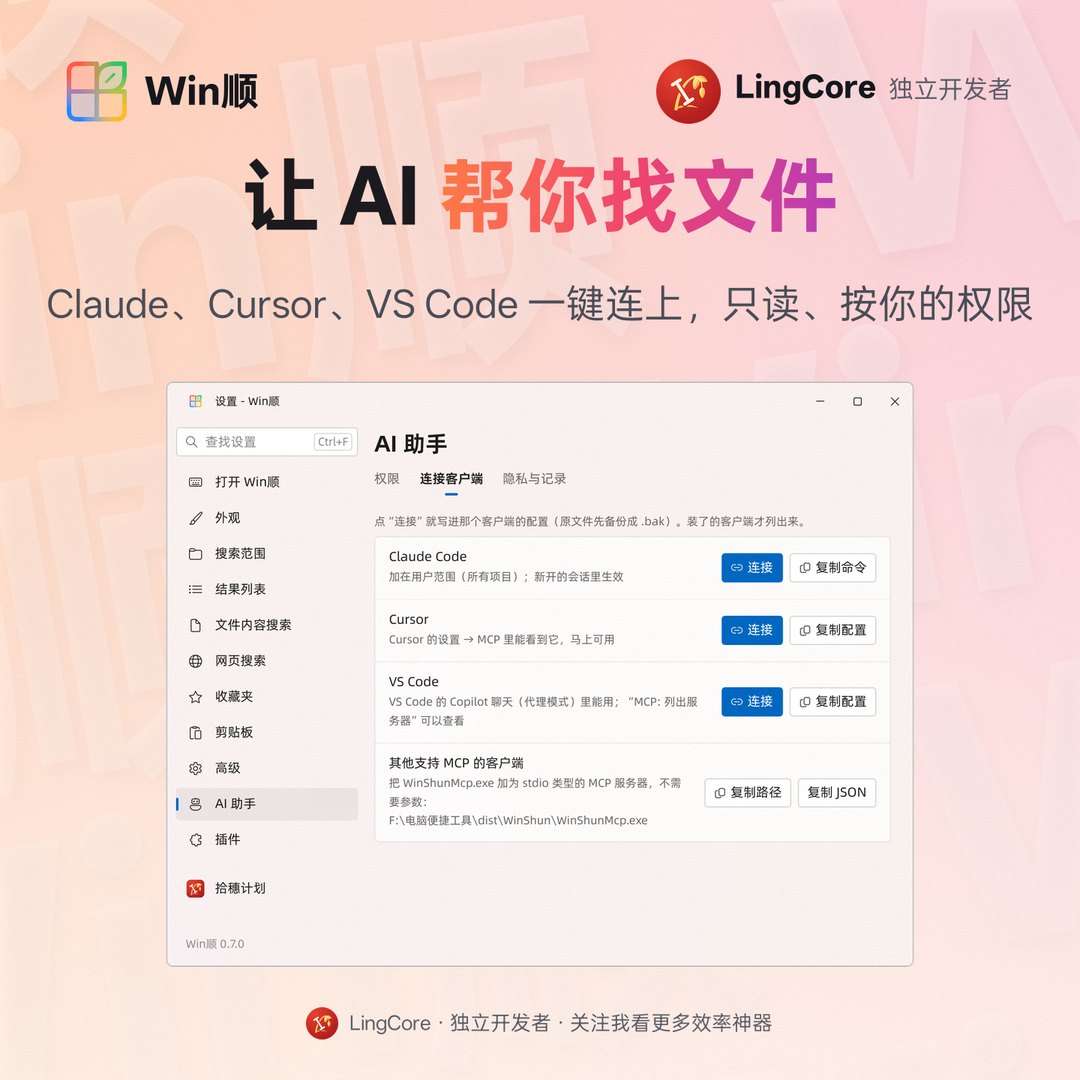
“打开 / 另存为”对话框搜索 · 剪贴板历史(代替 Win+V,图片文字也能搜) · 任务栏搜索框(代替 Win+S) · AI 助手 MCP
Pinyin file search · full-text search in documents · apps and settings · web search · favorites · plugins · file dialog search · clipboard history with OCR · taskbar search box · MCP server for AI assistants
---
---
Win顺 是 Windows 上免费开源的快速搜索启动器:连按两下 Ctrl 弹出搜索框,边打字边出结果。按文件名或拼音秒找文件,搜 Word、Excel、PDF 里的文字,打开应用和系统设置,还有剪贴板历史、对话框搜索、任务栏搜索框、插件和给 AI 用的 MCP 搜索。
它直接读 NTFS 主文件表(MFT)建索引,三百多万个文件几秒建好,增删改名实时跟上,不用装 Everything。不需要账号,不上传数据。界面有简体中文和英文。
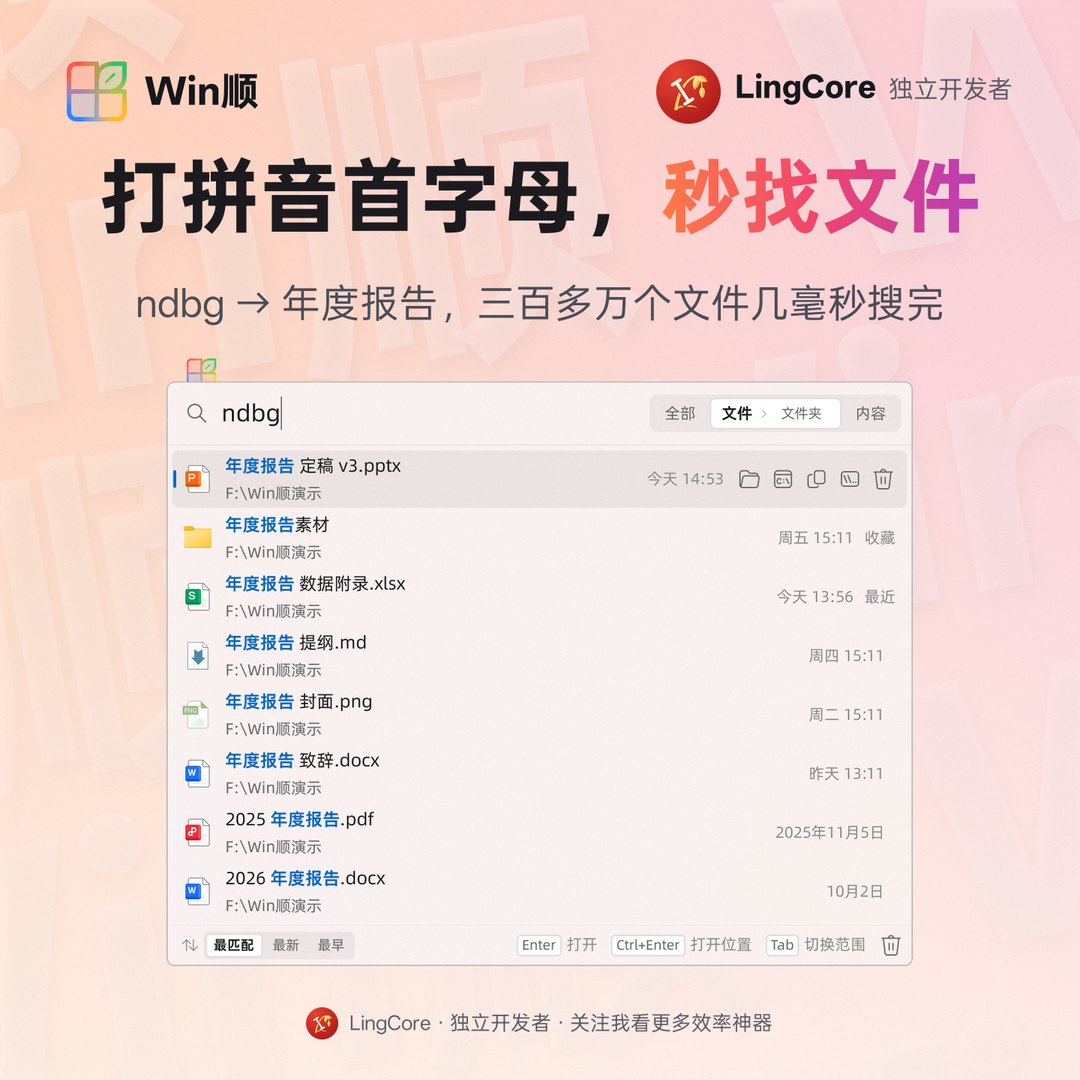
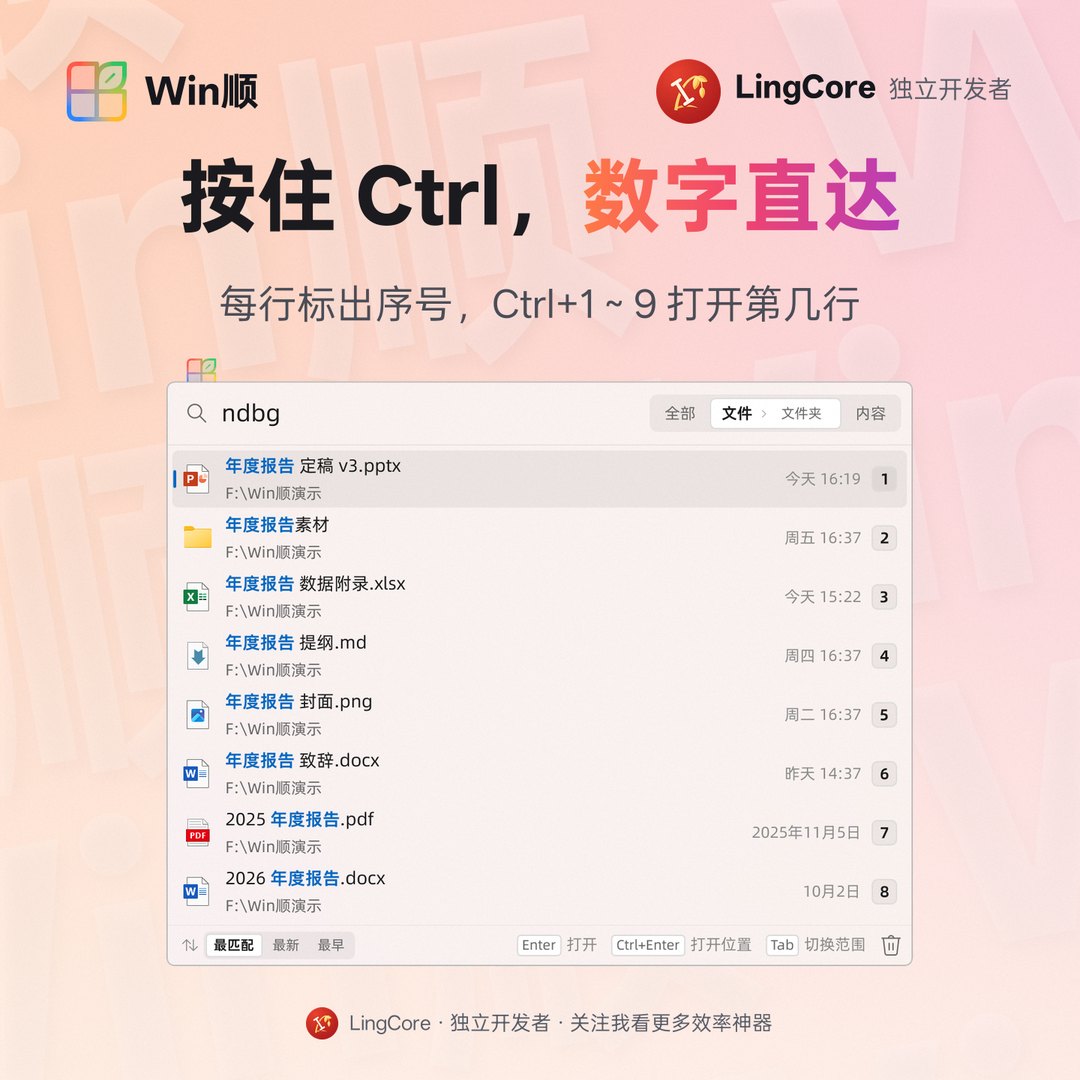
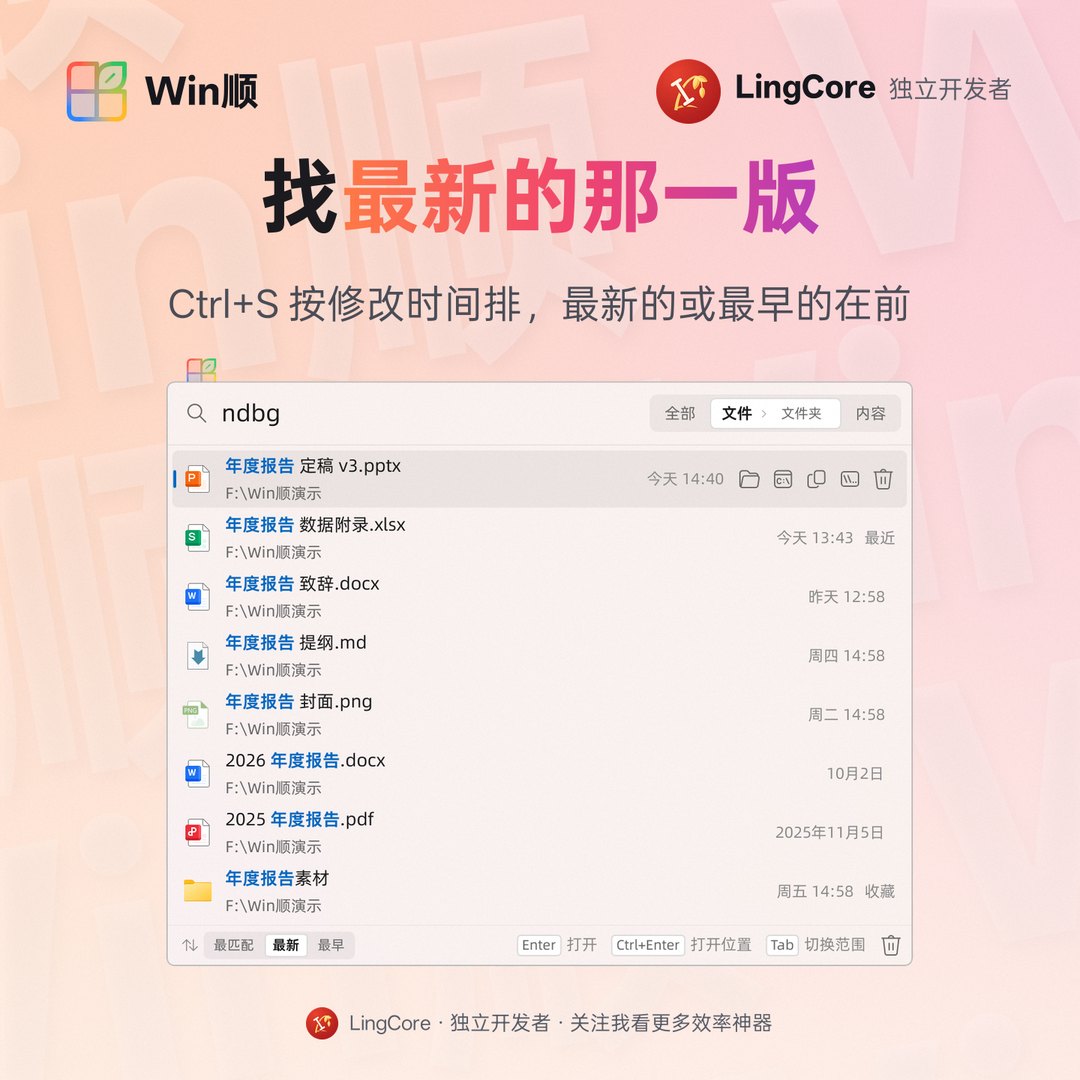
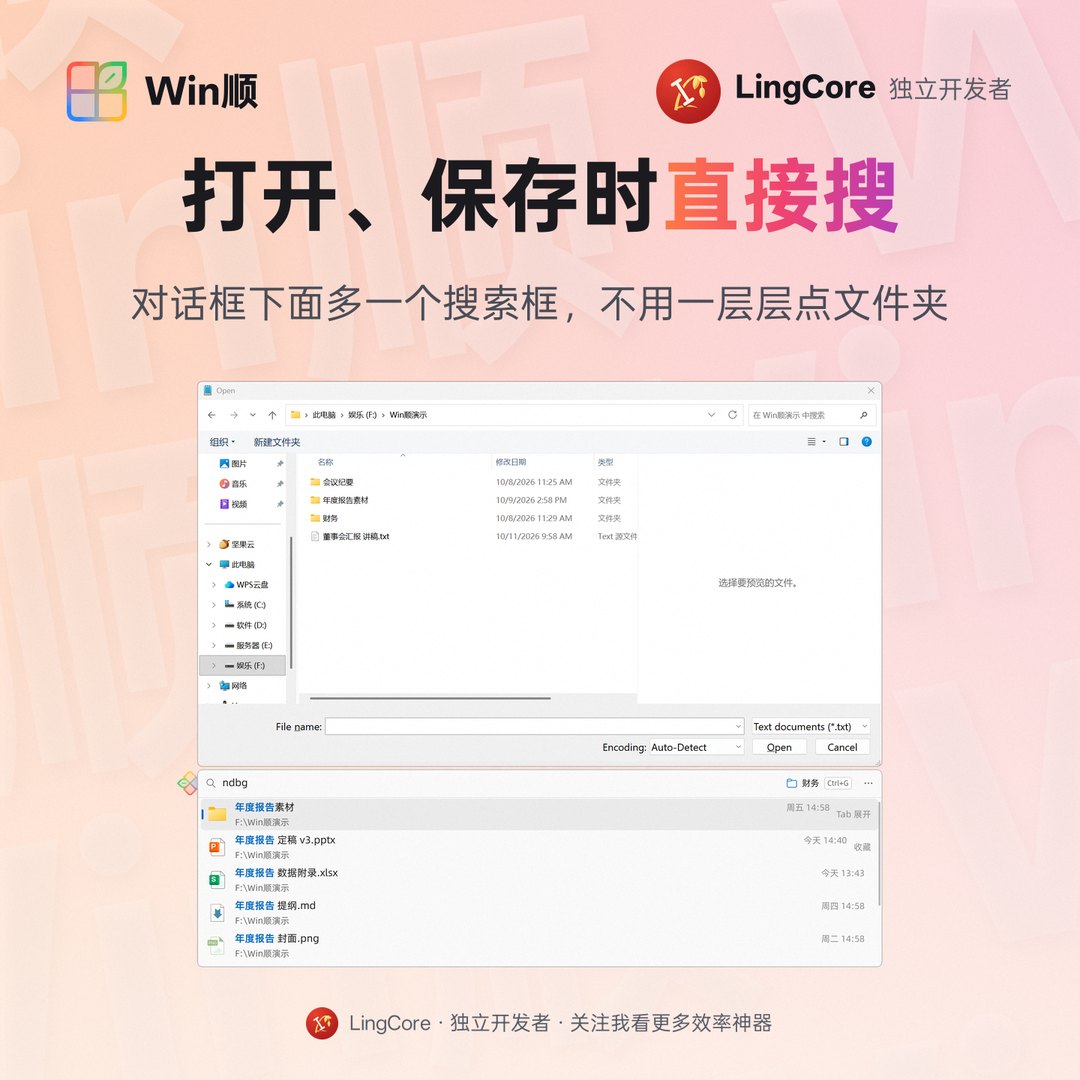
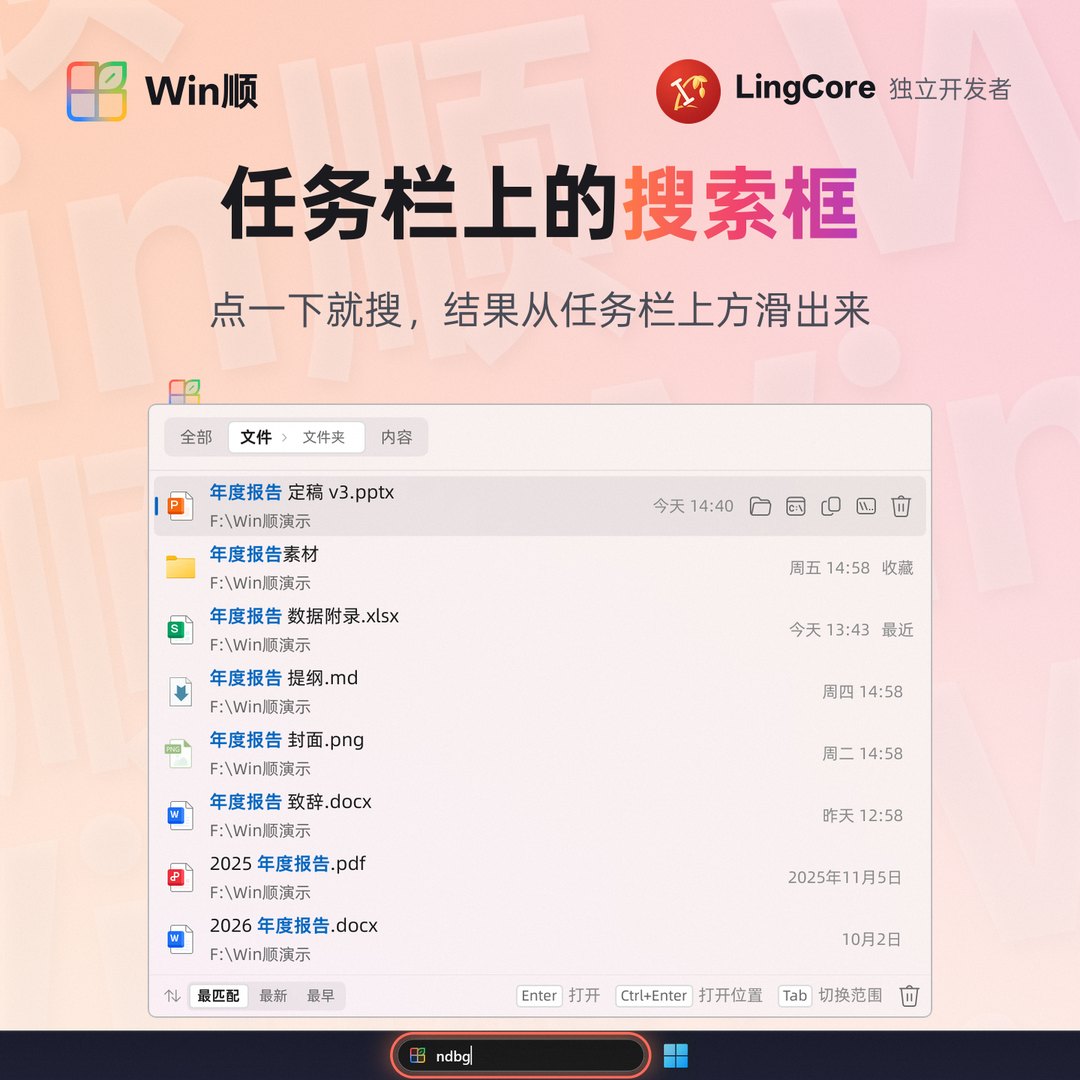
Esc 关闭;三百多万个文件里搜一次只要几毫秒。ndbg → 年度报告,baog → 报告;多音字按常用读音。node_modules 在后,名字完全一样的最前。每行显示修改日期,Ctrl+S 在最匹配、最新、最早之间切换。不输入时列出最近打开或最近修改的文件。Ctrl 显示序号,Ctrl+1~Ctrl+9 打开第几行(也可改成 Alt)。Tab。报告 2024 | 每个词都要有(空格分隔,顺序不限);也可以在所在文件夹的名字里 |
| ndbg、niandubaogao | 拼音全拼、首字母,可以混用 |
| "年度 报告" | 引号内作为整体 |
| !草稿、!node_modules\ | 排除文件名、排除文件夹 |
| *.pdf、报告?.docx | 通配符 |
| ext:pdf,docx | 只要这些扩展名 |
| 项目\readme | 在名字含“项目”的文件夹下 |
| tools/out/、D:\My Files\ | 路径直达:回车进去,列出里面的内容 |
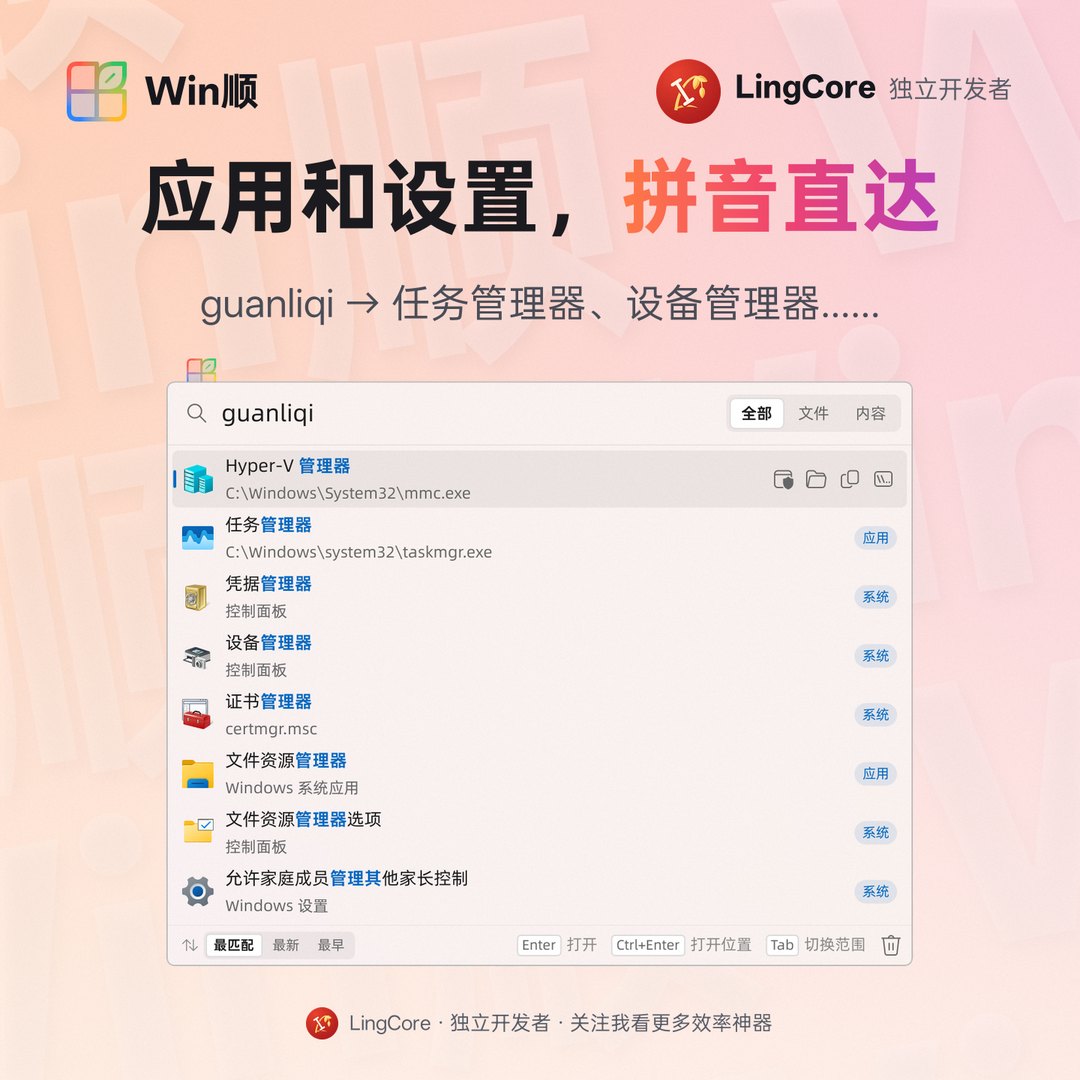
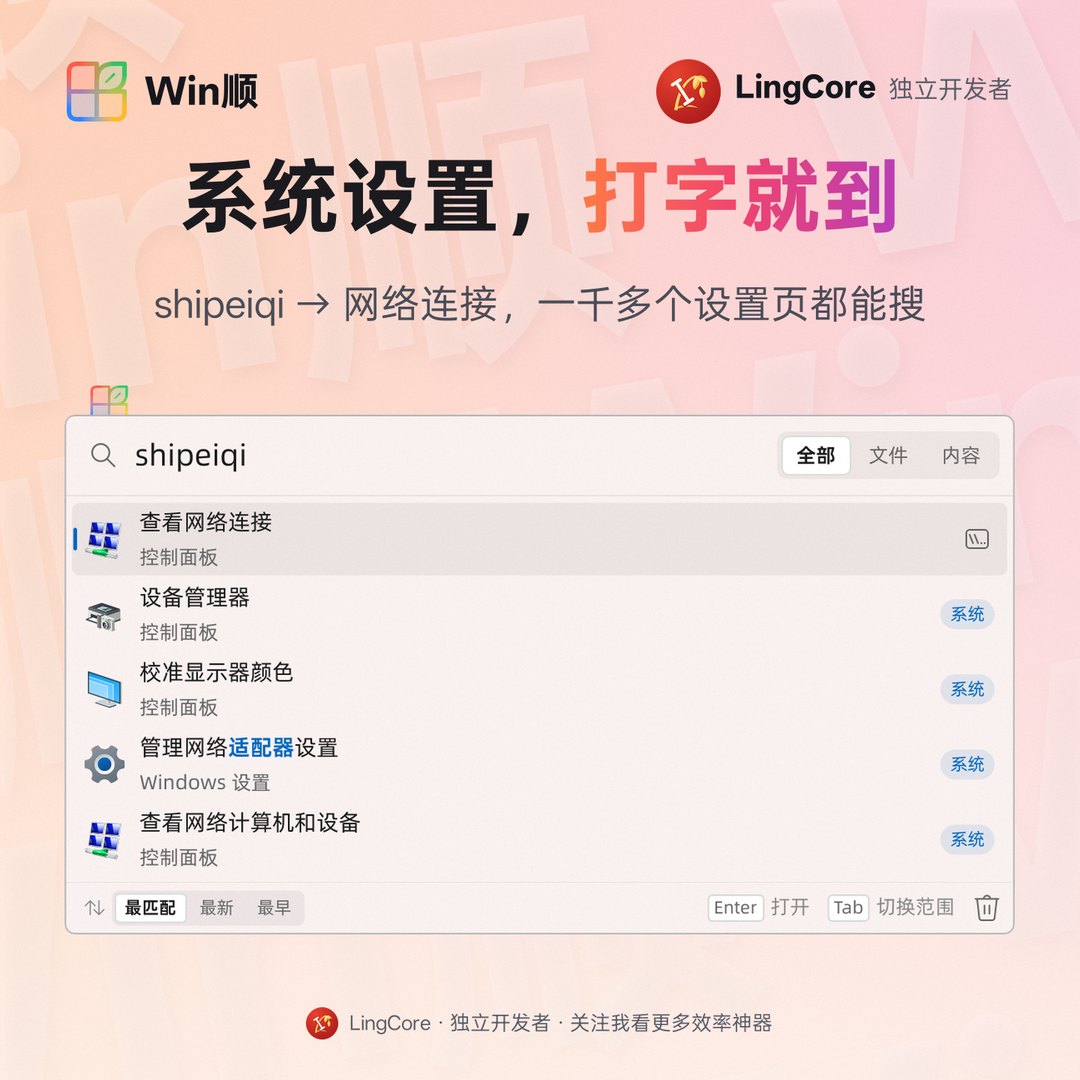
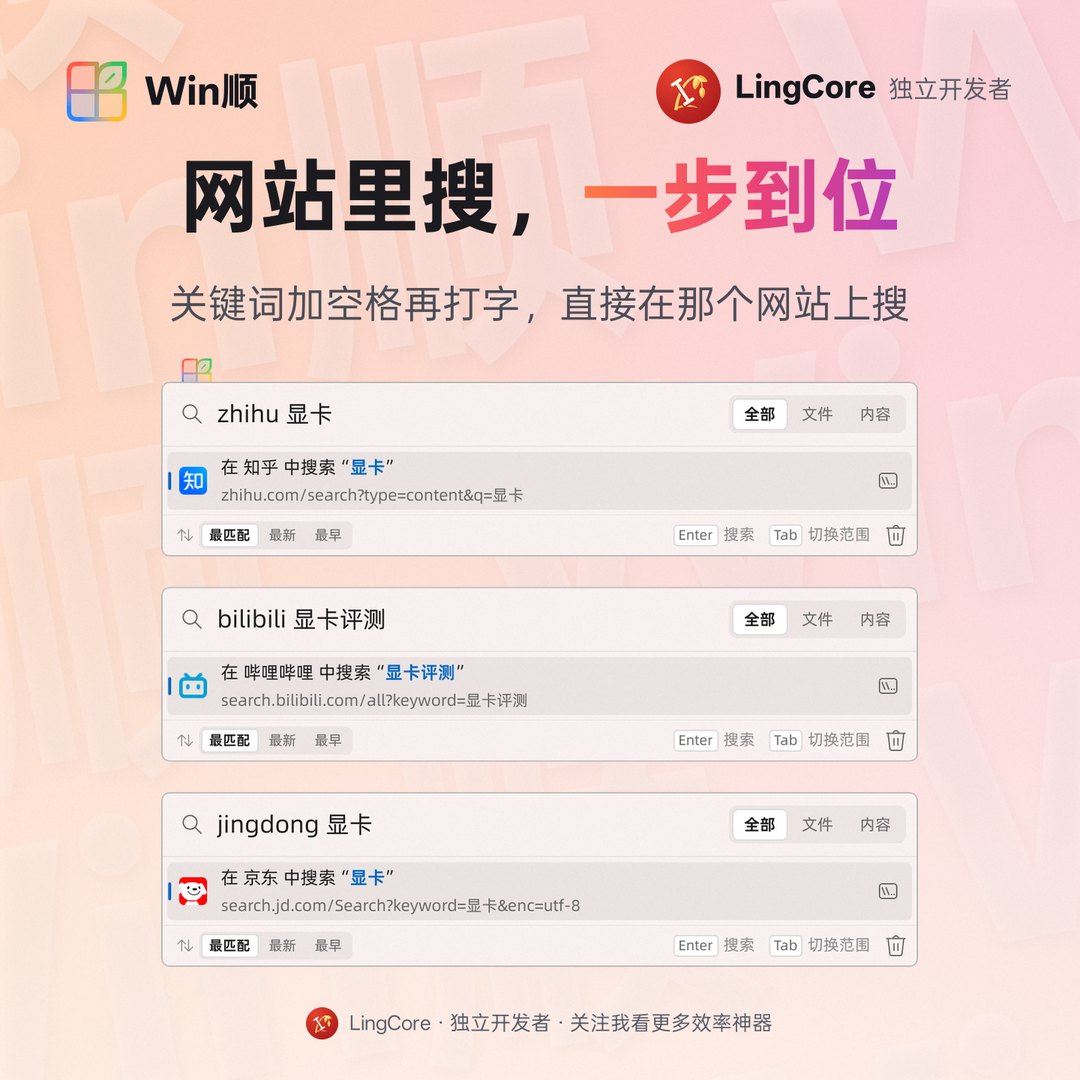
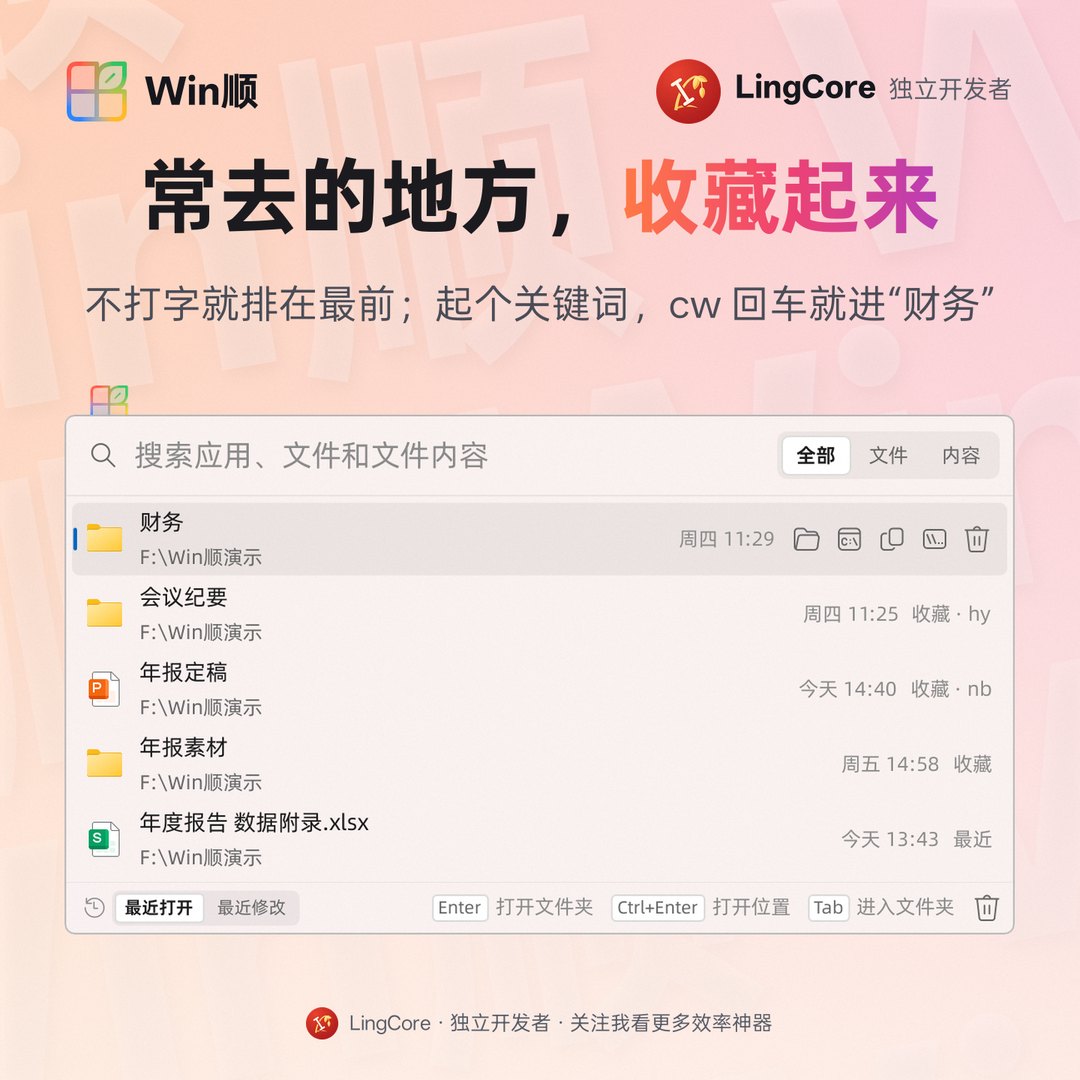
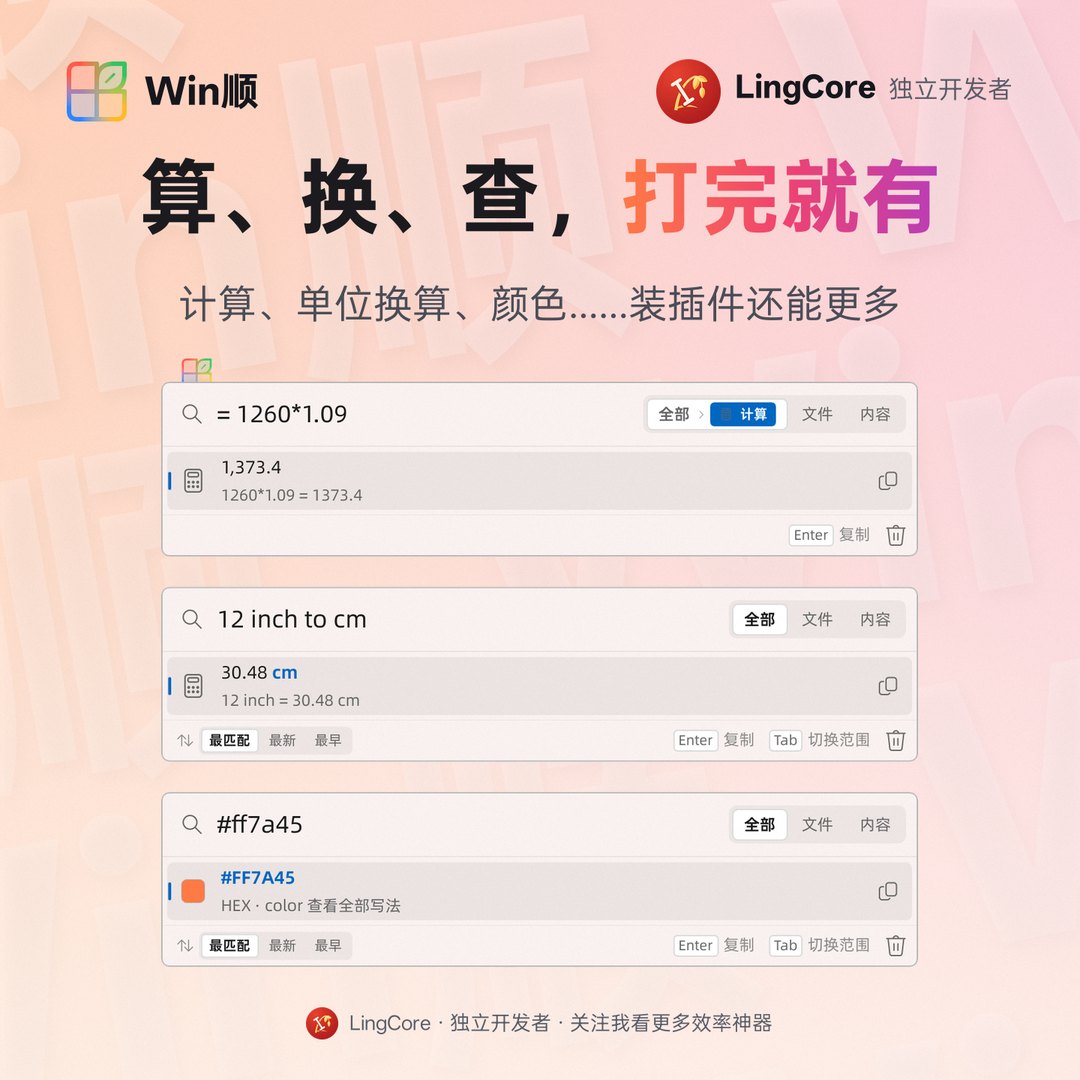
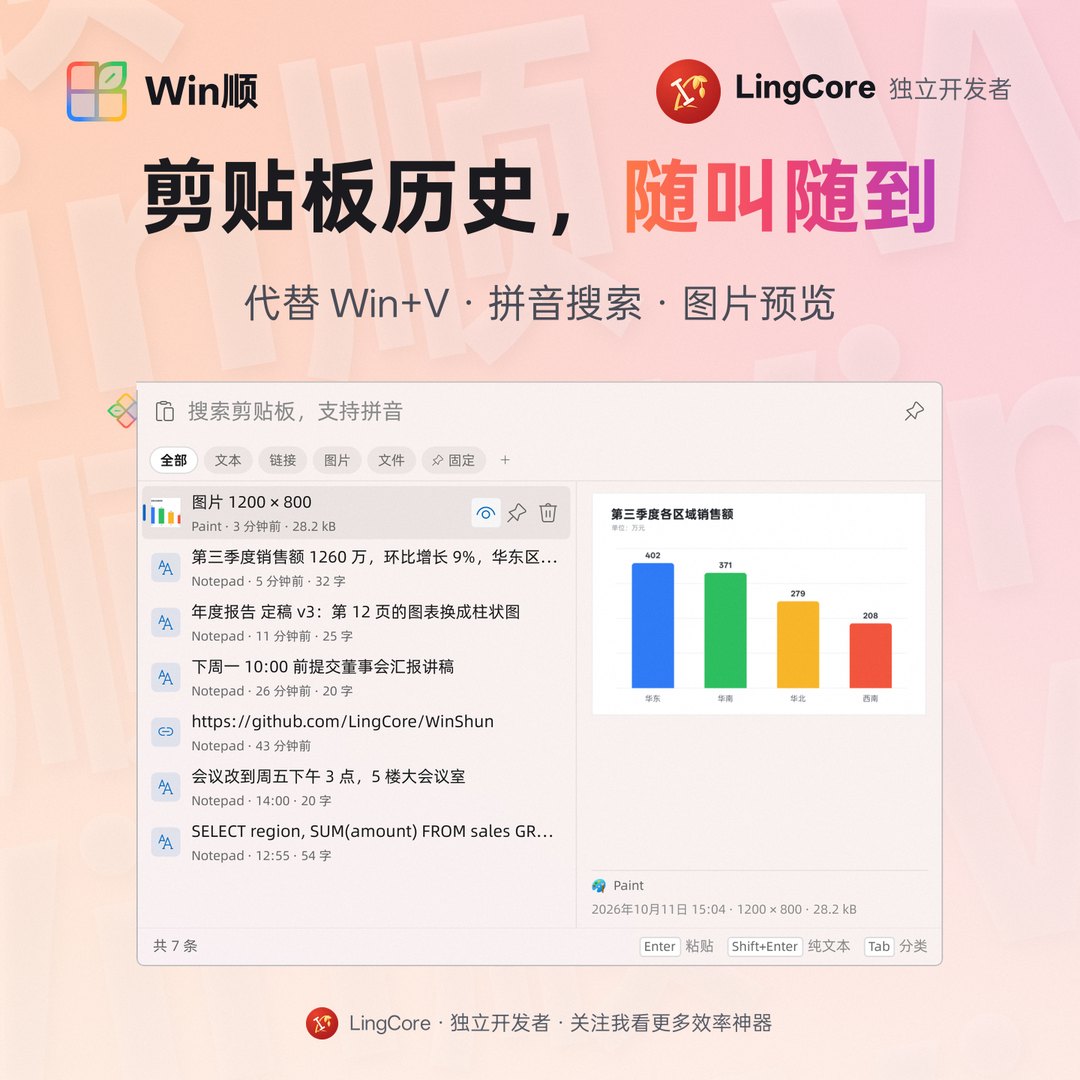
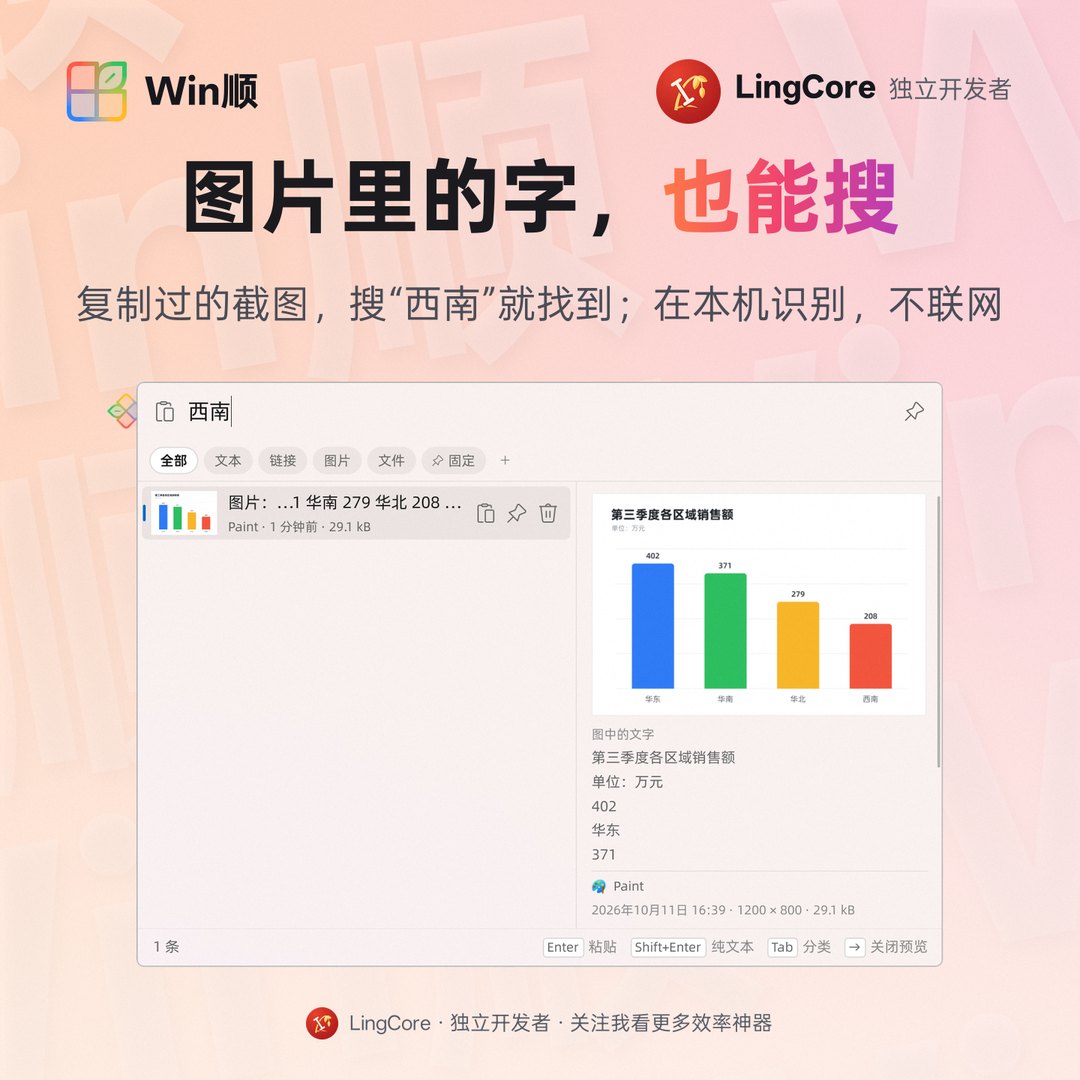
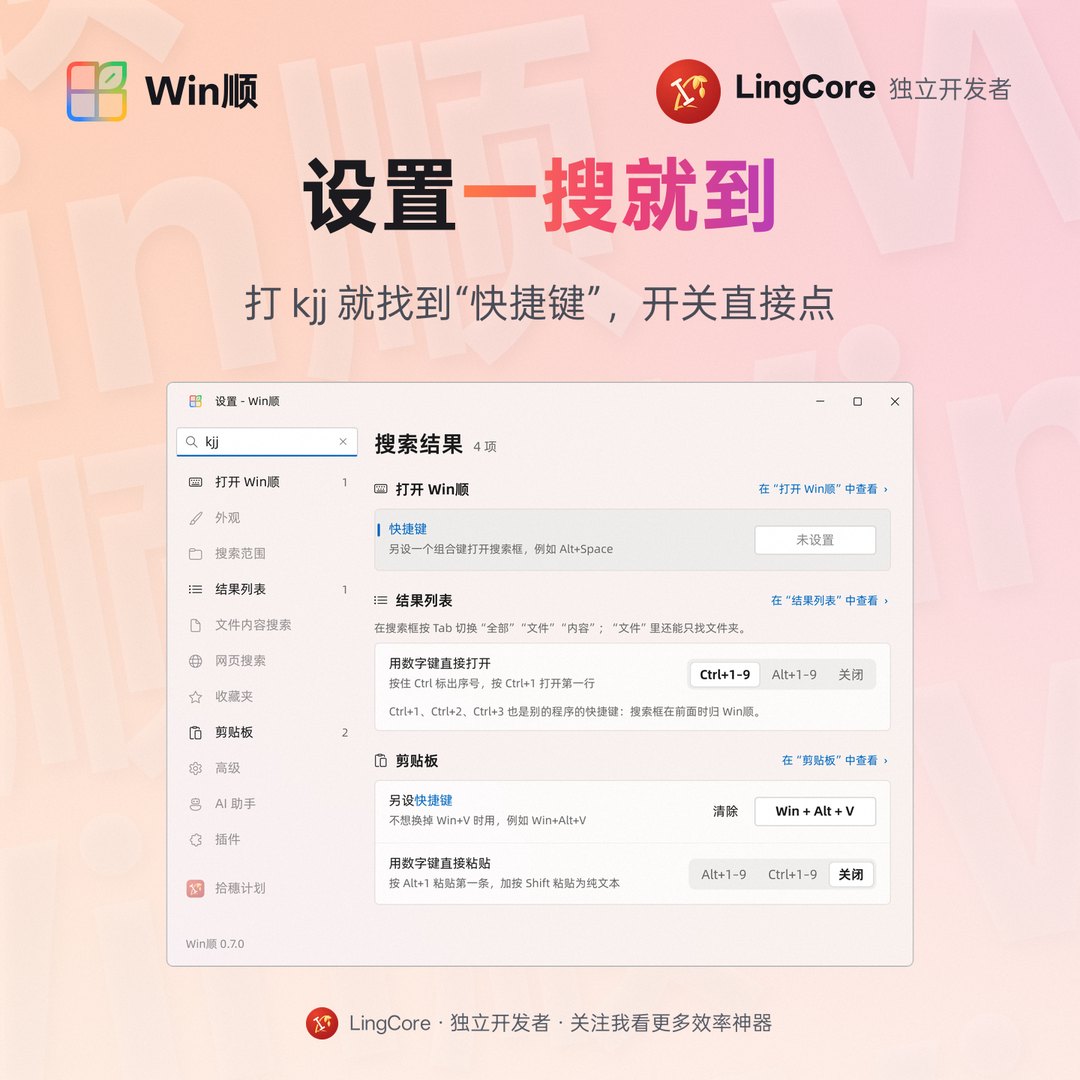
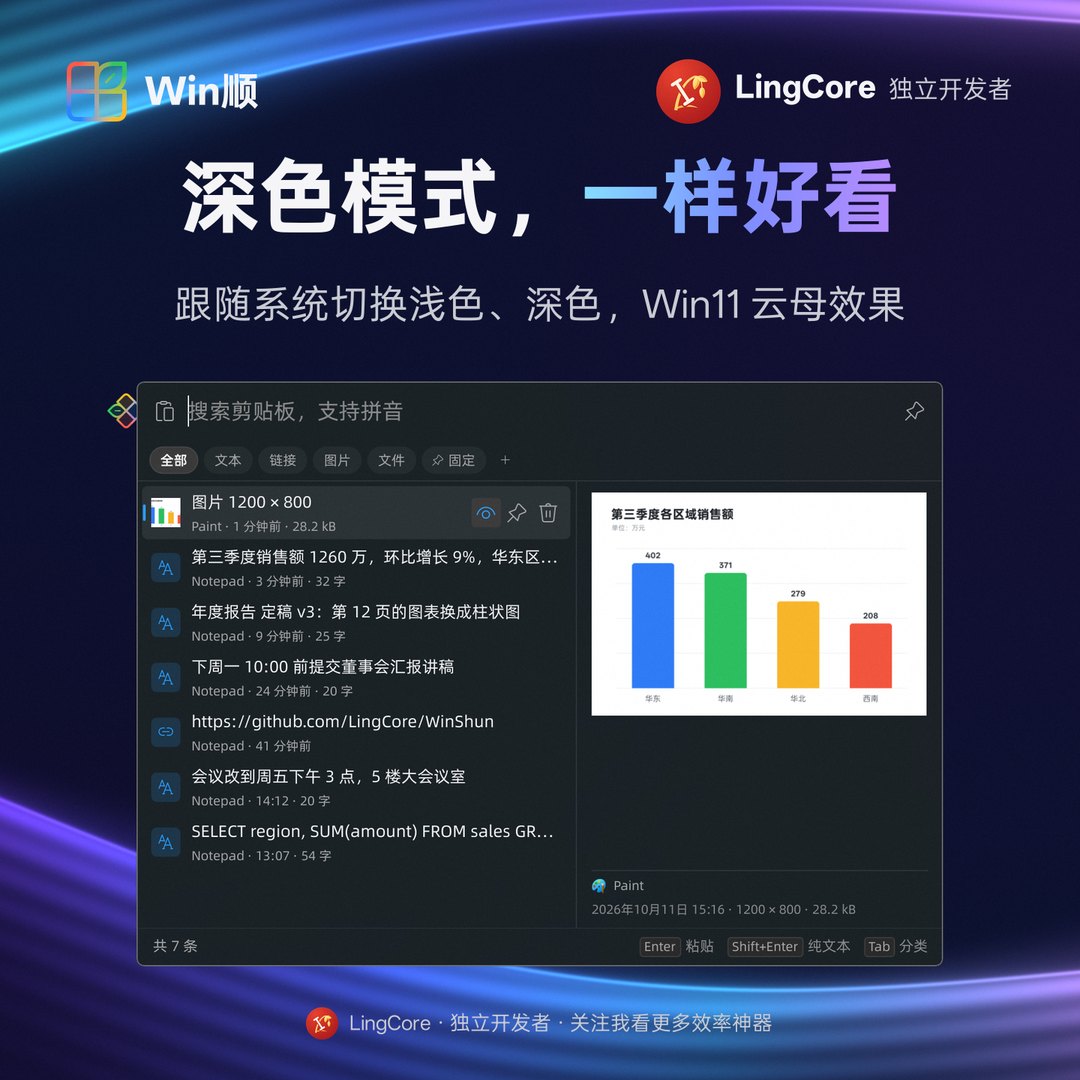
vsc)、程序名(winword)都行;Ctrl+Shift+Enter 以管理员身份运行。shipeiqi、“网卡”、ncpa.cpl 都能打开网络连接;另外补了组策略、磁盘管理、hosts、AppData 等开始菜单里没有的。baidu 天气、zhihu 显卡、jingdong 键盘,关键词加空格就在那个网站上搜。%s 网址添加自己的网站,图标、列表都能导入导出。Tab 进去接着搜。= 1+2*3 计算器、12 inch to cm 单位换算、#ff8800 颜色,还有时间戳、UUID、Base64、哈希;kill 结束进程,bm 搜浏览器书签,tr 翻译;plugin.json、任意语言的脚本或常驻进程都行,附 Python / PowerShell / C++ SDK;Ctrl+G:转到资源管理器、Total Commander 或 Directory Opus 正在显示的文件夹,和 Listary 的同名快捷键一样。Win+V 或自设的快捷键;开在输入光标旁,不抢焦点。Enter 粘贴,Shift+Enter 粘贴为纯文本,Alt+1~9 直接粘贴第几条。@wx 只看微信里复制的;图片里的字也能搜(Windows 自带的文字识别 OCR,在本机,不联网)。Win+S,开始菜单里打字也用 Win顺 搜。Ctrl+F,kjj 找到“快捷键”),改了立即生效。Ctrl | 打开 / 关闭搜索框(可另设组合键,如 Alt+Space) |
| Enter / Ctrl+Enter / Ctrl+Shift+Enter | 打开 / 打开所在文件夹 / 以管理员身份运行 |
| Ctrl+C / Ctrl+Shift+C | 复制文件 / 复制路径 |
| Ctrl+1~Ctrl+9 | 打开第几行(按住 Ctrl 显示序号) |
| Tab / Shift+Tab | 切换范围:全部 / 文件 / 文件夹 / 内容 |
| Ctrl+S | 最匹配 → 最新在前 → 最早在前 |
| Ctrl+G(对话框里) | 转到文件管理器正在显示的文件夹 |
| Win+V / Win+S(设置里打开后) | 剪贴板历史 / 任务栏上方的搜索框 |
1. 到 Releases 页面 下载 WinShun-版本号-x64-setup.exe,双击安装。Windows 提示“已保护你的电脑”时,点 更多信息 → 仍要运行(还没有代码签名证书)。
2. 装完托盘里出现 Win顺 的图标,索引几秒就建好。连按两下 Ctrl 开始搜索。
3. 升级时运行新的安装程序,设置和索引都保留。卸载在 Windows 的“设置 → 应用”里。
系统要求:Windows 10 或 11,64 位。
Ctrl+Shift+Enter 才以管理员身份运行。和 Everything、Listary 有什么区别?
Win顺 自己建索引,不用装 Everything。文件名、拼音、应用和文件内容在一个框里搜,针对中文做了优化。对话框里有和 Listary 一样的 Ctrl+G 和搜索框,但不嵌进资源管理器窗口。
双击 Ctrl 和别的软件冲突? Listary、PowerToys 的“查找鼠标”默认也用双击 Ctrl,关掉其中一边就行。也可以在 Win顺 里改用别的组合键。游戏全屏、藏起鼠标时,Win顺 默认不响应双击 Ctrl。
AutoHotkey 改的键在 Win顺 里不起作用? Win顺 以管理员身份运行,Windows 不让普通权限的程序拦截发给它的按键。用 AutoHotkey 的 UI Access 模式,或以管理员身份运行脚本。
占多少内存?索引能不放 C 盘吗?
%LOCALAPPDATA%\WinShun)。
遇到问题或有建议,欢迎在 Issues 里提出。
需要 Visual Studio 2022(“使用 C++ 的桌面开发”)、Qt 6.8 或更新版本(推荐 6.12,MSVC 2022 64 位套件)、CMake 3.25+ 和 Ninja。
./scripts/build.ps1                                # 编译 + 运行单元测试
./scripts/build.ps1 -QtDir C:\Qt\6.12.0\msvc2022_64 # 指定 Qt(默认用 QTDIR 或 C:\Qt 下最新的版本)
./scripts/build.ps1 -Deploy                        # 生成可分发的文件夹 dist\WinShun
./scripts/release.ps1                              # 打包安装程序和 SHA256SUMS.txt(需要 Inno Setup 6.5+);加 -Publish 发布到 GitHub
也可以用 Qt Creator 或 VS Code(CMake Tools)打开,预设见 CMakePresets.json。源码结构和设计见 docs/architecture.md,踩过的坑见 docs/pitfalls.md。
---
WinShun (Win顺, "Windows made smooth") is a free, open-source search launcher for Windows. Press Ctrl twice and a search bar pops up, with results as you type:
It reads the NTFS master file table (MFT) directly, indexing three million files in a few seconds and following every change live: no Everything install needed. It needs no account and uploads nothing. The interface comes in English and Simplified Chinese. Screenshots: above.
ndbg finds 年度报告.Ctrl+S for best match / newest / oldest. Recent files are listed when the box is empty.Ctrl+1…Ctrl+9 opens a row (hold Ctrl to see the numbers); Tab past Files lists folders only."exact phrase", !exclude, !node_modules\, wildcards * ?, ext:pdf,docx, folder\name, and paths (D:\My Files\, tools/out/).vsc) or program file (winword).ncpa.cpl, “network adapter”), plus Group Policy, Disk Management, hosts, AppData and more.zhihu 显卡, baidu 天气: a keyword and a space search that site. Ten Chinese sites are built in; add your own with %s in the URL.Tab searches inside a favorite folder.= 1+2*3, 12 inch to cm, #ff8800, timestamps, UUID, Base64, hashes; kill processes, bm browser bookmarks, tr translation.plugin.json, scripts in any language, or resident processes, with SDKs for Python, PowerShell and C++. Plugins run with normal rights under a memory limit. See docs/plugins.en.md.Ctrl+G: jumps to the folder open in File Explorer, Total Commander or Directory Opus, like Listary.Win+V or your own shortcut, by the text cursor, without taking the focus.@app filters, and words in copied pictures (Windows' own OCR, on your PC).Alt+1…Alt+9.Win+S and typing in the Start menu.Ctrl+F).Alt+Space, can be set) |
| Enter / Ctrl+Enter / Ctrl+Shift+Enter | Open / show in folder / run as administrator |
| Ctrl+C / Ctrl+Shift+C | Copy the file / copy its path |
| Ctrl+1…Ctrl+9 | Open the nth row (hold Ctrl to see the numbers) |
| Tab / Shift+Tab | Switch scope: All / Files / Folders / Content |
| Ctrl+S | Best match → newest first → oldest first |
| Ctrl+G (in a file dialog) | Go to the folder shown in your file manager |
| Win+V / Win+S (once turned on) | Clipboard history / search above the taskbar |
1. Download WinShun--x64-setup.exe from the Releases page and run it. If Windows says “Windows protected your PC”, click More info → Run anyway: the app is not code-signed yet.
2. When the WinShun icon appears in the notification area, it is running; the first index takes a few seconds. Press Ctrl twice and type.
3. To upgrade, run a newer installer: your settings and index are kept. Uninstall from Windows Settings → Apps.
Requires Windows 10 or 11, 64-bit.
Ctrl+Shift+Enter runs one as administrator.How is it different from Everything or Listary?
WinShun builds its own index, so Everything is not needed. File names, pinyin, apps and file contents are searched from one box, tuned for Chinese. File dialogs get Listary's Ctrl+G and a search bar, but WinShun does not embed itself in Explorer windows.
Ctrl twice clashes with another program? Listary and PowerToys' Find My Mouse use it too: turn it off on one side, or give WinShun another shortcut. Full-screen games and games that hide the mouse are ignored by default.
AutoHotkey remaps don't work in WinShun? WinShun runs as administrator, and Windows keeps normal-rights programs from intercepting keys sent to it. Run the script with UI Access, or as administrator.
Memory? Index location?
%LOCALAPPDATA%\WinShun).
Bug reports and suggestions are welcome in Issues.
Needs Visual Studio 2022 (Desktop development with C++), Qt 6.8 or later (6.12 recommended, MSVC 2022 64-bit kit), CMake 3.25+ and Ninja.
./scripts/build.ps1                                # build and run the unit tests
./scripts/build.ps1 -QtDir C:\Qt\6.12.0\msvc2022_64 # pick a Qt kit (default: QTDIR or the newest under C:\Qt)
./scripts/build.ps1 -Deploy                        # make the distributable folder dist\WinShun
./scripts/release.ps1                              # package the installer and SHA256SUMS.txt (needs Inno Setup 6.5+); -Publish makes the GitHub release
Architecture, design notes and benchmarks (in Chinese) are in docs/architecture.md.
---
本项目积极参与并认可 LINUX DO 社区。
WinShun is proud to be part of the LINUX DO community.
Win顺 以 MIT 许可证 发布。Copyright © 2026 LingCore.
WinShun is released under the MIT License. Copyright © 2026 LingCore.
随附的第三方内容按各自的许可使用,不在 MIT 许可范围内 · Bundled third-party content keeps its own license:
resources/fonts/ 阿里巴巴普惠体 3.0 · Alibaba PuHuiTi 3.0 — © Alibaba Group,按其免费商用授权随程序附带 · redistributed under its free commercial-use terms.tools/data/pinyin-data-LICENSE.txt。常用字的读音以其中的《通用规范汉字字典》(2013)数据为准。→ →
→ →
→ →
→ →
→ →
→ →
→ →
→