1
 →
→
Local video editor for coding agents: 42 FFmpeg tools with a machine-readable contract and an MCP server, for Claude Code, Cursor and Codex. Cut, captions, reframe, loudness, platform exports.
kajisho5/ffmpeg-skill is an open-source project on GitHub, mainly written in Python. Local video editor for coding agents: 42 FFmpeg tools with a machine-readable contract and an MCP server, for Claude Code, Cursor and Codex. It currently holds 1,957 stars and 0 forks with 0 open issues, and was last pushed on an unknown date (repository created unknown).
AI Homed tracks it on the AI Video Projects board and on the AI AI Video Projects list.
Give your coding agent a video editor.
Local FFmpeg · No cloud · No API keys · Python standard library
Claude Code · Cursor · Codex · MCP


npx ffmpeg-skill
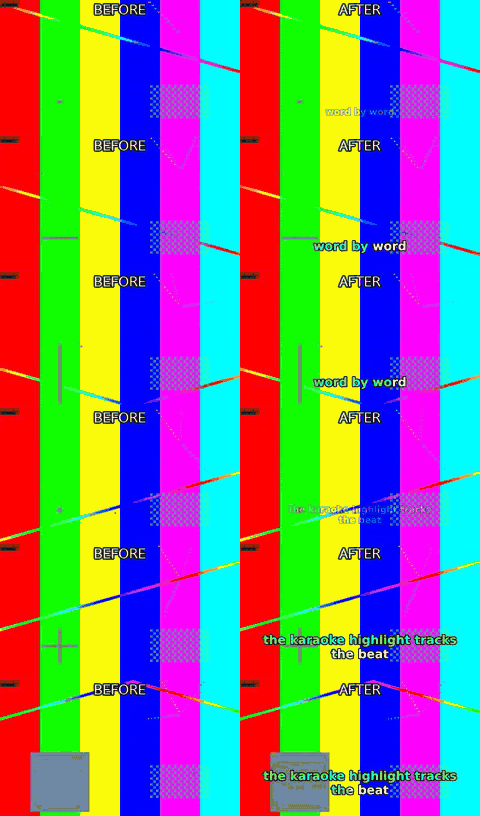 caption.py --animate pop --karaoke |
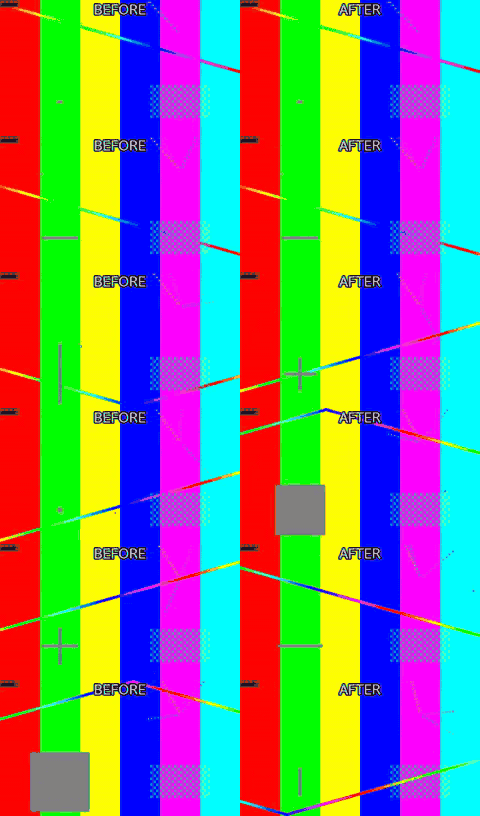
 fit.py --aspect 9:16 --fit crop |
 silence.py --threshold -35 |
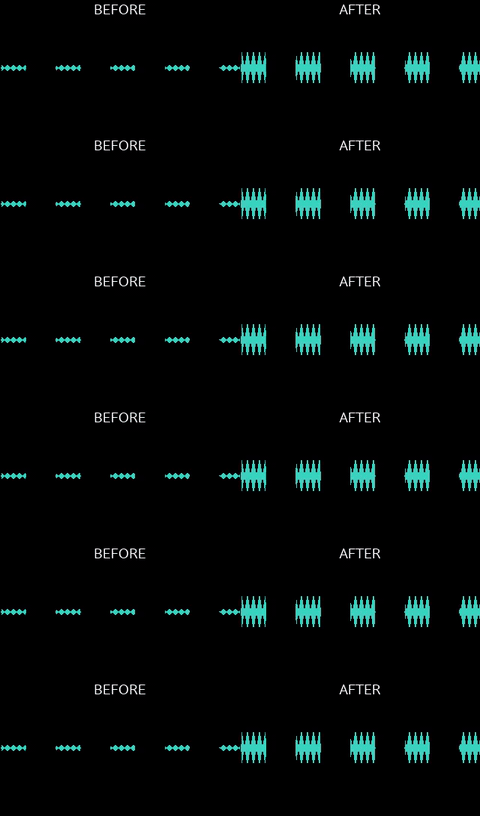 loudness.py -I -14 --tp -1 |
Left half is the input, right half is what the command produced. All 53 before/after demos, with the exact command under each one → — all of it generated from synthetic footage by python3 demos/build.py, so you can rebuild every frame of it yourself.
ffmpeg-skill is an Agent Skill for Claude Code, Cursor, Codex and any agent that reads SKILL.md. It teaches the agent a fixed workflow (probe → edit losslessly where possible → check → verify) and ships 42 tools that do the actual work with ffmpeg / ffprobe: cut, join, silence removal, fit to duration and aspect, captions and karaoke, overlays and motion graphics, HDR → SDR and LUTs, audio clean-up and typed dynamics, sync with drift correction, multicam, loudness, delivery checks, whole-edit project rendering, batch folders. Every tool is also callable as an MCP tool (tools/list advertises a core 12 by default to keep client context small, with FFMPEG_SKILL_MCP_FULL=1 listing all 42; every tool is reachable by name through tools/call either way), and the whole set is described by a machine-readable contract.
If ffmpeg and python3 are on your PATH, it works: offline, on footage you would rather not upload.
SPEC (Self-Producing Execution Contract): each tool's input_schema — the part of its
contract and MCP tool definition that has to track the CLI flag-for-flag — is never
hand-authored beside the code. It is derived, at run time, from the same argparse parser that
already defines the CLI, and CI fails the build if any of it drifts.
→ full explanation
---
Standalone, this is a local FFmpeg engine: probe → edit → verify, npx ffmpeg-skill and nothing else. No API key, no account, no other repo required. Everything above and below this section describes that standalone tool, and none of it changes if you never read the rest of this one.
In kajisho5's wider video-production ecosystem, this repo is the hands: it cuts, measures and exports files, and reports back in structured JSON. It does not decide what to cut, whether a deliverable is approvable, what makes a highlight interesting, or what a caption should say (the user's cue text is burned as written, never rewritten to fit) — those are a brain's job, sitting in front of this engine, not inside it.
| You want to... | Use |
|---|---|
| Cut / join / measure / export a file right now | this repo (ffmpeg-skill), standalone |
| Decide cut points, approve a deliverable, plan a whole edit | video-production-agent / AI-video-production-OS |
| Build a typed editing graph across a workspace, without writing raw ffmpeg | video-editing-skill / audio-production-skill |
Other repos in the ecosystem — media-analysis-skill, transcription-skill, subtitle-skill, thumbnail-skill, color-grading-skill, motion-graphics-skill, qc-skill — read this repo's contract --json, its tools' --json output and doctor, the same way any agent framework would; this repo does not call into any of them. The dependency runs one way.
---
Contents Standalone, and in an ecosystem · Why · Quick start · How it works · Design principles · Tools · Audio · Built for agents · FFmpeg compatibility · Tested on real footage · Install · Requirements · Development · Docs
---
An agent that "knows FFmpeg" still guesses: it assumes a frame rate, picks a codec the container cannot hold, re-encodes a file that only needed a stream copy, and reports "done" without opening the result. This skill takes the guessing out:
probe.py; the agent decides from the measured duration, fps, resolution, colour and audio layout, not from the file name.contract --json states, for every tool, what it takes, what it writes, which FFmpeg components it needs and how the result is verified. The MCP surface is derived from it.caption.py --transcribe and, since 1.17, by silence.py --filler --transcribe; both take a transcript you already have instead, and both refuse with the install lines rather than guessing. Both take --engine and --model; FFMPEG_SKILL_ASR_ENGINE and FFMPEG_SKILL_ASR_MODEL set this machine's defaults (e.g. large-v3-turbo where that whisper.cpp model is installed; without either, auto and base). The engine runs on your machine and the audio is never uploaded; parakeet-mlx, faster-whisper and openai-whisper download their model weights the first time they run (parakeet-mlx's default from Hugging Face).# 1. install the skill for Claude Code (Cursor: --cursor, Codex: --codex, all three: --all)
npx ffmpeg-skill
2. check the machine: ffmpeg, ffprobe and every FFmpeg component the tools need
npx ffmpeg-skill doctor
3. (for agent frameworks) read the machine-readable contract
npx ffmpeg-skill contract --json | head -40
Already installed? re-run npx ffmpeg-skill to refresh ~/.claude/skills/ffmpeg-skill. Copies are not updated automatically.
doctor's overall ok and a single tool's usable: no are different signals: ok means nothing required by every tool is missing, but a plain Homebrew ffmpeg on macOS can still be ok while caption.py specifically can't run (no subtitles filter) — check doctor --json's tools field for the per-tool answer, not just ok.
Then talk to your agent:
"Take interview.mp4, keep 0:45–3:10 and 5:00–6:30, and make it exactly 60 seconds for Reels."
The agent runs probe.py, cut.py --segments 0:45-3:10,5:00-6:30, fit.py --duration 60 --aspect 9:16 --fit crop, export.py --preset reels, check.py --platform reels and look.py, then reports "final.mp4: 59.98 s, 1080×1920, 30 fps, AAC stereo" with the contact sheet it inspected.
One command per destination, with the app's own UI taken into account:
python3 $S/render.py talk.mp4 --template tiktok --cues cues.txt
That fills the shipped templates/tiktok.json: 9:16 crop, captions popped word by word above
TikTok's description bar and clear of its like column, −14 LUFS, the tiktok export preset, and
a check.py --platform tiktok on the file it wrote. The caption size comes from the delivery
table, so since 1.17.1 the filled project also states "fit_size": "on": a size nobody asked for
shrinks to fit the cue instead of splitting the sentence across two cues. A template that states
its own fit_size, and a --brand that states a caption size, still win, and a project with
"fit_size": "off" renders the captions 1.17.0 rendered. Templates ship for tiktok, reels,
shorts, youtube-shorts, youtube, x, linkedin, facebook and podcast;
--template all (or a comma-separated list) renders every destination from the same edit and
writes a _pack.md table of what each one produced. Files land next to the input unless
-o says otherwise, and --dry-run shows every planned command rather than a result.
render.py --list-templates prints them with their frames, limits and safe zones. Alias
spellings work everywhere a platform is named (youtube-shorts = shorts, ig = reels,
twitter = x, fb = facebook).
The tools also work on their own, from any shell:
S=~/.claude/skills/ffmpeg-skill/scripts
python3 $S/probe.py input.mp4 --compact
python3 $S/fit.py input.mp4 --duration 60 --aspect 9:16 --dry-run    # print the plan, run nothing
python3 $S/export.py input.mp4 --preset reels --json                 # structured result with a probe of the output
On Windows in Git Bash, python3 is only on PATH if Python was installed from the Microsoft Store; a python.org install exposes python (or the py launcher) instead — replace python3 with python above if you see a "command not found". bin/install.js and doctor/contract already handle this for you; only the raw script examples above need it spelled out manually.
More requests and the commands behind them: examples/README.md. To see everything run end-to-end on generated footage: npm run demo (the gallery in docs/demos.md).
flowchart TD
    U[User request] --> A[AI agent
Claude Code · Cursor · Codex]
    A -->|reads| S[SKILL.md
workflow, request → tool map, report format]
    A -->|runs| T[Structured tool
scripts/<name>.py, typed argparse flags]
    T --> C[Contract
input schema · role · capabilities · verification policy]
    C --> D[Capability detection
doctor: available / missing / unknown]
    D --> F[FFmpeg execution
no shell, stream copy when possible]
    F --> V[Verification
probe · check · look.py contact sheet]
    V --> R[Structured result
--json: status, output, commands, probe]
    R --> A
Over MCP the same tools are reached through a transport that holds no tool table of its own:
flowchart LR
    M[MCP client
Claude Desktop · Cursor · any client] --> P[mcp/server.py
stdio JSON-RPC]
    P -->|tools/list| C[Contract-derived ToolSpecs
names · order · inputSchema]
    P -->|tools/call| T[scripts/<name>.py]
    C -.derived from.-> K[scripts/_contract.py]
    T -.described by.-> K
Names, order and inputSchema in tools/list are translated from each tool's argparse parser at start-up, so a new flag or a new script appears in MCP with no edit to mcp/. A test copies the skill, adds, removes and edits a script, and reads tools/list again to prove it.
These are the rules the skill file gives the agent and the code enforces.
1. Probe first. No tool decides from the file name. probe.py measures duration, fps (with variable-frame-rate detection), resolution, rotation, bit depth, HDR format including Dolby Vision, colour tags and every audio stream before anything is cut.
2. Lossless when possible. cut.py, join.py and loudness.py stream-copy what they do not need to touch. Re-encoding happens only when it must: frame-accurate cuts, filters, format changes, or a keyframe farther than the tolerance.
3. Plan before render. Every tool takes --dry-run (print the ffmpeg command lines, write nothing), --plan FILE (the dry run saved as a plan with fingerprinted inputs that render.py FILE executes later, refusing if an input changed), --json (structured result with a probe of the output), --fast (preview quality), --progress (percent and ETA), --timeout (a hung ffmpeg is killed and reported, never waited on forever; Ctrl-C or SIGTERM likewise stops the running ffmpeg, removes its partial output and reports kind: interrupted) and --overwrite (explicit consent before an existing output is replaced). A test runs every tool under --dry-run behind a fake ffmpeg and asserts that no ffmpeg call happened and no file appeared.
4. Machine-readable contract. contract --json describes all 42 tools: input schema generated from the parser, output schema, role, required and conditional FFmpeg capabilities, dry-run support, the verification tools to run afterwards, whether a visual check is required, mutates_input: false. provides lists all 42 by a cross-repository Capability id (ffmpeg-skill.cut, ffmpeg-skill.loudness, ...) for kajisho5/AI-video-production-OS's CapabilityContract.provides — see docs/contract.md.
5. Contract-derived MCP. mcp/server.py builds its tools/list from the contract. Tool names, order and inputSchema cannot drift from the scripts; a test keeps the two byte-identical.
6. Capability detection. doctor reads ffmpeg -encoders / -filters / -bsfs and reports which of the components the tools need are present on this build (libx264, libass, zscale, loudnorm, xfade, …), before a job fails inside ffmpeg.
7. Unknown is not missing. When a listing cannot be read (a layout the parser does not know, ffmpeg exiting non-zero) the affected capabilities are unknown: never missing, never silently available. An installed filter is not reported absent; a failed detection is not a pass.
8. Verify the result. The output is probed, and when the picture changed (captions, overlays, crops, colour, transitions) the agent runs look.py and inspects the PNG. The report is not finished until its Look: line names that image; audio-only jobs say Look: not needed. "Inspects" means the calling agent's own vision, not a feature of this skill: look.py only renders a PNG; nothing in this repository detects faces, products, subjects, or "the interesting part" of a frame or a scene. When a crop or reframe needs to keep a specific part of the frame (fit.py --fit crop --crop-x/-y, see Tools), it is the multimodal agent looking at that PNG and choosing the anchor — a non-visual caller (a script, a CLI user without eyes on the sheet) has to supply that decision itself, and the default is a plain centre crop. Likewise scenes.py --highlights ranks candidate scenes by a measured proxy (--rank-by audio or --rank-by duration), never by content; it is the agent that turns a look at the sheet into a judgement.
9. One label per report. A finished job is Done:, a failure or a refusal is Failed:, and a partial result is Done: with the shortfall named in Notes: — never a third label such as Done (partially):.
10. Keep originals. No tool overwrites its input. Outputs are new files named _. unless told otherwise, and a test hashes every input after the run.
42 public tools, all Python 3.9 standard library, all with --help, --dry-run, --json, --plan FILE (a dry run written as a plan render.py executes later), non-zero exit and a reason on stderr on failure. --json-brief (1.11.0) prints the same result document trimmed to what a caller acts on — status, output, verified, a compact summary of the output probe, the tool's own keys and the command count instead of the command lines — for roughly a third of the bytes; --json itself is unchanged. Every re-encoding tool takes --codec h264|hevc|av1|prores and --quality N (1.8) and, with export.py, --hw/--no-hw (Apple VideoToolbox on Apple Silicon, opt-in; see doctor below), and every time flag takes seconds, mm:ss, hh:mm:ss.fff or SMPTE hh:mm:ss:ff with an optional @fps suffix (1.9).
Analysis and inspection
| Tool | What it does |
|---|---|
| probe.py | Duration, fps (+ VFR detection), resolution, codecs, bit depth, HDR format incl. Dolby Vision (hdr for a real PQ/HLG/DV transfer only, bt2020_or_hdr also for BT.2020 SDR), colour space, rotation, every audio stream; --analyze flags Log footage |
| scenes.py | Scene changes, audio peaks, highlight proposals (--rank-by audio loudest, or --rank-by duration longest — both proxies, not "best") and a per-scene sheet; cut list for cut.py --segments; --beats measures the music's beat grid (tempo, beat times, confidence); --shots classifies each shot static/pan/motion by measured optical flow; --audio-peaks lists per-second dBFS; --speech reports a speech-vs-music ratio, not a classification |
| look.py | Contact sheet, single frames, side-by-side comparison as PNG so the agent can see what it made; --safe NAME shades the zones a platform's own UI covers |
Editing
| Tool | What it does |
|---|---|
| cut.py | In/out or multi-segment cuts, lossless -c copy first, re-encode fallback, --accurate for frame-exact video and sample-exact audio, --keep-hevc to re-encode an HEVC source as HEVC, --edit-list to keep an .mp4 copy's start exact, --vfr-guard to choose the VFR check; reports precision; --snap beats moves the in/out points onto a measured beat, or refuses when there is no measurable pulse |
| join.py | Concatenate clips with xfade transitions, normalising size, fps, sample rate and channel layout (the widest clip's, or --channels); audio-only inputs are joined as audio; --list parts.txt reads generated segments (TTS lines) and checks every one first — missing, empty or unreadable parts are all named in one refusal, or skipped and reported with --on-missing skip |
| silence.py | Detect and remove dead air (jump cuts) with a margin around speech; list or export the cut list; --filler also removes filler words, but only where a speech engine timed them; --speech-aware keeps a breath inside a sentence and cuts only at sentence-boundary pauses, composing with --filler through the same keep_ranges() |
| fit.py | Fit to a duration (pitch-preserving speed change or trim, smooth slow-mo) and/or aspect ratio (pad, crop or --fit blur's blurred, darkened fill, with --crop-x/--crop-y to keep an off-centre subject) and/or exact --width/--height; rotate 90/180/270, flip h/v; force constant fps |
| crop.py | Crop to an exact pixel rectangle (--x --y --width --height) — distinct from fit.py --fit crop, which crops to an aspect ratio it computes itself |
| cropdetect.py | Measure existing black letterbox/pillarbox bars and report the crop.py-ready rectangle that removes them — analysis only, writes no file; --motion-centre reports the per-second motion centroid instead, for a 9:16 reframe — report only, the calling agent picks the crop, no auto-reframing |
| deinterlace.py | Deinterlace interlaced source footage (yadif), --mode frame/field, --parity |
| denoise.py | Reduce video noise/grain (hqdn3d), --strength low/medium/high or individual spatial/temporal overrides |
| redact.py | Blur or pixelate an exact pixel rectangle for the whole clip (privacy/compliance redaction) |
| sphere.py | Extract a flat rectilinear viewport from a 360/spherical video (--yaw --pitch --roll --h-fov --v-fov); no subject tracking, only the aim you give it |
| straighten.py | Rotate by an arbitrary angle for horizon correction (--degrees, --fit crop/pad) — distinct from fit.py --rotate's exact 90-degree turns |
| insert.py | Turn a still image into a silent, fixed-duration video clip (title card, end slate) at an exact frame size / fps, with an optional Ken Burns zoom/pan |
| background.py | Generate a solid-colour or two-colour gradient clip at an exact size/duration — no input file |
| reverse.py | Reverse playback (video and, unless --no-audio, audio) |
| stabilize.py | Two-pass motion stabilisation (vidstabdetect/vidstabtransform) |
| sequence.py | Numbered (frame_%04d.png) or glob-matched still images into a video |
| waveform.py | Render an audio track as a waveform or spectrum visualization video (showwaves/showspectrum) — for audio-only inputs with no picture worth showing; --image puts the visualisation over a still plate (an audiogram), with --platform, --title and burnt-in captions |
| freeze.py | Hold a frame for N seconds (--at, --hold, --mode insert/extend) — an end-card hold or a comedic beat |
| pad.py | Add black/silent padding at the start and/or end of the timeline (--start, --end) — distinct from fit.py --fit pad's per-frame letterbox bars |
| speedramp.py | Step through different constant speeds across a clip via --segment START-END:FACTOR (repeatable) — distinct from fit.py's single whole-clip speed factor |
| loop.py | Repeat a clip --times N or to a target --duration — for background loops and filling a fixed slot length; --boomerang plays it forward then backward |
| broll.py | Cut away to a B-roll clip over the A-roll for a window (--insert B --at T --duration D, repeatable) and come back; A's length and audio untouched by default |
| metadata.py | Write container chapter markers from a TIME TITLE text file and title/artist/comment tags, every stream copied bit for bit; --auto-chapters proposes the markers fr
→ →
→ →
→ →
→ →
→ →
→ →
→ →
→