1
 →
→
Harness the power of local LLMs with this TUI MCP Client for Ollama. Featuring all core MCP primitives (tools, prompts, resources), agent mode, multi-server, model switching, streaming responses
jonigl/mcp-client-for-ollama is an open-source project on GitHub, mainly written in Python. Harness the power of local LLMs with this TUI MCP Client for Ollama. Featuring all core MCP primitives (tools, prompts, resources), agent mode, multi-server It currently holds 826 stars and 129 forks with 0 open issues, and was last pushed on an unknown date (repository created unknown).
AI Homed tracks it on the Local & On-Device AI board.

A simple yet powerful Python client for interacting with Model Context Protocol (MCP) servers using Ollama, allowing you to harness local LLMs for advanced tool execution.
---


Sponsored by

Learn how to use Atlas Cloud with ollmcp in the Sponsors section
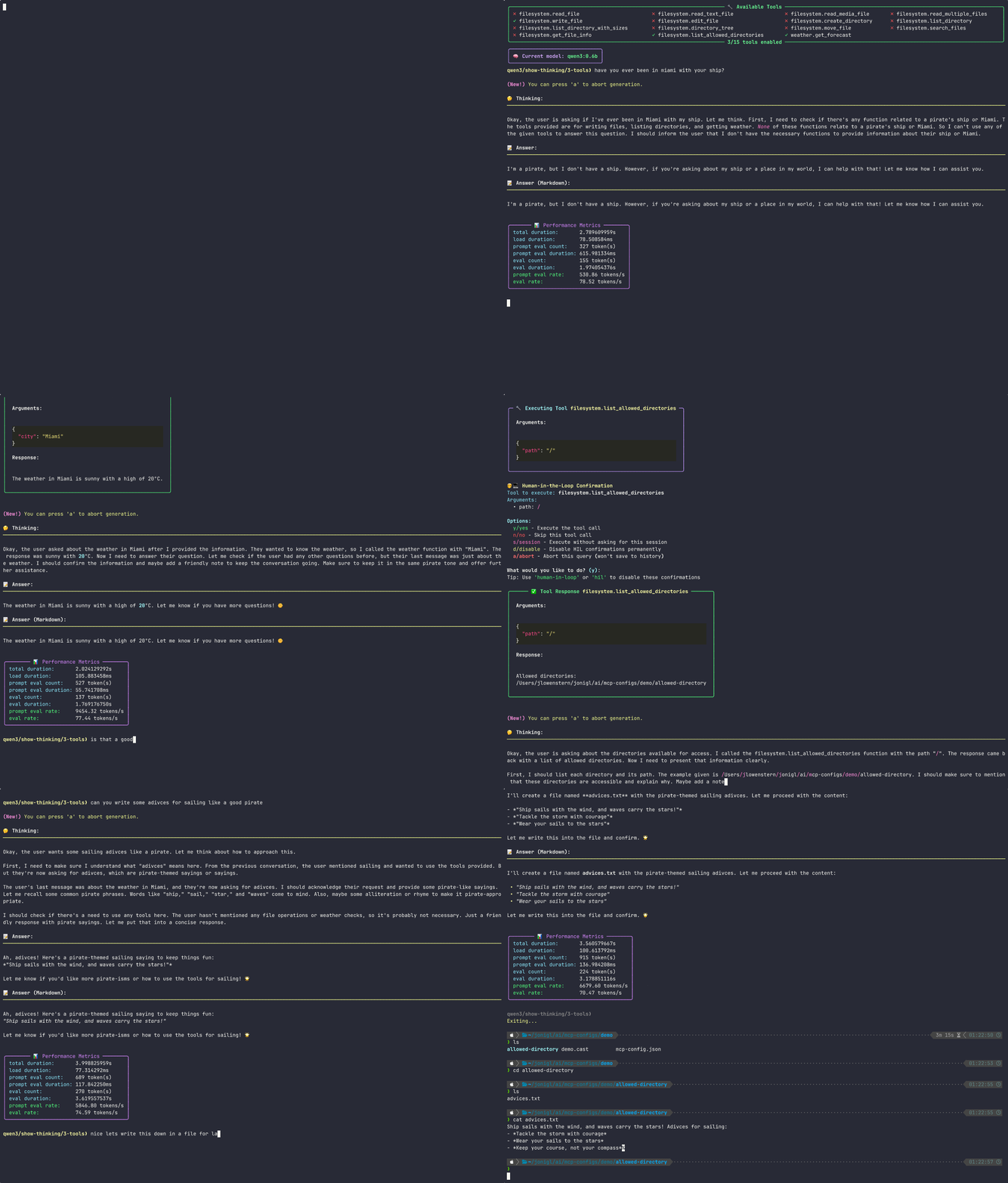
🎥 Watch this demo as an Asciinema recording
MCP Client for Ollama (ollmcp) is a modern, interactive terminal application (TUI) built for harness engineering, connecting local Ollama LLMs to one or more Model Context Protocol (MCP) servers. By fully supporting the core MCP primitives (tools, prompts, and resources), it provides a controlled terminal space where you steer, and the agent executes. With a rich, user-friendly interface, it lets you safely manage your setup in real time with no coding required. Whether you're building, testing, or exploring, this client streamlines your workflow with features like fuzzy autocomplete, advanced model configuration, MCP server hot-reloading for rapid development, and strict Human-in-the-Loop safety controls.
ollama list to see available models. If no models are installed, you can pull one using ollama pull <model_name>. For example, ollama pull gemma4:latest.Install ollmcp via pip, add an MCP server, and run the client:
# Install ollmcp via uv
uv tool install --upgrade ollmcp
or via pip
pip install --upgrade ollmcp
Add an MCP server (example: playwright stdio server)
ollmcp mcp add playwright -- npx @playwright/mcp@latest
Run the client (check optional flags with ollmcp --help)
ollmcp # once running, use /help for interactive commands
Option 1: Install with uv and run (recommended)
uv tool install --upgrade ollmcp
ollmcp
Option 2: Install with pip and run
pip install --upgrade ollmcp
ollmcp
Option 3: Only run without installing (requires uv package manager)
uvx ollmcp
Option 4: Install from source and run using virtual environment
git clone https://github.com/jonigl/mcp-client-for-ollama.git
cd mcp-client-for-ollama
uv run -m mcp_client_for_ollama
Could not find a version that satisfies the requirement ollmcp (from versions: none)This almost always means the Python you are using is older than the required 3.11+. This is common on macOS, where the system Python (/usr/bin/python3) or the Xcode-bundled Python can be 3.9 or older. When no release matches requires-python >= 3.11, pip filters out every version and reports the misleading "from versions: none".
First check your version:
python3 --version # must be 3.11 or newer
Then install with a modern Python. The simplest option is uv, which fetches a suitable Python for you automatically:
uv tool install --upgrade ollmcp   # recommended, installs the CLI in an isolated environment
or, if you prefer pip, make sure to use a Python 3.11+ interpreter:
python3.11 -m pip install --upgrade ollmcp
Then run the client:
ollmcp
error: externally-managed-environment (PEP 668)On recent Debian/Ubuntu (Python 3.12+), the system pip is intentionally locked to protect OS-managed packages, so pip install ollmcp is blocked. This is a system policy (PEP 668), not an issue with ollmcp. Install it into an isolated environment instead:
uv tool install --upgrade ollmcp   # recommended, installs the CLI in an isolated environment
or, if you prefer pip, use a virtual environment:
python3.11 -m venv ollmcp-env
source ollmcp-env/bin/activate
python3.11 -m pip install --upgrade ollmcp
Then run the client:
ollmcp
[!WARNING]
Avoid pip install --break-system-packages ollmcp. It works, but it installs into the system Python and can break packages your OS depends on.
ollmcp can manage its own MCP server configurations directly from the command line, similar to claude mcp:
# Remote servers (Streamable HTTP or SSE)
ollmcp mcp add --transport http
ollmcp mcp add --transport sse
Local stdio servers - everything after -- is the command to run
ollmcp mcp add [options]  --  [args...]
List configured servers
ollmcp mcp list
Remove a server
ollmcp mcp remove
For more details on options and usage, run:
ollmcp mcp --help
ollmcp mcp add --help
Examples:
[!TIP]
Once you have added some servers, simply running ollmcp will connect to them automatically.
ollmcp mcp add --transport http github https://api.githubcopilot.com/mcp/ --header "Authorization: Bearer $YOUR_GITHUB_PAT"
ollmcp mcp add --transport stdio playwright npx @playwright/mcp@latest
ollmcp mcp add filesystem -- npx -y @modelcontextprotocol/server-filesystem /allowed-dir1 ~/allowed-dir2 # stdio transport by default
ollmcp mcp add --env API_KEY=YOUR_KEY --transport sse my-sse-server http://localhost:8000/sse
--transport, -t: stdio (default), sse, or http.--header, -H: HTTP header as "Name: Value" for sse/http servers. Repeatable.--env, -e: Environment variable as KEY=value for stdio servers. Repeatable.--scope, -s: Where to store the server (see scopes below). Default: local.| Scope | Loads in | Shared with team | Stored in |
|-----------|-----------------------|-------------------|-----------|
| local | Current project only | No | ~/.config/ollmcp/mcp.local.json (keyed by project path) |
| project | Current project only | Yes (via VCS) | .mcp.json in the project root |
| user | All your projects | No | ~/.config/ollmcp/mcp.json |
The project scope writes a standard .mcp.json file at your project root, compatible with Claude Code and other MCP-aware tools. If the same server name exists in multiple scopes, precedence is local > project > user.
[!NOTE]
Servers added viaollmcp mcp addare always loaded as the base layer. Any flags (--mcp-server,--mcp-server-url,--servers-json,--claude-desktop) add on top. To include servers from Claude Desktop, pass--claude-desktopexplicitly.
> If a server with the same name is also provided via one of those flags, both connections are currently opened, but only one is kept active under that name. Avoid reusing a registry server's name in--mcp-server/--mcp-server-url/--servers-json/--claude-desktop.
[!TIP]
The CLI now uses Typer for a modern experience: grouped options, rich help, and built-in shell autocompletion. Advanced users can use short flags for faster commands. To enable autocompletion, run:
>> ollmcp --install-completion
> Then restart your shell or follow the printed instructions.
--mcp-server, -s: Path to one or more MCP server scripts (.py or .js). Can be specified multiple times.--mcp-server-url, -u: URL to one or more SSE or Streamable HTTP MCP servers. Can be specified multiple times. See Common MCP endpoint paths for typical endpoints.--servers-json, -j: Path to a JSON file with server configurations. See Server Configuration Format for details.--claude-desktop: Load servers from Claude Desktop's config file (~/Library/Application Support/Claude/claude_desktop_config.json). Merged with servers added via ollmcp mcp add and any other flags.[!IMPORTANT]
Breaking change:--auto-discovery/-ahas been replaced by--claude-desktop. Additionally, servers added viaollmcp mcp addare now always loaded automatically, they are no longer a fallback that disappears when other flags are used. Claude Desktop servers are never loaded automatically; use--claude-desktopto include them.
--model, -m MODEL: Model to use. Default: your saved configuration's model if set, otherwise the first model available in Ollama--provider, -p PROVIDER: LLM provider to use (e.g. ollama, openai, atlascloud, openrouter, deepseek). Default: ollama--host, -H HOST: LLM host / API base URL. Defaults to Ollama's http://localhost:11434 for the ollama provider, or the provider's own default endpoint otherwise.--api-key, -k KEY: API key for the LLM provider. Also read from the $OLLMCP_API_KEY environment variable, which is provider-agnostic (it applies to whichever provider you select with --provider). Keys passed via $OLLMCP_API_KEY are never written to the config file; only keys passed with --api-key are saved. Not needed for ollama.[!NOTE]
Currently supported providers:ollama,openai,atlascloud, and any OpenAI-compatible provider (openrouter,deepseek,perplexity, etc.). More providers coming soon.
--version, -v: Show version and exit--help, -h: Show help message and exit--install-completion: Install shell autocompletion scripts for the client--show-completion: Show available shell completion optionsWhatever an MCP server reports is written to ~/.config/ollmcp/logs//.log, one directory per run, keeping the last 5. Nothing a server prints reaches the screen unless you ask for it — otherwise it would draw over the answer being streamed.
Servers report through two channels: their stderr (only stdio servers, since a remote one runs elsewhere) and MCP log notifications (any server). Both flags only change what you see on screen — the log file gets everything either way:
| | written to the log file | shown on screen |
|---|---|---|
| (no flag) | everything the server sends | nothing from the server |
| --debug | everything the server sends | all of it, as it arrives |
| --log-level LEVEL | everything the server sends | only notifications of LEVEL or higher |
| --debug --log-level LEVEL | everything the server sends | stderr in full + notifications of LEVEL or higher |
LEVEL is one of debug, info, notice, warning, error, critical, alert, emergency.
With no flag, no level is requested at all: the server decides what it emits and all of it is recorded. --log-level filters what you see, and is also sent to the server (logging/setLevel) when it advertises the logging capability — such a server may then stop emitting the lower levels, which are missing from the file too. Servers without that capability keep sending everything and the filtering happens here.
When a server fails to connect, the error points at its log file: whatever the server printed on its way out is in there, and that is usually the real reason.
[!NOTE]
What ollmcp itself reports goes to~/.config/ollmcp/logs//ollmcp.log, next to the server files. It is written on every run, no--debugneeded, and it is the file the on-screen warning points at when a response stream ends early. Work in progress: for now it records mostly provider and streaming errors, and more will be logged there over time.
[!WARNING]
Non-Ollama providers are experimental. Support for providers other than Ollama was added recently and is still being stabilized, not everything may work correctly yet.
ollmcp works with Ollama plus any OpenAI-compatible provider that any-llm exposes. Select one with --provider. Provide the key with --api-key or $OLLMCP_API_KEY (both work for any selected provider) or via the provider's own environment variable shown below. $OLLMCP_API_KEY and the provider-native env vars are never written to disk; only a key passed with --api-key is saved to the config.
| Provider (--provider) | API key env var |
|---|---|
| ollama (default) | - (local) |
| atlascloud | ATLASCLOUD_API_KEY |
| azureopenai | AZURE_OPENAI_API_KEY |
| dashscope | DASHSCOPE_API_KEY |
| databricks | DATABRICKS_TOKEN |
| deepinfra | DEEPINFRA_API_KEY |
| deepseek | DEEPSEEK_API_KEY |
| fireworks | FIREWORKS_API_KEY |
| gateway | GATEWAY_API_KEY |
| inception | INCEPTION_API_KEY |
| llama | LLAMA_API_KEY |
| llamacpp | - (local) |
| llamafile | - (local) |
| lmstudio | LM_STUDIO_API_KEY |
| minimax | MINIMAX_API_KEY |
| moonshot | MOONSHOT_API_KEY |
| mzai | ANY_LLM_KEY |
| nebius | NEBIUS_API_KEY |
| openai | OPENAI_API_KEY |
| openrouter | OPENROUTER_API_KEY |
| perplexity | PERPLEXITY_API_KEY |
| portkey | PORTKEY_API_KEY |
| qiniu | QINIU_API_KEY |
| sambanova | SAMBANOVA_API_KEY |
| vllm | VLLM_API_KEY |
| zai | ZAI_API_KEY |
[!NOTE]
Local OpenAI-compatible servers (ollama,llamacpp,llamafile,lmstudio,vllm) typically run without an API key, point ollmcp at them with--host. Providers any-llm offers that are not OpenAI-compatible (e.g.anthropic,gemini,mistral,groq,cohere) are not supported yet.
[!WARNING]
Capability detection limitation: ollmcp only reads real per-model capabilities (tools,vision,thinking) from Ollama. For every non-Ollama provider, all three capabilities are currently assumed available and shown as such in the model list and badges, so a model may be reported as supporting tools, vision, or thinking even when it doesn't. If a model lacks a capability, the provider's API will return an error when you try to use it.
For the selected provider, ollmcp resolves the API key in this order, from highest to lowest precedence:
1. The --api-key / -k flag.
2. The $OLLMCP_API_KEY environment variable (provider-agnostic, applies to whichever provider you selected with --provider).
3. The per-provider key saved in ~/.config/ollmcp/config.json (present only if it was once passed via --api-key).
4. The provider's own native environment variable, detected by any-llm (e.g. OPENAI_API_KEY, OPENROUTER_API_KEY).
[!WARNING]
A saved per-provider key (3) takes precedence over the provider's native environment variable (4). So if you previously saved a wrong or expired key, setting OPENAI_API_KEY (or the equivalent) alone will not override it. To fix it, either pas→ →
→ →
→ →
→ →
→ →
→ →
→ →
→