1
 →
→
See the images you paste into Claude Code: thumbnails above the prompt instead of bare [Image #1] tags
jarrodwatts/claude-image-view is an open-source project on GitHub, mainly written in TypeScript. See the images you paste into Claude Code: thumbnails above the prompt instead of bare [Image #1] tags It currently holds 120 stars and 11 forks with 0 open issues, and was last pushed on an unknown date (repository created unknown).
AI Homed tracks it on the Today's Trending board, currently at rank #74 with 0 new stars today.
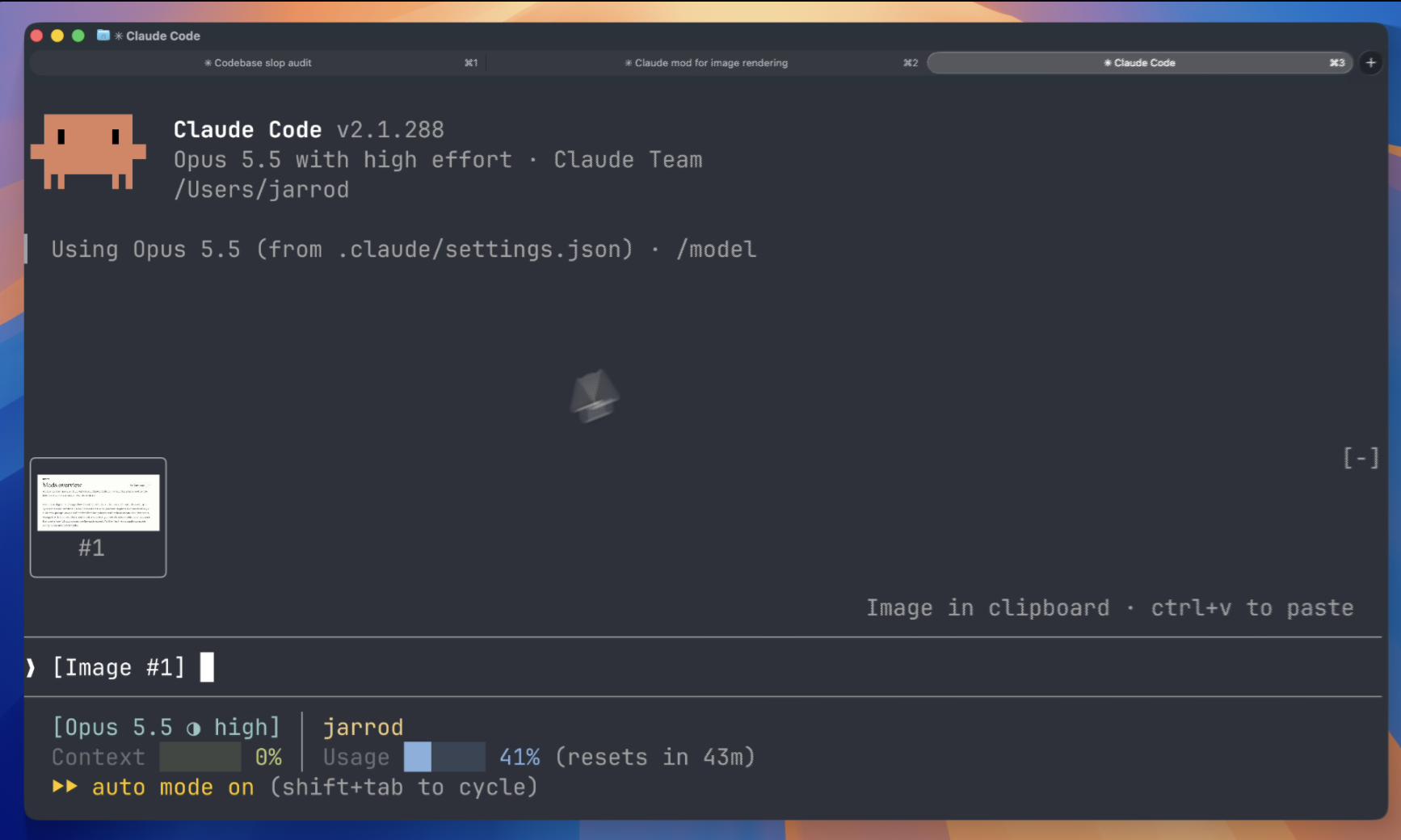
A Claude Code mod that shows the images you paste, so you see thumbnails above your prompt instead of bare [Image #1] tags.
Inside Claude Code, run:
/plugin marketplace add jarrodwatts/claude-image-view
/plugin install image-view
/reload-plugins
That's it. Paste an image into the prompt and its thumbnail appears above the input.
claude plugin marketplace add jarrodwatts/claude-image-view
claude plugin install image-view@claude-image-view
Then run /reload-plugins inside a session, or start a new one.
Paste one or more images and a row of thumbnails sits above the prompt, each labelled with the number of its tag:
╭────────────────────────╮ ╭────────────╮
│                        │ │            │
│      (screenshot)      │ │  (photo)   │
│                        │ │            │
│           #1           │ │     #2     │
╰────────────────────────╯ ╰────────────╯
❯ why is the header misaligned here [Image #1] vs [Image #2]
Claude Code saves every pasted image to a cache folder for the session, as ///images/.png, and puts an [Image #n] tag in the prompt. Claude Image View is a mod:
1. Every 200ms it reads the prompt box and looks for [Image #n] tags. It checks on a timer because pasting an image doesn't raise an edit event.
2. For each tag it finds the cached PNG and reads its size from the PNG header.
3. It draws the thumbnails in the band above the prompt with Claude Code's Image element. The terminal reads the file itself, so the image data never passes through the mod.
Claude Image View is local-only. It makes no network requests and writes no files. It reads the prompt box, lists Claude Code's temp folder to find the current session's image cache, and reads the first bytes of each pasted image. If CLAUDE_CODE_TMPDIR isn't set, it runs id -u once to find the default temp folder.
Run claude plugin validate on the repo to see every event it hooks and every call it makes.
[Image #n] in each tile instead of the picture. The Claude Desktop app already previews pasted images, so the mod draws nothing there.
Nothing appears when I paste. Run /plugin and check the dim line under the tabs lists image-view as an active mod. If it isn't listed, run /reload-plugins.
The tile says "no preview". The mod couldn't find the cached file. Claude Code may have moved where it stores pasted images. Please open an issue with your Claude Code version.
The tile shows [Image #1] text instead of the picture. Your terminal doesn't support the kitty graphics protocol. See Requirements.
The tile shows [Image #1] text in agent view or a background session, even in Ghostty or kitty. Claude Code turns terminal images off for background sessions. If you attach from a terminal with the kitty graphics protocol, turn them back on in the env block of ~/.claude/settings.json, then start a new session:
"env": { "CLAUDE_CODE_FORCE_TERMINAL_IMAGES": "1" }
git clone https://github.com/jarrodwatts/claude-image-view
cd claude-image-view
Load it for one session without installing
claude --plugin-dir .
Check it and run the tests
claude plugin validate .
claude plugin test .
Claude Code writes the API types into .claude-plugin/types/ the first time it loads the mod, and tsc -p . type-checks it from then on.
MIT. See LICENSE.
→ →
→ →
→ →
→ →
→ →
→ →
→ →
→