1
 →
→
Official code for the CVPR 2025 paper "SemanticDraw: Towards Real-Time Interactive Content Creation from Image Diffusion Models."
ironjr/semantic-draw is an open-source project on GitHub, mainly written in Jupyter Notebook. Official code for the CVPR 2025 paper "SemanticDraw: Towards Real-Time Interactive Content Creation from Image Diffusion Models." It currently holds 589 stars and 52 forks with 0 open issues, and was last pushed on an unknown date (repository created unknown).
AI Homed tracks it on the AI Image Projects board and on the AI AI Image Projects list.
Previously StreamMultiDiffusion: Real-Time Interactive Generationwith Region-Based Semantic Control
| 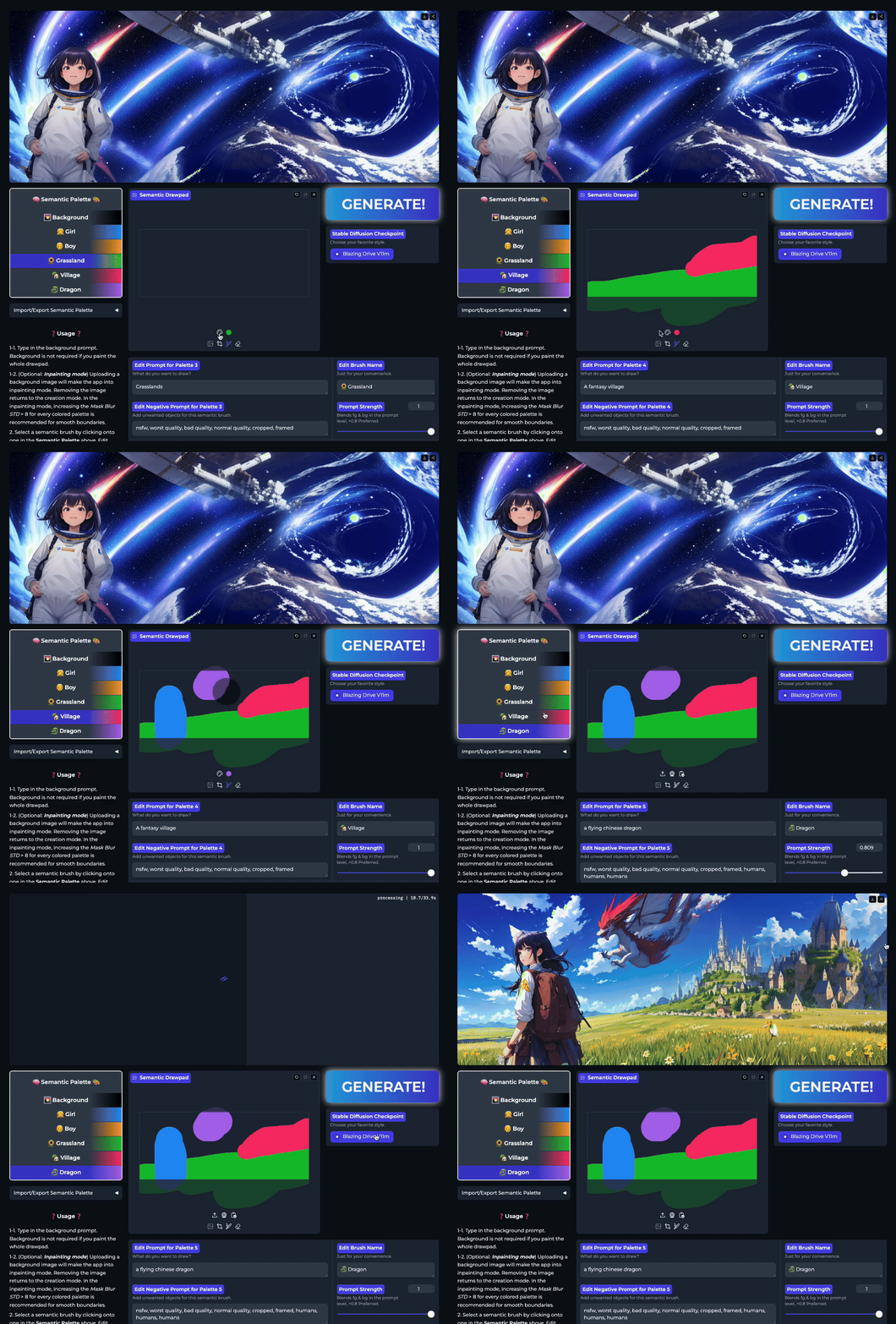 |
| 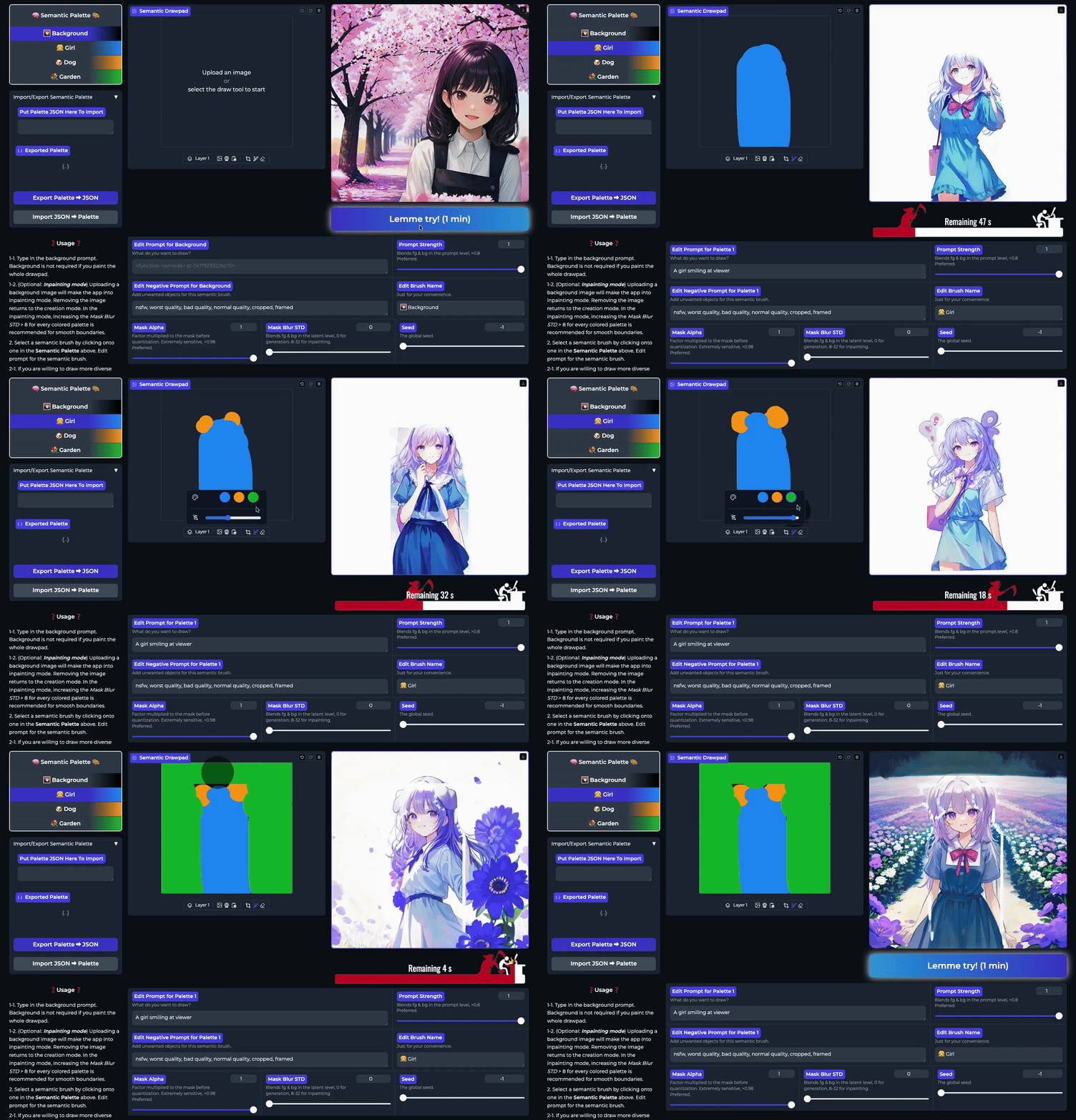 |
| :----------------------------: | :----------------------------: |
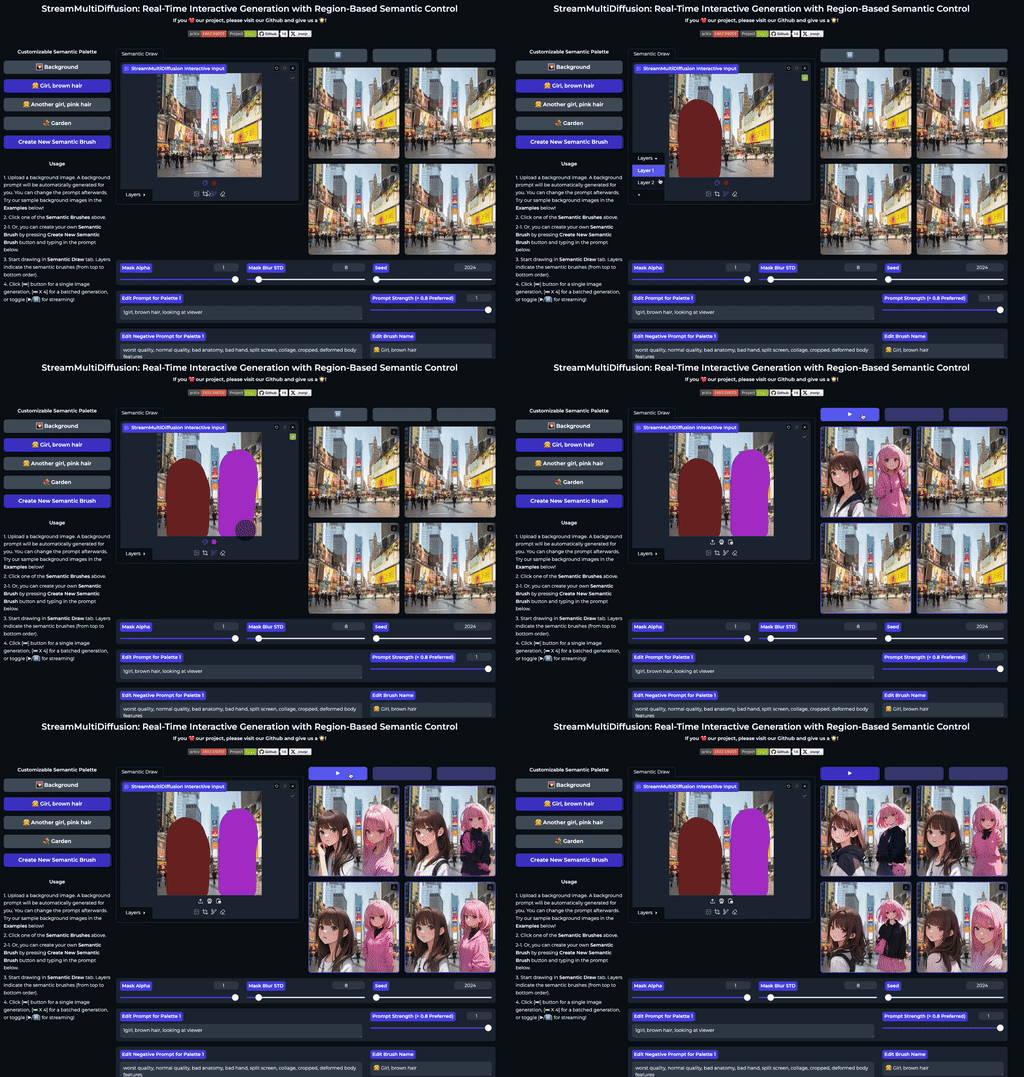
| Draw multiple prompt-masks in a large canvas | Real-time creation |
|
| :----------------------------: | :----------------------------: |
| Draw multiple prompt-masks in a large canvas | Real-time creation |
Jaerin Lee · Daniel Sungho Jung · Kanggeon Lee · Kyoung Mu Lee


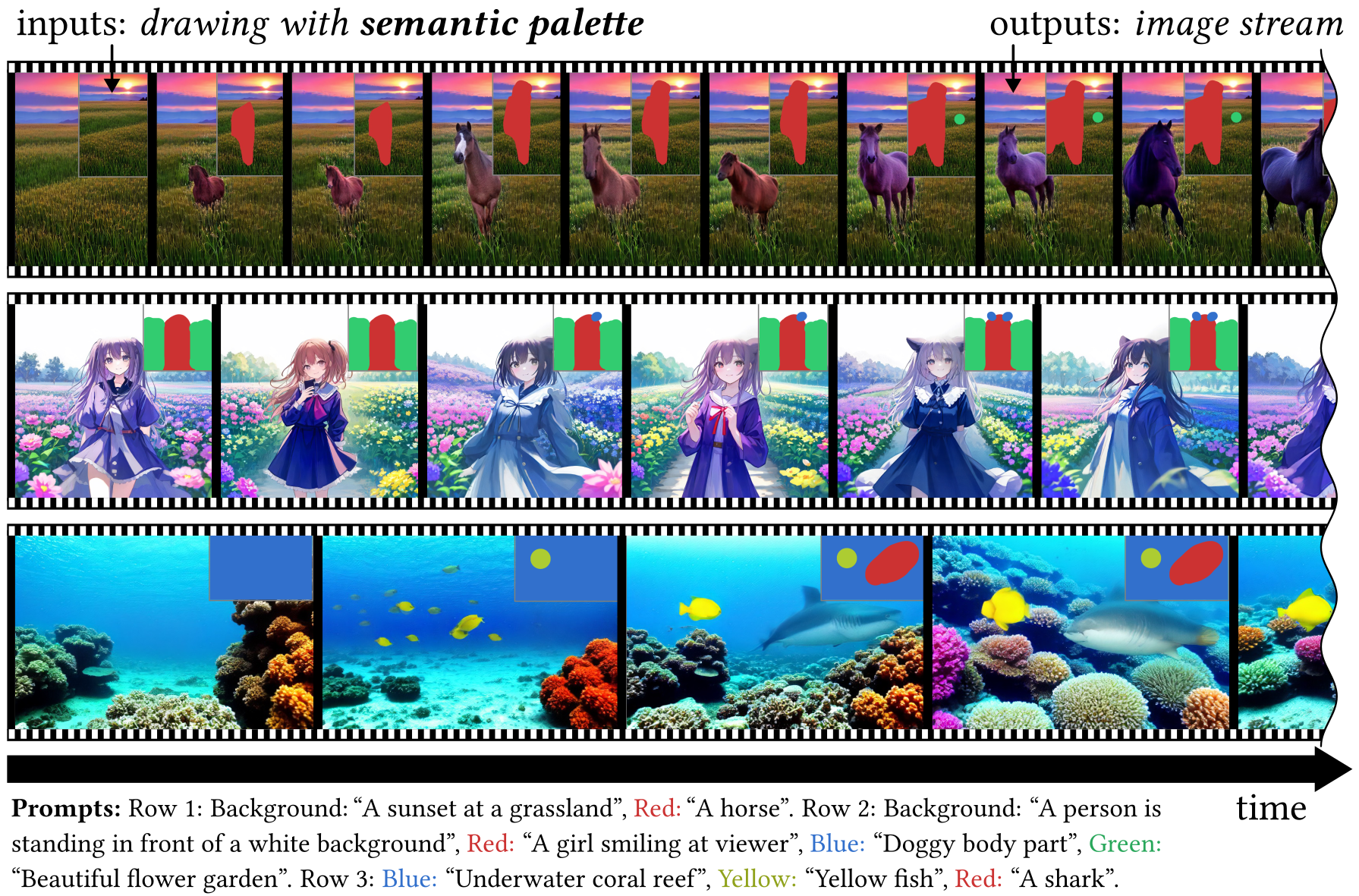
SemanticDraw is a real-time interactive text-to-image generation framework that allows you to draw with meanings 🧠 using semantic brushes 🖌️.
---
# Install
conda create -n semdraw python=3.12 && conda activate semdraw
git clone https://github.com/ironjr/semantic-draw
cd semantic-draw
pip install -r requirements.txt
Run streaming demo
cd demo/stream
python app.py --model "runwayml/stable-diffusion-v1-5" --port 8000
Open http://localhost:8000 in your browser
For SD3 support, additionally run:
pip install git+https://github.com/initml/diffusers.git@clement/feature/flash_sd3
Note: this is default in requirements.txt
---
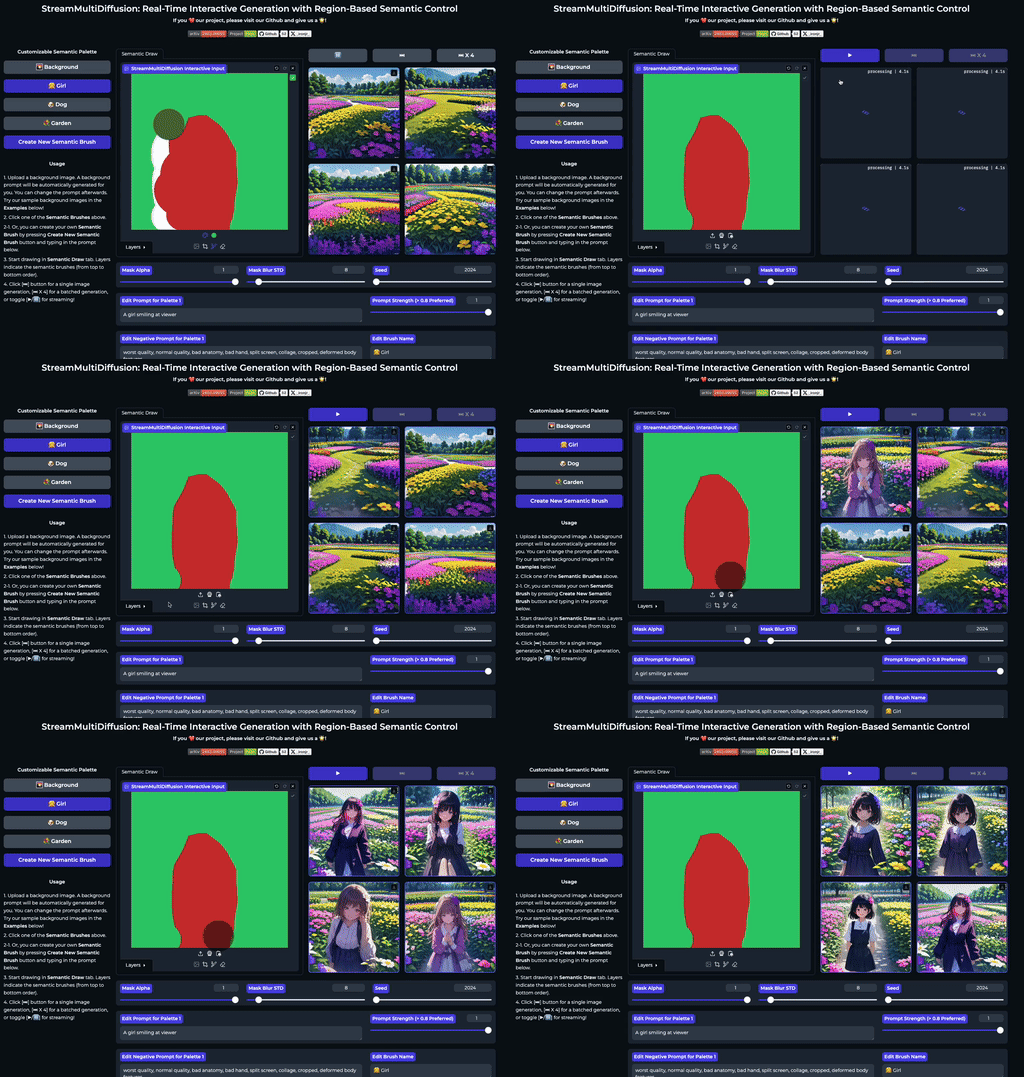
| Interactive Drawing | Prompt Separation | Real-time Editing |
| :---: | :---: | :---: |
|  |
|  |
| 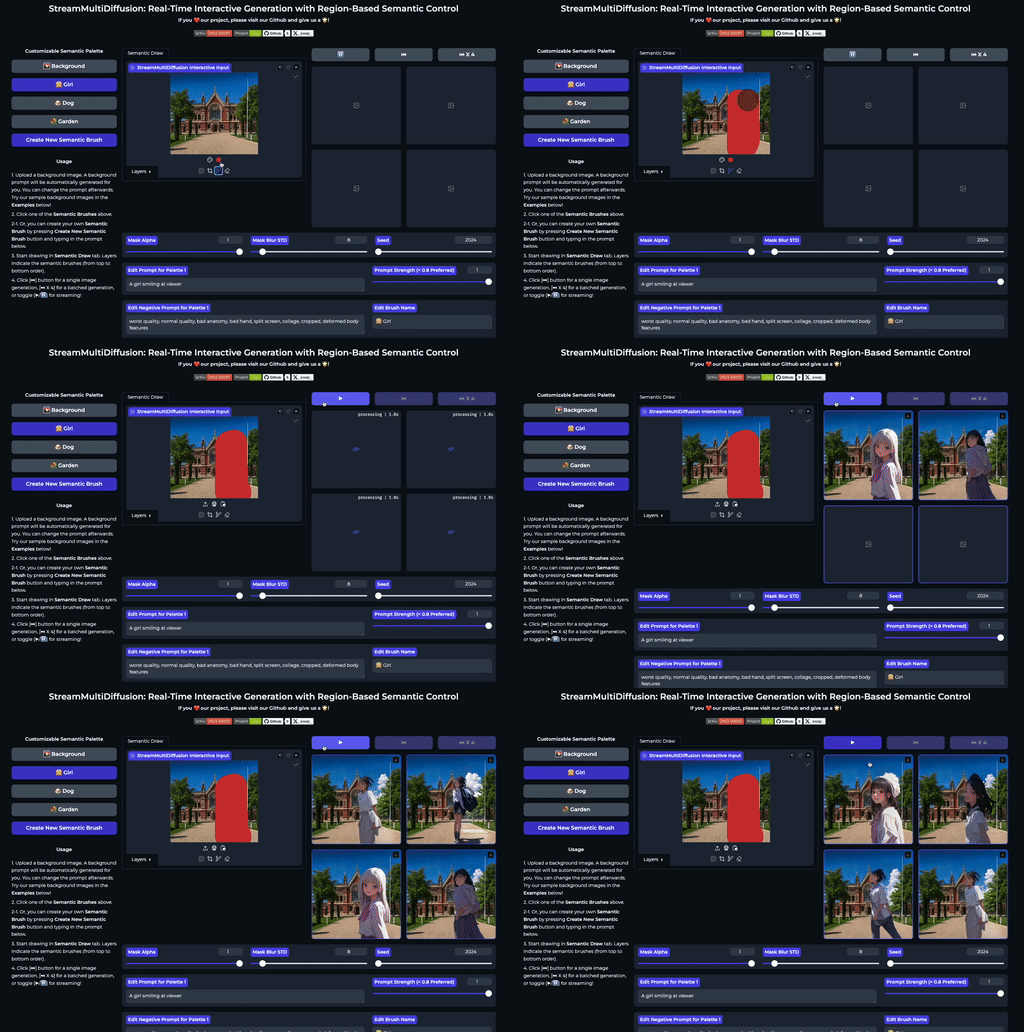 |
| Paint with semantic brushes | No unwanted content mixing | Edit photos in real-time |
|
| Paint with semantic brushes | No unwanted content mixing | Edit photos in real-time |
---
conda create -n smd python=3.12 && conda activate smd
git clone https://github.com/ironjr/StreamMultiDiffusion
cd StreamMultiDiffusion
pip install -r requirements.txt
pip install git+https://github.com/initml/diffusers.git@clement/feature/flash_sd3
---
We provide several demo applications with different features and model support:
Real-time streaming interface with semantic drawing capabilities.
cd demo/stream
python app.py --model "your-model" --height 512 --width 512 --port 8000
| Option | Description | Default |
|--------|-------------|---------|
| --model | Path to SD1.5 checkpoint (HF or local .safetensors) | None |
| --height | Canvas height | 768 |
| --width | Canvas width | 1920 |
| --bootstrap_steps | Semantic region separation (1-3 recommended) | 1 |
| --seed | Random seed | 2024 |
| --device | GPU device number | 0 |
| --port | Web server port | 8000 |
Simplified interface for different SD versions:
cd demo/semantic_palette
python app.py --model "runwayml/stable-diffusion-v1-5" --port 8000
cd demo/semantic_palette_sdxl
python app.py --model "your-sdxl-model" --port 8000
cd demo/semantic_palette_sd3
python app.py --port 8000
1. Place your .safetensors file in the demo's checkpoints folder
2. Run with: python app.py --model "your-model.safetensors"
---
import torch
from model import StableMultiDiffusionPipeline
Initialize
device = torch.device('cuda:0')
smd = StableMultiDiffusionPipeline(device, hf_key='runwayml/stable-diffusion-v1-5')
Generate
image = smd.sample('A photo of the dolomites')
image.save('output.png')
import torch
from model import StableMultiDiffusionPipeline
from util import seed_everything
Setup
seed_everything(2024)
device = torch.device('cuda:0')
smd = StableMultiDiffusionPipeline(device)
Define prompts and masks
prompts = ['background: city', 'foreground: a cat', 'foreground: a dog']
masks = load_masks()  # Your mask loading logic
Generate
image = smd(prompts, masks=masks, height=768, width=768)
image.save('output.png')
from model import StreamMultiDiffusion
Initialize streaming pipeline
smd = StreamMultiDiffusion(device, height=512, width=512)
Register layers
smd.update_single_layer(idx=0, prompt='background', mask=bg_mask)
smd.update_single_layer(idx=1, prompt='object', mask=obj_mask)
Stream generation
while True:
    image = smd()
    display(image)
Explore our notebooks directory for interactive examples:
For technical details, see our paper and project page.
---
Semantic Palette lets you paint with text prompts instead of colors. Each brush carries a meaning (prompt) that generates appropriate content in real-time.
---
---
@inproceedings{lee2025semanticdraw,
    title="{SemanticDraw:} Towards Real-Time Interactive Content Creation from Image Diffusion Models",
    author={Lee, Jaerin and Jung, Daniel Sungho and Lee, Kanggeon and Lee, Kyoung Mu},
    booktitle={CVPR},
    year={2025}
}
---
Built upon StreamDiffusion, MultiDiffusion, and LCM. Special thanks to the Hugging Face team and the model contributors.
---
Please email jarin.lee@gmail.com or open an issue.
→ →
→ →
→ →
→ →
→ →
→ →
→ →
→