
1
 →

Paste a link, get captioned 9:16 clips in ~2 min. Free, local, open-source clipping engine (audio-first, YouTube captions, local LLM).
iamajmeena/neonclipping is an open-source project on GitHub, mainly written in Python. Paste a link, get captioned 9:16 clips in ~2 min. Free, local, open-source clipping engine (audio-first, YouTube captions, local LLM). It currently holds 292 stars and 13 forks with 0 open issues, and was last pushed on 2026-11-19 (repository created 2026-11-19).
AI Homed tracks it on the Today's Trending board.
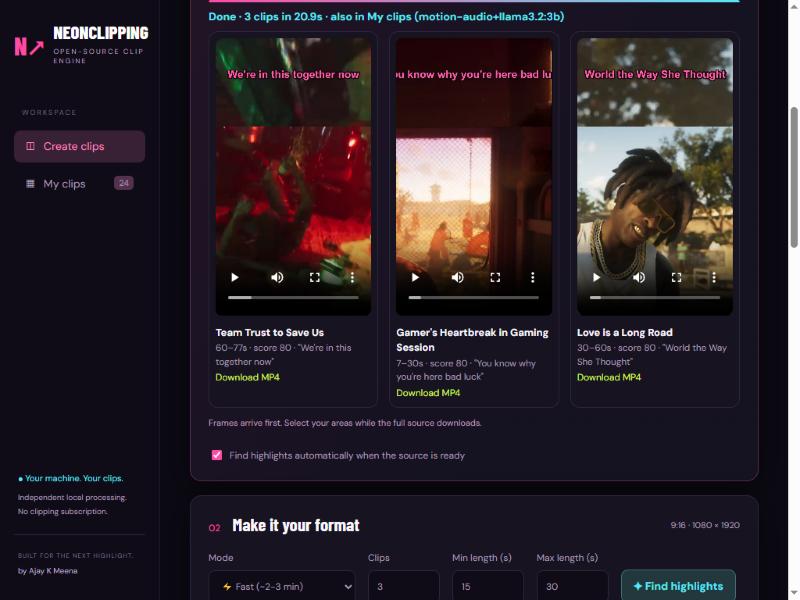
Paste a link. Get captioned 9:16 clips in about two minutes. Free, local, open-source.
NeonClipping turns long YouTube / Twitch / Kick videos (or your own MP4) into vertical, captioned clips with a title and hook for each. Everything runs on your machine: no account, no subscription, no upload.
🌐 Website with one-click Windows setup:
Made by Ajay K Meena (Director, DOP, colorist, DaVinci Resolve educator, Jaipur). If NeonClipping saves you time, please ⭐ star the repo and follow @iamajmeena on Instagram.
📘 Guides (Hindi + English, PDF): docs/NeonClipping-Guide-EN-HI.pdf 🤖 Let an AI agent install it for you: copy docs/NEONCLIPPING-AGENT-SETUP-PROMPT.txt into Claude Code, Codex CLI or Cursor.
Two modes, one button.
⚡ Fast mode (default, videos over 10 min) copies the trick that makes the fastest clippers fast: never look at the whole video.
1. Download audio only (79 MB for an 85-minute video, about 10 s). 2. Take the transcript for free from YouTube's own captions (word-timed). No speech model needed. For other sources a local Whisper model is used as the fallback. 3. Score the whole audio track for sudden loudness jumps (vs a 2-minute local baseline), raised voices (2–4 kHz energy) and quiet-to-loud transitions. 4. Take the best moments, read each one's transcript with a local LLM (Ollama) and let it score the moment, write a title and a hook. Snap the start and end to sentence boundaries inside your Min/Max length. 5. Download only the chosen sections of the video (not the whole file), trim exactly by matching their sound to the audio track, and render 1080x1920 clips with burned-in captions.
🔬 Deep mode downloads the whole video, adds optical-flow motion (OpenCV Farneback: fast objects, impacts, camera whips) and cut density to the audio signals, shortlists 4× more candidates and gives the LLM 15 seconds of context before and after each one.
Measured on one machine (RTX 2060, 16 threads), Fast mode, 3 clips each:
| Source | Time | |---|---| | 85-minute YouTube stream (YouTube captions) | 97 s | | 3-hour Twitch VOD (no captions, local speech model) | 136 s | | 90-second YouTube trailer | 21 s | | 90-second local MP4 | 14 s |
Your numbers depend on network and CPU.
Every candidate moment is scored from several signals, then the best ones are kept:
| Signal | What it looks for | |---|---| | Loudness jump | A sudden boom or shout compared with the last two minutes | | Raised voice | Energy in the 2–4 kHz band (screaming, yelling) | | What is said | "oh my god", "oh shit", "run", "police", "bhaago", "arre yaar" and similar (English, Hinglish, Hindi) | | On-screen action | Fast motion (optical flow), explosion-like flashes, red/blue light flicker, scene cuts | | AI score | A small local LLM reads the transcript: emotion, punchline, payoff |
It learns from you. Under every clip there are 5 stars. Your ratings stay on your computer (data/feedback.jsonl). After 8 ratings the weights of the signals above are re-fitted (ridge regression pulled toward the defaults, blended in gradually), so a gamer-shouting-heavy taste ranks shouting higher and a calm-explainer taste ranks it lower. Nothing is uploaded.
127.0.0.1 only.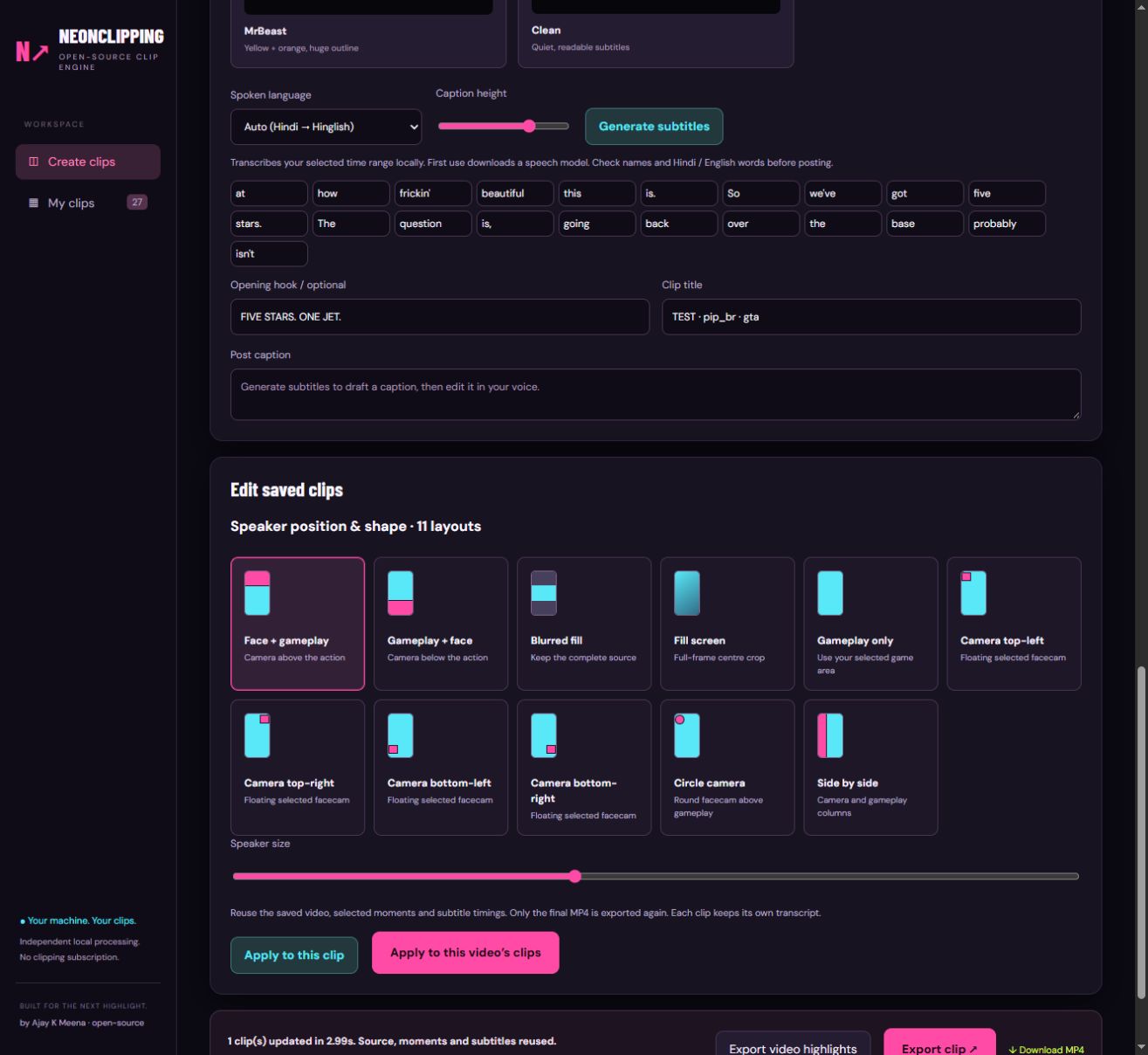
Open My clips → Edit clip. The saved editor includes all 11 speaker position/shape layouts, a speaker-size slider, editable subtitle words, caption style and caption height.
data/. Previous MP4s are kept; the library displays the latest versions. Old exports missing saved word timings can recover captions from their SRT, with approximate per-word timing.Run the portable regression tests with python -m unittest discover -s tests -v.
Easiest (Windows): download NeonClipping-Setup.bat from the website or the Releases page and double-click it. It checks your PC, installs Python and FFmpeg if missing, installs NeonClipping into %LOCALAPPDATA%\NeonClipping, creates a Desktop shortcut and opens the app. Mac/Linux: install.sh (new, not yet tested on a real Mac). Or follow the steps below.
Requirements: Python 3.10+, FFmpeg on PATH. Optional but recommended: Ollama with ollama pull llama3.2:3b for AI titles, hooks and scores (without it clips are picked by the audio/motion score), and an NVIDIA GPU for NVENC and faster-whisper.
git clone https://github.com/iamajmeena/neonclipping
cd neonclipping
Windows
./run.ps1
Linux / macOS
./run.sh
Open , paste a link, press ⚡ Make clips.
Optional GPU speech model support (only used when a video has no YouTube captions):
.venv/bin/pip install nvidia-cublas-cu12 "nvidia-cudnn-cu12==9.*"
Set NEONCLIPPING_CPU=1 to force CPU. Set NEONCLIPPING_PORT=9000 to use another port.
| File | Job |
|---|---|
| app.py | FastAPI server, /make pipeline, export, library |
| smart.py | Moment scoring: transcript + local LLM, sentence snapping |
| highlights.py | Audio-jump / shout / optical-flow / cut ranking, parallel decode |
| captions_yt.py | YouTube word-timed captions (json3) parser |
| captions.py | Local Whisper (GPU first, CPU fallback), ASS/SRT styles |
| translit.py | Devanagari → Hinglish (word by word, keeps timings) |
| standalone.py, previews.py | Link import, early preview frames |
Paste a Twitch channel link or a YouTube Live link into the Live clipping panel and press Start. NeonClipping records the stream (Streamlink), reads chat anonymously, counts messages in 10 s buckets and cuts a clip around every chat spike (chat velocity more than 2.5 sigma and 2.5x the 5-minute baseline). The clip starts about 24 s before the spike, because chat reacts after the moment. It then gets captions, a hook and title, your layout and facecam boxes, and a viral score like any other clip. Clip the last 30 s now cuts on demand, Stop ends the session. It only works while the stream is live; for finished videos use Make clips.
There is also a command-line version in live/live_clip.py.
NeonClipping is free. If it saves you time you can ⭐ star the repo, follow @iamajmeena, or optionally donate via Razorpay (UPI / cards): . The app also has a ♥ Donate button. Nothing is ever locked behind a donation.
Design ideas studied from open-source clippers: PeakCut (audio-first download, captions as transcript, section download), ClipCutter, content-ai, and the Growlance live-clipper script. Built on FFmpeg, yt-dlp, FastAPI, faster-whisper, OpenCV, Ollama.
MIT. See LICENSE.
→ →
 →
 →
 →
 →
 →
 →