1
 →
→
Dotted, honestly-3D loading indicators for AI and agent interfaces in SwiftUI. Nine hand-tuned designs, two tuned sizes.
haplollc/ThinkingOrbs is an open-source project on GitHub, mainly written in Swift. Dotted, honestly-3D loading indicators for AI and agent interfaces in SwiftUI. Nine hand-tuned designs, two tuned sizes. It currently holds 77 stars and 5 forks with 0 open issues, and was last pushed on an unknown date (repository created unknown).
AI Homed tracks it on the Today's Trending board, currently at rank #96 with 0 new stars today.

Dotted, genuinely 3D loading indicators for AI and agent interfaces in SwiftUI.
Nine hand-tuned designs, two purpose-tuned sizes, one line to drop in.
---
ThinkingOrb(.searching)
That is the whole integration. Eight of the nine designs are real 3D forms, rotated, depth-shaded and z-sorted, and the ninth is a morphing outline. All of them are drawn only in grayscale dots, so they sit quietly in any interface, light or dark. Every orb pauses itself offscreen, stays in phase with the others on screen, and respects Reduce Motion.
Download the 30-second demo video (MP4)
In Xcode: File > Add Package Dependencies and paste
https://github.com/haplollc/ThinkingOrbs
Or in Package.swift:
dependencies: [
    .package(url: "https://github.com/haplollc/ThinkingOrbs", from: "1.0.0")
]
Then add ThinkingOrbs to your target's dependencies.
import SwiftUI
import ThinkingOrbs
struct AssistantStatus: View {
    var body: some View {
        ThinkingOrbLabel("Searching the web…", design: .searching)
    }
}
Every design is a case of OrbDesign. Pick the one that says what your agent is actually doing.
| Regular | Small | Design | In code | Reach for it when |
|:---:|:---:|---|---|---|
| 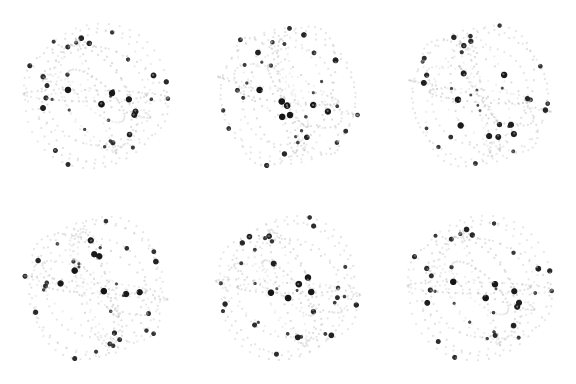

Particles on tilted orbits | .working | General-purpose busy |
| 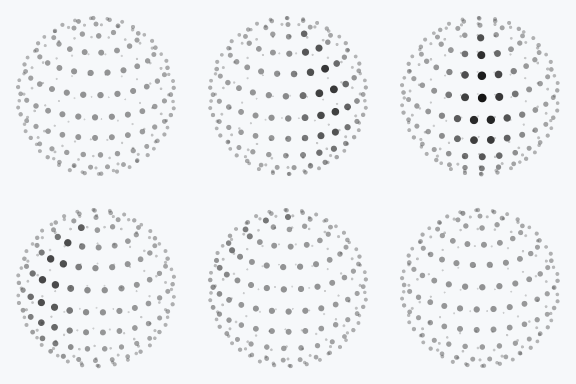

A scan meridian sweeps a dotted globe | .searching | Web search, retrieval, lookups |
| 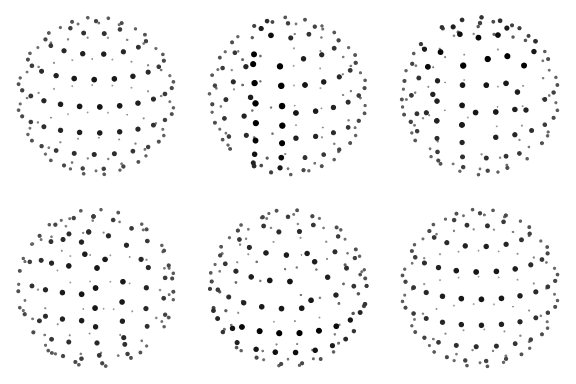

Bands scramble, then click back solved | .solving | Reasoning, math, code |
| 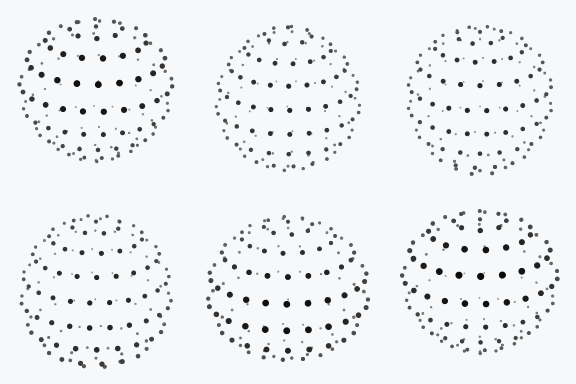

A waveform rolls through the rings | .listening | Voice input, transcription |
| 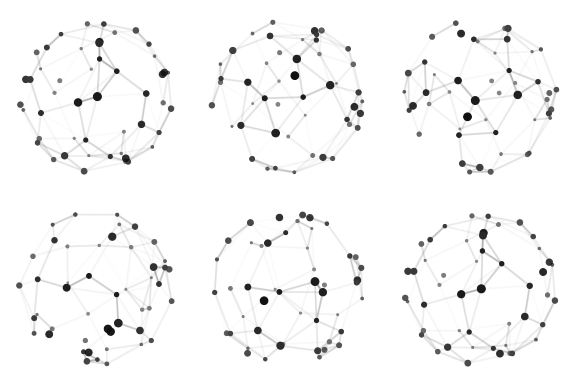

A constellation wires itself | .connecting | Tool calls, APIs, sync |
| 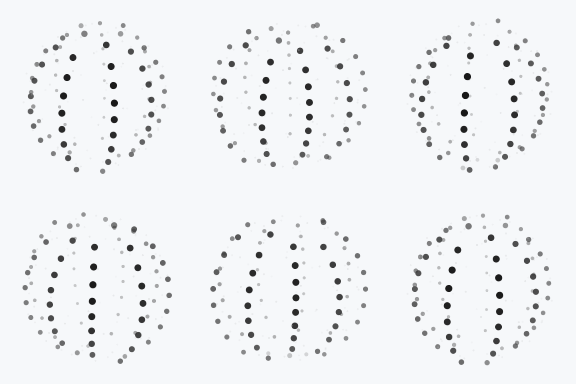

Three strands plait around the sphere | .weaving | Planning, multi-step agents |
| 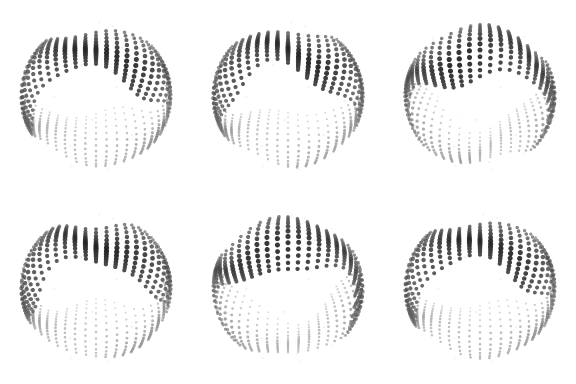

An undulating multi-band sash | .composing | Writing a reply |
| 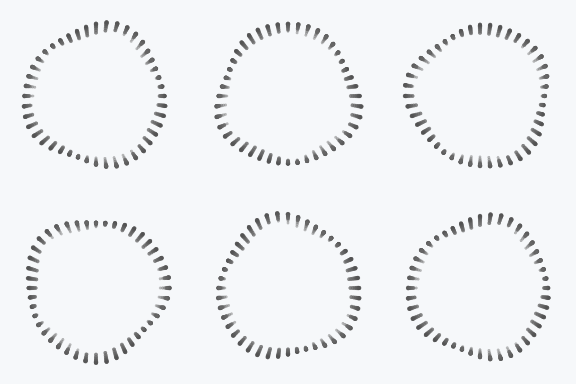

A ring slowly morphing | .breathing | Idle thinking, waiting on a model |
| 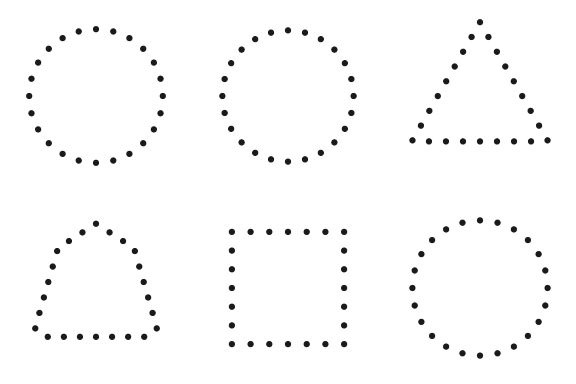

Circle → triangle → square | .shaping | Design, image and layout work |
ThinkingOrb(.connecting)
ForEach(OrbDesign.allCases) { design in      // all nine, with names
    Label { Text(design.title) } icon: { ThinkingOrb(design, size: .small) }
}
Two tuned sizes, and they are separate designs, not one design scaled: the small one has fewer, bigger dots and its own tempo, so it stays legible next to text.
ThinkingOrb(.working)                  // .regular: 64 pt, for avatars, empty states, hero moments
ThinkingOrb(.working, size: .small)    // .small: 20 pt, for inline text, toolbars, list rows
ThinkingOrb(.solving, diameter: 56)    // the 64 pt design, drawn at 56 pt
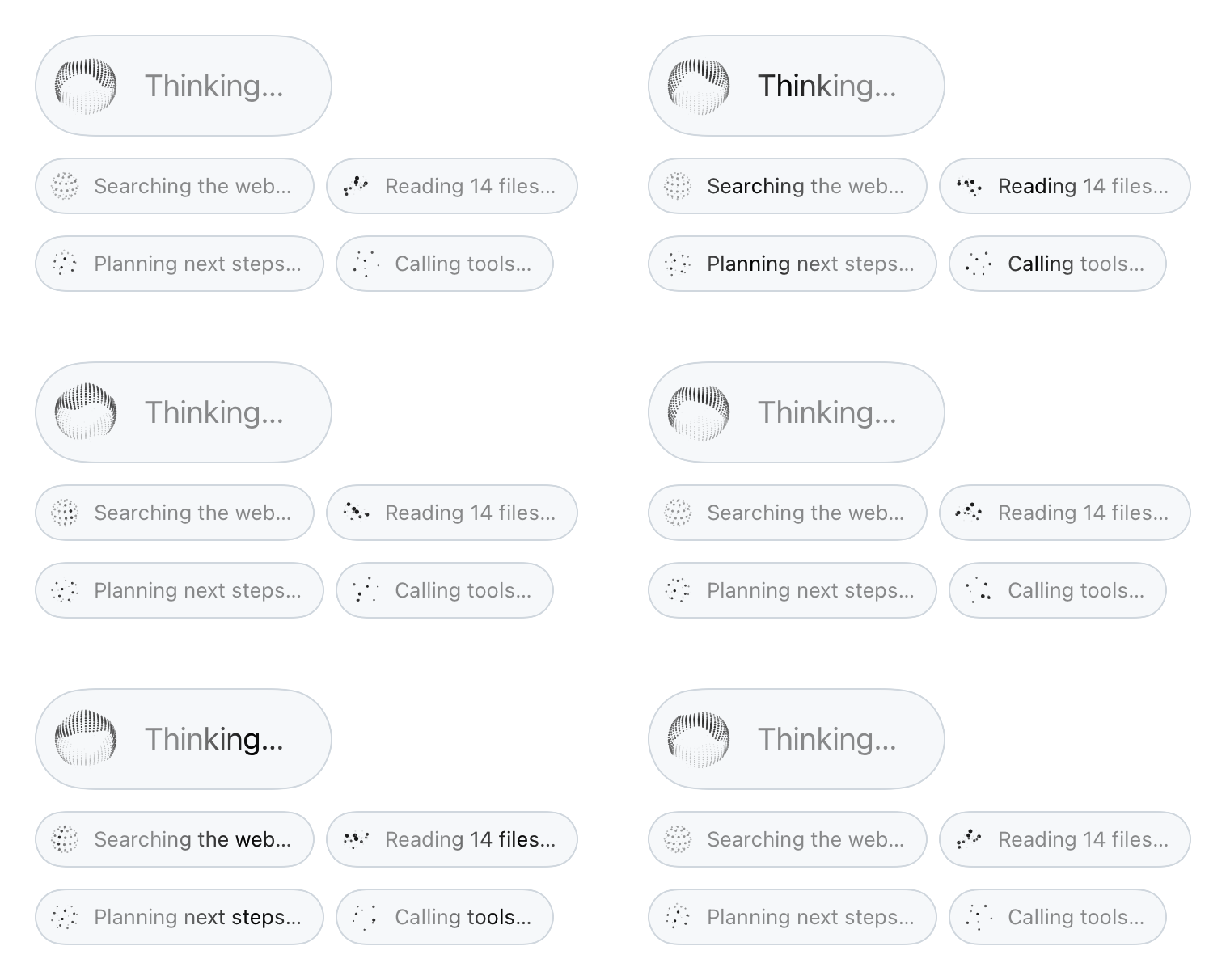
ThinkingOrbLabel puts an orb beside a shimmering status line. Style it like any other view:
ThinkingOrbLabel("Searching the web…", design: .searching)
ThinkingOrbLabel("Thinking…", design: .composing, size: .regular, diameter: 48)
    .font(.title3)
    .padding(8)
    .padding(.trailing, 20)
    .background(.thinMaterial, in: .capsule)
The shimmer is a modifier too, for any text that should read as live:
Text("Composing a reply…")
    .thinkingShimmer()
Titles localize the way Text does. A string literal is looked up in your strings, a String value is shown as-is, and you can pass your own Text:
ThinkingOrbLabel("Searching the web…", design: .searching)                   // localized, like Text
ThinkingOrbLabel("status.syncing", tableName: "Agent", design: .connecting)   // from your own table
ThinkingOrbLabel(modelOutput, design: .composing)                             // a String shows as-is
Map your agent's state to a design. Wrap it in a ZStack so the old and new orb share one slot while they crossfade:
enum AgentPhase {
    case idle, searching, reasoning, callingTools, writing
var orb: OrbDesign {
        switch self {
        case .idle: .breathing
        case .searching: .searching
        case .reasoning: .solving
        case .callingTools: .connecting
        case .writing: .composing
        }
    }
}
ZStack {
    ThinkingOrb(phase.orb)
        .id(phase.orb)
        .transition(.opacity.animation(.easeInOut(duration: 0.25)))
}
An "assistant is typing" bubble:
HStack(alignment: .bottom, spacing: 10) {
    ThinkingOrb(.composing, diameter: 36)
    Text("Writing a reply…")
        .thinkingShimmer()
        .padding(.horizontal, 14)
        .padding(.vertical, 10)
        .background(.fill.tertiary, in: .rect(cornerRadius: 18))
}
A status in the navigation bar:
.toolbar {
    ToolbarItem(placement: .principal) {
        ThinkingOrbLabel("Syncing…", design: .connecting)
            .font(.subheadline)
    }
}
A button that is busy:
Button {
    Task { await generate() }
} label: {
    if isGenerating {
        ThinkingOrbLabel("Generating…", design: .shaping)
    } else {
        Label("Generate", systemImage: "sparkles")
    }
}
.buttonStyle(.bordered)
An empty state while a model loads:
ContentUnavailableView {
    ThinkingOrb(.breathing)
} description: {
    Text("Warming up the model…")
}
A list row:
LabeledContent("Indexing photos") {
    ThinkingOrb(.searching, size: .small)
}
The ink is strictly monochrome and follows the environment's color scheme: dark dots on light backgrounds, light dots on dark ones, with the depth shading mirrored so near dots always read strongest. To put an orb on a surface that doesn't match the app's scheme, pin it:
ThinkingOrb(.weaving)
    .environment(\.colorScheme, .dark)   // light dots, for a dark card in a light app
ThinkingOrb(.listening, speed: 1.5)                 // a multiplier on the tuned speed
ThinkingOrb(.listening, isPaused: !isRecording)     // freezes on the current frame
.accessibilityLabel("Looking up flights…").ThinkingOrbLabel reads as one element: its title.One Canvas per orb inside one TimelineView, with no view per dot. Orbs park their timeline while scrolled out of view, on either axis, so a card in a carousel that has itself scrolled off the page stops too. That holds from the very first layout, so orbs that start below the fold never run. They also park while the app is in the background.
Measured on an iPhone 17 Pro Max, the heaviest design (.composing, 566 dots) takes 65 µs to compute a frame and 0.27 ms to rasterize it, against 8.3 ms per frame at 120 Hz. Most designs cost a fraction of that.
The geometry is public, for SpriteKit, Metal, a watch complication or a pen plotter. A frame is a finished draw list: every value is final and the array order is the draw order.
let frame = OrbDesign.connecting.frame(size: .regular, at: seconds)
for line in frame.lines {       // draw edges first
    // line.x1, line.y1, line.x2, line.y2, line.w in points
    // line.white and line.a are ink and opacity, as for dots
}
for dot in frame.dots {         // then dots, far to near
    // dot.x, dot.y, dot.r in points, in a 64 × 64 box
    // dot.white is ink (0 is darkest, mirror it on dark), dot.a is opacity
}
seconds is any running time in seconds at normal speed, such as a TimelineView date's timeIntervalSinceReferenceDate. The design's tuned speed is applied for you.
These are Jakub Antalik's designs, and the port keeps them exact:
Scripts/differential-sweep.sh runs the original engine under Node and streams 725,149 frames (213 million dots) into the Swift engine on an iPhone simulator. Every frame matches, with a worst difference of 2e-9.xcodebuild test -scheme ThinkingOrbs -destination "platform=iOS Simulator,name=iPhone 17 Pro"
Scripts/differential-sweep.sh # prove parity with the original web engine
Scripts/render-media.sh # re-render every GIF in this README
The designs, their tuning and the original engine are thinking-orbs by Jakub Antalik, MIT licensed. See them on the web at orbs.jakubantalik.com. This package is a native Swift port.
ThinkingOrbs is available under the MIT license, which carries both the original copyright and ours.
Made by Haplo LLC.
→ →
→ →
→ →
→ →
→ →
→ →
→ →
→