1
 →
→
chrome/firefox extension for ChatGPT prompt automation&management
gtestault/maestro-chatGPT is an open-source project on GitHub, mainly written in TypeScript. chrome/firefox extension for ChatGPT prompt automation&management It currently holds 23 stars and 2 forks with 0 open issues, and was last pushed on an unknown date (repository created unknown).
AI Homed tracks it on the Today's Trending board.


[](https://chrome.google.com/webstore/detail/maestro-chatgpt-prompt-au/nemphffnipcbddbnefechopcdjheblon)
Maestro is a prompt automator/manager for ChatGPT. Maestro allows you to write, manage, and execute prompt templates. You can run prompt templates with parameters to increase the efficiency of your ChatGPT workflows.
Stop repeating yourself, and let Maestro do the work for you.
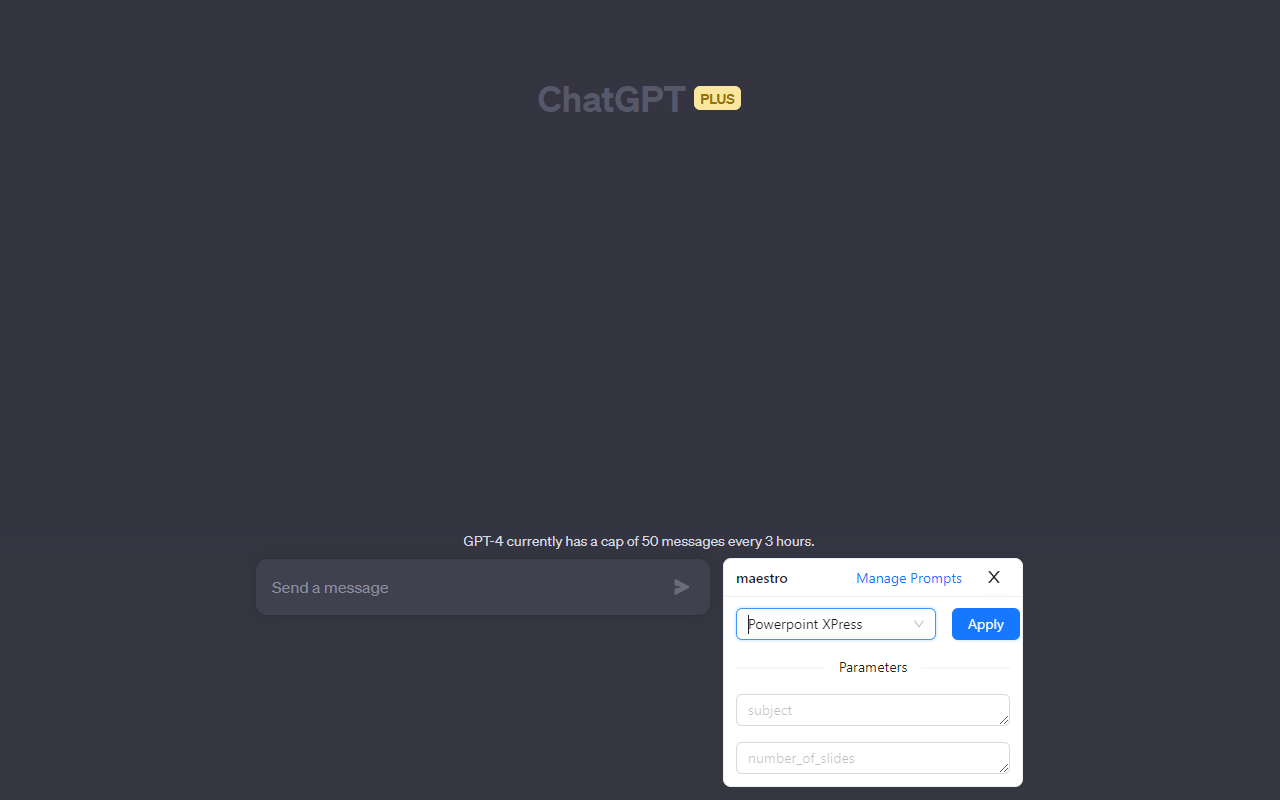
1. Install extension 2. Open ChatGPT and login 3. Open Maestro by clicking the purple Comet extension icon next to the prompt input (see screenshot below) 4. Apply a prompt template, Maestro will paste the prompt into the chatbox with the parameters you provide.
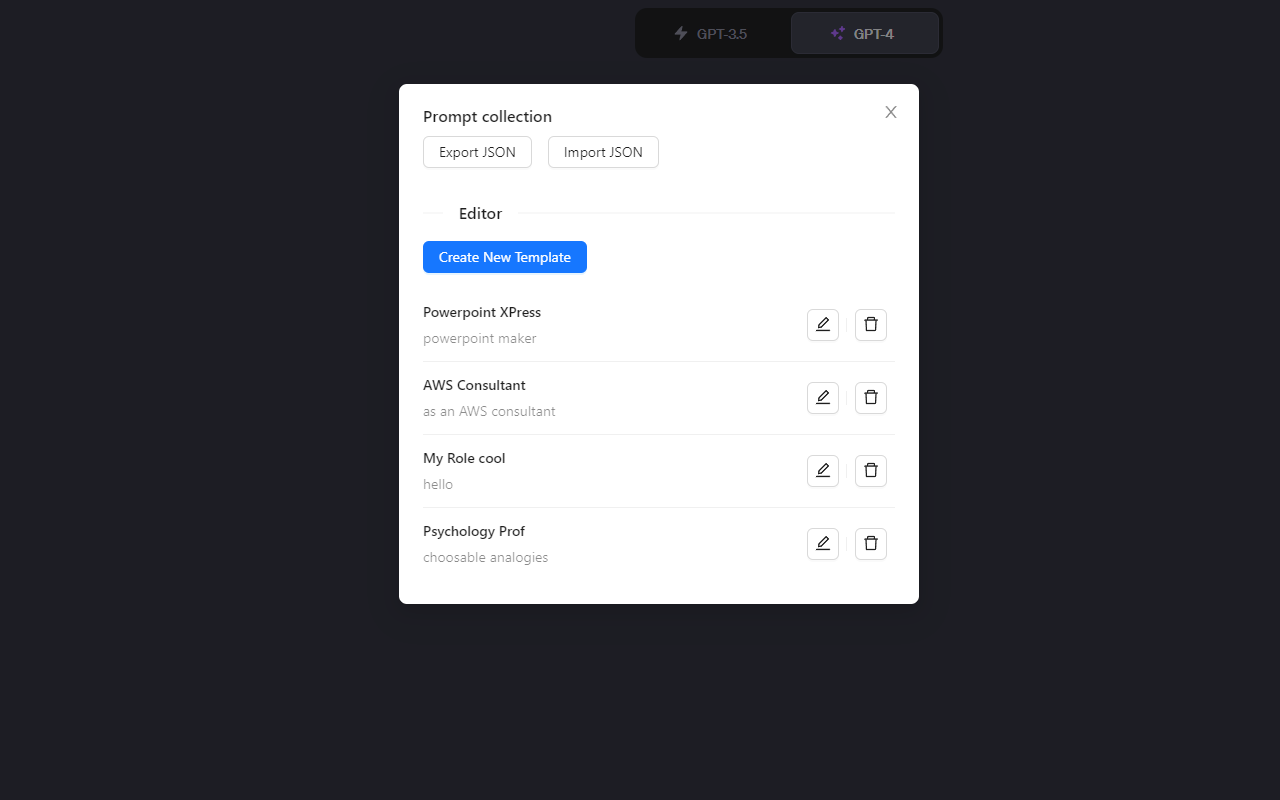
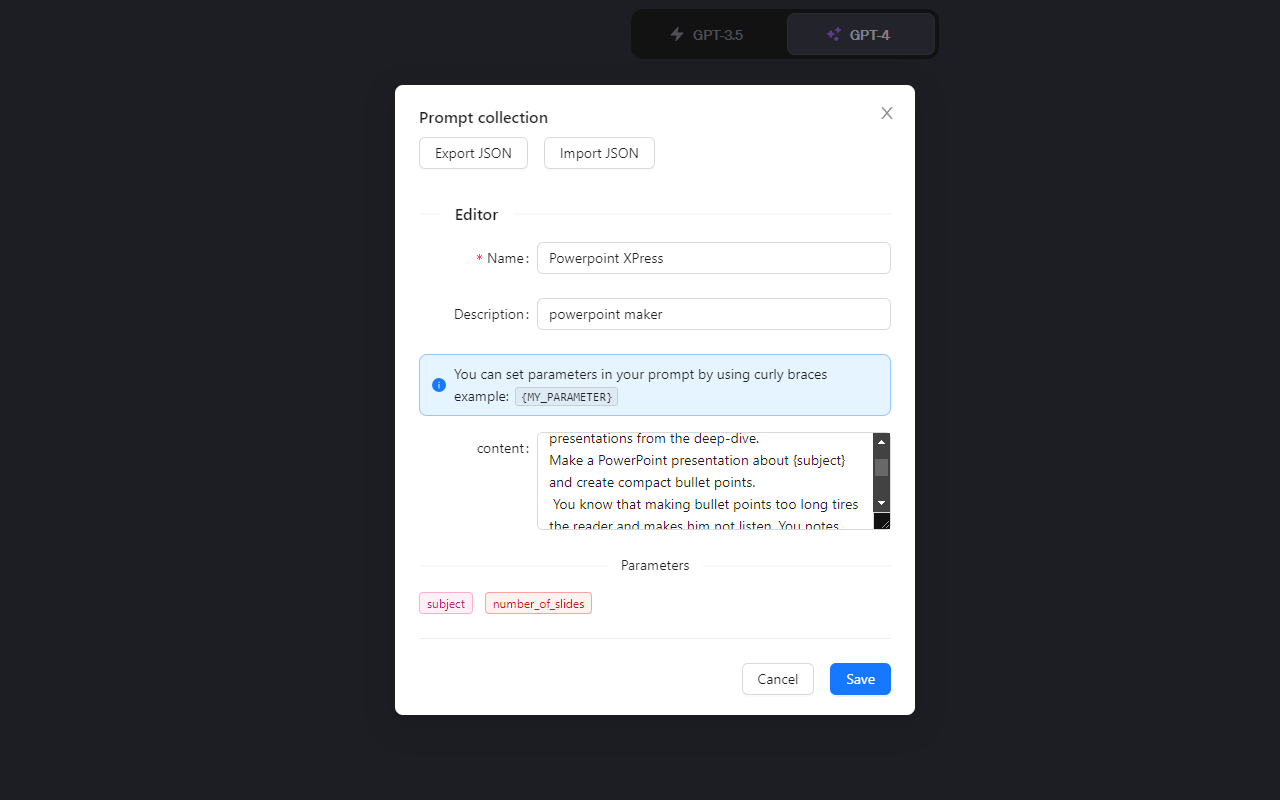
To design your own prompt, click on 'manage prompts' and then 'create new template'.
See full guide for more details.

 →
→ →
→ →
→ →
→ →
→ →
→ →
→ →
→