
1
 →
→ggml-org/Llama-Windows is an open-source project on GitHub, mainly written in C#. Windows Llama App Companion It currently holds 54 stars and 9 forks with 0 open issues, and was last pushed on an unknown date (repository created unknown).
AI Homed tracks it on the Today's Trending board, currently at rank #54 with 7 new stars today.
Local LLMs, one click away — right from your Windows system tray.
Llama is a Windows 11 tray app for running llama.cpp models locally. It's a WinUI 3 port of Llama for Mac.
Grab the latest .msixbundle (x64 + ARM64) from Releases and double-click to install.
llama.exe, or downloads one for youllama.cpp and other toolsAlt+Space from any app to chat with your loaded modelAlt+Space from any app opens a borderless window with the WebUI for whichever model is loaded. It hides instead of closing, so re-summoning is instant and your conversation is still there.
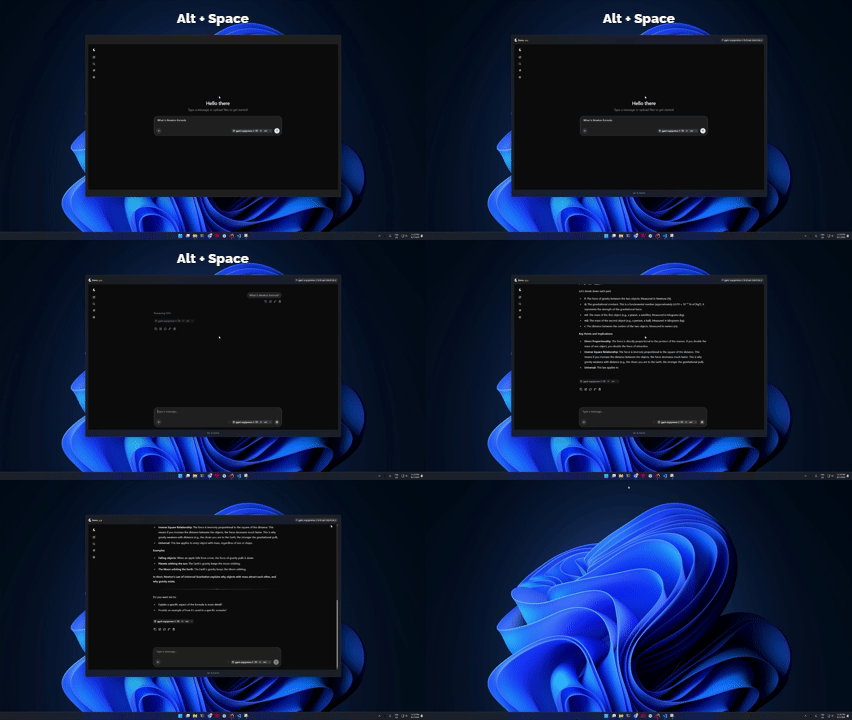
Llama manages a llama serve process and talks to it over its REST API. Your models stay in the standard Hugging Face cache (%USERPROFILE%\.cache\huggingface\hub), shared with llama.cpp and HF tooling. Settings and logs live under %LOCALAPPDATA%\Llama.
You'll need the .NET 10 SDK with the Windows App SDK workload:
dotnet build -c Release -r win-x64   # or win-arm64
dotnet test                          # run the unit tests
---
Made with 🦙 for Windows 11 · Models run 100% locally — your prompts never leave your machine.
→ →
→ →
→ →
→ →
→ →
→ →
→ →
→