
1
 →
ggml-org/Llama-Windows is an open-source project on GitHub, mainly written in C#. Windows Llama App Companion It currently holds 466 stars and 62 forks with 25 open issues, and was last pushed on 2026-11-18 (repository created 2026-06-29).
AI Homed tracks it on the Today's Trending board.
Local LLMs, one click away — right from your Windows system tray.
Llama is a Windows 11 tray app for running llama.cpp models locally. It's a WinUI 3 port of Llama for Mac.
Grab the latest .msixbundle (x64 + ARM64) from Releases and double-click to install.
llama.exe, or downloads one for youllama.cpp and other toolsAlt+Space from any app to chat with your loaded modelAlt+Space from any app opens a borderless window with the WebUI for whichever model is loaded. It hides instead of closing, so re-summoning is instant and your conversation is still there.
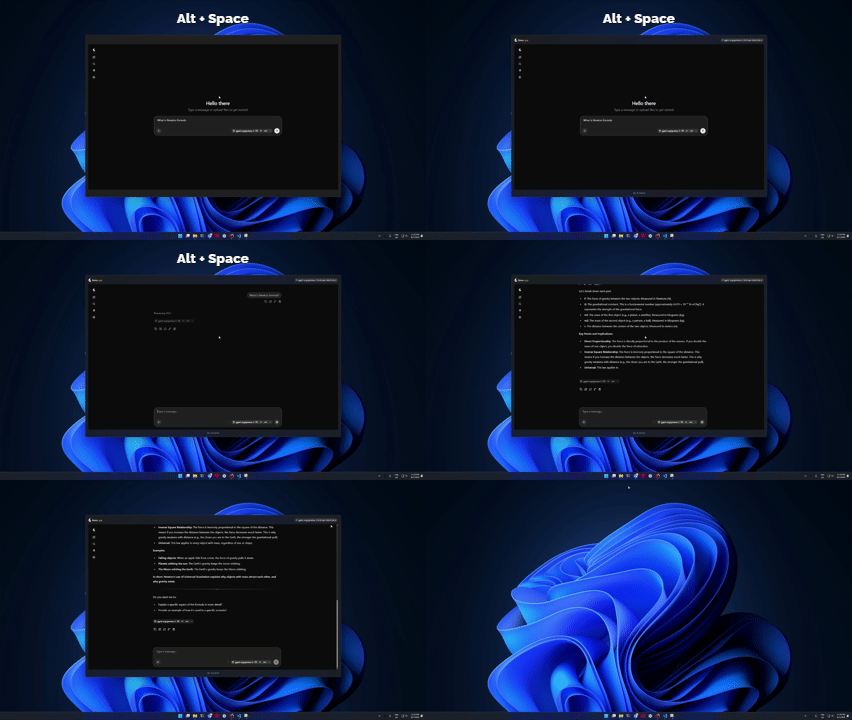
Llama manages a llama serve process and talks to it over its REST API. Your models stay in the standard Hugging Face cache (%USERPROFILE%\.cache\huggingface\hub), shared with llama.cpp and HF tooling. Settings and logs live under %LOCALAPPDATA%\Llama.
Llama sends no telemetry — no events, no analytics, no install id. The only thing outbound HTTP requests (model downloads, release-update checks, and calls to the local llama-server) carry is the standard User-Agent header:
llama-win/0.12.0 (10.0.26100; x64)
— the app version, the Windows build, and the processor architecture. Prompts and inference stay 100% local.
You'll need the .NET 10 SDK on Windows (ARM64 or x64 host; the SDK cross-builds both).
The WinUI app is built per-platform — pass the matching -p:Platform alongside the -r runtime identifier:
dotnet build LlamaApp.csproj -c Release -r win-arm64 -p:Platform=ARM64
dotnet build LlamaApp.csproj -c Release -r win-x64   -p:Platform=x64
dotnet build LlamaApp.csproj -c Release -r win-x86   -p:Platform=x86
run the unit tests (two test projects; see the ARM64 note below)
dotnet test LlamaApp.Tests/LlamaApp.Tests.csproj -c Release
dotnet test LlamaApp.LlamaCpp.Tests/LlamaApp.LlamaCpp.Tests.csproj -c Release
To get a runnable (unpackaged, loose-files) build, publish it. This is what
.github/workflows/publish.yml produces:
The app runs unpackaged from that folder. Trim/R2R are off in the official
builds because the app relies on reflection-based JSON serialization and COM
dynamic interop, which the trimmer would strip (see the IL2026/IL2072
warnings if you enable PublishTrimmed).
Testing on an ARM64 host: LlamaApp.Tests references the WinUI app, which
the test project pins to x64 (SetPlatform=Platform=x64), so the app assembly
it loads is x64. On ARM64 Windows, run that suite under the x64 .NET runtime
(installed at C:\Program Files\dotnet\x64) with --arch x64:
LlamaApp.LlamaCpp.Tests is platform-agnostic and runs natively.
The installed release is a signed .msix, produced by the CI
(.github/workflows/_build.yml) with Visual
Studio MSBuild and the GenerateAppxPackage target — dotnet build alone
does not pack the Appx. dotnet publish above is sufficient for local use.
---
Made with 🦙 for Windows 11 · Models run 100% locally — your prompts never leave your machine.
→ →
 →
 →
 →
 →
 →
 →