1
 →
→
Let your AI agents paint big arrows, boxes and text on your Mac screen. One CLI, click-through, gone by itself. Skill for Claude Code and Codex. MIT.
franzenzenhofer/big-arrow-on-the-screen is an open-source project on GitHub, mainly written in Swift. Let your AI agents paint big arrows, boxes and text on your Mac screen. One CLI, click-through, gone by itself. Skill for Claude Code and Codex. MIT. It currently holds 379 stars and 6 forks with 0 open issues, and was last pushed on an unknown date (repository created unknown).
AI Homed tracks it on the Today's Trending board.
big-arrow-on-the-screen (bigarrow) is a macOS command-line tool, plus a skill for Claude Code and Codex, that draws an arrow and a sign on top of every window. Clicks go through, your keyboard focus stays put, and the arrow removes itself. MIT licensed.


Real apps · Looks · Creative arrows · Starred by · What is it for? · Install · Commands · FAQ · How we know it works · For agents · Plan · Prior art · License
Your AI agent can refactor a monorepo, write a migration and explain monads, but when it needs you to click one button it prints "please click Allow in the dialog" into a terminal you are not looking at. bigarrow gives it a finger.
bigarrow point --element "Allow" --app "System Settings" --text "Franz, click Allow: Ghostty may control your Mac"
One transparent window above everything, on every display and every Space. Drawing needs no macOS permission at all. One Swift binary: no daemon, no menu-bar icon, no account, no telemetry, and, we checked twice, no AI inside. It is an arrow.
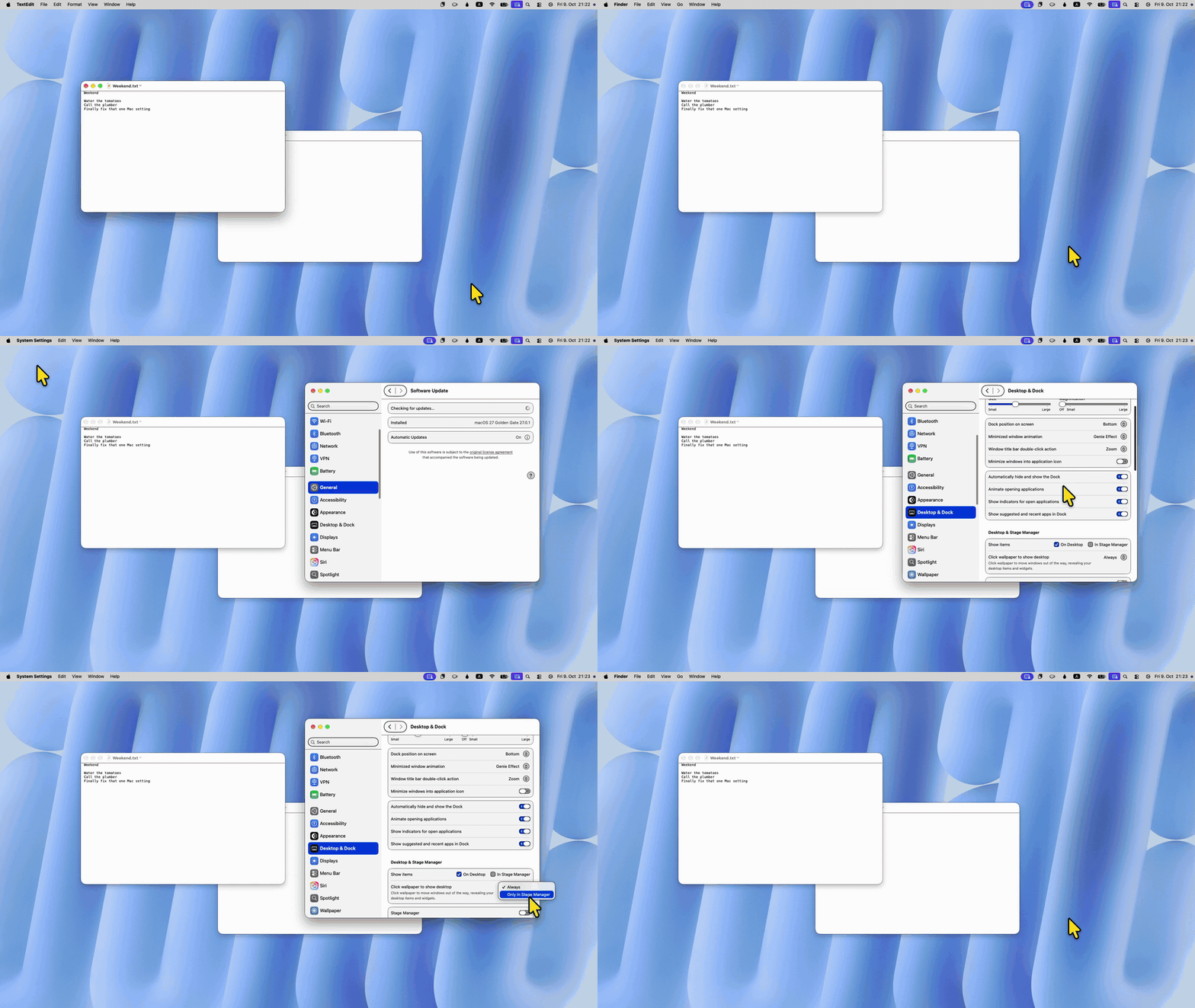
Since macOS Sonoma one click on the wallpaper sends every window running for the edges, which iMore called "the most annoying change in Mac update history". The fix hides behind an option named after Stage Manager. Six steps, six arrows, every one a different look, real clicks on a real Mac (MP4, recorded by scripts/wallpaper-video.sh; the account name in the Apple menu and the desktop widgets are pixelated).
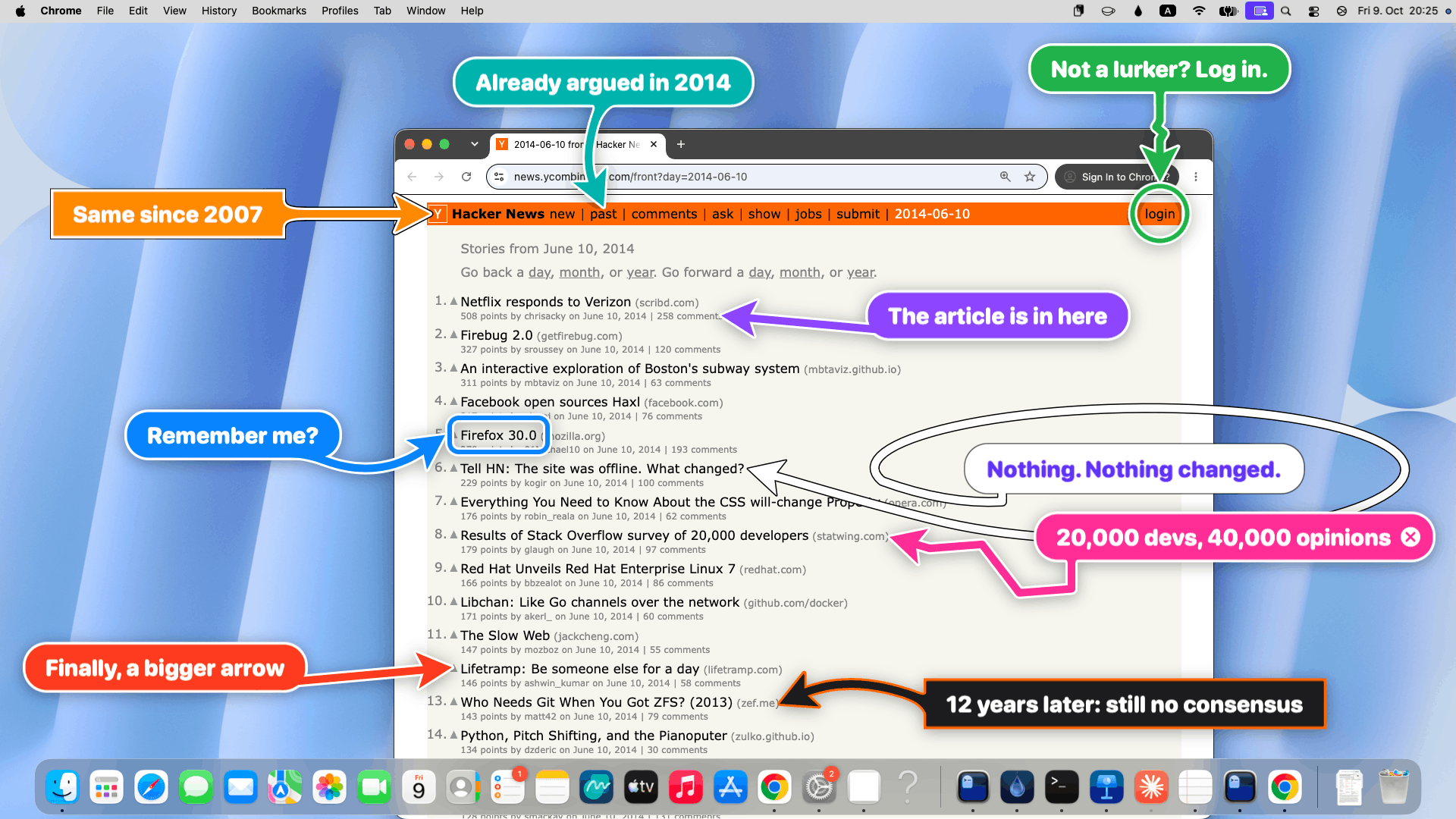
No fake dialogs this time. Real apps on the test Mac (macOS 27), neutral demo content, the real bigarrow, staged by scripts/real-scenes.sh. Every command is exactly what ran (the script adds --no-animation --json for the screenshot). An arrow should match the mood: a green "go ahead", a black "don't", a ring for "this little thing", a box for "this whole thing".
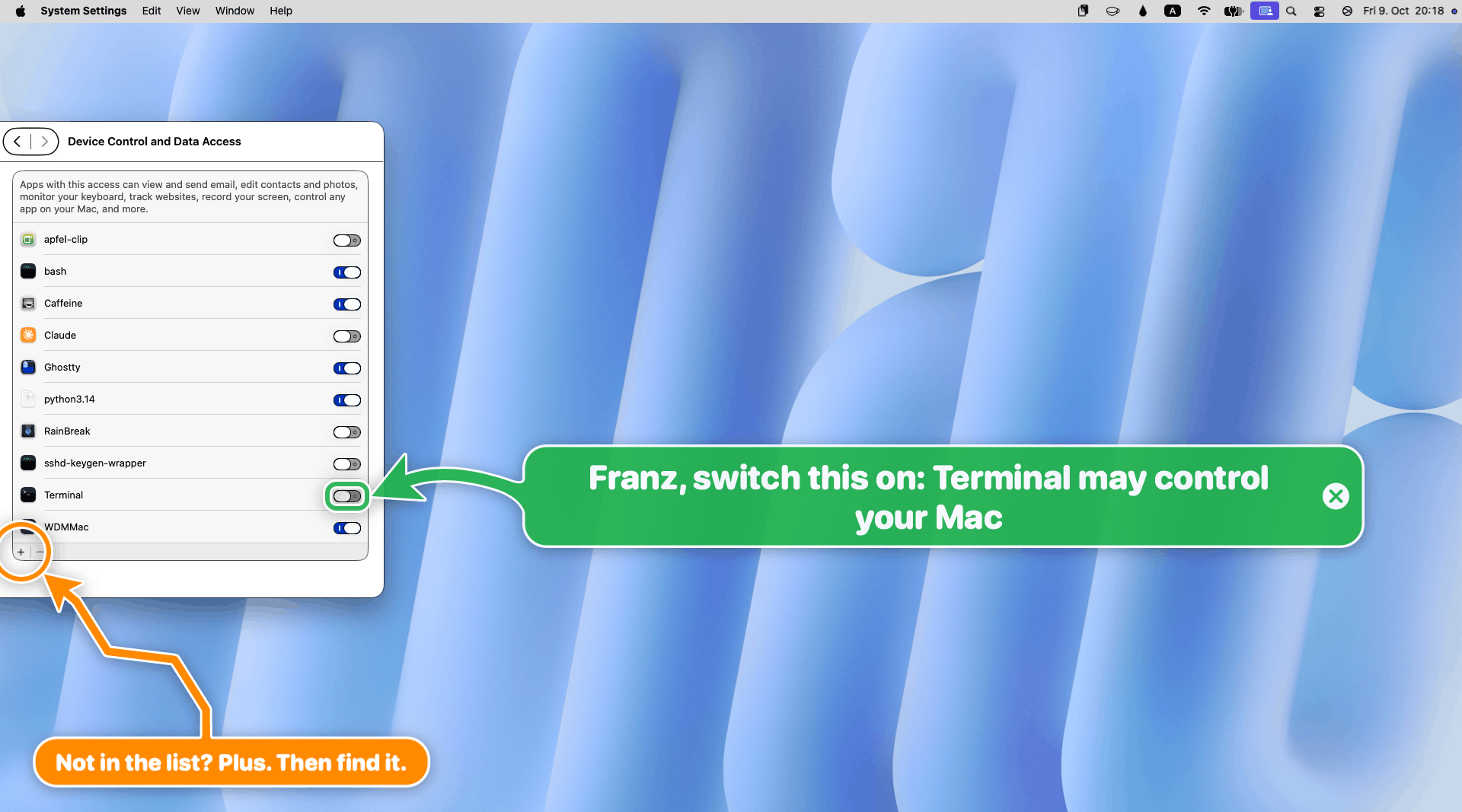
open "x-apple.systempreferences:com.apple.preference.security?Privacy_Accessibility"
bigarrow start --element Terminal_Toggle --app "System Settings" \
  --text "Franz, switch this on: Terminal may control your Mac" --from right --color green --close-button
bigarrow start --element Add --role button --app "System Settings" \
  --text "Not in the list? Plus. Then find it." --from bottom-right --style ring --color orange --shape zigzag --size S
A deep link opens the exact pane, the arrow finds the one switch. Plan B is orange and zigzagging, because plan B always is. (On macOS 27 the pane is called Device Control and Data Access. Nobody would have found it by the old name.)
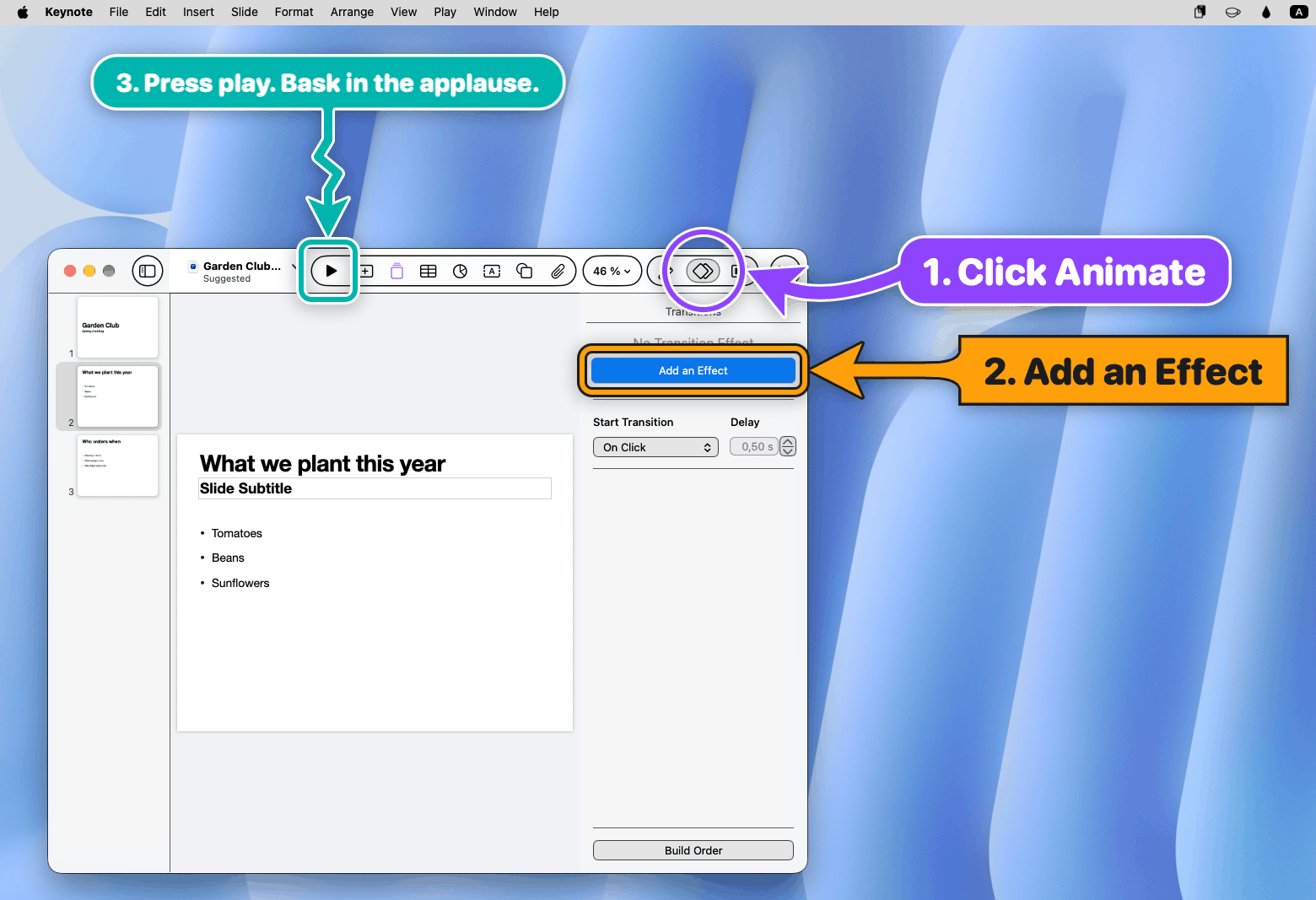
bigarrow start --element Animate --app Keynote --role radiobutton --text "1. Click Animate" --from right \
  --style ring --color purple
bigarrow start --element "Add an Effect" --app Keynote --text "2. Add an Effect" --from right \
  --style box --corners sharp --color "#FF9F0A" --shape straight
bigarrow start --element Play --app Keynote --role button --text "3. Press play. Bask in the applause." \
  --from top --color teal --shape zigzag --size S
"Where do I add a transition?" Three steps, all on screen at once, in a toolbar that has given up on words.
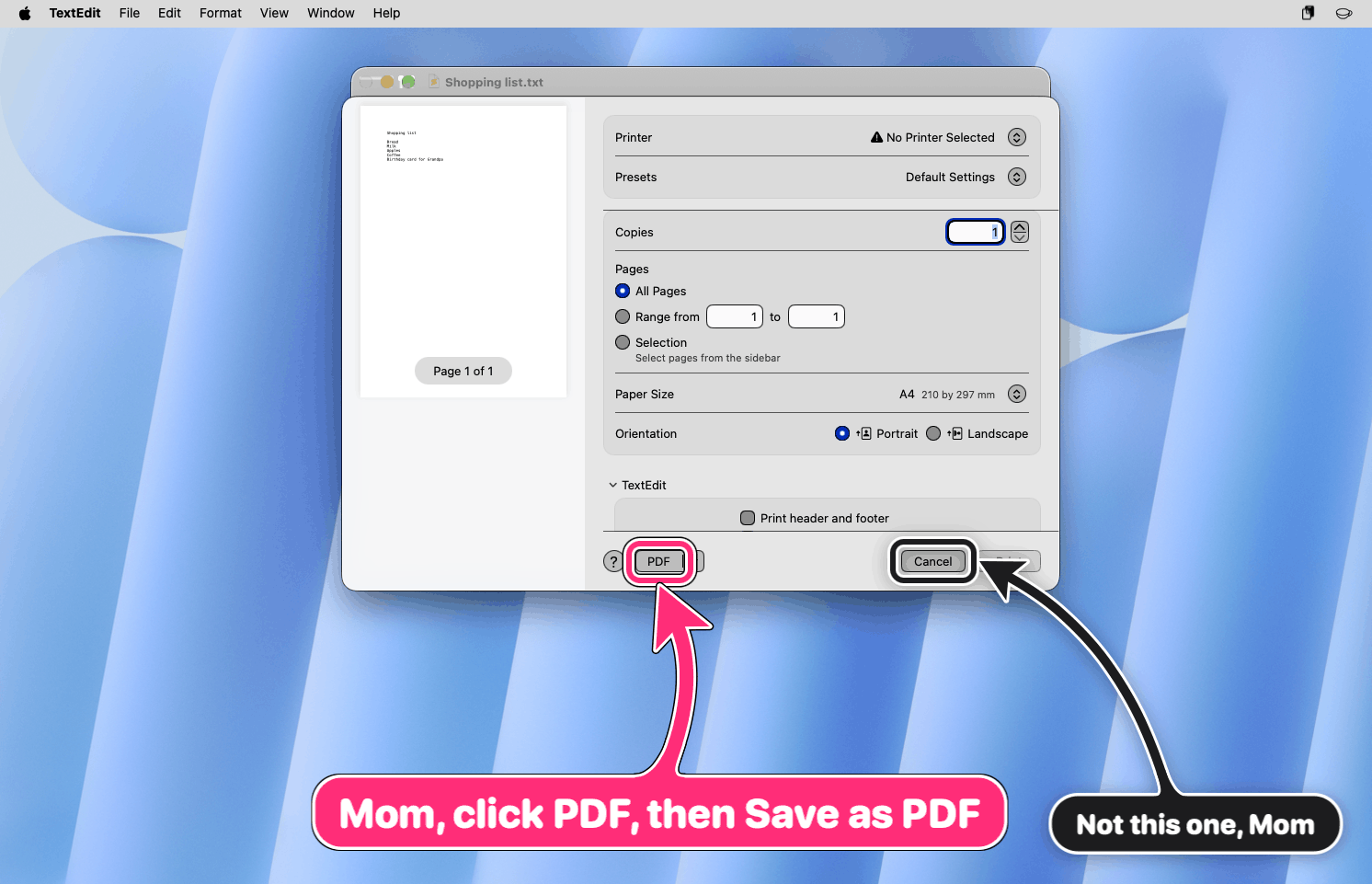
bigarrow start --element PDF --role button --app TextEdit \
  --text "Mom, click PDF, then Save as PDF" --from bottom --color pink --border white-black
bigarrow start --element Cancel --role button --app TextEdit \
  --text "Not this one, Mom" --from bottom-right --color black --size S
Helping a parent over a screen share, minus twenty minutes of "the little button, bottom left, no, left". The black arrow is for the button Mom clicked last time.
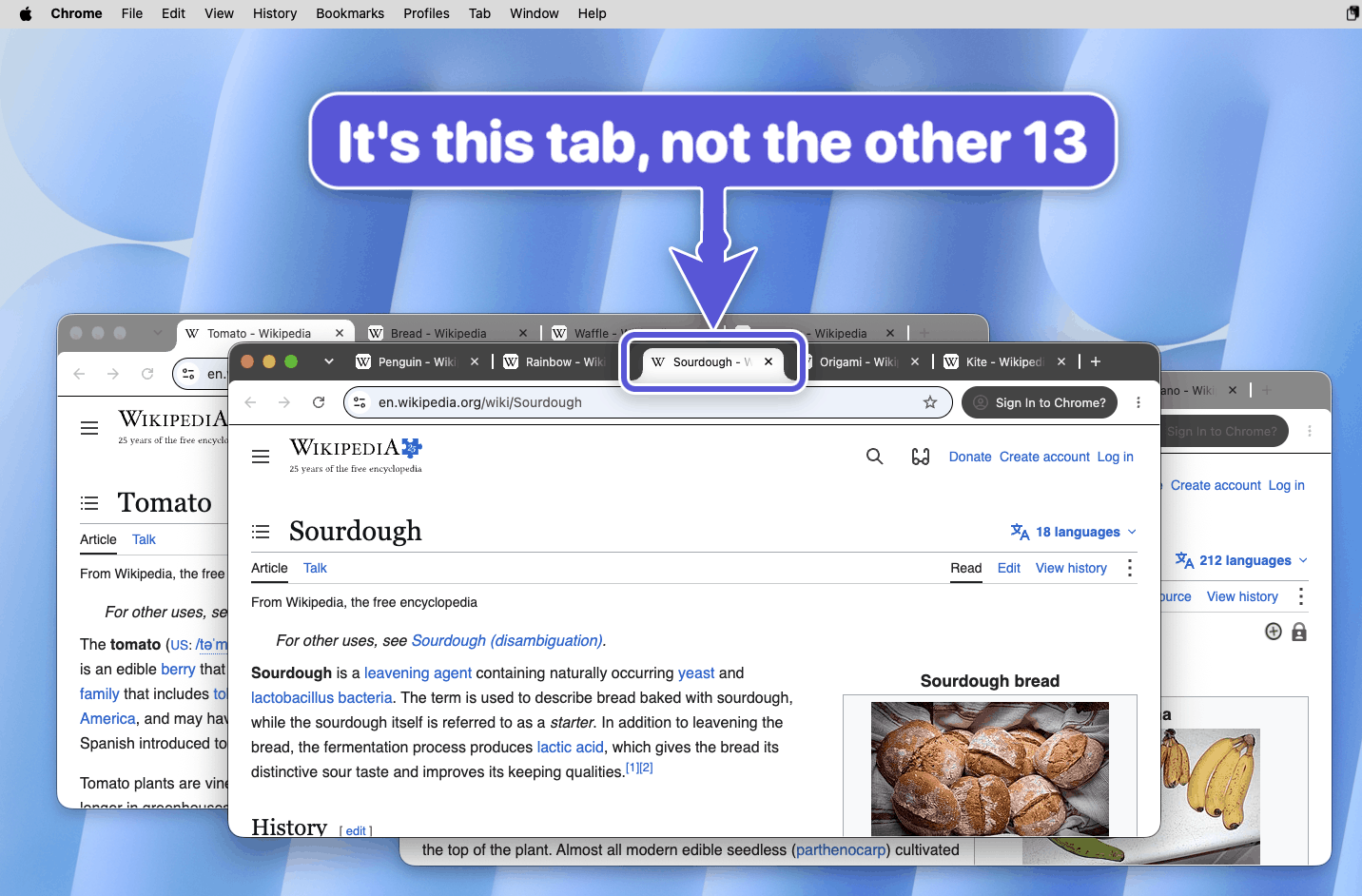
bigarrow start --app "Google Chrome:Sourdough" --element "Sourdough - Wikipedia" --role radiobutton \
  --text "It's this tab, not the other 13" --from top --shape zigzag --color "#5856D6" --size L
--app "App:tab title" raises the right window and selects the tab first. The agent knew which tab it meant. Now you do too.
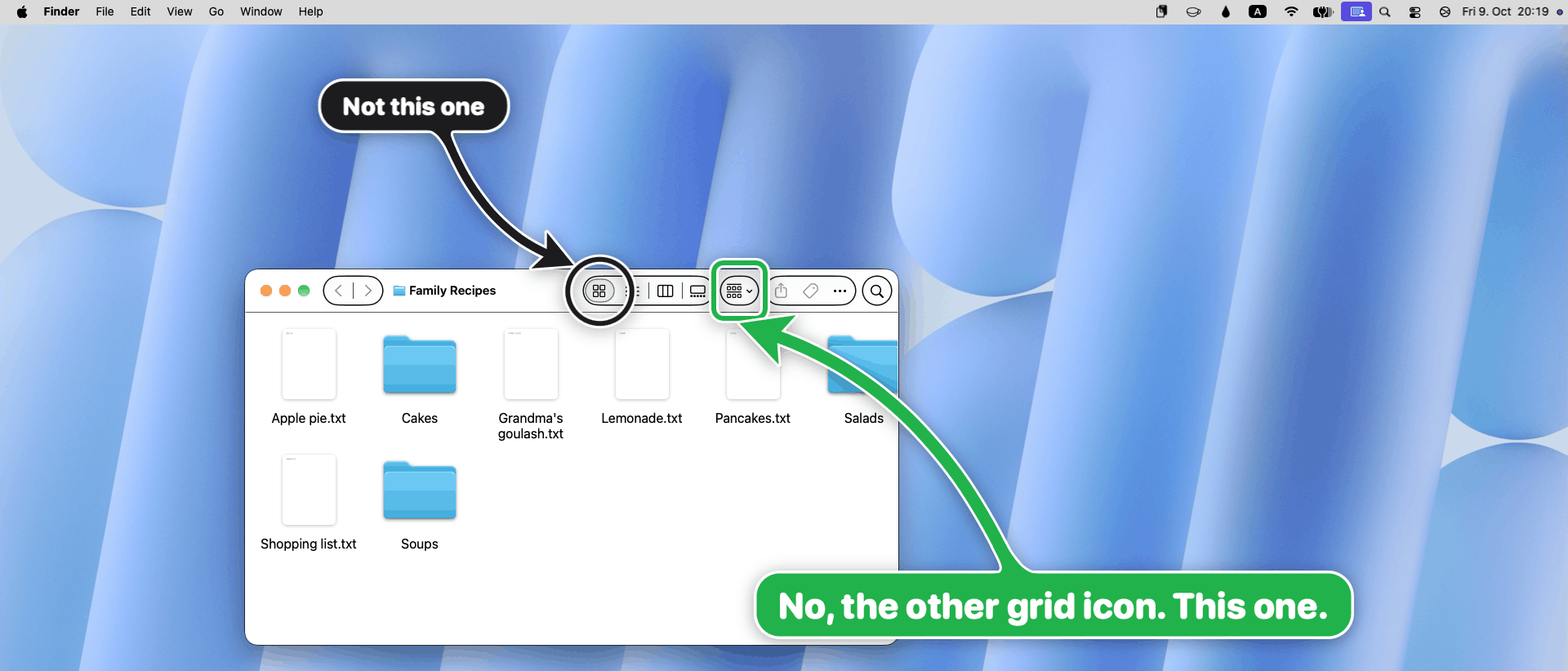
bigarrow start --element "icon view" --role radiobutton --app Finder \
  --text "Not this one" --from top-left --style ring --color black --size S
bigarrow start --element Group --role menubutton --app Finder \
  --text "No, the other grid icon. This one." --from top --style box --color green
macOS 27 removed the gear icon but added a second grid icon. It is always the other one.
Not a joke app: How to allow screen recording on a Mac, a real guide whose every screenshot is an arrow an agent drew.
It is an arrow, so we spent an unreasonable amount of time on how it looks.
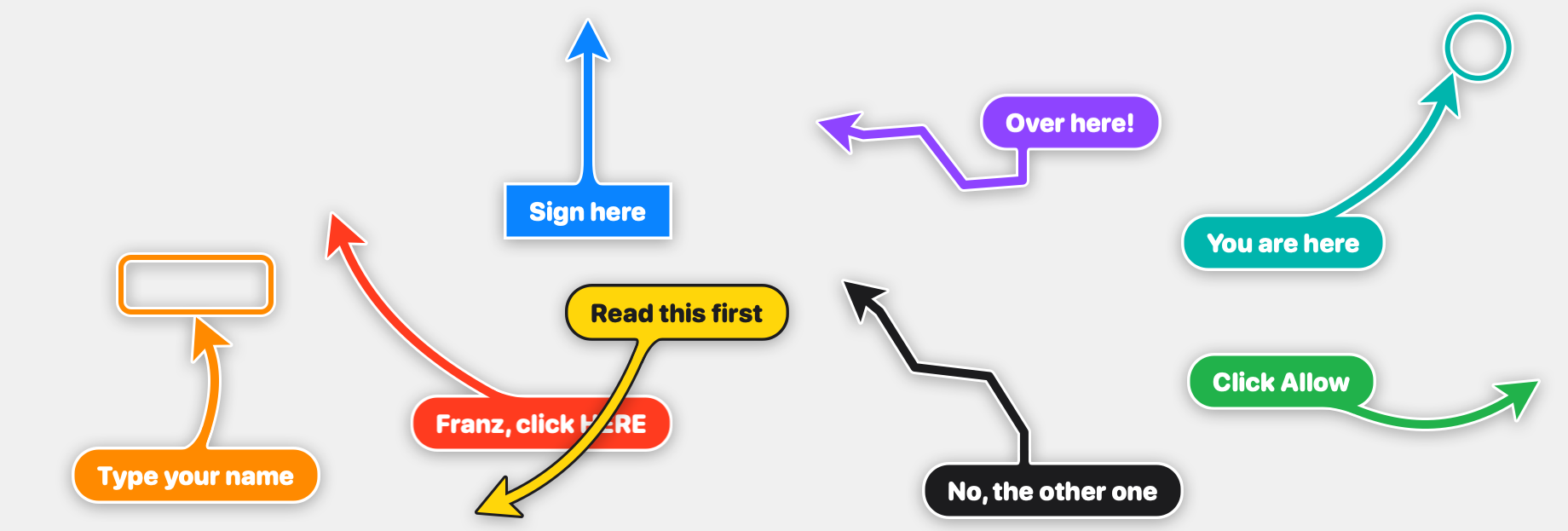
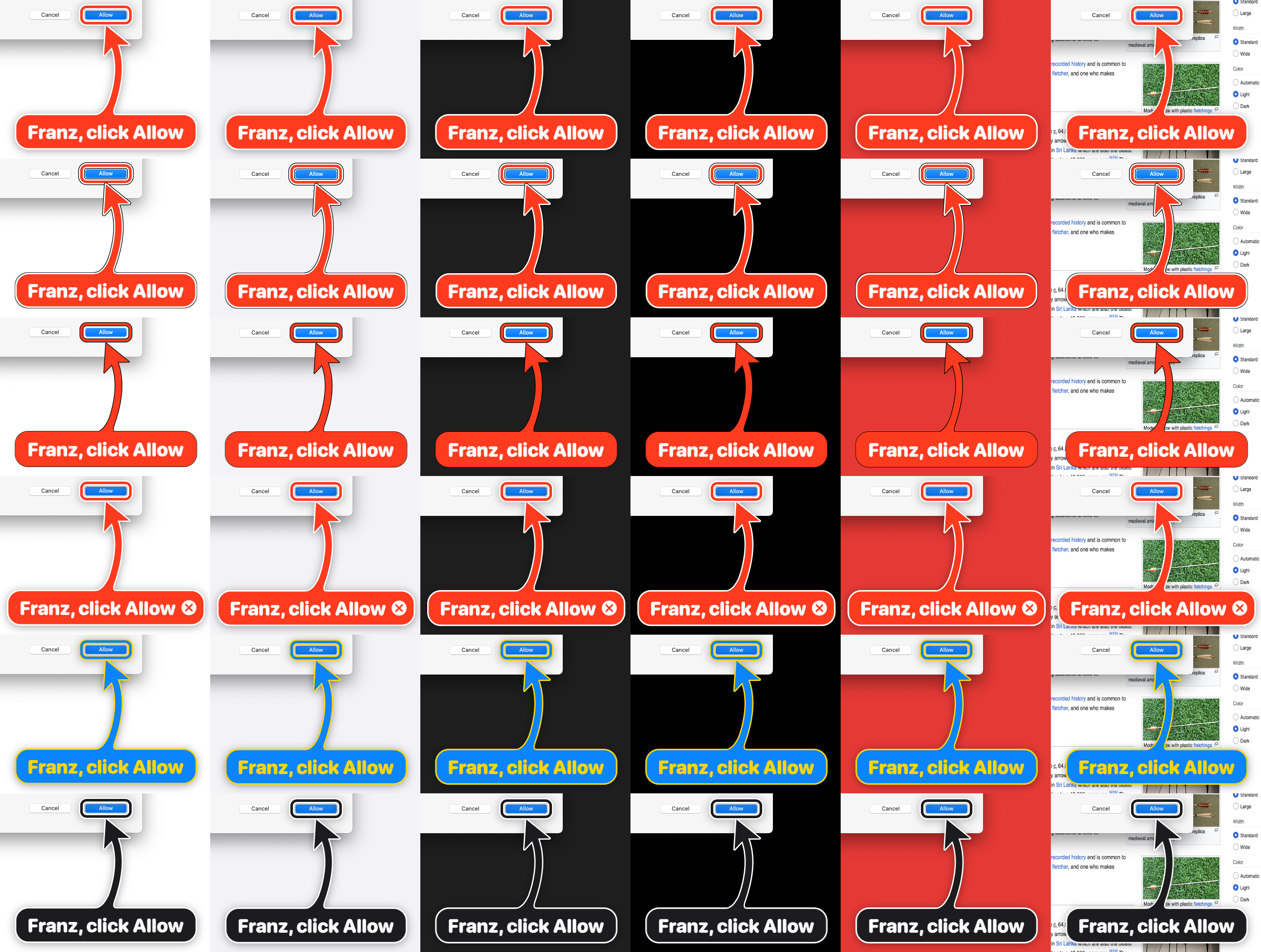
Six looks over white, macOS grey, dark, black, red and a busy web page:
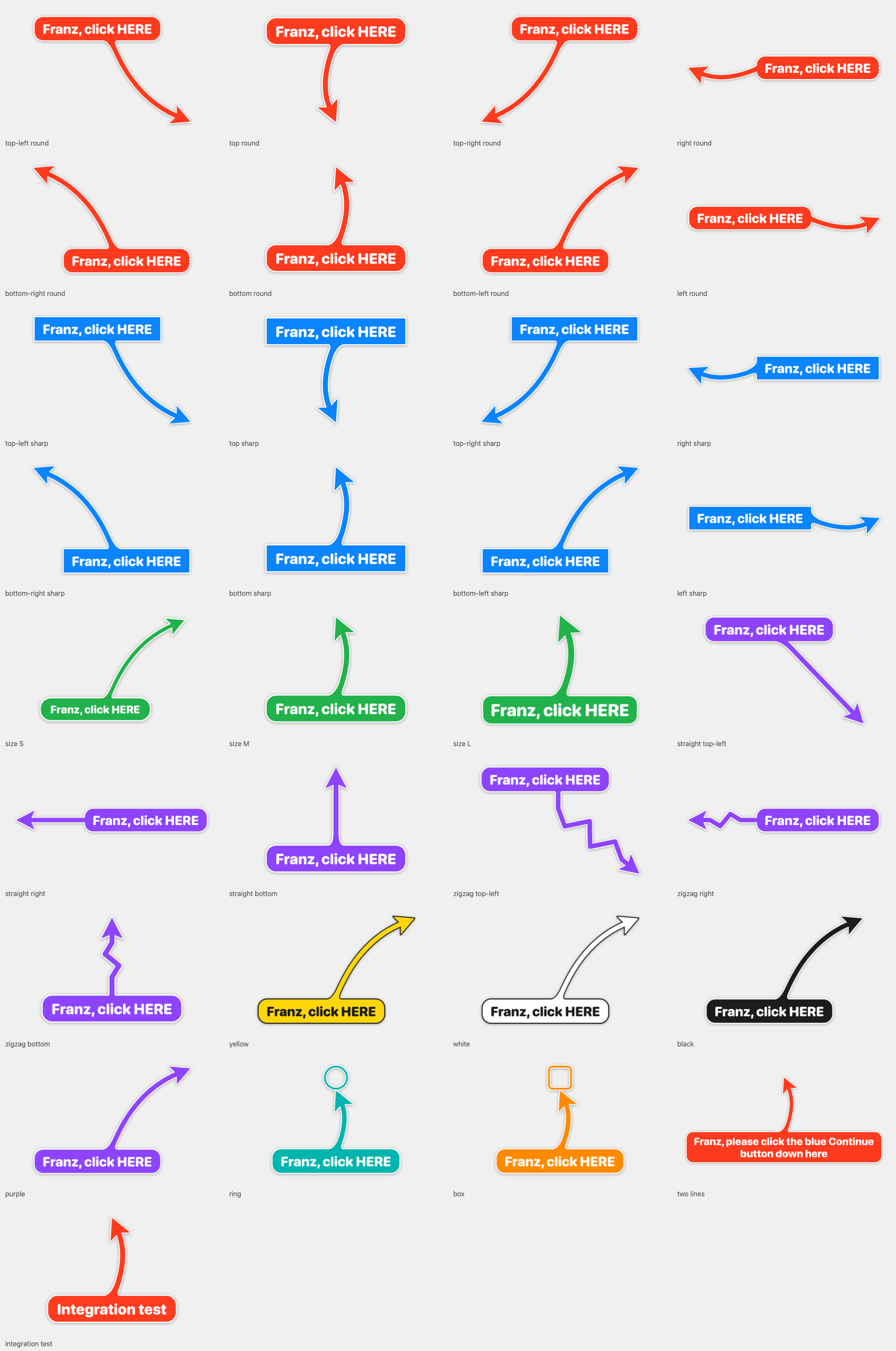
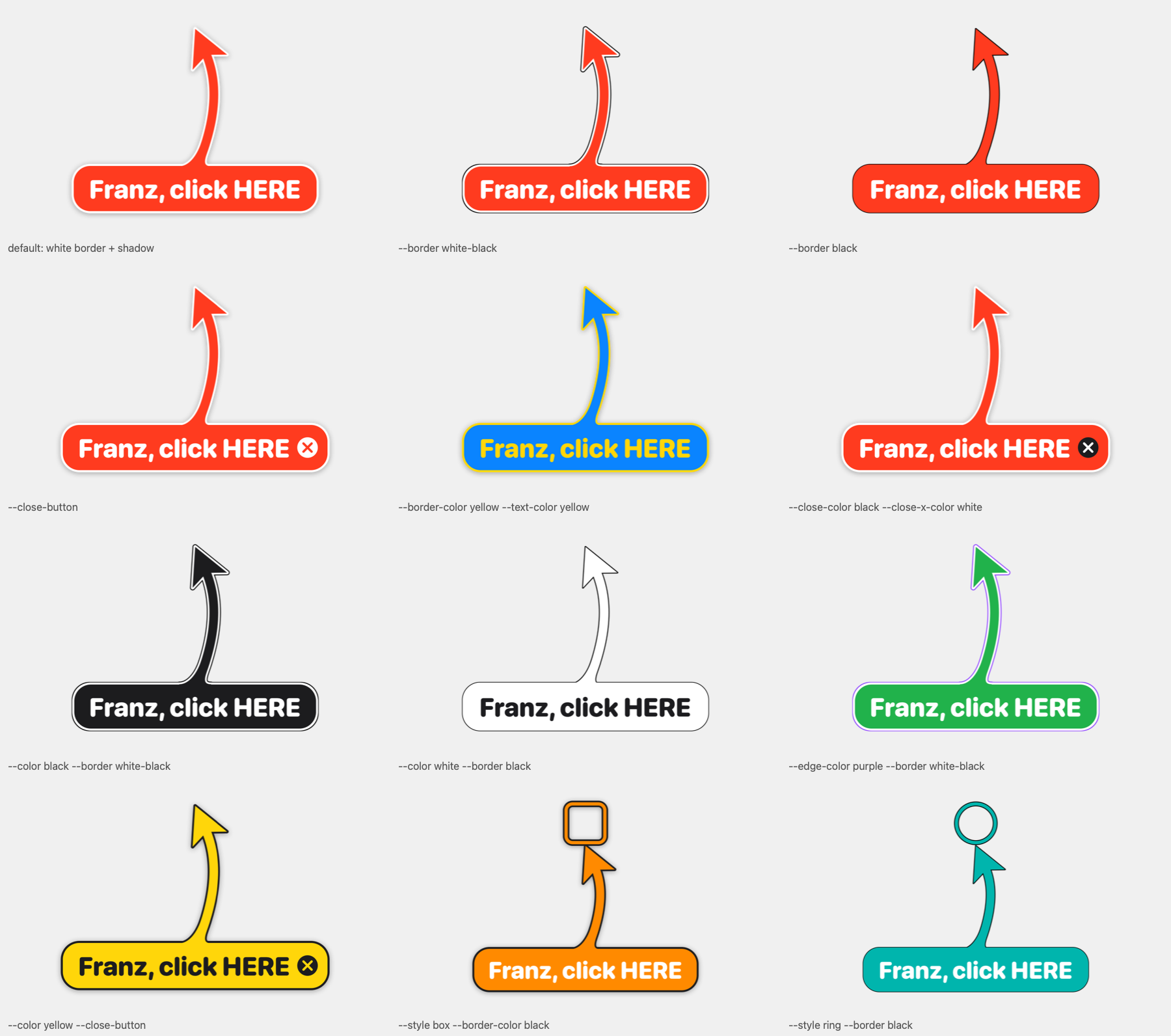
--shape bend|straight|zigzag|spiral: zigzag for when it is really urgent; spiral loops once around the sign, for when it must be impossible to miss--style arrow|ring|box (rings and boxes are outlines, the target stays visible), --size S|M|L, --corners round|sharp--color red|orange|yellow|green|teal|blue|purple|pink|black|white|#RRGGBB--border shadow|white-black|black: white border with drop shadow (default), a thin black edge instead of the shadow, or just a thin black outline--border-color, --text-color, --edge-color, --close-color, --close-x-color; left out, each picks a readable colour--close-button puts an X inside the sign's right end; --follow moves with a window or element; --until-click ends on a click on the target; --say speaks the signscripts/gallery.py renders every combination and zooms into every sign-to-shaft joint (junctions), because a seam at the joint was, apparently, unacceptable.
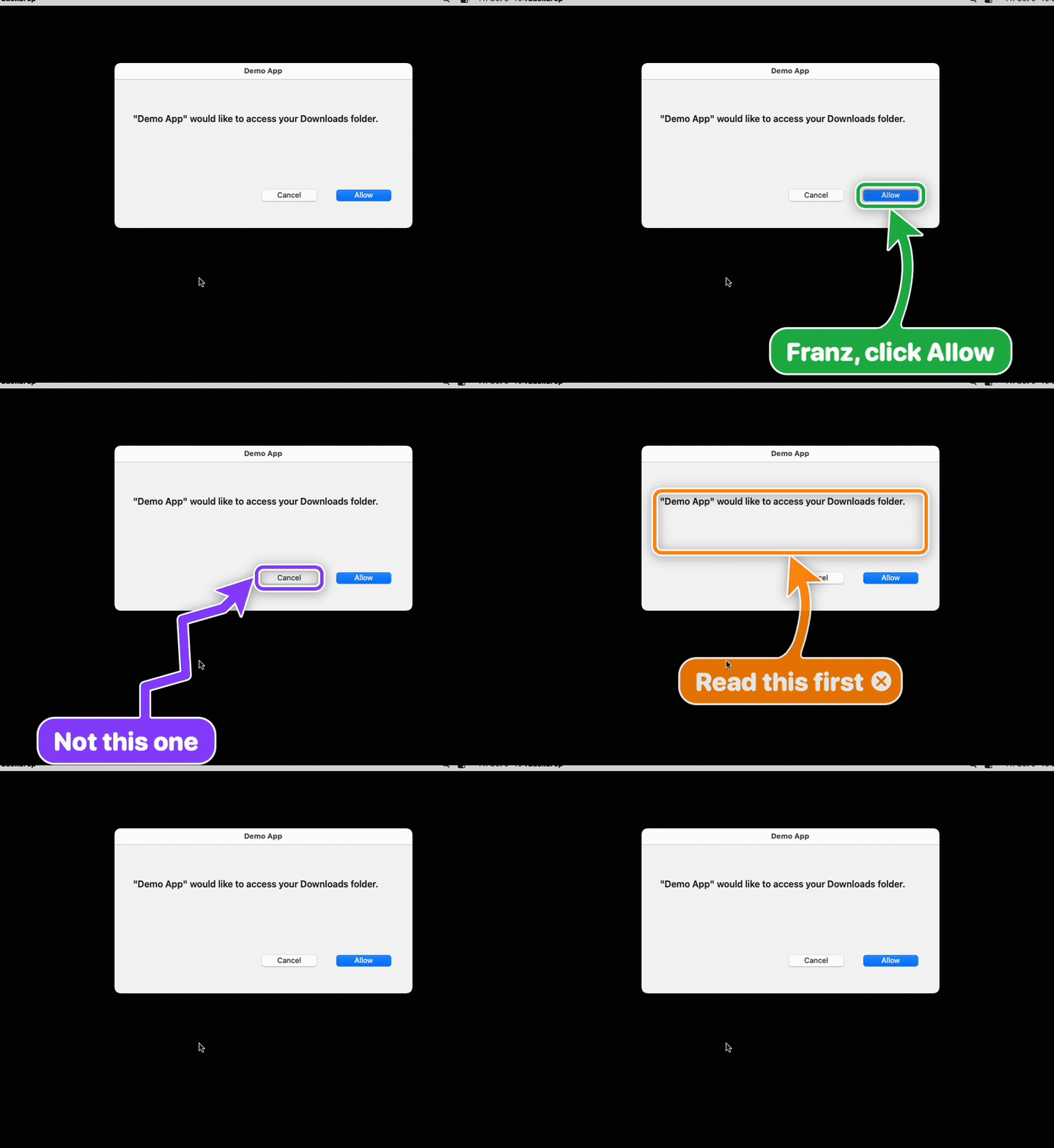
Fake dialogs, real bigarrow, clean CI runner (BACKDROP_ARGS=--cover scripts/funny-scenes.sh). The dialogs are fake. The feelings are real.
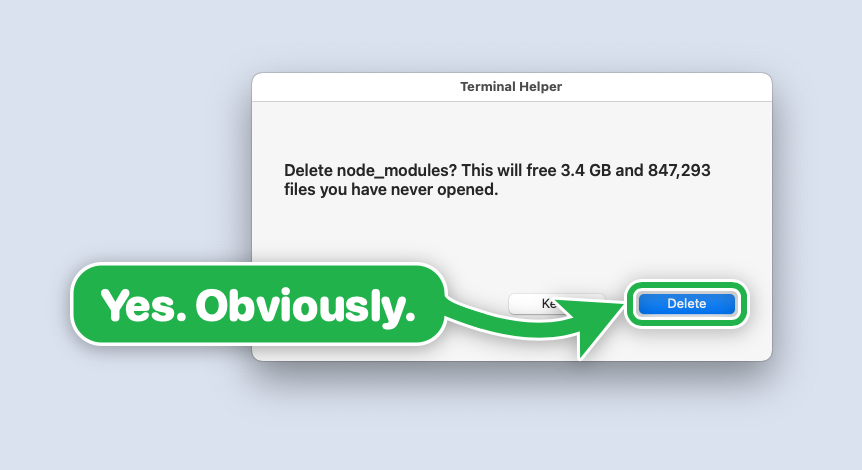
--color green
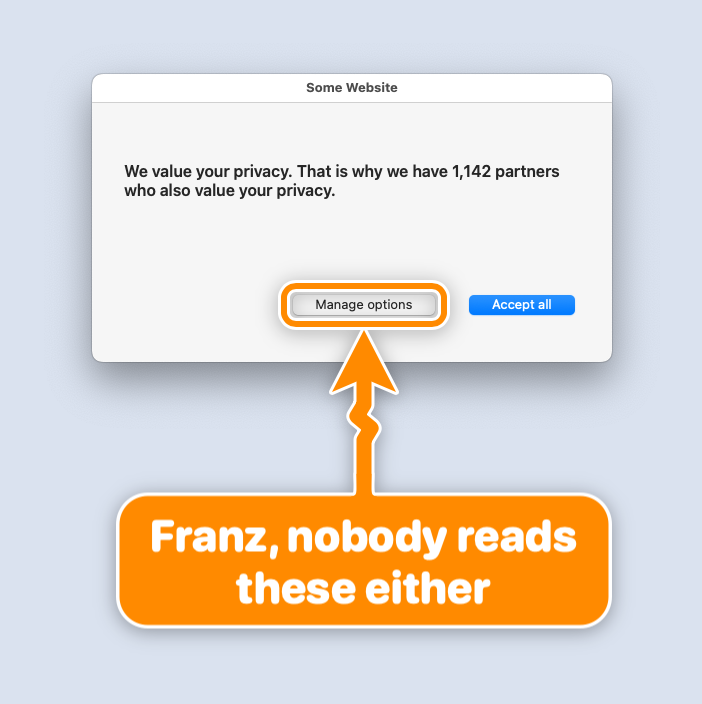
--shape zigzag --color orange: zigzag, for when it is really urgent
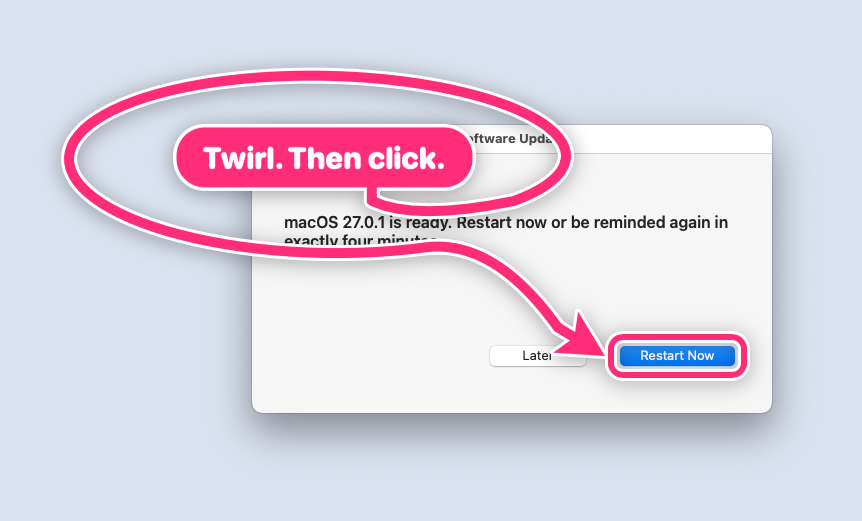
--shape spiral: once around the sign, then to the button
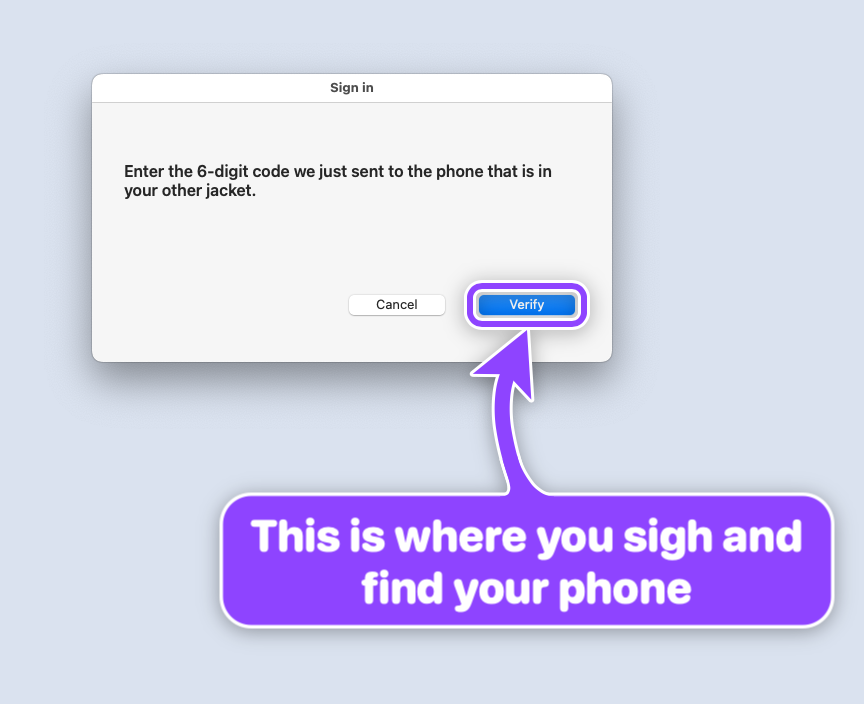
--color purple
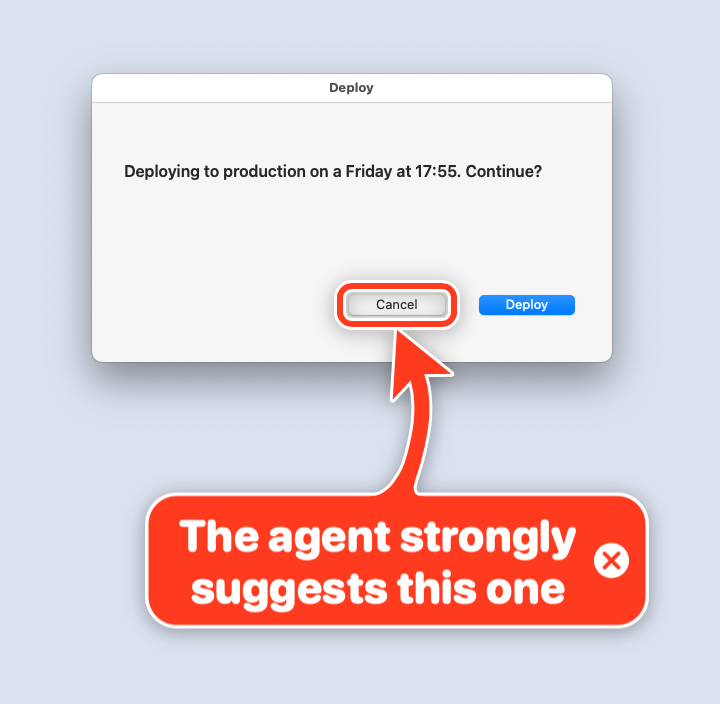
--close-button, because the human gets the last word
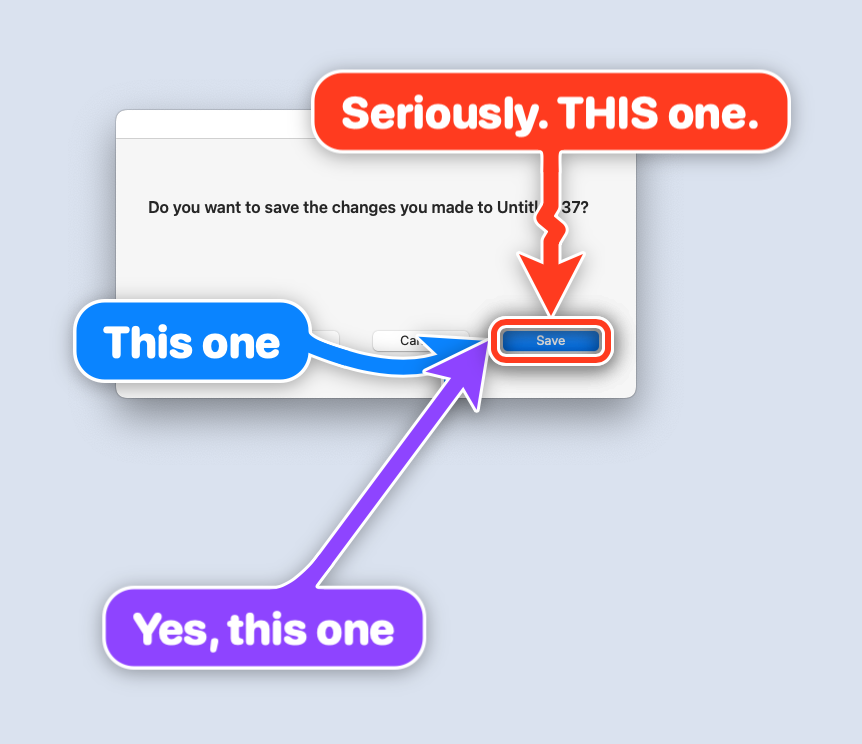
three starts, one button, zero ambiguity
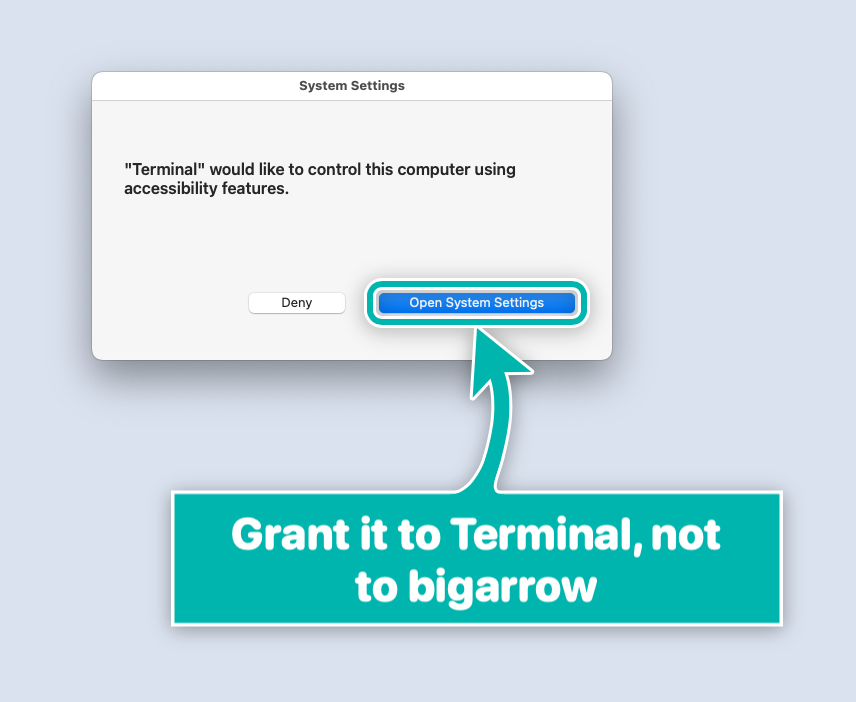
--style box --corners sharp, plus a lesson about macOS permissions
Over 360 stars in the first two days, from people whose GitHub profiles list Apple, NVIDIA, AMD, SAP, Salesforce, Palantir, ServiceNow, Booking.com, Mercedes-Benz, SUSE, Oxide Computer, Posit, CoreWeave, Weights & Biases, OpenRouter, Metabase, InstaDeep, Benchling, Stainless and Under Armour, plus Stanford, Johns Hopkins, KTH and Oak Ridge National Laboratory.
A star is not an endorsement. It is, however, a star, which is basically an arrow that gave up on direction.
Fair question. Arrows have existed since roughly the Paleolithic. What changed: agents now do real work on your Mac, and sooner or later hit a step only a human may do, or one the human wants to learn.
--app "Google Chrome:Pull request" picks the window and the tab.--say reads the sign aloud. Your Mac will literally call you back to your desk.start, wait, stop, next. A product tour, minus the product.--png.--dry-run --json says where it would point.brew install franzenzenhofer/tap/bigarrow
bigarrow install-skill # teaches Claude Code (~/.claude/skills) and Codex (~/.agents/skills)
From source: swift build -c release (Xcode 16+, macOS 14+), binary at .build/release/bigarrow. The binary is pure Swift; scripts/ only records screenshots and runs tests.
bigarrow point --element "Allow" --app "System Settings" --text "Franz, click Allow"   # by label
bigarrow point --at 760,500 --text "Franz, click HERE"                                 # by coordinate
bigarrow start --window "Safari:Inbox" --text "This window" && bigarrow stop            # until stopped
Every arrow ends by itself. Nobody has to clean up after an agent that forgot:
| | |
|---|---|
| Time limit | --duration 10 (point 8 s, start 300 s, 0 = no limit) |
| Start and stop | start returns at once; stop (or stop --all) removes it |
| The agent goes away | the arrow ends with the agent process that drew it (CLAUDE_PID or BIGARROW_OWNER_PID) |
| The human answers | bigarrow stop --hook as a Claude Code UserPromptSubmit hook clears that session's arrows |
| The human closes it | --close-button (opt-in) |
Targets: --at X,Y, --rect X,Y,W,H, --mouse, --window App[:title], --element Label --app App, --peekaboo ID --snapshot see.json. Coordinates are global top-left logical points, as Accessibility and Peekaboo report them; --display N makes them relative to one display.
--app App[:window or tab title] (or --window) first brings that app, window or Chrome/Safari tab to the front, because pointing at a window hidden behind your terminal is a special kind of unhelpful. If another app covers the target later, the arrow hides until it is visible again. --no-raise opts out. bigarrow elements --app X lists what --element can match; bigarrow doctor shows permissions and displays.
Every command takes --json. Exit codes: 0 ok, 2 bad input, 3 target not found, 4 permission missing. Agents love exit codes. Humans tolerate them.
Does it need Screen Recording or Accessibility? Drawing needs nothing. Some ways of finding the target do:
| You use | Permission |
|---|---|
| --at, --rect, --mouse, --window App, --peekaboo, --app App | none |
| --element, elements, --until-click, --app App:title | Accessibility |
| --window App:title (macOS 26 hides window titles) | Screen Recording, plus Accessibility to raise (not with --no-raise) |
macOS grants these to the app that started bigarrow (Terminal, iTerm2, Ghostty, VS Code, Claude), never to bigarrow itself, so switch on that app. bigarrow doctor names it; a missing permission exits with code 4 and names the app and the settings pane.
It never takes the focus. How is it in front? On top and focused are separate things on macOS. The arrow sits at screen-saver level, above windows, dialogs and full-screen apps, but never becomes the active window.
Will it steal my focus while I'm typing?
No. That was the hardest bug in the project: NSApplication.run() quietly activates a process without a terminal. bigarrow pumps events itself, and the tests check that the frontmost app never changes.
Can I click through it? Yes, everywhere except the sign and the shaft: a click there removes the arrow (it dims under the pointer to say so). Clicks on the target or near the head go straight to the app, without taking the focus.
Multiple displays? Full-screen apps? Stage Manager? Spaces? Yes, yes, yes, yes. Negative coordinates included. Unplug a display while an arrow is on it and the arrow politely leaves. See the verification matrix.
How much CPU does a pulsing arrow cost? 1.4 % on a CI runner. Core Animation does the work in the render server.
Does --element work inside web pages?
In Electron apps, yes. In Chrome only with --force-renderer-accessibility (or VoiceOver on); Chrome ignores the usual request (verified October 2026). Chrome's own toolbar always works. Otherwise point at page coordinates, which the skill explains.
Could an agent use this to trick me, say by covering the Decline button?
An agent that runs shell commands as you can already do far worse, so bigarrow gives it nothing new. Still, each checked by a test: boxes and rings are outlines, so the target stays visible; the sign keeps clear of the target (or overlaps it as little as possible); a click on sign or shaft removes the arrow; every arrow ends by itself. And the skill makes the sign say what your click does.
Why a skill? Is that a lot of tokens? The agent always sees only the skill's description, 182 tokens. The instructions, 1,398 tokens (Anthropic's token-count API, Claude Opus 5.5), load only when it decides to point; pane ids and look flags (1,008 more) only when it needs them.
Why not just use [some screen annotation app]? Those are for humans drawing on screens. This is for programs pointing at things, from a shell, with exit codes. Twenty-six tools were checked first (research). None did this.
Is it AI? No. It is the least intelligent part of your AI stack, and proud of it.
--until-click, --follow, raising and --no-raise, hiding while covered, Chrome tab selection, owner exit, stop --hook, --say, full-screen, Stage Manager, Spaces, second and 2x displays, unplugging mid-arrow, CPU. skill/big-arrow/ (Agent Skills format, plus agents/openai.yaml for Codex) teaches the agent when to point, how to pick a target, to write a full sentence on the sign, to --say it when you are away, and to stop once you acted.
docs/plan/PLAN.md, docs/plan/TICKETS.md (generated from tickets.json), docs/decisions/, docs/research/, docs/verification/, docs/skill-tests/, CHANGELOG.md.
Peekaboo (https://github.com/openclaw/Peekaboo) and Nameplate (https://github.com/steipete/Nameplate) by Peter Steinberger showed the overlay recipe and the skill packaging. Neither points with a labelled arrow. bigarrow reads Peekaboo's see --json as a target source.
MIT. Point responsibly.
→ →
→ →
→ →
→ →
→ →
→ →
→ →
→