1
 →

Run Claude Code and OpenCode on your Android phone, no computer needed. Or follow and steer agents on your computer: live sessions, tool approvals and diffs.
Eslamasabry/opencode-mobile-next is an open-source project on GitHub, mainly written in Dart. Run Claude Code and OpenCode on your Android phone, no computer needed. Or follow and steer agents on your computer: live sessions, tool approvals and diffs. It currently holds 62 stars and 14 forks with 28 open issues, and was last pushed on 2026-11-06 (repository created 2026-09-02).
AI Homed tracks it on the Today's Trending board, currently at rank #66 with 7 new stars today.
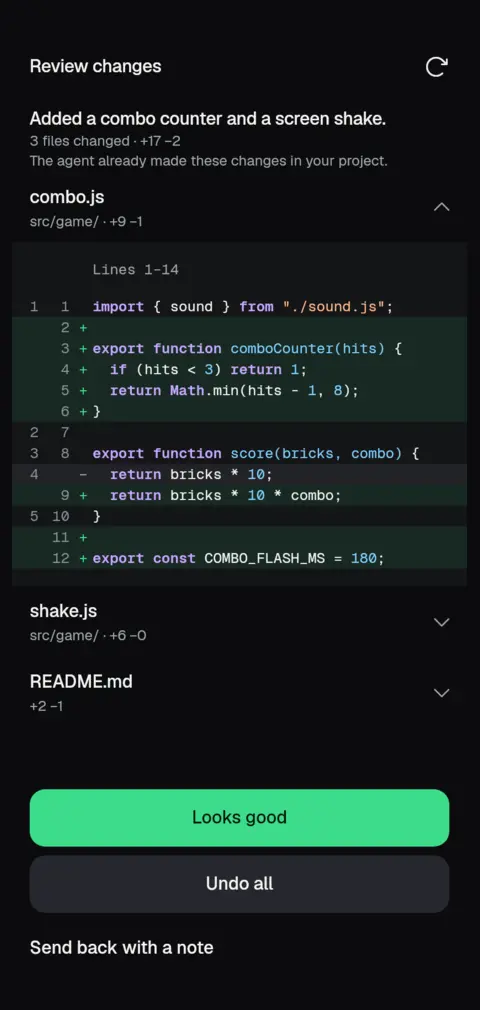
Coding agents on your Android phone. Ten agents, including Claude Code, Codex, Antigravity, Qwen Code, Kilo, Cline, Goose and OpenCode, in a Linux the app installs itself. No computer, no Termux. Or connect to the agent on your computer.


Download for Android · Website · Get it on Obtainium · What's new
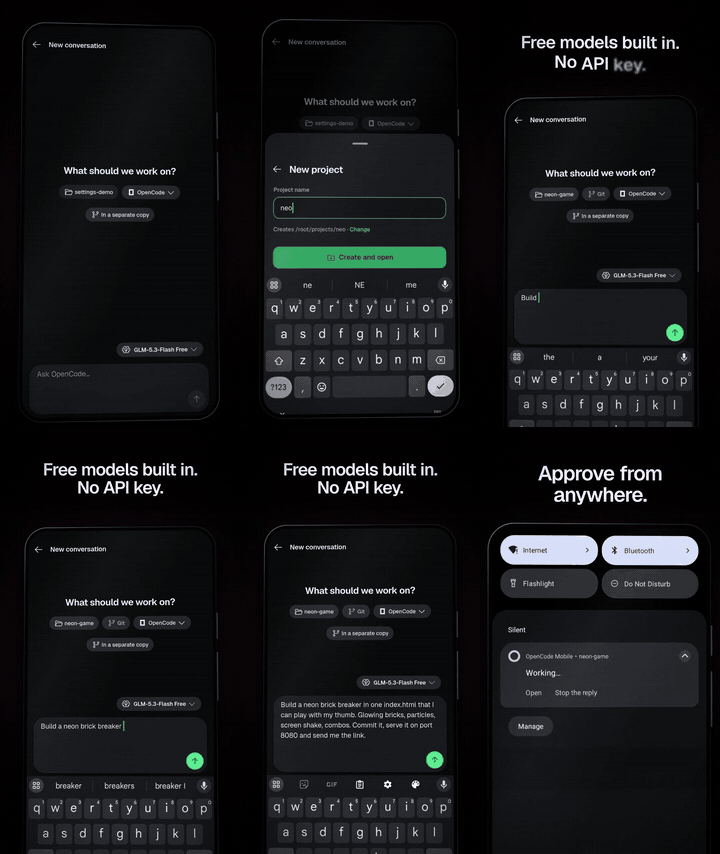
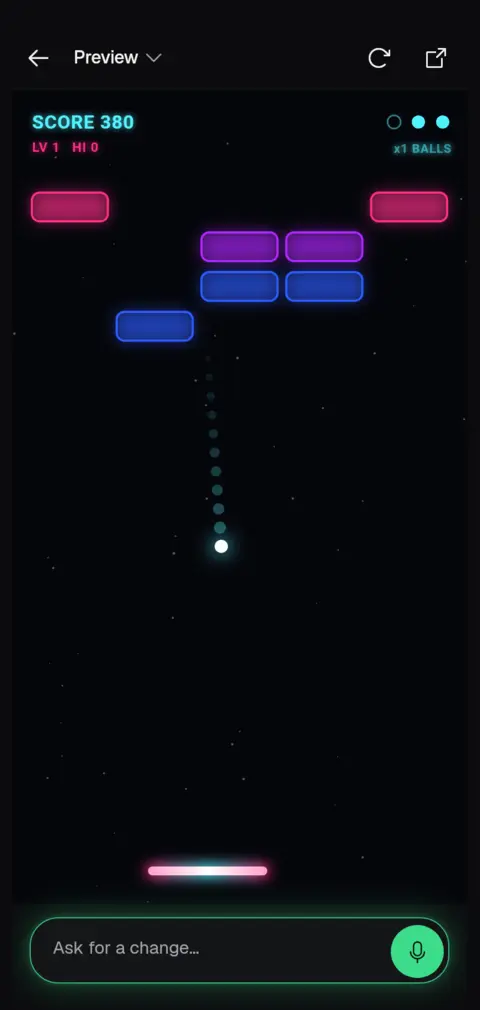
Watch the one-minute demo (mp4), also on the website: one prompt builds a game, it runs in the app's preview, a screenshot goes back into the chat, and the agent adds power-ups.
---
AndCode facts come from its public README, checked 2026-10-31; the Termux column is general. They change; check the source before relying on them.
| | OpenCode Mobile | Termux + an agent CLI | AndCode | | --- | --- | --- | --- | | What it is | Android app with chat, diff, Git, terminal and widgets | Terminal emulator and Linux environment; the agent is a command-line tool you install | Android GUI app for coding agents | | Agents on the phone | Ten: Claude Code, Codex, Antigravity, Qwen Code, Kilo, Cline, Goose, Oh My Pi, fx, OpenCode | Whichever agent CLI you install and can run | OpenCode, Claude Code, Google Antigravity, Codex | | Linux setup | Guided in-app install of Ubuntu, Git and Node | By hand, in a terminal | Guided in-app install through PRoot (Alpine; Debian for Antigravity) | | Connect to a computer | OpenCode 2, Codex, or Claude Code through Paseo | Over SSH, by hand | Remote OpenCode | | Approve a command from a notification or widget | Yes | Depends on the agent CLI | Tool approvals in the app | | Scheduled prompts | Yes | With your own tools (such as cron) | Yes | | License | MIT | See the Termux repository; agent licenses vary | MIT |
OpenCode Mobile is a younger project and several of its agents are less tested on real phones; see Compatibility.
| Ask | Approve | Play it | Review |
| :---: | :---: | :---: | :---: |
|  |
 |
 |
 |
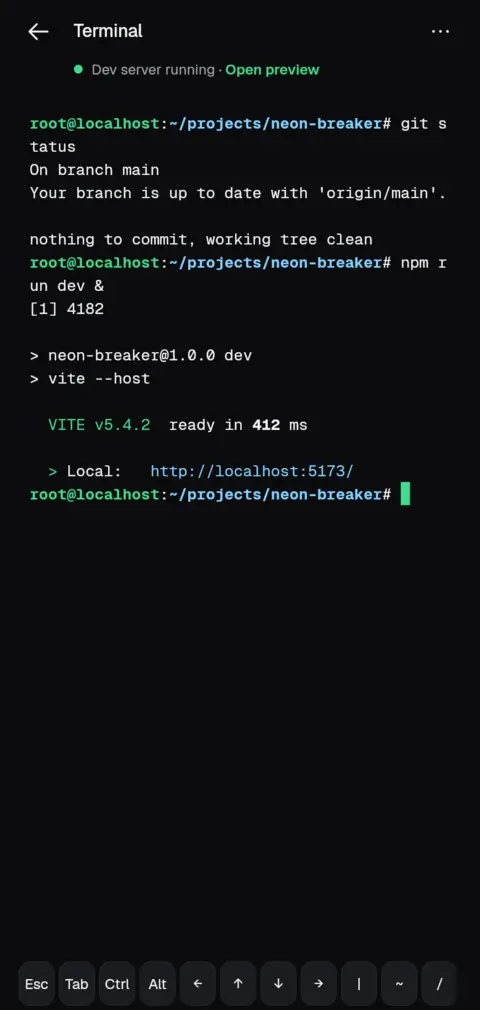
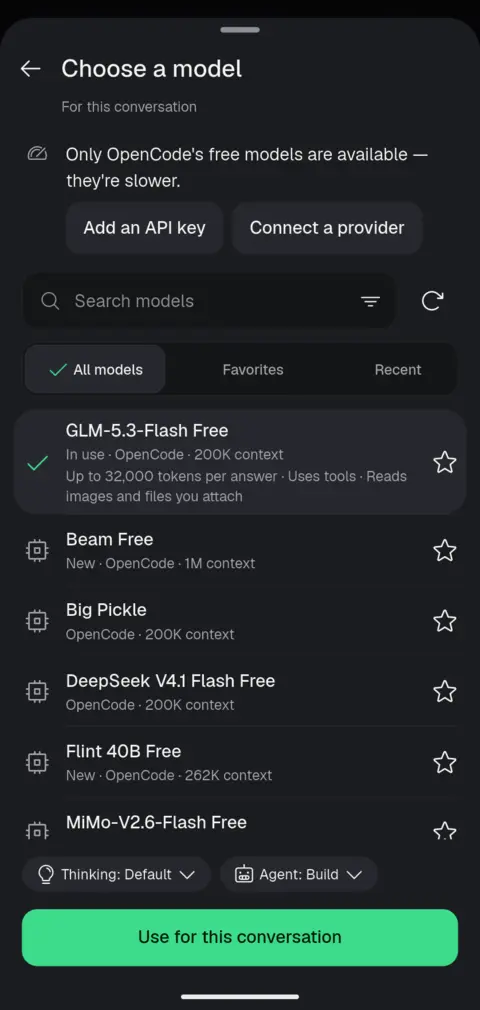
| Terminal | Models | Home-screen widget |
| :---: | :---: | :---: |
|  |
 |
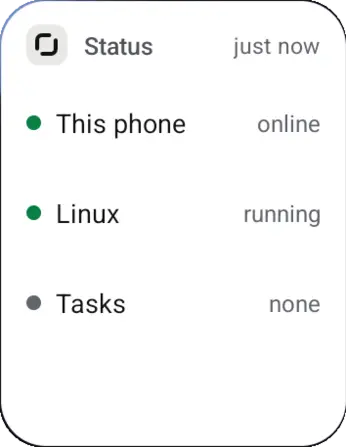 |
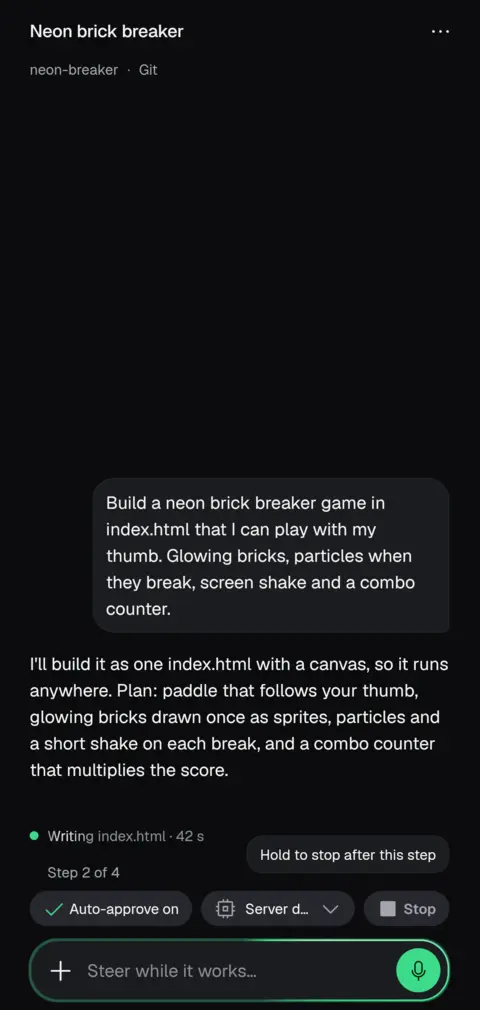
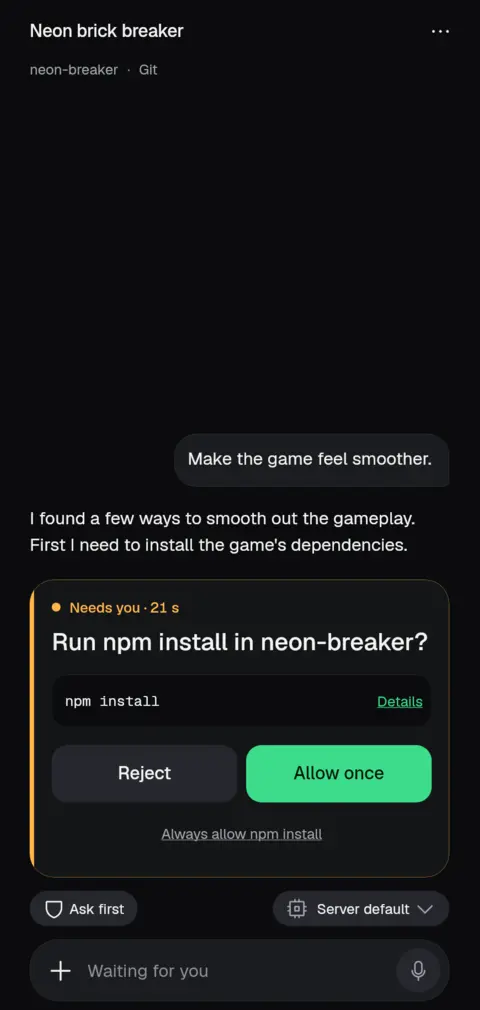
All screens are real captures from the app.
You need an Android phone running Android 8 or newer. Running agents on the phone itself needs a 64-bit phone. Bring a model provider, or start with OpenCode's free models.
1. Install. Download the APK from the latest release. Most phones want the arm64-v8a file; the universal APK works everywhere. Android asks you to allow installs from outside the Play Store.
2. Choose where your agent runs.
opencode2 pair on the computer and scan the QR code, or enter its address. Tailscale lets you reach it from anywhere.Coming from Termux? Move from Termux copies your projects into the app. More help is in SUPPORT.md and the in-app guide.
| | Status | | --- | --- | | Android | 8 or newer; on-phone agents need a 64-bit phone | | OpenCode | OpenCode 2 only; OpenCode 1 is no longer supported | | Claude Code, Codex, Antigravity, Qwen Code, Kilo, Cline, Goose, Oh My Pi, fx | On the phone, in the built-in Linux (newer ones are less tested on real phones) | | Agents on your computer | OpenCode 2, Codex directly, or Claude Code through Paseo | | Languages | English, Arabic and Simplified Chinese, with partial Spanish, Japanese, Portuguese and Russian | | iOS, macOS, Linux and Windows | Not available; desktop builds were dropped in 2.1.4 |
Android updates an app in place only when the new APK has the same signature. Public releases are signed with
842284B27AA297FB74CF831779FD16498517E1BC2104451459FEC2EA7AC11D1C
so each release installs over the previous one and keeps your servers, sign-ins and settings. You can check the installed signer in Settings → About. Do not uninstall to fix a failed update: projects on the phone live inside the app and would be deleted.
The app is being rebuilt in native Kotlin, with Kotlin Multiplatform and Jetpack Compose, on the native/* branches of this repository. The goal is a faster, more Android-native app: smoother scrolling and motion, lower memory use, and closer use of the phone's own features. It is still in progress and not yet released. Until it has everything the current app has, the Flutter app stays the one you download and update, and it keeps getting fixes.
The app connects only to the servers you choose. Passwords stay in Android's keystore, voice is transcribed on the device, and diagnostics leave the phone only when you send a report yourself, with secrets removed. See PRIVACY.md.
The released app is Flutter with native Android parts in Kotlin; the native Kotlin rewrite is on the native/* branches. Start with:
flutter pub get
flutter analyze
tool/qa/run_tests_fast.sh    # the full suite in parallel shards
CI runs analysis, Android lint, the test suite in six shards and a signed release build.
MIT. Bundled fonts, models and packages are listed in THIRD_PARTY_NOTICES.md.
OpenCode Mobile is an independent community project. It is not built, maintained, endorsed by, or affiliated with the official OpenCode team. It is not affiliated with Anthropic. It was built with substantial AI assistance. Thanks to the OpenCode team for the agent this app is a window onto.
→ →
 →
 →
 →
 →
 →
 →