1
 →

Turn an old Android phone into a local desk panel for Windows, Linux and macOS. 55 widgets, Smart Stack, AI quotas and sessions, media controls, USB or paired Wi-Fi.
ersinkoc/phonebox is an open-source project on GitHub, mainly written in C#. Turn an old Android phone into a local desk panel for Windows, Linux and macOS. 55 widgets, Smart Stack, AI quotas and sessions, media controls It currently holds 153 stars and 16 forks with 1 open issues, and was last pushed on 2026-11-10 (repository created 2026-11-07).
AI Homed tracks it on the Today's Trending board, currently at rank #84 with 0 new stars today.
Turn an old Android phone into a desk panel for your computer: Windows, Linux or macOS.
Widgets for your PC, AI coding sessions, music, weather and anything you push to it. USB or Wi-Fi, no cloud.
▶ Try the live demo in your browser

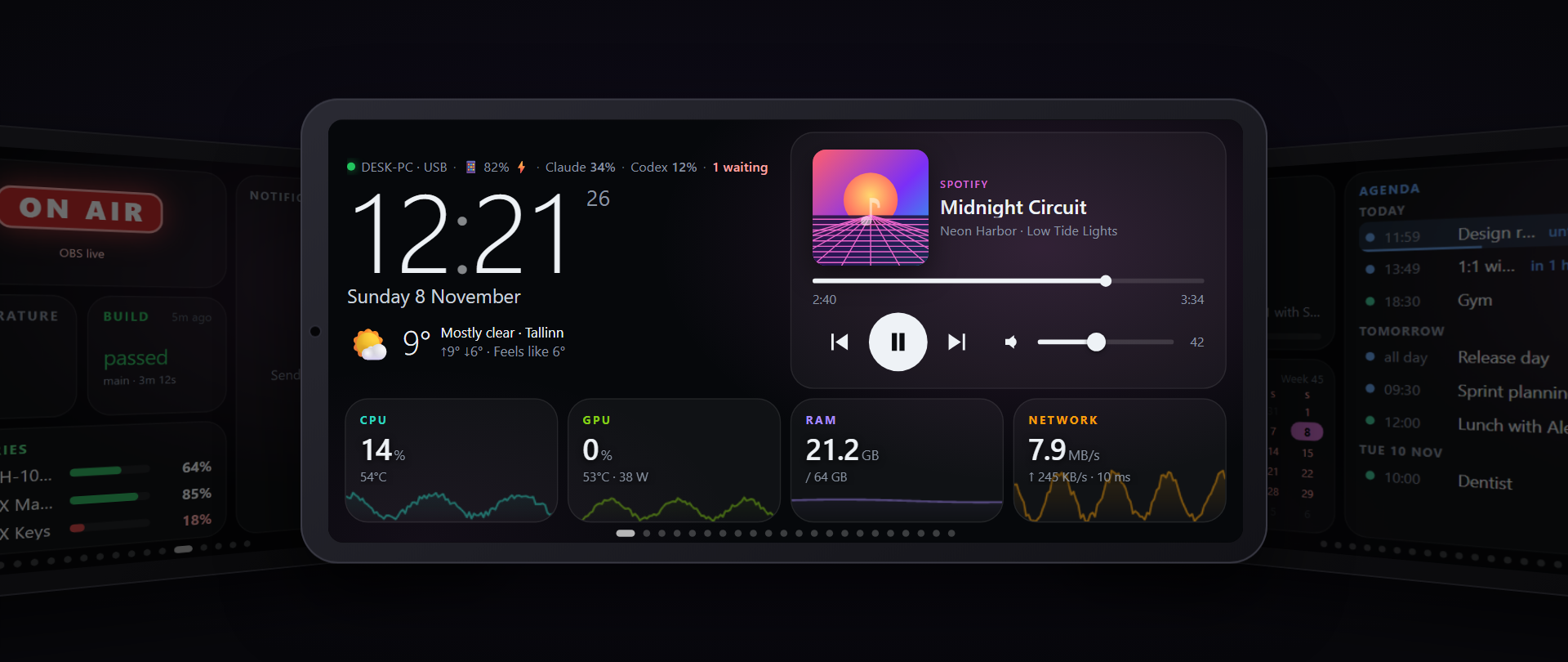
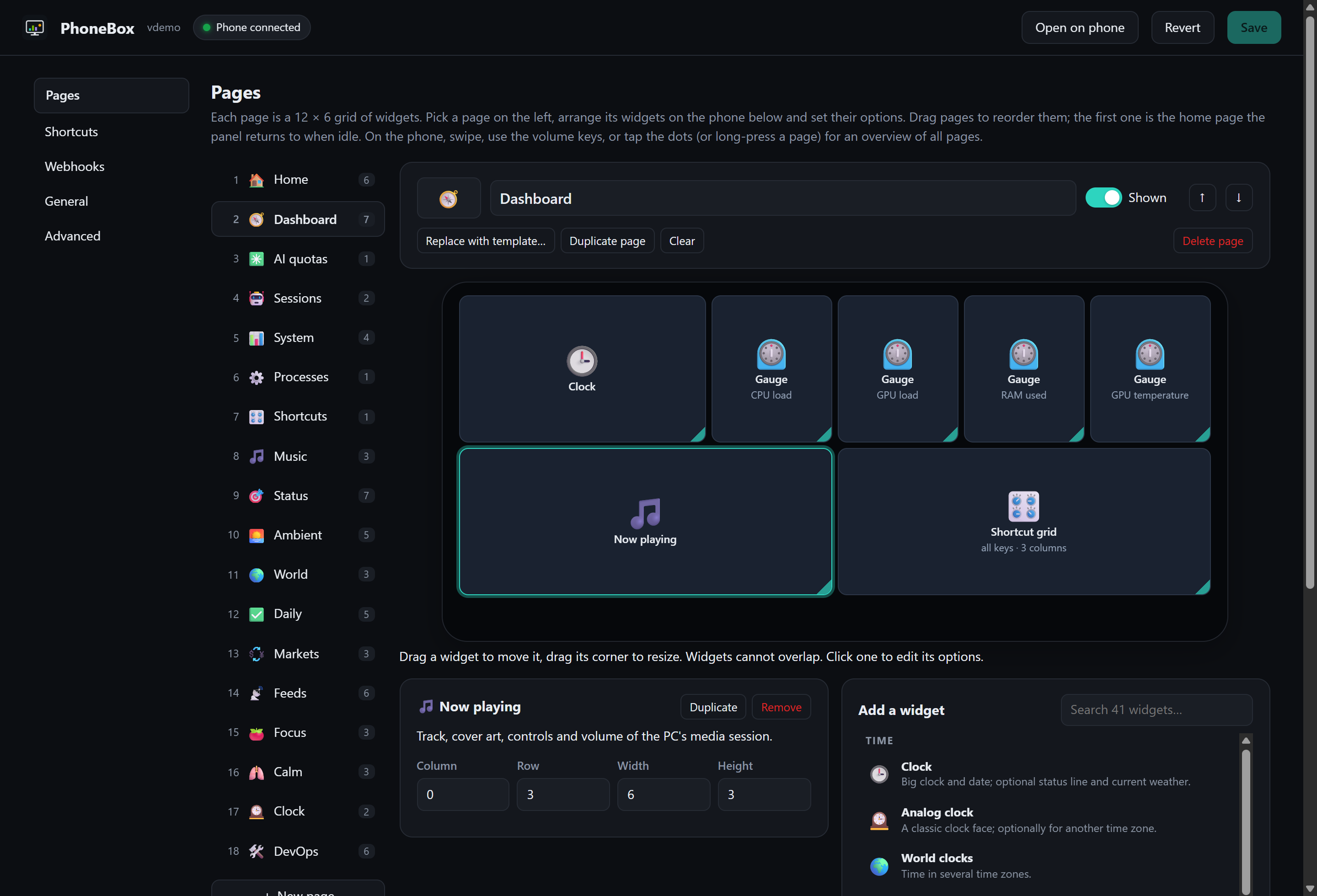
PhoneBox has two parts: a small Android app that runs full screen on the phone, and an agent on the computer (Windows, Linux or macOS) that feeds it over the USB cable (or over Wi-Fi / Tailscale after pairing once). You design the pages in a visual editor on the PC: 113 widgets, 30 templates, as many pages as you like.
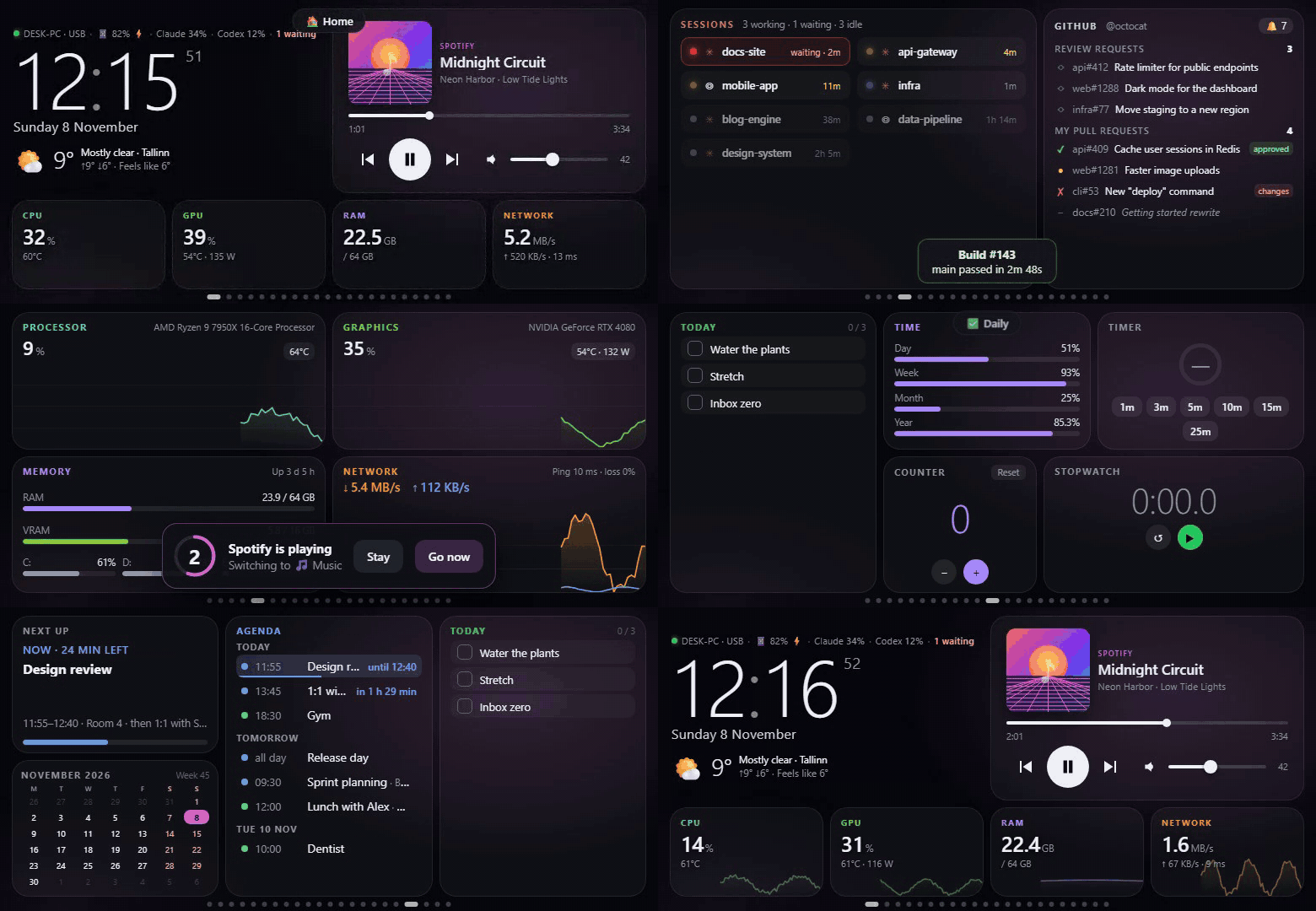
A tour through the pages (made-up data): a notification, a permission prompt, a rule switching pages calmly. Video (MP4)
Contents: Quick start · Pages & templates · Widgets · Layout editor · Claude Code prompts · Webhooks · Rules · Wi-Fi & Tailscale · Updates · How it works · Security · FAQ · Development
Fixes an immediate launch crash on Android 9 and 10. Full-screen mode now uses the compatible immersive API on these versions; Android 11+ keeps the existing behavior. Android API compatibility lint now blocks CI and releases.
Native Antigravity quota monitoring now works without CodexBar, including signed-in agy CLI installations on
Windows. Session and weekly usage come from measured quota data; missing readings are not shown as unused quota.
See native Antigravity quotas and the changelog for setup and compatibility details.
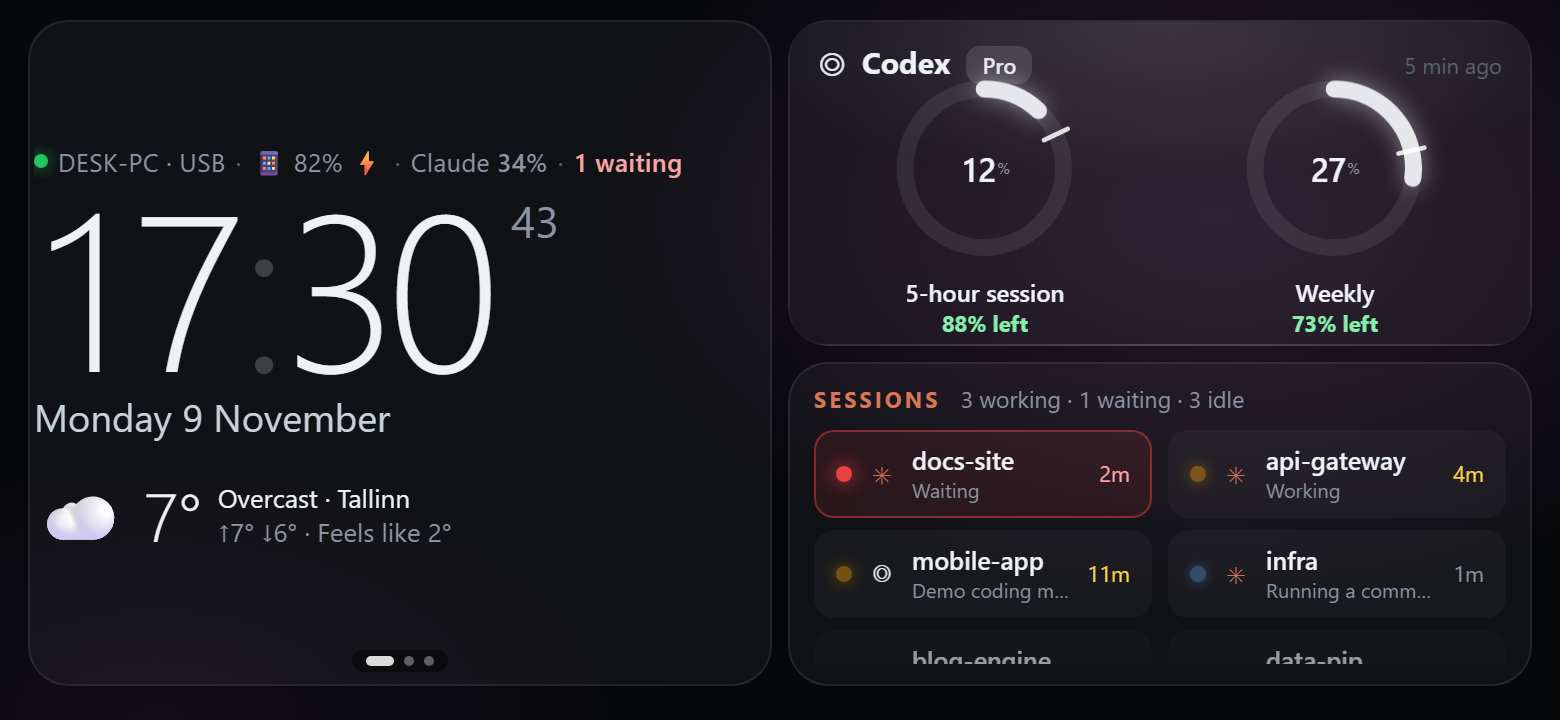
| Smart Stack and quotas | Codex session details |
|---|---|
|  |
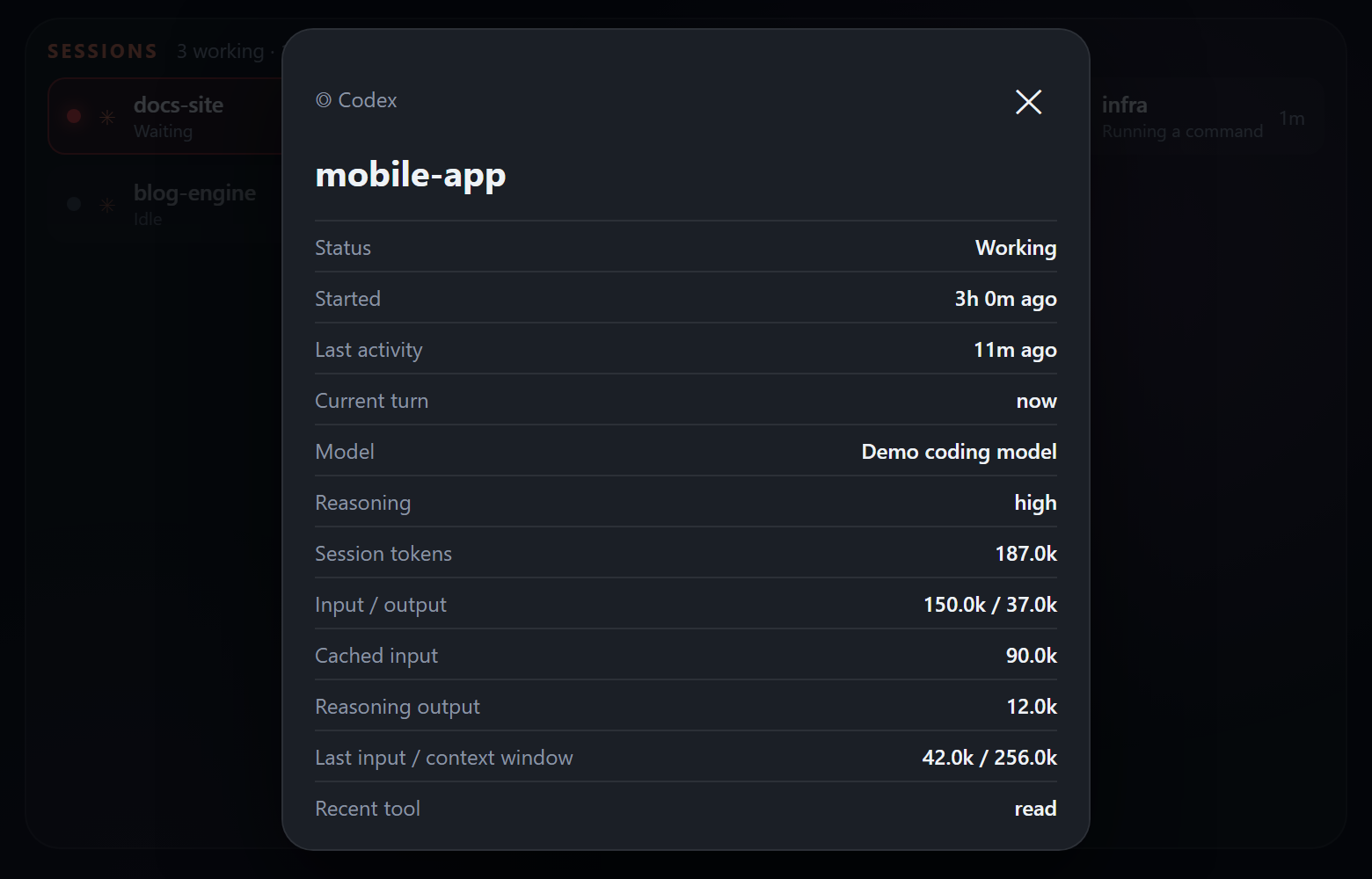 |
These screenshots use made-up demo data. See the changelog for all changes.
Download PhoneBox 0.7.3 — signed Android APK and agents for Windows x64, Linux x64/ARM64 and macOS Apple Silicon/Intel. Agent archives need the matching .NET 10 runtime (Desktop Runtime on Windows). The release includes SHA-256 checksums and build provenance. Existing users can update from Settings; existing layouts and pairing settings are retained.
You need an Android 9+ phone with USB debugging turned on,
the .NET 10 SDK and adb.
The source installers below build the agent locally. To build the phone app, also install JDK 17 and
Android SDK Platform 35 (for example through Android Studio), set JAVA_HOME, and point ANDROID_HOME or
android/local.properties (sdk.dir) at the SDK. The installers can use a release APK from dist/; the Windows
installer rebuilds it when Android sources are newer, or when -BuildApk is supplied.
Windows 10/11
winget install Microsoft.DotNet.SDK.10 Google.PlatformTools   # .NET 10 and adb
git clone https://github.com/ersinkoc/phonebox
cd phonebox
.\scripts\install.ps1 -Apk -Autostart   # agent + phone app, start with Windows (add -Serial  if several devices are connected)
Or install just the agent with Scoop and let it put the app on the phone (settings › General › *Install the phone app*, with the phone plugged in):
scoop bucket add phonebox https://github.com/ersinkoc/phonebox
scoop install phonebox/phonebox          # needs the .NET 10 Desktop Runtime and adb (scoop install extras/windowsdesktop-runtime main/adb)
A winget package (ersinkoc.PhoneBox) is prepared in packaging/winget for submission to
winget-pkgs; once accepted it installs with winget install ersinkoc.PhoneBox.
Linux (Ubuntu, Debian, Fedora, Arch…) and macOS
sudo apt install adb playerctl          # Fedora: android-tools playerctl · macOS: brew install android-platform-tools nowplaying-cli
git clone https://github.com/ersinkoc/phonebox
cd phonebox
./scripts/install.sh --apk --autostart  # agent + phone app; systemd user service (Linux) or launchd agent (macOS)
Plug the phone in: it wakes up and opens the panel. The settings are at (on Windows also
from the tray icon). scripts/uninstall.ps1 [-Purge] [-Apk] / scripts/uninstall.sh [--purge] [--apk] remove
everything again.
| | Windows | Linux | macOS |
|---|---|---|---|
| CPU, RAM, network, disks, ping | ✓ | ✓ | ✓ |
| CPU temperature | LibreHardwareMonitor | ✓ (hwmon) | — |
| GPU usage | NVIDIA (nvidia-smi) | NVIDIA (nvidia-smi) | Apple silicon (ioreg) |
| Now playing + controls | ✓ (any app) | ✓ (MPRIS via playerctl) | System media, including browser video, with nowplaying-cli; Spotify and Music fallback |
| Volume | ✓ | ✓ (wpctl / pactl) | ✓ |
| Processes, end one / all | ✓ | ✓ (your own) | ✓ (your own) |
| App icons | ✓ | ✓ (icon theme) | ✓ (app bundles) |
| Shortcuts, lock, screen off | ✓ | ✓ (loginctl, xset) | ✓ (open, pmset) |
| Command widgets | PowerShell | bash | zsh |
| Claude / Codex quotas & sessions, GitHub, webhooks | ✓ | ✓ | ✓ (Claude token from the Keychain) |
| Tray icon | ✓ | — (settings in the browser) | — |
| Start at login | Startup folder | systemd user service | launchd agent |
On macOS, nowplaying-cli supplies system media metadata and cover art. The agent labels matching Safari or Chrome tabs as YouTube or YouTube Music. The progress bar advances from the last position supplied by macOS; Safari may report an outdated starting position. Volume follows the selected system output. When macOS does not expose its volume, an optional m1ddc installation can read it from a compatible display; display volume is read only in PhoneBox. Unsupported outputs show n/a. Apple silicon GPU usage comes from IORegistry when macOS exposes it; temperature, power and VRAM figures may remain unavailable.
Optional extras that light up more widgets: an NVIDIA GPU (nvidia-smi), the GitHub CLI
(gh auth login), Claude Code, Codex, and LibreHardwareMonitor
with its web server on port 8085 for the CPU temperature.
Set corner radius, widget spacing, inner padding, page padding, borders and shadows in Settings → General → Appearance. Choose Original, Rounded cards, Flat, Content only or Seamless panel, then customize individual values. Pages and individual widgets can override global defaults. Live preview shows unsaved changes before Save. Existing layouts keep their original appearance. See the appearance guide.
Turn a phone into a touch control deck with application audio faders, microphone controls, device selection, push-to-talk, audio profiles, media controls, soundboard, window and system controls, OBS, meeting shortcuts, development tasks, MIDI and OSC. Six new templates provide starting layouts; existing layouts are retained.
Open Settings → General → Control Deck to define computer-side bindings and capture audio profiles. Add the matching widgets in Pages. Executable shortcuts and macros are configured in Deck first; phone requests contain only configured IDs. PC audio listening and hold-to-confirm power buttons require separate desktop opt-ins.
Spotify queue, library and playlist controls need a Spotify Developer Client ID and a connection through the settings screen. OBS needs obs-websocket and widget control permission. Application routing uses an installed SoundVolumeView executable; virtual-mixer controls use the installed Voicemeeter Remote DLL. MIDI requires an output port. Missing integrations display their setup state. See the setup and platform guide.
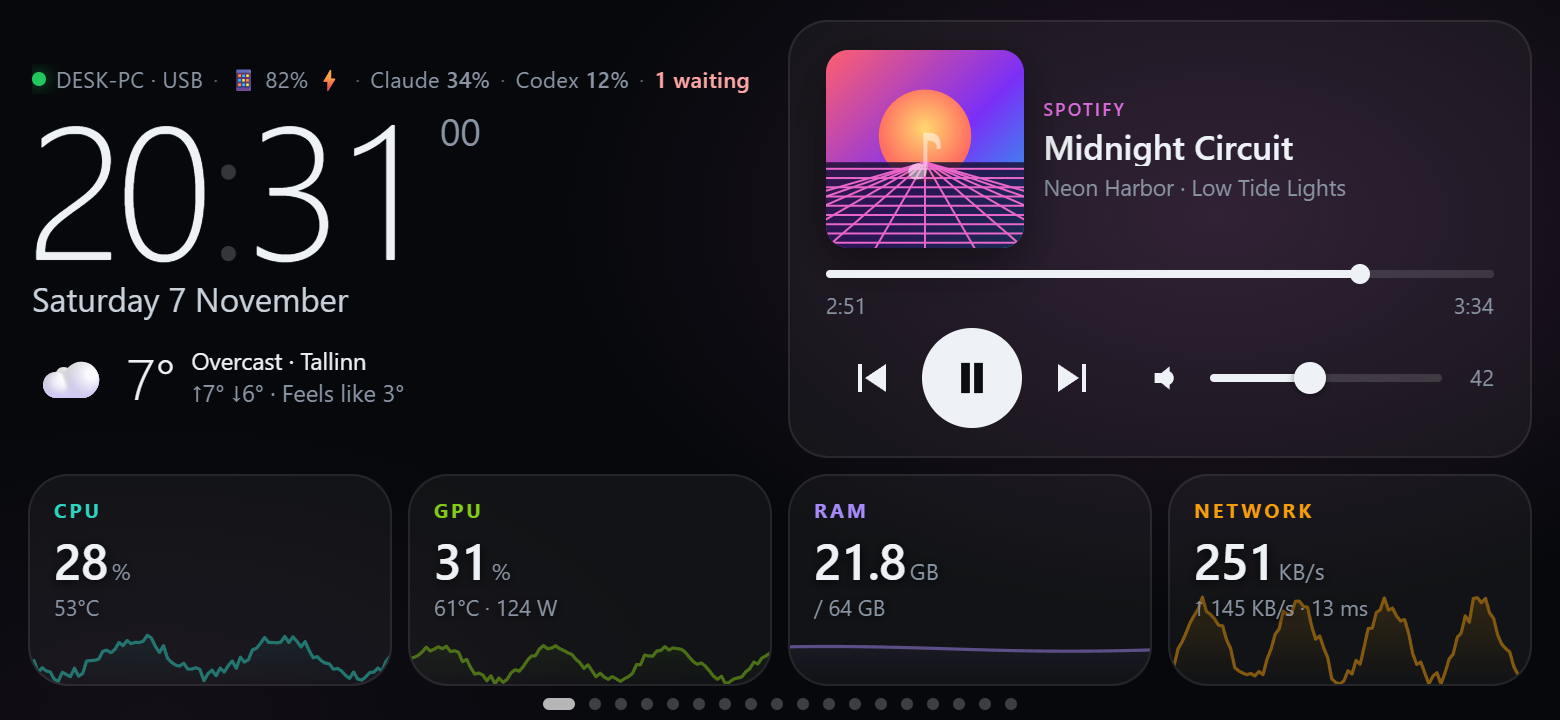
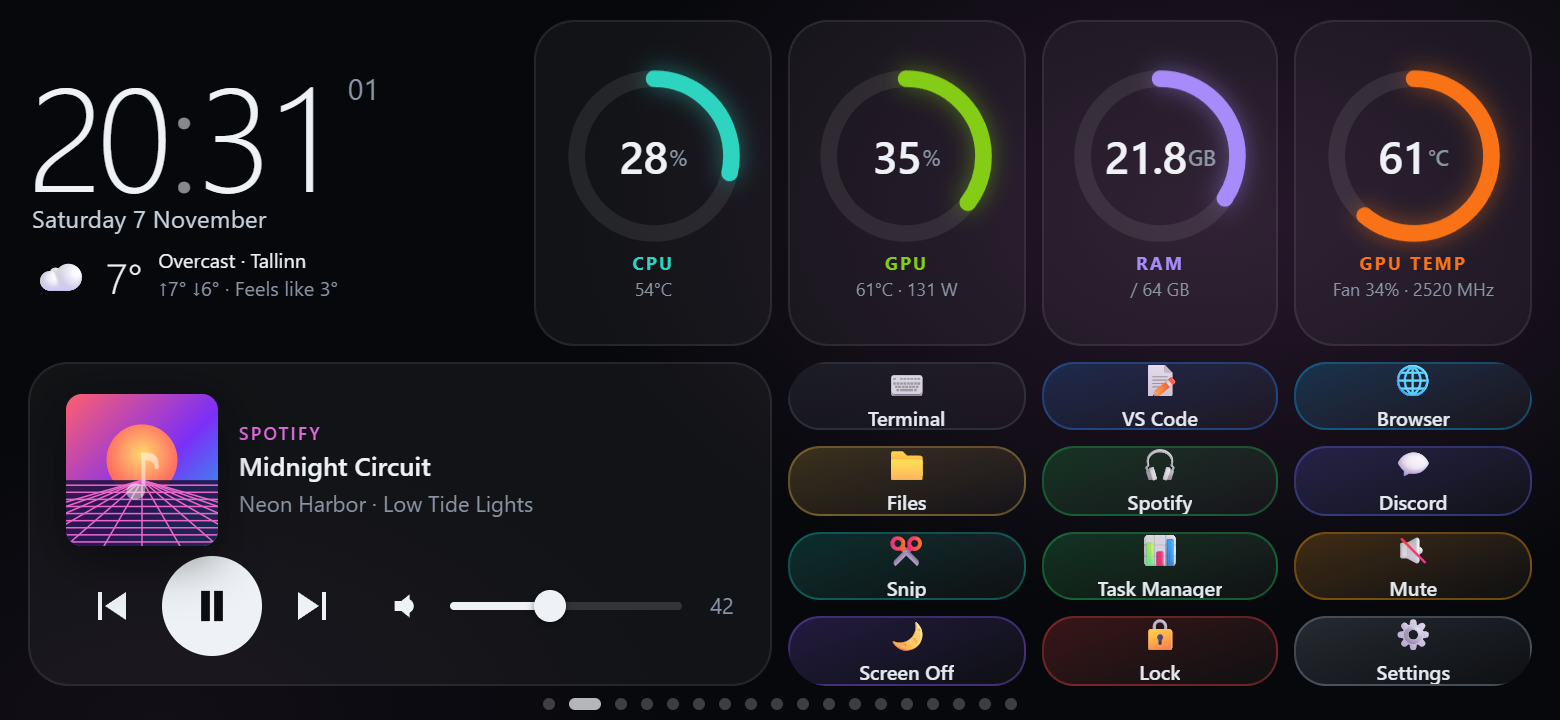
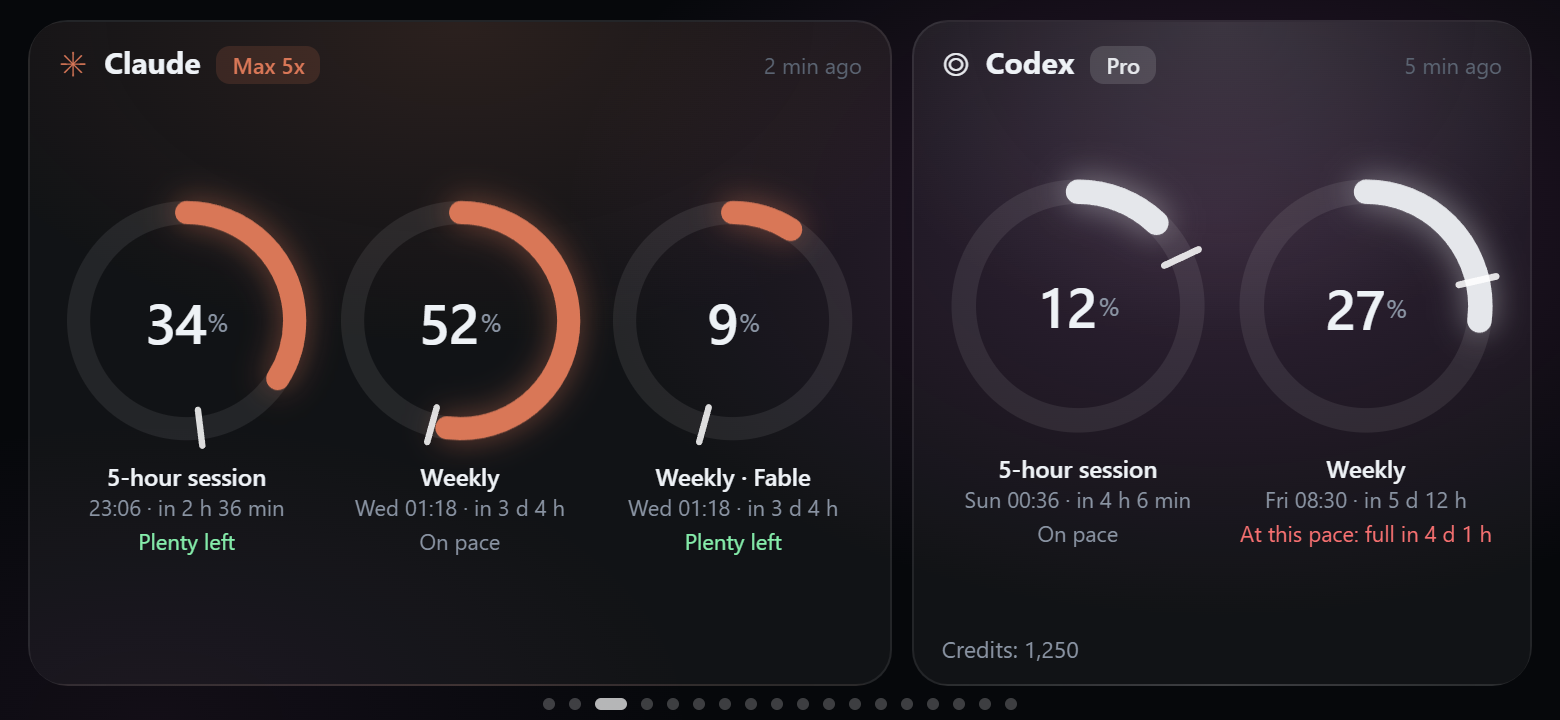
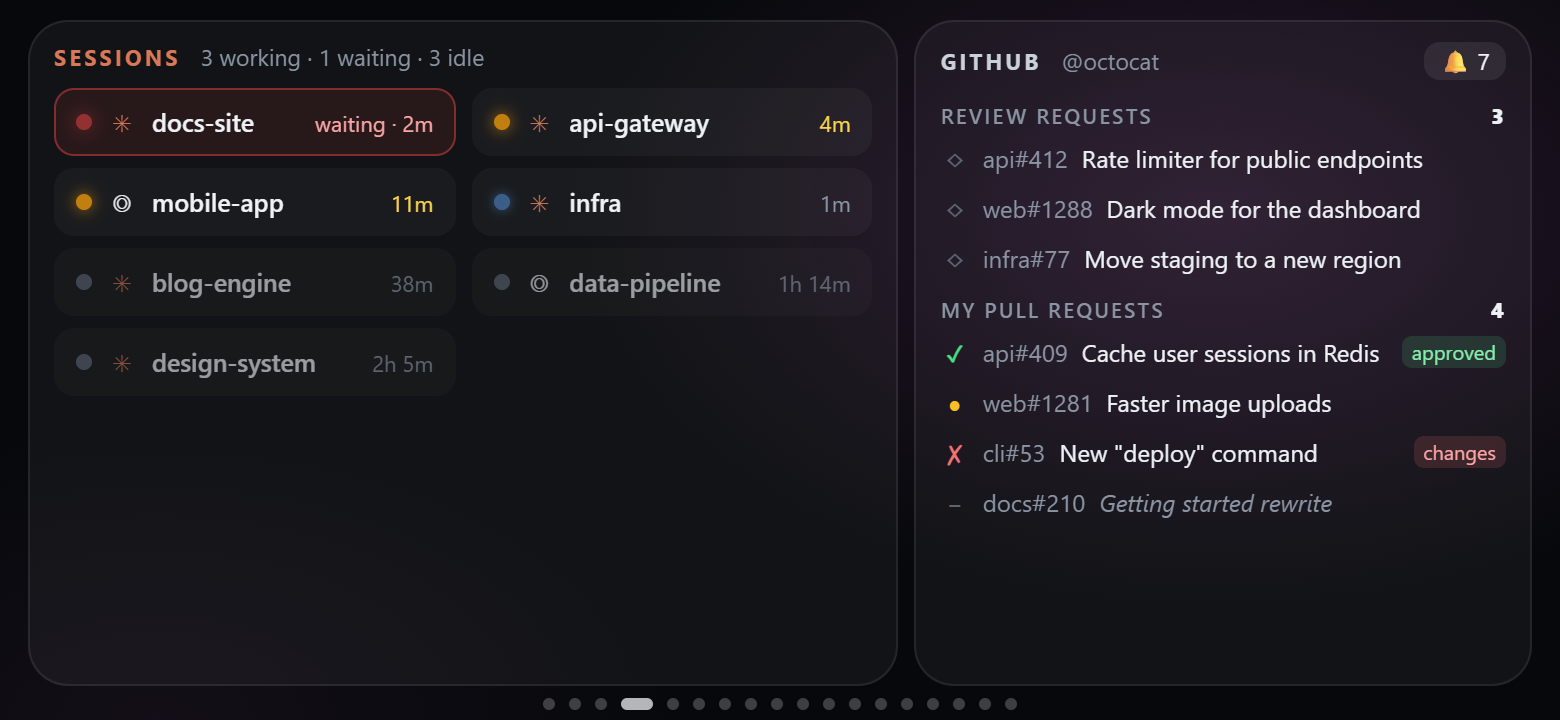
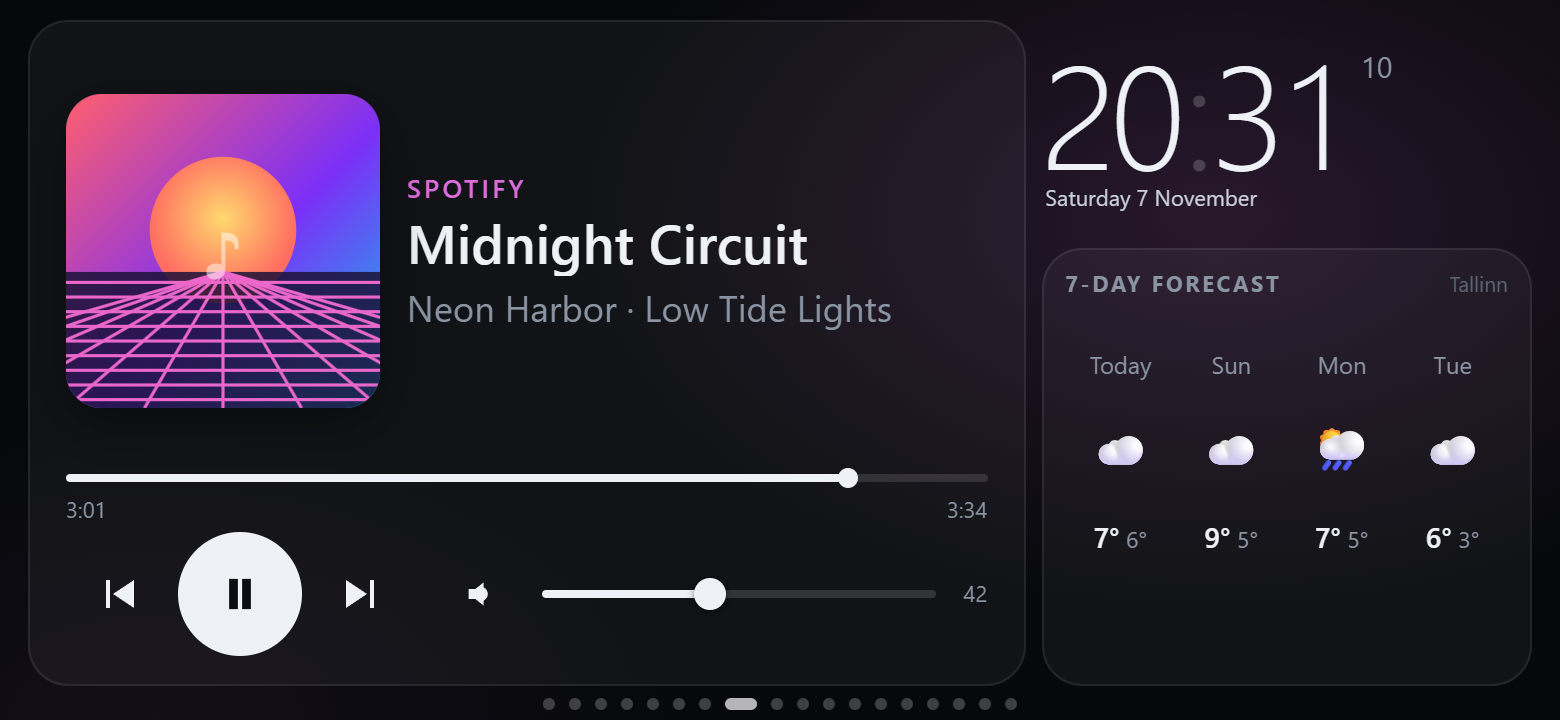
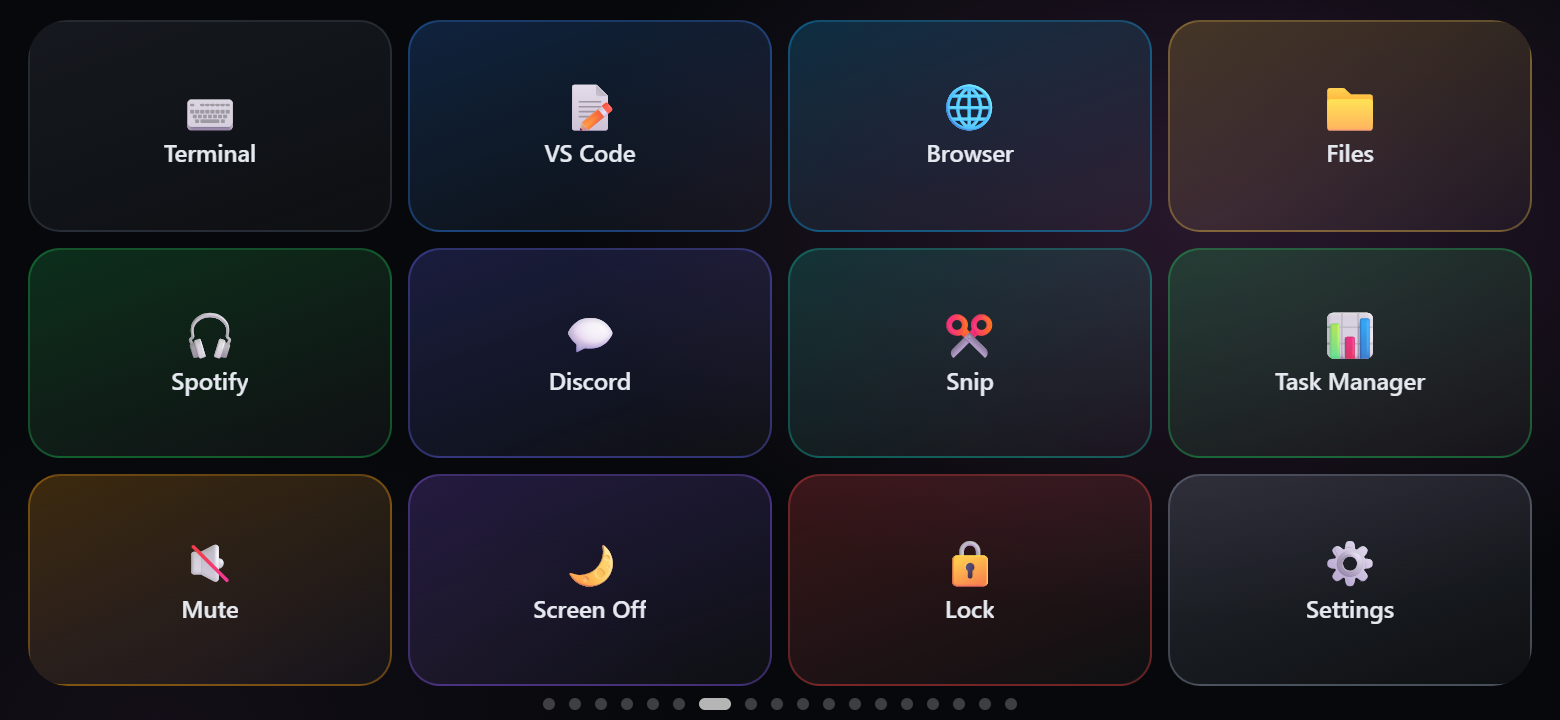
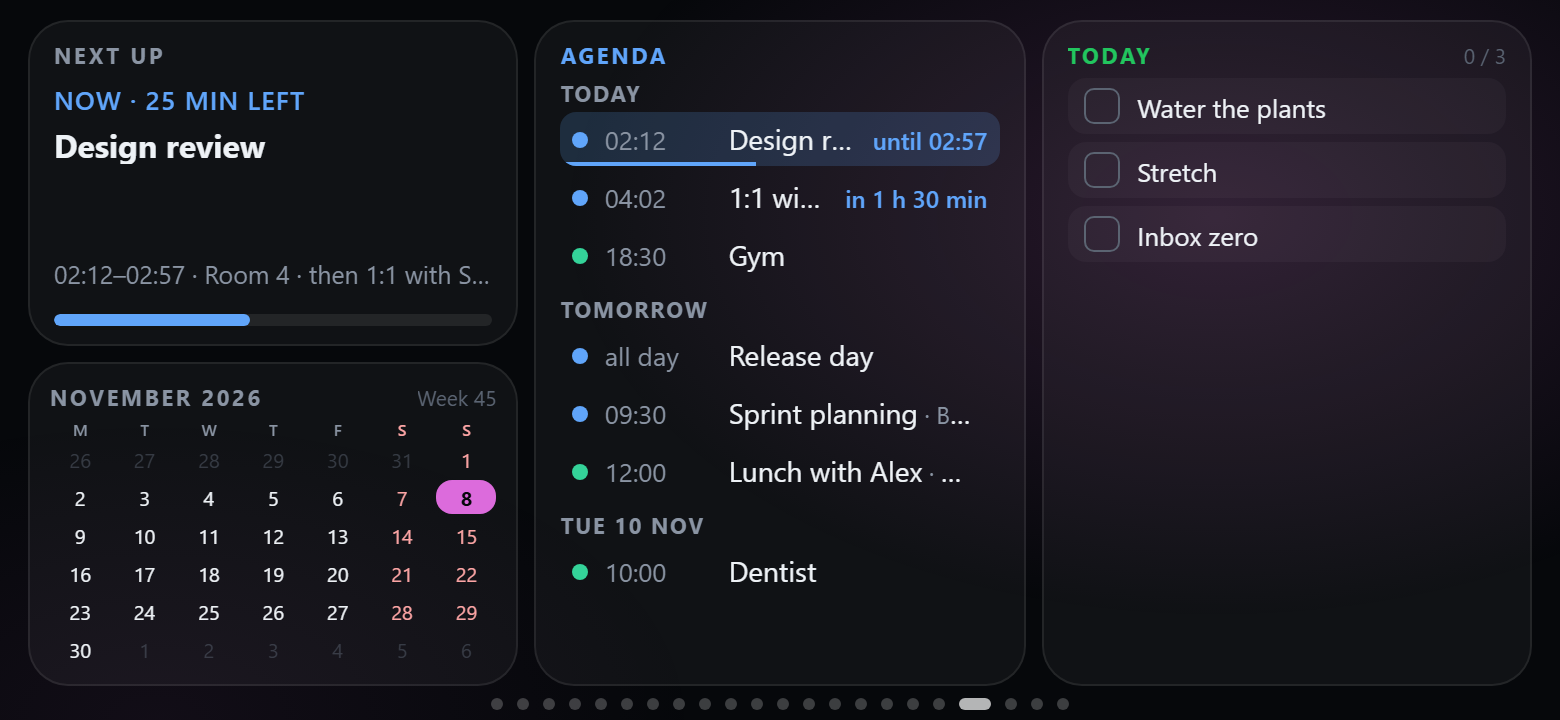
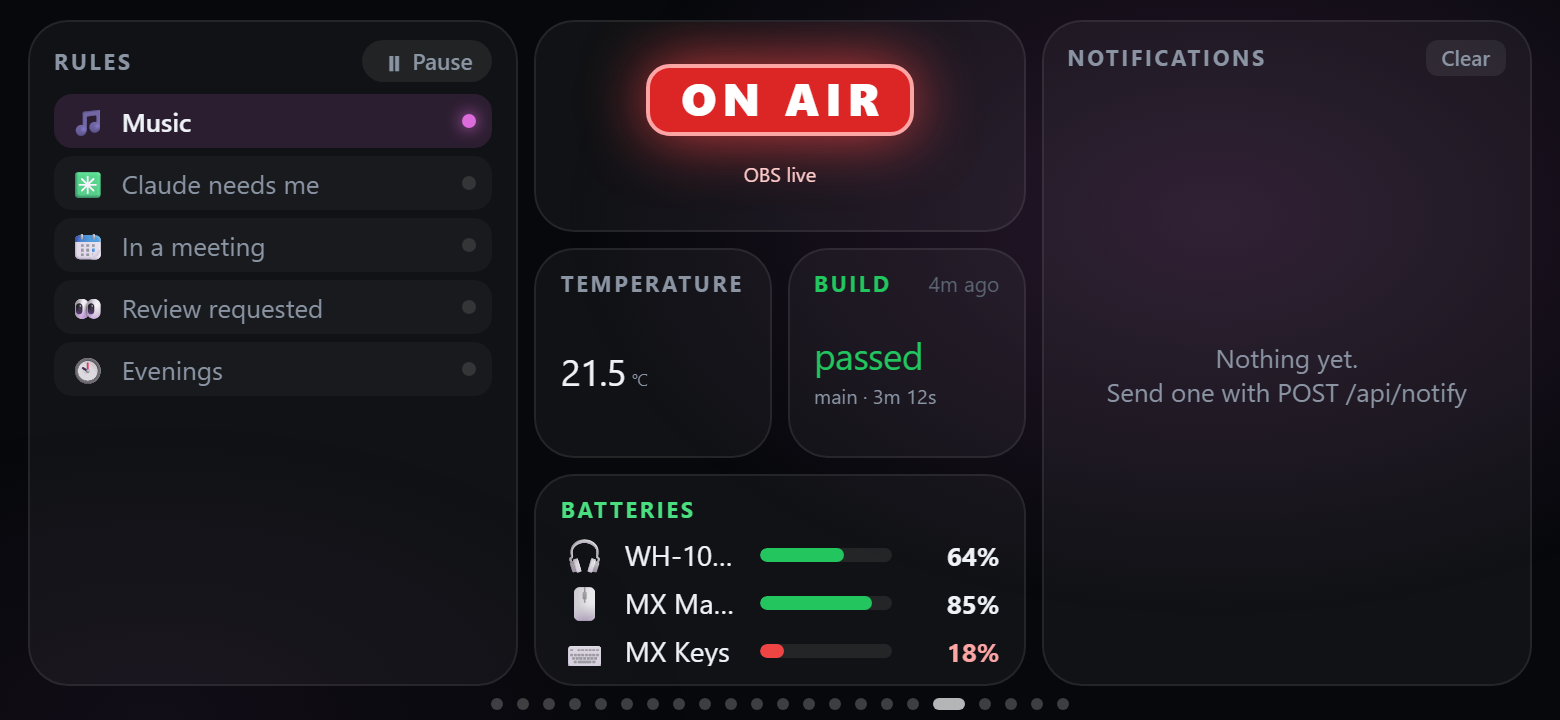
Every page is a 12 × 6 grid. Start a page from one of the 30 templates (or from scratch) and change anything.
| | |
|---|---|
| Home — clock, weather, now playing, CPU / GPU / RAM / network tiles | Dashboard — gauges, clock, media and a few shortcut keys |
|  |
 |
| AI quotas — Claude and Codex limits, reset times, "at this pace: full in 1 d 5 h" | Sessions — Claude Code / Codex sessions and GitHub |
|
 |
 |
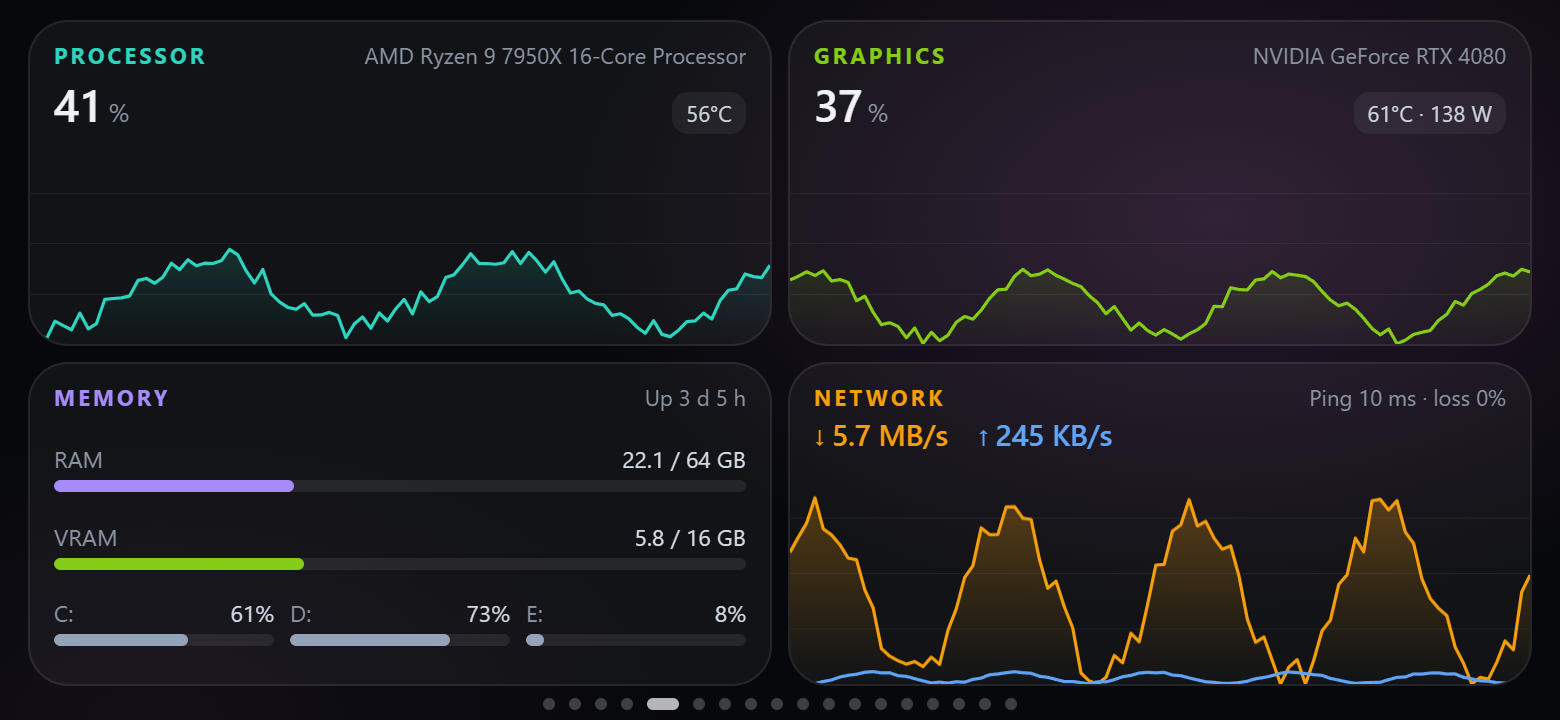
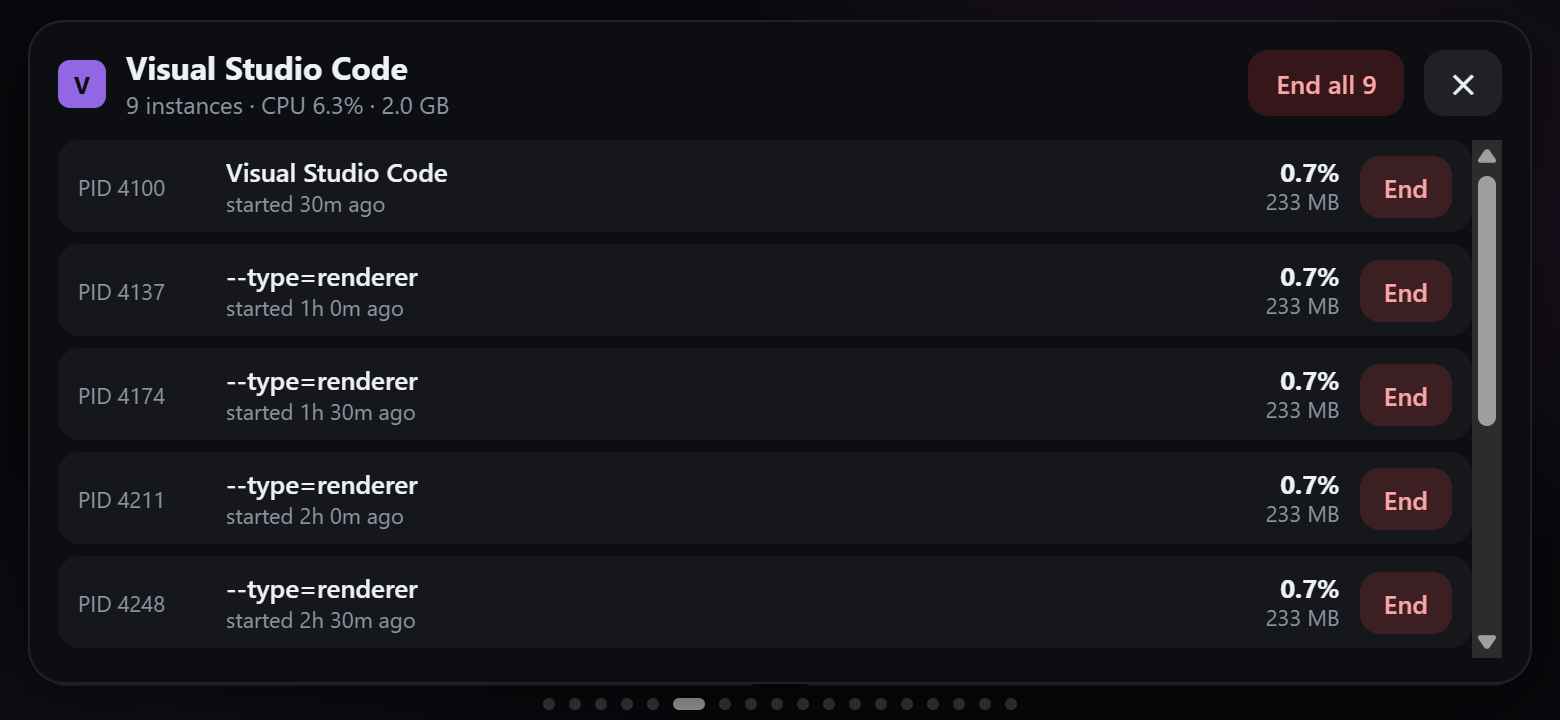
| System — CPU, GPU, memory, disks, network and ping charts | Processes — heaviest apps; tap one to end an instance or all of them |
|
 |
 |
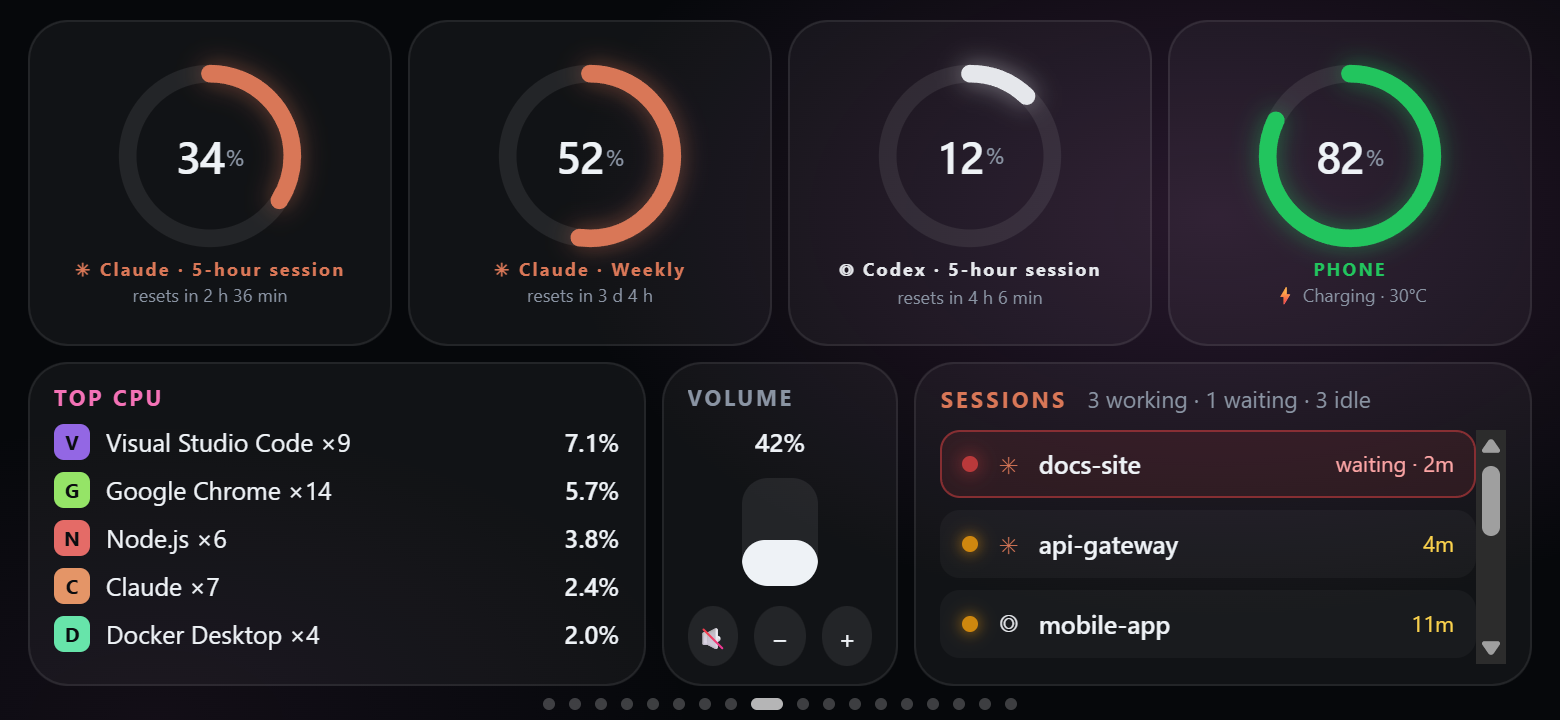
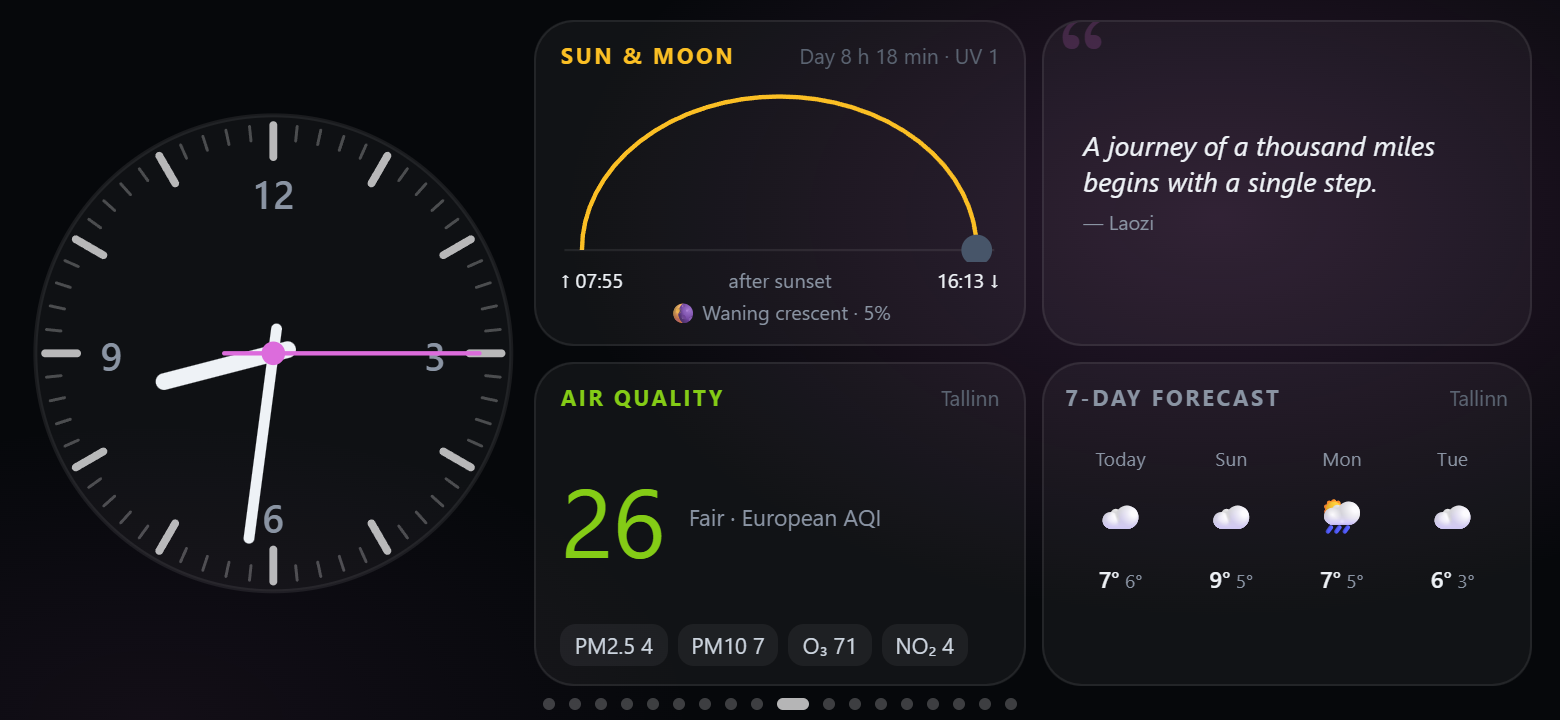
| Status — quota rings, phone battery, top CPU, volume, sessions | Ambient — analog clock, sun & moon, air quality, quote, forecast |
|
 |
 |
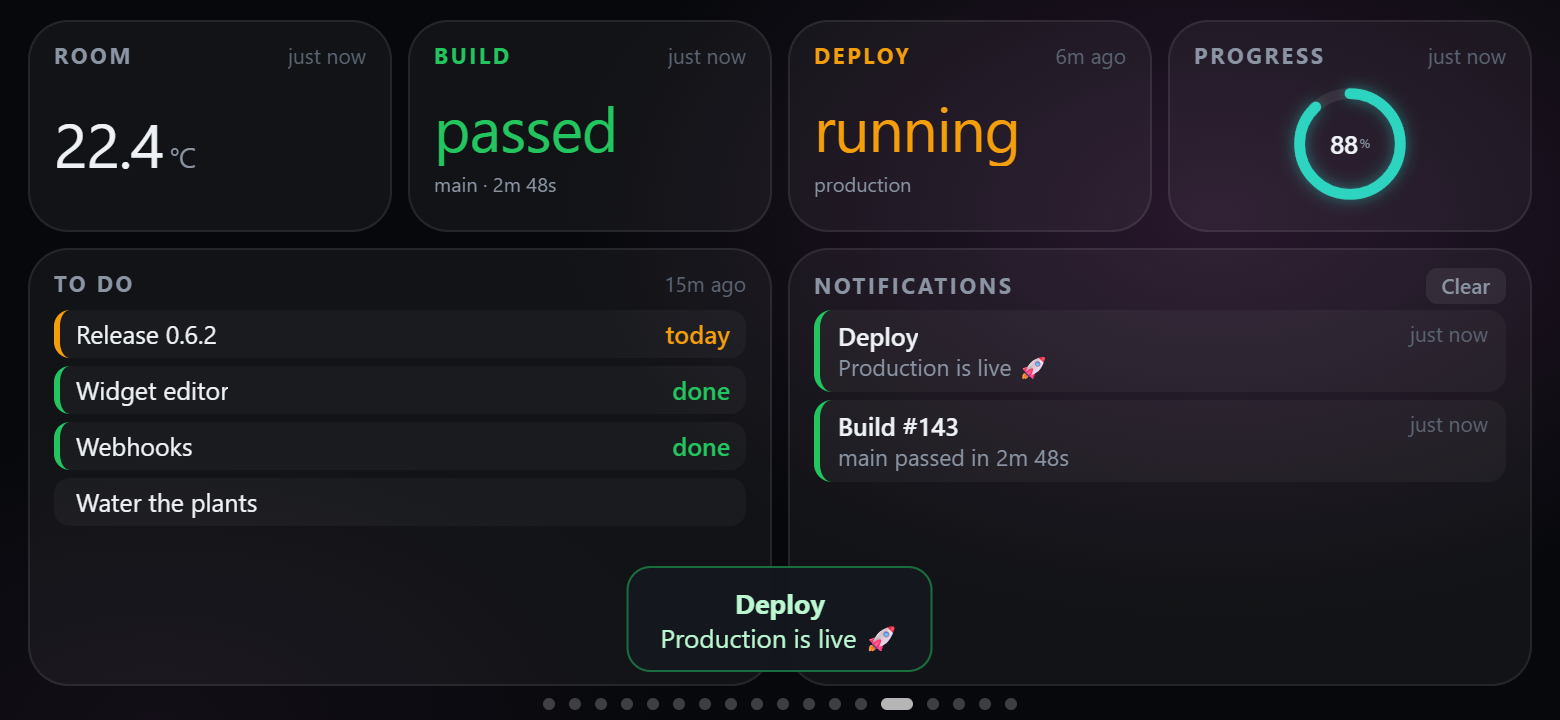
| Markets — exchange rates, crypto, Hacker News | Feeds — values and notifications pushed by webhooks |
|
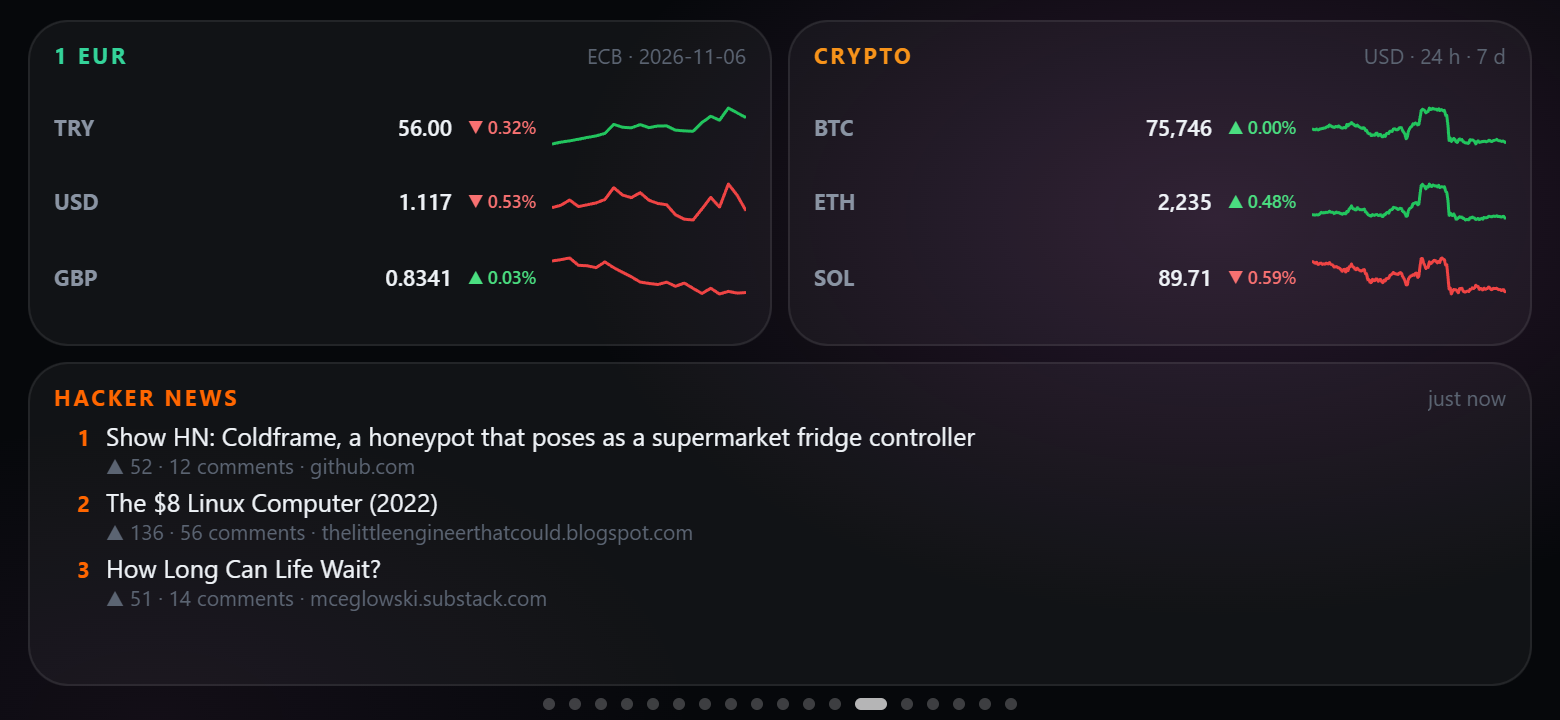 |
 |
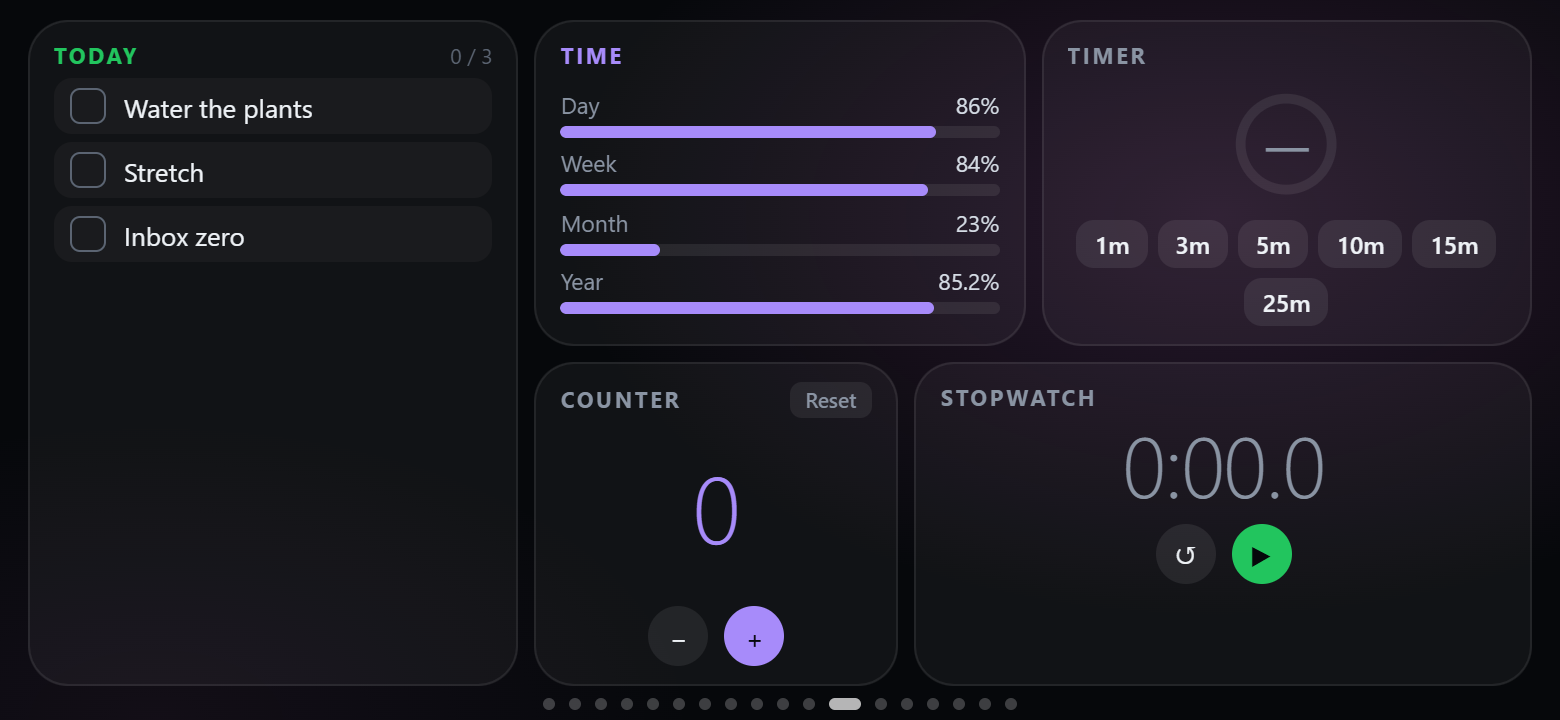
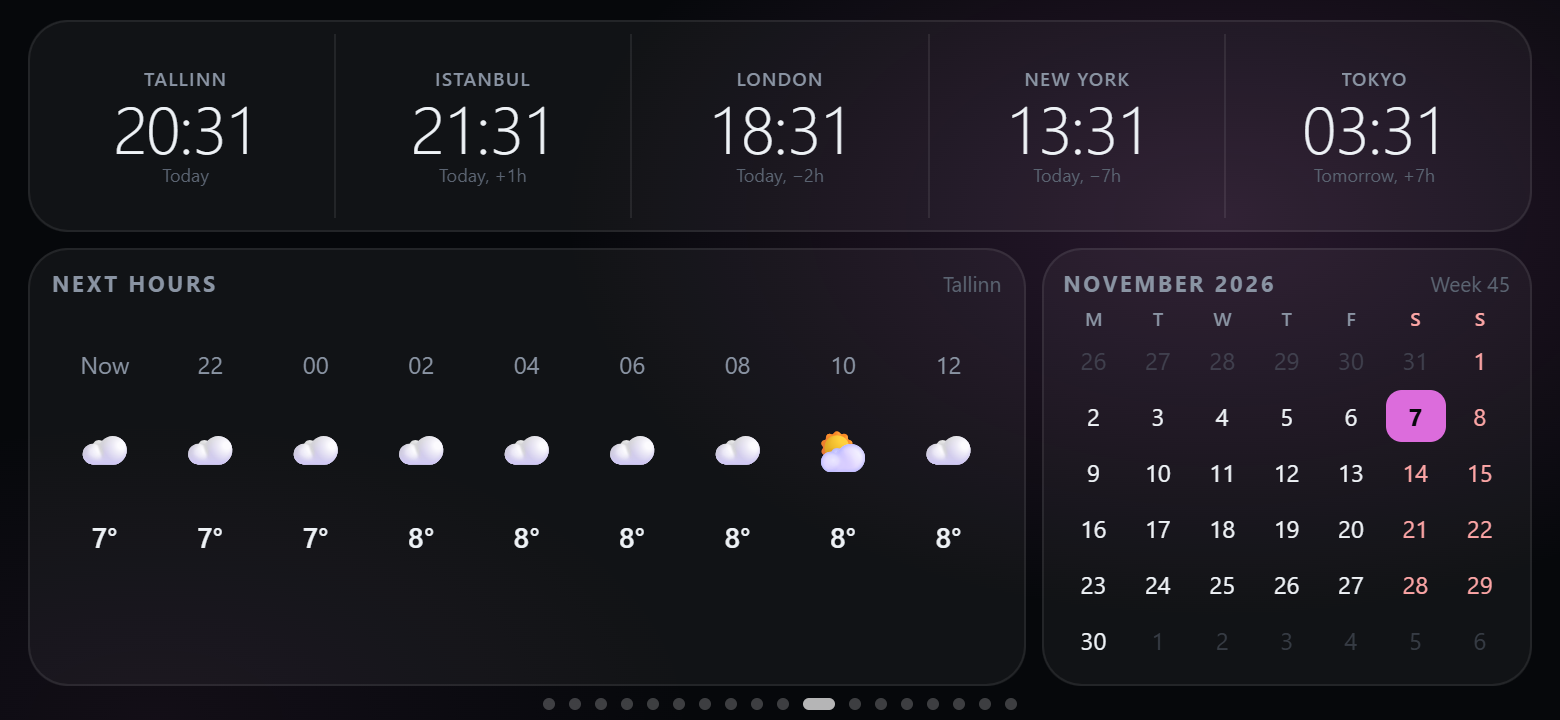
| Daily — checklist, time progress, timer, counter, stopwatch | World — world clocks, hourly forecast, calendar |
|
 |
 |
| Music — a big now-playing card | Shortcuts — Stream Deck–style keys |
|
 |
 |
| Planner — next up, month, agenda, checklist | Automation — rules, on air, pushed values, device batteries, notifications |
|
 |
 |
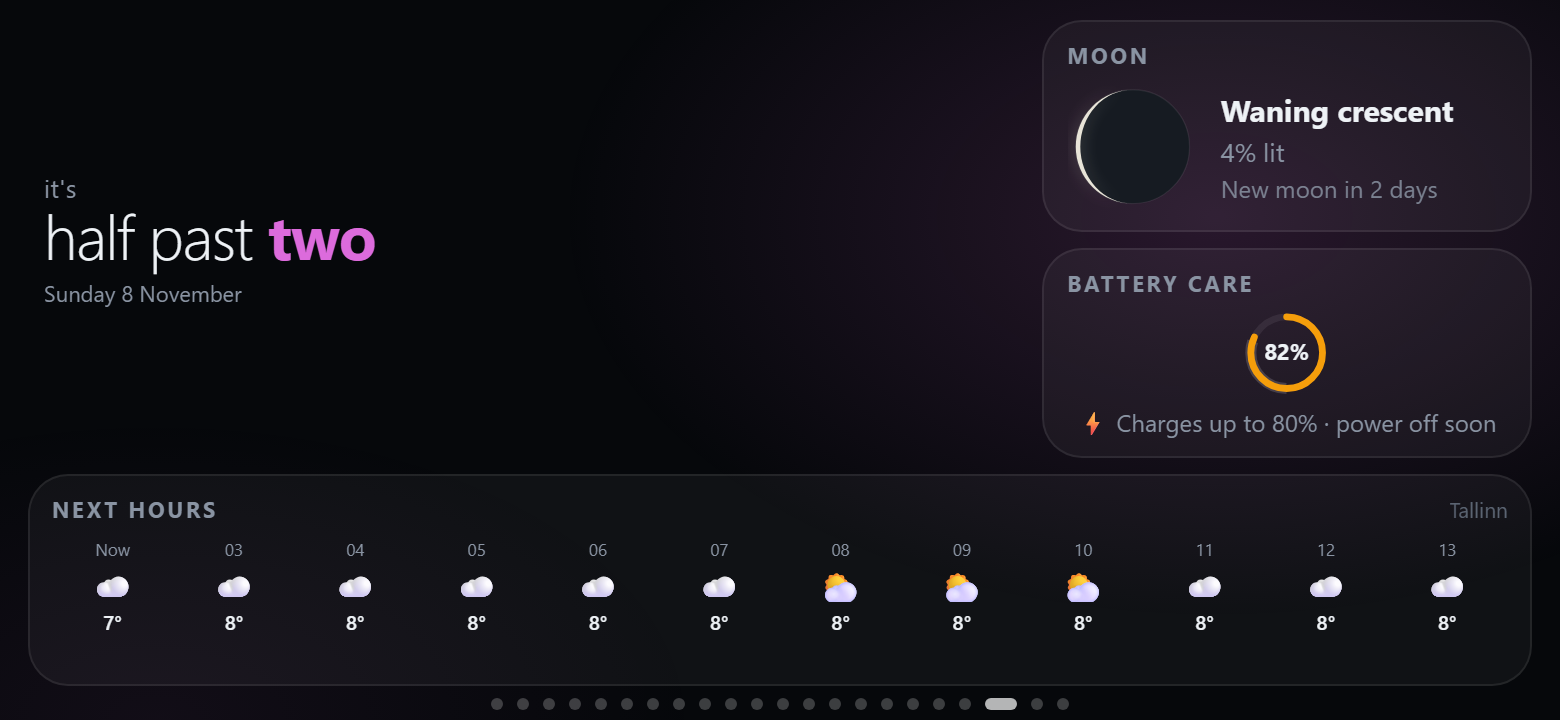
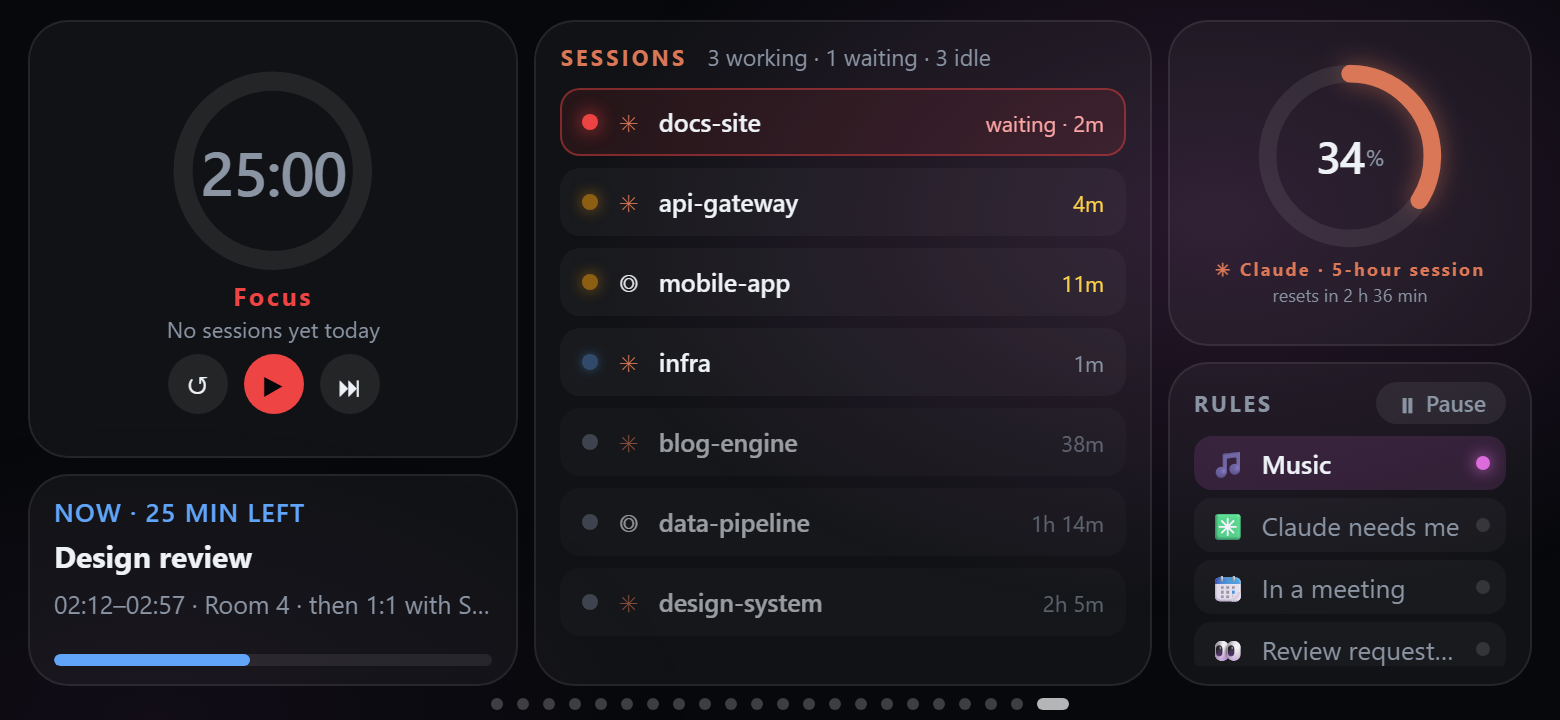
| Nightstand — word clock, moon, battery care, next hours | Deep work — pomodoro, next up, sessions, quota ring, rules |
|
 |
 |
More templates: Clock, Focus (pomodoro + note), Calm (breathing), DevOps (command widgets) and Weekend (forecast, music, moon, analog clock, quote).
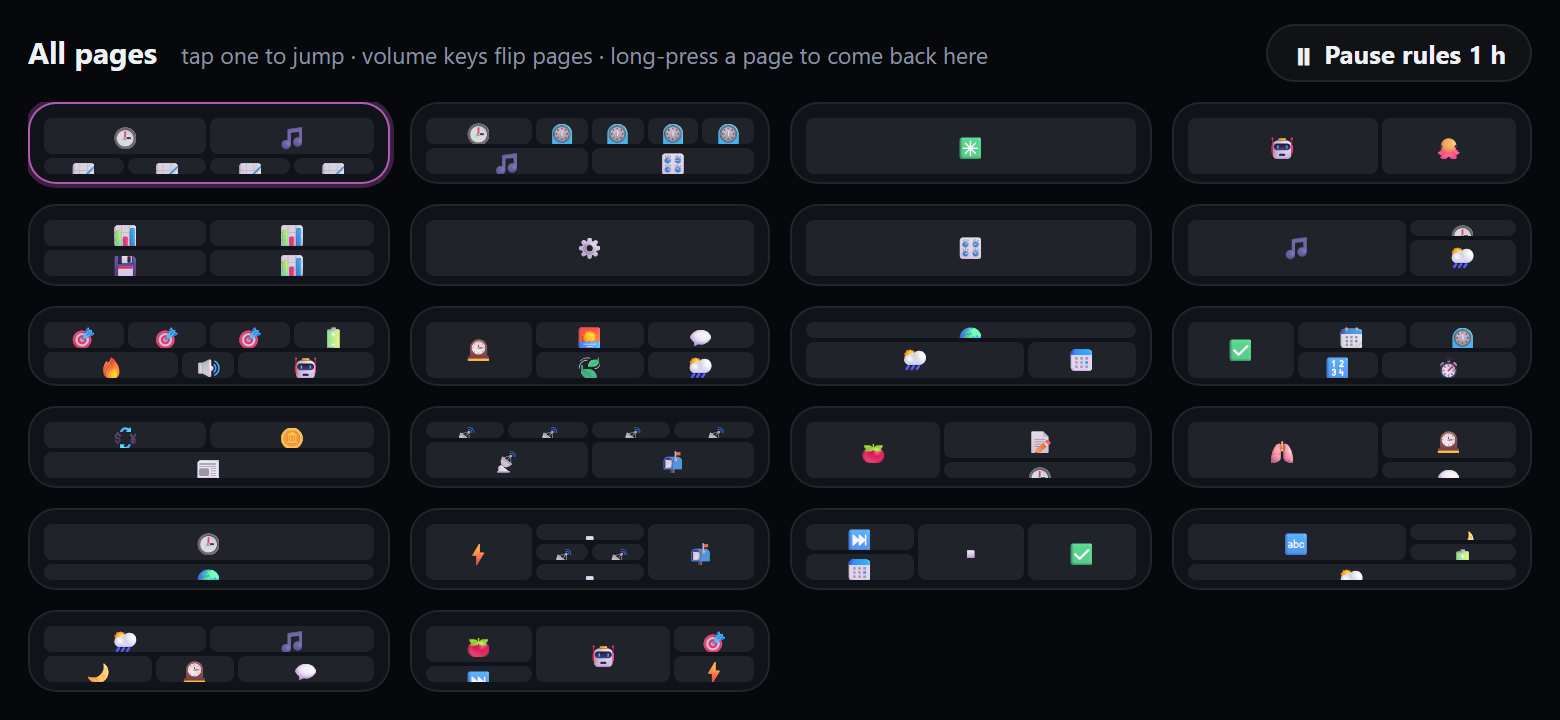
Getting around. Swipe; press the phone's volume keys to flip pages; tap the page dots (or long-press an empty spot) for an overview of all pages and jump straight to one. Webhooks and rules can switch pages too; they count down first ("switching to AI in 3…", with Stay and Go now) and never pull a page away while you are using the panel. The panel returns to the home page when idle (each page can stay longer, or for good), can dim to a clock at night and keeps the screen on.
| Category | Widgets | |---|---| | Time | Clock (with status line and weather) · Analog clock (any time zone) · Word clock · World clocks · Calendar · Next up · Time progress (day / week / month / year) · Countdown · Pomodoro · Quick timer · Stopwatch | | Weather & sky | Weather · Forecast (hourly / 7 days) · Sun & moon (daylight left, UV, moon phase) · Moon · Air quality (European AQI, PM2.5, PM10, O₃, NO₂) | | Computer | Rules (which hold, pause) · Battery care · On air (microphone / camera / OBS) · OBS Studio (live, recording, scenes) · Device batteries (headphones, mice, keyboards) · Docker (containers, start / stop) · Metric tile · Gauge · Chart · Memory & disks · Top processes · Processes · Now playing · Volume · Shortcut grid · Big button · Command (PowerShell / bash / zsh output, refreshed every N seconds) | | AI & code | AI quotas · Quota ring · AI sessions · GitHub | | Personal | Agenda (Google / Outlook / iCloud calendars) · Note · Checklist (resets daily) · Counter · Breathe · Quote · Title · Phone battery | | Web & data | Custom HTML (your own widget, sandboxed) · Home Assistant (entities, tap to switch) · Pushed value · Notifications (both fed by webhooks) · Hacker News · Exchange rates (ECB) · Crypto prices · Image / webcam |
Widgets scale to the size you give them. Weather, air quality, rates, crypto and Hacker News come straight from free public APIs (Open-Meteo, Frankfurter, CoinGecko, HN) on the phone, without API keys, and keep their last data when offline.
Smart Stack combines up to 12 widgets in one slot. Add it from the Layout category, then drag widgets into it or use its picker. Reorder cards, open their settings, or disable individual cards. Tap the dots or swipe vertically to change cards; horizontal swipes still change pages. Focused controls pause rotation. Command widgets belong directly on a page rather than inside a stack.
CodexBar is an optional source: install its codexbar CLI on the computer and the agent reads usage --json.
The CodexBar template and quota widget can show Claude, Codex and Antigravity with configurable provider rotation.
Local Claude, Codex and Antigravity sources keep refreshing when CodexBar is absent, fails, or reports stale data. General settings
provide defaults; a widget's own options override them, including an empty provider selection.
The checked CodexBar 0.84.0 release supplies macOS and Linux
CLI binaries. Windows continues to use native local sources when no compatible CLI is installed.
Native Antigravity quotas use a running app/hub's advertised HTTP port and CSRF token, or a signed-in
agy CLI (1.1.11 or later). The CLI fallback runs agy -p /usage --output-format json, without a model prompt,
and also finds the standard Windows installation in %LOCALAPPDATA%\agy\bin. Run agy in your terminal to sign
in if needed. The agent reads measured session and weekly buckets, plus the plan when the local server provides it;
CLI reports without plan metadata keep the neutral Antigravity title. Older IDE servers can supply model quotas
through GetUserStatus; unavailable measurements are skipped, and weekly limits are never invented. Refresh
failures retain the last measurements with an error. HTTPS-only endpoints without a compatible CLI can use CodexBar.
Tap an AI session to see its model, timing and token details. Token counters describe the local session rather than the account allowance. Prompt/response text and tool arguments are not included in this panel data.
Double-click the tray icon on Windows (or open ):
ctrl+shift+m), types text or runs a macro (keys, text, waits, other shortcuts); on / off keys show
their state on the phone (mute does by itself, others from a pushed value).
%APPDATA%\PhoneBox\config.json (Linux: ~/.config/PhoneBox, macOS: ~/Library/Application Support/PhoneBox);
the phone picks up changes within a few seconds.
Use UTF-8 when editing this file externally. Saved page and shortcut icons use JSON Unicode escapes to survive
ANSI-based editors; the settings editor displays the actual symbols. On startup, known double-encoded forms of
the four affected default icons are repaired, with the original file kept in config.json.bak.
When Claude Code asks for permission (run a command, edit a file, use an MCP tool…), the phone shows the request —
project, tool and the command or file — with Allow and Deny. Turn it on in Settings › General › Claude Code
permission prompts and press Install hook: PhoneBox adds a PermissionRequest hook to ~/.claude/settings.json
(and keeps a backup next to it as settings.json.phonebox.bak). If the phone is not connected or nobody answers in
time, the hook returns no decision and Claude Code asks in the terminal as usual. Optionally only when you have been
away from the keyboard for a minute.
The agent accepts data as well as serving it, so anything that can make an HTTP request can put things on the panel:
curl -X POST http://127.0.0.1:8765/api/push/temperature -d 21.5                     # shown by a "Pushed value" widget with key "temperature"
curl -X POST http://127.0.0.1:8765/api/push/build -H "Content-Type: application/json" \
     -d '{"value":"passed","sub":"main · 3m 12s"}'
curl -X POST "http://127.0.0.1:8765/api/push/door?ttl=600" -d open                    # expires after 10 minutes
curl -X POST http://127.0.0.1:8765/api/notify -H "Content-Type: application/json" \
     -d '{"title":"Deploy","text":"Production is live","level":"ok","page":"feeds"}' # toast + vibration (+ switch page)
curl -X POST http://127.0.0.1:8765/api/goto/music                                     # switch the phone to a page (id or number)
curl -X POST "http://127.0.0.1:8765/api/goto/music?countdown=0"                        # …without the on-screen countdown
curl -X POST http://127.0.0.1:8765/api/refresh                                        # refresh quotas/GitHub and the panel now (?reload=1 reloads it)
| Payload field | Meaning |
|---|---|
| value, title, sub, unit, icon, color | What the widget shows. Plain text or a number works too. |
| level | ok / warn / error colours it; values like passed, failed, running are coloured automatically. |
| progress | 0–1 or 0–100: a bar under the value, or the ring in gauge style. |
| items | A list (strings or {label, value, level}) for the list style. |
| ttl | Seconds until the value disappears (also ?ttl=). |
Notifications take title, text, level, vibrate, seconds, wake (light up the night screen) and page.
GET /api/push lists the values and DELETE /api/push/ removes one; values survive restarts.
From this PC no key is needed. With Wi-Fi on, other machines on the network or Tailscale can use the same endpoints
on https://:8766 with the webhook key from the settings (Authorization: Bearer , or ?token=
for senders that cannot set headers). That key opens only the webhook endpoints, never the phone API.
Settings › Rules lets the panel react to what happens on the computer. Each rule is when → then:
| When | Then |
|---|---|
| an AI session needs you / is working (optionally for some projects) | show a page |
| music or video plays (optionally in some apps: Spotify\|Music) | show a notification ({detail} = what happened) |
| an app is running (zoom\|Teams\|obs64) | push a value (e.g. onair, shown by a Pushed value widget) |
| the microphone / the camera is in use (Windows, Linux) | |
| a calendar event is on (optionally by title) | |
| OBS is recording or streaming | |
| the CPU stays above a percentage for 15 s | |
| you have been away from the keyboard for N minutes | |
| it is between two times (22:00-07:00) | |
| a pushed value is on, or above / below / equal to a value (a webhook from Home Assistant, a doorbell…) | run a shortcut |
| an AI quota is above a percentage | |
| a GitHub review is requested · CI fails on my pull request | |
| a device battery is low · the network is slow or unreachable | |
| always (with the days and hours below, for schedules) | |
Every rule can also be limited to some days and some hours, act only when its condition
→ →
 →
 →
 →
 →
 →
 →