1
 →

Your agent invents things because it has no memory, and can't touch your database because it has no arms.
ericrisco/rsc-harness is an open-source project on GitHub, mainly written in JavaScript. Your agent invents things because it has no memory, and can't touch your database because it has no arms. It currently holds 486 stars and 73 forks with 5 open issues, and was last pushed on 2026-11-04 (repository created 2026-05-31).
AI Homed tracks it on the Today's Trending board.
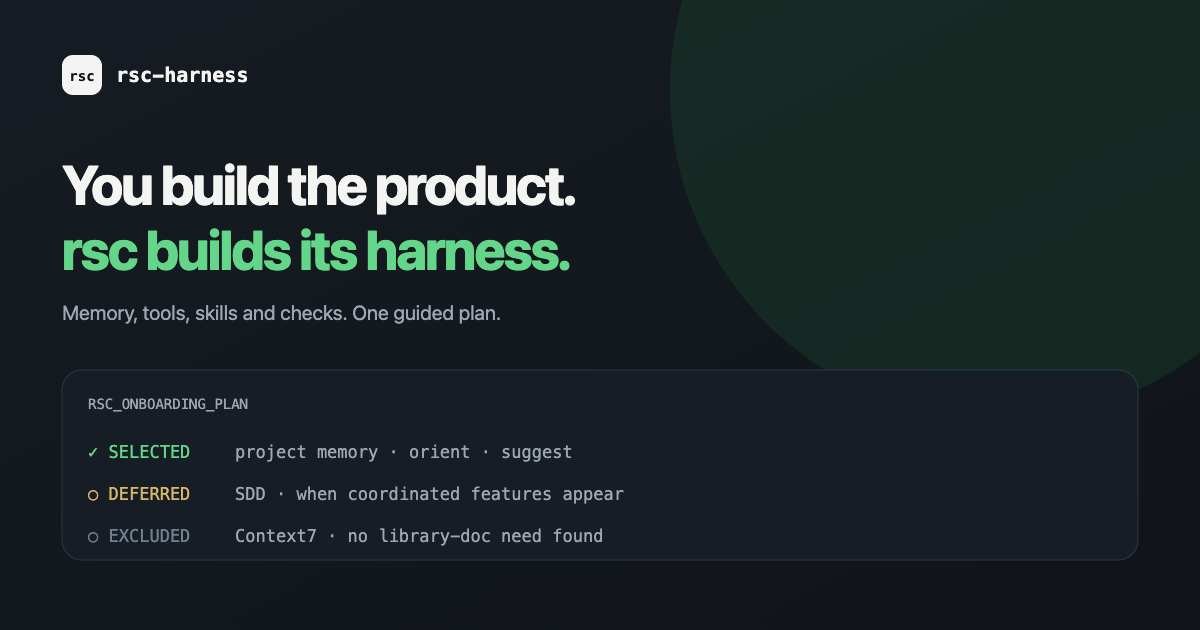
rsc-harnessYou build the product. rsc-harness builds its harness.
Keep your project knowledge, skills and working rules together across the assistants you already use. Start with your goal. Review what rsc proposes to install. Accept the plan before it changes your project.
MIT licensed · project-local setup · 18 assistant targets
Give this URL to your agent and paste the request in the chat:
Read https://ericrisco.github.io/rsc-harness/ and set up rsc for this project.
Ask me the onboarding questions, show me the exact plan, and wait for my acceptance before writing.
Or start from the terminal:
npx @ericrisco/rsc@latest onboard
---
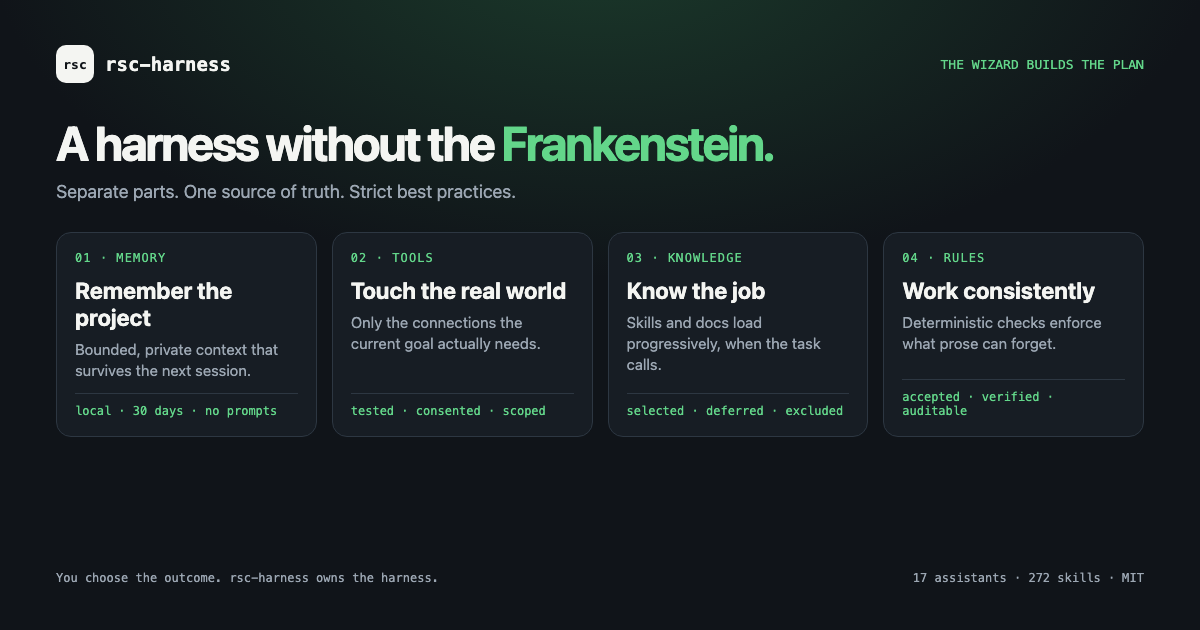
A new chat should not make you reconstruct the stack, explain yesterday's decision and remember which files must stay untouched. Putting every instruction into one giant prompt creates a different problem: the important details compete with rules that have nothing to do with today's task.
Hand-built setups can become a Frankenstein harness: duplicated instructions, unrelated skills, premature hooks and unnecessary MCP connections. Open standards cover individual pieces (Agent Skills, MCP, AGENTS.md). Your project still needs someone to choose and maintain the right pieces.
rsc-harness makes that choice explicit. It reads evidence within your project root, asks about your goal and assistants, and prepares a plan you can inspect before applying it.
Every component has a disposition:
| In your plan | What it means | | --- | --- | | Selected | There is a reason to install it for this project now. | | Deferred | It may become useful; the plan records what evidence would justify adding it. | | Excluded | It does not belong in the proposed setup. |
You accept the exact plan. If project evidence changes before acceptance, rsc asks you to review a
fresh plan. Later, rsc reassess reports new needs without silently installing them.
The decisions your agent needs should have a place to live outside the chat.
| Part of the harness | What you get |
| --- | --- |
| Knowledge | A local 02-DOCS/ wiki for project context, decisions and evidence. |
| Tools | A 01-TOOLS/ convention for documenting real connections and their checks. |
| Skills | A selection from 274 available skills, loaded progressively when relevant. |
| Controls | Working rules and provider-specific hooks, with explicit support limits. |
The mechanism is practical: keep the decision, make it discoverable, and have the next task consult it. That gives the agent a maintained source to work from. It does not make an outdated note correct or remove the need to check the result.
1. Describe the project. Choose the assistants you use and how technical the conversation should be.
2. Review the setup. See each proposed component and its reason, then accept the plan you want applied.
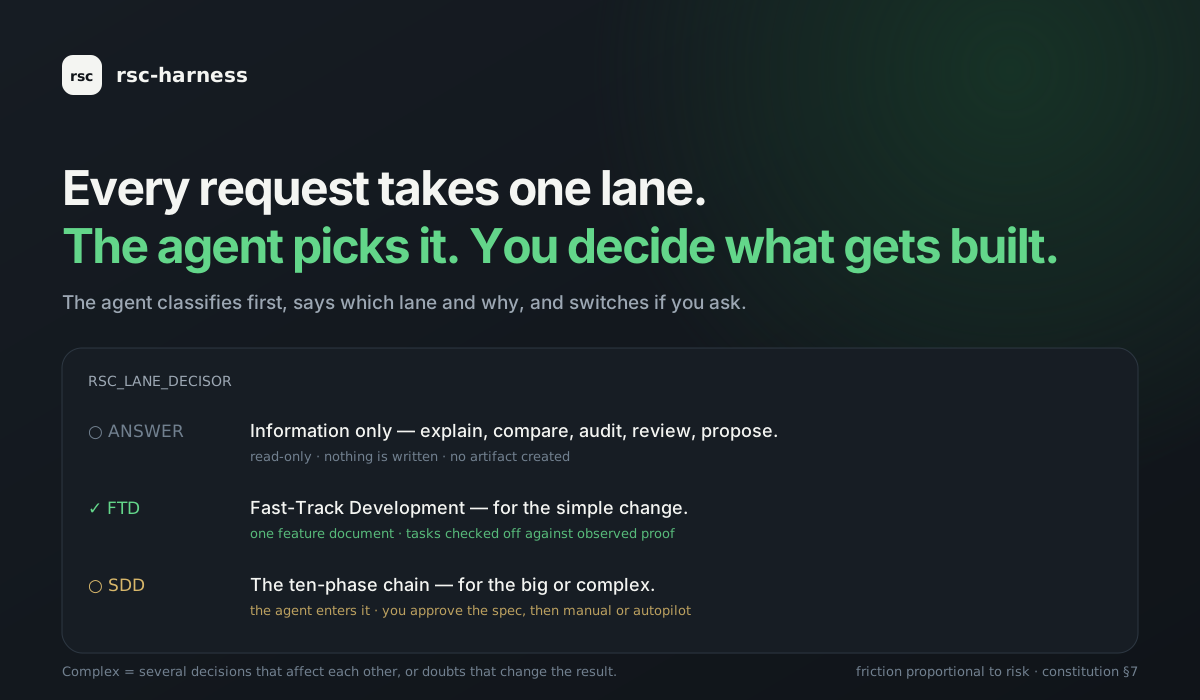
3. Ask for the work. The agent names the appropriate lane: an answer, a focused change (FTD), or the
specification-led chain (ASDD) for decisions that affect each other.
4. Keep the result and its evidence. Project knowledge goes into 02-DOCS/; implementation stays in
your code. Future sessions can consult both.
Use rsc when you already work with an assistant and want a coherent project setup you can inspect, share and maintain. It can equip software projects and business workflows; the catalog includes both.
You keep your editor, model and existing project. rsc supplies the harness around them. Provider features differ: check supported assistants before relying on a particular hook or memory feature. Model and external-service costs remain with their providers.
For a one-off question, a maintained project harness may be unnecessary. You can also install an individual skill into an existing rsc project rather than adopt a whole workflow.
npx @ericrisco/rsc@latest onboard
The first run asks one question about conversation (technical, or with analogies), then what the
project is for, its goal and the assistants to target. Then it presents the complete plan. A small
website can defer ASDD, agents and code guards; an operations harness does not receive them merely
because it lives in a repository. Deferred components record the evidence that would make rsc
recommend them later, and rsc reassess reports it without installing anything.
Everything stays in the project. The real skill files are written once to .rsc/skills//, and
each assistant gets a symlink back to that shared base, so picking several duplicates nothing. Skills
load progressively: only their description is paid for until a task needs them.
Prefer a short rsc command? npm install -g @ericrisco/rsc.
Run it inside the project you are equipping, not inside a clone of this repo. The catalog's own
package.jsonis named@ericrisco/rsc, sonpx @ericrisco/rscfrom within a clone resolves to
the local bin and fails with sh: rsc: command not found. Working on the catalog itself? Use
node scripts/rsc.js …ornpm link.
If you are an AI coding agent and your user asked you to install rsc, this harness or these skills, run this in the root of the project they are equipping:
npx @ericrisco/rsc@latest onboard
It asks the user how technical to talk, the project kind and the goal before it writes anything,
and shows every selected or deferred skill, agent and hook with its reason. Relay those questions;
never invent or default the answers. The first pass writes nothing and prints a SHA-256 plan id. Rerun
with --accept-plan only after the user accepts that exact plan. If the project already has a
skill of its own with a catalog name, the plan lists it under Your own skills this plan replaces:
tell the user before accepting.
Non-interactive, with the answers collected first:
npx @ericrisco/rsc@latest onboard --technical-level technical \
  --project-kind software --goal "small compound-interest website" \
  --software-scope small --target codex
After the user accepts the printed plan:
npx @ericrisco/rsc@latest onboard --technical-level technical \
  --project-kind software --goal "small compound-interest website" \
  --software-scope small --target codex --accept-plan PRINTED_SHA256_ID
If project evidence changes between preview and acceptance, rsc returns RSC_PLAN_CHANGED and writes
nothing. After applying, it verifies the result and prints RSC_ONBOARDING_READY, or
RSC_ONBOARDING_INCOMPLETE with each missing path and the action that creates it.
---
02-DOCS/ and 01-TOOLS/
Anything you drop into 02-DOCS/inbox/ is ingested. The wiki consolidates it as plain markdown that
every skill reads before acting, so the next session starts where the last one stopped. Raw sources
and the agent's worklog stay underneath, never deleted. You can open 02-DOCS/ as an Obsidian vault,
and every 02-DOCS/wiki/ is a valid Open Knowledge Format
bundle: markdown with YAML frontmatter, standard links, and the reserved index.md and log.md.
01-TOOLS/ holds one folder per tool: .env.example, CREDENTIALS.md, a README and a
test_connection that proves it works. When you name a tool ("connect my Holded", "can the agent
read our Sage?"), the connect-tool skill researches the vendor's current docs, picks the least
dangerous route (official MCP, API, export, a read-only copy of the database), and builds the folder.
For a read-only connection, the test also proves that writing fails.
Every turn takes exactly one lane, and the agent names it in one line, in your language.
1. Answer. The request asks for information: explain, compare, investigate, audit, review,
propose. It is read-only: nothing is written and no artifact is created. When intent is
unclear it asks one question and stays here.
2. FTD, Fast-Track Development. The request authorises a change. This is the default for ordinary
work. One feature document holds intent, scope, a checklist, the evidence and the next step. Tasks
are checked off against observed proof, never against intention.
3. ASDD, Agent Spec-Driven Development. For the big or complex: several decisions that affect
each other, and work an agent may run for hours. The agent enters it on its own, and you still
decide what gets built: the spec answers four questions (what the user can do, what result they
get, what it must respect, how it proves it) and you approve the spec. Then every task is reviewed inside
the build, scaled by rsc risk; what the agent must not decide alone waits in a decision queue
while independent work continues. Low-risk work lands on green CI; auth, billing, CI and migrations
wait for you.
Ask for the other lane and it switches.
The unit of installation is one skill: install fastapi without ever pulling go. Two faces
share one catalog (manifest.json):
rsc consult ranks the catalog against your words and what it detects in thepackage.json + next → nextjs, go.mod → go, Dockerfile → docker).
suggest notices when a task needs a skill you do not have, namesSkill authoring follows a research → spec → implement → review process. The public rubric separates document quality from behavioral evaluation. Structural checks validate the catalog; behavioral comparisons ask whether loading a skill improves the result. Neither establishes a guaranteed business outcome.
In Claude Code, hooks enforce what instructions only ask for: the lane decisor on every turn, a
refusal before a commit on a closed main, a confirmation before destructive commands, and a nudge
to write the feature document before the first code edit. Every refusal says how to carry on. The
rules only see what the agent runs; a person committing in their own terminal is never touched.
Limit, stated plainly. Those guards run in Claude Code. In Codex, Gemini, Cursor and
OpenCode the same rules travel in the skills and the session memory. They are followed, but no hook
enforces them.
Day ninety is where harnesses break, especially with several people, assistants and sessions on one project. rsc handles four things by default:
| | What happens | Turn it off |
| --- | --- | --- |
| You choose how the project works | The install asks once: straight on main, or branches and pull requests? With branches, a commit on main is refused and the agent asks before each change: this branch, a new one, or unlock main? It never opens a branch on its own. | «unlock main», or rsc main unlock |
| One workspace per agent | If another session works in the same folder, new work goes to .worktrees// at the root you work in (never inside a project folder) and is never committed. A post-merge hook retires it once the branch lands. | rsc isolation off |
| The agent picks the method | FTD for simple changes, ASDD for complex ones. The agent decides and says why. | Ask for the other lane |
| Knowledge reaches everyone | 01-TOOLS/, 02-DOCS/wiki/ and 02-DOCS/attachments/ travel through one exchange branch, rsc/knowledge, and reach main inside your normal pull requests. | rsc knowledge-sync off |
How it knows a project is complex. A hook counts what anyone can check: a CI setup, a deployment
file (Dockerfile, vercel.json, fly.toml…) or at least two people in the last 50 commits. The
answer you gave at install always wins over this detection.
ana    · feat/login     edits 02-DOCS/wiki/api.md ──► rsc/knowledge      (when her turn ends)
eric   · feat/payments  📥 1 change from Ana        ◄── rsc/knowledge      (before his next message)
main   · protected      untouched, gets it inside the next merged pull request
new    · clones main    has it all after the first message
📝 docs(auto): … and sent to rsc/knowledge. Only the copy on rsc/knowledge carries
[skip ci], so your own pushes still run CI. On a closed main, or with code of yours still
uncommitted, nothing is committed on your branch: the snapshot only goes to rsc/knowledge.
📥 docs(auto): sync commit, and you are told in one line. Only knowledge folders are touched.
main, pushes your code, brings in anybody else's code, syncs your personaluser-profile.md, or overwrites a file you are editing.
It runs in the turn hooks of Claude Code, Codex, Gemini, Cursor, OpenCode and DeepSeek Harness. It is a project switch: if one person stopped sending, the rest would stop seeing their work.
Commit these: .rsc.json (which assistants, which skills, which catalog version), 01-TOOLS/,
02-DOCS/, and skills or agents you wrote by hand. rsc ignores the rest for you: .rsc/ (machine
state) and the skill entries it manages (symlinks here, copies on Windows).
Three files carry the harness through git: .rsc.json, .claude/settings.json and
.claude/rsc-bootstrap.mjs, the small file that notices in a clone that the rest is not built yet.
Commit all three. Because rsc-bootstrap.mjs runs on every session, review changes to it the way you
would review a CI workflow.
Whoever clones runs one command and gets the same harness, at the version the project pinned in
its .rsc.json as catalogVersion:
npx @ericrisco/rsc@ sync
You do not have to know that. Open the project and the assistant tells you, in the first message,
what is missing and the exact command, naming the pinned version. It asks; it never installs on its
own. A teammate who clones in three months gets what you had, not what shipped since. After a
git pull, rsc doctor tells you what no longer matches; nothing is written by a pull.
Own skills. A skill your team wrote lives in the repo and works for whoever clones. rsc never installs, updates or overwrites
it: its version is the commit. Installing a catalog skill with the
same name is refused, and doctor lists what is yours by reading the files. Declaring a skill under
ownSkills still works.
A harness installed from scratch lets the agent run git commit, git push and gh pr create
without asking, because those steps close every lane. A force-push still asks, and in Claude Code a
commit on a closed main is still refused. It is saved as gitPermissions in .rsc.json.
| Assistant | Where it goes |
| --- | --- |
| Claude Code | .claude/settings.json → permissions.allow (force-push under ask) |
| Codex | .codex/rules/rsc-git.rules (force-push → prompt) |
| Gemini | .gemini/settings.json → tools.allowed |
| OpenCode | opencode.json: the permissions list on OpenCode 2, permission.bash on 1.x. An opencode.jsonc is never rewritten; rsc prints the rules to paste. |
| Cursor, DeepSeek Harness | Not covered: neither has a safe per-command allow list. |
rsc git-permissions status | on | off explains, per assistant, what rsc controls and what is left
to the assistant.
On supported local targets, rsc checkpoints observable repository state (branch, worktree, HEAD, changed paths, commits, SDD status) and injects it before the first action of a new session in the same checkout.
/hooks.
rsc memory off disables it.
In ASDD, review runs inside every task, as deep as rsc risk says: none for docs, one fresh-context
reviewer for ordinary code, three adversarial reviewers (correctness, security, tests) for auth,
billing, CI or migrations. rsc review ledger caps the fix loop at three rounds and never lets a
finding be raised twice, and rsc review escapes turns every revert into a case for the reviewer. The
three reviewers
often report the same defect in different words, and a reviewer hunting for problems can overstate
one. So rsc review consolidate merges the duplicates, and every serious finding left goes to a
fresh finding-verifier agent whose starting position is that the finding is false. It blocks the
merge only if the verifier reproduces or traces it. You get "11 reported → 4 unique → 2 confirmed",
with the refuted ones listed and their reason.
Every turn closes with a short compass: where you are, and the next step as a question. Text you send
to other people (emails, posts, READMEs) goes through unslop, so it sounds like a person.
---
The real files land once in .rsc/skills//; each assistant gets a symlink or a converted file.
The wizard asks which ones; --target a,b does it non-interactively.
| Target | Skill destination (→ .rsc/skills//) | Always-on detector |
| --- | --- | --- |
| claude | .claude/skills// → symlink (copy on Windows) | SessionStart hook in .claude/settings.json |
| codex | .codex/rsc// → symlink | block in AGENTS.md |
| copilot | .github/rsc// → symlink | block in .github/copilot-instructions.md |
| cursor | .cursor/rules/.mdc (converted) | always-apply rule |
| gemini | .gemini/rsc// → symlink | block in GEMINI.md |
| windsurf | .windsurf/rsc// → symlink | rule in .windsurf/rules/rsc-suggest.md |
| cline | .clinerules/rsc// → symlink | rule in .clinerules/rsc-suggest.md |
| antigravity | .antigravity/rsc// → symlink | block in .antigravity/AGENTS.md |
| zed | .zed/rsc// → symlink | block in AGENTS.md |
| continue | .continue/rsc// → symlink | rule in .continue/rules/rsc-suggest.md |
| roo | .roo/rsc// → symlink | rule in .roo/rules/rsc-suggest.md |
| amp | .amp/rsc// → symlink | block in AGENTS.md |
| opencode | .opencode/rsc// → symlink | block in AGENTS.md |
| deepseek | .dsh/skills// → symlink (discovered natively) | block in AGENTS.md |
| jules | .jules/rsc// → symlink | block in AGENTS.md |
| junie | .junie/rsc// → symlink | block in .junie/guidelines.md |
| kiro | .kiro/rsc// → symlink | doc in .kiro/steering/rsc-suggest.md |
| aider | .aider/rsc// → symlink | block in CONVENTIONS.md |
codex,zed,amp,opencode,deepseekandjulesshare one rootAGENTS.md; the block is
written once.
DeepSeek Harness (dsh) has no project-level hooks, so once per machine rsc adds one marked
block to ~/.dsh/cordis.patch.yml that runs the hooks of whichever project the session is in.
Restart dsh once after the first install; delete the block to turn it off.
| Targets | Stack agents | Native commands | Session memory |
| --- | --- | --- | --- |
| Claude Code | yes | agent + memory entries | full |
| Codex | yes | no separate surface | full after /hooks trust |
| Cursor desktop | yes | yes | assisted |
| Gemini CLI, OpenCode | yes | yes | full |
| DeepSeek Harness | unsupported | unsupported | full (machine bridge) |
| GitHub Copilot | yes | yes | unsupported |
| Junie, Kiro | yes | unsupported | unsupported |
| Windsurf, Cline, Roo | unsupported | yes | unsupported |
| Antigravity, Zed, Continue, Amp, Jules, Aider | unsupported | unsupported | unsupported |
manifest.json is the generated public inventory: 34 agents (5 base + 29 selective specialists) and
53 command entries (20 fixed + 33 stack aliases). Unsupported means rsc writes nothing for that
surface. Generated agents carry no model: on OpenCode, so they use the session's model; pin one for
the team with rsc agent-model . If you edit a generated agent, rsc sync keeps your
file, and rsc agents reset takes rsc's version back after a backup.
---
rsc below is short for npx @ericrisco/rsc. Without a global install (npm i -g @ericrisco/rsc),
the bare rsc answers command not found: type the npx form.
```bash
→ →
 →
 →
 →
 →
 →
 →