1
 →
→
Show it a video you love. Get a new video in the same style. An AI crew (Claude Code or Codex) plans, builds and reviews it with you.
edenfunf/reelmimic is an open-source project on GitHub, mainly written in JavaScript. Show it a video you love. Get a new video in the same style. An AI crew (Claude Code or Codex) plans, builds and reviews it with you. It currently holds 3,663 stars and 373 forks with 45 open issues, and was last pushed on 2026-10-19 (repository created 2026-09-28).
AI Homed tracks it on the AI Video Projects board and on the AI AI Video Projects list.

Show it a video you love. Get a new video in the same style.
 |
 |
 |
| Sugar Rush music video · hand-painted · 58 s |
Sunshine Boy music video · hand-painted · 63 s |
Bath Time narrated comic · 30 s |
Each one made with ReelMimic from a reference video and a one-line brief. Previews are silent, with the lyrics cropped out.
Ever watched a video and thought "I want one in that style, but completely my own"?
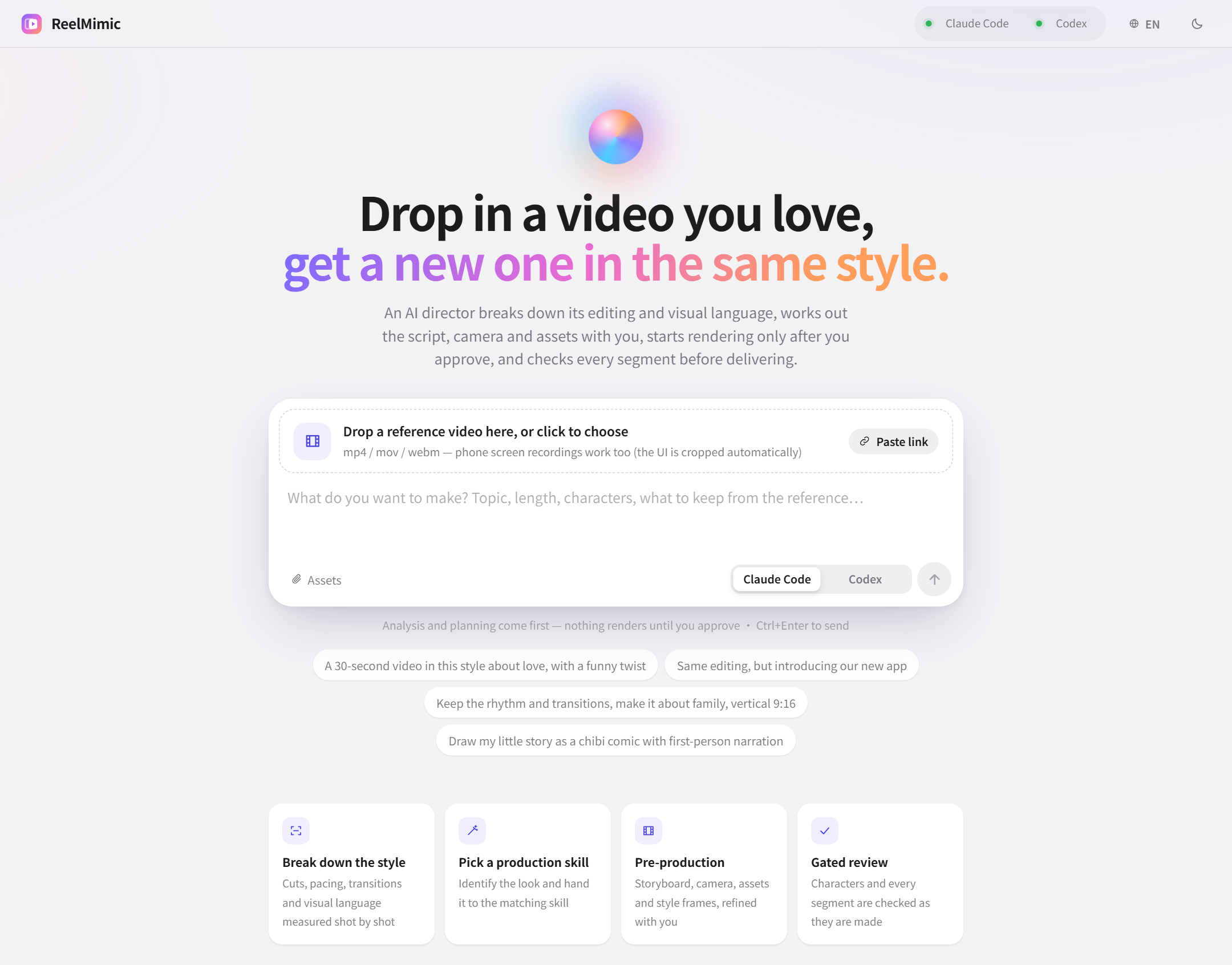
Just drop it into ReelMimic. A file, a phone recording or a YouTube link all work. Then tell it what you want to make.
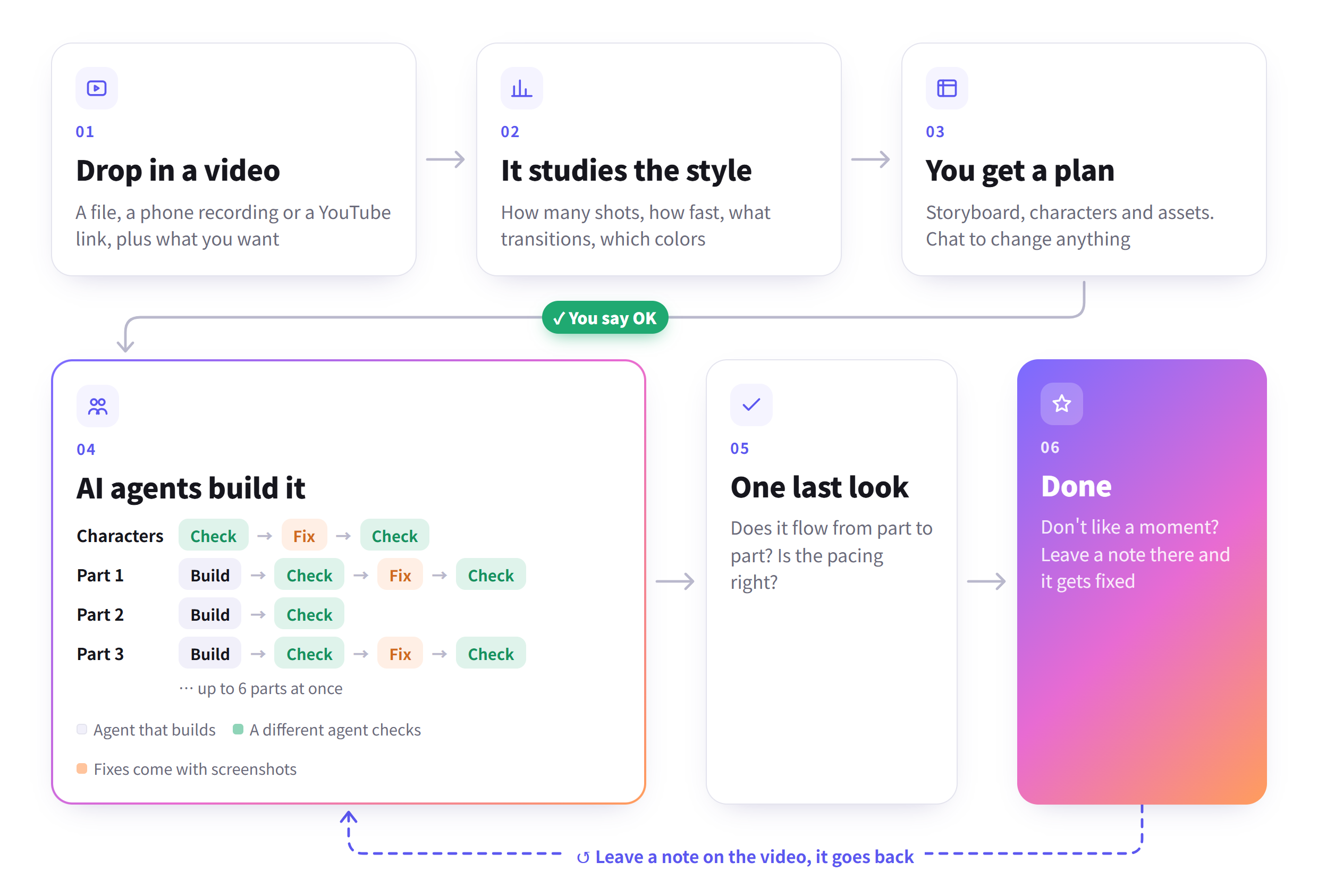
First it takes the reference apart: editing rhythm, shot lengths, transitions, framing, colors and camera moves. Then it puts together a plan for you to check. You can chat right next to it, change settings or add assets, and start when you're happy.
Once production starts, the work is split across several AI agents. Different parts of the video are made at the same time, and every shot is handed to a different agent to check. If something's wrong it goes back to be fixed, so it's not a one-shot generate-and-done.
ReelMimic learns how the reference was made. It doesn't carry over the original footage, characters or assets.
The whole thing runs on your own computer, with your own Claude Code or Codex.
You'll need Node.js 22.18+, Python 3.10+, FFmpeg, Chrome, and either Claude Code or Codex CLI (logged in).
git clone https://github.com/edenfunf/reelmimic.git && cd reelmimic
./install.sh      # on Windows, double-click install.bat
./start.sh        # on Windows, double-click start.bat
Then open . The install script checks your setup and tells you if anything's missing. You can run
the check again any time with cd app && npm run doctor. Claude Code picks up the skills in this repo on its own, and
Codex reads AGENTS.md, so there's nothing else to set up.
1. On the home page, drop in a reference video or paste a link, say what you want, and pick Claude Code or Codex. 2. Wait for the breakdown and the plan. If you want changes, say so in the chat on the right. Screenshots work too. 3. If the plan asks you for something (lyrics, say), add it or skip it, then hit Approve and start. 4. The Production line tab shows where each character and each part of the video is, with the review screenshots. 5. When it's done, leave a note at whatever second looks off.
API keys and a few paths go in ~/.reelmimic/secrets.json. That file lives outside the repo, so it never gets
committed. See secrets.example.json for the format.
| Key | What it's for |
|---|---|
| YATING_KEY | Yating's Taiwanese Mandarin voices, for narration |
| ELEVENLABS_API_KEY | Optional ElevenLabs TTS for workflows using the shared audio engine; also install elevenlabs in ReelMimic's configured Python environment |
| PIXABAY_KEY, FREESOUND_KEY | More images, music and sound effects you're allowed to use (optional, Openverse works without a key) |
| FFMPEG_DIR, CHROME_PATH, CODEX_BIN, PYTHON | Where to find these tools if they're not on your PATH |
| CODEX_SANDBOX | Codex sandbox mode (default danger-full-access, like Claude Code with Bash allowed; workspace-write blocks the Chrome renderer) |
| BUILDERS, MAX_AGENTS | How many agents work on one video at once (default 6), and the limit across all projects (default 12) |
| PORT | Web port (default 4318) |
| AGENTS_TTL_MS | How long the detected Claude Code / Codex list is reused (default 300000 = 5 min; a missing agent is re-checked every 30 s; 0 re-checks on every request). Click the agent pill in the header to re-check now. A CLI installed into a new PATH folder still needs a server restart |
| REELMIMIC_SECRETS | Path to a different secrets file (legacy: CLONE_STUDIO_SECRETS) |
| UPLOAD_POST_KEY, UPLOAD_POST_USER | Optional. Post a finished video to TikTok, Instagram, YouTube and others with npm run post-video (see below); UPLOAD_POST_API overrides the API address |
ReelMimic never posts anything by itself. Once a project's final review is done and you're happy with the video, you can
send it to your social accounts through Upload-Post from the app/ folder:
npm run post-video --  --platforms tiktok,instagram,youtube              # dry run: shows what it would post
npm run post-video --  --platforms tiktok --at 2026-10-05T18:00 --tz Europe/Madrid --send
Without --send nothing leaves your computer. It only takes projects whose final review passed (--force to post one
that stopped with must-fix items left), uses the plan's title
unless you pass --title, and a rerun of the same video won't post it twice.
The code is MIT. Third-party skills and assets bundled here keep their own licenses, listed in THIRD_PARTY_NOTICES.md.
→ →
→ →
→ →
→ →
→ →
→ →
→ →
→