1
 →
→
Editorial diagram design for Claude Code, Codex, GitHub Copilot, Cursor, Factory Droid, and Pi. 44 diagram types. Self-contained HTML + SVG. No shadows. No Mermaid slop.
cathrynlavery/diagram-design is an open-source project on GitHub, mainly written in HTML. Editorial diagram design for Claude Code, Codex, GitHub Copilot, Cursor, Factory Droid, and Pi. 44 diagram types. Self-contained HTML + SVG. No shadows. It currently holds 50,782 stars and 3,222 forks with 87 open issues, and was last pushed on 2026-10-10 (repository created 2026-04-16).
AI Homed tracks it on the AI Agent Skills board and on the AI AI Agent Skills list, currently at rank #86 with 0 new stars today.
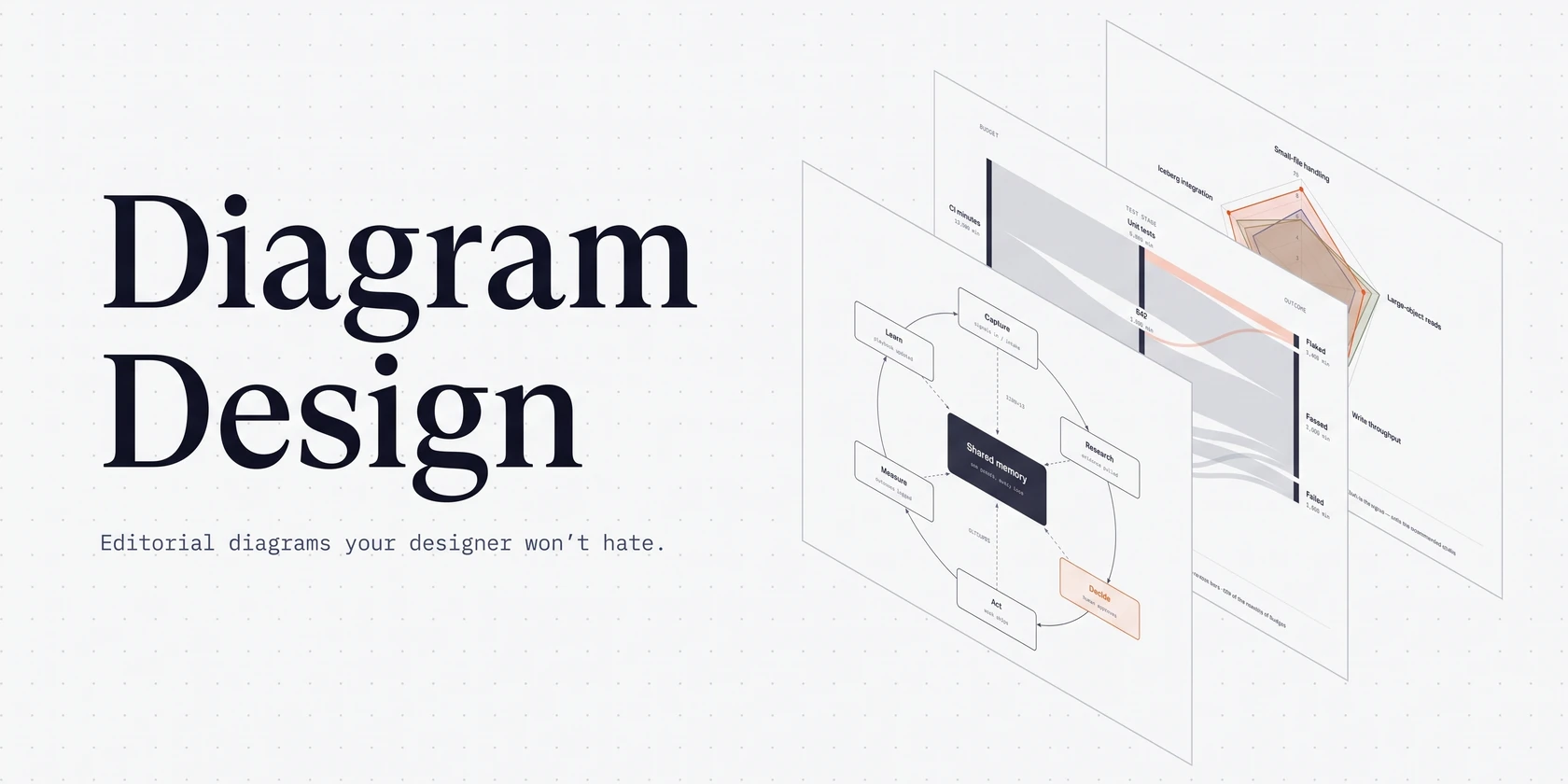
An agent skill that draws diagrams as one self-contained HTML + SVG file, in your brand.
44 diagram types. No shadows. No Mermaid slop.
Install · What it makes · Quickstart · Match your brand · Import · Export · Contributing
npx skills add cathrynlavery/diagram-design
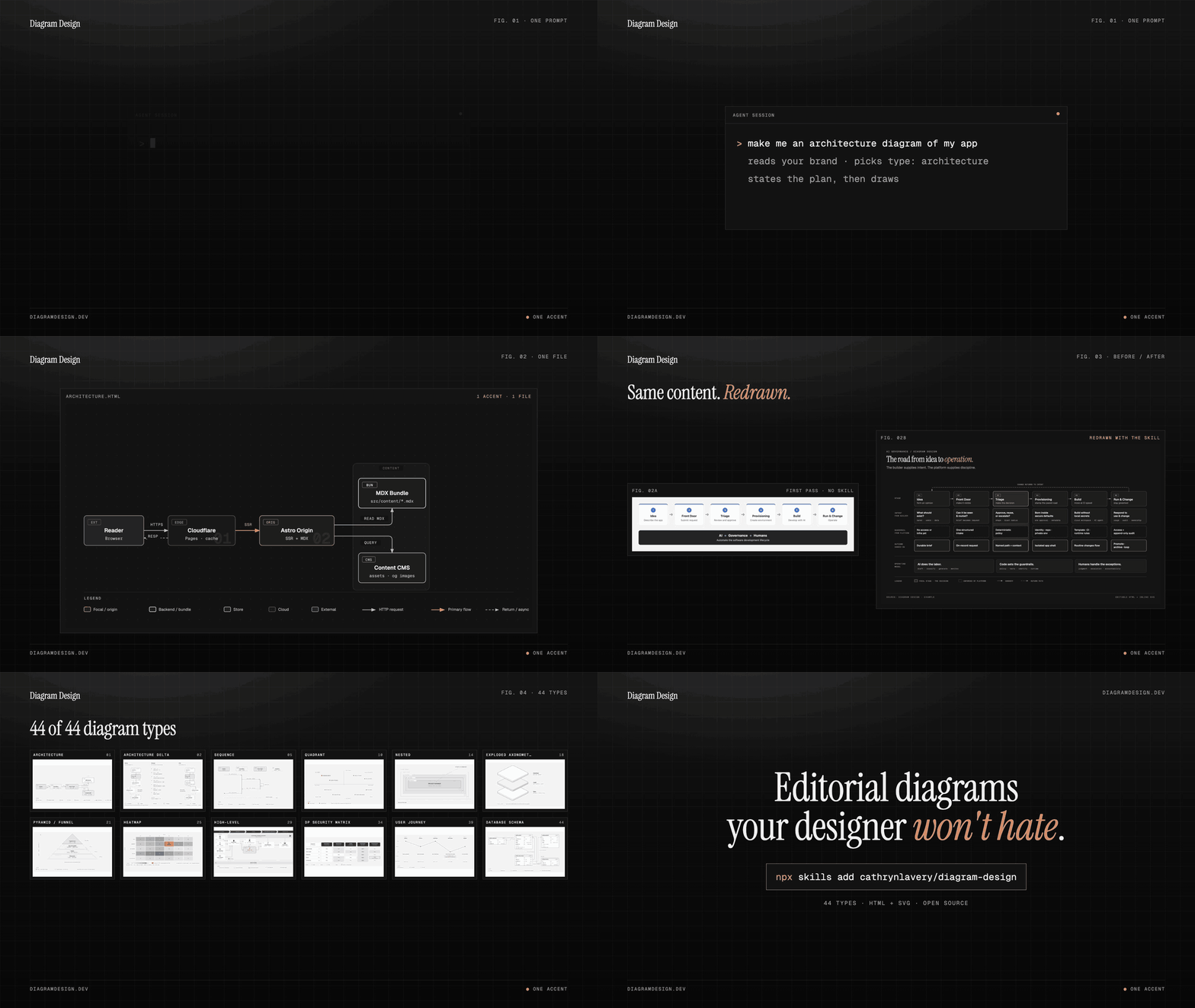
Ask your agent in plain words:
.html file you can open by double-clicking.
---
Works with any host that reads Agent Skills, including Cursor, Claude Code, Codex, GitHub Copilot, Gemini CLI, Cline, Windsurf and Amp:
npx skills add cathrynlavery/diagram-design
In Claude Code, the plugin marketplace gets you updates and the slash commands:
/plugin marketplace add cathrynlavery/diagram-design
/plugin install diagram-design@diagram-design
Official builds come only from this repository. LittleMight, Cathryn Lavery's company, publishes the plugin directory listings; a listing under any other name is an unofficial copy. PRIVACY.md lists what the skill sends over the network.
After installing, run /plugin, open Marketplaces, select diagram-design, and choose Enable auto-update. Claude Code disables auto-update by default for third-party marketplaces; after this toggle, it refreshes the marketplace and installed plugin in the background after startup. Run /reload-plugins when prompted, or let the next session load the update.
The cross-agent skills CLI resolves this repository, detects skills/diagram-design/SKILL.md, and installs the whole skill (references/, assets/, scripts/) into every host root you select, including Cursor's:
npx skills add cathrynlavery/diagram-design
When the selected roots resolve to more than one skills directory, the CLI asks for an installation method and recommends Symlink: one canonical copy, linked into each root, so a later update reaches all of them at once. Pass --copy for independent copies per host instead. A selection that resolves to a single directory is copied, because the distinction is immaterial there. Where symlinks are unavailable (Windows without Developer Mode) the CLI falls back to copies and reports which roots it copied.
This is a standalone install, separate from the marketplaces below: it does not follow marketplace updates automatically. Pull merged updates with npx skills update diagram-design. It also installs the Agent Skill only, so the /export-diagram, /import-mermaid, /profile, and /doctor command surfaces stay with the native packages. On a host that has one of the marketplaces below, prefer the marketplace.
One-time migration: an existing standalone npx skills add copy will not start following the Codex marketplace automatically. Remove that standalone copy, then use the Codex marketplace commands. Likewise, uninstall a personal Cowork copy and reinstall Diagram Design from your organization's marketplace. Future marketplace version bumps then flow through each client's native update path.
codex plugin marketplace add cathrynlavery/diagram-design
codex plugin add diagram-design@diagram-design
Codex refreshes configured Git marketplaces at startup. To fetch immediately, run codex plugin marketplace upgrade diagram-design and start a new session.
copilot plugin marketplace add cathrynlavery/diagram-design
copilot plugin install diagram-design@diagram-design
Copilot installs the shared Diagram Design skill plus its doctor, export, import, and profile capabilities from the existing repository marketplace. Confirm discovery with copilot skill list (or /skills in an interactive session), then ask for a diagram in natural language. To fetch a merged update, run copilot plugin marketplace update diagram-design, then copilot plugin update diagram-design@diagram-design.
droid plugin marketplace add https://github.com/cathrynlavery/diagram-design
droid plugin install diagram-design@diagram-design --scope user
Droid tracks Git plugins by commit rather than the manifest's display version. To fetch a merged update, run droid plugin marketplace update diagram-design, then droid plugin update diagram-design@diagram-design --scope user, and start a new session.
Organization GitHub marketplaces currently require a private or internal repository, so first mirror this public repository into one owned by your organization. In Organization settings → Plugins, choose Add plugin → GitHub, connect that mirror, and enable Sync automatically from the marketplace menu. Automatic sync runs when a pull request containing a plugin version bump is merged to the mirror's default branch; direct pushes do not trigger the webhook. Install Diagram Design from the resulting organization marketplace.
pi install https://github.com/cathrynlavery/diagram-design
Run /reload in an open Pi session. Pi makes the skill available for matching diagram requests; use /skill:diagram-design to invoke it explicitly. Pi also loads the /export-diagram, /import-mermaid, /import-excalidraw, /profile, and /doctor prompt templates. The unpinned Git install is intentional: Pi has no automatic package refresh, so run pi update --extensions to pull merged updates.
Import the Agent Skill from the repository subdirectory URL:
https://github.com/cathrynlavery/diagram-design/tree/main/skills/diagram-design
Kiro copies imported skills into .kiro/skills/ for a workspace or ~/.kiro/skills/ globally, so re-import the URL to pick up updates. Custom agents that declare resources should include skill://diagram-design/**/SKILL.md.
Copy or symlink skills/diagram-design/ to .opencode/skills/diagram-design in a project or ~/.config/opencode/skills/diagram-design globally. OpenCode has no Diagram Design marketplace package; copied installs update only when you replace the directory from a newer checkout.
Managed installs are convenient, but changes to references/style-guide.md may be replaced by package updates. Saved profiles in ~/.diagram-design/profiles/ survive updates, and projects with a .diagram-design marker are unaffected. Clone the repo and install the local path if you plan to customize the working style guide directly:
git clone git@github.com:cathrynlavery/diagram-design.git ~/code/diagram-design
Pi: register the checkout as a local package
pi install ~/code/diagram-design
Claude Code: symlink the inner skill
ln -s ~/code/diagram-design/skills/diagram-design ~/.claude/skills/diagram-design
Other Agent Skills hosts: create only the roots you use
mkdir -p ~/.agents/skills ~/.cursor/skills ~/.cline/skills ~/.kiro/skills ~/.config/opencode/skills ~/.copilot/skills
ln -s ~/code/diagram-design/skills/diagram-design ~/.agents/skills/diagram-design
ln -s ~/code/diagram-design/skills/diagram-design ~/.cursor/skills/diagram-design
ln -s ~/code/diagram-design/skills/diagram-design ~/.cline/skills/diagram-design
ln -s ~/code/diagram-design/skills/diagram-design ~/.kiro/skills/diagram-design
ln -s ~/code/diagram-design/skills/diagram-design ~/.config/opencode/skills/diagram-design
ln -s ~/code/diagram-design/skills/diagram-design ~/.copilot/skills/diagram-design
The shared skill lives at skills/diagram-design/. Pi discovers it through the repo's standard skills/ package directory; Claude Code, GitHub Copilot, Codex, Factory Droid, Cursor, and other Agent Skills-compatible tools use the same files.
---
| | Mermaid / PlantUML | draw.io / Excalidraw | Diagram Design |
|---|---|---|---|
| You make it by | Writing text | Dragging shapes by hand | Describing it to your agent |
| Layout | Automatic | Manual | Placed by the agent on a 4px grid, with CI checks for overlaps and clipping |
| Look | The renderer's theme | Whatever you draw | One opinionated editorial style, matched to your brand |
| Output | Text that renders on GitHub | An editable .drawio or .excalidraw file | One HTML file with inline SVG, exportable to SVG or PNG |
| Change it later | Edit the text | Edit the canvas | Ask the agent again, or edit the SVG |
| Existing diagrams | | | Redraws Mermaid, draw.io and Excalidraw files |
The downsides are real. Output quality depends on the model you run it with, and the same prompt can lay out differently twice. The result is not an editable source format: there is no text to diff in a pull request and no canvas to drag a box on. For docs that live in Git and change every sprint, Mermaid is still the better fit. Diagram Design is for the diagram you are going to publish.
---
I wanted diagrams I actually liked for my blog posts on littlemight.com. Every time I needed one, whether an architecture sketch, a flowchart, or a pyramid of what matters most, I'd ask Claude and get back a generic rounded-box thing that looked nothing like the rest of the site. I'd either fight with Figma for 30 minutes or skip the diagram.
The model already understood the content. What it was missing was taste, so I wrote the taste down: one accent color for the one or two things that matter, 1px hairlines, no shadows, every coordinate on a 4px grid.
The highest-quality move is usually deletion. Every node earns its place. The accent color is reserved for the 1 or 2 things the reader should look at first. Target density: 4/10.
---
44 diagram types, each in three static variants: minimal light, minimal dark, and full-editorial. Open any of them directly in a browser. There is no build step, JavaScript, or external image dependency.
 Architecture Components + connections |
 IT current-state Legacy landscape + modernization |
 Flowchart Decision logic |
 Sequence Messages over time |
 State machine States + transitions |
 ER / data model Entities + fields |
 Timeline Events on an axis |
 Swimlane Cross-functional flow |
 Quadrant Two-axis positioning |
 Radar / spider Multi-axis comparison |
 Loop / flywheel Reinforcing cycle + shared hub |
 Nested Hierarchy by containment |
 Tree Parent → children |
 Org chart Ownership + routing |
 Layer stack Stacked abstractions |
 Venn Set overlap |
 Pyramid / funnel Ranked hierarchy or drop-off |
 Bar chart Categorical comparison |
 Treemap Part-of-whole by area |
 Line chart Trends over time |
 Gantt Tasks + phases on a timeline |
 Scatter plot Distribution + correlation |
 High-Level End-to-end stack on a cluster |
 Process Multi-actor sequential workflow |
 Medallion Multi-tier data storage |
 Data flow Role-scoped pipeline steps |
 DP integration Sources → core → consumers |
 DP security matrix Per-role access permissions |
 Sankey Quantities that split + merge |
 Fishbone Grouped causes → one effect |
 Wardley map Value chain × evolution |
 Kanban Work in progress by state |
 User journey Stages, actions + sentiment |
 Deployment Zones, hosts + artifacts |
 Dependency graph Fan-in, ranks + cycles |
 UML class Classes, operations + typed relations |
 Story map Backbone × release slices |
 Database schema Physical tables + column FKs |
 Polar chart Cyclic magnitude · linear radius |
 Waterfall Running total + signed bridges |
 Architecture delta Before · Changes · After topology |
 Exploded axonometric Parts pulled apart on one axis |
 Axonometric plan Rooms and buildings on one plate |
 Heatmap Value per row × column cell |
Several types have named variants that share their reference: Line covers slopegraph, ridgeline, streamgraph and bump; Scatter covers bubble and beeswarm; Treemap covers marimekko.
Architecture delta compares synchronized topologies through a Before · Changes · After ledger of added, removed, changed, moved, and rewired objects. See its reference and order-fulfilment example. Attribute-only comparisons remain tables; a single snapshot uses Architecture.
Exploded axonometric draws one object in 2:1 dimetric projection with its parts lifted apart at equal gaps: a phone teardown, an unboxing, an app stack, an AI agent stack, or a mechanical keyboard. Every coordinate comes from one projection function, and the animated phone opens assembled and explodes once. See its reference.
Axonometric plan uses the same projection for one floor or one site: walls cut at desk height so every room reads from a single view, or buildings on a campus tagged by build phase. See the office floor, the campus, the coffee shop, the fulfillment floor, the phased campus animation, and the [reference](skills/diagram-design/referen
→ →
→ →
→ →
→ →
→ →
→ →
→ →
→