1
 →
→
PokeClaw (PocketClaw) — first on-device AI that controls your Android phone. Gemma 4, no cloud, no API key. Poke is short for Pocket.
agents-io/PokeClaw is an open-source project on GitHub, mainly written in Kotlin. PokeClaw (PocketClaw) — first on-device AI that controls your Android phone. Gemma 4, no cloud, no API key. Poke is short for Pocket. It currently holds 1,062 stars and 149 forks with 0 open issues, and was last pushed on an unknown date (repository created unknown).
AI Homed tracks it on the Local & On-Device AI board.

🌐 Landing Page — available in English · हिन्दी · 日本語 · Deutsch · 繁中
PokeClaw, also known as PocketClaw, is an open-source Android app for AI phone automation.
It can run Gemma 4 on-device for local, private phone control, and it also supports optional cloud models when you want stronger reasoning for harder tasks.
The current public build is a local-first prototype for turning an Android phone into an AI-operated device.
In Local mode, model execution stays inside your device. No account or API key is required for Local mode.
Everyone else:  Phone → Internet → Cloud API → Internet → Phone
                       💳Credit card needed, API key required. Monthly bill attached.
PokeClaw local: Phone → LLM → Phone
                       Local-first when you want it. Optional cloud when you need it.
The current public build is open-source and already handles real chat, task, and automation flows on Android.
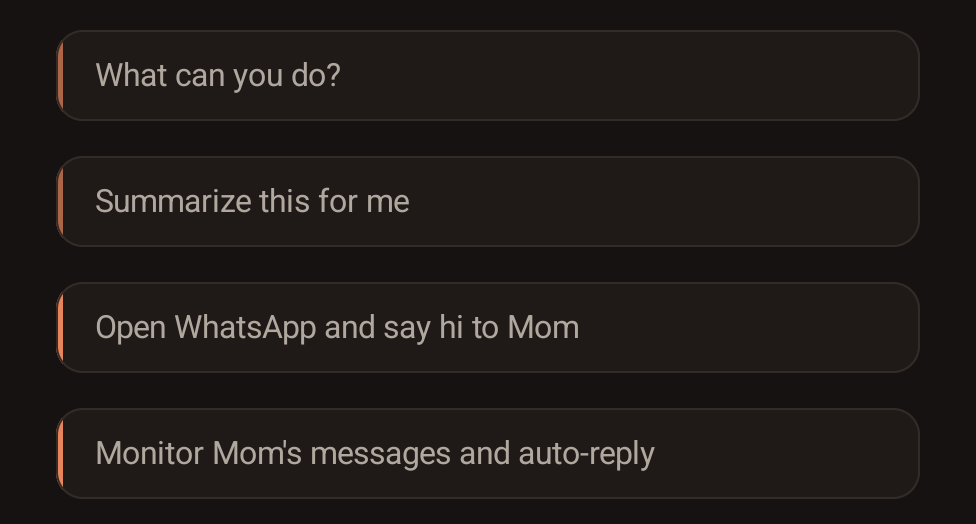
Monitor a WhatsApp contact and auto-reply:
Context-aware WhatsApp auto-reply:
https://github.com/user-attachments/assets/5a43d4d5-458a-4eea-a0a5-58d113255741
https://github.com/user-attachments/assets/5c2966c5-04e6-4b22-8d66-11915ae62096
☝️ Auto-reply demo: PokeClaw monitors messages from Mom, reads what she said, and replies based on context using the on-device LLM. Watch in higher resolution on YouTube
☝️ Context demo: Mom asks "what did I tell you to bring?" — the AI opens the chat, reads the full conversation on screen, sees the earlier message about wine, and replies correctly. This is the difference between context-aware and context-free replies.
https://github.com/user-attachments/assets/89999dd8-a1be-49ad-9419-60c2b38f6374
Why is the "hi" demo slow? That clip was recorded on a CPU-only Android device with no usable GPU or NPU path. Running Gemma 4 E2B on pure CPU takes about 45 seconds to warm up. On stronger phones it is much faster:
- Google Tensor G3/G4 (Pixel 8, Pixel 9)
- Snapdragon 8 Gen 2/3 (Galaxy S24, OnePlus 12)
- Dimensity 9200/9300 (recent MediaTek flagships)
- Snapdragon 7+ Gen 2+ (mid-range with GPU)
> On these devices, warmup drops to seconds. Same model, better hardware.
I'm building this solo. When Gemma 4 landed with native tool calling on LiteRT-LM, I wanted to know whether a phone could become a real on-device agent instead of just another chatbot. PokeClaw is the result.
The interesting part is not just chatting with a local model. The interesting part is getting a local model to read the screen, choose tools, operate apps, keep task state, and finish real phone workflows. That is exactly what this project is built for.
PokeClaw already supports fully on-device automation with Gemma 4 and optional cloud models for stronger task execution. The current focus is broader device support, more generic skills, more local model options, and a cleaner public release path.
If you hit something interesting, open an issue. Real device reports are how this gets better fast.
PokeClaw is not just a chat app with a few phone-control tricks glued on top.
At its core, it is becoming a mobile agent harness:
That is also why the project invests so heavily in:
Examples of harness problems worth fixing immediately:
There are already strong mobile-agent frameworks for developers, benchmarks, and cloud/desktop-controlled devices. DroidRun/Mobilerun, minitap/mobile-use, Mobile-Agent, and AppAgent-style systems are useful references, especially for planning, UI observation, benchmark design, and failure recovery. They are not the same deployment category as PokeClaw:
👉 Try the interactive demo on our landing page — click through every screen without installing anything.
The model picks the right tool, fills in the parameters, and executes. You don't configure anything per-app. It just reads the screen and acts.
These are tasks we have already run end-to-end during on-device QA.
pokeclawEvery number below comes from repeated trials on a physical Pixel 8 Pro running release builds. No cherry-picked runs, no emulators. The full verified task list and tier breakdown is in thoughts/verified-task-capabilities.md.
| Task | Result | Rounds | What happens | |---|---:|---:|---| | Search YouTube for lofi beats | ✅ | 9 | Opens YouTube, types query, hits search | | Open Chrome and search for weather | ✅ | 9 | Opens Chrome, types query, reads results | | Open Chrome and go to reddit.com | ✅ | 7 | URL navigation with node_id targeting | | Compose email to test@example.com | ✅ | 12 | Opens Gmail, fills To + Subject + Body | | Install Telegram from Play Store | ✅ | 14 | Search + tap Install + wait | | Turn on do not disturb | ✅ | 12 | Navigates Settings, toggles DND | | Open Settings, go to About Phone | ✅ | varies | Deep settings navigation | | Send hi to Mom on WhatsApp | ✅ | 5 | Opens WhatsApp, finds contact, types, sends | | Check my Instagram messages | ✅ | 5 | Handles typo ("instagarm"), opens correct app | | 部機仲有幾多storage | ✅ | 2 | Cantonese input, returns answer in 中文 | | 打開Instagram | ✅ | varies | Chinese command | | Draft an email saying I'll be late | ✅ 10/10 | 8 | Repeated trials: 100% pass rate | | Copy latest email subject and Google it | ✅ 8/10 | 15 | Gmail to Chrome cross-app flow, 80% pass rate |
All tasks use zero hardcoded app logic. The model reads the screen, picks tools, and figures out the flow on its own. Multi-language works out of the box, including Cantonese, Mandarin, and misspelled English.
| Task family | Result | CPU avg (Pixel 8 Pro) | GPU avg (Pixel 8 Pro) | Notes | |---|---:|---:|---:|---| | Clipboard explain | ✅ | 2m 43s | 2m 11s | Real clipboard read | | Notifications summary | ✅ | 2m 49s | 2m 53s | Reads live notifications and summarizes | | Battery advice | ✅ | 2m 12s | 2m 53s | Returns level + charging state | | Storage + apps cleanup advice | ✅ | 2m 33s | 3m 06s | Harness used to mislabel this as blocked because the answer mentioned the Contacts app |
For the current local-core quick-task bundle on a Pixel 8 Pro, Gemma 4 E2B passed 4/4 on both CPU and GPU. Cold-start average time was 2m 34s on CPU versus 2m 46s on GPU, so GPU is now verified and usable on this device, but it is not yet a cold-start speed win for this short task bundle. The value of the recent hardening work is stability and real backend verification, not inflated benchmark theater.
PokeClaw gives a small on-device LLM a set of tools (tap, swipe, type, open app, send message, enable auto-reply, etc.) and lets it decide what to do. The LLM sees a text representation of the current screen, picks an action, sees the result, picks the next action, until the task is done.
Local execution runs via LiteRT-LM with native tool calling. In Local mode, the model runs on-device.
The LLM has access to these tools and picks them autonomously:
| Tool | What it does |
|------|-------------|
| tap / swipe / long_press | Touch the screen |
| input_text | Type into any text field |
| open_app | Launch any installed app |
| send_message | Full messaging flow: open app, find contact, type, send |
| auto_reply | Monitor a contact and reply automatically using LLM |
| get_screen_info | Read current UI tree |
| take_screenshot | Capture screen |
| finish | Signal task completion |
These tools are generic — they work with any app, any contact, any language. The LLM picks the right tool and fills in the parameters from your request.
Small on-device models get dramatically better when you give them a strong playbook. So we give PokeClaw reusable skills on top of generic tools.
The auto-reply feature is a good example. It doesn't work by magic — there's a predefined workflow behind it: open the chat → read all visible messages on screen → generate a context-aware reply → send it → go back to home. The model follows this recipe step by step. Every tool in that chain is generic: open_app works with any app, read_screen works on any screen, send_message works with any contact. The workflow just tells the model which tools to use and in what order.
This is what we're calling Skills — reusable workflows built from generic tools. We're actively designing a skill system inspired by Claude Code's skill architecture. The idea: anyone can write a skill as a simple text file that describes the steps, and the LLM follows it.
Some examples of what skills can do:
open_app, tap, type, read_screen, send_message, etc.) arranged in a specific order. The tools are the building blocks, the skills are the recipes.
Both are designed to be extensible. We're building the first 8-10 skills as built-in defaults. If the system works well, we'll open it up for the community to create and share their own tools and skills. You know your phone better than we do — you should be able to teach it new tricks.
As on-device models get smarter, more of this can become free-form. Right now, skills are how we get reliable automation out of a small local model while keeping the tool layer generic.
Note: If you are updating from an older public debug build and Android says the package is incompatible, uninstall the old build once and then install the latest APK fresh. Older public debug builds still receive the in-app update prompt, but they need a one-time reinstall before joining the stable-signed 0.6.x line.
| | Minimum | Recommended | |---|---|---| | Android | 9+ | 12+ | | Architecture | arm64 | arm64 | | RAM | 8 GB | 12 GB+ | | Storage | 3 GB free (model download) | 5 GB+ | | GPU | Not required (CPU works) | Tensor G3/G4, Snapdragon 8 Gen 2+, Dimensity 9200+ | | Root | Not required | Not required |
⚠️ 8 GB gets you in the door. 12 GB+ is the sweet spot for the built-in Gemma 4 local models, especially if you want smoother multitasking and faster model bring-up.
1. Install the APK 2. Grant Accessibility permission when prompted 3. If you want background monitor flows, also grant Notification Access 4. In Local mode, the model downloads on first local launch (~2.6 GB) 5. Switch to Chat or Task mode and start using it
Local mode needs no account and no API key. Cloud mode is optional.
This is the current direction for PokeClaw based on real device testing, open issues, and the most common feature requests.
.litertlm models. User-accessible local model import is on the roadmap so you can bring your own LiteRT model instead of being locked to the built-in download list.Android/data/... sandboxes from normal file-pickers, so PokeClaw cannot generically "see" Edge Gallery's downloaded models unless they are exported into a user-accessible location first./start or task-message step. Treat this as an environment blocker, not a PokeClaw channel failure.PokeClaw exposes a user-enabled Android intent entrypoint for Tasker, MacroDroid, Locale, ADB, and other trusted local automation tools.
The setting is off by default. Enable it from Settings -> Remote Control -> External Automation.
The external automation contract is designed for Tasker, MacroDroid, Locale, and similar Android automation apps. The verified end-to-end path today is MacroDroid.
Verified on a Pixel 8 Pro on 2026-04-30:
Shortcut LaunchedSend IntentActivityio.agents.pokeclaw.RUN_TASKio.agents.pokeclawio.agents.pokeclaw.automation.ExternalAutomationActivitytask = how much battery left1. In PokeClaw, enable Settings -> Remote Control -> External Automation.
2. In MacroDroid, create a new macro.
3. Add any trigger you want. For a simple smoke test, use User Input -> Shortcut Launched.
4. Add action Device Actions -> Send Intent.
5. Set Target to Activity.
6. Set Action to io.agents.pokeclaw.RUN_TASK.
7. Set Package to io.agents.pokeclaw.
8. Set Class to io.agents.pokeclaw.automation.ExternalAutomationActivity.
9. Set Extra 1 name to task.
10. Set Extra 1 value to the task text, for example how much battery left.
11. Save the macro, then run MacroDroid's Test macro.
Expected result: PokeClaw opens, records the task in the chatroom, runs the task through the normal harness, and shows the result. The intent does not bypass P
→ →
→ →
→ →
→ →
→ →
→ →
→ →
→